Database management tools is an overloaded term. It covers relational databases, NoSQL stores, cloud-native data services, and data integration platforms — each solving fundamentally different problems. Evaluating them on a single list without classification leads to poor selection decisions and misleading comparisons.
This guide organizes 10 leading tools into three functional categories: traditional DBMS, cloud-native databases, and data integration platforms. Each entry is evaluated against consistent criteria relevant to its category, with clear guidance on when to use each and how they work together in enterprise data architectures.
Tool Categories at a Glance
Before comparing individual tools, understand the three distinct categories this guide covers:
| Tool Type | Best For | Examples |
| Relational DBMS | structured transactional data | Oracle, SQL Server, PostgreSQL, MySQL |
| NoSQL Database | flexible document/key-value data | MongoDB, Redis |
| Cloud Database | scalable managed workloads | Aurora, Cloud Spanner |
| Data Integration Platform | syncing, transforming, governing data across systems | FineDataLink |
Key distinction: A DBMS stores and serves data. A data integration platform moves and prepares data between DBMSs and downstream consumers. They are complementary layers, not interchangeable alternatives. FineDataLink is not a database; it is the connective tissue that makes multi-database environments usable for analytics, reporting, and AI.
How to Choose the Right Database Management Tool
Selection criteria differ by category. Use this framework to match tools to your actual requirements:
| Criterion | What to Evaluate | Why It Matters |
| Workload type | Transactional (OLTP), analytical (OLAP), real-time streaming, or mixed | Mismatched workload causes performance failures and cost overruns |
| SQL compatibility | ANSI SQL compliance, dialect differences, stored procedure support | Migration effort and developer productivity depend on familiarity |
| Deployment model | Self-hosted, cloud-managed, hybrid, or multi-cloud | Determines operational overhead, scaling flexibility, and vendor lock-in risk |
| Integration needs | Number of source systems, sync frequency, transformation complexity | Single-database shops need different tooling than multi-system enterprises |
| Security & governance | Encryption, RBAC, audit logging, compliance certifications, data lineage | Regulated industries cannot compromise; retrofitting governance is expensive |
| Scalability & cost | Vertical vs horizontal scaling, licensing model, compute/storage separation | Total cost of ownership varies dramatically at scale |
| Analytics readiness | Native connectors to BI/ETL tools, materialized views, columnar storage | Databases optimized purely for transactions create bottlenecks for analytical workloads |
No single tool excels across all criteria. Prioritize based on your primary workload and architectural constraints.
Top 10 Database Management Tools for 2026
1. Oracle Database 23c — Enterprise OLTP and Mixed Workloads
Website: https://www.oracle.com/apac/database/
Oracle Database 23c is the industry benchmark for mission-critical transactional processing with advanced analytics capabilities. It supports relational, JSON, graph, and spatial data models within a single engine, making it suitable for complex enterprise applications that require both ACID compliance and flexible schema handling.
| Strengths | Considerations |
| Unmatched scalability and high availability (RAC, Data Guard) | High licensing costs; complex capacity planning |
| Advanced security (Database Vault, Label Security, TDE) | Steep learning curve for administration and tuning |
| Converged multi-model support reduces architecture fragmentation | Oracle ecosystem dependency for full feature utilization |
| Long-term support (Premier until 2032) provides stability | Cloud migration requires careful licensing review |
Best for: Large enterprises running mission-critical OLTP, financial systems, and complex mixed-workload applications requiring maximum reliability and vendor support.
2. Microsoft SQL Server 2022 — Hybrid Cloud Enterprise Database
Website: https://www.microsoft.com/en-us/sql-server/sql-server-2022
SQL Server 2022 offers deep integration with the Microsoft/Azure ecosystem while maintaining strong on-premises capabilities. Built-in AI features, Always Encrypted security, and seamless Power BI/Azure Synapse connectivity make it a natural choice for Microsoft-centric organizations.
| Strengths | Considerations |
| Best-in-class Microsoft/Azure/Power BI integration | Core-based licensing can be expensive at scale |
| Strong hybrid cloud with Azure Arc-enabled management | Some advanced features restricted to Enterprise edition |
| Familiar T-SQL environment reduces developer onboarding time | Cross-cloud portability limited compared to open-source alternatives |
| Comprehensive documentation and community support | Performance tuning required for large-scale analytical workloads |
Best for: Microsoft-ecosystem enterprises needing hybrid cloud deployment, integrated BI/analytics, and familiar administrative tooling.
3. PostgreSQL — Open-Source Relational Flexibility
Website: https://www.postgresql.org/
PostgreSQL is the most widely adopted open-source relational database, valued for extensibility, standards compliance, and active community development. It handles diverse workloads from simple web applications to complex geospatial and analytical processing through extensions like PostGIS, TimescaleDB, and pgvector.
| Strengths | Considerations |
| Zero licensing cost; fully open-source | Requires self-managed HA, backup, and monitoring (or managed service) |
| Extensible architecture supports custom types, functions, and indexes | Horizontal write scaling more complex than distributed databases |
| Strong SQL standards compliance eases migration from proprietary DBs | Enterprise support available only through third-party vendors |
| Rich extension ecosystem for specialized workloads | Performance tuning expertise needed for high-concurrency OLTP |
Best for: Teams prioritizing flexibility, cost efficiency, and avoidance of vendor lock-in; suitable for OLTP, analytics, and specialized workloads via extensions.
4. MySQL — Web-Scale Transactional Database
Website: https://www.mysql.com/
MySQL remains the default choice for web applications, content management systems, and microservices architectures. Its simplicity, broad hosting support, and InnoDB storage engine provide reliable transactional processing with moderate operational complexity.
| Strengths | Considerations |
| Ubiquitous hosting and tooling support; lowest barrier to entry | Advanced features (clustering, encryption) require Enterprise edition |
| Simple replication and read-scaling for web workloads | Optimizer less sophisticated than PostgreSQL/Oracle for complex queries |
| Large talent pool and extensive documentation | Fork fragmentation (MariaDB, Percona) creates compatibility considerations |
| Low resource footprint for small-to-medium deployments | Limited native analytical capabilities; typically paired with separate OLAP system |
Best for: Web applications, CMS platforms, microservices backends, and teams with existing MySQL operational expertise.
5. MongoDB — Document-Oriented Flexible Schema
Website: https://www.mongodb.com/
MongoDB is the leading document database, designed for applications with evolving schemas, hierarchical data structures, and rapid iteration cycles. Its JSON-native document model aligns naturally with modern application development patterns.
| Strengths | Considerations |
| Flexible schema accommodates evolving application requirements | Not a replacement for relational databases requiring complex joins |
| Horizontal scaling via sharding for massive datasets | Operational complexity increases with cluster size and shard key design |
| Atlas managed service reduces operational burden | Licensing changes (SSPL) affect self-hosted commercial use cases |
| Change streams enable real-time event-driven architectures | Query optimization differs significantly from SQL; learning curve for DBAs |
Best for: Applications with flexible/hierarchical data models, rapid prototyping, content management, IoT telemetry ingestion, and event-driven architectures.
6. Amazon Aurora — Cloud-Native MySQL/PostgreSQL Compatible
Website: https://aws.amazon.com/rds/aurora/
Aurora is AWS's managed database service offering MySQL and PostgreSQL compatibility with cloud-native storage architecture that separates compute from storage. It provides automatic scaling, self-healing storage, and up to 5x throughput improvement over standard engines.
| Strengths | Considerations |
| Cloud-native storage auto-scales to 128TB without provisioning | AWS ecosystem lock-in; limited multi-cloud portability |
| Up to 5x throughput vs standard MySQL/PostgreSQL | Cost premium over self-managed equivalents at steady-state usage |
| Automatic failover, backup, and patching reduce ops burden | Performance characteristics differ from vanilla engines; testing required |
| Aurora Serverless v2 scales capacity automatically for variable workloads | Cross-region replication adds latency and cost |
Best for: AWS-native applications needing managed MySQL/PostgreSQL with elastic scaling, high availability, and reduced operational overhead.
7. Google Cloud Spanner — Globally Distributed Strong Consistency
Website: https://cloud.google.com/spanner
Cloud Spanner is Google's globally distributed, strongly consistent database service designed for applications requiring horizontal scalability across regions without sacrificing transactional integrity. It uniquely combines CAP theorem guarantees that most distributed databases cannot offer.
| Strengths | Considerations |
| Global distribution with strong consistency and 99.999% SLA | Premium pricing; justified only for global-scale requirements |
| Automatic sharding, replication, and failover | Limited SQL dialect; not fully PostgreSQL/MySQL compatible |
| Scales horizontally without application-level partitioning logic | GCP ecosystem dependency; fewer third-party tool integrations |
| Ideal for financial ledgers, inventory systems, and global user profiles | Overkill for regional or single-region workloads |
Best for: Globally distributed applications requiring strong consistency, financial-grade transactional integrity, and multi-region availability.
8. Redis — In-Memory Caching and Real-Time Data Store
Website: https://redis.io/
Redis is an in-memory data structure store used as cache, message broker, and real-time analytics engine. Its sub-millisecond latency makes it indispensable for session management, leaderboards, rate limiting, and pub/sub messaging.
| Strengths | Considerations |
| Sub-millisecond read/write latency for hot data | Memory-bound; dataset size limited by available RAM |
| Versatile data structures (strings, hashes, lists, sets, streams) | Persistence options add complexity; not a durable primary database |
| Pub/Sub and Streams enable real-time event architectures | Single-threaded execution limits CPU-bound workload scaling |
| Broad language and framework support | Enterprise features (clustering, RBAC) require Redis Enterprise or managed service |
Best for: Caching, session storage, real-time analytics, message queuing, and rate limiting — as a complement to persistent databases, not a replacement.
9. IBM Db2 — Enterprise Hybrid Data Management
Website: https://www.ibm.com/products/db2
Db2 offers mature enterprise database capabilities with strong hybrid cloud positioning through IBM Cloud Pak for Data. It excels in regulated industries requiring advanced compression, federated querying, and AI-integrated data management.
| Strengths | Considerations |
| Advanced compression and query optimization for large datasets | Declining market share; smaller talent pool vs Oracle/PostgreSQL |
| Federated querying across heterogeneous data sources | Complex licensing and packaging |
| AI-integrated data management via Watson/Knowledge Catalog | Ecosystem less vibrant than competing platforms |
| Strong compliance and governance features for regulated industries | Modernization path less clear for new cloud-native applications |
Best for: Legacy IBM enterprises, regulated industries (banking, insurance, healthcare), and hybrid environments requiring federated data access.
10. FineDataLink — Connecting and Managing Data Across Multiple Databases
Website: https://www.fanruan.com/en/finedatalink
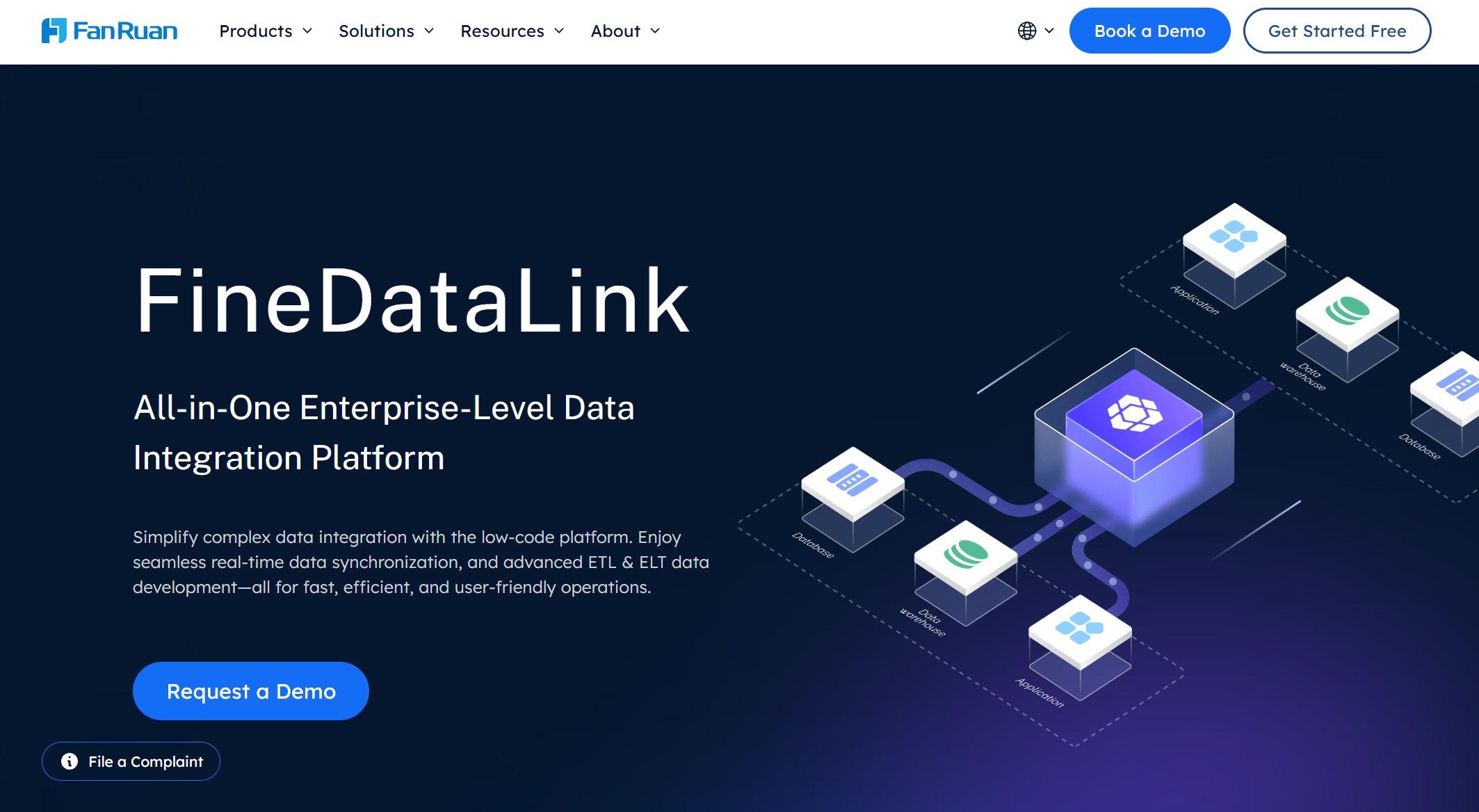
FineDataLink is not a traditional DBMS like PostgreSQL or Oracle. It is a data integration and pipeline platform that helps businesses connect, sync, transform, and govern data across databases and business systems.
In multi-database environments, the bottleneck is rarely storage capacity — it is data movement, consistency, and accessibility. FineDataLink addresses this gap:
- Multi-database synchronization: CDC-based real-time replication and scheduled batch sync between Oracle, SQL Server, PostgreSQL, MySQL, MongoDB, cloud warehouses, and file-based sources.
- ERP/CRM/MES/API integration: Native connectors for SAP, Salesforce, manufacturing execution systems, and REST/SOAP APIs unify operational data fragmented across business applications.
- ETL/ELT automation: Visual low-code pipeline design for encoding conversion, schema mapping, hierarchical flattening, and field-level transformations without custom scripting.
- Real-time data warehouse feeding: Continuous synchronization into analytical targets ensures BI dashboards and AI models operate on current data.
- Data quality and governance: Inline validation, deduplication, referential integrity checks, and end-to-end lineage tracking prevent bad data from reaching downstream consumers.
- Analytics-ready data preparation: Transforms raw transactional data into clean, standardized formats optimized for BI, reporting, and AI analysis.
FineDataLink complements — not replaces — your existing database investments. It ensures those databases work together as a unified, governed data foundation rather than isolated silos.
For more on building enterprise data pipelines, see our guides on best enterprise ETL tools, ETL data pipeline design, and reference data management.
| Tool | Key Features | Pricing (Typical) | Best Use Cases |
|---|---|---|---|
| Oracle Database 23c | Advanced analytics, AI, high security | Enterprise, custom | Mission-critical, finance, big data |
| SQL Server 2022 | Hybrid cloud, built-in AI, Power BI | Standard/Enterprise | BI, reporting, hybrid environments |
| PostgreSQL | Open-source, extensible, multi-data model | Free | Web apps, analytics, startups |
| MySQL | Fast reads, easy setup, open-source | Free/Commercial | Web, e-commerce, small business |
| MongoDB | Flexible schema, JSON, horizontal scaling | Free/Cloud plans | IoT, content, mobile apps |
| Google Cloud Spanner | Global scale, strong consistency, ZeroETL | Pay-as-you-go | SaaS, global apps, finance |
| IBM Db2 | In-memory, AI, multi-model support | Enterprise, custom | Banking, insurance, large enterprise |
| Amazon Aurora | Auto-scaling, MySQL/PostgreSQL compatible | Pay-as-you-go | SaaS, gaming, e-commerce |
| FineDataLink | Real-time sync, low-code, 100+ integrations | Competitive, flexible | Data integration, BI, real-time sync |
| Redis | In-memory, pub/sub, geospatial, fast cache | Free/Cloud plans | Caching, analytics, event streaming |
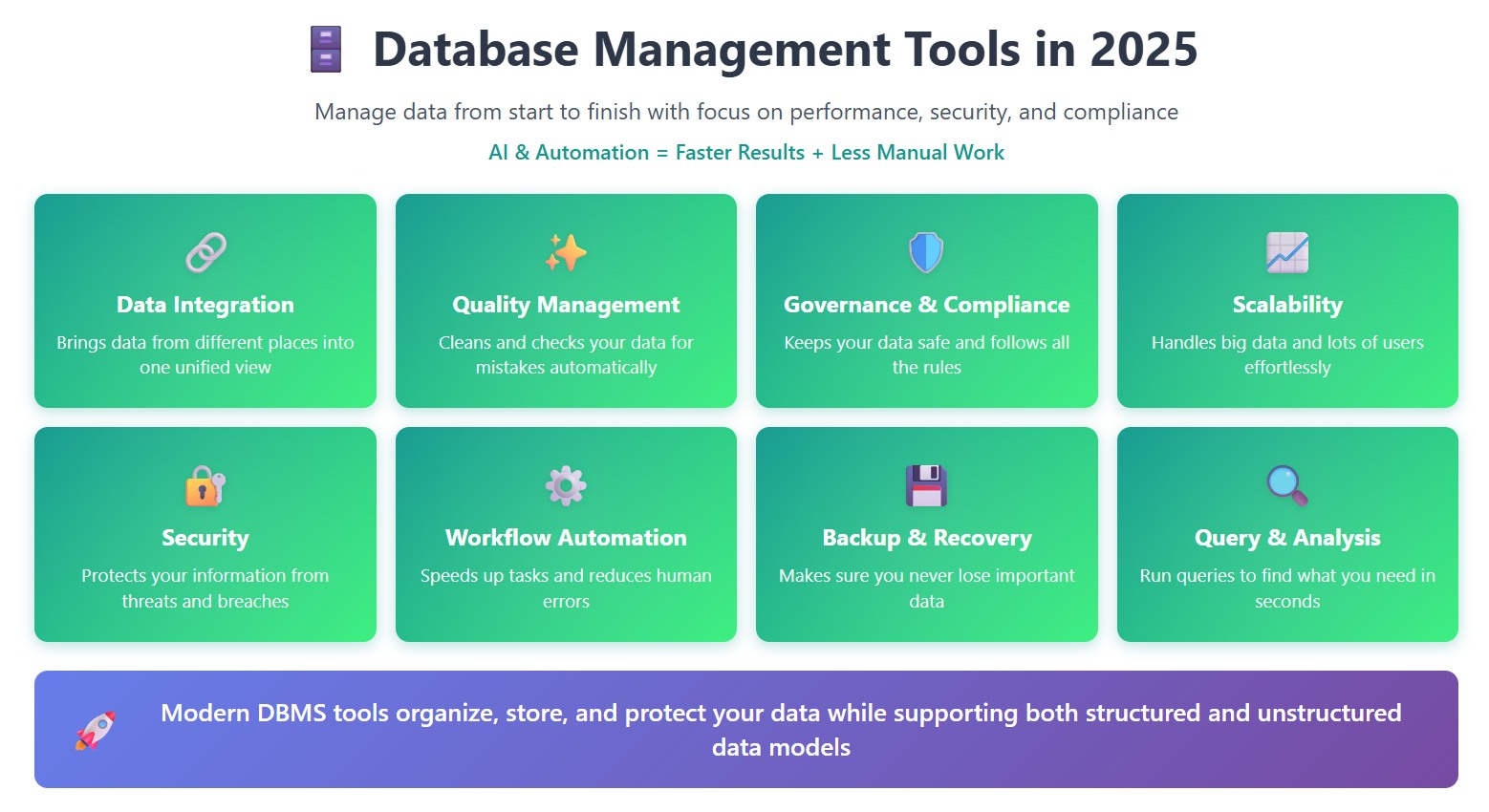
You’ll notice that most dbms tools now offer automation, strong security, and support for more than one data model. Many also include features like backup, restore, and monitoring to keep your storage safe and your data ready for action.
When a Database Is Not Enough: Why Teams Need a Data Integration Layer
Most enterprises operate 5–20+ database instances across departments, applications, and cloud providers. Each DBMS performs well within its domain. The problem emerges at the boundaries:
| Symptom | Root Cause | Integration Layer Solution |
| Reports always stale | Batch exports manually refreshed weekly | CDC-based real-time sync to analytics target |
| Duplicate customer records | Same entity stored differently in CRM, ERP, and support systems | Cross-system deduplication and master record resolution |
| Dashboard metrics disagree | Different teams calculate KPIs from different source tables | Centralized semantic layer with governed transformations |
| New analytics project stalled | Data trapped in legacy format or inaccessible system | Automated extraction, transformation, and loading pipeline |
| Compliance audit fails | Cannot trace data from report back to source system | End-to-end lineage and immutable transformation logs |
| AI model underperforms | Training data inconsistent, incomplete, or outdated | Continuous data quality validation and refresh pipelines |
Databases store data. Integration platforms make that data usable across organizational boundaries. Investing in DBMS selection without investing in the integration layer leaves valuable data stranded in silos.
FineDataLink: Modern Data Integration Platform
Key Features and Advantages
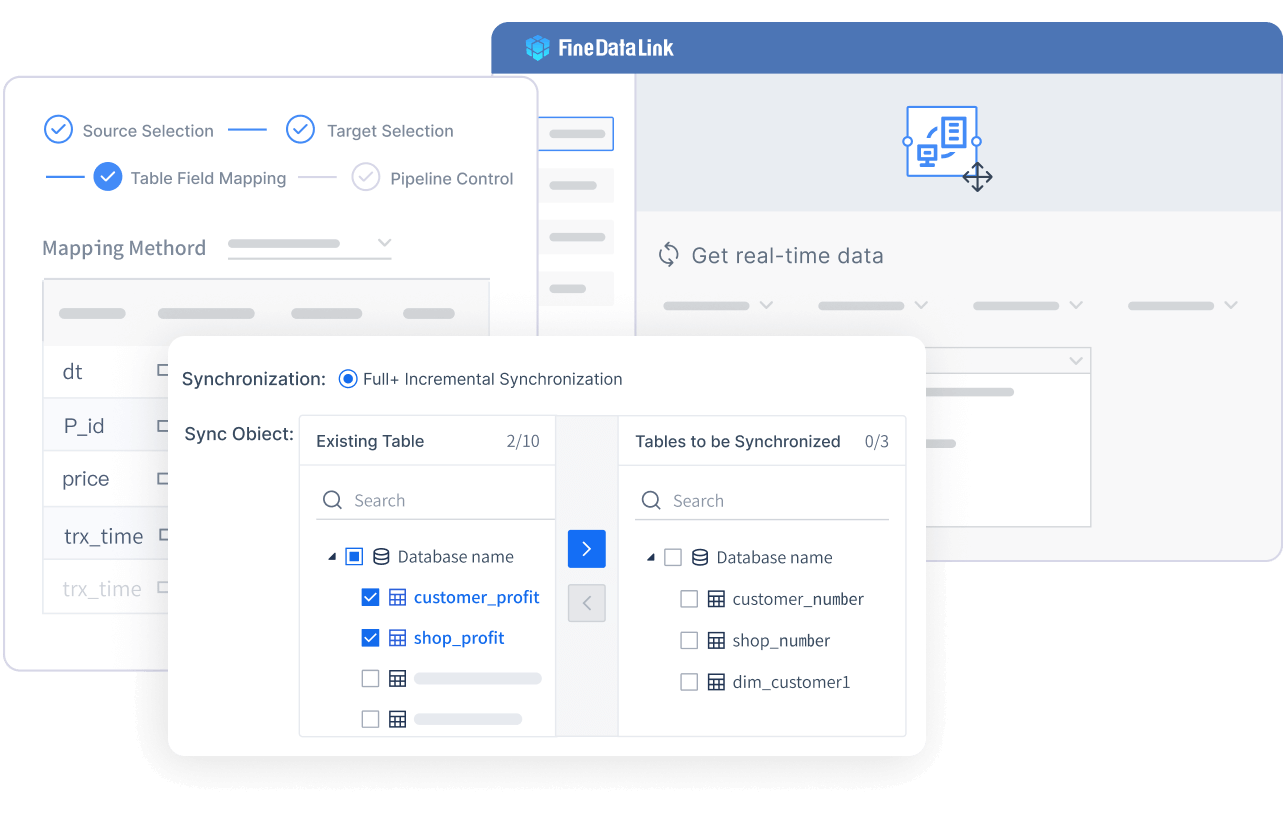
When you look for a modern database management system, you want something that makes your life easier. FineDataLink gives you just that. You get a low-code platform that lets you build data pipelines with simple drag-and-drop actions. You do not need to write code for most tasks. This dbms connects to over 100 data sources, so you can bring all your information together in one place. You can sync data in real time, which means you always work with the latest numbers. FineDataLink also helps you automate ETL and ELT processes, making data movement smooth and fast.

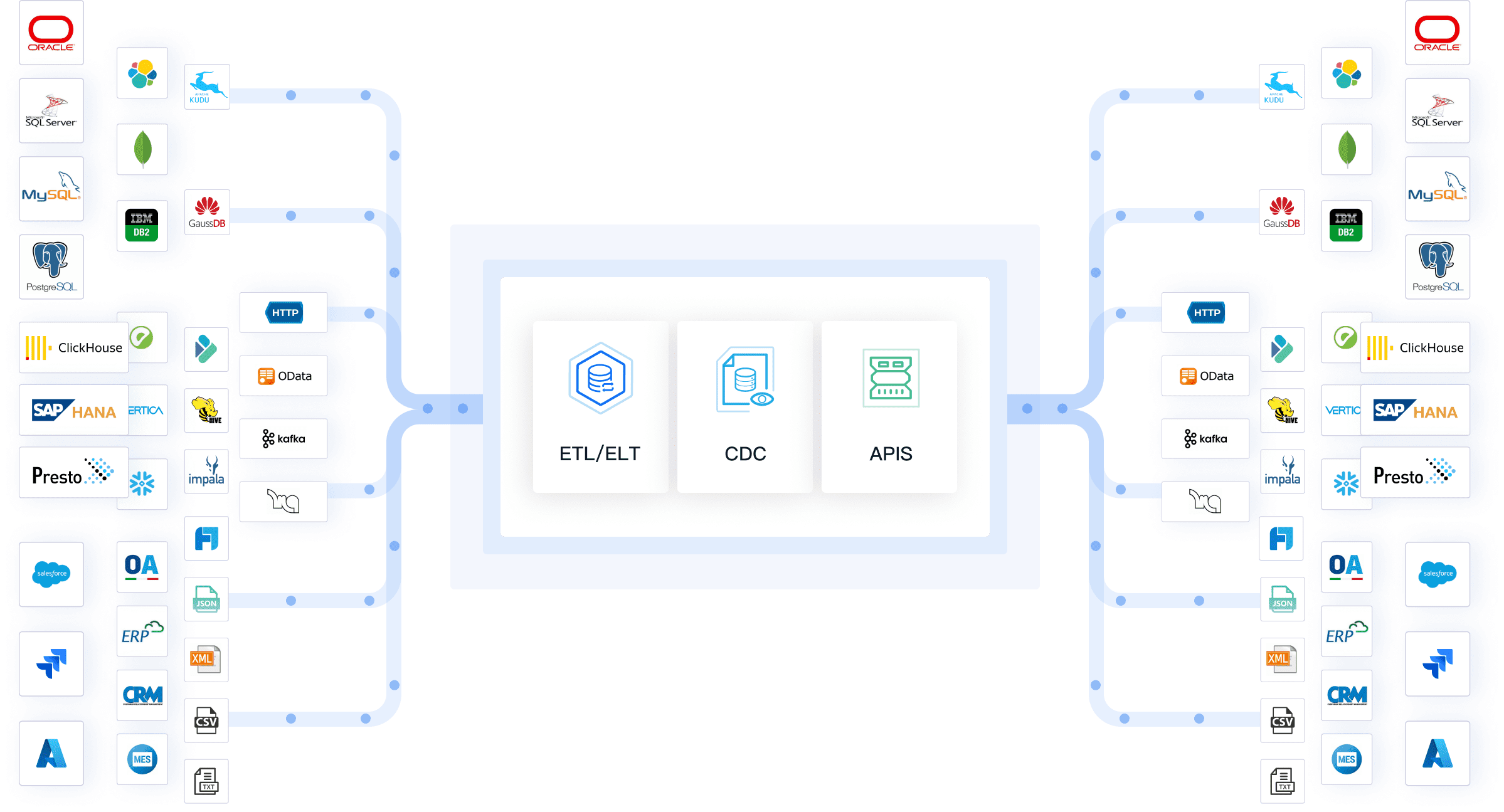
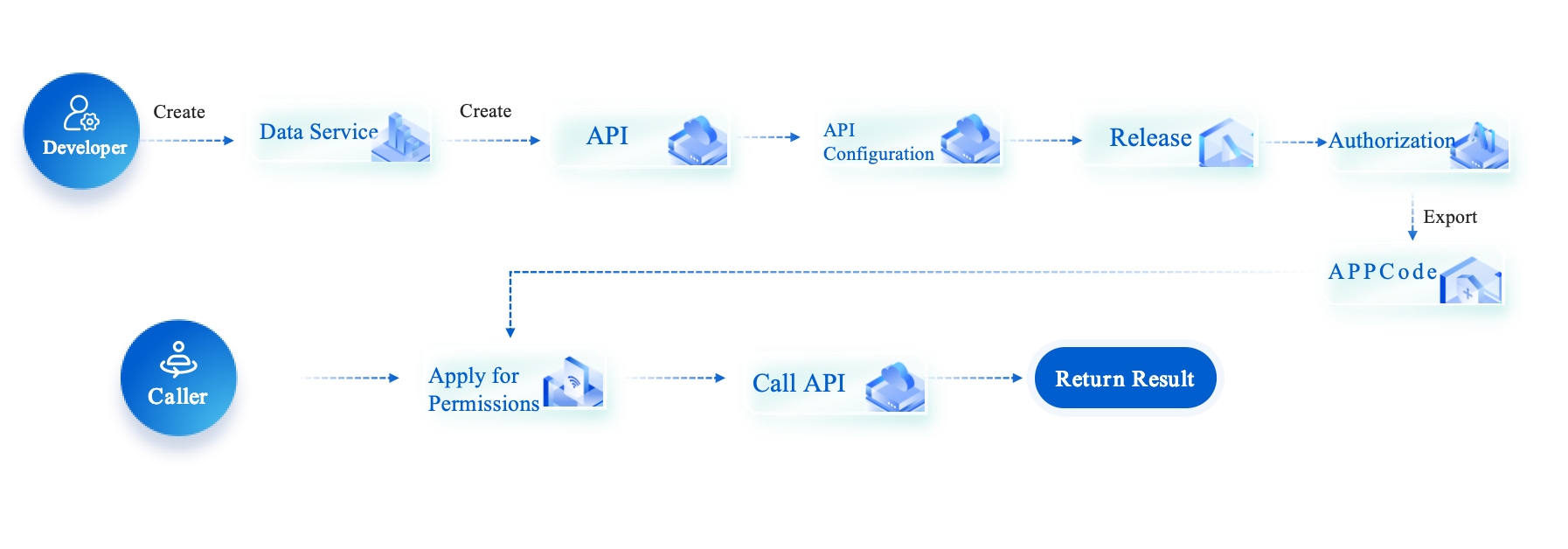
You can use FineDataLink to manage data quality management, automate workflows, and handle complex queries. The platform supports both structured and unstructured data, so you can work with any data model you need. If you want to build a real-time or offline data warehouse, this dbms has you covered. You can even set up API integrations in minutes, which helps you share data between different systems. FineDataLink stands out among data integration tools because it is user-friendly and cost-effective. You get a visual interface that makes database management systems less intimidating.
Use Cases and Industry Applications
You might wonder how FineDataLink works in real businesses. Many companies use this dbms to solve tough problems. For example, some need to sync data across many departments. Others want to cut costs or improve decision-making. FineDataLink helps you break down data silos and improve storage, making your data more useful every day.
Here are some real-world examples:
| Company Name | Challenge | Solution | Business Impact |
|---|---|---|---|
| Chongqing HKC Jinyu Photoelectric Technology Co., Ltd | Synchronizing real-time data across operations | Implemented FineDataLink to consolidate data from multiple systems | Enhanced data timeliness and accuracy, improved productivity and operational agility |
| Zhejiang International Business Group Co., Ltd | Data management challenges across diverse holdings | Adopted FineDataLink to centralize data processes | Reduced data procurement costs, improved risk management and strategic decision-making |
FanRuan, the company behind FineDataLink, has earned recognition from Gartner and Forbes. Many organizations trust this dbms for its reliability and innovation. If you want a relational database management system that grows with your business, FineDataLink is a smart choice.
How Dora Uses Governed Database Data for AI Analysis
When FineDataLink connects and standardizes data from multiple databases, Dora can help business users interact with that trusted data through natural language.
Dora does not connect to raw databases directly. It operates on governed, integrated data assets produced by FineDataLink and downstream BI/reporting platforms. Business users can ask questions like "Which production line had the highest downtime last week?" or "Summarize Q2 revenue variance by region" — and receive answers grounded in validated, current data rather than stale exports or unverified sources.
This completes the enterprise data value chain: databases → FineDataLink integration → governed analytics layer → Dora conversational access. Each layer solves a distinct problem; skipping any one undermines the others.
Continue Reading About database management tools
How to Start Your Career in Clinical Data Management Jobs
Why Every Organization Needs a Data Management Framework
Unstructured Data Management: How to Manage It Efficiently
What is a Data Management Analyst and Why Are They Important?
Understanding Reference Data Management Tools and Their Advantages
Frequently asked questions
You should look for tools that are easy to use and affordable. MySQL, PostgreSQL, and FineDataLink work well for small businesses. They offer simple setup, strong community support, and flexible pricing.