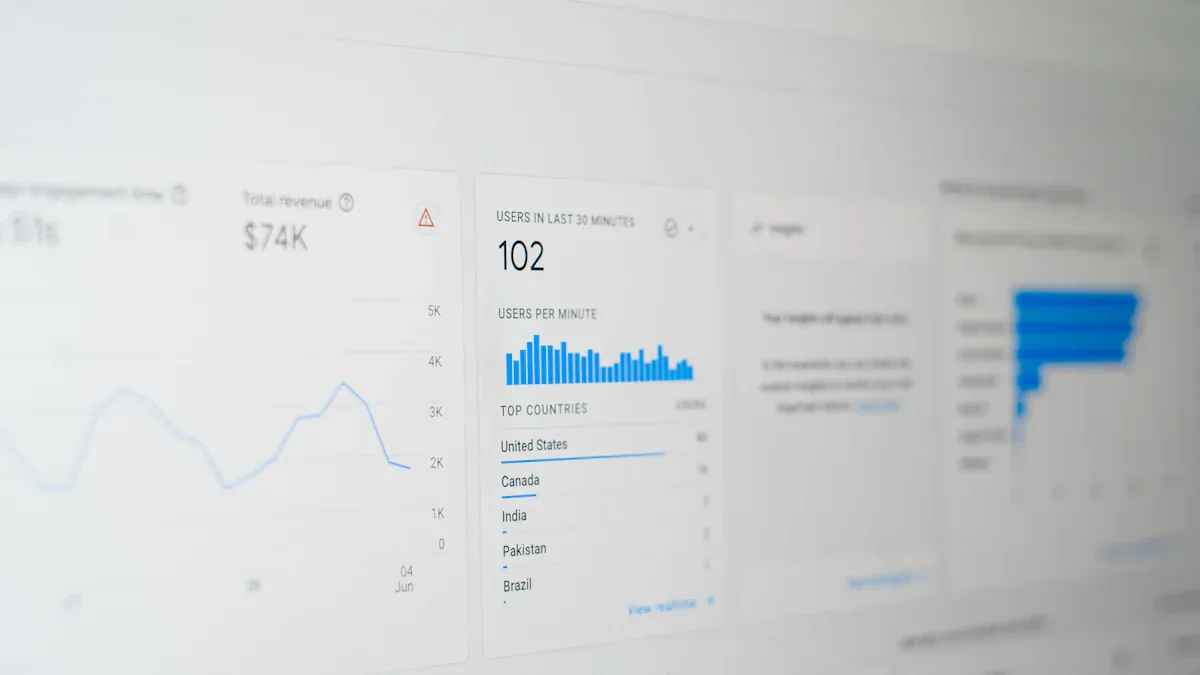
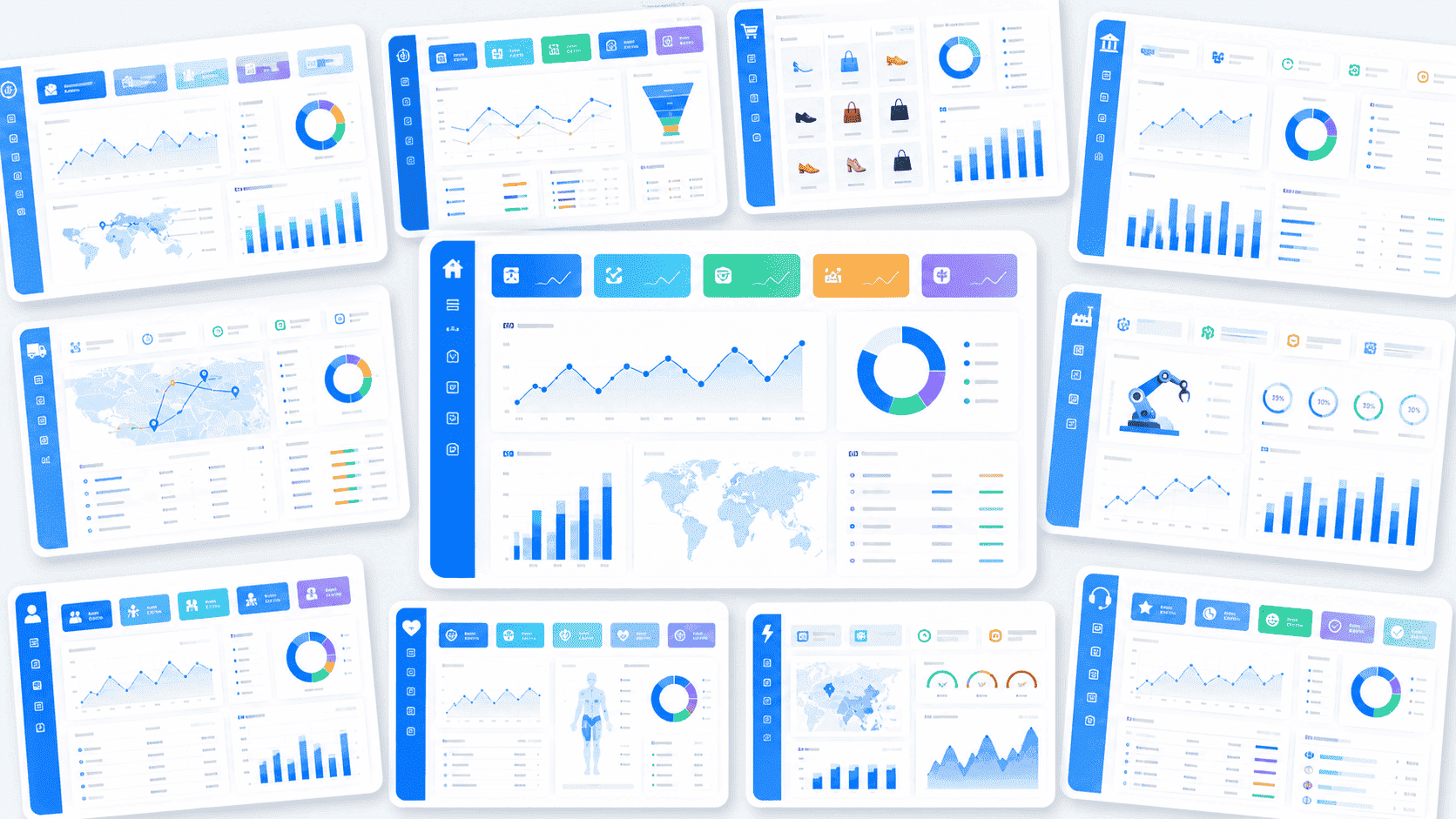
Data conversion software helps you move, transform, and connect data between different systems. These tools solve the problem of handling many data formats and sources. In 2025, organizations like yours face growing challenges with data silos and complex formats. Over 68% of companies say data silos are their top concern. You might manage hundreds or even thousands of data sources, which makes integration tough and costly.
Here are the 10 best data conversion software tools for seamless integration:
- FineDataLink
- Talend Data Integration
- Informatica PowerCenter
- Integrate.io
- AWS Glue
- Microsoft Power Query
- Altova MapForce
- Apache NiFi
- Matillion
- Fivetran
Choosing the right tool helps you clean and connect your data. This makes business intelligence, analytics, and daily operations faster and more accurate.
What Is Data Conversion Software?

Definition and Core Functions
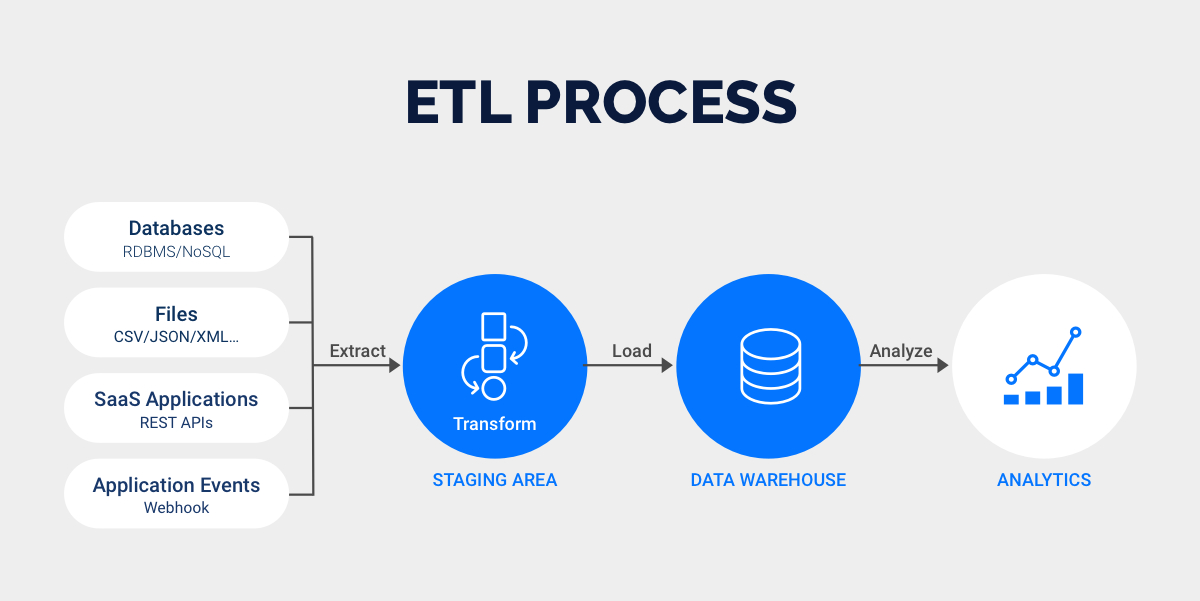
You might wonder what data conversion software actually does. Leading technology research firms define data conversion as the process of changing data from one format or structure to another. This is the main job of data conversion software. You use these tools to make sure your data works across different platforms, systems, and applications. When you move data from old systems to new ones, especially in industries like insurance or wealth management, you need reliable software to keep everything accurate and usable.
The best data conversion software helps you tackle several important tasks. Here’s a quick look at the core functions:
| Core Function | Description |
|---|---|
| Data Transformation | Converts data from one format or structure to another for compatibility. |
| Data Cleansing | Audits source data for errors, duplicates, and inconsistencies to ensure accuracy. |
| Data Mapping and Transformation | Defines field mappings and conversion logic to bridge source and target systems. |
| Testing and Validation | Verifies the accuracy and performance of converted data through testing plans. |
| Backup and Rollback Planning | Protects your data with backup strategies and rollback procedures in case something goes wrong. |
Why Seamless Integration Matters
You face many challenges when you try to connect data from different sources. Data format inconsistencies can make integration tough. Sometimes, you deal with complex relationships between data sets, which can lead to confusion or even data loss. Legacy systems often lack modern APIs, so you need custom solutions to extract and convert data. Privacy rules like GDPR and HIPAA add another layer of complexity, and security risks can pop up if systems use different protocols.
Seamless integration matters because it helps you avoid these problems. When your data flows smoothly between systems, you get faster insights and better decisions. You spend less time fixing errors and more time focusing on your business goals. The right data conversion software makes all of this possible, giving you the best chance to unlock the full value of your data.
Top 10 Data Conversion Software
FineDataLink Overview
FineDataLink stands out among data conversion tools for its low-code approach and real-time integration capabilities. You can use it to connect, transform, and synchronize data across more than 100 sources, including databases, SaaS applications, and cloud platforms. The platform’s drag-and-drop interface makes it easy for you to build data pipelines without deep coding knowledge. If you need to move data between systems or build a real-time data warehouse, FineDataLink gives you the flexibility to do so with minimal latency.
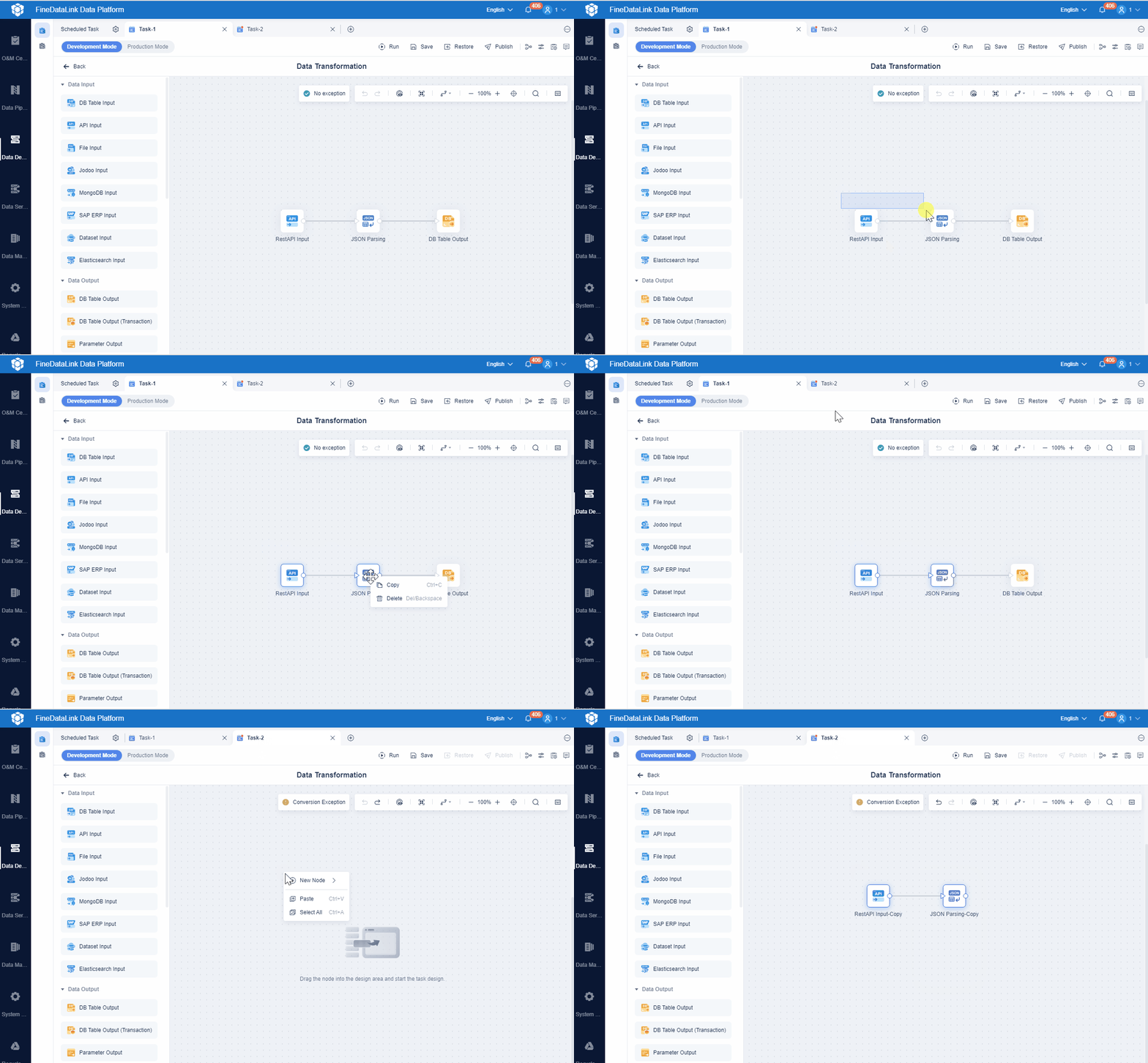
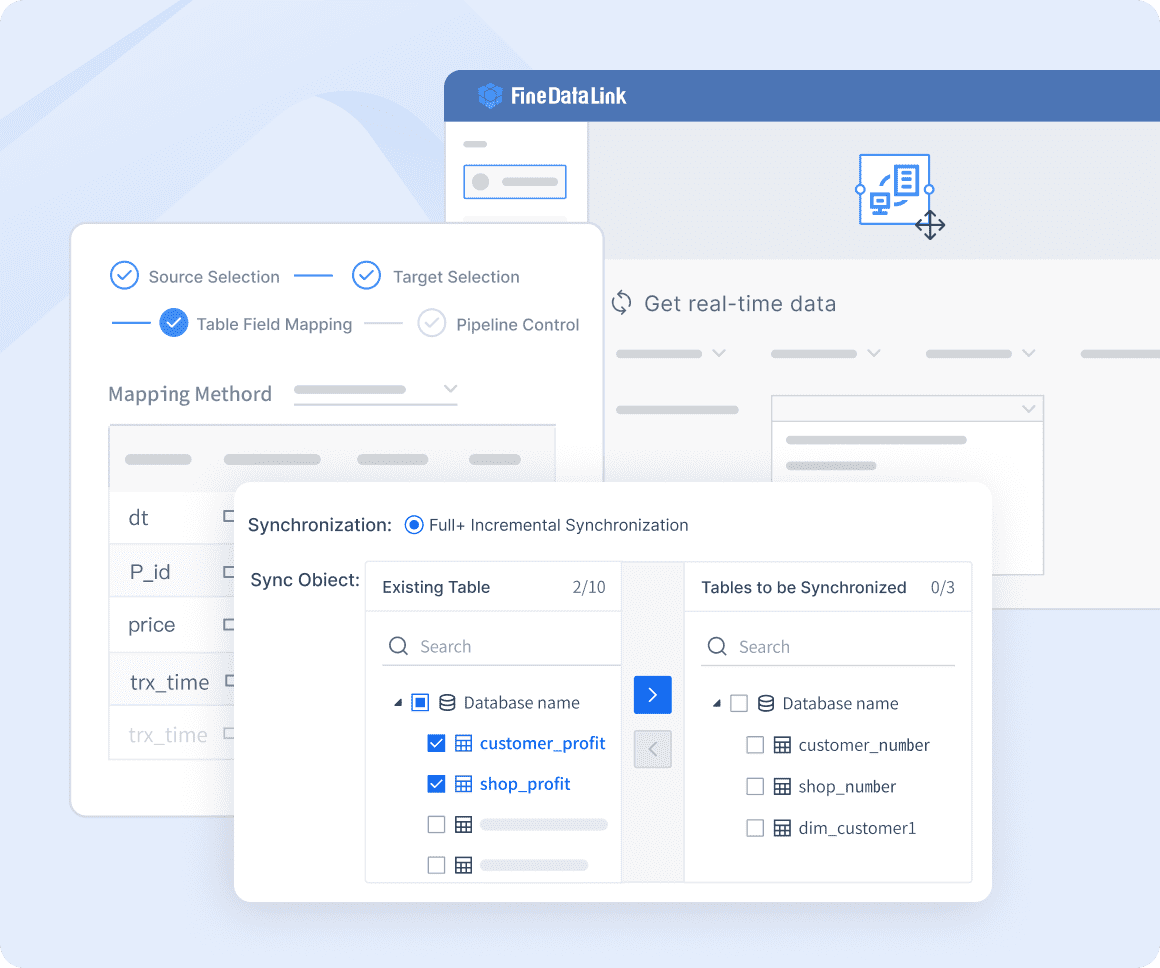
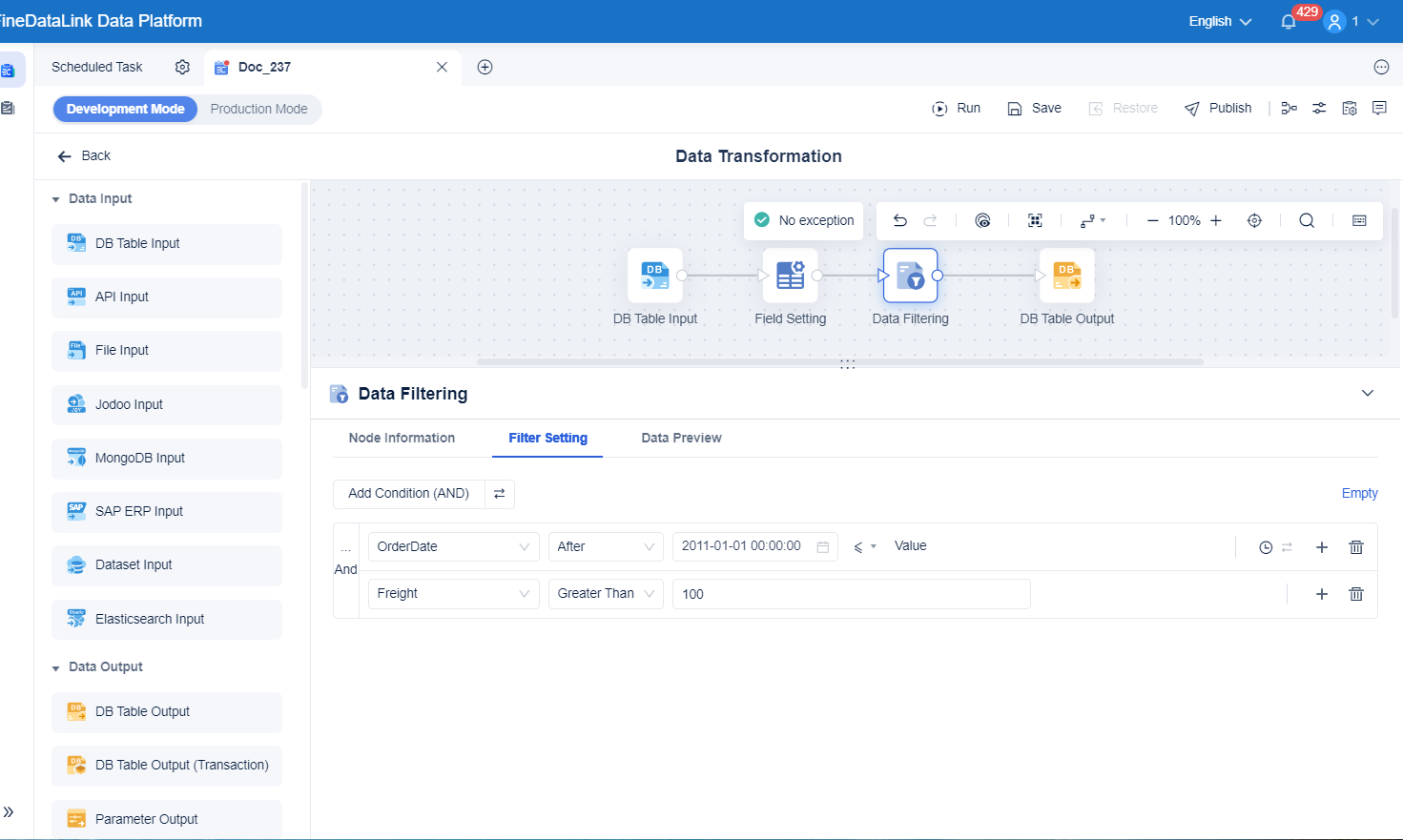
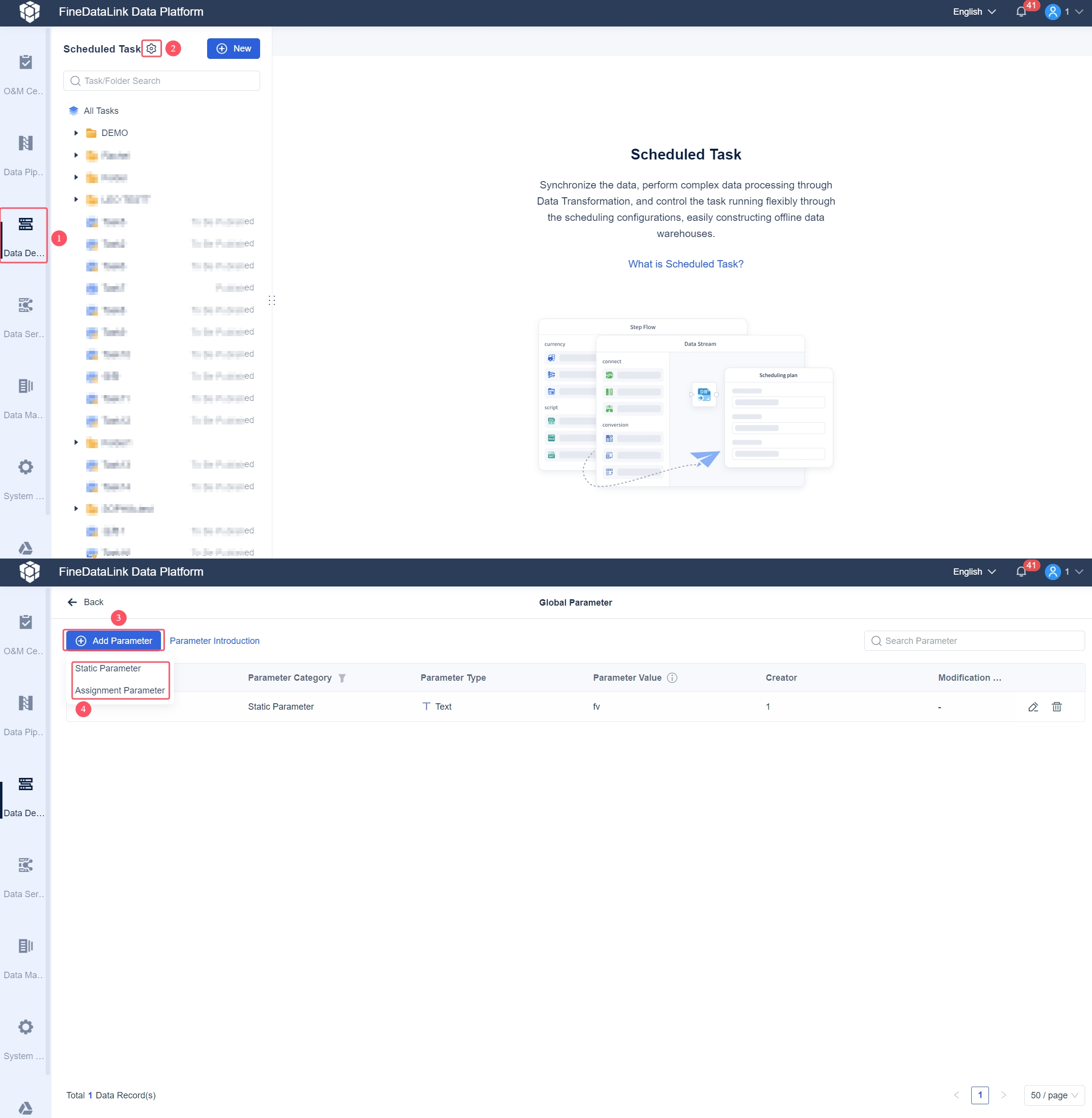
You get three core features: real-time data synchronization, advanced ETL/ELT development, and rapid API creation. For example, you can synchronize business databases in real time, reducing the load on your main systems. Scheduled tasks let you automate data extraction and transformation, which is perfect for building offline data warehouses or managing regular data updates. FineDataLink also lets you create and launch APIs in minutes, making it easy to share data between different systems.
| Use Case | Description |
|---|---|
| Real-time Data Synchronization | FineDataLink supports real-time full and incremental synchronization of data from various sources, addressing challenges in synchronizing large volumes of data efficiently. This is crucial for enterprises managing extensive data warehouses. |
| Scheduled Task Capabilities | The Scheduled Task module allows for automated data extraction, transformation, and loading, facilitating the creation of offline data warehouses and ensuring stable data production through timed scheduling. |
You will find FineDataLink especially useful if you want to break down data silos, automate complex workflows, and ensure high data quality. Its visual interface and extensive documentation help you get started quickly, even if you are not a seasoned developer. FineDataLink is a great fit for data engineers, BI teams, and organizations that need scalable, cost-effective data conversion software tools.
Talend Data Integration
Talend Data Integration is one of the most popular data conversion tools for enterprises that need robust ETL and ELT capabilities. You can use Talend to connect to a wide range of data sources, transform data, and ensure high data quality. The platform supports cloud, on-premises, and hybrid deployments, so you can choose the setup that fits your infrastructure.
Talend’s visual development environment lets you design complex data workflows with ease. You get powerful transformation features, real-time integration, and extensive customization options. Talend also offers over 900 components for different integration scenarios, making it suitable for large-scale projects.
| Feature | Description |
|---|---|
| ETL and ELT Support | Comprehensive capabilities for both ETL and ELT processes. |
| Data Quality and Governance | Extensive features ensuring high data quality and governance. |
| Deployment Models | Support for cloud, on-premises, and hybrid deployment options. |
| Transformation Capabilities | Powerful transformation capabilities with visual development environments. |
| Real-Time Integration | Robust capabilities for handling real-time data streams with minimal latency. |
| Implementation Complexity | Requires specialized technical expertise for complex integration scenarios. |
| Customization Options | Extensive customization options for complex integration requirements. |
| Enterprise-Scale Integration | Offers over 900 components for comprehensive integration scenarios. |
| Regulatory Compliance | Detailed data lineage tracking for compliance needs. |
Talend is ideal if you need enterprise-scale integration, detailed data lineage, and strong governance. You might choose Talend if your organization handles sensitive data and must meet strict compliance requirements.
Informatica PowerCenter
Informatica PowerCenter is a trusted name in the world of data conversion tools. You can use it to extract, transform, and load data from a variety of sources, including databases, flat files, and applications. Informatica’s visual workflow designer helps you manage complex integration tasks with ease.
You get advanced transformation capabilities, error handling, and detailed logging. Informatica PowerCenter is known for its reliability in large-scale, mission-critical environments. If you need to orchestrate complex workflows and ensure data accuracy, this tool delivers.
| Feature | Description |
|---|---|
| Data Extraction and Integration | Supports extracting data from various sources, including databases, flat files, and applications. |
| Data Transformation | Provides powerful transformation capabilities to clean, enrich, and manipulate data. |
| Workflow Orchestration | Offers a visual workflow designer to create and manage complex data integration workflows. |
| Error Handling and Logging | Allows users to define error handling logic and capture error details during data integration. |
Informatica PowerCenter works best for organizations with complex data environments and high reliability needs. You can use it for enterprise data migration, regulatory reporting, and large-scale analytics.
Integrate.io
Integrate.io is a cloud-native, low-code platform designed for multi-source data environments. You can connect to over 200 data sources, including SaaS applications, databases, and REST APIs. The drag-and-drop interface makes it easy for you to build and manage data pipelines, even if you have limited technical skills.
- Integrate.io provides over 200 connectors for various data sources.
- It features a user-friendly drag-and-drop interface, making it accessible for non-technical users.
- The platform supports multiple data formats and integration challenges.
- The Integrate.io Developer Toolkit allows for API creation with minimal coding.
- It supports real-time data streaming and integrates with major data connectors like SQL and BigQuery.
- Integrate.io is a cloud-native, low-code platform optimized for enterprise-scale data integration.
- It has an extensive library with over 200 supported source systems and destinations, including SaaS, databases, and REST APIs.
Integrate.io is a strong choice if you want to simplify integration across many platforms and automate your data workflows. It is especially useful for organizations that need to handle diverse data formats and sources without heavy IT involvement.
AWS Glue
AWS Glue is a fully managed data conversion tool that helps you prepare and transform data for analytics. You can use AWS Glue to automate data discovery, catalog metadata, and centralize data from multiple sources. The platform’s intuitive interface and built-in transforms make ETL processes straightforward.
| Advantage | Description |
|---|---|
| Automated Data Discovery | AWS Glue uses crawlers to automatically discover and catalog metadata from various data sources. |
| Simplified Data Cleansing | Provides functions to clean inaccurate datasets, ensuring data quality and reliability. |
| Simplified ETL Processes | Allows centralization of data from various sources with an intuitive drag-and-drop interface. |
| Data Preparation | Built-in transforms for preparing data for analysis, including partitioning and format conversions. |
AWS Glue is a great fit if you want to automate data preparation and reduce manual effort. You can use it to streamline ETL workflows, ensure data quality, and support analytics initiatives in the cloud.
Microsoft Power Query
Microsoft Power Query is a favorite among business users who need seamless data integration. You can connect to a wide range of data sources, including Excel, databases, web pages, and cloud services like Azure and SharePoint. Power Query’s transformation tools let you filter, merge, and aggregate data with just a few clicks.
| Feature | Description |
|---|---|
| Data Connectivity | Power Query supports connections to numerous data sources, including Excel files, databases, web pages, and cloud services like Azure and SharePoint. This wide range of supported data sources allows users to compile comprehensive datasets from diverse origins seamlessly. |
| Data Transformation | Users can perform a variety of data transformation tasks such as filtering, merging, appending, and aggregating data. Recent updates have introduced new transformation capabilities, simplifying data preparation processes. |
| Automated Workflows | Power Query enables users to save their transformation steps and refresh them automatically, ensuring consistent and up-to-date data. This feature significantly reduces manual data handling, increasing efficiency and accuracy. |
| Integration with Excel and Power BI | Power Query's seamless integration with Excel and Power BI enhances these tools' data modeling and reporting capabilities, supporting the creation of advanced, interactive reports and dashboards. |
Power Query is perfect if you want to automate data preparation and reporting in Excel or Power BI. You can save time and reduce errors by automating repetitive tasks.
Altova MapForce
Altova MapForce is a versatile data conversion tool that excels at mapping and transforming data between different formats. You can use it to convert data from and to nearly any format, including XML, JSON, databases, and flat files. The graphical interface lets you visualize and manage complex mappings easily.
| Feature Description | Details |
|---|---|
| Data Format Support | MapForce enables conversion from and to nearly any format, enhancing data integration capabilities. |
| Graphical Interface | The tool includes options for managing, visualizing, and executing mappings, which simplifies complex projects. |
| Data Processing Library | An extensive library of functions is available for filtering and manipulating data, tailored to integration needs. |
| Chained Transformations | Support for multi-step transformations allows for complex mappings where outputs can feed into subsequent processes. |
| Web Service Integration | Direct calls to SOAP and REST services can be made within mappings, facilitating real-time data integration. |
| FlexText Utility | This unique feature allows for parsing flat file outputs, aiding in the integration of legacy data with modern structures. |
Altova MapForce is a strong choice if you need to handle legacy data, perform multi-step transformations, or integrate with web services. You can also generate code for deployment, making it flexible for developers.
Apache NiFi
Apache NiFi is an open-source data conversion tool known for its scalability and automation strengths. You can use NiFi to design, automate, and monitor data flows in real time. The platform’s visual interface lets you build data pipelines quickly and make changes on the fly.
| Feature | Description |
|---|---|
| Flexible Scaling Model | NiFi can scale up or down easily, allowing for increased throughput or suitability for edge devices. |
| Guaranteed Delivery | Utilizes a persistent write-ahead log and content repository for high transaction rates and load-spreading. |
| Buffering and Back Pressure | Supports buffering of queued data and can apply back pressure when queues reach specified limits. |
| Prioritization Schemes | Allows for custom prioritization of data retrieval from queues, enhancing data flow management. |
| Real-time Visualization | Enables real-time visual establishment of dataflows, allowing for immediate changes without downtime. |
Apache NiFi is ideal if you need to automate complex workflows, manage high data volumes, or ensure reliable delivery. You can use it for IoT, big data, and real-time analytics projects.
Matillion
Matillion is a cloud-native data conversion tool built for modern data teams. You can use it to build and manage data pipelines, create no-code or high-code data transformations, and deliver data for analytics and AI. Matillion’s platform supports data preparation, mapping, transformation, and verification.
| Feature | Description |
|---|---|
| Data Productivity Cloud | An all-in-one platform to build and manage data pipelines, create no-code data transformations, and deliver data for AI and analytics. |
| Data Transformation | Cleanse, aggregate, and transform data with ETL no-code and high-code options. |
| Custom Data Transformations | Allows for specific data requirements, including aggregating data and applying business logic. |
Matillion is a great fit if you want to accelerate cloud data integration and support advanced analytics. You can automate data preparation, ensure data quality, and scale your data workflows as your needs grow.
Fivetran
Fivetran is a leading data conversion tool for automated data pipeline management. You can use Fivetran to connect to a wide range of sources and automate the entire data pipeline process. The platform handles schema changes automatically, so you do not have to worry about manual updates.
- Increased ROI from paid marketing campaigns through better analysis.
- Significant time savings in engineering, focusing resources on strategic growth.
- Enhanced customer insights, understanding interactions more clearly.
- Faster scalability without complex manual builds.
- Future-proofed data architecture to support ongoing expansion.
Fivetran is perfect if you want to automate data integration, reduce manual work, and scale your analytics quickly. You can rely on Fivetran to keep your data pipelines running smoothly, even as your business grows.
Tip: When you evaluate data conversion tools, you should:
- Assess your data requirements, including formats, volumes, and transformation needs.
- Choose a tool that matches your technical infrastructure, scalability, and budget.
- Ensure data quality with validation and cleansing processes.
- Monitor and optimize your data conversion processes for efficiency.
- Stay updated on the latest features and improvements in data conversion software tools.

Key Features of Leading Data Conversion Software
Supported Data Formats
When you choose data conversion tools, you want to make sure they support a wide range of data formats. The best solutions let you work with everything from spreadsheets to big data files. Here are some of the most common formats you will see:
- Excel
- Access
- Apache Parquet
- JSON-Stat
- HTML Tables
- CSV (ASCII – Delimited)
- XML
- Open Document Spreadsheets
- SPSS Data Files
- Stata
- R
- Matlab
- ODBC
- SAS Data Files
- EViews
- Minitab
You can also find support for specialized formats like DDI Schemas, SYSTAT, and Triple-S. This flexibility means you can connect almost any source to your data integration platforms.
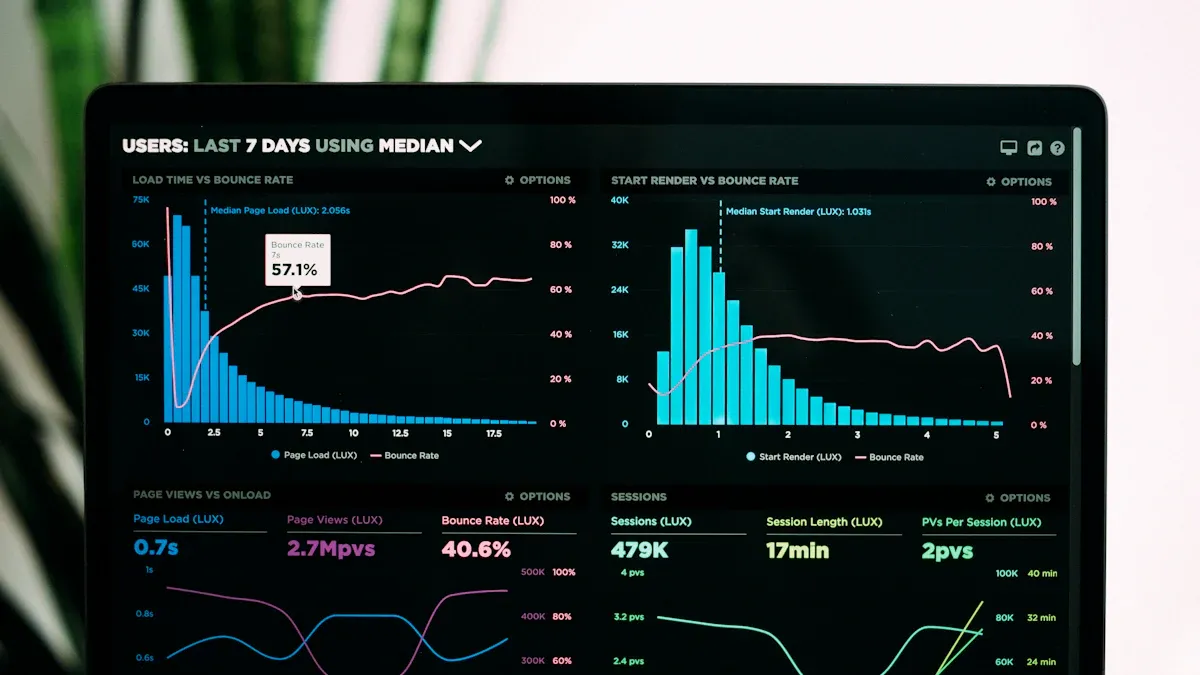
Real-Time Synchronization
Real-time synchronization is a must-have for modern data conversion software. You want your data to move quickly and stay up to date. Top data conversion tools offer features like:
| Feature | Description |
|---|---|
| Real-time Capabilities | Process data instantly for fast decision-making. |
| Integration Options | Connect easily with APIs and custom systems. |
| Scalability | Handle more data as your needs grow, without slowing down. |
| Security Features | Protect your data with encryption and strong authorization. |
With these features, you get faster insights and secure, reliable data processing.
ETL and ELT Capabilities
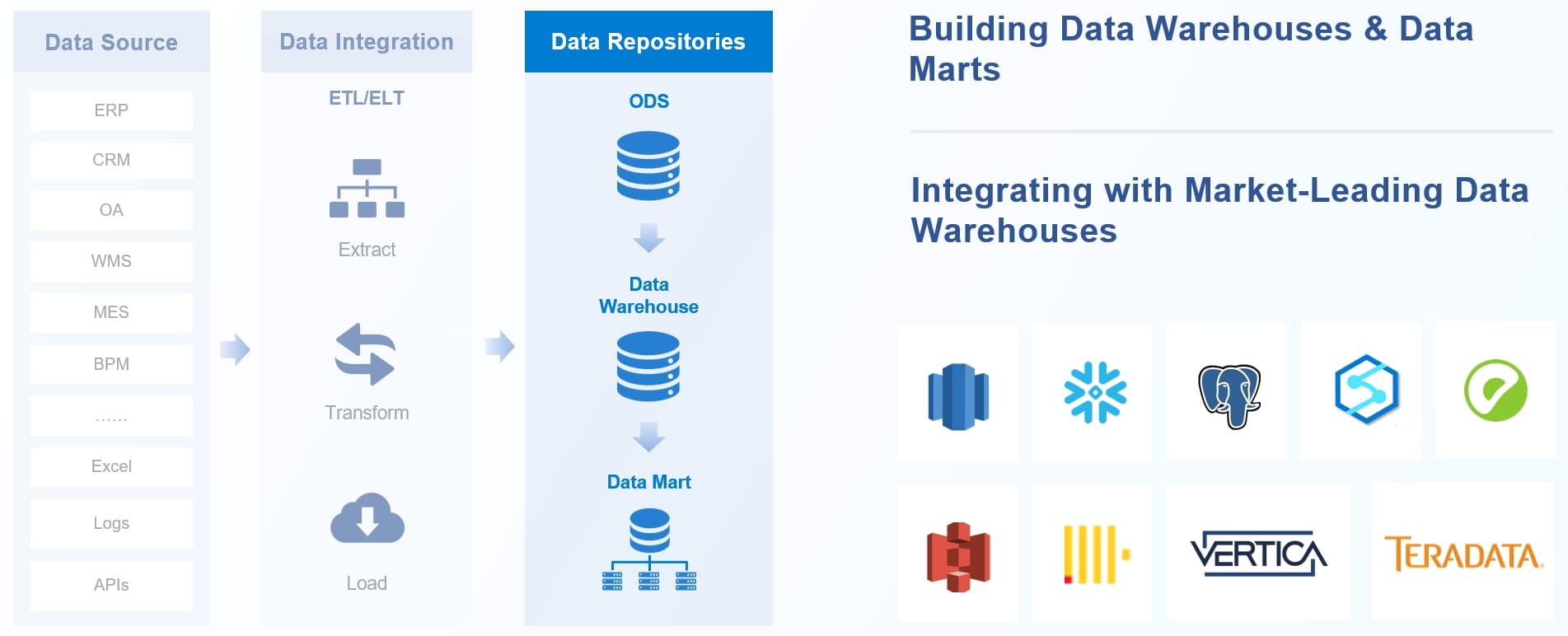
You need strong ETL and ELT capabilities to handle complex data transformation. The best data conversion software tools go beyond simple SQL. They use automation, governance, and even AI to manage your data. You can clean, deduplicate, and prepare data for analytics. Some tools push transformation logic downstream, making your pipelines more efficient and easier to manage.
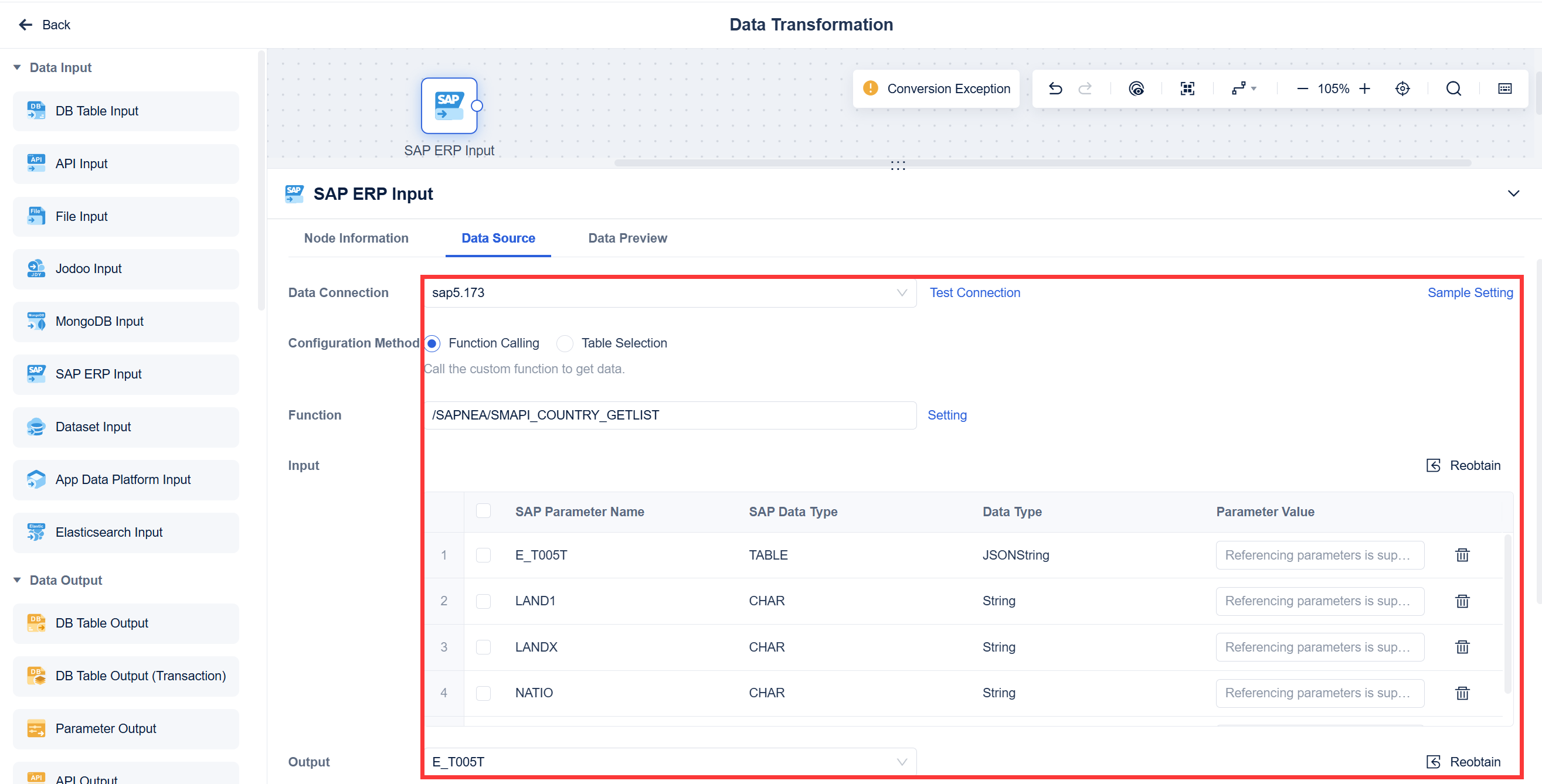
Automation and Low-Code Options
You do not want to spend hours coding every workflow. Leading data conversion tools give you visual, drag-and-drop environments. You get pre-built templates, automated testing, and easy integration with other systems. This means you can build and deploy solutions faster, even if you are not a developer.
Security and Compliance
Security matters when you move and transform data. Top data conversion software includes encryption, audit logs, and compliance with regulations. You can trust these tools to keep your data safe and meet industry standards.
Pros and Cons of Top Data Conversion Software
FineDataLink Strengths
When you look for the best data conversion tools, FineDataLink stands out for its user-friendly design and powerful features. You get a low-code platform that makes building data pipelines simple. The drag-and-drop interface helps you set up data transformation and integration tasks quickly. You do not need to write much code, so you save time and reduce errors.
FineDataLink supports real-time data synchronization. This means you can move data between systems with almost no delay. If you need to connect many sources, FineDataLink gives you over 100 connectors. You can use it for both scheduled and real-time processing. The platform also lets you create APIs in minutes, which helps you share data across different applications.
Here are some key strengths:
- Visual, modern interface for easy setup
- Real-time and scheduled data synchronization
- Advanced ETL and ELT capabilities
- Support for over 100 data sources
- Quick API creation for data sharing
- Detailed documentation and helpful tutorials
FineDataLink works well for data engineers, BI teams, and anyone who wants to break down data silos. You can use it to build both offline and real-time data warehouses. The platform also fits organizations that want scalable, cost-effective data integration platforms.
Other Leading Tools
Other top data conversion tools each bring their own strengths and a few trade-offs. Here’s a quick comparison to help you decide which one fits your needs:
| Tool | Pros | Cons |
|---|---|---|
| Talend | Strong data quality, flexible deployment, rich transformation tools | Can be complex to set up, needs technical expertise |
| Informatica | Reliable for large-scale projects, advanced error handling | Higher cost, steeper learning curve |
| Integrate.io | Easy to use, many connectors, cloud-native | Limited advanced customization |
| AWS Glue | Fully managed, automates ETL, integrates with AWS | Best for AWS users, less flexible outside AWS ecosystem |
| Power Query | Great for Excel/Power BI, easy automation | Not ideal for very large or complex data environments |
| Altova MapForce | Handles many formats, strong mapping features | Interface can feel dated, license required |
| Apache NiFi | Scalable, real-time processing, open source | Needs setup and monitoring, can be resource-intensive |
| Matillion | Cloud-native, supports advanced analytics | Focused on cloud, may not fit on-premises needs |
| Fivetran | Automated pipelines, handles schema changes | Less control over transformation logic |
Tip: Always match your choice of data conversion software to your team’s skills and your project’s needs. The right tool will make your data integration smooth and efficient.
Use Cases for Data Conversion Software
Enterprise Data Migration
You often need to move large amounts of data from old systems to new ones. Data migration software helps you transfer information safely and accurately. When you use the best data conversion tools, you can handle different formats and sources without losing data quality. These tools make it easy to map fields, validate records, and automate the entire process. You save time and reduce errors during data migration, which is important for business continuity.
Real-Time Analytics
If you want instant insights, real-time analytics powered by data conversion software tools can help. Modern organizations rely on cloud-native data stacks for flexibility and cost savings. Real-time data processing lets you react to changes as they happen, instead of waiting for batch updates. Here’s how it works:
- You ingest data and send it to a processing layer for transformation, aggregation, and enrichment.
- The system keeps your data fresh, updating pipelines in less than a second.
- Dashboards and reports update instantly, so you can make quick decisions.
Managed real-time analytics services also lower your costs compared to older systems.
Cloud Integration
Cloud-based data migration is now a must for many businesses. You want your data integration platforms to connect with cloud apps and services. When you select data conversion software tools for cloud integration, keep these tips in mind:
- Choose a platform that works well with your current systems.
- Make sure you have strong validation and cleaning processes to keep your data accurate.
- Plan for growth by picking solutions that scale easily.
- Set up alerts and monitor your workflows to catch issues early.
Cloud data migration becomes smoother when you follow these steps.
Self-Service BI
Self-service BI lets you explore and analyze data without waiting for IT. Data conversion software tools make this possible by transforming raw data into easy-to-use formats. You can connect to different sources, clean up your data, and build reports on your own. This approach empowers you to find answers faster and make better decisions.
Data Conversion Software Comparison
Feature Matrix
When you compare data conversion software tools, a feature matrix helps you see the strengths and weaknesses at a glance. This table shows how some of the best options stack up:
| Tool Name | Strengths | Weaknesses | Pricing Model |
|---|---|---|---|
| Informatica Cloud Data Integration | High scalability, integrates with many data sources, automates workflows | High resource consumption, steep learning curve, requires skilled workforce | Consumption-based pricing model |
| Fivetran | Hundreds of connectors, strong security features, simplifies governance | Expensive for large data volumes, limited transformation capabilities | Usage-based pricing model |
| Oracle Data Integrator | Seamless integration with Oracle products, real-time data integration | Complicated setup, high cost for non-enterprises | $30,000 per processor license |
| Boomi | Extensive pre-made connectors, low-code interface | Limited customization, struggles with large data volumes | Free plan, pay-as-you-go, custom pricing |
| AWS Glue | Integrates with Amazon ecosystem, handles complex ETL processes | Vendor lock-in, high costs for startups and SMBs | Pricing based on data processing units (DPUs) |
| SQL Server Integration Services | Integrates well with Microsoft products, high scalability | Requires Microsoft infrastructure, high initial costs for non-Microsoft users | Included in SQL Server licenses |
| Airbyte | Cost-effective open-source solution, community-driven | Requires data engineering team, lacks scalability | Free-for-life plan, tiered pricing for syncing |
| Qlik Talend | Real-time data integration, advanced security features | N/A | N/A |
You can use this matrix to match your needs with the right tool. If you want high scalability, Informatica Cloud Data Integration stands out. For a low-code interface, Boomi is a strong choice. If you need hundreds of connectors, Fivetran delivers.
Performance and Scalability
Performance and scalability matter when you choose data conversion software tools. You want a platform that handles large data migration projects and supports cloud-based data migration. Some tools, like AWS Glue and Informatica, scale easily and process huge data sets. Others, such as Airbyte, work well for smaller teams but may struggle with big workloads.
You should look for tools that keep processing fast, even as your data grows. Cloud data migration becomes easier with platforms that offer real-time integration and automation. The best solutions help you move data quickly, keep costs predictable, and support your business as it expands.
Tip: Always test performance with your own data before you decide. This helps you avoid surprises and ensures your data conversion software tools meet your needs.
How to Choose the Right Data Conversion Software
Assessing Business Needs
Start by looking at your business goals. Ask yourself what you want to achieve with data conversion software tools. Do you need to handle data migration from legacy systems? Are you planning cloud-based data migration? Make a list of your main data sources and the formats you use. Think about the size of your data and how often you need updates. If you want the best results, choose a tool that matches your current needs and can grow with your business.
Tip: Talk to your team about their daily data challenges. Their feedback will help you pick the right solution.
Integration and Scalability
Check if the data conversion software tools you consider can connect with your existing systems. Look for platforms that support many connectors and APIs. This will make cloud data migration and integration much easier. Scalability matters too. As your business grows, your data processing needs will increase. Pick a tool that can handle more data and users without slowing down. Some tools offer real-time processing, which is great for fast insights.
| Feature | Why It Matters |
|---|---|
| Connectors | Easy link to many data sources |
| APIs | Smooth system communication |
| Scalability | Handles growth and big projects |
Budget and Support
Set a clear budget before you choose data conversion software tools. Compare pricing models—some charge by usage, others by subscription. Think about the total cost, including setup and training. Good support is just as important. Look for vendors that offer strong customer service, clear documentation, and training resources. This will help you solve problems quickly and keep your data migration projects on track.
Note: A free trial can help you test if the tool fits your needs before you commit.
Choosing the best data conversion software can transform how you handle data migration and cloud-based data migration. You want tools that make processing simple and reliable. Take time to review your needs and test a free trial, especially with FineDataLink. If you want more guidance, reach out to vendors or check out more resources. The right choice will help your business grow.
Continue Reading About Data Conversion Software
Enterprise Data Integration: A Comprehensive Guide
What is enterprise data and why does it matter for organizations
Understanding Enterprise Data Centers in 2025
Enterprise Data Analytics Explained for Modern Businesses
Frequently asked questions
Data conversion software tools help you change data from one format to another. You use them to move, clean, and connect data between systems. These tools make integration easier and faster.