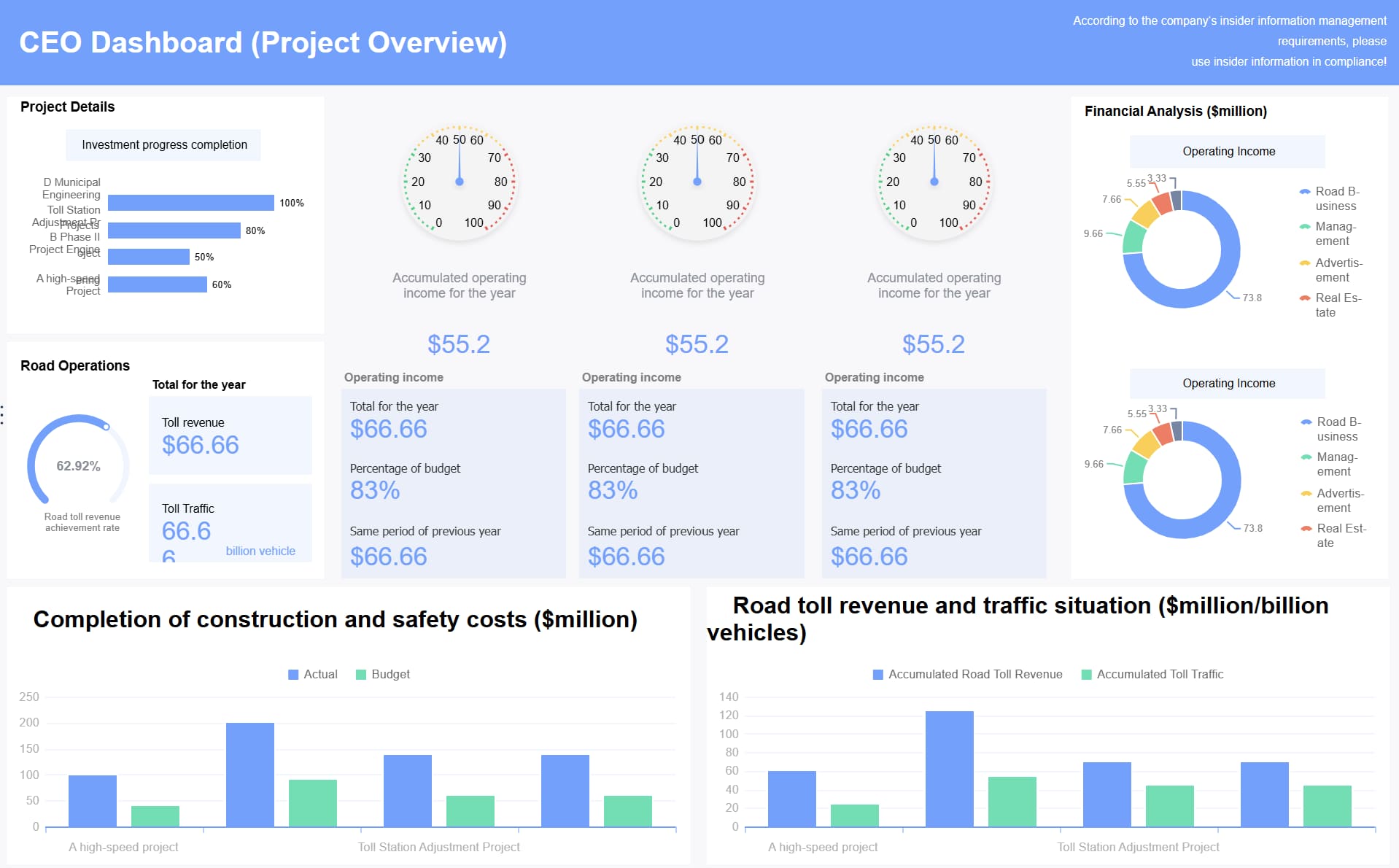
You need a good dashboard to help your group stay ahead. Real-time data in a program management dashboard shows you how your project is doing right now. This helps you make good choices and stop problems before they get bigger. The dashboard stops old information from causing errors. FineReport lets you make a dashboard your team trusts and uses daily. When you act fast with new data, you keep your projects on track with your goals.
Define Program Management Dashboard Goals
Clarify Decision Objectives
You need to know what choices your dashboard will help with. Think about what you want to do when you see new data. You might move resources, change project timelines, or handle risks. Use simple tests to set your goals:
Criteria
Description
Decision Test
Finds actions that will change because of the data shown.
Frequency Test
Makes sure data updates as often as you make choices.
Authority Test
Checks if the viewer can act on the information given.
When you set these goals, your dashboard becomes more helpful. Your team can act fast and feel sure about their choices. A program management dashboard should always show the most important information for your goals.
You can also check common goals for dashboards in big companies:
Goal
Description
Monitoring cross-project dependencies
Makes sure links between projects are watched and handled.
Resource allocation
Helps share resources well across different projects.
Coordination between teams
Helps teams work together and stay on the same page.
These goals help you plan your dashboard and make it work well.
Identify Stakeholders
You need to know who will use your dashboard and who will gain from it. Start by listing everyone who is part of your projects. This means people inside and outside your group. Here are some steps you can use:
Step
Description
Identify Stakeholders
Make a list of stakeholders based on your group and project goals.
Analyze Stakeholders
Look at how important each stakeholder is and what they think.
Map Stakeholders
Draw a chart to show how much power and interest each one has.
Prioritize Stakeholders
Make a plan to talk with stakeholders based on where they are on the chart.
You might have inside stakeholders like project teams, managers, and staff. Outside stakeholders can be clients, suppliers, or government groups. Sometimes, you also need to think about other groups like the media or the public.
A dashboard that matches your goals and stakeholder needs will always work better.
Select Metrics and Integrate Data Sources for Program Management Dashboard
Prioritize Actionable KPIs
You must pick the best metrics for your dashboard. Think about what is most important for your projects. Focus on KPIs that help you see progress and make choices. Good dashboards show what is happening now and what needs your focus.
Some common metrics you can use are:
Metric
Description
Tasks & Deliverables
Shows finished, waiting, and late tasks
Risks & Issues
Lists risks, who owns them, effects, and how to fix them
Resource Allocation
Shows team workload and how resources are used
Custom KPIs
Tracks special things like quality score or customer feedback
You can also add these important indicators: schedule variance, budget variance, defect rates, and resource utilization.
When you build your project management dashboard, put the most important metrics at the top. Make your dashboard simple and easy to read. Explain what each number means so users understand. Compare your results to your goals or what is normal in your industry. This helps everyone know if the project is doing well.
Ensure Data Quality with FineReport
You want your dashboard to show correct and current information. FineReport lets you connect to many data sources, like databases, Excel, and cloud systems. You can put all your data in one place. This makes your dashboard the main spot for information.
Follow these steps for a good dashboard:
Pick KPIs that fit your goals and check them often.
Make rules for data quality and keep your data clean.
Update your dashboard often to show new information.
Work with your team to make sure the dashboard works for them.
FineReport gives real-time data updates and strong data control. You can trust your dashboard to show the right information every time. With good data integration, you get better charts and make smarter choices.
Design Advanced Program Management Dashboard Layout
Choose Visualizations and Layouts
You want your dashboard to show information in a way that is easy to understand. A good dashboard helps you see what is important right away. Start by picking the best chart or graph for your data. Each kind of chart shows something different.
Here is a table to help you pick the right visualization:
Visualization Type
Purpose
Line Graphs
Show trends over time, like monthly progress.
Bar Graphs
Compare different groups, such as team performance.
Pie Charts
Show parts of a whole, like budget split.
Heat Maps
Highlight areas with more risks or issues.
Scatter Plots
Find links between two things, like cost and time.
Tables
Give detailed numbers in a clear way.
Donut Chart
Show how different parts make up a total.
Area Map
Show where things happen, like project sites.
Funnel Charts
Track steps, like task completion rates.
Stacked Bar Charts
Compare groups over time or by category.
Tree Maps
Show how items fit into bigger groups.
When you make your dashboard, think about where to put each piece of information. Here are some ways to make your dashboard better:
Strategy
Description
Prioritize information
Put the most important numbers and alerts at the top.
Use visual cues
Add colors and icons to draw attention to changes or problems.
Structure with layers
Group data into sections so you can move from a big picture to details easily.
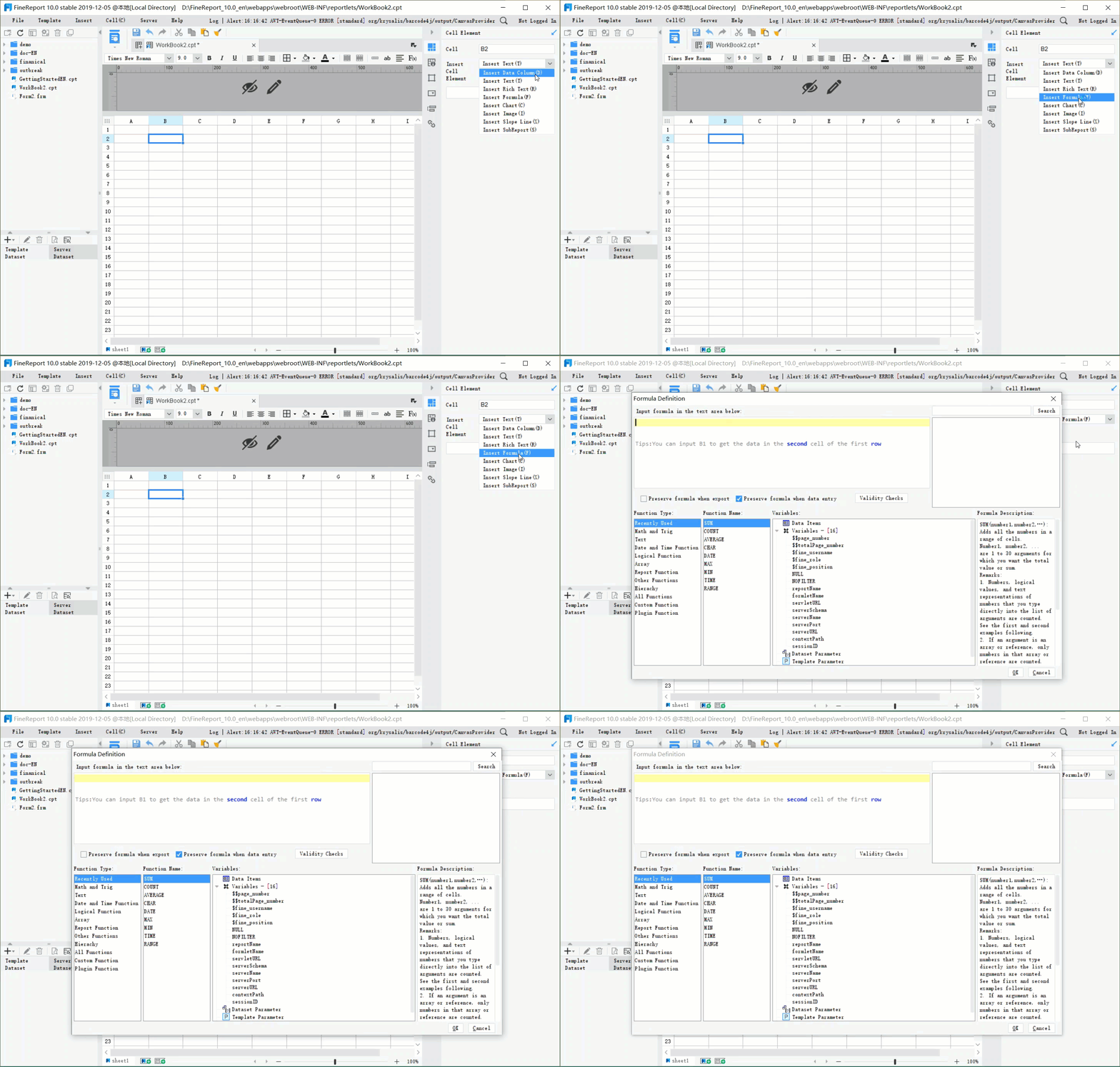
FineReport makes it easy to design dashboards with drag-and-drop tools. You can build dashboards like you use a spreadsheet. This lets you make reports and dashboards fast, even if you are not a tech expert. FineReport works with tables, charts, and forms you can click on. You can update data right away and see changes fast. The Excel-like design makes it simple to use when building your advanced project management dashboard.
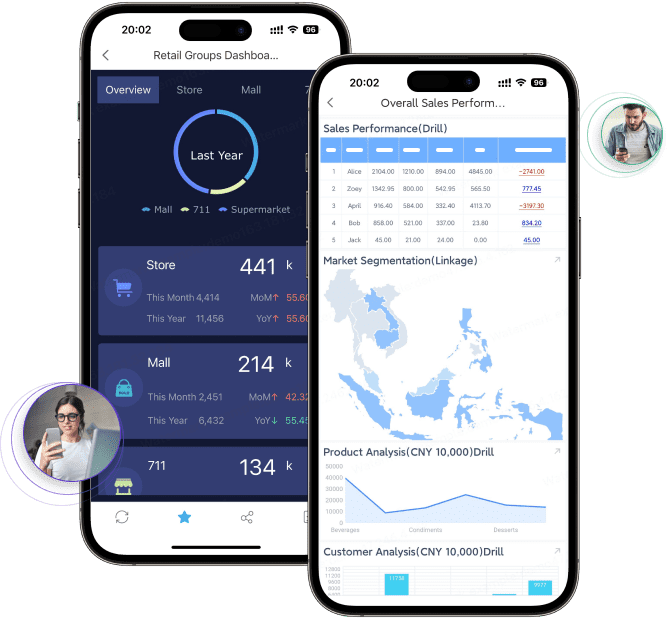
You can also use 3D dashboards and layouts that work on phones. These features let you see your data in new ways and check your dashboard anywhere. You can look at your project management dashboard at your desk or on your phone.
FanRuan’s integration helps you connect all your data sources. You get updates right away, so your dashboard always has the newest numbers. This makes your dashboard the main place for your team to find information.
Enable Interactivity and Drill-Down
You want your dashboard to do more than just show numbers. Interactivity lets you click on charts or tables to see more details. Drill-down features help you find out what is causing problems. For example, if you see a delay, you can click to see which tasks are late and why.
FineReport lets you add these features with easy controls. You can use filters, dropdowns, and charts you can click. This makes your dashboard stronger. You can look at data without leaving the dashboard. You do not need to open new reports or ask someone else for help.
When you use interactivity and drill-down, your dashboard becomes a tool for action. You can find problems, get answers, and share what you learn with your team. This is what makes a dashboard work well.
You can use FanRuan’s integration to keep your dashboard linked to all your systems. This means you always see the newest data and can trust your dashboard for every choice.
Automate, Test, and Drive Adoption with Program Management Dashboard
Automate Data Refresh and Alerts
You want your dashboard to always have the newest information. Automation helps keep data up to date and tells your team what is happening. You can set your dashboard to update by itself. It can update all the time or at certain times. This means you will not miss any important changes.
Strategy
Description
Real-time updates
Your dashboard updates right away, so you see the latest data.
Automated refresh schedules
You can pick how often your dashboard updates, like every hour, day, or week.
Error handling mechanisms
The dashboard sends alerts if there is a problem with data or a chart, so you can fix it fast.
For example, if you need real-time performance, set your dashboard to update every second. If you want daily reports, set it to update at night. Executive dashboards might only need updates once a week or month. Automation makes your program management dashboard easy to trust and use.
User Testing and Feedback
Testing your dashboard with real people helps you see what works and what does not. You can try different ways to watch how people use your dashboard.
Moderated tests let you watch users use the dashboard and ask them questions.
Unmoderated tests let users try the dashboard alone and tell you what they think.
Tree testing checks if people can find things easily.
Card sorting helps you put dashboard content in the right order.
A/B testing lets you see which version people like more.
User interaction tracking shows where people click and what they look at most.
Accessibility testing makes sure everyone, even people with disabilities, can use the dashboard.
You should listen to what people say and make changes. Start with what users want, then make the dashboard better as their needs change. Over time, you will have a project management dashboard that fits your team well.
Change Management for Team Adoption
Getting your team to use a new dashboard takes some work. You need to show them how the dashboard helps them do their jobs. Focus on results, not just what people do. Make sure your dashboard has all the data your team needs.
Strategy
Key Metrics
Focus on outcome metrics
Check if the dashboard changes how people work, not just if they use it.
Ensure data integration
Put all important data together so the dashboard shows everything.
Tailor dashboards for audiences
Make the dashboard for different users, so everyone finds it helpful.
Establish sustainable infrastructure
Build a strong system so the dashboard always works well.
Avoid common design mistakes
Always think about what users need and make the dashboard simple to use.
When you do these things, your project management dashboard becomes something your team will use every day.
Maintain and Evolve Your Program Management Dashboard
Continuous Improvement
You need to keep your dashboard useful and up to date. A dashboard is not something you set up once and forget. You should always look for ways to make it better. Start by using data to see how your dashboard helps your team every day. Set clear goals for what you want your dashboard to do. Plan how you will measure these goals and check if your dashboard meets them.
Follow these steps to keep your dashboard strong:
Use data to see what works and what does not.
Set goals that you can measure.
Make a plan for how you will track these goals.
Show your results in a way that is easy for everyone to understand.
You should also check your dashboard often. Look at both short-term and long-term results. Use visual displays that make trends easy to see. A good dashboard gives you real-time data visualization, lets you change how it looks, and works on mobile devices. This way, you can use your dashboard anywhere, even in the field.
A dashboard that grows with your needs turns your work from just fixing problems into a smart way to protect your projects and keep everything running well.
Portfolio-Level Visibility
A dashboard helps you see the big picture. You can track many projects at once and spot problems before they get worse. Use your dashboard to check the health of your whole project portfolio. Here are some important things to watch:
Metric
Description
Overall Portfolio Health
Shows how all your projects are doing together.
Budget Performance
Checks if you are spending money as planned.
Strategic Objective Progress
Tracks how close you are to reaching your main goals.
Risk Indicators
Points out risks that could hurt your projects.
Resource Utilization
Shows if you are using your people and tools well.
Key Performance Indicators (KPIs)
Includes things like schedule and cost performance.
A dashboard that gives you portfolio-level visibility helps you make smart choices. You can see which projects need help and where you are doing well. This makes your dashboard a key tool for leaders and teams who want to stay ahead.
You can make a strong program management dashboard by taking simple steps. Use real-time data, good pictures, and automation to help your team move quickly. Watch out for mistakes like bad data, wrong data, or too much information.
What is a program management dashboard?
Product Trial
FineReport
Pixel-perfect reports · Interactive dashboards · Easy data entry · Digital twins
Access a wealth of case studies, industry insights, and solution guides to accelerate digital transformation.
FAQ
What is a program management dashboard?
A program management dashboard shows you key project data in one place. You can track progress, spot risks, and make better decisions. It helps you see what is happening right now.
How often should I update my dashboard data?
You should update your dashboard as often as your team needs new information. Some teams need real-time updates. Others check data daily or weekly. Pick a schedule that fits your goals.
Can I use FineReport with my current data sources?
Yes, you can connect FineReport to many data sources. You can use databases, Excel files, or cloud systems. FineReport helps you bring all your data together for easy viewing.
How do I make my dashboard easy for everyone to use?
You should use clear charts, simple layouts, and labels. Test your dashboard with real users. Listen to feedback and make changes. This helps everyone understand and use the dashboard.