Data quality software helps you manage, clean, and maintain your business data. You use data quality software to ensure your data is accurate, consistent, and reliable for decision-making.
Data quality solutions address common business problems. These include data silos, compliance risks, and analytics errors. Many organizations struggle with poor data quality. In 2025, 64% of businesses identified data quality as their top data integrity challenge. Over half reported that poor data quality affected their integration projects. Most companies do not fully trust their data for making decisions.
You can find the 10 best data quality software solutions below:
- FineDataLink
- Informatica Data Quality
- Talend Data Quality
- IBM InfoSphere QualityStage
- SAP Data Quality Management
- Ataccama ONE
- SAS Data Quality
- Oracle Enterprise Data Quality
- Precisely Trillium
- Microsoft Purview Data Quality
Top Data Quality Software

When you evaluate data quality software, you want solutions that span every layer of your data stack. The top data quality tools cover real-time observability, pipeline testing, transformation frameworks, and metadata platforms. You should use a combination of these tools to address all aspects of data quality. Automated testing, proactive monitoring, and continuous improvement are essential processes. Each tool in this list solves different dimensions of data quality, from monitoring to governance.
FineDataLink: Low-Code Data Integration

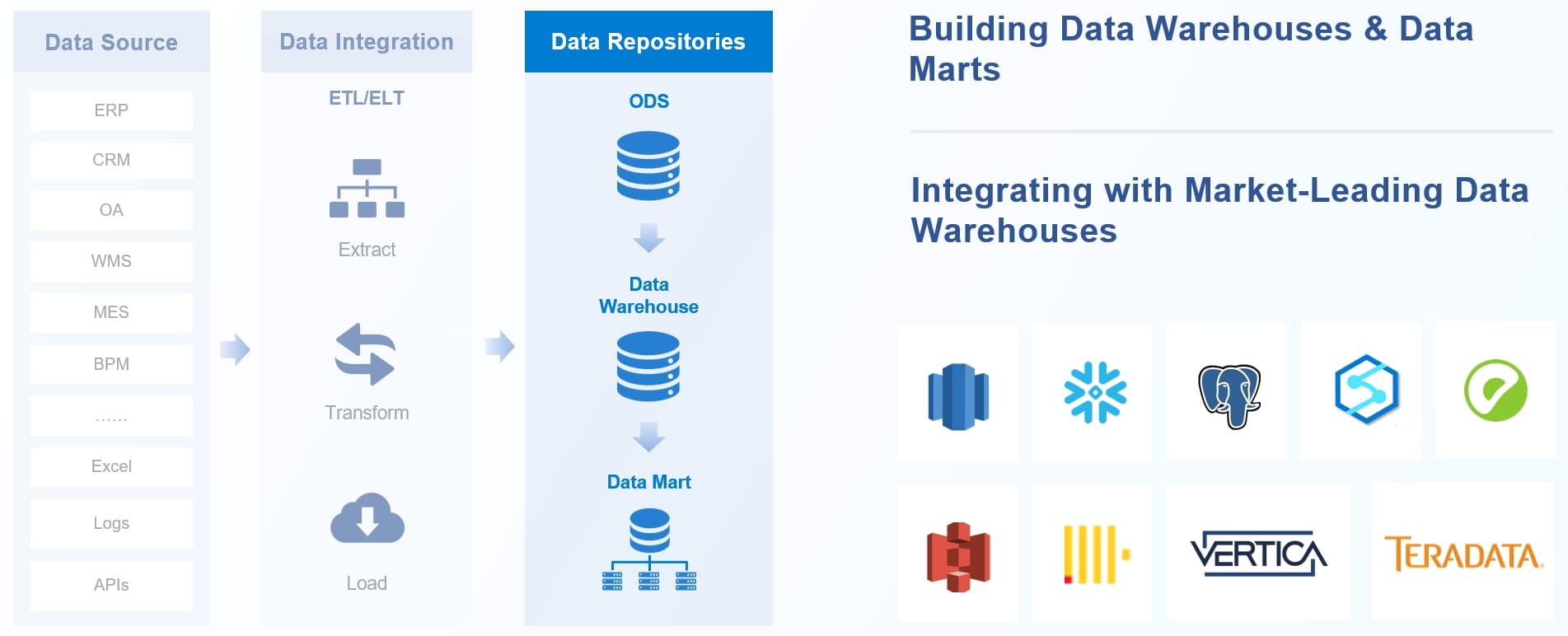
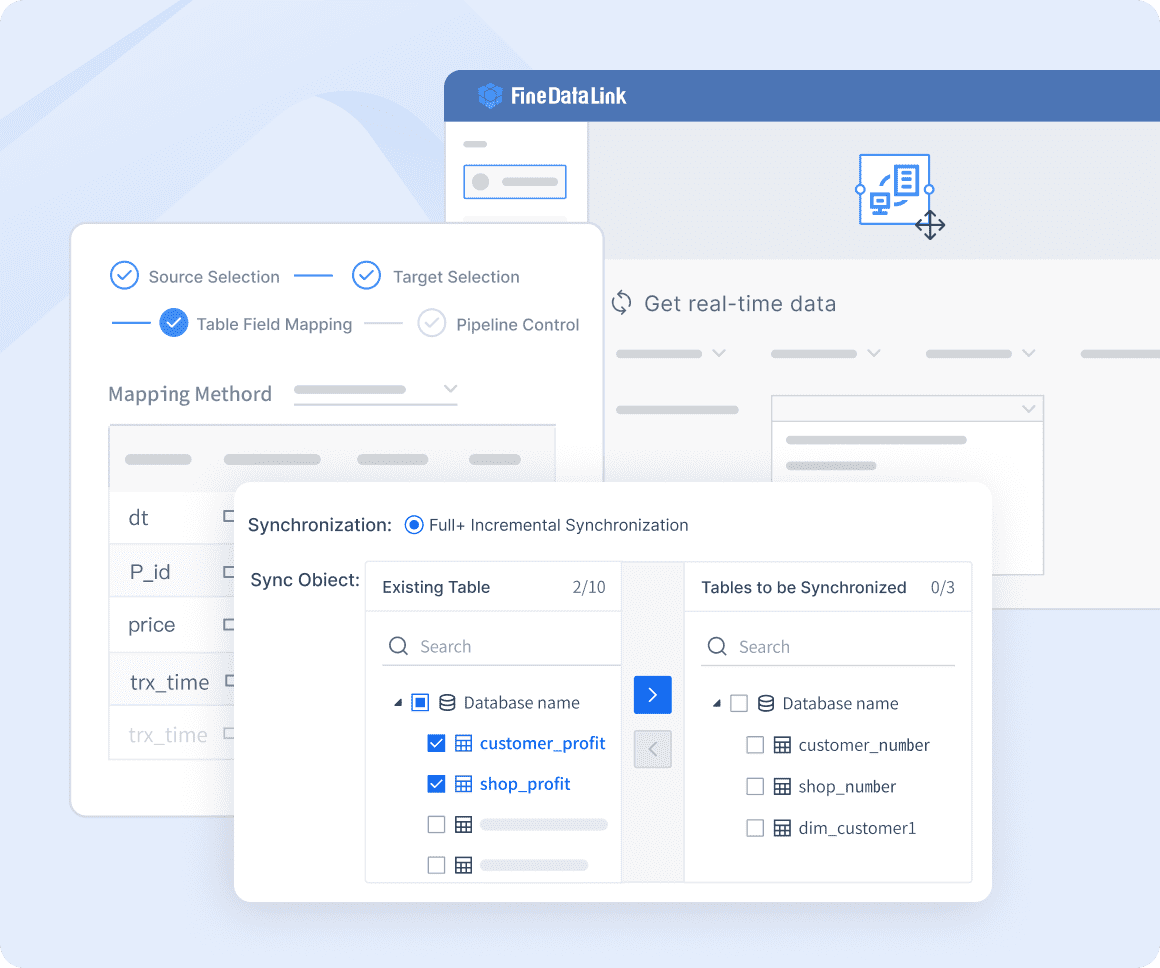
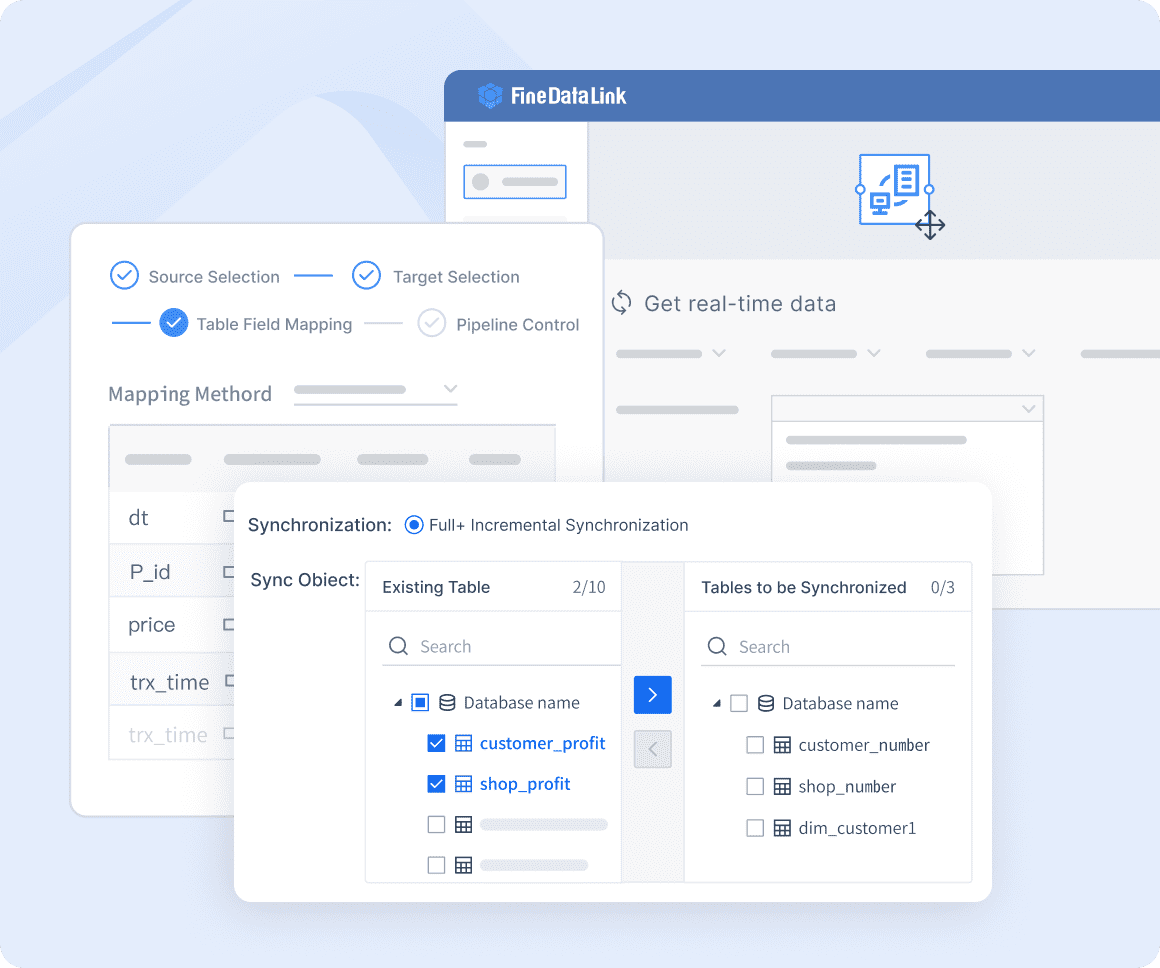
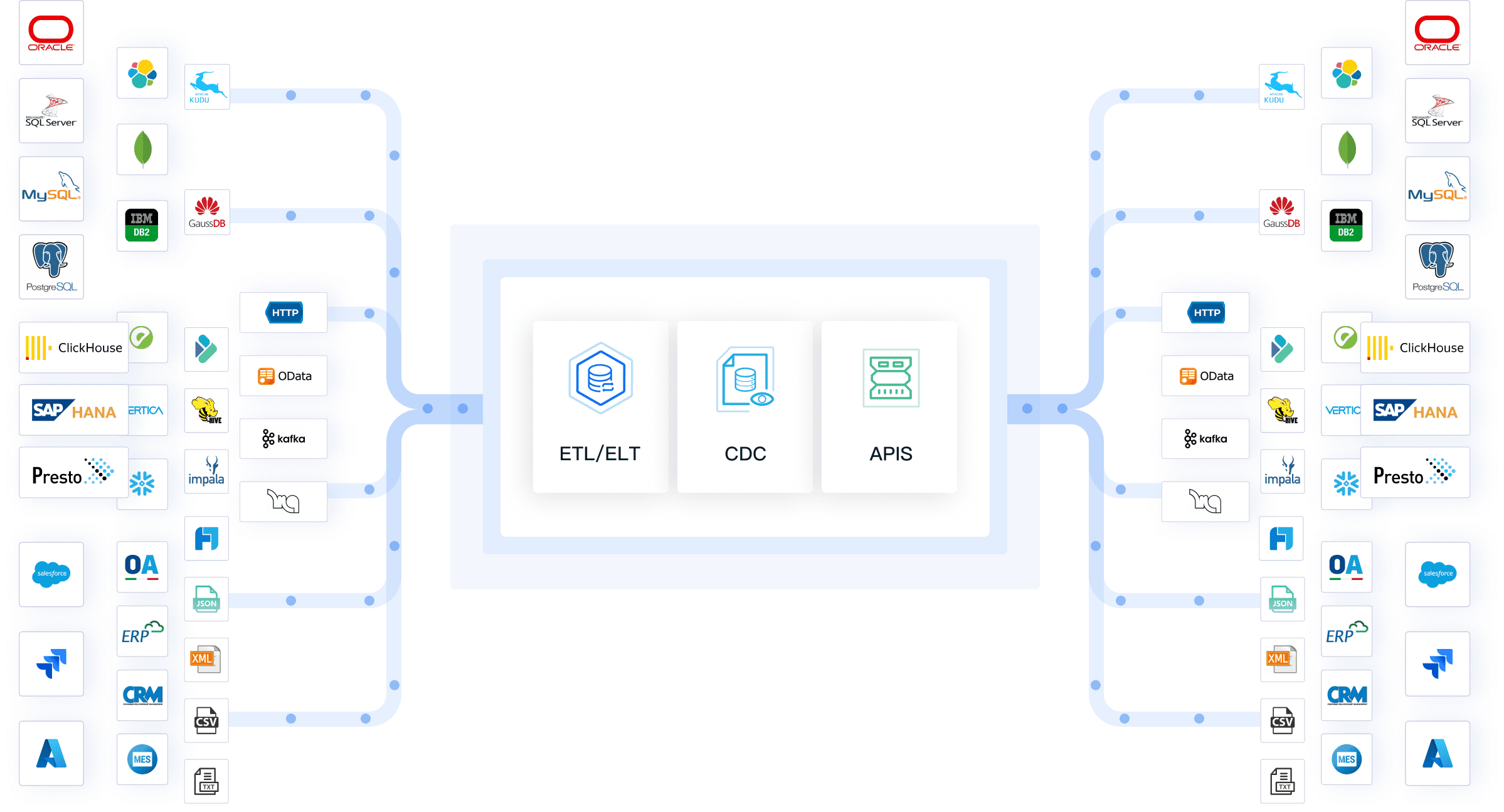
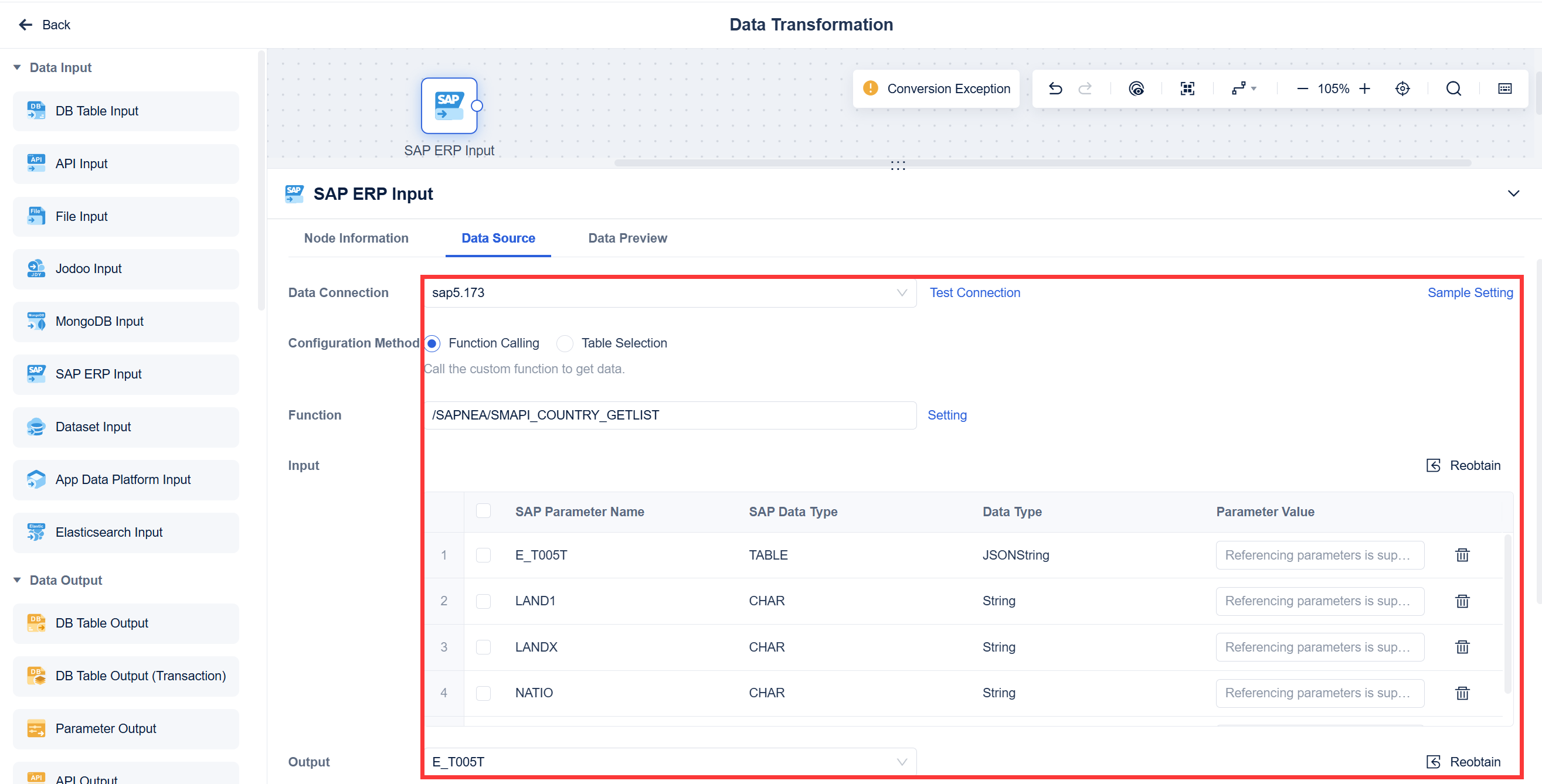
FineDataLink stands out among data quality software for its low-code approach and real-time data integration capabilities. You can use FineDataLink to connect and synchronize data from over 100 sources, including relational databases, cloud storage, and SaaS applications. The platform offers a visual drag-and-drop interface, making it easy for you to build data pipelines without coding.
| Feature | Description |
|---|---|
| Multi-source data collection | Supports various data sources such as relational, non-relational, interface, and file databases. |
| Non-intrusive real-time sync | Synchronizes data in multiple tables or the whole database, ensuring time sensitivity. |
| Low-cost data service construction | Constructs enterprise-level data assets relying on APIs for interconnection and sharing. |
| Efficient operation and maintenance | Allows flexible scheduling of tasks and real-time monitoring, reducing O&M workload. |
| High extensibility | Built-in Spark SQL allows calling scripts like Shell script. |
| Efficient data development | Equipped with a dual-core engine (ELT and ETL processes) for customized solutions. |
| Five data synchronization methods | Offers methods based on timestamp, trigger, full-table comparison, full-table increment, and log parsing. |
You benefit from seamless integration of data from internal databases, cloud environments, and external providers. FineDataLink automates data synchronization, ensuring your data remains accurate and up-to-date. You can build both offline and real-time data warehouses, manage data governance, and launch APIs in minutes. The platform reduces manual effort and supports efficient data development.
Pros:
- User-friendly visual interface
- Real-time data integration with minimal latency
- Supports over 100 data sources
- Affordable pricing and extensive documentation
Cons:
- Not suitable for organizations with extremely limited data management needs
Ideal Use Cases:
- Enterprises needing real-time data synchronization
- Teams building data warehouses or managing data governance
- Organizations seeking low-code data integration solutions
Informatica Data Quality
Informatica Data Quality is a leading data quality software that provides robust features for data profiling, cleansing, and governance. You can buy it as part of Informatica’s ETL package, which improves business intelligence and analytics. The platform supports both on-premises and cloud environments, making it scalable for large organizations.
| Advantages of IDQ | Disadvantages of IDQ |
|---|---|
| Can be bought as a part of Informatica ETL package | Expensive |
| Improves business intelligence and analytics | Not designed for smaller organizations |
| Provides a platform for high-quality data | Significant hardware requirements |
| Data governance and compliance support | Outdated user interface |
| User-friendly drag-and-drop interface | Difficult upgrade process |
| Few pre-built data accelerators | Slow, sometimes unresponsive technical support |
| On-premises and cloud availability | Integration challenges with third-party applications |
| Limited features in the cloud version compared to the on-premises version | |
| Extremely laborious process of understanding data and creating (static) data validation rules | |
| Requiring an army of engineers to maintain and update DQ rules to reflect dynamic data |
You can use Informatica Data Quality to reduce the cost of data governance and improve compliance. The platform helps you ensure data accuracy and completeness, which is vital for regulatory requirements. However, you may find the user interface outdated and the process of creating new data quality rules cumbersome.
Pros:
- Comprehensive data profiling and cleansing
- Scalable for large organizations
- Strong compliance support
Cons:
- Expensive and resource-intensive
- Outdated interface and slow support
Ideal Use Cases:
- Large enterprises with complex data governance needs
- Organizations requiring robust compliance and stewardship
Talend Data Quality
Talend Data Quality offers integrated data quality tools for continuous management. You can analyze, cleanse, validate, and enrich your data using a user-friendly interface. The platform connects easily to various data sources and enables automated data integration workflows.
| Feature | Description |
|---|---|
| Data Profiling | Analyzing source data to understand its structure, content, patterns, and identify potential quality issues. |
| Data Cleansing & Standardization | Components to parse, standardize, validate formats, and correct inaccuracies based on defined rules. |
| Data Validation Rules | Ability to define and apply complex custom business rules to validate data during integration. |
| Data Matching & Deduplication | Algorithms to identify potential duplicate records and rules for merging or surviving records. |
| Data Enrichment | Components to augment data by validating it against or adding information from external datasets. |
You benefit from robust features for ensuring data accuracy, consistency, and reliability. Talend Data Quality simplifies collaboration and enables no-code features for business users. However, you may experience performance lags with large datasets and a steep learning curve for new users.
Pros:
- User-friendly interface
- Effective service and strong performance
- Automated workflows and easy integration
Cons:
- Performance issues with large data volumes
- Steep learning curve for beginners
Ideal Use Cases:
- Enterprises needing continuous data quality management
- Teams integrating data from multiple sources
IBM InfoSphere QualityStage
IBM InfoSphere QualityStage is a powerful data quality software designed for large organizations. You can use it for deep data profiling, standardization, and record matching. The platform includes over 200 built-in data quality rules and supports information governance initiatives.
| Feature/Capability | Description |
|---|---|
| Data Profiling | Deep data profiling to understand content, quality, and structure of data. |
| Built-in Data Quality Rules | Over 200 built-in data quality rules to ensure data integrity. |
| Data Standardization | Ability to standardize data from various sources into a common format. |
| Record Matching | Probabilistic matching to identify and merge duplicate records. |
| Information Governance | Supports information governance initiatives and automatic business-term assignment using ML. |
| Data Enrichment | Enhances data quality through enrichment processes. |
| Trusted Single View of Data | Merges multiple systems into a single view for accurate and trusted data. |
You can merge multiple systems into a single, trusted view of your data. IBM InfoSphere QualityStage is ideal for organizations with mature data governance programs and technical teams. It supports metadata-driven workflows and centralized audit-ready match documentation.
Pros:
- Deep data profiling and standardization
- Advanced record matching and enrichment
- Strong governance and compliance features
Cons:
- Complex setup and management
- Requires technical expertise
Ideal Use Cases:
- Large enterprises with IBM infrastructure
- Regulated industries needing centralized data quality management
SAP Data Quality Management

SAP Data Quality Management enhances contact data quality through address cleansing, validation, and geocoding. You can embed these features into various business processes or application interfaces. The platform supports automated data entry and real-time notifications for quality issues.
You benefit from a user-friendly interface and high satisfaction scores. SAP Data Quality Management scores 8.9 out of 10 in user reviews, with most users expressing satisfaction with its ease of use and support.
Pros:
- Embedded address cleansing and validation
- Real-time notifications and alerts
- High user satisfaction
Cons:
- Limited advanced analytics features
- May require SAP ecosystem for full functionality
Ideal Use Cases:
- Businesses needing accurate contact data
- Organizations using SAP applications
Ataccama ONE
Ataccama ONE is an AI-powered data quality software that automates the creation, testing, and deployment of data quality rules. You can use it for end-to-end data quality management, including validation, cleansing, and remediation.
| Unique Selling Point | Description |
|---|---|
| AI-powered automation | Automates the creation, testing, and deployment of data quality rules, saving manual effort. |
| End-to-end data quality management | Provides automated validation, cleansing, and remediation to maintain trusted data. |
| Reusable rules | Allows creation of data quality rules once and reuse them across various systems and environments. |
| Unified platform | Integrates data quality, observability, lineage, cataloging, and reference data in one platform. |
You can embed data quality checks directly into pipelines and validate data at the point of entry using APIs. Ataccama ONE provides real-time dashboards and automates assessments, ensuring your data remains reliable.
Pros:
- AI-powered automation and reusable rules
- Unified platform for data quality and governance
- Real-time dashboards and proactive monitoring
Cons:
- Reporting strategy may lack coherence
- Data unification challenges in large organizations
Ideal Use Cases:
- Enterprises needing automated data quality management
- Organizations with complex data pipelines
SAS Data Quality
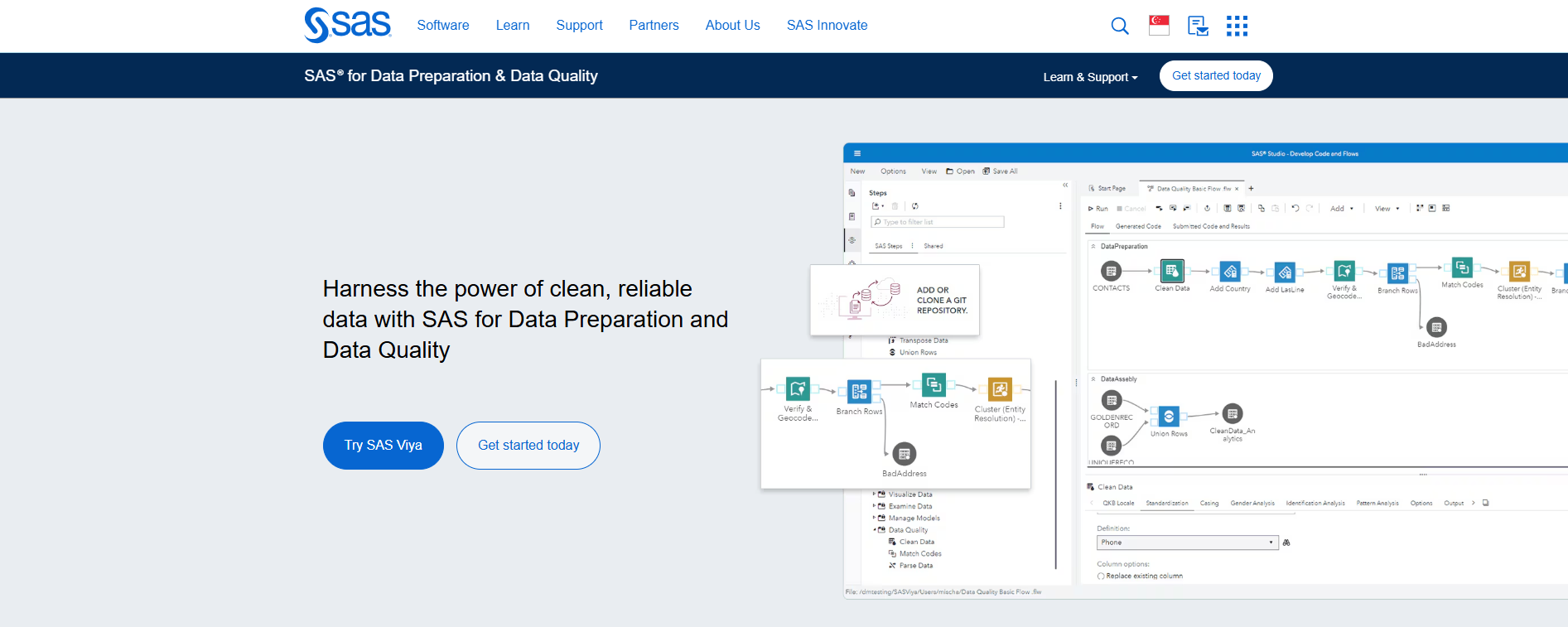
SAS Data Quality integrates advanced analytics and AI with data cleansing and profiling. You can use statistical and machine learning capabilities to understand patterns and predict issues in your data. The platform automates data profiling and cleansing, catching and fixing issues across large datasets.
You benefit from sophisticated matching algorithms that recognize compatibility despite typographical errors and cultural variations. SAS Data Quality supports automation in data profiling and cleansing, making it suitable for organizations with large and diverse datasets.
Pros:
- Advanced analytics and AI integration
- Automated profiling and cleansing
- Sophisticated matching algorithms
Cons:
- May require specialized expertise
- Higher cost for advanced features
Ideal Use Cases:
- Enterprises with large, complex datasets
- Organizations needing predictive data quality management
Oracle Enterprise Data Quality
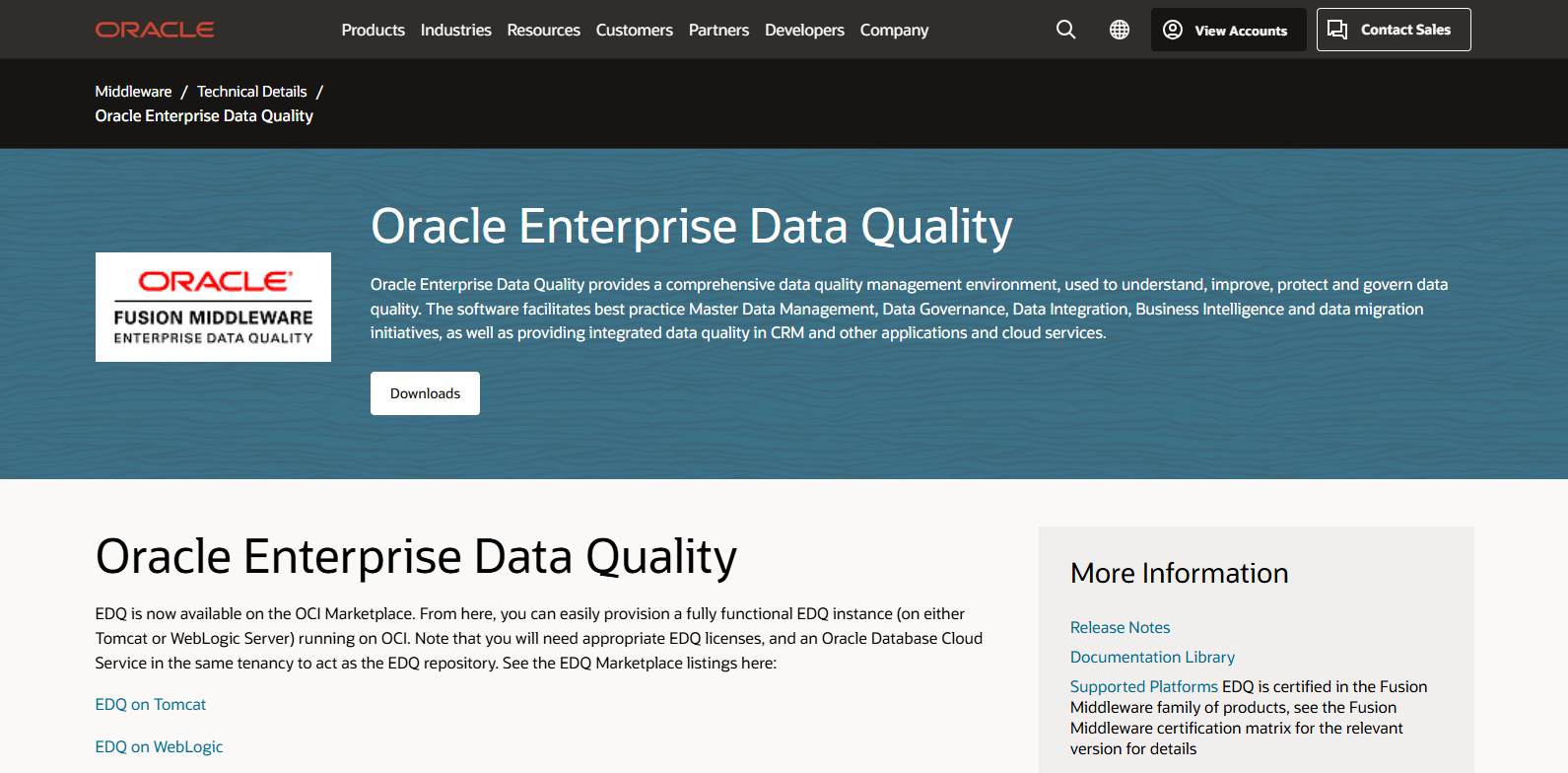
Oracle Enterprise Data Quality provides comprehensive support for data governance and quality management. You can use dashboards to display data quality KPIs and create cases for data quality issues. The platform includes a library of standardized operations and integrates with Oracle Data Integrator.
| Feature | Description |
|---|---|
| Data Governance | Support for data governance best practices and display of data quality KPIs through a dashboard. |
| Case Management | Ability to create and raise cases for data quality issues, assigned to developers or business users for resolution. |
| Standardized Operations | A library of standardized data quality operations that can be customized to avoid reinventing the wheel. |
| ODI Integration | EDQ can integrate with Oracle Data Integrator (ODI) through a plug-in for enhanced functionality. |
| Package Deployment | Ability to build, deploy, and reuse packages across the organization, tailored for specific markets. |
| Prebuilt Processors | EDQ includes prebuilt processors that can be customized, facilitating the creation of data quality processes. |
| Frequency Profiler | A tool to analyze data frequencies, helping to identify potential data issues. |
| Auditing Options | Various auditing options available, including email and business rules checking. |
You can build, deploy, and reuse data quality packages across your organization. Oracle Enterprise Data Quality is ideal for organizations needing robust governance and auditing options.
Pros:
- Comprehensive governance and auditing features
- Customizable operations and integration with Oracle tools
- Prebuilt processors for rapid deployment
Cons:
- May require Oracle ecosystem for full functionality
- Complex setup for non-Oracle environments
Ideal Use Cases:
- Enterprises with Oracle infrastructure
- Organizations needing advanced governance and auditing
Precisely Trillium
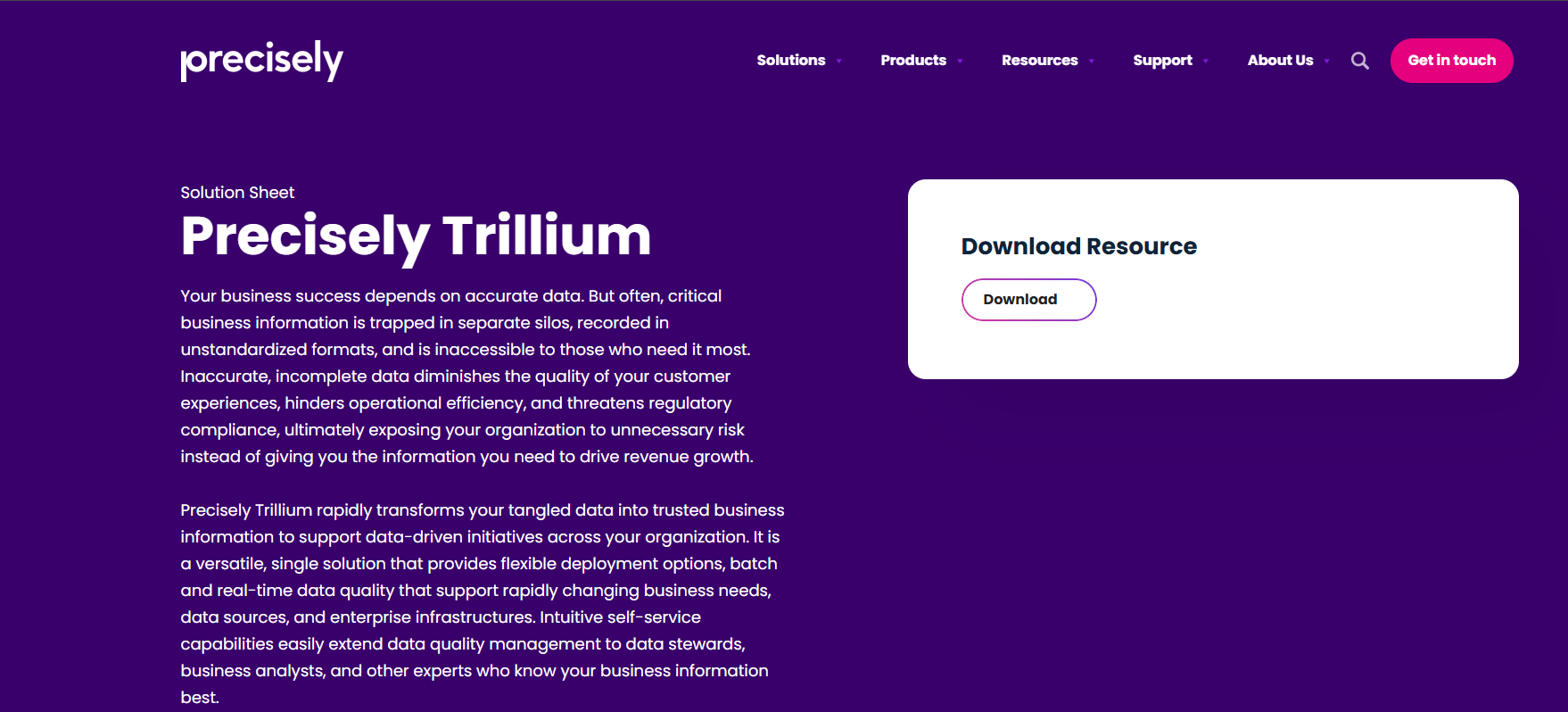
Precisely Trillium offers flexible, rapid deployment and an intuitive interface for data quality management. You can use it to support data-driven initiatives across your organization. The platform provides global coverage for over 240 countries and integrates with SAP and Microsoft Dynamics.
| Core Features | Industry Applications |
|---|---|
| Flexible, rapid deployment | Supports data-driven initiatives across organizations |
| Intuitive interface and self-service | Enhances productivity for business and IT teams |
| Global coverage for over 240 countries | Applicable in high-volume environments like call centers and e-commerce |
| Integration with SAP and Microsoft Dynamics | Facilitates data governance and management |
| Data quality management | Reduces errors in billing, shipping, and customer communication |
You benefit from accurate postal addresses, geocoding, and reduced data entry errors. Precisely Trillium integrates easily with business applications through standard APIs and enhances efficiency in high-productivity environments.
Pros:
- Rapid deployment and intuitive interface
- Global coverage and easy integration
- Reduces data entry errors and supports compliance
Cons:
- May require customization for specific industries
- Advanced features may need additional configuration
Ideal Use Cases:
- High-volume environments like call centers and e-commerce
- Organizations needing global data quality management
Microsoft Purview Data Quality
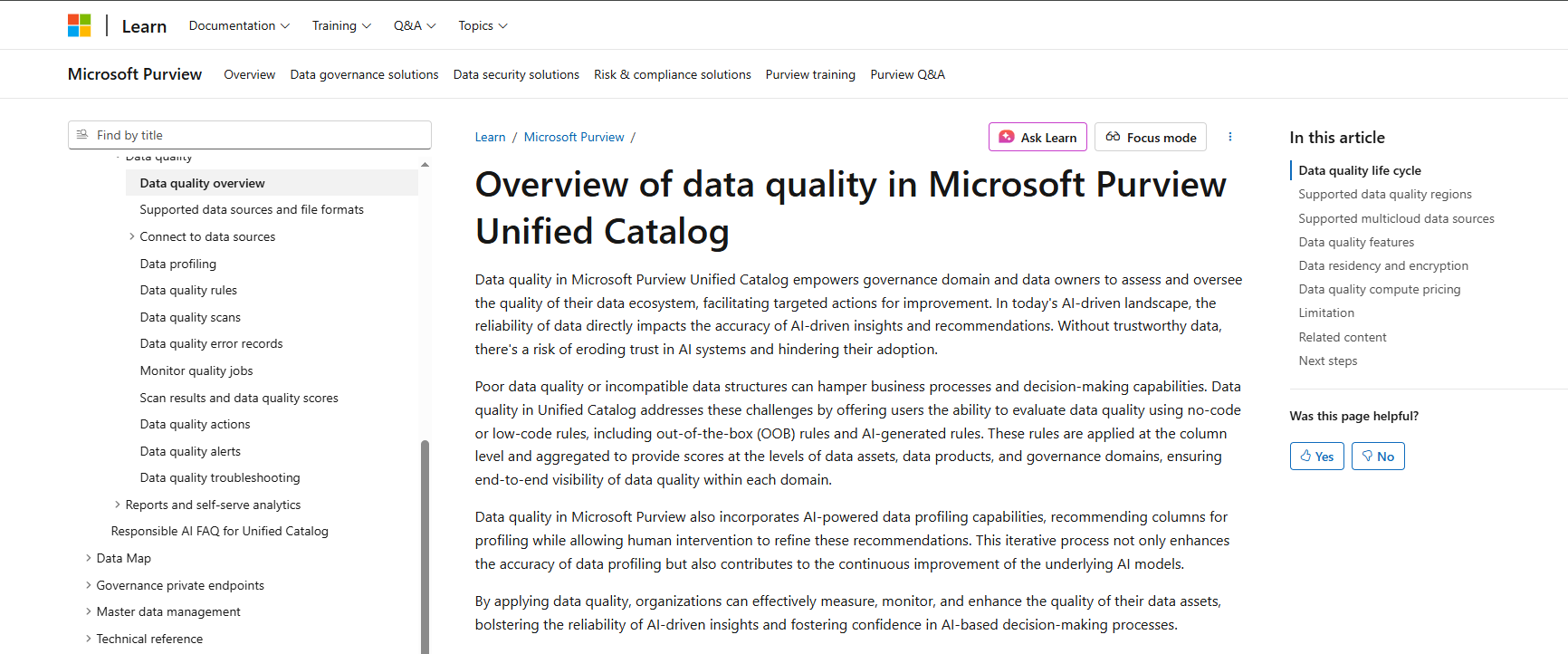
Microsoft Purview Data Quality is a cloud-based data quality software that automatically catalogs data from various sources. You can classify data based on sensitivity and trace its lineage from origin to destination. The platform offers automated monitoring and analytics for data quality insights.
| Feature | Description |
|---|---|
| Data Cataloging | Automatically catalogs data from various sources, providing a unified view of data assets. |
| Data Classification | Classifies data based on sensitivity to ensure compliance with regulations. |
| Data Lineage | Traces data from origin to destination, helping understand its journey through processes. |
| Data Insights | Offers valuable insights into data quality through automated monitoring and analytics. |
| Integration with Azure Ecosystem | Connects seamlessly with Azure services like Azure Data Lake and Azure Synapse for comprehensive governance. |
You can connect Microsoft Purview Data Quality with Azure services for comprehensive governance. However, users report that data classification can yield imprecise results, and lengthy indexing processes may create bottlenecks.
Pros:
- Automated cataloging and classification
- Integration with Azure ecosystem
- Data lineage and insights
Cons:
- Imprecise classification results
- Lengthy indexing and limited GDPR compliance
Ideal Use Cases:
- Organizations using Azure cloud services
- Enterprises needing automated data cataloging and governance
You should select data quality software that matches your business needs and covers all aspects of data quality. Each of these data quality tools offers unique strengths, from real-time data integration to advanced analytics and governance. You can combine several data quality tools to build a comprehensive solution for your organization.
Data Quality Software Comparison
Feature Matrix
You want to compare data quality software based on the features that matter most for solving data quality issues. The table below summarizes the core capabilities, integration options, and support for each solution. You can see which platforms excel at data profiling, cleansing, monitoring, and validation. Scalability and security also play a key role when you manage sensitive business data.
| Tool | Profiling | Cleansing | Monitoring | Standardization | Validation | Scalability | Security | Integration | Support |
|---|---|---|---|---|---|---|---|---|---|
| FineDataLink | ✔️ | ✔️ | ✔️ | ✔️ | ✔️ | High | Advanced | 100+ sources | Extensive |
| Informatica Data Quality | ✔️ | ✔️ | ✔️ | ✔️ | ✔️ | High | Advanced | Wide | Strong |
| Talend Data Quality | ✔️ | ✔️ | ✔️ | ✔️ | ✔️ | Medium | Good | Wide | Good |
| IBM InfoSphere QualityStage | ✔️ | ✔️ | ✔️ | ✔️ | ✔️ | High | Advanced | IBM stack | Strong |
| SAP Data Quality Management | ✔️ | ✔️ | ✔️ | ✔️ | ✔️ | Medium | Advanced | SAP apps | Good |
| Ataccama ONE | ✔️ | ✔️ | ✔️ | ✔️ | ✔️ | High | Advanced | Wide | Strong |
| SAS Data Quality | ✔️ | ✔️ | ✔️ | ✔️ | ✔️ | High | Advanced | Wide | Strong |
| Oracle Enterprise Data Quality | ✔️ | ✔️ | ✔️ | ✔️ | ✔️ | High | Advanced | Oracle stack | Strong |
| Precisely Trillium | ✔️ | ✔️ | ✔️ | ✔️ | ✔️ | High | Advanced | SAP, MS | Good |
| Microsoft Purview Data Quality | ✔️ | ✔️ | ✔️ | ✔️ | ✔️ | High | Advanced | Azure | Good |
FineDataLink stands out for its real-time synchronization, advanced ETL/ELT capabilities, and user-friendly interface. You can integrate over 100 data sources and address data quality issues quickly. The platform’s visual design and low-code approach make it accessible for both technical and non-technical users.
Pricing Overview
Pricing varies across data quality software. You should consider your budget and the scale of your data quality issues before choosing a solution.
- FineDataLink: Offers affordable pricing with a free trial. You can request a demo to evaluate features before committing.
- Informatica Data Quality: Premium pricing, suitable for large enterprises.
- Talend Data Quality: Subscription-based, with options for cloud and on-premises deployment.
- IBM InfoSphere QualityStage: Enterprise pricing, often bundled with IBM solutions.
- SAP Data Quality Management: Priced for SAP ecosystem users.
- Ataccama ONE: Flexible pricing, tailored for enterprise needs.
- SAS Data Quality: Higher cost, reflects advanced analytics features.
- Oracle Enterprise Data Quality: Enterprise pricing, best for Oracle users.
- Precisely Trillium: Tiered pricing, based on deployment and integration needs.
- Microsoft Purview Data Quality: Subscription-based, integrates with Azure services.
Tip: You should always request a trial or demo to test how each tool handles your specific data quality issues. This helps you avoid surprises and ensures the solution fits your business requirements.
Choosing the Right Data Quality Software
Key Evaluation Criteria
When you select data quality software, you need to focus on the features that will have the biggest impact on your business. The most critical criteria include:
| Evaluation Criteria | Description |
|---|---|
| Data Profiling | Analyze and understand your data’s characteristics and quality. |
| Data Quality Rules | Apply rules to ensure your data meets business standards. |
| Data Quality Insights | Gain visibility into issues and trends through dashboards and reports. |
| Use of Artificial Intelligence | Automate and enhance data quality processes with AI technologies. |
| Product and Customer Experience | Evaluate user ratings and product functionality across categories. |
You should also consider integration capabilities, scalability, ease of use, and the level of support provided. These factors help you maintain effective data quality monitoring and ensure your solution grows with your business.
Matching Tools to Business Needs
Every industry has unique data quality challenges. You need to match software capabilities to your requirements. For example:
| Capability | Why it Matters | What to Look For |
|---|---|---|
| Duplicate detection and merge | Prevents record bloat and double outreach | AI models and rule-based options |
| Data Validation & Standardization | Keeps contact data usable across systems | Built-in global verification tools |
| Automation | Maintains data hygiene and connects to your tech stack | Schedulable jobs, webhook notifications, and APIs |
Modern solutions use AI to identify patterns and provide real-time data evaluation. Look for platforms that offer dashboards to measure the impact of your data quality monitoring efforts.
FineDataLink is a strong choice if you need low-code, real-time integration. It supports over 100 data sources and offers a visual interface, making it accessible for both technical and business users.
Practical Selection Tips
To choose the best data quality software, follow these expert tips:
- Prioritize tools with strong data profiling and cleansing functions.
- Ensure seamless integration with your existing systems.
- Look for a robust rules engine to manage data quality rules.
- Choose solutions with built-in reporting and business intelligence.
- Check for strong metadata and batch processing support.
- Select user-friendly platforms with self-service and collaboration features.
- Opt for tools that automate monitoring and comply with privacy regulations.
Tip: Always request a demo or trial before making a final decision. This helps you see how the software fits your workflow and data quality needs.
Data Quality Software Explained
What Are Data Quality Assessment Tools?
You use data quality assessment tools to monitor, validate, and improve the integrity of your business data. These tools help you identify errors, inconsistencies, and gaps in your data before they impact your operations. You can rely on them to automate the process of checking for duplicates, format errors, and invalid values. Most platforms provide a data quality dashboard that summarizes key metrics and highlights areas needing attention.
Here is a table showing the most common types of data quality assessment tools and their primary functions:
| Feature | Description |
|---|---|
| Data Profiling | Collects data samples and calculates essential statistics like row counts and data type distributions. |
| Data Quality Testing | Detects common data quality issues such as duplicates, format errors, invalid values, and outliers. |
| Data Quality Reporting | Generates clear reports summarizing key findings, including data quality metrics and prioritized errors. |
You can use these tools to gain a clear understanding of your data’s health and take action to resolve issues quickly.
Benefits for Modern Businesses
When you implement data quality assessment tools, you unlock measurable benefits for your organization. You make better decisions because you trust your data. You save time and effort by reducing manual checks and streamlining business practices. You also identify and address data issues before they escalate.
The table below highlights the main benefits businesses report after using data quality assessment tools:
| Benefit | Description |
|---|---|
| Improved Decision-Making | Organizations can make better decisions based on accurate data, leading to enhanced outcomes. |
| Increased Productivity | Reduces time and effort in finding, verifying, and analyzing data, thus boosting productivity. |
| Streamlined Business Practices | Comprehensive data cleansing processes lead to more efficient operations and faster sales cycles. |
| Proactive Issue Identification | Regular measurement of data quality metrics helps in identifying and prioritizing data issues. |
FineDataLink supports your assessment needs by providing real-time monitoring and analytics. You can track data quality metrics across more than 100 sources and receive instant alerts when issues arise. The platform’s visual interface makes it easy for you to build custom reports and dashboards, helping you maintain high standards for data integrity.
Choosing the right data quality services helps you drive business growth, meet compliance standards, and improve analytics. You should use the comparison tables and evaluation tips to find the best fit for your needs. Request demos or free trials from providers of data quality services, such as FineDataLink, to see how each solution works with your data.
Continue Reading About Data Quality Software
Enterprise Data Integration: A Comprehensive Guide
What is enterprise data and why does it matter for organizations
Understanding Enterprise Data Centers in 2025
Enterprise Data Analytics Explained for Modern Businesses
Frequently asked questions
Data quality assessment tools help you check, monitor, and improve your data. You use these tools to find errors, duplicates, and missing values. They support your data management by making sure your data is accurate and reliable.