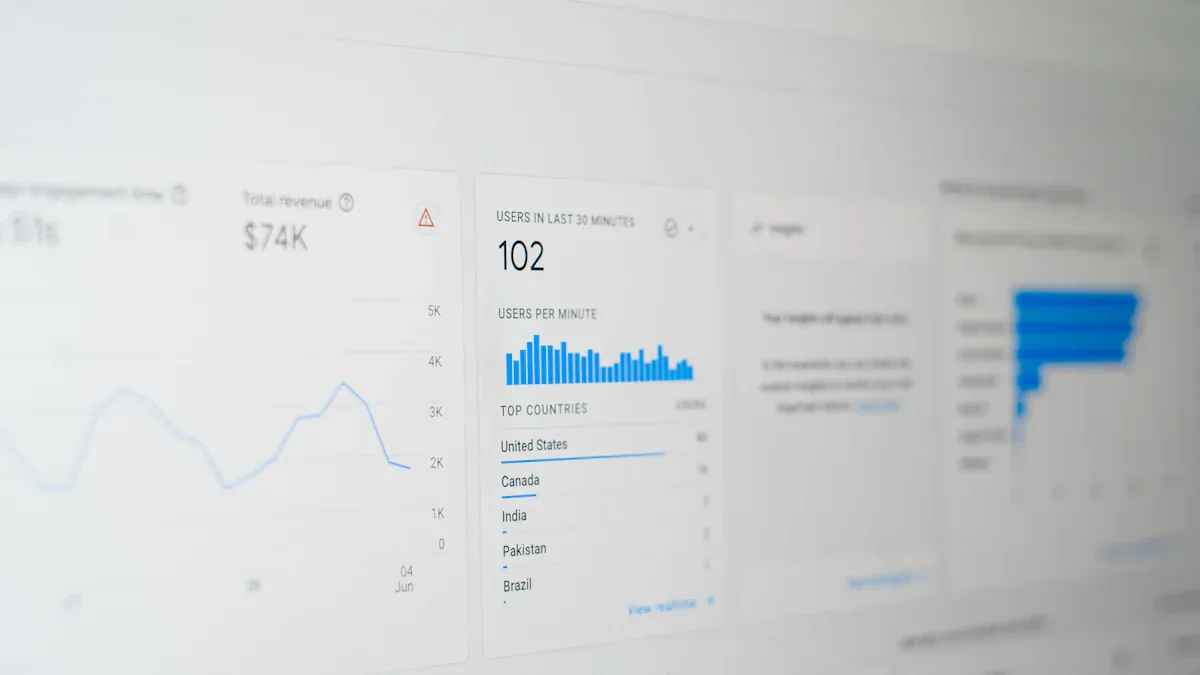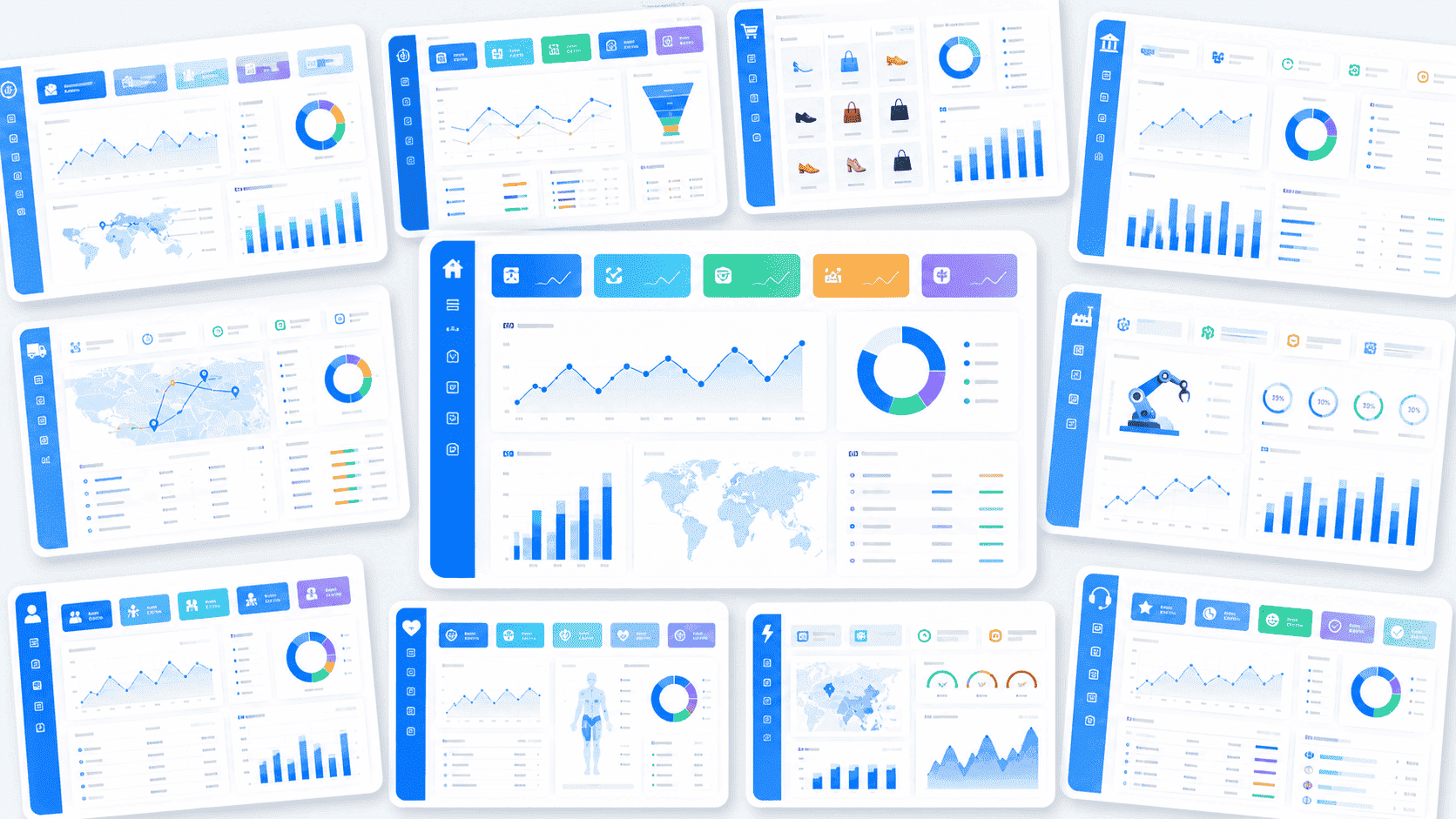
Data ingestion software helps you collect, process, and move data from many sources into one place for analysis. Most companies use this software to power business intelligence and analytics. You see 80% of companies using big data analytics, while over 71% rely on cloud-based tools. Businesses like yours focus on data quality, integration, and real-time processing to make better decisions. FineDataLink leads the market with strong integration and easy-to-use features.
Top Data Ingestion Software

Data ingestion software helps you collect, move, and process data from many sources into a single system. You use these tools to build a strong foundation for business intelligence and analytics. Data integration tools make it easier to manage data from databases, cloud applications, and files. You can use these solutions to improve data quality, automate workflows, and support real-time decision-making.
When you choose data ingestion software, you look for scalability, flexibility, and ease of use. The best data integration tools help you break down data silos and connect information across your organization. You want software that supports a wide range of sources, offers low-code or no-code options, and provides strong security features. Below, you will find an overview of the top data integration tools.
FineDataLink Overview

FineDataLink stands out as a modern data integration platform designed for organizations that need to manage data from multiple sources. You can use FineDataLink to integrate and transform data across databases, cloud services, and applications. The platform offers three core functions: real-time data synchronization, ETL/ELT processing, and API integration. You benefit from a low-code interface that lets you build data pipelines with drag-and-drop tools. FineDataLink supports over 100 common data sources, so you can connect your business systems easily.
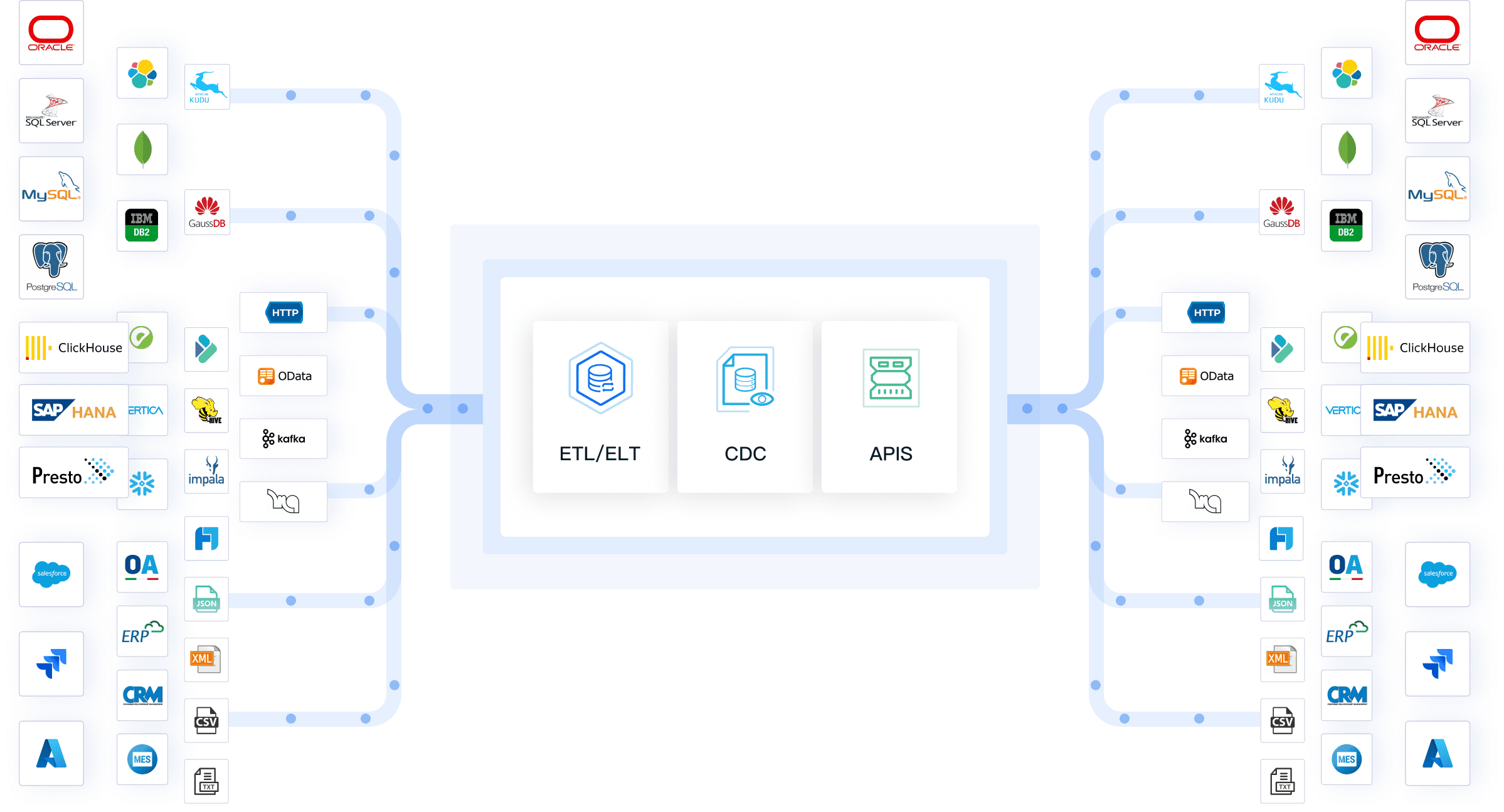
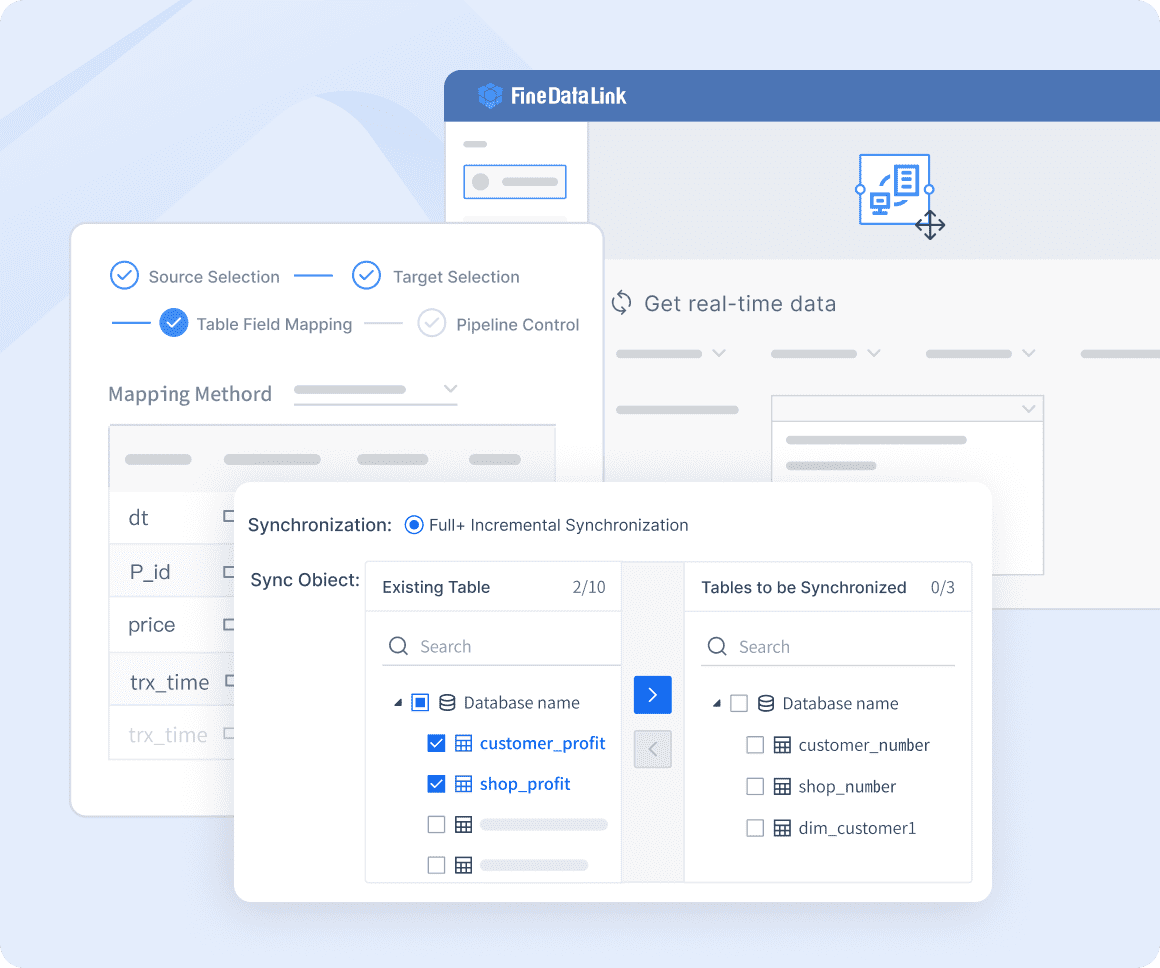
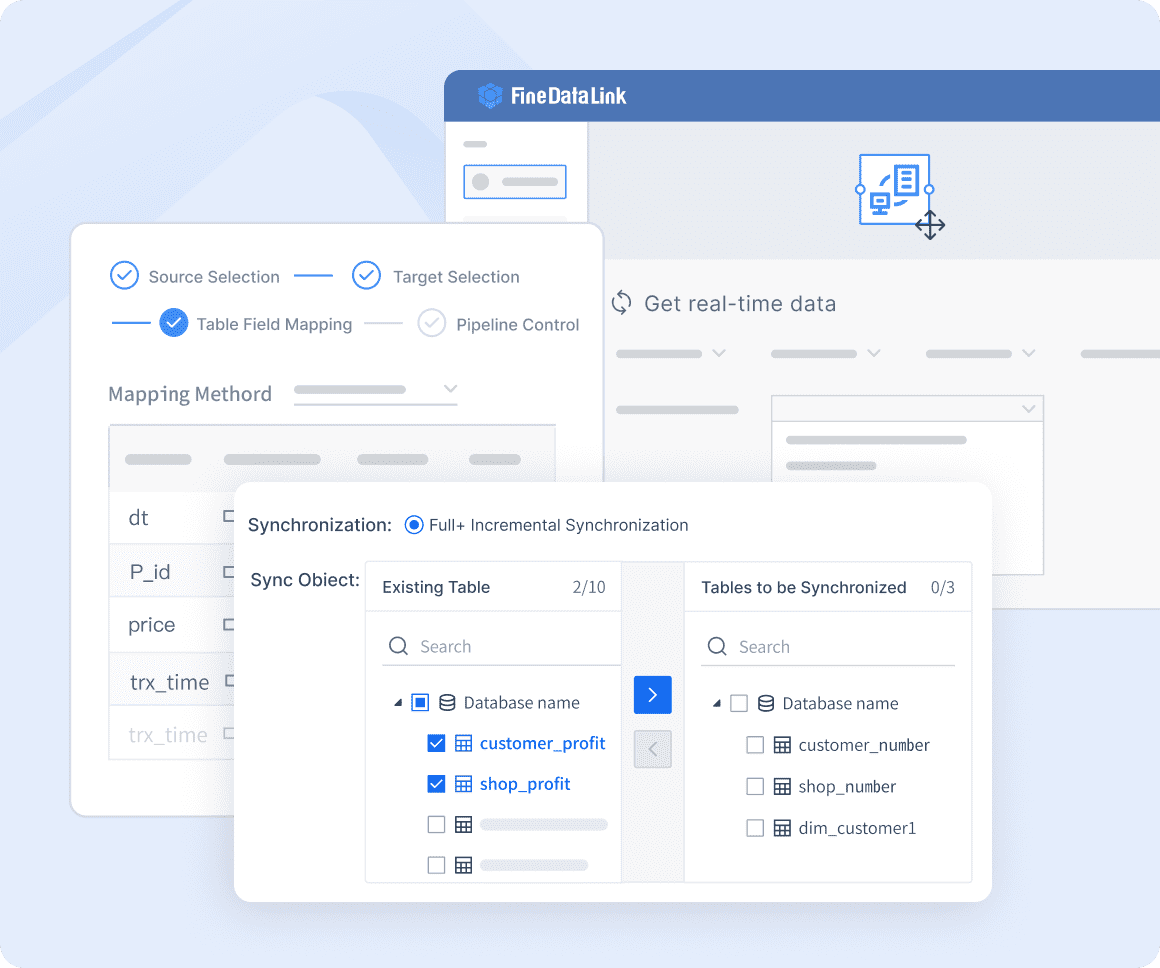
You can synchronize data across tables in real time, which helps you build both offline and real-time data warehouses. The platform’s visual interface makes deployment and operation simple, even for users without deep technical skills. FineDataLink reduces manual work and improves efficiency by automating data integration workflows. You can develop and launch API interfaces in minutes, making it easy to share data between SaaS applications. The software helps you solve common challenges like data silos, complex data formats, and scalability. FineDataLink is ideal for data engineers, BI teams, and application developers who want to build high-quality data layers for analytics.
Integrate.io Overview
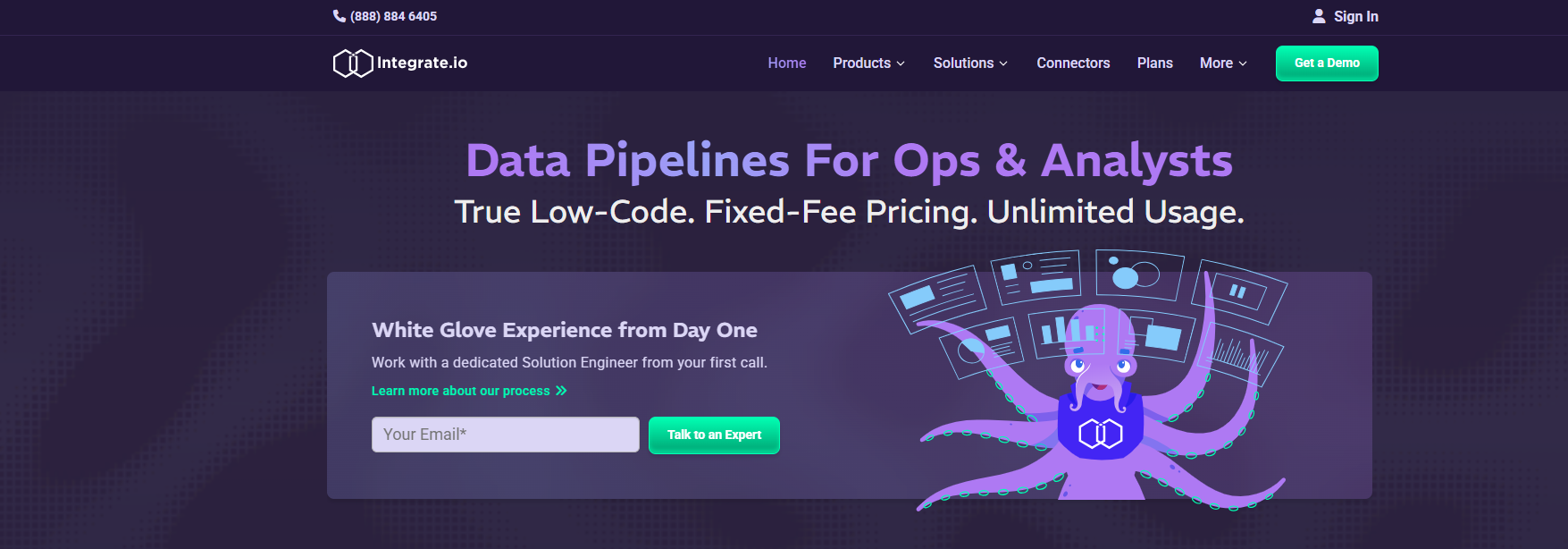
Integrate.io is a cloud-native data integration tool that focuses on speed, flexibility, and compliance. You use Integrate.io to perform lightweight and high-speed data transformations, which helps you maintain data governance standards. The platform supports ETL, ELT, Reverse ETL, and Change Data Capture, so you can handle different data integration needs. You do not need extensive programming knowledge because Integrate.io offers low-code functionality.
You benefit from a fixed-fee unlimited usage model, which allows you to scale from hundreds of rows to billions without performance issues. Integrate.io supports over 200 source systems and destinations, including SaaS applications and APIs. The platform provides 60-second Change Data Capture capabilities and a comprehensive data delivery ecosystem. You receive world-class customer support and white-glove onboarding with dedicated solution engineers. Integrate.io helps you comply with regulations like GDPR, CCPA, and HIPAA by managing sensitive data effectively. You can rely on its secure, flexible, and fast data operations for enterprise-scale projects.
Airbyte Overview
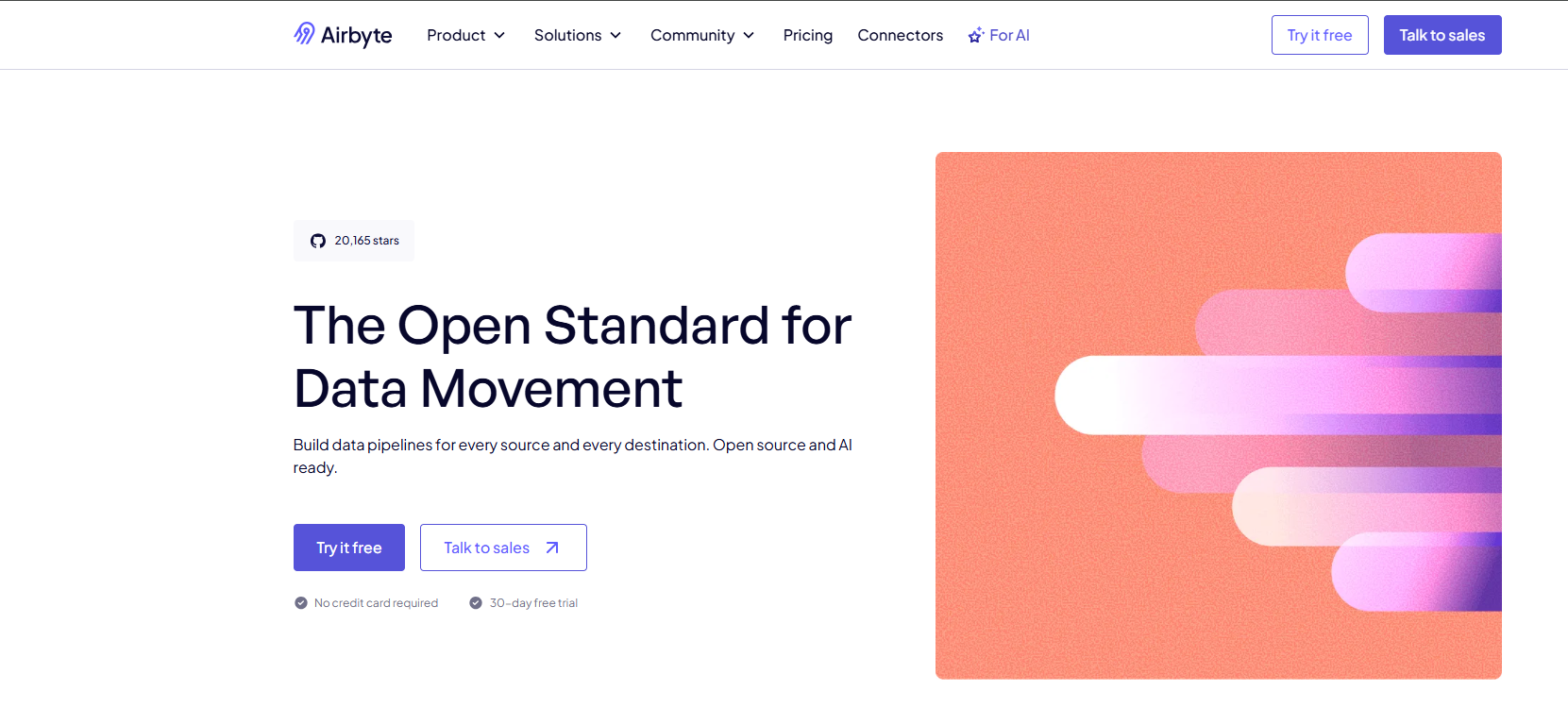
Airbyte is an open-source data integration software that gives you control over your data pipelines. You can use Airbyte to connect hundreds of data sources and destinations, including databases, cloud platforms, and APIs. The platform offers modular connectors, so you can customize your data integration workflows. Airbyte supports both batch and real-time data ingestion, which helps you keep your analytics up to date.
You benefit from a strong developer community and frequent updates. Airbyte’s open-source model allows you to build custom connectors if you need to integrate with unique systems. You can deploy Airbyte on-premises or in the cloud, giving you flexibility in managing your infrastructure. The platform’s user-friendly interface makes it easy to set up data pipelines without writing code. Airbyte is a good choice if you want a scalable, customizable, and cost-effective data integration tool.
Talend Overview
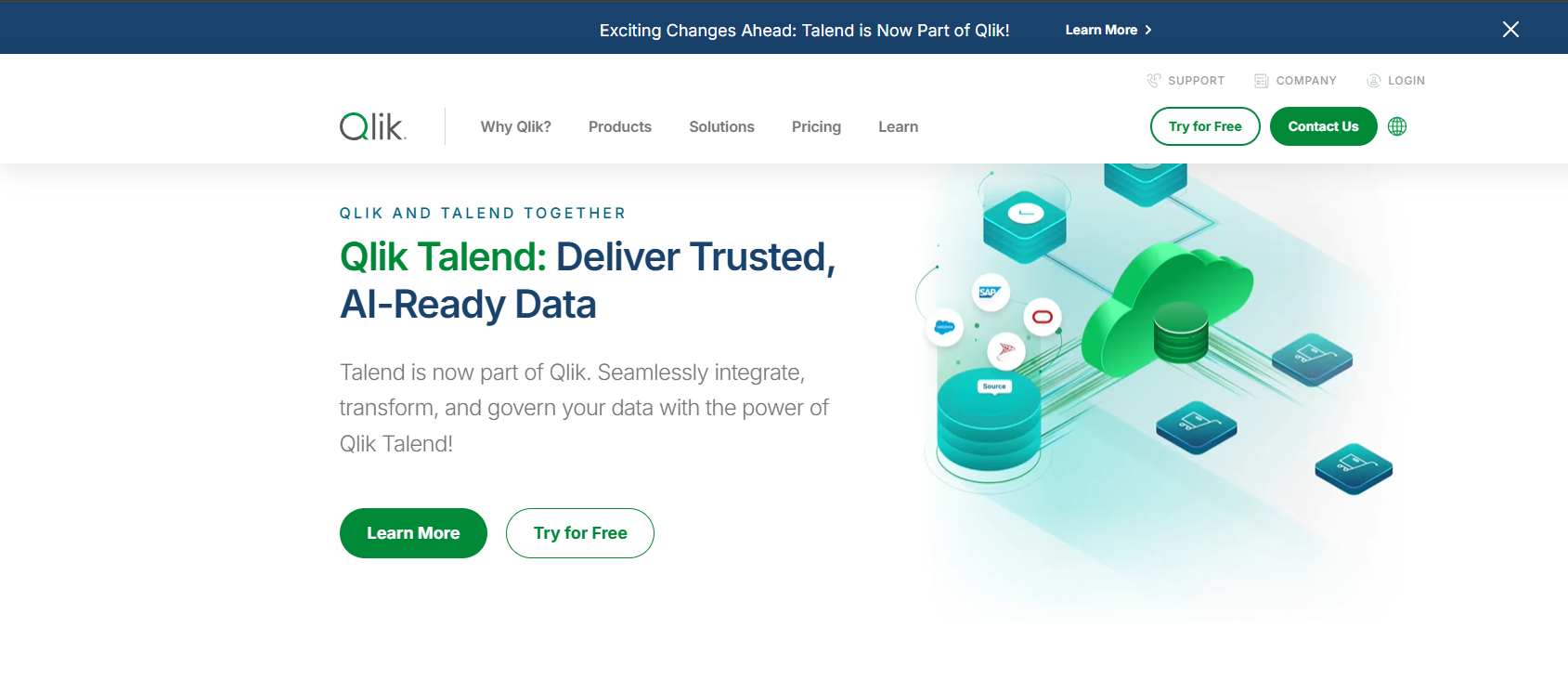
Talend is a leading data integration software that provides robust tools for managing complex data environments. You use Talend Data Fabric to handle diverse sources and destinations, including cloud and on-premises systems. The platform emphasizes data health with features for profiling, deduplication, and governance. You can monitor your data ingestion pipelines in real time, which helps you maintain data quality and reliability.
Talend supports various cloud providers and offers both open-source and enterprise solutions. You can use its data governance solutions to ensure the integrity, availability, and security of your data. Talend helps you comply with regulations like GDPR by protecting personal data and managing it according to internal standards. The platform’s data quality solutions ensure that your data is accurate and reliable, supporting your organization’s compliance needs. Talend is suitable for organizations with complex data integration requirements.
Fivetran Overview
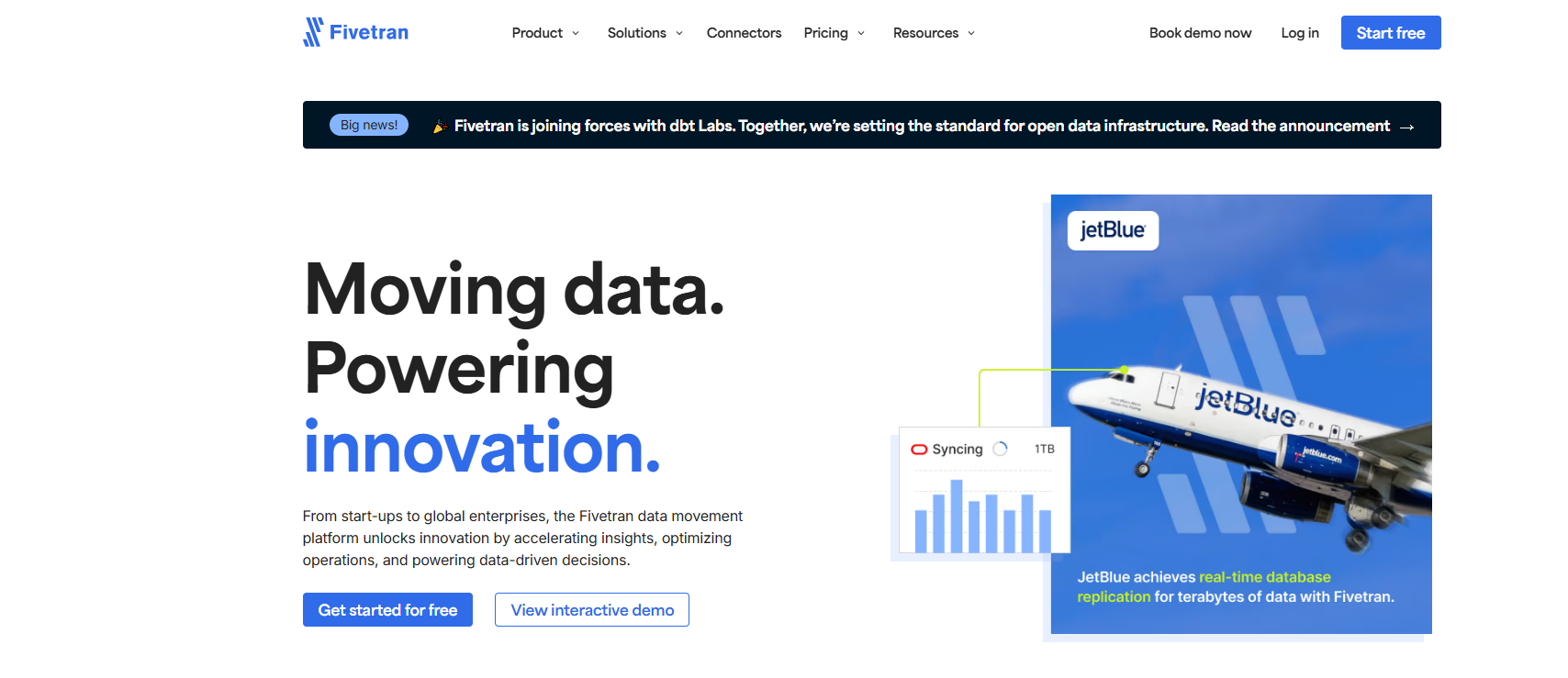
Fivetran is a popular data integration tool that automates data ingestion for analytics and reporting. You use Fivetran to boost productivity by removing manual pipeline building and maintenance tasks. The platform simplifies data collection, making it easy to set up and edit connectors without coding. You can enhance user experience by providing the latest data to your customers, which helps you build better apps and solve problems quickly.
Fivetran supports a wide range of use cases, including reporting, business intelligence, and visualizations. You can use it to deal with big data by sampling and subsetting large datasets for efficient querying. The platform combines data from various sources for advanced analytics and campaign measurement. Fivetran also helps you clean and enrich data for machine learning and artificial intelligence projects. You benefit from automated data pipelines that keep your analytics up to date with minimal effort.
Informatica Cloud Overview
Informatica Cloud is an enterprise-level data integration tool that supports ETL, ELT, and both cloud and on-premises integration. You use Informatica to manage large-scale data environments and connect complex systems. The platform offers robust integration capabilities for enterprise data management, making it suitable for organizations with demanding requirements. Informatica Cloud provides a consumption-based pricing model, which allows you to scale your usage as your needs grow.
You can expect faster deployment and no infrastructure management compared to traditional on-premises solutions. Informatica supports a wide range of connectors and integration options, so you can connect your business systems easily. The platform is powerful but complex, so it is best suited for large enterprises with existing infrastructure. You benefit from strong support, training, and professional services to help you implement and maintain your data integration workflows.
Tip: When you evaluate data ingestion software, consider your organization’s size, data volume, and integration needs. The right data integration tools will help you build scalable, efficient, and secure data pipelines for analytics and business intelligence.
Why Data Ingestion Software Matters for Business Intelligence
Data integration tools help you collect, combine, and manage data from different sources. These tools play a key role in business intelligence by making sure you have accurate and timely information for analysis. When you use data integration tools, you can connect databases, cloud applications, and files into a single data pipeline. This process improves data quality and supports better decision-making.
You rely on data integration tools to automate the movement and transformation of data. These tools reduce manual work and help you handle large volumes of data with ease. Data integration software gives you the scalability you need as your business grows. You can trust these tools to keep your data organized and ready for analytics.
Data Integration Tools for Analytics
Data integration tools support analytics by providing a complete view of your business. You can use these tools to combine customer data, sales records, and operational metrics. This unified approach leads to enhanced customer insights and faster access to critical information. Many organizations report improved data quality, which results in more reliable analytics.
Note: Studies show that advanced data integration tools can reduce diagnostic errors by 32% and improve treatment adherence by 28%. These tools also help companies save millions each year and increase satisfaction with decision support systems.
| Aspect | Impact on Business Intelligence Outcomes |
|---|---|
| Data Quality | Ensures accurate reporting and compliance |
| Poor Ingestion | Leads to incomplete reports and delayed insights |
| AI/ML Model Training | Inconsistent data can degrade model accuracy |
Real-Time Data Processing
Real-time data processing lets you analyze information as soon as it arrives. You can use data integration tools to power real-time dashboards and support rapid decision-making. This approach shifts your business from reactive to proactive, minimizing risks and optimizing operations. Immediate access to real-time data enables you to respond quickly to market changes and improve financial management.
- Enhanced decision-making speed
- Improved operational efficiency
- Personalized customer experiences
Breaking Down Data Silos
Data silos occur when information stays trapped in separate systems. Data integration tools break down these barriers by creating a unified data platform. You can automate data ingestion and transformation, which leads to streamlined operations and stronger governance. Companies like Walmart and Tencent Games have used modern data integration tools to eliminate silos, reduce storage costs, and enable real-time analytics.
- Unified data platforms support informed decision-making
- Automated data ingestion reduces manual intervention
- Improved data governance and security protocols
Comparing Data Ingestion Software Features

Data integration tools help you connect, collect, and manage data from many sources. You use these tools to build a strong data pipeline that supports analytics and business intelligence. Data integration tools make it easier to automate data movement, improve data quality, and support real-time decision-making. When you compare data integration software, you look at performance, scalability, integration capabilities, ease of use, security, and pricing.
Performance and Scalability
Performance and scalability matter when you choose data integration tools. You want software that can handle large volumes of data and keep your data pipeline running smoothly. FineDataLink uses real-time synchronization and advanced ETL/ELT processing to move data with minimal latency. You can scale FineDataLink to support both small and large organizations. Integrate.io offers high-speed data transformations and scales from hundreds to billions of rows. Airbyte provides flexible deployment and supports over 600 connectors, making it suitable for growing businesses. Talend and Informatica Cloud deliver enterprise-grade performance for complex data environments. Fivetran automates data ingestion and scales with a cloud-first approach.
Here is a comparison of connectors, deployment models, and pricing structures for leading data integration tools:
| Platform | Connectors | Deployment Model | Pricing Structure |
|---|---|---|---|
| Fivetran | 500+ pre-built integrations | Cloud-first SaaS with limited self-hosting | Premium enterprise tier with consumption-based scaling |
| Informatica Cloud | Extensive, enterprise-grade library | Hybrid cloud and on-premises options | Complex enterprise licensing with multiple tiers |
| Airbyte | 600+ connectors | Flexible deployment options | Transparent pricing with community-driven innovation |
You see that FineDataLink supports over 100 common data sources and offers real-time synchronization, which helps you build scalable data pipelines for analytics.
Integration Capabilities
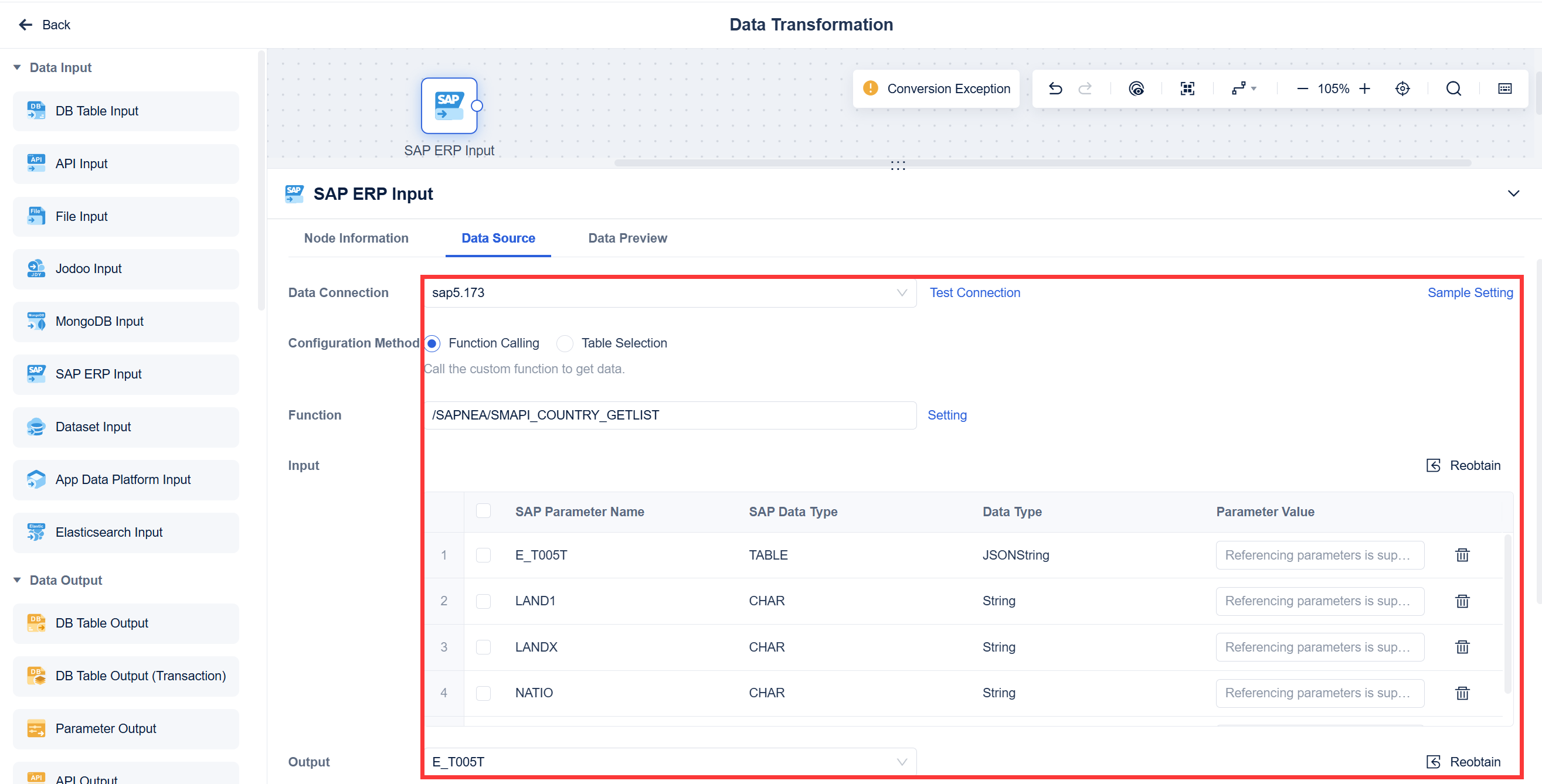
Integration capabilities define how well data integration tools connect to different data sources and systems. You want software that supports databases, cloud applications, APIs, and files. FineDataLink lets you integrate data from SaaS platforms, legacy systems, and cloud environments. You can use its low-code interface to build data pipelines and automate workflows. Integrate.io supports over 200 source systems and offers ETL, ELT, and Reverse ETL. Airbyte provides modular connectors and allows you to customize data integration workflows. Talend connects to diverse sources and emphasizes data health and governance. Fivetran simplifies connector setup and supports advanced analytics. Informatica Cloud offers robust integration for enterprise data management.
Tip: Choose data integration tools that support your existing systems and future growth. Look for platforms that offer API integration and flexible connectivity.
Ease of Use
Ease of use helps you deploy and manage data integration tools without deep technical skills. You want software with a visual interface, drag-and-drop features, and clear documentation. FineDataLink provides a modern web-based interface and step-by-step instructional videos. You can build and launch API interfaces in minutes. Integrate.io offers low-code functionality and world-class support. Airbyte simplifies data integration workflows with customizable connectors. Talend and Informatica Cloud provide advanced features but may require more technical expertise. Fivetran automates pipeline setup and reduces manual work.
Here is a table showing user feedback on ease of use for top data integration tools:
| Tool Name | G2 Review Score | Ease of Use Features |
|---|---|---|
| Airbyte | 4.1 stars | Open-source, customizable connectors, simplifies data integration workflows. |
| Fivetran | 4.2 stars | Automates data pipeline setup, pre-built connectors for easy data extraction. |
| Informatica PowerCenter | 4.4 stars | Advanced data transformation and cleansing capabilities, supports various ingestion techniques. |
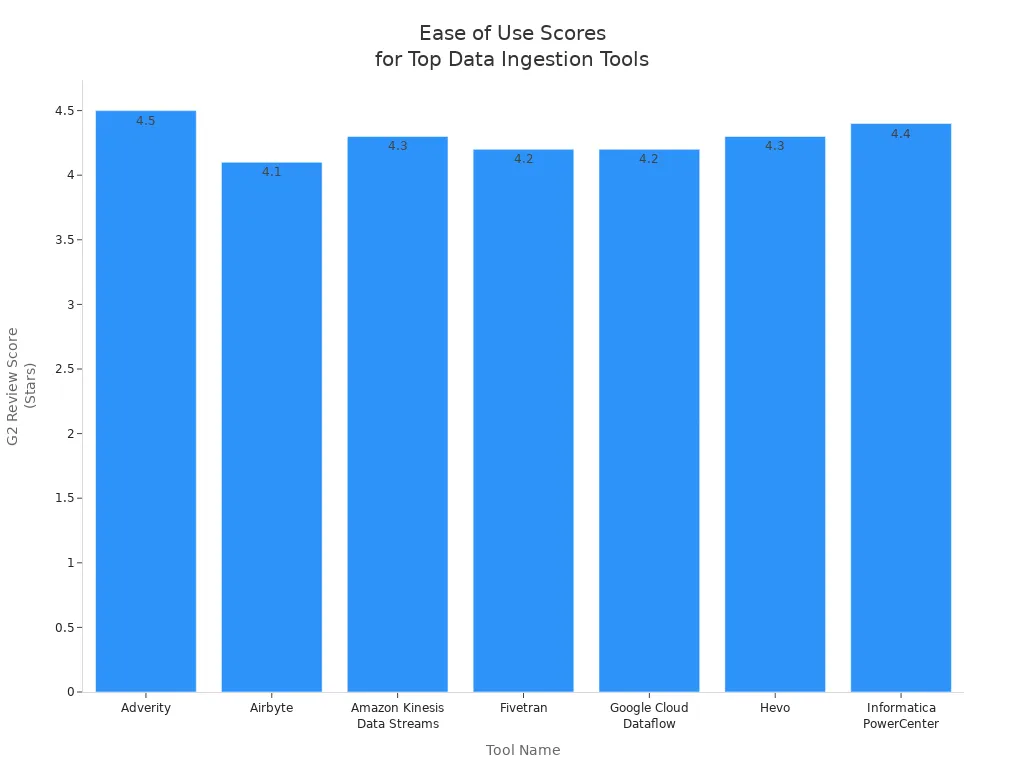
You see that FineDataLink’s low-code platform and visual interface make it easy for data engineers and business intelligence teams to manage data integration workflows.
Security and Compliance
Security and compliance protect your data and help you meet regulatory standards. You want data integration tools that support certifications like SOC 2 Type II, ISO 27001, and HIPAA. FineDataLink uses secure data transfer protocols and supports enterprise-level data governance. Integrate.io helps you comply with GDPR, CCPA, and HIPAA. Airbyte offers transparent security practices and community-driven innovation. Talend and Informatica Cloud provide advanced security features and support multiple compliance standards. Fivetran ensures data privacy and meets industry certifications.
Here is a table of common security certifications and compliance standards supported by leading data integration tools:
| Certification/Standard | Description |
|---|---|
| EU-U.S. Data Privacy Framework | Certification for transatlantic data transfers, validated by the U.S. Department of Commerce. |
| SOC 2 Type II Compliance | Attestation covering security, availability, confidentiality, privacy, and HIPAA compliance. |
| ISO 27001 | Information Security Management System certification, valid until October 2025. |
| PCI-DSS Compliance | Certification for handling payment card information during sales conversations. |
| HIPAA Security Requirements | Mapping of HIPAA security requirements in SOC 2 report. |
Note: Always verify that your data integration tools meet the security and compliance needs of your organization.
Pricing Models
Pricing models affect your total cost of ownership for data integration tools. You want software that fits your budget and scales with your data needs. FineDataLink offers affordable pricing and a free trial. Integrate.io uses a fixed-fee unlimited usage model. Airbyte provides transparent pricing based on Data Workers. Talend and Informatica Cloud use tiered enterprise licensing. Fivetran bills per connection and uses a Monthly Active Rows (MAR) model.
Here is a comparison of estimated monthly costs for Fivetran and Airbyte Cloud across three sync scenarios:
| Scenario | Fivetran Estimated Cost | Airbyte Cloud Estimated Cost |
|---|---|---|
| Daily sync from a database with 1 million rows/month | ~$500 | ~$15 |
| Hourly sync from an API with 5 million updated rows/month | ~$2,500 | ~$75 |
| 10M rows/month from mixed sources (daily sync) | ~$5,000 | ~$150 |
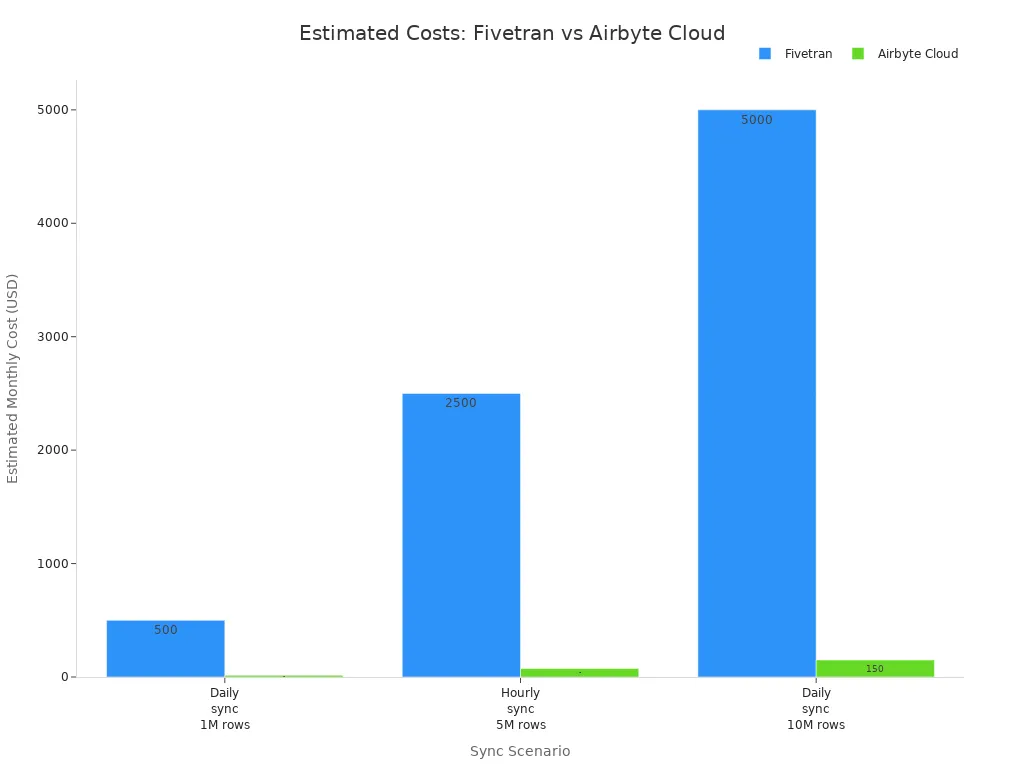
You see that FineDataLink provides a cost-effective solution for building scalable data pipelines and managing data integration workflows.
Tip: Review pricing models and choose data integration tools that match your data volume, integration needs, and budget.
FineDataLink Advantages As Data Ingestion Software
Low-Code Data Integration
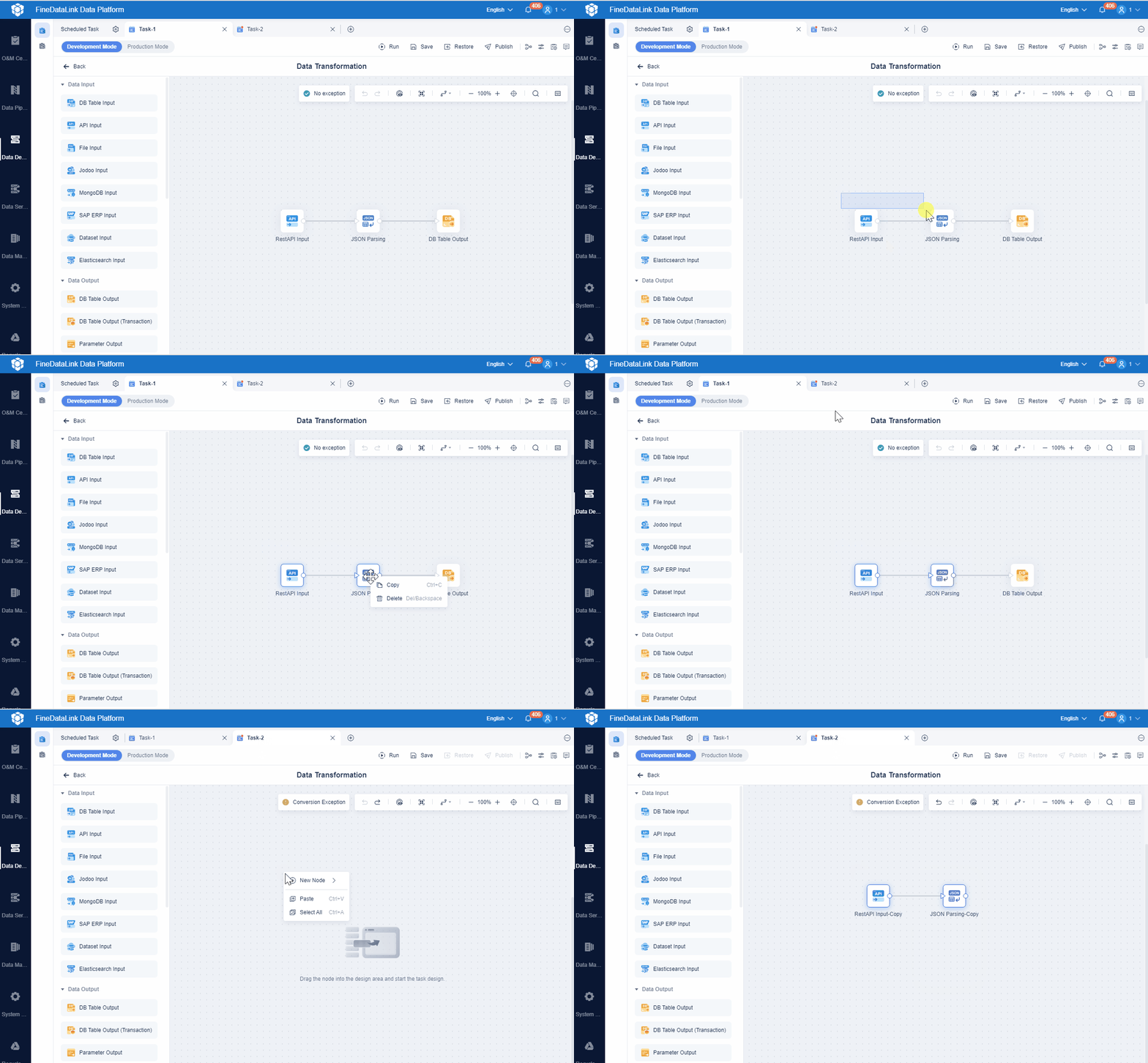
You need data integration tools that simplify complex processes. FineDataLink gives you a low-code platform, so you can build and manage data pipelines without advanced programming skills. You use a visual interface with drag-and-drop features to connect data sources and automate workflows. This approach reduces manual work and helps you focus on improving data quality. You can quickly set up data extraction, transformation, and loading tasks. FineDataLink supports over 100 data sources, which means you can bring together information from databases, cloud applications, and files. You gain more control over your data and can respond faster to business needs.
Real-Time Synchronization
You want your data to stay up to date across all systems. FineDataLink offers real-time synchronization, so you can move data with minimal delay. This feature supports both offline and real-time data warehouse construction. You can use FineDataLink to keep your analytics current and make decisions based on the latest information. Real-time data processing helps you react quickly to market changes and customer demands. You reduce the risk of errors and improve the reliability of your business intelligence.
API and Application Integration
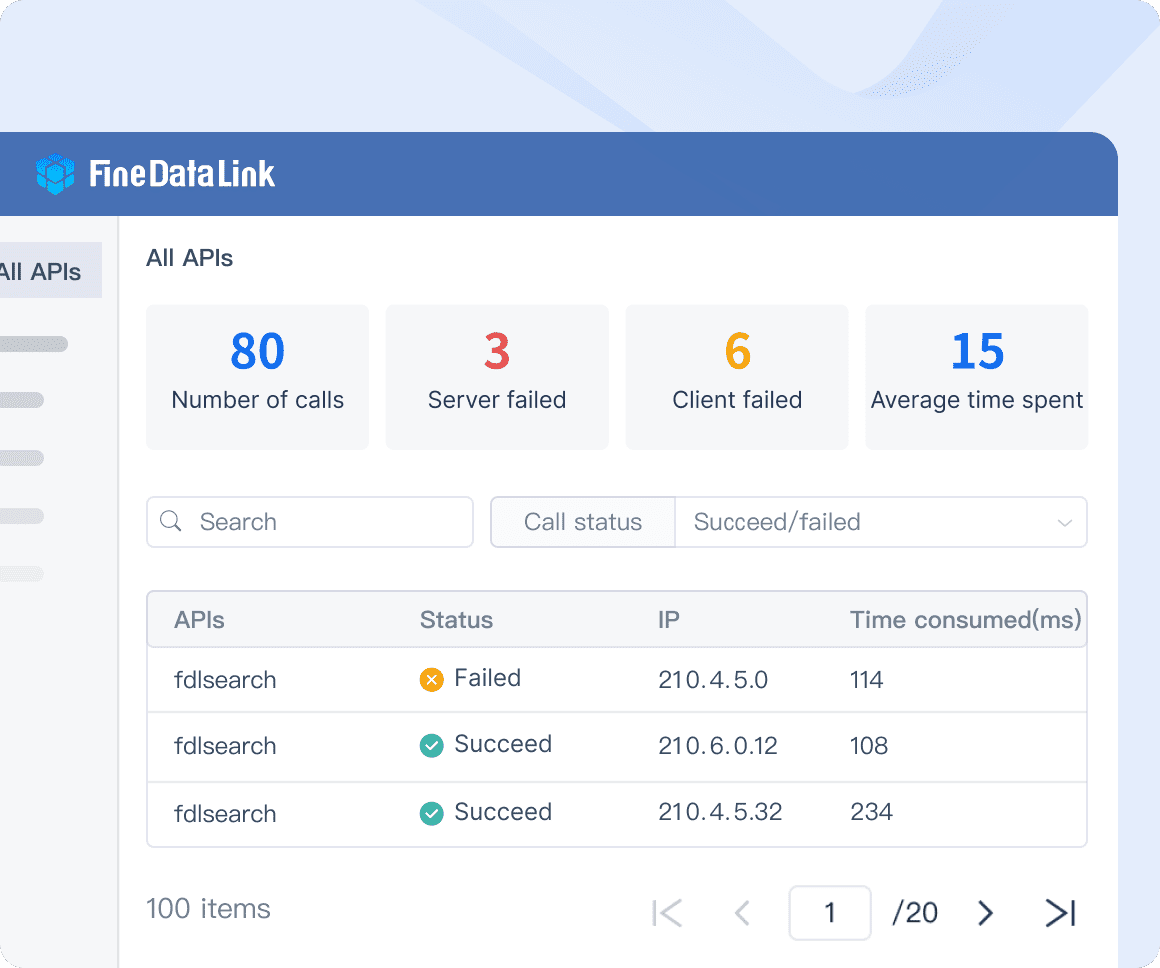
You often need to share data between different applications. FineDataLink lets you develop and launch API interfaces in minutes. You do not need to write code to connect SaaS platforms or legacy systems. This flexibility supports your digital transformation and helps you break down data silos. You can automate data sharing and improve collaboration across departments. FineDataLink’s API integration ensures that your data flows smoothly between all your business tools.
Customer Story: NTT DATA Taiwan
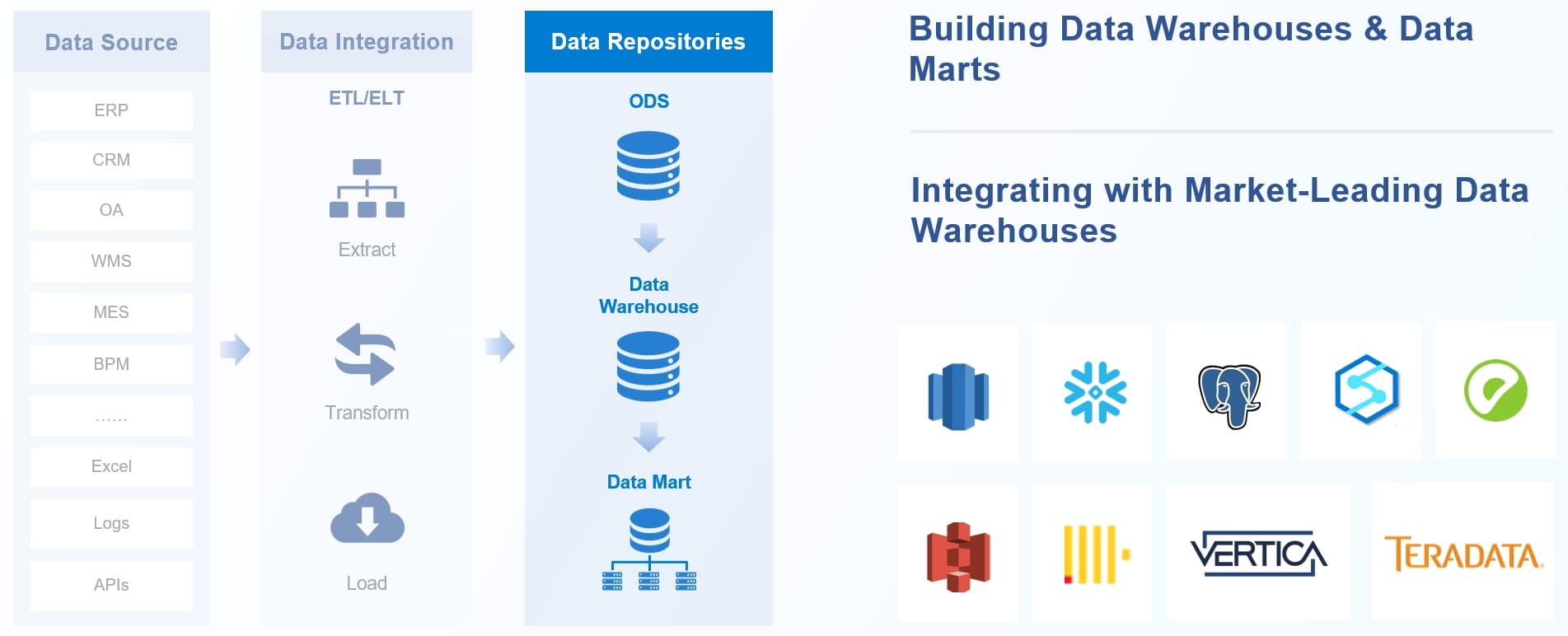
NTT DATA Taiwan used FineDataLink to build a unified data platform. The company integrated backend systems like ERP, POS, and CRM. This integration made it possible to use data for decision-making at every level. You see how a unified platform improves data quality and supports data-driven strategies. NTT DATA Taiwan’s experience shows that you can overcome data silos and unlock the value of your data with the right tools. The company now uses data to improve efficiency and support sustainable growth.
Criteria for Choosing Data Ingestion Software
When you evaluate data integration tools, you look for solutions that help you collect, move, and manage data from many sources. These tools act as the backbone for your analytics and reporting systems. Data integration tools allow you to automate the flow of data, improve quality, and ensure your business can scale as needs grow. You want software that fits your organization’s size, data complexity, and technical environment.
Business Size and Needs
You should match data integration tools to your company’s size and requirements. Small businesses often need simple, user-friendly tools, while large enterprises require advanced features and scalability. The table below shows key criteria industry experts recommend for different business sizes:
| Criteria | Description |
|---|---|
| Scalability | Ability to manage growing data volumes efficiently |
| Data Quality Management | Tools for validation and cleansing to ensure accurate data |
| Data Security and Compliance | Features that protect sensitive data and support regulations |
| User-Friendly Interface | Intuitive design for easy adoption |
| Integration with Analytics | Seamless connection to BI platforms |
| Cost-Effectiveness | Value for money and total cost of ownership |
You should also consider if the interface matches your team’s skills, if the tool supports your data formats, and if it offers strong security and interoperability.
Data Volume and Complexity
You must assess how much data you handle and how complex it is. Large volumes and diverse formats require robust data integration tools. Best practices include setting up alerts for data quality issues, keeping raw data copies, and using automation to reduce errors. You should choose ingestion methods that fit your data flow, enforce data contracts to prevent schema drift, and prioritize deduplication. Regular data quality checks help maintain pipeline integrity. Scalability remains essential as your data grows.
Tip: Define your needs for real-time or scheduled ingestion. Automation and error handling can save time and prevent data loss.
Integration with Existing Systems
You need data integration tools that connect smoothly with your current systems. Common challenges include schema management, maintaining data quality, and balancing real-time with batch processing. The table below highlights typical integration issues and solutions:
| Integration Challenge | Description | Solutions |
|---|---|---|
| Schema Management | Schema drift causes reliability problems | Use automated schema detection and validation |
| Maintaining Data Quality and Consistency | Inconsistent data leads to poor decisions | Establish quality rules and cleansing processes |
| Managing Real-time vs. Batch | Architectural complexity | Adopt dual-mode or event-driven architecture |
| Handling Large Data Volumes | Resource strain as data grows | Use incremental processing and partitioning |
| Data Security, Governance, Compliance | Complex to ensure during movement | Apply encryption and classification |
| Monitoring Pipelines | Troubleshooting is challenging | Set up monitoring systems |
You should confirm compatibility with all your data sources and destinations before you choose a tool.
Support and Cost Considerations
You must consider both support and cost when selecting data integration tools. Streaming ingestion often costs more due to 24/7 infrastructure needs. Batch ingestion can reduce costs by lowering frequency, while a hybrid approach balances cost and latency. You should look for solutions that offer strong support, clear documentation, and training. Scalability is vital, so choose software that grows with your data needs and budget.
Note: Cost-effectiveness and reliable support help you maximize the value of your data integration investment.
Data Ingestion Software Recommendations for Modern Businesses
When you choose data integration tools, you focus on how data moves, transforms, and supports your business. Data means all the information your company collects, stores, and uses for decision-making. You need data to power analytics, reporting, and business intelligence. Data integration tools help you combine data from many sources, improve data quality, and ensure data flows smoothly across your organization. You want software that supports data scalability, security, and automation. Data is the foundation for every modern business process.
Best Overall Data Integration Tool
You want the best data integration tools to manage all your data needs. Data integration tools should connect to many data sources, support real-time data movement, and offer a user-friendly interface. You need tools that automate data workflows and improve data quality. FineDataLink stands out as the best overall data integration tool. You can use FineDataLink to build data pipelines, synchronize data in real time, and connect over 100 data sources. The platform’s low-code design lets you manage data without advanced programming skills. You get strong data governance, data security, and data scalability for any business size.
Best for Enterprises
Large organizations handle massive amounts of data every day. You need data integration tools that support complex data environments and strict data compliance. Enterprises require tools with advanced data governance, data monitoring, and data transformation features. Informatica Cloud and Talend are strong choices for enterprise data integration. These tools offer robust data connectors, real-time data processing, and enterprise-level data security. You can manage data across cloud and on-premises systems. FineDataLink also supports enterprise data needs with its real-time data synchronization and flexible data integration options.
Best for SMBs
Small and medium-sized businesses need data integration tools that are easy to use and cost-effective. You want tools that help you automate data tasks and improve data quality without high costs. Integrate.io and Airbyte are popular for SMBs because they offer simple data workflows and flexible pricing. You can set up data pipelines quickly and connect to common data sources. FineDataLink provides a low-code platform that helps SMBs manage data integration with minimal effort. You can scale your data operations as your business grows.
Best for Cloud Environments
Cloud environments require data integration tools that support cloud-native data movement and storage. You need tools that connect to cloud databases, SaaS applications, and APIs. Fivetran and Informatica Cloud are top choices for cloud data integration. These tools automate data ingestion and support real-time data updates. FineDataLink also excels in cloud environments with its support for cloud data sources and real-time data synchronization. You can build cloud data warehouses and ensure data flows securely between systems.
Tip: Always match your data integration tools to your business goals, data volume, and technical needs. The right tools help you unlock the full value of your data.
You have seen how data ingestion software supports your business intelligence and analytics. Key takeaways include:
- Scalability helps you manage large data volumes.
- Ease of use lets your team build pipelines quickly.
- Adaptability prevents data anomalies as your data changes.
To choose the best data ingestion software, you should:
- Evaluate connector options for fast setup.
- Consider deployment flexibility for security.
- Assess scaling features for future growth.
You should align your choice with your business goals and technical needs. Try FineDataLink or other leading solutions to see which fits your requirements best.
Continue Reading About Data Ingestion Software
Enterprise Data Integration: A Comprehensive Guide
What is enterprise data and why does it matter for organizations
Understanding Enterprise Data Centers in 2025
Enterprise Data Analytics Explained for Modern Businesses
Frequently asked questions
Data ingestion software helps you collect, move, and process data from different sources into one system. You use this software to prepare data for analysis, reporting, and business intelligence.