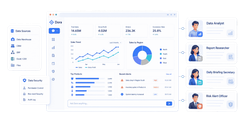
FineReport is an enterprise reporting and dashboard platform that helps finance teams automate recurring financial reports, consolidate data from multiple systems, and deliver highly customized outputs at scale.
Why Automated Financial Reporting Software Matters in 2026
Automated financial reporting software uses connected data, rules, and workflows to turn raw financial information into recurring statements, management reports, dashboards, and board packs with far less manual spreadsheet work. In practical terms, it reduces the need to copy and paste data across ERP exports, close spreadsheets, and presentation files.
For finance teams, that matters because traditional reporting is still slowed down by manual consolidation, version control issues, broken formulas, and approval bottlenecks. When teams rely on disconnected spreadsheets, even small reporting changes can trigger hours of rework. Automated reporting platforms reduce those delays by pulling data directly from source systems, standardizing report logic, and refreshing numbers automatically.
CFOs, controllers, and FP&A teams increasingly use automated financial reporting software to:
- speed up month-end and quarter-end close reporting
- create consistent board reporting and management packs
- support multi-entity consolidation and group-level visibility
- improve confidence in reported figures through audit trails
- free analysts from repetitive report preparation
The value is not only operational. Faster reporting improves decision-making. If finance leaders can see updated margins, cash positions, department spend, and entity-level performance sooner, they can act sooner. That is especially important in 2026, when finance is expected to be both a control function and a strategic business partner.
Another major shift is the rise of AI in finance reporting. Modern tools increasingly support:
- AI-powered financial statements that update linked numbers and narratives
- anomaly detection to flag unusual transactions, variances, or outliers
- narrative insights that summarize performance trends for executives
- forecast and variance support that connects actuals to planning workflows
That said, not every platform delivers the same depth. Some are built for enterprise governance and compliance. Others focus on Excel-based FP&A workflows or accountant-friendly client reporting. That is why selection matters.
 Click To Try The Dashboard
How to Evaluate the Best Automated Financial Reporting Software
Choosing automated financial reporting software should start with your reporting reality, not vendor messaging. A global enterprise with compliance-heavy reporting needs a different tool than a mid-market FP&A team or an accounting firm serving multiple clients.
Below are the core evaluation areas finance teams should prioritize.
Core features that matter most
Before comparing vendors, look for these foundational capabilities.
-
Data integration across core systems
The software should connect to ERP, accounting, CRM, payroll, and planning systems. The more manual exports your team still depends on, the more integration quality matters. -
Report automation and scheduling
Strong tools let you automate recurring financial statements, monthly packs, dashboards, variance reports, and distribution workflows. -
Dashboarding and self-service analysis
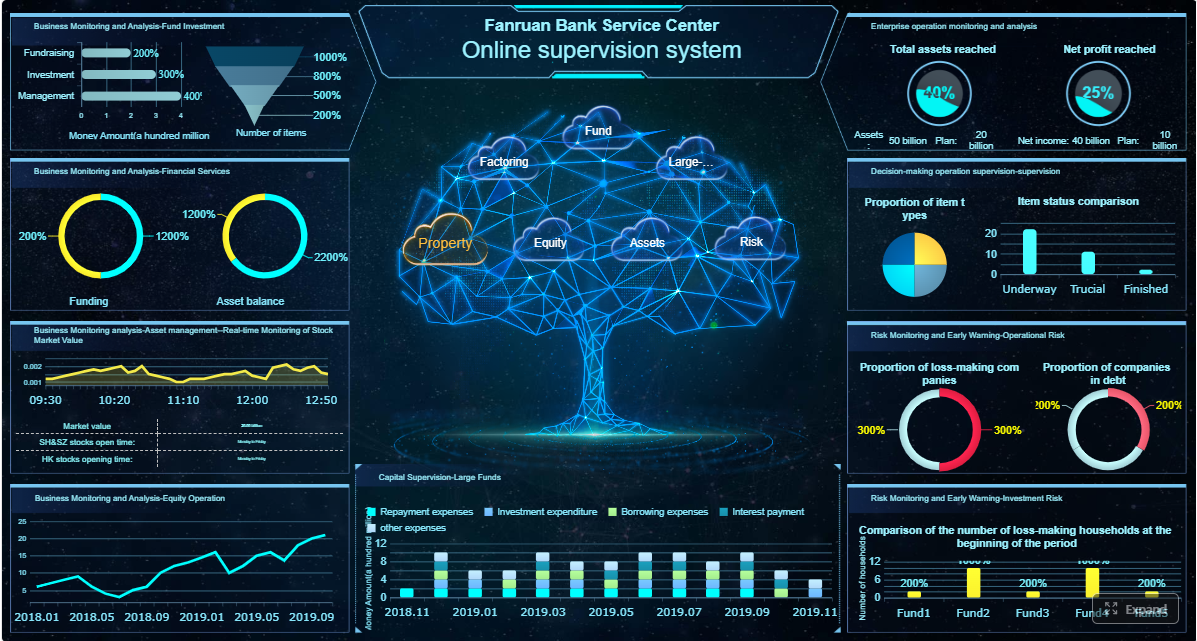
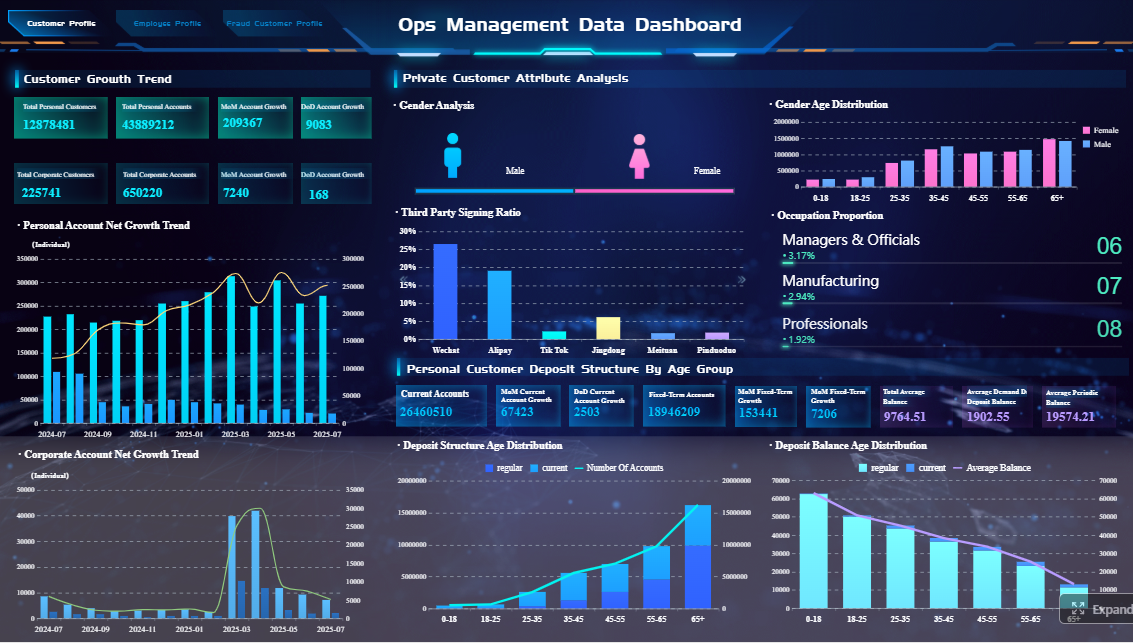
Executives and department leaders often want fast visibility, not just static PDFs. Dashboards, drill-downs, and role-based views improve usability. -
Consolidation and multi-entity support
If you manage multiple business units, subsidiaries, currencies, or regions, consolidation features become essential. -
Customization and formatting flexibility
Finance reports are rarely one-size-fits-all. Some teams need board-ready presentation quality, while others need operational dashboards or highly formatted statutory outputs. This is a major reason many teams consider FineReport, which is especially strong when reporting outputs must be tailored beyond standard templates. -
Audit trails and governance
Automated financial reporting software should track data lineage, changes, approvals, and version history. This is critical for trust, internal control, and external review. -
Permissions and compliance readiness
Role-based access, approval workflows, and secure sharing help finance teams control who can view or edit sensitive reports. -
AI and anomaly support
AI features should do something useful, such as surfacing unusual movements, speeding commentary, or helping teams review financial statements more efficiently.
Questions finance teams should ask before buying
Finance software purchases often fail when teams focus too much on demos and too little on operating fit. Ask these questions early.
-
How quickly can the tool be implemented and adopted by finance and accounting users?
A powerful platform is less valuable if it requires long dependence on IT or external consultants for every report change. -
Does it support board reporting, management packs, and recurring monthly reporting?
Many tools automate dashboards well but are weaker at polished finance pack production. -
Can it scale from a small finance team to a global multi-entity environment?
Consider both current needs and likely growth in entities, users, report types, and governance requirements. -
How strong are the integrations with your existing systems?
Ask about native connectors, APIs, refresh frequency, and data model flexibility. -
How well does it handle highly customized financial report layouts?
This is a key differentiator. Some platforms are better for standardized reporting, while others, including FineReport, are better for complex, pixel-perfect, and business-specific designs. -
What level of auditability and workflow control is available?
This matters for close reviews, compliance, and accountability. -
Who is the real end user?
Finance-led tools tend to succeed when controllers, analysts, and accountants can manage outputs without excessive technical dependency.
 Click To Try The Dashboard
FineReport vs Workiva vs Cube vs Reach Reporting: Side-by-Side Comparison
Below is a focused look at four of the most relevant tools in this category. Each one approaches automated financial reporting software from a different angle.
FineReport

-
One-sentence overview
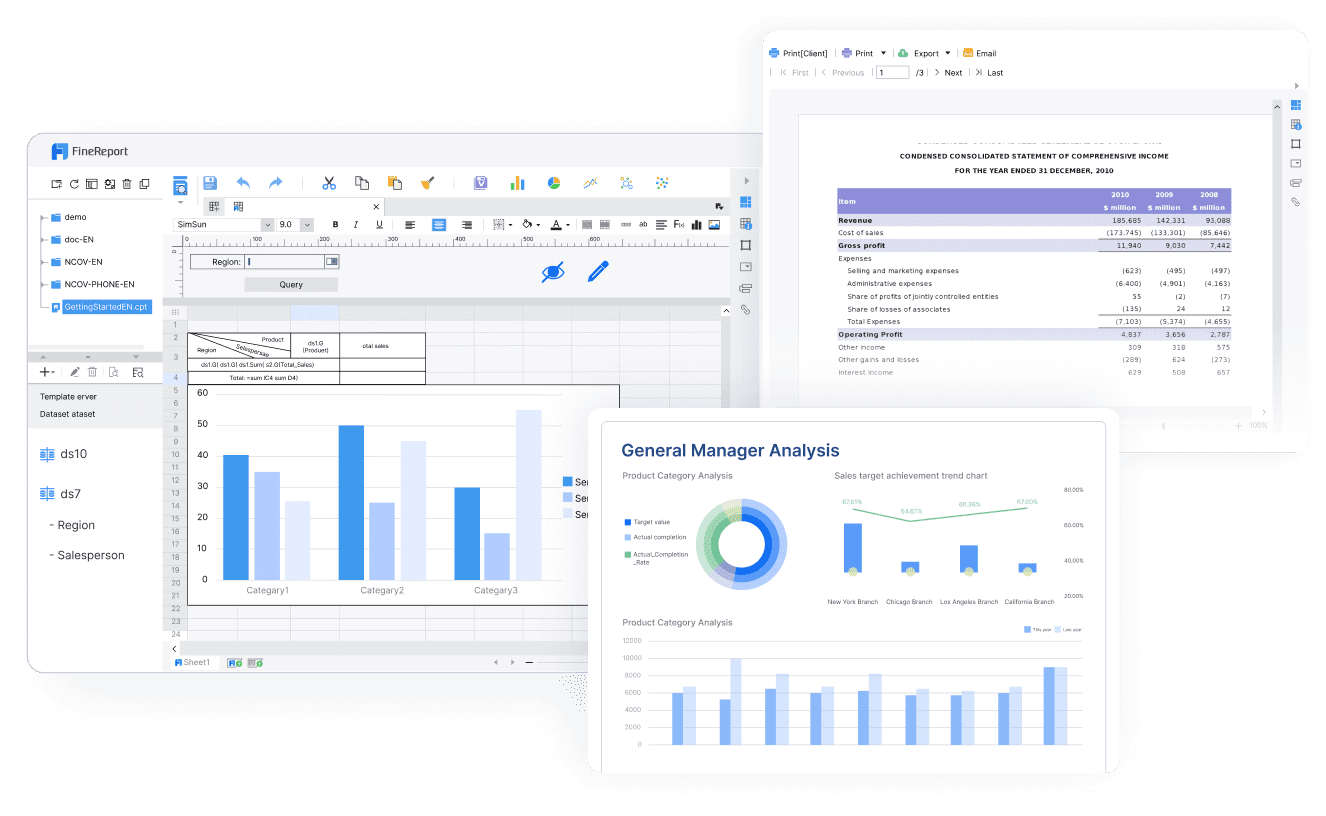
FineReport is a highly customizable reporting and dashboard platform designed for organizations that need automated financial reporting with strong formatting flexibility, cross-system data integration, and enterprise-grade output control. -
Key Features
- broad data connectivity across ERP, databases, business systems, and cloud sources
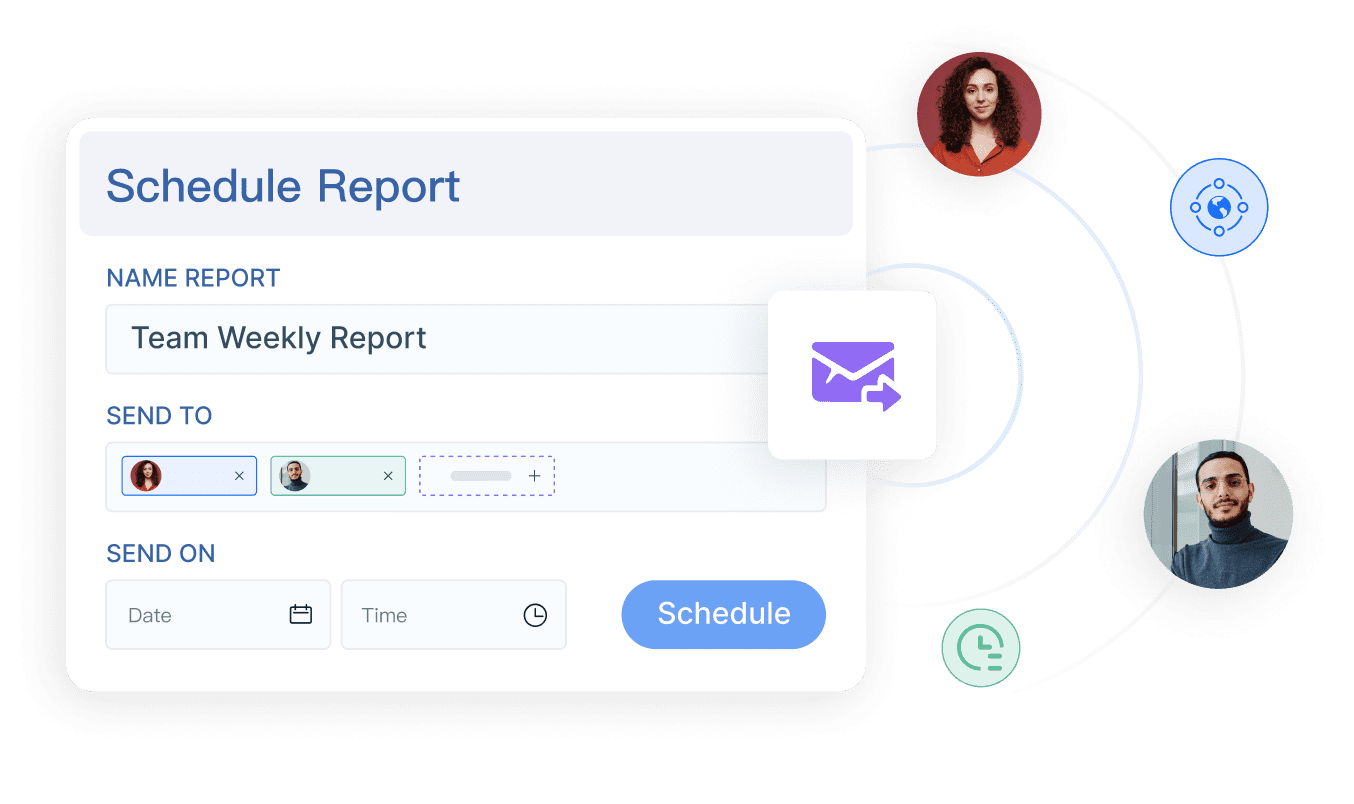
- automated report generation, scheduling, and distribution
- dashboarding and drill-down analysis for finance and management users
- multi-source data consolidation for complex reporting environments
- strong support for highly customized, pixel-perfect report layouts
- role-based permissions and centralized report governance
-
Pros & Cons
- Pros
- excellent for highly customized reporting outputs
- strong fit for enterprises with complex reporting logic
- supports both dashboarding and formal report production
- adaptable for management reporting, operational reporting, and finance reporting in one platform
- Cons
- can require thoughtful setup to standardize data models
- may offer more flexibility than very small teams need
- advanced customization benefits from good implementation planning
- Pros
-
Best For (Target user/scenario)
- enterprise finance teams
- organizations with multi-system reporting complexity
- teams that need board-ready, management, and operational reporting from one environment
- businesses that want a stronger alternative to fragmented spreadsheet-based reporting
Why FineReport stands out:
Among the tools compared here, FineReport is especially compelling when the finance team needs more than template-based outputs. If your organization needs automated financial reporting software that can produce tailored financial statements, management packs, executive dashboards, and department-specific views without sacrificing design control, FineReport is often the strongest fit.
Workiva
-
One-sentence overview
Workiva is a collaborative reporting and compliance platform built for organizations that need controlled, auditable financial reporting across multiple contributors and regulatory workflows. -
Key Features
- linked data across reports, spreadsheets, and documents
- collaboration workflows for finance, legal, audit, and compliance teams
- audit trails, permissions, and review controls
- support for financial statement automation and related reporting processes
- enterprise governance and regulated reporting capabilities
- narrative and document collaboration in one environment
-
Pros & Cons
- Pros
- strong collaboration and control environment
- excellent for compliance-sensitive and regulated reporting
- helps reduce version-control issues across reports and narratives
- good fit for organizations with many reviewers and stakeholders
- Cons
- can be more than needed for teams focused mainly on internal reporting
- pricing and implementation complexity may be high for smaller organizations
- customization can feel process-heavy compared with lighter tools
- Pros
-
Best For (Target user/scenario)
- enterprise finance and compliance teams
- public companies and regulated organizations
- teams managing controlled reporting across finance, audit, legal, and ESG functions
Cube

-
One-sentence overview
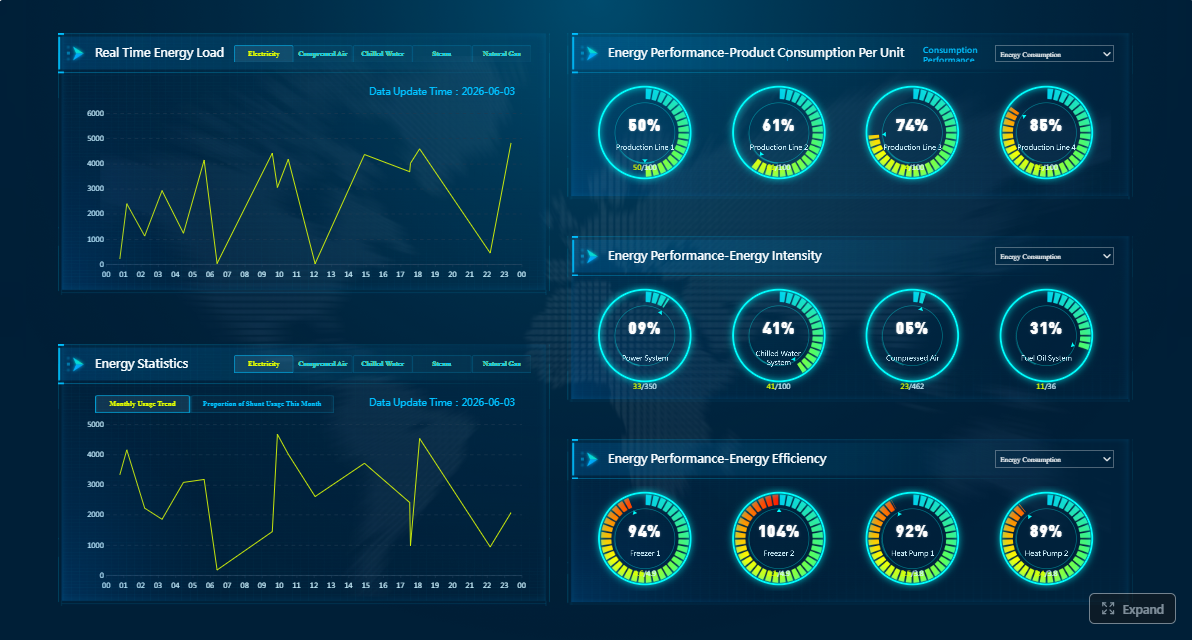
Cube is a spreadsheet-friendly FP&A platform that helps finance teams automate reporting, planning, and analysis while staying close to familiar spreadsheet workflows. -
Key Features
- strong Excel and spreadsheet-centric workflow support
- automated reporting tied to planning and analysis processes
- integrations with source systems and structured data models
- variance analysis and management reporting support
- collaboration features for FP&A teams
- AI-assisted finance workflow capabilities
-
Pros & Cons
- Pros
- approachable for teams that want to keep spreadsheet-based workflows
- good fit for planning plus reporting in one process
- easier adoption for finance users already centered on Excel
- supports faster analysis and recurring reporting
- Cons
- less ideal for highly formatted enterprise reporting outputs
- may be less suited for complex compliance-heavy reporting than Workiva
- customization depth can be narrower than dedicated reporting platforms
- Pros
-
Best For (Target user/scenario)
- mid-market FP&A teams
- finance teams that want automation without abandoning spreadsheet habits
- organizations focused on reporting, planning, and analysis alignment
Reach Reporting
-
One-sentence overview
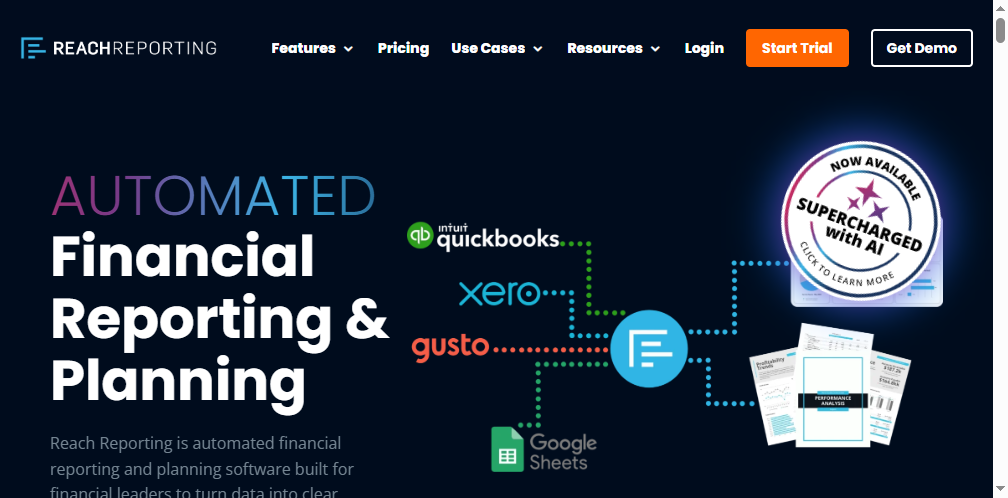
Reach Reporting is a reporting platform geared toward accountants, advisors, and outsourced finance teams that need fast client-facing reports, dashboards, and presentation-ready packs. -
Key Features
- accountant-friendly reporting workflows
- automated management reports and dashboards
- support for advisory reporting and client presentation outputs
- recurring report packs with visual summaries
- easy sharing for stakeholders and external clients
-
Pros & Cons
- Pros
- simple fit for accounting firms and advisory practices
- good for recurring client reporting and presentation packs
- easier to use than heavier enterprise platforms
- suitable for outsourced CFO and client services workflows
- Cons
- not as strong for large enterprise governance requirements
- may be limited for complex multi-entity global environments
- less suited for deeply customized enterprise-grade reporting architecture
- Pros
-
Best For (Target user/scenario)
- accounting firms
- outsourced finance teams
- advisors who need polished recurring financial reporting for clients
6 Best Automated Financial Reporting Software for 2026
Below is a shortlist of six leading options for teams looking for automated financial reporting software in 2026.
What the top tools do well
1. FineReport
-
One-sentence overview
FineReport delivers automated financial reporting with exceptional customization, making it ideal for teams that need flexible dashboards, recurring reports, and highly tailored reporting outputs. -
Key Features
- data integration across multiple enterprise systems
- automated scheduled reports and report distribution
- custom financial dashboards and management reporting
- support for complex, formatted, and print-ready report layouts
- enterprise permissions and centralized governance
-
Pros & Cons
- Pros
- best-in-class reporting flexibility
- strong for customized finance outputs
- works well across finance and broader business reporting needs
- Cons
- implementation should be planned carefully for complex environments
- may be more robust than small teams require
- Pros
-
Best For (Target user/scenario)
- teams needing highly customized reporting outputs
- enterprises consolidating multiple data sources
- finance organizations that want one platform for dashboards and formal reports

2. Workiva
-
One-sentence overview
Workiva excels in collaborative, controlled, and auditable reporting workflows for finance teams operating in compliance-heavy environments. -
Key Features
- linked reporting documents and data
- review workflows and audit trails
- permissions and governance
- financial statement automation
- multi-stakeholder collaboration
-
Pros & Cons
- Pros
- strong compliance and collaboration
- excellent traceability and control
- useful for complex reporting processes
- Cons
- enterprise orientation may be too heavy for smaller teams
- cost and rollout effort can be substantial
- Pros
-
Best For (Target user/scenario)
- enterprise finance teams
- public companies
- regulated reporting environments
3. Cube
-
One-sentence overview
Cube helps FP&A teams automate recurring reporting and analysis while preserving spreadsheet familiarity. -
Key Features
- Excel-friendly workflows
- reporting and planning integration
- variance analysis
- automated management reporting
- structured data handling with finance usability
-
Pros & Cons
- Pros
- easy adoption for spreadsheet-driven teams
- strong for FP&A use cases
- useful blend of planning and reporting
- Cons
- less optimized for highly formatted reporting packages
- not the strongest fit for heavy compliance reporting
- Pros
-
Best For (Target user/scenario)
- mid-market FP&A teams
- finance teams moving beyond manual spreadsheet reporting
4. Reach Reporting
-
One-sentence overview
Reach Reporting is a practical solution for accountants and advisors who need recurring, presentation-ready financial reports for clients or business stakeholders. -
Key Features
- visual client reporting
- recurring report packs
- dashboards and KPI summaries
- accountant-oriented workflows
- report sharing for advisory use cases
-
Pros & Cons
- Pros
- easy to use for accounting firms
- strong for outsourced reporting services
- polished client-facing presentation outputs
- Cons
- not built for deep enterprise complexity
- limited fit for highly customized large-scale environments
- Pros
-
Best For (Target user/scenario)
- accounting firms
- outsourced CFO providers
- advisory-led reporting teams
5. Datarails
-
One-sentence overview
Datarails is an Excel-focused FP&A platform that automates data consolidation and reporting while allowing finance teams to keep working in familiar spreadsheet environments. -
Key Features
- Excel-based automation
- data consolidation from multiple systems
- management reporting and dashboards
- planning and reporting workflow support
- finance-friendly adoption path
-
Pros & Cons
- Pros
- low-friction for Excel-centric finance teams
- good for reporting and budgeting workflows
- faster path away from manual consolidation
- Cons
- less flexible for highly customized enterprise reporting than FineReport
- can be narrower in scope for broader enterprise BI needs
- Pros
-
Best For (Target user/scenario)
- small to mid-sized finance teams
- organizations transitioning from spreadsheet-heavy reporting
6. Vena
-
One-sentence overview
Vena combines Excel familiarity with centralized planning and reporting controls, making it a strong option for finance teams that want structured automation without abandoning established spreadsheet processes. -
Key Features
- Excel-based interface
- centralized data and workflow management
- budgeting, planning, and reporting support
- recurring financial report automation
- role-based workflow controls
-
Pros & Cons
- Pros
- familiar for finance users
- solid balance of control and usability
- good for integrated planning and reporting
- Cons
- less specialized for advanced custom report design than FineReport
- may require process maturity to get full value
- Pros
-
Best For (Target user/scenario)
- mid-market finance teams
- organizations unifying planning, budgeting, and reporting
Best options by team type
Best for enterprise finance teams
For large organizations, Workiva and FineReport are the strongest contenders, but for different reasons.
- Choose Workiva if collaboration control, auditability, and compliance workflows are the top priority.
- Choose FineReport if highly customized reporting outputs, multi-source integration, and flexible dashboard-plus-report delivery matter most.
Best for mid-market FP&A teams
For mid-sized teams, Cube, Vena, and Datarails are usually the most practical options.
- Cube is ideal when FP&A workflows and spreadsheet familiarity are central.
- Vena suits organizations wanting more structure around planning and reporting.
- Datarails works well for teams upgrading from heavy manual Excel consolidation.
Best for accounting firms and outsourced finance teams
For advisor-led environments, Reach Reporting is the most obvious fit.
It is especially useful when the main goal is to produce recurring, client-friendly report packs quickly without the complexity of large enterprise platforms.
Best for teams that need highly customized reporting outputs
This is where FineReport has the clearest advantage.
If your finance team needs:
- custom financial statement formats
- unique management pack layouts
- role-specific dashboards
- operational and financial reporting in one platform
- automated outputs tailored for different stakeholders
then FineReport is likely the strongest option on this list.
Benefits of Financial Reporting Automation and Best Practices for Implementation
Automating reporting is not just about saving time. Done well, it changes how finance operates.
Key benefits finance leaders can expect
-
Faster monthly close
Automated data pulls, report refreshes, and scheduled distributions shorten reporting cycles. -
Fewer errors
Reducing manual exports, copy-paste work, and spreadsheet dependencies lowers the risk of formula and version mistakes. -
Better visibility
Finance leaders gain faster access to entity, department, and consolidated views of performance. -
Stronger cross-functional reporting
When sales, operations, and finance data can be combined, reporting becomes more useful for business decisions. -
More time for analysis
Instead of spending days preparing numbers, finance teams can spend more time on commentary, forecasting, and decision support. -
Better governance and control
Audit trails, permissions, and review workflows improve accountability.
Best practices for a successful rollout
Standardize source data and reporting definitions before automation
Automation only works well when the underlying data is consistent. Align chart of accounts logic, entity mappings, KPI definitions, and reporting hierarchies before building automated workflows.
Start with high-impact recurring reports and expand in phases
Do not automate everything at once. Start with the reports that consume the most time and create the most friction, such as:
- monthly management packs
- board reports
- consolidated P&L and cash flow reporting
- department expense reports
- variance analysis reports
Then expand into dashboards, self-service views, and narrative reporting.
Build governance around ownership, review workflows, and data quality
Every automated report still needs clear ownership. Define:
- who maintains the report logic
- who reviews outputs before distribution
- how exceptions are handled
- how data quality issues are escalated
- what changes require approval
This is especially important when adopting enterprise platforms such as FineReport or Workiva, where automation can reach across multiple reporting processes.
Which Financial Reporting Tool Fits Your Team?
The best automated financial reporting software depends on your company’s size, reporting complexity, compliance demands, and available internal resources.
If you are evaluating options, use these criteria:
-
Company size and structure
Small and mid-market teams often prioritize usability and speed. Larger companies usually need stronger governance, consolidation, and permissions. -
Reporting complexity
If your reporting is mostly standardized, lighter tools may be enough. If you need highly customized outputs, exceptions, or cross-functional reporting, flexibility matters more. -
Compliance and audit needs
Public companies and regulated organizations should weigh auditability, collaboration controls, and review workflows heavily. -
Internal technical resources
Some platforms are easier for finance to own directly, while others benefit from stronger IT or implementation support.
Here is a practical summary of when each major tool is the strongest choice:
-
FineReport
Best when your team needs powerful customization, automated recurring reports, enterprise-scale integration, and flexible output formats. It is the strongest choice for organizations that need more than standard templates and want a scalable reporting platform that can adapt to complex finance requirements. -
Workiva
Best when collaboration, governance, auditability, and compliance-heavy reporting processes are the top priority. -
Cube
Best for FP&A teams that want automation while staying close to spreadsheet-based workflows. -
Reach Reporting
Best for accounting firms, outsourced finance providers, and advisory teams producing recurring client-facing reports.
A practical shortlist framework
To make a final decision, narrow your shortlist with these four questions:
-
Do we need standardized reporting or highly customized reporting?
If customization is critical, FineReport should be on the shortlist. -
Is our reporting challenge mainly internal automation or compliance-driven collaboration?
If compliance collaboration is the main issue, Workiva deserves close attention. -
Do finance users want to stay in spreadsheet-centric workflows?
If yes, Cube, Vena, or Datarails may be the most natural fit. -
Are we reporting for internal stakeholders, external clients, or both?
If external client reporting is central, Reach Reporting may be the better match.
For many organizations in 2026, the real decision comes down to reporting depth versus workflow familiarity. If your finance team wants a platform that can automate complex reporting while also delivering tailored, high-quality outputs across business scenarios, FineReport is one of the most compelling choices in this category.
FAQs
It is used to pull data from finance systems, apply reporting rules, and generate recurring statements, dashboards, and management packs with less manual spreadsheet work. This helps finance teams report faster and with fewer errors.