

FineReport is an enterprise reporting and dashboard platform that helps organizations build governed, audit-ready compliance reports from complex business data.
Compliance reporting software vs compliance management software: the core difference buyers need to understand
1. FineReport

- One-sentence overview: FineReport is best understood as compliance reporting software for organizations that need flexible report design, data integration, dashboard delivery, and defensible audit output without replacing every upstream compliance process.
- Key Features
- Pixel-perfect regulatory and management reporting
- Self-service dashboards and drill-down analysis
- Multi-source data integration across ERP, HR, CRM, databases, and files
- Scheduled distribution, permissions, and version-controlled publishing
- Strong formatting for board packs, internal reviews, and regulator-ready documents
- Pros & Cons
- Pros: Strong reporting depth; highly customizable dashboards; suitable for complex enterprise data environments; useful when compliance evidence already lives in multiple systems.
- Cons: Not a full compliance program orchestration suite by itself; policy attestations and remediation workflows may require adjacent tools.
- Best For (Target user/scenario)
- Finance, compliance, risk, and IT teams that need a serious reporting layer to consolidate compliance data and present it clearly to auditors, regulators, and executives.
That first distinction matters because many buyers use the phrase compliance reporting software when they actually mean two different categories.
Compliance reporting software is designed primarily to:
- Aggregate compliance-related data
- Produce reports, dashboards, disclosures, and audit packages
- Standardize recurring submissions and management views
- Improve evidence traceability and reporting consistency
Compliance management software is designed primarily to:
- Manage policies, controls, attestations, and obligations
- Assign ownership across departments
- Run workflows for issues, incidents, remediation, and testing
- Monitor ongoing compliance activity across a broader program
There is overlap. Many management platforms include reporting modules, and many reporting platforms can support compliance workflows when configured carefully. But the center of gravity is different:
| Category | Primary Job | Typical Output | Main Buyer Concern |
|---|---|---|---|
| Compliance reporting software | Turn compliance data into trusted reports and dashboards | Audit packs, board reports, regulatory submissions, exception reports | Accuracy, traceability, presentation, speed |
| Compliance management software | Run the compliance program and track accountability | Policies, control status, remediation tasks, attestations, monitoring records | Coverage, workflow, ownership, oversight |
In 2026, the distinction matters more because compliance is no longer a narrow legal function. Audit pressure is rising, regulators expect faster responses, and accountability now spans compliance, finance, risk, security, HR, procurement, and IT. Buyers need to know whether they are solving a reporting problem, an operating model problem, or both.
Evaluation ownership usually varies by organization:
- Compliance and legal often define regulatory requirements
- Finance may lead when filings, internal controls, or audit reporting are central
- Risk and internal audit typically focus on governance, testing, and issue tracking
- IT and security assess integrations, access controls, data architecture, and deployment standards
If your biggest pain is producing trustworthy outputs from fragmented systems, prioritize compliance reporting software. If your biggest pain is coordinating policies, controls, tasks, and remediation across teams, compliance management software will usually deliver more value.
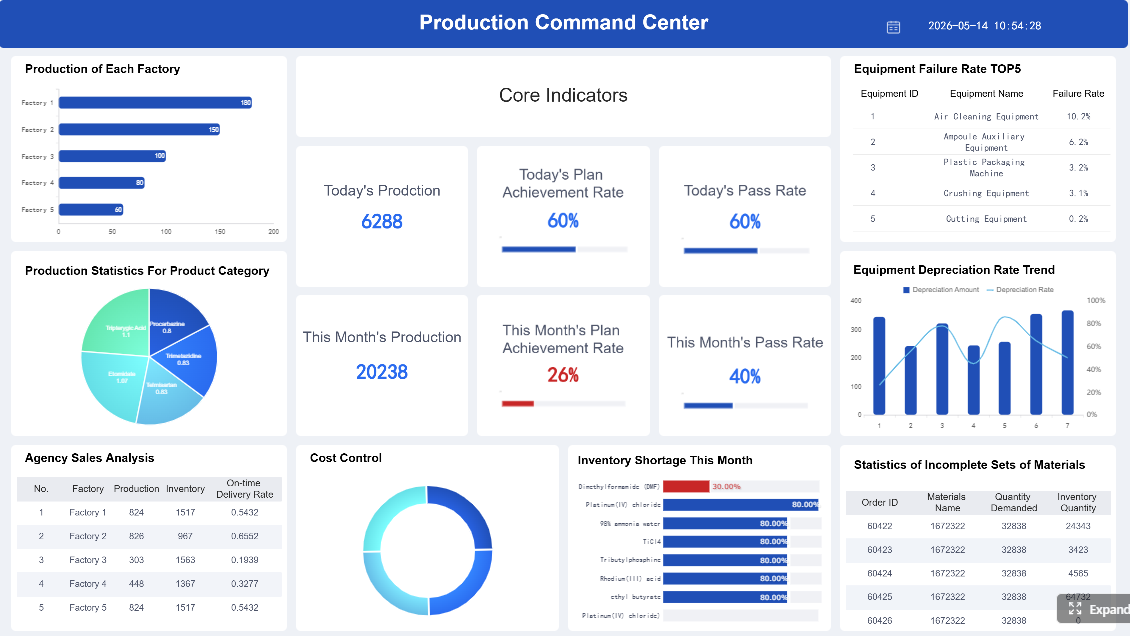 Click To Try The Dashboard
What to compare when evaluating compliance reporting software in 2026
When assessing compliance reporting software, buyers should focus less on broad vendor claims and more on how the platform performs in day-to-day reporting operations.
The most important comparison areas are:
- Reporting depth
- Dashboard flexibility
- Evidence traceability
- Workflow automation
- Exception handling
- Integration breadth
- Ease of use for both expert admins and occasional business users
A reporting-focused platform has to do more than render charts. It should connect governed data to repeatable, auditable output while reducing manual spreadsheet work.
Reporting and audit-readiness capabilities
Reporting strength is still the most visible differentiator in compliance reporting software.
Buyers should compare whether the platform supports:
- Scheduled reporting for recurring internal and external deadlines
- Regulator-specific templates with controlled formatting
- Ad hoc analysis for investigations, audit questions, and executive requests
- Version control so users can prove what changed, when, and by whom
- Evidence linking between a metric, source record, and final report
- Archiving for historical submissions and retained audit artifacts
A platform should be able to produce defensible records for:
- Internal control reviews
- External audits
- Regulatory inquiries
- Board and committee reporting
- Exception escalations
FineReport stands out here because it is purpose-built for complex reporting environments. It can pull data from multiple business systems, present the same underlying compliance information in different formats for different audiences, and standardize recurring outputs without forcing teams back into email-and-spreadsheet cycles.
2. Workiva
- One-sentence overview: Workiva is a strong option for organizations that need collaborative compliance and financial reporting with controlled narratives, linked data, and structured review cycles.
- Key Features
- Connected reporting across structured and narrative content
- Collaboration workflows and approvals
- Audit trails and document control
- Support for finance-heavy and disclosure-driven use cases
- Pros & Cons
- Pros: Strong for multi-stakeholder review; useful for regulated reporting and executive documentation; good control over reporting workflows.
- Cons: Can be costly for smaller teams; may be more than needed if your main need is operational compliance tracking.
- Best For (Target user/scenario)
- Public companies, finance-led compliance functions, and organizations with complex reporting review requirements.
Data quality, controls, and system integrations
Even the best report design means little if the underlying data is weak. In 2026, data quality is a non-negotiable buying criterion.
Evaluate each tool on:
- Data collection methods: manual entry, automated ingestion, API connections, batch imports
- Validation rules: field checks, threshold alerts, mandatory fields, duplicate prevention
- Reconciliation support: ability to compare systems and resolve mismatches
- Source-system connectivity: ERP, HRIS, ticketing, identity, document repositories, GRC tools, SIEM, and spreadsheets
- Policy and control mapping: whether reports can align to internal policies, frameworks, and regulatory requirements
- Evidence retention: how artifacts are stored, tagged, and retrieved during audits
A common failure point in compliance reporting projects is weak connectivity to operational systems. If your compliance data lives across finance, HR, security, legal, procurement, and shared drives, the reporting platform must unify those inputs without creating fragile manual workarounds.
3. Microsoft Power BI
- One-sentence overview: Power BI is a flexible analytics and dashboard tool that can support compliance reporting when organizations already have strong data engineering and governance practices.
- Key Features
- Interactive dashboards and visual analytics
- Broad data connector ecosystem
- Integration with Microsoft environments
- Data modeling and self-service exploration
- Pros & Cons
- Pros: Familiar to many users; cost-effective at entry level; strong visualization and ad hoc analysis capabilities.
- Cons: Compliance reporting often requires significant governance setup; pixel-perfect regulator-style reporting can need added effort; evidence traceability depends heavily on implementation discipline.
- Best For (Target user/scenario)
- Organizations already standardized on Microsoft that need flexible dashboards and have the technical capacity to build a governed compliance reporting layer.
Usability also deserves close attention. The best compliance reporting software should work for:
- Administrators, who build and govern reports
- Power users, who analyze issues and exceptions
- Occasional business users, who only need to view, approve, or export information
If a tool is too technical for business reviewers, reporting delays will continue. If it is too simple for admins, it may not meet regulator and audit requirements.
Where compliance management software delivers more value
Compliance management software becomes the better choice when reporting is only one part of a larger coordination problem.
These platforms create more value when buyers need:
- Policy lifecycle management
- Control ownership and accountability
- Issue identification and remediation
- Continuous monitoring
- Regulatory change management
- Attestations and exception handling
In other words, if your challenge is not just “How do we report compliance?” but “How do we run compliance across the enterprise?” then compliance management software is usually the right category.
4. OneTrust
- One-sentence overview: OneTrust is a broad compliance and governance platform that emphasizes privacy, policy workflows, risk visibility, and ongoing operational oversight.
- Key Features
- Policy and governance workflows
- Risk and assessment capabilities
- Privacy and regulatory program support
- Cross-functional ownership and tracking
- Pros & Cons
- Pros: Broad platform scope; suitable for enterprise governance use cases; helpful where multiple compliance domains intersect.
- Cons: Complexity can be high; implementation effort may be substantial; some teams still need separate reporting tools for highly formatted output.
- Best For (Target user/scenario)
- Large enterprises seeking a centralized platform for privacy, compliance operations, and policy governance.
Broad program management differs from reporting-centric software in one critical way: management software is responsible for driving activity, not just reflecting it. It assigns owners, tracks deadlines, records exceptions, and shows whether controls are actually operating.
If your current environment includes multiple point tools for policies, evidence, incidents, controls, and reporting, a unified platform can reduce handoffs and ambiguity. But if all you need is better output from existing systems, adopting a large compliance management suite may create unnecessary implementation overhead.
Common use cases across governance, risk, and compliance
Compliance management software typically supports a broader GRC operating model, including:
- Policy attestations
- Risk registers
- Incident and case workflows
- Control testing
- Remediation tracking
- Exception approvals
- Regulatory change assessments
- Third-party oversight
5. Hyperproof
- One-sentence overview: Hyperproof is a compliance operations platform focused on coordinating controls, evidence, tasks, and audit readiness across evolving frameworks.
- Key Features
- Control mapping across frameworks
- Evidence management and reuse
- Task assignment and reminders
- Audit readiness workflows
- Pros & Cons
- Pros: Strong fit for ongoing compliance operations; useful for teams managing multiple frameworks; supports continuous coordination better than spreadsheet-based programs.
- Cons: Reporting output may still need enhancement for executive-grade presentation; advanced enterprise integrations can vary by environment.
- Best For (Target user/scenario)
- Security, risk, and compliance teams that need to operationalize recurring framework work across distributed owners.
Governance needs often change the preferred software category. For example:
- A finance-led SOX environment may prioritize reporting precision, narrative control, and audit evidence.
- A security-led compliance program may prioritize continuous monitoring, control mapping, and issue remediation.
- A global enterprise compliance office may need both a management platform and a reporting layer.
Financial and regulatory requirements that shape the decision
Industry, geography, and regulator expectations shape software selection more than generic feature checklists do.
Important factors include:
- Whether your obligations are finance-heavy, operational, or both
- Whether you report to multiple regulators across jurisdictions
- Whether controls must be mapped to several overlapping frameworks
- Whether evidence must be retained in specific formats or timeframes
- Whether local teams need autonomy within a centralized governance model
6. LogicGate
- One-sentence overview: LogicGate is a configurable GRC platform that supports process design, issue management, risk workflows, and enterprise compliance coordination.
- Key Features
- Configurable workflow design
- Risk and issue management
- Control and assessment tracking
- Cross-functional governance support
- Pros & Cons
- Pros: Flexible for organizations with mature process design needs; suitable for broad GRC use cases; can reduce tool sprawl.
- Cons: Requires thoughtful configuration; implementation and administration effort can be significant; reporting polish may depend on customization.
- Best For (Target user/scenario)
- Organizations with mature GRC teams that want a configurable platform rather than a narrowly defined reporting product.
Finance-led reporting needs often differ from enterprise-wide compliance operations. Finance may care most about:
- Formal reporting packages
- Review and sign-off controls
- Historical versions
- Repeatable evidence linkage
- Board-ready presentation
Enterprise compliance operations may care more about:
- Assigned ownership
- Open issues
- Policy lifecycle milestones
- Control testing cadence
- Exception escalation paths
That is why many buyers ultimately shortlist one tool from each category instead of forcing a single platform to handle every requirement equally well.
Buyer comparison framework: features, trade-offs, and selection criteria
A practical buying decision should compare tools side by side across five core dimensions:
| Evaluation Area | Compliance Reporting Software | Compliance Management Software |
|---|---|---|
| Scope | Reporting, dashboards, evidence presentation | Program orchestration, ownership, workflows, monitoring |
| Implementation effort | Often faster if data is already available | Often broader due to process and governance setup |
| Configurability | High in report design and analytics | High in workflows, policies, and control structures |
| Analytics | Stronger for output, visualization, and ad hoc views | Stronger for process status and program oversight |
| Total cost of ownership | Can be lower if used as a reporting layer only | Can be higher due to platform breadth and rollout complexity |
Beyond core features, buyers should compare:
- Vendor support and training
- Security posture
- Role-based access control
- Change management demands
- Scalability across regions and business units
- Dependence on custom services
- Ability to evolve with regulatory change
7. Vanta
- One-sentence overview: Vanta is a modern compliance automation platform focused on continuous monitoring, audit preparation, and framework-based security compliance workflows.
- Key Features
- Automated evidence collection
- Continuous monitoring
- Framework tracking
- Integration-rich environment
- Pros & Cons
- Pros: Fast time to value for many security compliance programs; broad integration ecosystem; useful for startups and scaling companies.
- Cons: Best suited to certain compliance models; may not replace enterprise reporting needs or broader non-security compliance operations.
- Best For (Target user/scenario)
- Security and IT teams that need to accelerate audit readiness for frameworks such as SOC 2, ISO 27001, and similar programs.
The biggest trade-off is usually faster deployment versus deeper process coverage.
Choose a reporting-first approach when:
- Existing systems already manage controls and workflows
- Reporting speed and audit output are the main bottlenecks
- Finance or compliance teams need better dashboards quickly
- You want lower disruption and faster adoption
Choose a management-first approach when:
- Ownership is unclear across departments
- Policy, control, and remediation workflows are inconsistent
- Compliance work is trapped in spreadsheets and email
- The organization needs continuous monitoring, not periodic reporting only
Questions to ask during demos and proof-of-concept reviews
Use demos to test real-world fit, not just feature breadth. Ask vendors:
- How are exceptions identified, approved, and escalated?
- Can you show a full audit trail from source record to final report?
- How does role-based access work across business units and reviewers?
- How are regulatory changes reflected in workflows or templates?
- What integrations are standard versus custom?
- What implementation timeline is typical for organizations like ours?
- What customer support model is included after go-live?
- Can you show real reporting outputs, not only product screenshots?
- How is evidence retained, versioned, and retrieved during audits?
- What tasks still require manual work after implementation?
8. Diligent
- One-sentence overview: Diligent is a governance-focused platform that supports oversight, risk visibility, policy coordination, and board-level reporting in regulated environments.
- Key Features
- Governance and oversight workflows
- Risk and compliance visibility
- Board and leadership reporting support
- Policy and accountability coordination
- Pros & Cons
- Pros: Strong for governance-heavy organizations; useful where board reporting and oversight are central; supports accountability at senior levels.
- Cons: May exceed the needs of teams seeking only operational compliance reporting; platform breadth can increase cost and adoption requirements.
- Best For (Target user/scenario)
- Enterprises that need stronger governance alignment between compliance operations and executive oversight.
Warning signs buyers should not ignore
Some red flags appear repeatedly in failed software selections.
Watch for:
- Weak native integrations
- Heavy reliance on CSV imports and manual uploads
- Shallow reporting that looks good in demos but breaks under audit scrutiny
- Unclear ownership models across policies, controls, and evidence
- Excessive dependence on professional services for basic workflows
- Limited permission granularity
- Poor support for exception handling
- No clear archival or version control strategy
- A product roadmap that treats reporting as an afterthought
If a vendor cannot clearly show how the product handles traceability, approvals, and defensible records, that is a serious concern for any compliance buyer in 2026.
How to choose the right software for your organization in 2026
The right choice depends on your maturity, operating model, and internal capacity.
A simple decision path looks like this:
- Choose compliance reporting software if your main problem is fragmented data, inconsistent reports, weak dashboards, or time-consuming audit package creation.
- Choose compliance management software if your main problem is policy sprawl, weak ownership, manual remediation tracking, or limited ongoing oversight.
- Choose both if you need enterprise-wide compliance execution plus high-quality reporting for regulators, auditors, executives, and boards.
For many organizations, FineReport is a strong shortlist candidate because it fills a common gap: teams may already have compliance processes in place, but they still struggle to turn raw operational data into consistent, executive-ready, audit-ready output. In that scenario, a dedicated compliance reporting software layer can deliver faster value than replacing the entire compliance operating model.
9. Archer
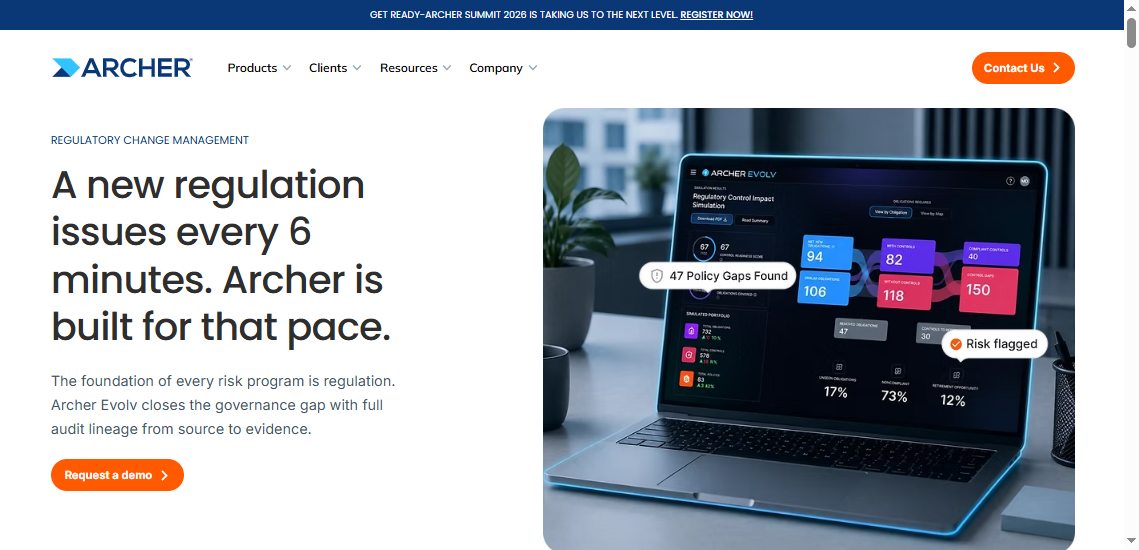
- One-sentence overview: Archer is an established enterprise GRC platform for organizations that need broad compliance, risk, control, and issue management at scale.
- Key Features
- Enterprise GRC workflows
- Risk, control, and issue management
- Policy and assessment support
- Scalable governance structures
- Pros & Cons
- Pros: Strong enterprise breadth; suitable for large, regulated environments; supports mature governance models.
- Cons: Implementation can be resource-intensive; smaller teams may find it heavyweight; reporting needs may still require dedicated optimization.
- Best For (Target user/scenario)
- Large enterprises with mature compliance and risk programs that need a scalable platform for centralized oversight.
When a buyer may need both categories together
Many organizations do need both categories together, especially when:
- Compliance operations are managed centrally, but reporting audiences vary widely
- Regulators, auditors, and executives all require different report formats
- The management platform handles workflows well but lacks reporting flexibility
- Data must be consolidated from multiple operational and financial systems
- Board
FAQs
Compliance reporting software is mainly used to turn compliance data into audit-ready reports, dashboards, and submissions. Compliance management software is built to run the broader program, including policies, controls, attestations, issue tracking, and remediation workflows.




