

A dashboard lms is supposed to help training leaders, LMS administrators, instructors, and people managers make faster, better decisions. In practice, most dashboards do the opposite: they create noise, bury priorities, and turn learning data into passive reporting.
That failure is expensive. When decision-makers cannot quickly spot overdue compliance, at-risk learners, weak course performance, or team readiness gaps, training becomes reactive. Interventions happen late. Managers lose trust in the numbers. And executives start questioning whether the LMS is delivering measurable business value at all.
If you are responsible for learning operations, enablement, compliance, or workforce development, the goal is not to build a prettier dashboard. The goal is to build a decision system that tells each user what matters, why it matters, and what should happen next.
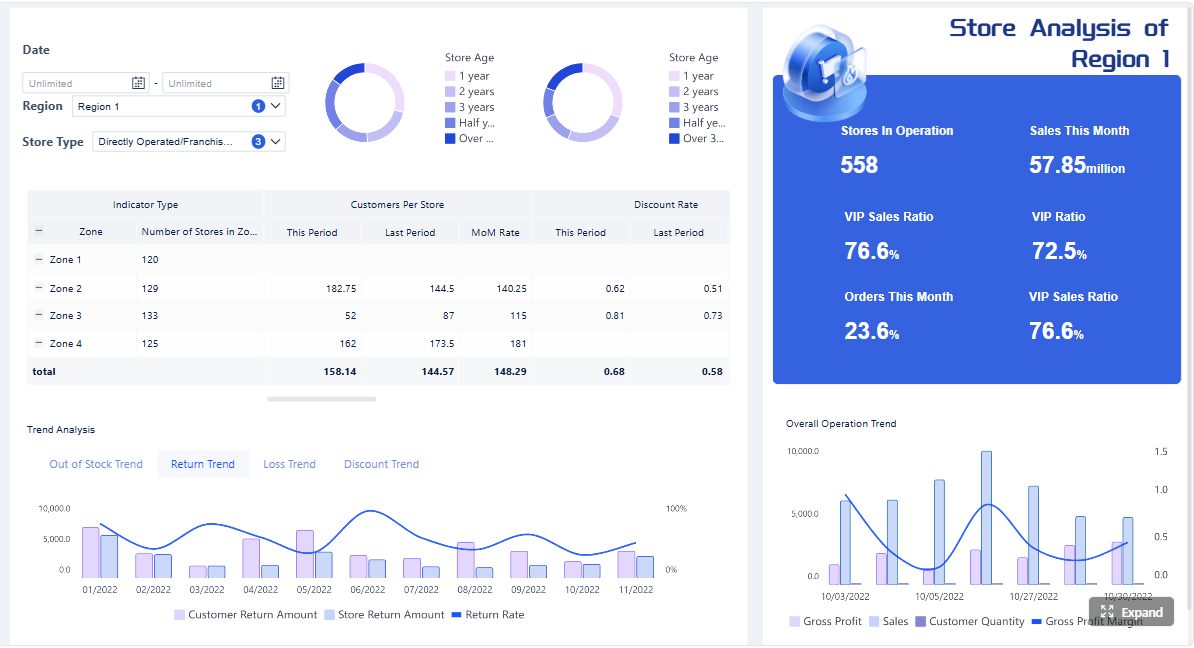 Click To Try The Dashboard
Why most dashboard LMS setups fail
Most dashboard failures are not technical failures. They are design and governance failures.
Confusing activity data with decision-ready insight
Many LMS dashboards show logins, clicks, page views, and attendance events as if more data automatically means more clarity. It does not.
Activity data is only useful when it answers an operational question such as:
- Which learners are falling behind right now?
- Which teams are at compliance risk this month?
- Which course step is creating abandonment?
- Which manager needs to intervene today?
A dashboard lms that only shows volume metrics creates visibility without action.
Tracking too many metrics without tying them to business or learning outcomes
A common pattern is metric overload: completion rates, enrollments, quiz averages, total sessions, time spent, badges earned, and dozens of secondary stats all on one screen.
The problem is not that these metrics are wrong. The problem is that they are often disconnected from the outcomes leaders actually care about, such as:
- compliance completion by deadline
- speed to proficiency
- readiness for role changes
- reduction in support burden
- performance improvement after training
If a metric does not support a real decision, it does not belong in the primary view.
Designing views for administrators instead of the people who need to act
Many LMS dashboards are built from the perspective of the system owner. That leads to admin-heavy interfaces full of configuration summaries, system counts, and broad reports.
But the people who need to act are usually different:
- instructors need to see who is stuck and why
- managers need to know who is not ready
- learners need to know what is due next
- executives need to see risk, trend, and impact
When one dashboard tries to serve everyone equally, it serves no one well.
Treating the dashboard as a reporting layer rather than a decision system
A reporting layer tells users what happened. A decision system helps them prioritize what to do next.
That distinction is the difference between a dashboard that gets opened once a month and one that becomes part of daily management routines.
What an effective dashboard LMS should help you decide
An effective dashboard lms should reduce ambiguity. It should help each role make a small set of recurring decisions with confidence and speed.
Which learners or cohorts need intervention now
This is one of the highest-value use cases. Your dashboard should quickly identify:
- learners behind schedule
- low-engagement cohorts
- repeated assessment failures
- certification expiration risk
- students or employees with rising dropout probability
The key is timeliness. If the dashboard only surfaces issues after the deadline has passed, it is not decision support.
Which courses, modules, or instructors are underperforming
Good learning teams do not just monitor learner behavior. They also evaluate content and delivery quality.
Your dashboard should reveal:
- courses with high abandonment
- modules with long completion times
- assessments with unusual failure patterns
- instructors or facilitators with poor engagement outcomes
- content areas driving repeated help requests
This shifts the conversation from “Are people completing training?” to “Is the training working?”
Whether training is improving compliance, productivity, or readiness
Enterprise stakeholders need evidence that learning contributes to operational goals.
A decision-ready dashboard lms should connect learning to outcomes such as:
- compliance completion before audit windows
- reduced time to onboarding readiness
- improved assessment pass rates over time
- better role certification coverage
- lower retraining or support demand
That does not require perfect attribution. It requires disciplined metric selection and consistent definitions.
What actions managers, instructors, and admins should take next
The best dashboards do not stop at diagnosis. They point toward action.
Examples include:
- assign remediation
- notify a manager
- escalate overdue certification
- review a weak module
- trigger a coaching conversation
- send deadline reminders to a specific cohort
The difference between reporting and decision support
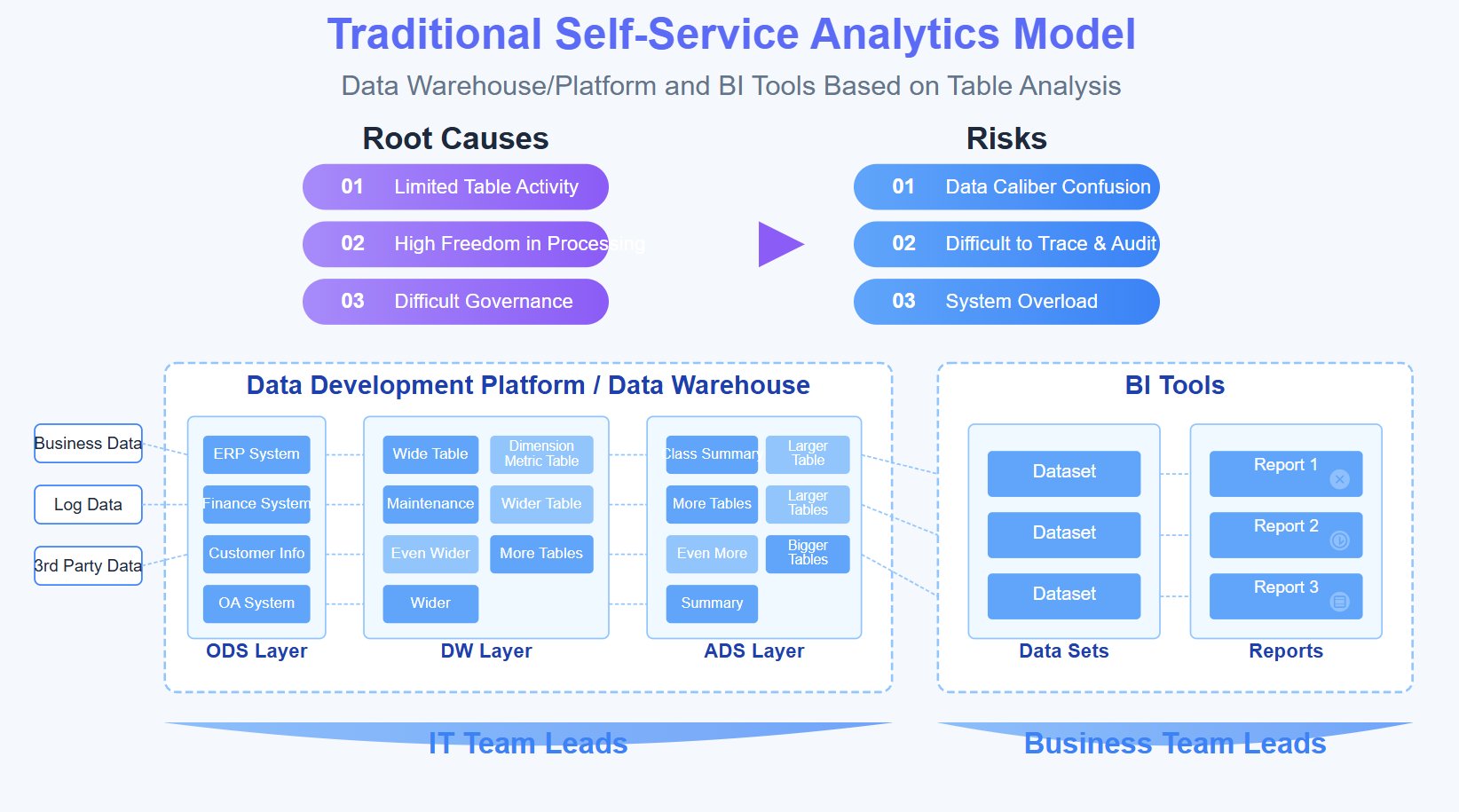
Static reports summarize what happened
Static reporting is useful for audits, monthly reviews, and executive summaries. It helps document the past.
Examples include:
- total completions last quarter
- average score by course
- enrollment by department
- attendance by session
These are useful, but they do not necessarily improve day-to-day decisions.
Decision dashboards highlight priorities, risks, and next steps
Decision support focuses on urgency, prioritization, and action.
Examples include:
- learners most likely to miss required deadlines
- teams with expiring certifications in the next 30 days
- modules with the sharpest drop-off this week
- instructors whose cohorts show lower-than-expected completion
- courses generating the highest support volume
That is the standard your dashboard lms should aim for.
The core audiences and their decision needs
Role-based design is not optional. It is the foundation of an effective LMS dashboard strategy.
Administrators need system-wide performance and adoption signals
Admins need a broad view, but not a cluttered one. Their dashboard should answer:
- Is required training being completed on time?
- Where are the biggest compliance risks?
- Which programs are underused?
- Are there data quality or adoption anomalies?
Instructors need learner progress, engagement, and content effectiveness
Instructors need to act on classroom and course signals quickly. Their dashboard should answer:
- Who is at risk?
- Which assignments are being missed?
- Where are learners getting stuck?
- Which assessments are too hard, unclear, or ineffective?
Managers need team readiness and intervention triggers
Managers care less about platform activity and more about workforce readiness. Their dashboard should answer:
- Who on my team is overdue?
- Who is not yet certified or ready?
- Which learning gaps may affect performance?
- What follow-up should I do this week?
Learners need a simple view of progress, deadlines, and priorities
Learners need clarity, not analytics overload. Their dashboard should answer:
- What is due next?
- What am I behind on?
- What is required versus optional?
- What should I finish first?
How to build a dashboard that improves training decisions
A strong dashboard lms starts with operating decisions, not visual design. Build backward from the actions you want people to take.
Start with the decisions you want the dashboard to improve
Before selecting charts or KPIs, define the high-value decisions by role.
For example:
- Admins: identify overdue compliance risk by region
- Instructors: find learners who need outreach this week
- Managers: spot teams below readiness threshold
- Learners: prioritize mandatory modules due soon
If a dashboard element does not support one of these decisions, remove it from the primary screen.
Define a small set of leading and lagging indicators
Balanced dashboards use both early-warning signals and outcome measures.
- Leading indicators show future risk: low engagement, missed milestones, slow progress, repeated quiz failure
- Lagging indicators confirm results: completion, certification earned, deadline met, readiness achieved
This combination helps teams intervene before failure becomes visible in monthly reporting.
Standardize filters, date ranges, and cohort definitions
Many LMS dashboards fail because users compare numbers built on inconsistent logic.
Standardize:
- date range defaults
- active learner definitions
- cohort naming conventions
- mandatory vs optional learning categories
- completion status rules
- department, role, and region mappings
Without this foundation, the dashboard creates argument instead of alignment.
Make every metric answer the question: so what should happen next?
This is the most practical test for every KPI on your dashboard.
If a metric changes, what action should follow?
- rising overdue count -> escalate reminders and manager follow-up
- lower module completion -> inspect module friction point
- weak assessment scores -> review content clarity or learner support
- certification gap by team -> prioritize manager intervention
If there is no obvious action, the metric likely belongs in a secondary report, not the dashboard homepage.
Choose metrics that connect learning to outcomes
The right KPI set is compact, role-specific, and operationally meaningful.
Key Metrics (KPIs)
- Completion Rate: Percentage of assigned learners who finished required training within the defined period.
- On-Time Completion Rate: Share of completions achieved before the deadline; critical for compliance and mandatory programs.
- Time to Completion: Average time learners need to finish a course or learning path; useful for spotting friction or unrealistic workload.
- Assessment Performance: Average score, pass rate, and retry frequency; indicates comprehension and content quality.
- Dropout Risk: Predictive or rules-based signal showing which learners are likely to disengage or miss deadlines.
- Engagement Trend: Pattern of meaningful participation over time, such as active sessions, module progress, or assignment interaction.
- Overdue Training Count: Number of learners with missed required training deadlines.
- Certification Gap: Percentage or count of learners lacking current certification for a required role or process.
- Readiness Coverage: Share of a team or cohort that has completed the training needed for a defined operational state.
- Support Load: Volume of help requests, admin tickets, or learner issues tied to a course, module, or program.
- Content Friction Point: Specific module, page, or task where learners most often drop off, pause, or fail.
- Intervention Rate: How often managers or instructors take follow-up actions after dashboard alerts.
- Post-Training Outcome Signal: A business-linked indicator such as audit readiness, time-to-productivity, or reduced repeat errors.
Choose metrics that connect learning to outcomes
Completion rate, time to completion, assessment performance, and dropout risk
These are foundational because they combine output and early-warning visibility.
Together, they help answer:
- Are people finishing?
- Are they finishing on time?
- Are they learning effectively?
- Who is likely to fail without intervention?
Engagement trends that reveal friction, not vanity activity counts
Raw activity counts can be misleading. More clicks do not equal better learning.
Focus on engagement patterns that reveal obstacles, such as:
- drop-off after a specific lesson
- declining weekly participation
- repeated revisits before assessment failure
- low interaction in modules expected to drive proficiency
The point is not to prove learners are active. The point is to identify where progress breaks down.
Operational indicators such as overdue training, certification gaps, and support load
These metrics matter because they connect directly to operational risk.
For many enterprises, the most valuable dashboard lms is the one that helps answer:
- Are we exposed on compliance?
- Which teams are not ready?
- Which courses are generating avoidable admin overhead?
Design for action, not just visibility
Action-oriented design turns analytics into management behavior.
Use alerts, thresholds, and exceptions to surface urgency
Executives and managers should not need to inspect every chart manually.
Use threshold-based logic such as:
- overdue training above target
- certification expiring within 14 or 30 days
- learner progress below expected milestone
- assessment pass rate below benchmark
- sudden rise in support tickets on one course
Exceptions are often more valuable than averages.
Add drill-down paths from summary metrics to learner or course details
A good dashboard starts broad and moves smoothly to specifics.
For example:
- from team compliance rate -> to overdue learners -> to assigned modules -> to missed deadlines
- from low course completion -> to module-level drop-off -> to learner comments or support issues
This drill-down flow reduces the need for separate exports and side reports.
Show recommended actions alongside each high-priority signal
Do not make users interpret every anomaly from scratch.
Examples of recommended actions:
- send reminder to overdue learners
- notify direct manager
- assign refresher module
- review assessment item validity
- escalate certification renewal workflow
This is where a dashboard lms becomes a practical operating tool.
Build role-based views
One of the fastest ways to improve adoption is to stop forcing every role into the same interface.
Separate executive, admin, instructor, manager, and learner experiences
Each role should have a distinct landing view, KPI set, and recommended actions.
A practical structure looks like this:
- Executive view: compliance trend, readiness coverage, risk hotspots, business impact
- Admin view: assignment completion, system adoption, data quality issues, overdue alerts
- Instructor view: learner risk, content friction, assignment completion, assessment trends
- Manager view: team readiness, overdue training, certification status, coaching triggers
- Learner view: due items, progress, required actions, upcoming deadlines
Keep each view focused on the decisions that role can actually make
This is the discipline most teams skip.
For example, a learner cannot act on organization-wide adoption trends. An executive does not need granular session-level click behavior. A manager should not need to parse admin configuration summaries.
Keep the interface narrow enough to be useful.

Common dashboard patterns and examples worth learning from
You do not need to reinvent the dashboard from scratch. Strong models already exist across education, corporate learning, and cloud LMS platforms. The key is to borrow patterns, not copy layouts blindly.
Teacher-facing dashboards that prioritize intervention and classroom visibility
Instructor and teacher dashboard models often work well because they are built around immediate action.
Useful patterns include:
- learner status markers
- missing assignment alerts
- performance trend summaries
- participation snapshots
- one-click access to individual learner details
These models work because they prioritize intervention over presentation.
Corporate LMS dashboards that emphasize compliance, skills, and team readiness
In enterprise settings, the most valuable dashboards usually focus on risk and operational readiness.
Typical strengths include:
- mandatory training completion by team
- certification expiration monitoring
- readiness by role or location
- manager accountability views
- clean escalation logic for overdue requirements
This is especially important in regulated industries, distributed workforces, and frontline training environments.
Plugin and cloud platform dashboards that balance flexibility with simplicity
Many organizations use LMS plugins, extensions, or configurable cloud tools. These can be effective if they avoid over-customization.
The best implementations usually provide:
- a small KPI set on the homepage
- drill-down reporting beneath it
- configurable filters by cohort or team
- cards and alerts for urgent exceptions
- simple navigation across views
Too much configurability often leads to dashboard sprawl. Governance matters more than feature count.
What to borrow from strong instructor and teacher dashboard models
Clear learner status indicators and at-risk flags
The best teacher-style dashboards make learner risk visible in seconds.
Borrow patterns like:
- red-amber-green status signals
- late, missing, or stalled indicators
- risk scores based on milestone progress
- grouped lists of learners needing attention now
These visual cues accelerate action.
Assignment, assessment, and participation trends in one place
Instructors should not have to open three separate tools to understand learner health.
Combine:
- assignment completion
- assessment performance
- participation trend
- recent changes in activity
- intervention history
That creates context for smarter follow-up.
What to borrow from platform gallery and benchmark examples
Effective visual hierarchy, limited KPI sets, and clean comparisons
Strong dashboard design is often less about the visuals themselves and more about restraint.
Borrow these principles:
- place the most important KPI cards first
- compare against target, prior period, or benchmark
- avoid crowded chart grids
- show one clear message per visual
- highlight exceptions before totals
A dashboard lms should feel immediately interpretable.
Use of cards, trend lines, and cohort filters to speed interpretation
Some of the most effective dashboard components are also the simplest:
- KPI cards for current state
- trend lines for direction over time
- cohort filters for segmentation
- tables with drill-down for case handling
- alert banners for urgent exceptions
This mix supports both executive scanning and operational action.
Mistakes to avoid when launching or redesigning your LMS dashboard
Even technically polished dashboards fail if the rollout strategy is weak.
Copying another platform's layout without matching your training goals
A dashboard design that works for a school, coaching business, or course marketplace may fail in enterprise compliance or workforce readiness contexts.
Always adapt the structure to your own use cases:
- compliance-heavy environments need deadline and certification visibility
- onboarding programs need time-to-readiness views
- instructor-led settings need classroom and assignment tracking
- operational teams need manager follow-up signals
Use external examples as inspiration, not templates.
Overloading the home screen with charts nobody owns
Every chart should have a clear owner.
If no one is responsible for acting on a metric, it should not dominate the dashboard homepage.
A useful rule: if a chart has no owner, no threshold, and no follow-up process, demote it to a secondary report.
Hiding data definitions and creating mistrust in the numbers
Nothing destroys adoption faster than unclear metric logic.
Users need to know:
- how completion is defined
- what counts as active engagement
- how cohorts are assigned
- which date range is being applied
- whether the dashboard is real-time or delayed
Transparent definitions create confidence and reduce rework.
Skipping user feedback after rollout
Many teams treat launch as the finish line. It is not.
The real test begins after users rely on the dashboard in live workflows. If managers still export spreadsheets, if instructors still maintain shadow trackers, or if executives still request side reports, the dashboard is not yet solving the core problem.
A simple rollout plan
A disciplined rollout improves both adoption and dashboard quality.
Prototype with one team or use case first
Start with a focused scenario, such as:
- compliance tracking for one division
- instructor intervention for one course family
- onboarding readiness for one business unit
This reduces complexity and makes feedback actionable.
Validate whether the dashboard changes decisions and follow-up actions
Measure behavior change, not just dashboard views.
Ask:
- Did managers intervene earlier?
- Did instructors contact at-risk learners faster?
- Were overdue items reduced?
- Did fewer users request manual reports?
That is how you validate decision impact.
Refine metrics, views, and alerts before wider deployment
Expect multiple iterations.
Typical refinements include:
- removing low-value metrics
- adjusting alert thresholds
- simplifying filters
- clarifying KPI definitions
- improving drill-down navigation
The best dashboard lms implementations evolve through operational use.
How to know your dashboard is actually improving decisions
A dashboard is successful when it changes behavior in measurable ways.
Faster identification of at-risk learners and overdue training
If your dashboard works, teams should spot risk earlier and act sooner.
Look for:
- shorter time from risk signal to intervention
- earlier manager escalation
- fewer missed mandatory deadlines
- better visibility into stalled learners
More targeted manager and instructor interventions
Interventions should become more precise, not just more frequent.
That means:
- the right learners are contacted sooner
- coaching is based on real evidence
- reminders are focused on genuine risk
- managers can prioritize high-impact follow-up
Better course updates based on evidence instead of assumptions
Your content team should be able to identify exactly where course design is failing.
Signs of progress include:
- faster updates to weak modules
- fewer repeated support issues
- improved pass rates after revisions
- lower abandonment in previously high-friction sections
Clearer links between training activity and business outcomes
At the enterprise level, this is where trust is won.
You should be able to show clearer relationships between training and outcomes such as:
- stronger compliance readiness
- improved onboarding speed
- broader certification coverage
- reduced operational errors tied to training gaps
- more consistent team readiness across departments
Questions to review every quarter
A dashboard lms should be governed continuously, not left untouched after launch.
Which metrics led to action, and which were ignored?
Metrics that do not drive action should be removed, reframed, or moved to secondary reporting.
Which users still need separate reports because the dashboard falls short?
This is one of the strongest indicators of a design gap. If users still rely on spreadsheets or custom exports, the dashboard is not fully aligned to their decisions.
What decisions became faster, better, or more consistent?
This is the ultimate success test.
Good dashboards improve:
- speed of intervention
- quality of manager follow-up
- confidence in training governance
- consistency across teams and regions
Build it manually if you must—use FineBI if you want it to scale
Building a truly effective dashboard lms manually is harder than most organizations expect. You need reliable LMS data pipelines, consistent KPI definitions, role-based access logic, alerting rules, drill-down workflows, visual hierarchy standards, and a governance model that keeps the whole system trustworthy over time.
That is why many LMS dashboard projects stall between reporting and real decision support.
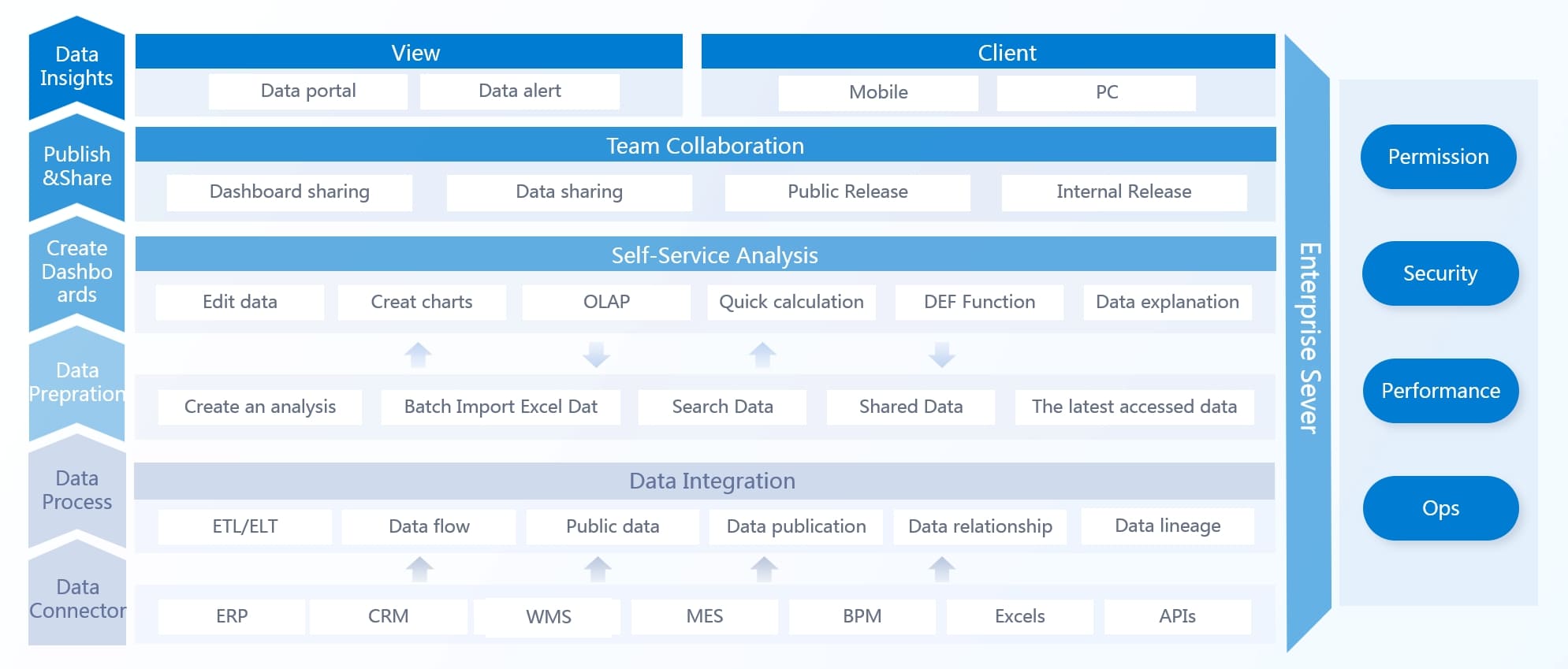
A better path is to use FineBI to accelerate the work. Instead of stitching together fragmented reports and custom views from scratch, you can use ready-made templates, build role-based dashboards faster, and automate the workflow from data integration to decision-ready visualization.
With FineBI, teams can:
- connect LMS and business data in one environment
- standardize learning KPIs and cohort logic
- create role-based dashboard experiences
- automate updates, alerts, and recurring analysis
- drill from executive summaries into learner or course detail
- reduce dependence on manual exports and spreadsheet reporting
The strategic advantage is simple: building this manually is complex; use FineBI to utilize ready-made templates and automate this entire workflow.
If your current LMS dashboard is generating more reports than decisions, that is your signal to redesign the system around action. Start with the decisions, narrow the KPIs, build role-specific views, and use FineBI to operationalize the model at scale.
FAQs
A useful LMS dashboard helps each role see priorities, risks, and the next best action instead of just showing raw activity data. It should make overdue training, learner risk, and content issues obvious at a glance.




