

A partner dashboard is the operating layer that helps B2B companies see how their partner ecosystem is actually performing. If you manage resellers, distributors, agencies, marketplaces, referral partners, or technology alliances, you need one place to track revenue contribution, deal flow, engagement, enablement, and channel risk. Without that visibility, channel teams end up chasing reports across CRM exports, PRM workflows, spreadsheets, and email threads.
For channel managers, sales leaders, operations teams, and partner program owners, the business value is straightforward: a partner dashboard turns fragmented partner data into decisions. It helps teams identify which partners are producing pipeline, where deals are stalling, whether incentives are working, and which regions or segments need intervention.
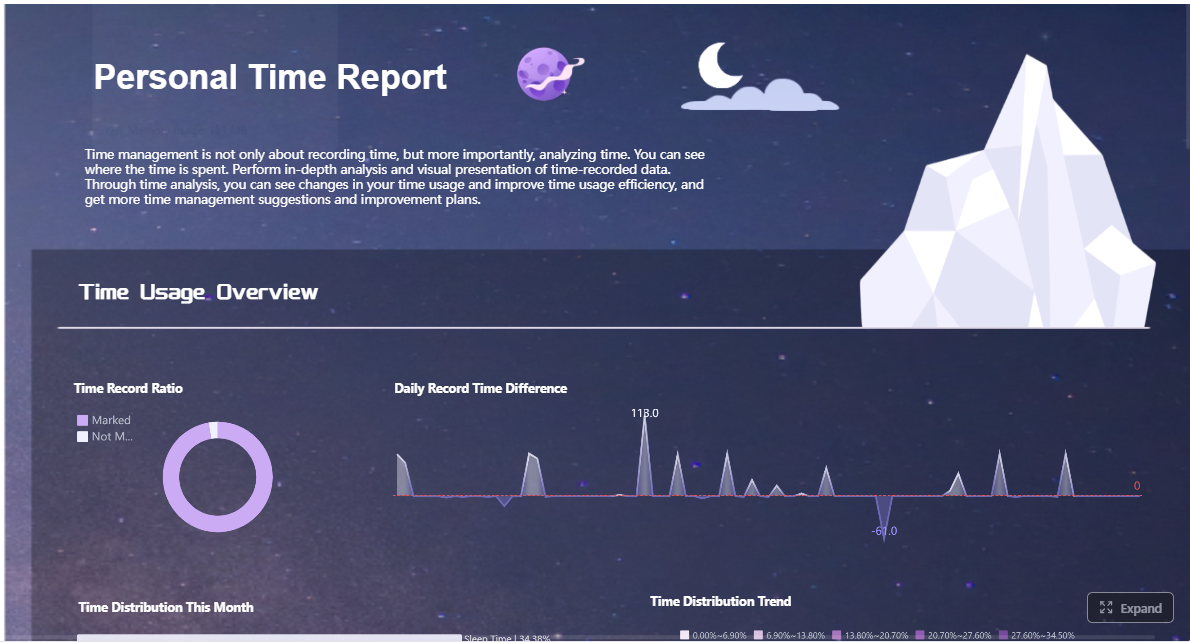 Click To Try The Dashboard
What Is a Partner Dashboard?
In plain language, a partner dashboard is a centralized visual workspace that shows the health and performance of your partner program. It combines operational and commercial data so teams can monitor:
- Partner activity
- Pipeline and revenue contribution
- Deal registration performance
- Enablement progress
- Incentive attainment
- Overall channel health
A well-designed partner dashboard gives users a quick answer to practical questions:
- Which partners are driving the most sourced pipeline?
- Where are partner-led deals slowing down?
- Are certified partners outperforming non-certified partners?
- Which tiers, geographies, or partner types need support?
- Is channel investment producing profitable growth?
This matters because partner ecosystems are hard to manage at scale. In many B2B organizations, indirect revenue depends on dozens, hundreds, or even thousands of external partners. A dashboard provides the shared system of truth needed to manage that complexity.
Who uses a partner dashboard most often?
In B2B organizations, the most common users include:
- Channel managers: to monitor partner activity, deal progression, and support priorities
- Sales leaders: to assess partner contribution to regional pipeline and revenue goals
- Operations teams: to validate data quality, reporting consistency, and workflow efficiency
- Partner program owners: to track tier progression, enablement, incentives, and overall program ROI
- Executives: to review forecast accuracy, channel mix, and strategic partner performance
- Partners themselves: in self-service models, to view progress, payouts, leads, certifications, and account performance
How is it different from a CRM, PRM, or general BI dashboard?
This distinction is important because many teams assume existing tools already solve the problem.
CRM
A CRM tracks customer accounts, contacts, opportunities, and direct sales workflows. It may contain partner-related fields, but it is not purpose-built to show the full picture of partner performance, enablement, incentive use, or tier health.
PRM
A PRM manages partner-facing workflows such as onboarding, deal registration, training, content, and communications. It is often where partner interactions happen. But many PRMs still require a dedicated reporting layer or dashboard design to make channel performance easy to interpret.
General business intelligence dashboard
A BI dashboard can visualize almost anything, but it is broader and less channel-specific by default. A partner dashboard is narrower in purpose: it focuses specifically on partner operations, channel revenue, and ecosystem management.
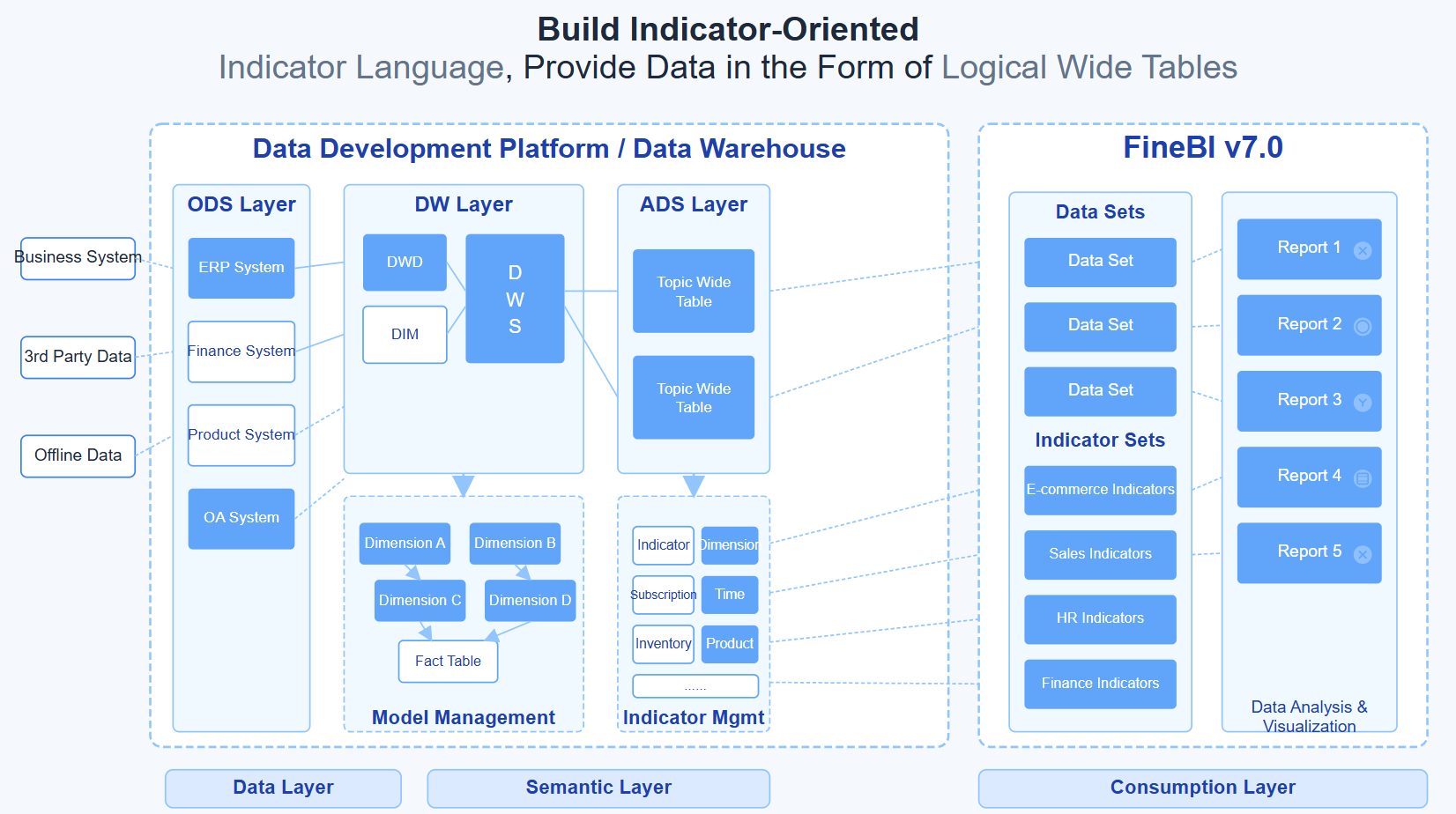
In practice, the best partner dashboard usually pulls data from CRM, PRM, ERP, ecommerce platforms, and finance systems, then presents the metrics in a role-specific way.
Core Modules Found in a Partner Dashboard
The strongest dashboards are modular. They allow each stakeholder to see the part of the partner program they need, without drowning everyone in the same generic report.
Performance and revenue tracking
This is the commercial core of the dashboard. It answers the question every leadership team asks: what revenue are partners influencing, sourcing, and closing?
Key views often include:
- Pipeline by partner
- Partner-sourced opportunities
- Partner-influenced deals
- Closed-won revenue
- Conversion rates by stage
- Revenue contribution by account, territory, region, or product line
- Forecasted channel revenue versus target
This module helps teams separate high-activity partners from high-value partners. A partner may submit many deals but produce little closed revenue. Another may generate fewer opportunities but close at a much higher average deal size. The dashboard should make those differences obvious.
For enterprise teams, this module should also support drill-down by:
- Partner type
- Market segment
- Sales region
- Industry vertical
- Product family
- Time period
Partner management and segmentation
Not all partners should be measured the same way. Some resell, some refer, some co-sell, some build apps, and some manage renewals. A good partner dashboard lets teams segment partners so performance is evaluated in context.
Common segmentation dimensions include:
- Tier: registered, silver, gold, platinum
- Status: active, onboarding, dormant, suspended
- Specialization: product-certified, service-certified, solution area
- Geography: country, region, territory
- Engagement level: highly active, at-risk, inactive
- Business model: reseller, distributor, referral, agency, MSP, ISV
This module is especially valuable for partner program owners. It enables targeted planning, such as identifying which gold-tier partners have low certification rates, or which inactive partners still hold open opportunities.
Incentives, enablement, and communication
A partner program does not scale on revenue metrics alone. You also need to know whether partners are being enabled effectively and whether incentive investments are producing results.
This module typically tracks:
- Certifications earned
- Training progress and completion rates
- MDF usage
- Rebate or incentive attainment
- Payout readiness
- Campaign participation
- Announcements and communication engagement
This is where many partner programs uncover hidden performance drivers. For example, the dashboard may show that partners with completed sales certifications close faster, or that MDF-funded partners generate stronger pipeline in specific regions.
It also helps answer an uncomfortable but important question: are you paying for partner activity that does not create measurable growth?
Reporting, access, and integrations
Even the best dashboard fails if the right people cannot access it or trust the data.
This module covers the operational architecture behind the experience:
- Role-based access: internal teams and external partners see only the data relevant to them
- Exports: scheduled or on-demand downloads for executive reviews and board reporting
- Alerts: notifications for stalled deals, expiring certifications, missed targets, or unusual revenue swings
- Integrations: connections with CRM, PRM, ERP, ecommerce, finance, and support systems
A practical partner dashboard should integrate with the systems where channel data already lives, including:
- CRM for accounts, contacts, opportunities, and pipeline stages
- PRM for deal registration, portal activity, and enablement workflows
- ERP for orders, invoicing, payouts, and renewals
- Ecommerce systems for referrals, app sales, subscriptions, or marketplace activity
- Support platforms for ticket trends and account health signals

KPIs That Matter Most for B2B Partner Programs
Not every metric deserves dashboard space. The best KPI set is concise, tied to partner strategy, and easy to operationalize.
Key Metrics (KPIs)
- Partner-sourced pipeline: Total open opportunity value generated directly by partners. Measures top-of-funnel channel contribution.
- Partner-sourced closed revenue: Revenue from deals originated by partners and marked closed-won. Shows direct revenue impact.
- Partner-influenced revenue: Revenue from deals where partners helped advance or support the sale, even if they did not originate it.
- Deal registration volume: Number of deals submitted by partners in a given period. Useful for measuring engagement and opportunity flow.
- Deal registration approval rate: Percentage of submitted deals that are approved. Indicates process quality and alignment with program rules.
- Deal win rate: Share of approved or accepted partner deals that convert to closed-won. Measures execution effectiveness.
- Average sales cycle length: Time from deal registration or opportunity creation to close. Helps identify friction in partner-led selling.
- Active partner rate: Percentage of enrolled partners generating measurable activity, such as registered deals, training completion, or pipeline creation.
- Portal adoption rate: Percentage of partners regularly logging in and using the partner portal or dashboard. Indicates platform engagement.
- Training completion rate: Percentage of assigned enablement completed by partners. Often linked to readiness and performance.
- Renewal revenue from partner-managed accounts: Revenue retained through renewals handled or influenced by partners. Critical in recurring-revenue models.
- Retention rate: Percentage of partner-managed customers retained over time. Shows account quality and service effectiveness.
- Expansion revenue: Upsell and cross-sell revenue generated within partner-managed accounts. Measures account development maturity.
- Incentive utilization: Share of available rebates, MDF, or rewards actually used by partners. Helps assess program attractiveness and clarity.
- Return on channel investment: Revenue or gross margin generated relative to the cost of incentives, enablement, support, and partner operations.
Which KPIs should leadership prioritize first?
If you are building a dashboard from scratch, start with a focused scorecard:
- Partner-sourced pipeline
- Closed revenue
- Deal win rate
- Active partner rate
- Training completion
- Renewal or expansion revenue
- Return on channel investment
That gives executives a balanced view of growth, execution, engagement, and profitability.
Common B2B Use Cases and Operational Workflows
A partner dashboard becomes valuable when it supports real workflows, not just reporting for reporting’s sake. Below are the most common B2B scenarios.
Daily visibility for channel teams
For channel teams, the dashboard should function like a morning command center. Managers need to quickly review what changed, what is stalled, and where action is needed.
A typical daily workflow looks like this:
- Review new deal registrations and pipeline movement by partner
- Flag stalled opportunities with no recent activity
- Check certification or onboarding gaps for active partners
- Prioritize outreach to high-potential but underperforming partners
- Escalate data issues or approval bottlenecks to operations
This use case is especially powerful when the dashboard includes alerts. For example, a channel manager may receive a notification when a strategic partner’s open opportunities have not moved for 21 days, or when a top region’s approval rate drops unexpectedly.
Executive reporting and forecasting
Leadership teams do not want page after page of raw partner data. They want a concise summary of channel contribution, trend movement, and forecast reliability.
A dashboard built for executive reporting should surface:
- Partner contribution to total pipeline and total bookings
- Regional and segment trends
- Quarter-over-quarter growth
- Top and at-risk partner cohorts
- Forecasted partner revenue versus plan
- Channel mix by product or market
This enables better planning conversations. Instead of asking whether the partner program is “working,” executives can ask which partner segments are driving profitable growth and where incremental investment will have the highest return.
Partner support and self-service operations
Many organizations also use the partner dashboard as a self-service workspace for external partners. In this model, the dashboard is not only for internal reporting. It becomes a front-end experience where partners can manage their own performance.
Typical self-service capabilities include:
- Viewing personal or company performance metrics
- Accessing shared reports and account summaries
- Tracking referrals, commissions, or payouts
- Checking certification status and training progress
- Downloading resources or campaign assets
- Troubleshooting access and data discrepancies
This reduces pressure on internal support teams. Instead of answering repetitive status questions, channel operations can focus on governance, quality control, and enablement design.
It also improves partner trust. Partners are more likely to engage when they can clearly see how they are being measured and what actions they should take next.
Ecommerce and platform ecosystem scenarios
Not all partner dashboards revolve around traditional reseller programs. In ecommerce and platform ecosystems, the dashboard often includes a different mix of operational signals.
Examples include environments similar to:
- Platform partner centers
- App ecosystem dashboards
- Referral and affiliate workspaces
- Marketplace payout dashboards
- Shopify Partners Dashboard-style experiences
In these models, a dashboard may surface:
- App installs or usage
- Merchant referrals
- Subscription conversions
- Payout history
- Customer account performance
- Marketplace listing engagement
- API or platform activity
- Partner support cases
The principle is the same: centralize partner-facing and operator-facing metrics so both sides can see performance, identify issues, and act faster.
How to Evaluate and Improve a Partner Dashboard
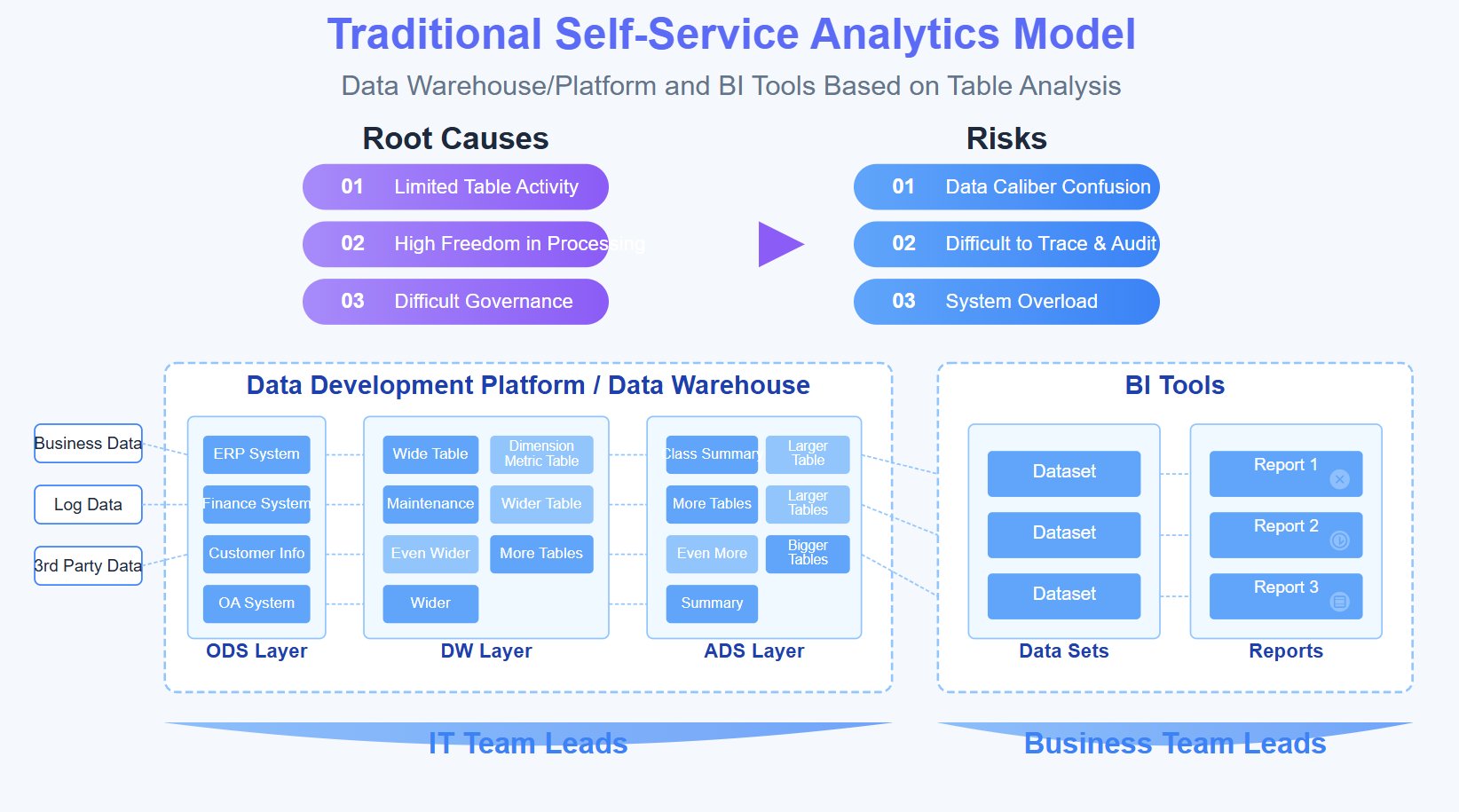
A dashboard is never “done.” As partner models evolve, reporting needs change. The right design process focuses on business decisions first, data architecture second, and visualization third.
What a comprehensive overview should include
If you are evaluating an existing dashboard, check whether it delivers a true operational overview, not just a collection of charts.
A comprehensive partner dashboard should include:
- Data quality controls: clear definitions, clean mappings, deduplicated partner records, and consistent attribution logic
- Usability: scannable layouts, intuitive filters, and role-specific views
- Benchmark KPIs: target comparisons, historical trend lines, and peer or cohort views where appropriate
- Drill-down capability: the ability to move from executive summary to partner, account, deal, or transaction detail
- Alignment with program goals: metrics should match your partner model, not generic channel reporting templates
If one of those elements is missing, users will either mistrust the dashboard or stop using it.
Questions to ask before implementation
Before building or redesigning a partner dashboard, ask these questions:
Who are the users?
Define internal and external audiences separately. Channel leaders, partner managers, finance teams, and partners themselves need different views.
What decisions should the dashboard support?
A dashboard is only useful if it helps users take action. Clarify whether it is for forecasting, performance management, partner enablement, executive reviews, or all of the above.
Which systems must be integrated?
Most dashboards fail because critical data stays trapped in disconnected tools. Identify required integrations early across CRM, PRM, ERP, ecommerce, finance, and support systems.
What is the reporting cadence?
Some metrics need near-real-time updates. Others can refresh daily, weekly, or monthly. Match update frequency to operational need.
What governance rules apply?
Define metric ownership, access permissions, partner visibility rules, and dispute resolution processes for data discrepancies.
How will success be measured?
Set clear criteria such as adoption rate, reduced manual reporting time, improved deal follow-up speed, or increased active partner rate.
Ongoing optimization and support
Strong dashboards improve over time because teams treat them as operational products, not one-off reporting projects.
Use these best practices to keep performance high:
-
Review adoption monthly
Track who logs in, which views they use, and where usage drops off. Low adoption often signals poor relevance or confusing design. -
Document workflows clearly
Define how teams should use the dashboard in weekly pipeline reviews, QBRs, incentive checks, and partner support processes. -
Create escalation paths for data issues
When partners or internal users see missing revenue, incorrect access, or unclear metrics, they need a documented support route. -
Refine metrics as the program matures
Early-stage programs may focus on partner activation and portal adoption. Mature programs may shift toward margin, retention, and expansion metrics. -
Provide partner dash help proactively
Do not wait for confusion to pile up. Offer in-product guidance, onboarding tips, role-based training, and simple explanations for KPI definitions.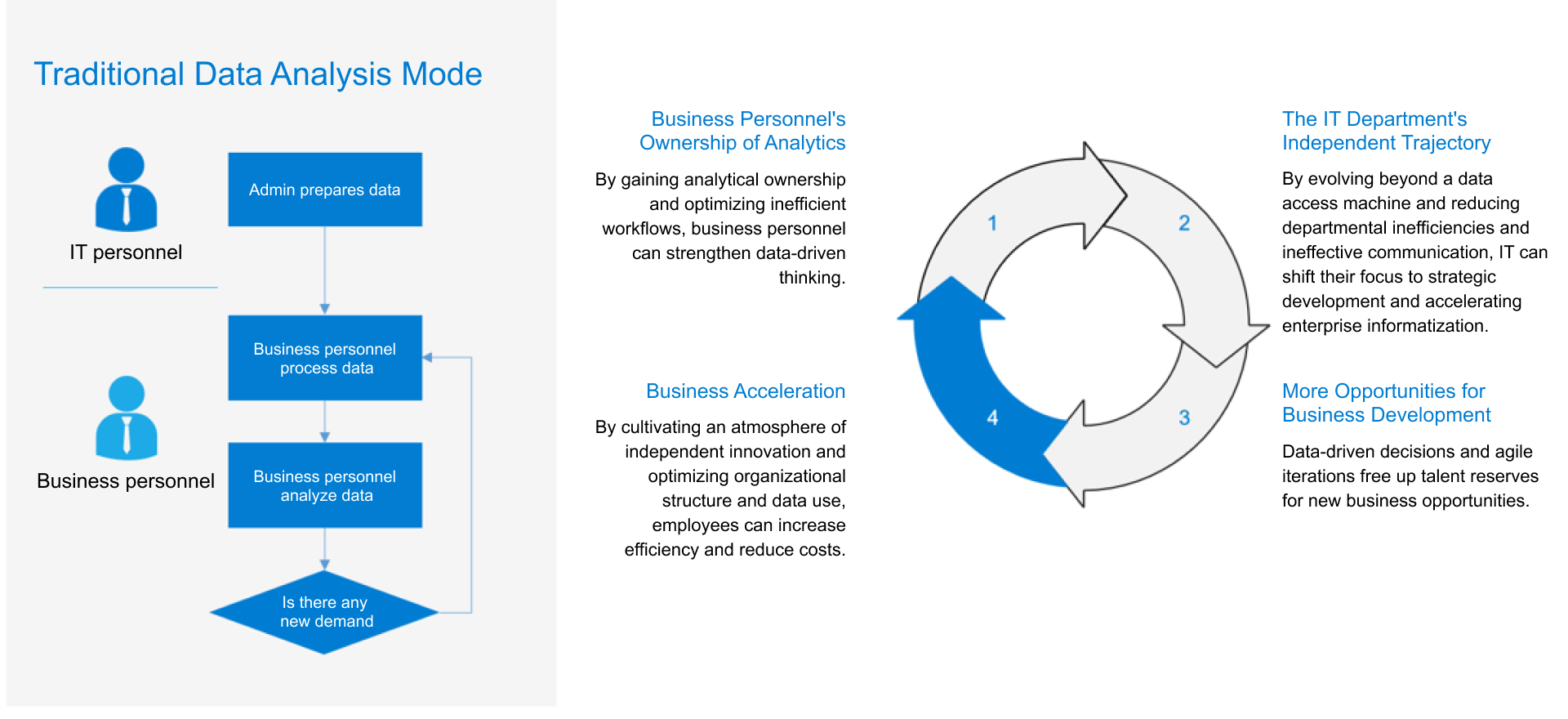
Final Takeaways: Why Partner Performance Dashboards Matter
A partner dashboard is not just a reporting screen. It is a control layer for B2B partner performance. It helps organizations improve decision-making, strengthen accountability, and grow indirect revenue with more confidence.
The most effective partner performance dashboards do four things well:
- Centralize partner data from multiple systems
- Surface the KPIs that actually drive action
- Support daily workflows for both internal teams and partners
- Make channel performance visible, measurable, and improvable
The key is not to track everything at once. Focus on the modules and KPIs that fit your partner model. A referral ecosystem, reseller channel, agency network, and platform marketplace all require different views of success.
Build Smarter, Faster Partner Dashboards With FineBI
Building this manually is complex; use FineBI to utilize ready-made templates and automate this entire workflow.
For most enterprises, the real challenge is not deciding that they need a partner dashboard. The challenge is connecting CRM, PRM, ERP, ecommerce, and finance data quickly enough to create a trusted, role-based reporting experience. Manual builds often become slow, brittle, and expensive to maintain.
FineBI helps solve that problem by enabling teams to:
- Connect data from multiple business systems
- Build role-based partner dashboard views for executives, channel managers, operations teams, and partners
- Standardize KPI definitions across regions and partner types
- Use interactive drill-down reporting for revenue, deal flow, renewals, incentives, and enablement
- Deploy ready-made templates and automate recurring reporting workflows
If your team is still stitching together spreadsheets and ad hoc reports, this is the inflection point. Use FineBI to move from fragmented channel visibility to a scalable, self-service partner dashboard that supports faster decisions and stronger partner growth.
FAQs
A partner dashboard gives a centralized view of partner activity, pipeline, revenue contribution, deal performance, enablement progress, incentives, and overall channel health. It helps teams quickly see what is working, what is stalled, and where support is needed.




