

Reporting dashboard software is a tool that connects your business data, turns it into visual dashboards and reports, and helps teams monitor KPIs in real time or on a schedule.
Here are the recommended reporting dashboard software tools to compare in 2026:
- Tableau
- Power BI
- FineBI
- Geckoboard
- Databox
- Looker Studio
- Klipfolio
- Domo
- Qlik
- Looker
- Metabase
- Apache Superset
If that number looks higher than ten, that is because some tools are grouped in the detailed comparison below based on similar use cases. This guide will help you understand which platform is best for advanced analytics, executive KPI visibility, marketing reporting, embedded dashboards, and self-service business reporting.
What Is Reporting Dashboard Software and Why It Matters in 2026
Reporting dashboard software is software designed to collect data from one or more sources and display it in a visual format such as charts, tables, scorecards, and trend lines. Instead of manually assembling spreadsheets every week, teams can use dashboards to see performance in one place.
In 2026, this matters more than ever because businesses are dealing with more channels, more tools, and more demand for faster decisions. Marketing teams need campaign performance at a glance. Sales teams want pipeline visibility. Finance needs recurring reports that stay accurate. Operations teams need live monitoring. Executives want a clean view of business health without digging through raw data.

Good reporting dashboard software helps teams:
- Visualize KPIs clearly
- Centralize data from multiple systems
- Automate recurring reports
- Reduce manual spreadsheet work
- Spot issues and trends faster
- Share consistent metrics across teams
It is also important to separate a few related concepts:
- Dashboards are typically visual, interactive, and designed for ongoing monitoring.
- Reports are often more structured, periodic, and meant for review or distribution.
- Business intelligence platforms go further by adding data modeling, governance, exploration, and advanced analytics.
Some tools focus mainly on dashboarding. Others sit closer to full BI platforms. The best choice depends on whether you need quick KPI visibility, deep analysis, or a mix of both.
Different teams benefit in different ways:
- Marketing uses dashboards for campaign performance, lead generation, attribution, and client reporting.
- Sales uses them for pipeline tracking, rep performance, and forecasting.
- Finance uses them for revenue, margin, budget, and cash flow reporting.
- Operations uses them for delivery, service levels, inventory, and workflow metrics.
- Executives use them for top-level KPI visibility and alignment across departments.
How to Evaluate the Best Reporting Dashboard Software Tools
Choosing reporting dashboard software is not only about attractive charts. You need a platform that fits your data, users, budget, and reporting style.
Core features to compare
Data source integrations and connector quality
The first question is simple: can the tool connect to your actual data stack?
Look at support for:
- CRMs such as Salesforce and HubSpot
- Marketing tools like Google Ads, Meta Ads, LinkedIn, and GA4
- Databases and warehouses such as MySQL, PostgreSQL, Snowflake, and BigQuery
- ERP and finance systems
- Spreadsheets and CSV uploads
Connector quality matters as much as connector count. A long integration list is less useful if the connectors are unreliable, slow, or limited.
Real-time vs scheduled reporting capabilities
Some teams need live operational visibility. Others are fine with hourly, daily, or weekly refreshes.
Compare whether the software supports:
- Real-time or near-real-time dashboards
- Scheduled data refreshes
- Scheduled PDF or email delivery
- Snapshots for executives or clients
- Alerts when KPIs change
If your business depends on immediate action, refresh speed is a major buying factor.
Custom dashboards, filters, drill-downs, and sharing options
The best reporting dashboard software should let users tailor dashboards to specific audiences.
Key capabilities include:
- Drag-and-drop dashboard building
- Custom filters and date ranges
- Drill-downs into underlying metrics
- Role-based views
- Public, private, or embedded sharing
- Mobile and TV display support
A dashboard for an executive should look very different from one for an analyst or campaign manager.
Automation, alerts, and collaboration features
Modern reporting is not just about viewing charts. It is also about reducing repetitive work.
Strong tools may offer:
- Automated report delivery
- Threshold-based alerts
- Slack or Teams notifications
- Commenting and collaboration
- Shared workspaces
- Reusable templates
These features are especially valuable for recurring internal reporting and client reporting.
Usability, pricing, and deployment considerations
Ease of setup for non-technical users
Some tools are designed for analysts and developers. Others are designed for business users who want fast setup.
Ask:
- Can non-technical users build dashboards without SQL?
- Is there a visual query builder?
- Are templates available?
- How steep is the learning curve?
If your team lacks dedicated BI support, usability matters a lot.
Scalability for growing teams and larger datasets
A tool that works well for one department may struggle as data volume and user count increase.
Look for:
- Performance on larger datasets
- Enterprise governance features
- Permission controls
- Central metric definitions
- Multi-team deployment support
This is where lightweight dashboard tools and enterprise BI platforms begin to diverge.
Cloud, on-premise, and embedded analytics options
Deployment flexibility can be critical, especially for regulated industries or software companies.
Consider whether the platform supports:
- Cloud-hosted deployment
- On-premise installation
- Hybrid environments
- Embedded dashboards in customer-facing products
- White-label experiences
Not every reporting dashboard software tool is equally strong in embedded analytics or self-hosted use cases.
Total cost, licensing model, and support quality
Pricing can be more complex than it looks. Some vendors charge by user, others by viewer, data volume, feature tier, or connector count.
Compare:
- Base subscription cost
- Per-user or per-viewer fees
- Premium charges for sharing or embedding
- Support quality and onboarding
- Hidden costs tied to scale
The cheapest tool is not always the best value. A platform that saves hours of manual reporting every month can justify a higher price.
12 Best Reporting Dashboard Software Tools in 2026
Reporting dashboard software is a category of tools that turns raw business data into visual dashboards and recurring reports for monitoring performance. Below are the recommended tools to compare first in 2026, starting with the biggest names and then moving into specialized options for real-time KPIs, enterprise BI, and open-source reporting.
Tableau
Tableau is one of the strongest options for organizations that want advanced business intelligence, interactive visualizations, and deep analytics. It is especially well suited to data-heavy teams that need to explore large datasets, build rich dashboards, and tell a clear story with data.
Why Tableau stands out:
- Excellent visualization flexibility
- Strong drill-down and interactive exploration
- Broad data connectivity
- Good fit for enterprise analytics programs
- Useful for analysts who want to move beyond basic reporting
Tableau works best when reporting needs extend beyond simple KPI snapshots. If your users need to slice data deeply, compare segments, and build sophisticated dashboards, Tableau remains a top contender.
Best for:
- Analytics teams
- Enterprises with complex reporting needs
- Data storytelling and executive presentations
- Teams with dedicated BI ownership
Things to consider:
- Pricing can be high
- The learning curve is steeper than lighter tools
- Governance and data model management may require more planning
Tableau is often the right fit when dashboarding is only one part of a broader analytics strategy.
Power BI
Power BI is reporting dashboard software built for creating interactive visualizations, self-service reports, and scalable business reporting, especially in Microsoft-centric environments.
Power BI is one of the most practical choices for organizations already using Microsoft 365, Azure, Excel, or Teams. It combines dashboarding, reporting, and business intelligence in a single ecosystem and delivers strong value for many mid-sized and large organizations.
Its strengths include:
- Strong integration with Microsoft products
- Broad reporting and visualization capabilities
- Good support for self-service analytics
- Scalable deployment for enterprise reporting
- Solid balance of power and affordability at entry levels
Power BI is useful when teams want a platform that can support both simple dashboards and more governed reporting over time. It works well for finance, operations, sales, and leadership reporting.
Best for:
- Microsoft-centric organizations
- Companies scaling reporting across departments
- Teams that need both dashboards and structured reporting
- Businesses moving from Excel to more formal BI
Things to consider:
- Licensing tiers can become confusing
- Sharing and publishing can require planning
- Advanced use often involves a learning curve
- Setup can be more complex than lightweight dashboard tools
For many businesses, Power BI is one of the best all-around reporting dashboard software options because it spans self-service use and enterprise reporting reasonably well.
FineBI
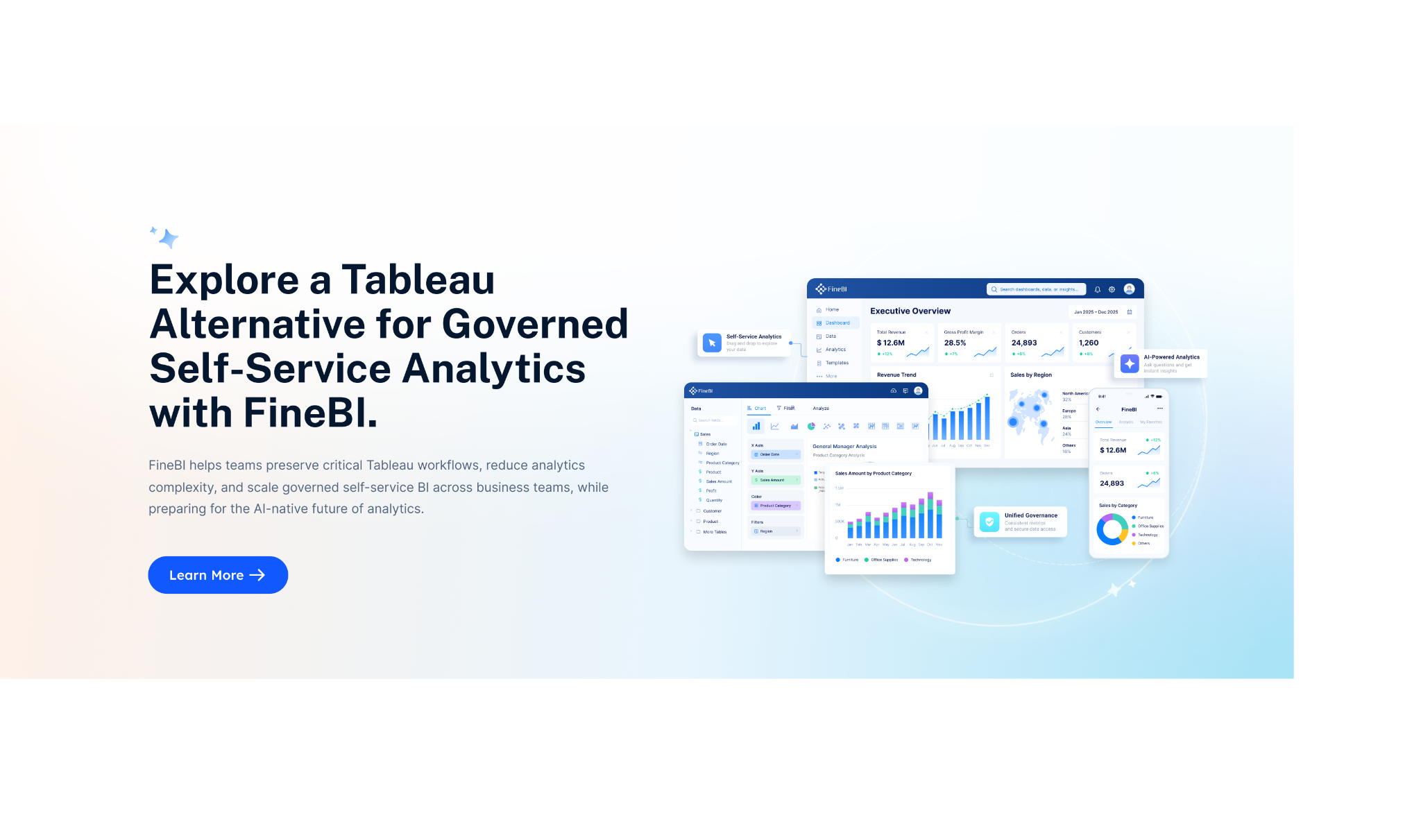
FineBI is reporting dashboard software focused on self-service analytics, interactive reporting, and enterprise dashboarding for teams that want strong BI capabilities with approachable usability.

FineBI is a solid option for businesses that want to give departments more control over reporting without forcing every request through technical teams. It combines dashboard building, data analysis, and report sharing in a way that supports both business users and more advanced reporting workflows.
Why FineBI deserves attention in 2026:
- Self-service dashboard and report creation
- Interactive analysis features
- Broad use across sales, finance, operations, and management
- Useful for organizations looking beyond the most common Western BI tools
- Strong fit for teams that want a balance between usability and analytics depth
FineBI can be attractive for companies that want a reporting dashboard software platform capable of serving both daily KPI tracking and wider analytical use cases.
Best for:
- Mid-sized and enterprise teams
- Organizations that want self-service BI
- Businesses needing cross-functional reporting
- Teams looking for an alternative to Tableau or Power BI
Things to consider:
- Availability, ecosystem familiarity, and local support may vary by region
- Some teams may need onboarding to use advanced features fully
- As with most BI tools, data governance still matters
Geckoboard
Geckoboard is especially strong for real-time KPI dashboards that need to be visible across teams. It works well for office screens, sales floors, support teams, and executive scoreboards.
Best for:
- Live team dashboards
- TV dashboards and wallboards
- KPI alerts and quick status visibility
- Customer service and sales monitoring
Considerations:
- Less suited to deep BI analysis
- Customization depth is lighter than enterprise tools
Databox
Databox is popular with marketing, sales, and small business teams that want prebuilt templates and easy dashboard creation without technical setup.
Best for:
- Marketing reporting
- Agency and client dashboards
- Executive summaries
- Fast setup with common SaaS integrations
Considerations:
- Some advanced custom analysis may be limited
- Connector depth can vary by plan or use case
Looker Studio
Looker Studio remains a widely used option for teams that want flexible, low-cost dashboarding, particularly around Google data sources.
Best for:
- Google Analytics and Google Ads reporting
- Lightweight business dashboards
- Marketing and website performance visibility
- Teams that need budget-friendly reporting
Considerations:
- Performance can vary with larger or more complex dashboards
- Governance and modeling are limited compared to full BI tools
- Third-party connectors may add cost or complexity
These tools are best when you need dashboard software that is easy to launch, easy to share, and focused on quick visibility rather than deep analytics architecture.
Klipfolio, Domo, Qlik, and Looker
Klipfolio, Domo, Qlik, and Looker are reporting dashboard software platforms that support broader analytics needs, data modeling, and enterprise-scale reporting beyond simple KPI dashboards.
Klipfolio
Klipfolio is useful for teams that want flexible dashboarding and broad data connectivity with more customization than many lightweight tools.
Best for:
- Custom KPI dashboards
- SMB to mid-market reporting
- Teams that want more control without going full enterprise BI
Considerations:
- Complex setups may take time
- User experience may feel less simple than template-led tools
Domo
Domo is a cloud-based analytics platform known for combining data integration, dashboards, and business apps in one environment.
Best for:
- Organizations wanting a broad cloud analytics platform
- Executives and department leaders who need centralized reporting
- Businesses seeking strong collaboration around dashboards
Considerations:
- Cost can be significant
- Full rollout may require structured implementation
Qlik
Qlik is well known for associative analytics, governed reporting, and enterprise-grade data exploration.
Best for:
- Large organizations
- Teams needing governed self-service analytics
- Complex data environments and cross-functional reporting
Considerations:
- Implementation and administration can be demanding
- Not the lightest option for quick dashboard deployment
Looker
Looker is a strong choice for organizations that care deeply about governed metrics, reusable data models, and scalable reporting across teams.
Best for:
- Data-mature organizations
- Companies using modern cloud data warehouses
- Teams needing strong semantic consistency
- Embedded reporting and governed analytics
Considerations:
- Technical setup is often required
- It is not the easiest option for purely non-technical teams
- Cost and implementation effort can be substantial
These platforms make sense when reporting dashboard software needs to scale into a more governed analytics environment rather than staying as a simple reporting layer.
Metabase and Apache Superset
Metabase and Apache Superset are reporting dashboard software options for teams looking for open-source or developer-friendly solutions with flexible deployment.

Metabase
Metabase is popular because it offers a strong balance between ease of use and open-source flexibility. Non-technical users can explore data visually, while technical users can still work directly in SQL.
Best for:
- Startups and internal teams
- Self-hosted reporting
- Embedded analytics
- Teams that want quick dashboarding without enterprise software costs
Considerations:
- Advanced governance may be lighter than enterprise BI tools
- Self-hosting means your team owns maintenance
Apache Superset
Superset is more developer-oriented and highly flexible for organizations that want an open-source BI environment with strong customization potential.
Best for:
- Engineering-led teams
- Organizations with in-house data infrastructure
- Custom internal analytics environments
- Users comfortable with technical administration
Considerations:
- Setup and maintenance are more involved
- Business-user friendliness is lower than many commercial tools
These tools are attractive when cost control, deployment flexibility, and open-source ownership matter more than polished out-of-the-box simplicity.
Which Tool Is Best for Different Use Cases?
The best reporting dashboard software depends heavily on who will use it and what kind of reporting they actually need.
Best options for marketing reporting
Marketing teams usually need fast access to campaign metrics, channel comparisons, attribution views, and automated recurring reports. They also often care about client-friendly presentation and easy sharing.
Top options include:
- Databox for easy cross-channel marketing dashboards
- Looker Studio for Google-centric reporting and cost-conscious teams
- Klipfolio for custom dashboards with more flexibility
- Power BI for teams that need broader reporting beyond marketing
- FineBI for self-service reporting across departments
- DashThis-style specialized reporting tools are often strong in agency contexts, though not the focus of this list
Best by team type:
- Agencies: Databox or Klipfolio for easier client-facing dashboards
- In-house teams: Looker Studio for simple setups, Power BI for broader reporting maturity
- Performance marketers: Tableau or Power BI if deep analysis matters
If your team mostly needs channel reporting and recurring summaries, a lightweight dashboard tool may be more efficient than a full BI platform.
Best options for executive KPI dashboards and team visibility
Executives usually want simple, always-current dashboards with clear signals, not complex analytical interfaces. Team leaders often want visibility into progress without having to open multiple systems.
Top choices include:
- Geckoboard for live KPI scoreboards and office-wide visibility
- Databox for straightforward executive summaries
- Power BI for leadership dashboards tied to governed data
- Klipfolio for custom KPI layouts
- FineBI for executive dashboards with deeper analysis behind them
When lightweight tools are better:
- You need fast deployment
- The audience wants simple visuals
- Real-time visibility matters more than detailed exploration
- You do not want users navigating a full BI platform
When full BI tools are better:
- Executives need trusted, cross-functional metrics
- Governance and consistency are important
- Dashboards need to connect to deeper analysis and reporting layers
Best options for enterprise analytics and embedded reporting
For enterprise analytics, the question is usually less about charting and more about governance, scale, data modeling, and permissions. For embedded reporting, flexibility and deployment options matter even more.
Top enterprise choices:
- Tableau for advanced visualization and enterprise exploration
- Power BI for scalable reporting in Microsoft environments
- Qlik for governed enterprise analytics
- Looker for semantic modeling and scalable governed reporting
- FineBI for self-service BI with broader business usability
Top embedded or flexible deployment choices:
- Looker for embedded analytics in data-mature organizations
- Metabase for flexible embedded reporting
- Apache Superset for engineering-led customization
- Power BI in selected enterprise embedding scenarios
Open-source flexibility becomes a priority when:
- You want more control over deployment
- Budget pressure makes commercial licensing difficult
- Your engineering team can support maintenance
- You need to adapt the reporting environment to a custom product or workflow
How to Choose the Right Reporting Dashboard Software
The smartest way to choose reporting dashboard software is to start with your reporting needs, not the vendor names.
Use this process:
-
Define your reporting goals
- What decisions should the dashboards support?
- Which KPIs matter most?
- Who is the audience?
-
List stakeholders and usage types
- Executives
- Analysts
- Team managers
- Client-facing users
- External customers for embedded reporting
-
Audit your data sources
- CRM
- Ad platforms
- ERP
- Finance systems
- Databases
- Spreadsheets
-
Decide on reporting frequency
- Real time
- Daily
- Weekly
- Monthly
- Event-triggered alerts
-
Match the tool to user skill level
- Non-technical users need templates and easy builders
- Analysts may want drill-downs and custom calculations
- Developers may prefer open-source or embedded options
-
Set budget and governance requirements
- How many creators and viewers?
- Do you need role-based security?
- Is self-hosting required?
- Will usage scale across departments?
-
Run a focused trial
- Build one high-value dashboard first
- Test refresh speed, usability, and sharing
- Get feedback from real end users before committing
This approach prevents a common mistake: buying the most popular reporting dashboard software rather than the one that best matches your workflows.
Final Comparison and Next Steps
If you want a quick summary, here is the practical shortlist by strength:
- Best for advanced analytics: Tableau
- Best all-around choice for Microsoft organizations: Power BI
- Best self-service BI alternative: FineBI
- Best for live KPI dashboards: Geckoboard
- Best for simple marketing and business dashboards: Databox
- Best low-cost Google-centric reporting: Looker Studio
- Best for flexible custom KPI dashboards: Klipfolio
- Best for broad cloud analytics: Domo
- Best for governed enterprise analytics: Qlik
- Best for modeled, scalable reporting: Looker
- Best open-source balance of usability and flexibility: Metabase
- Best developer-oriented open-source option: Apache Superset
A simple way to narrow the field:
- Small teams: Databox, Looker Studio, Metabase
- Growing mid-sized businesses: Power BI, FineBI, Klipfolio
- Large enterprises: Tableau, Power BI, Qlik, Looker
- Engineering-led or embedded analytics use cases: Metabase, Superset, Looker
The most important takeaway is this: the best reporting dashboard software is not necessarily the most famous platform. It is the one that fits your data sources, reporting cadence, user skill level, and governance needs.
Start with a shortlist of two or three tools, build one real dashboard in each, and compare feature fit, usability, and long-term cost. That will tell you far more than a vendor demo ever will.
FAQs
Reporting dashboard software focuses on visualizing KPIs, automating reports, and giving teams a clear view of performance. Business intelligence software usually goes further with data modeling, governance, deeper analysis, and broader enterprise analytics capabilities.




