If you are researching power bi licenses, you are probably trying to answer a deceptively simple question: who needs which license to build, share, and view Power BI content without creating unexpected cost or access problems later?
That question matters because Power BI licensing is not just about feature tiers. It directly affects whether users can publish to a workspace, open an app, collaborate on reports, or even view content that appears to be “shared” with them. Many teams buy licenses based on authors alone, then run into the hidden rules around workspaces, permissions, and capacity-backed viewing.
In practice, most licensing confusion comes from three moving parts working together:
- The user’s license: Free, Pro, or Premium Per User
- Where the content lives: My Workspace, shared workspace, or capacity-backed workspace
- What permissions the user has: workspace role, sharing rights, or app audience access
Quick Comparison Table
| License / Option | Best for | Can create reports | Can publish to shared workspaces | Can share/collaborate | Can view shared content in non-capacity workspaces | Can view capacity-backed content without paid per-user license | Typical viewer experience |
|---|---|---|---|---|---|---|---|
| Free | Individual learning, personal analysis | Yes | No | No | No | Sometimes, depending on capacity setup | Personal use unless content is in qualifying capacity-backed workspace |
| Pro | Team collaboration and standard sharing | Yes | Yes | Yes | Yes | Yes | Best for creators and active collaborators |
| Premium Per User (PPU) | Advanced per-user features for smaller groups | Yes | Yes, including PPU scenarios | Yes, with matching access conditions | Yes | Not a substitute for broad free-user distribution | Best for power users needing advanced capabilities |
| Premium / Fabric capacity | Broad organizational distribution and enterprise scale | Capacity itself is not a user authoring license | Requires paid creator licenses for publishing | Supports wider consumption patterns | Depends on user license and workspace setup | Yes, for qualifying capacity-backed workspaces | Best when many users consume content and fewer users author it |
Power BI licenses at a glance: what Free, Pro, and Premium actually unlock
Power BI licensing works on two main models:
- User-based licensing, such as Free, Pro, and Premium Per User
- Capacity-based licensing, such as organization-level Premium or Fabric capacity
The distinction is important because a user-based license follows the person, while a capacity-based purchase applies to the workspace environment where content is hosted.
User-based vs capacity-based access
A Free license is mainly for personal use. A user can build reports in Power BI Desktop and work in their own personal area, but that does not automatically let them publish for team collaboration or consume shared content across the organization.
A Pro license is the standard collaboration license. It is typically what teams need when users must publish, share, consume shared reports, and work together in shared workspaces.
A Premium Per User license adds advanced capabilities for individual users, but it is still a per-user model. It is useful when a smaller group needs higher-end Power BI features without moving the whole organization to capacity-based distribution.
A Premium or Fabric capacity purchase changes the distribution model for content stored in that qualifying capacity. In some cases, that means viewers can access reports without each person holding a paid per-user license. But this does not eliminate author licensing requirements.
Why licensing decisions affect sharing, publishing, and viewing rights
This is the part many teams miss: Power BI access is not determined by one setting alone.
A user may have:
- permission to a workspace,
- access to an app,
- or a link to a report,
and still be blocked if their license does not match the content’s hosting model.
That is why licensing decisions shape day-to-day operations in at least four ways:
- Who can publish into shared workspaces
- Who can collaborate on datasets, reports, and dashboards
- Who can open shared apps and reports
- Whether broad read-only distribution is affordable
Where teams most often misunderstand the rules
The most common misunderstandings are:
- assuming workspace membership equals view rights,
- assuming Free users can consume any shared content,
- assuming app publishing bypasses license requirements,
- and assuming Premium means no one needs paid licenses.
In reality, Power BI licensing is a matrix, not a ladder.
How workspace type changes what your team can do
Workspace design is where Power BI licensing becomes operational. Two users with the same license can have very different experiences depending on where content is stored.
My Workspace vs shared workspaces
My Workspace vs shared workspaces
My Workspace is a personal area meant for individual use. It works well for experimentation, private analysis, and early-stage report building. Ownership is personal, and collaboration is limited.
Shared workspaces are meant for team-based development and distribution. This is where organizations manage report publishing, semantic models, role assignments, app creation, and lifecycle collaboration.
The difference matters because most business rollout scenarios depend on shared workspaces, not personal ones.
Key differences include:
-
Ownership
My Workspace is tied to one user. Shared workspaces are team-managed. -
Publishing model
My Workspace is personal. Shared workspaces support governed team publishing. -
Collaboration
Shared workspaces allow Admin, Member, Contributor, and Viewer roles. -
Distribution
Apps are typically distributed from shared workspaces, not from personal ones.
The hidden rule: workspace access does not equal content access
This is one of the most important licensing rules in Power BI.
Being added to a workspace does not automatically override license requirements.
For example:
- A user can be added as a Viewer in a shared workspace.
- They can receive the correct URL.
- The content can be published properly.
- But if the workspace is not in qualifying capacity and the user lacks the required paid license, they may still see an upgrade prompt instead of the report.
So the actual access formula is closer to:
workspace role + content location + license type = real user experience
This is why some BI teams believe permissions are “broken” when the real issue is licensing alignment.
When Premium capacity changes the viewer experience
Capacity-backed workspaces can change the viewing model significantly.
When a report and its underlying model are stored in a qualifying Premium/Fabric capacity-backed workspace, some users can consume content without each individual having a Pro license. This is what makes capacity attractive for large-scale report distribution.
However, there are two important realities:
- Creators still need the right paid license to publish and manage content
- The workspace must meet the correct capacity conditions for license-free consumption scenarios
In other words, capacity can improve distribution economics, but it does not eliminate governance or creator licensing requirements.
Free vs Pro vs Premium: the practical differences that matter day to day
Licensing decisions become easier when you stop thinking in terms of product editions and start thinking in terms of tasks.
Who can create, publish, share, and collaborate
Who can create, publish, share, and collaborate
Here is the practical way to map common tasks:
Free license
- Can create reports for personal use
- Can use Power BI Desktop
- Can work in personal space
- Cannot generally publish for shared team collaboration
- Cannot broadly share with others
Pro license
- Can create and publish to shared workspaces
- Can share content
- Can collaborate with other licensed users
- Can consume shared content in standard shared workspace setups
- Usually the default choice for report authors and active business users
Premium Per User
- Can do what Pro users do
- Adds advanced feature access for users and workspaces set up for those capabilities
- Best suited to smaller groups of power users rather than large read-only audiences
Premium/Fabric capacity
- Not a standalone replacement for per-user author licensing
- Helps support broad content consumption economics
- Most useful when a relatively small creator group serves a large viewer audience
What changes for report consumers, executives, and occasional viewers
One of the biggest licensing mistakes is treating all users the same.
In most organizations, there are at least three user groups:
-
Authors and analysts
They build reports, publish changes, manage models, and collaborate. These users usually need paid per-user licenses. -
Department power users
They may not build everything from scratch, but they need to explore, reuse, and collaborate actively. They often also need paid per-user licenses. -
Executives and occasional viewers
They usually just want reliable access to dashboards, apps, and KPI views. For large groups like this, capacity-backed distribution may be more cost-effective than buying per-user collaboration licenses for everyone.
The right licensing mix depends less on job title and more on behavior:
- Do they create?
- Do they publish?
- Do they share?
- Or do they only consume?
Why Fabric and newer capacity options make old comparisons incomplete
Older discussions about Power BI licensing often reduce the conversation to Free vs Pro vs Premium as if the market has not changed.
That is incomplete today.
Modern Power BI licensing decisions should be evaluated in the context of the Microsoft Fabric era, where capacity options and access patterns have evolved. Many older blog posts and forum threads still reflect legacy assumptions, especially around Premium capacity terminology and rollout choices.
So if you are comparing options now, avoid relying on outdated break-even logic alone. You need to evaluate:
- current capacity model options,
- viewer distribution patterns,
- creator licensing requirements,
- and whether your organization is planning a broader Fabric strategy.
Permissions, sharing, and app distribution: where licensing confusion starts
Most Power BI access disputes are not caused by missing reports. They are caused by confusing roles, sharing, and licenses as if they were the same thing.
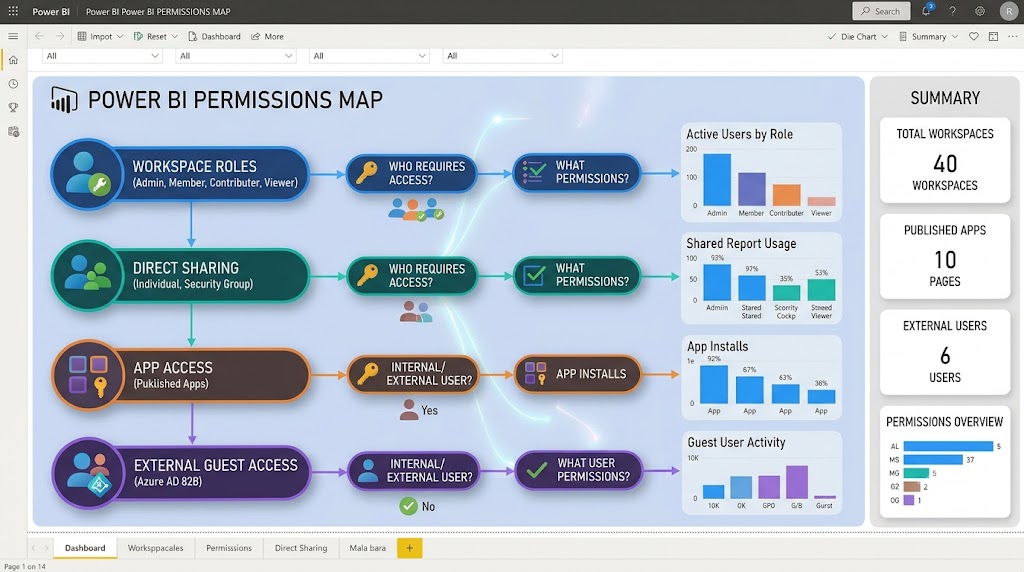
Workspace roles are not the same as sharing permissions
Workspace roles are not the same as sharing permissions
Workspace roles control what a user can do inside the workspace.
Typical workspace roles include:
- Admin
- Member
- Contributor
- Viewer
These roles govern actions such as:
- editing content,
- publishing updates,
- managing settings,
- or viewing workspace assets.
But they are not the same as all sharing scenarios.
A user might have:
- a workspace role,
- direct report access,
- app access,
- or dataset permissions,
and each one can behave differently depending on license and hosting conditions.
That is why role assignment alone does not guarantee a smooth access experience.
Why app audiences can still hit license roadblocks
This catches many teams during rollout.
The BI team publishes an app correctly. The audience is assigned. The navigation looks clean. The reports are visible in theory.
Then some users click and get blocked.
Why? Because app distribution does not override license requirements.
If the app is sourced from a workspace that requires paid-user consumption, viewers without the right entitlement may still be unable to open it. Teams often interpret this as an app configuration issue, when the root cause is licensing and capacity alignment.
A good rule of thumb is:
If a user can see the app entry point but cannot open the content, check license and capacity conditions before reworking permissions.
External sharing, B2B access, and cross-tenant caveats
External sharing introduces another layer of complexity.
When you involve guest users, B2B collaboration, or cross-tenant access, licensing is no longer the only variable. Governance, tenant settings, identity configuration, and organization policy can all affect whether external access works as expected.
Important caveats include:
- guest access may require additional admin configuration,
- tenant-level policies can limit sharing behavior,
- licensing expectations may differ from internal user scenarios,
- and security review is usually stricter for external distribution.
For teams working across partners, subsidiaries, or client environments, it is worth validating external sharing rules early rather than assuming internal patterns will translate cleanly.
Capacity, pricing logic, and when Premium is worth it
The right Power BI license strategy is not always the cheapest line item today. It is the one that fits your user mix, publishing model, and governance needs over time.
How to think about cost beyond per-user licensing
How to think about cost beyond per-user licensing
Per-user licensing is easy to understand:
- count users,
- assign licenses,
- budget monthly or annually.
That works well when most users actively collaborate.
But once your audience expands, per-user logic can become inefficient. If only a small team builds content while hundreds of employees simply consume dashboards, capacity-backed distribution may make more sense operationally and financially.
So evaluate cost using these lenses:
- Number of authors
- Number of active collaborators
- Number of read-only consumers
- Need for broad app distribution
- Need for enterprise governance and scale
Common pricing questions teams ask before upgrading
Before moving to Premium or Fabric capacity, teams usually ask:
- Do all creators still need paid licenses?
- Can viewers access content without Pro?
- Is capacity cheaper than licensing every viewer individually?
- What exactly is included in the monthly capacity cost?
- Do we need capacity for one department or for the whole organization?
These are the right questions, because the answer is rarely “upgrade everything.”
In many cases:
- small teams are better served by Pro,
- specialized advanced users may justify PPU,
- and broad enterprise distribution may justify capacity.
A simple decision framework for small teams, growing departments, and enterprise rollouts
Use this practical framework:
Small team
- Few users
- Most people both create and consume
- Limited need for large-scale distribution
Likely fit: Pro-centered model
Growing department
- A mix of creators and passive viewers
- More shared workspaces and apps
- Need for better governance and scalability
Likely fit: Pro plus selective advanced licensing, with future capacity evaluation
Enterprise rollout
- Central BI team plus large audience
- Heavy app distribution
- Many read-only consumers
- Strong governance requirements
Likely fit: Capacity-backed strategy with paid creator licenses
A quick decision checklist to avoid expensive licensing mistakes
Before you buy licenses or assign workspace roles, ask these questions:
- Who is creating reports versus only viewing them?
- Will content live in My Workspace or shared workspaces?
- Do viewers need read-only access at scale?
- Are you expecting app publishing to solve all access issues?
- Will any users be external guests or cross-tenant viewers?
- Does the underlying semantic model live in the same qualifying workspace setup as the report?
- Are you planning around current Fabric-era licensing rules rather than older Power BI assumptions?
Here are the most overlooked rules to remember:
- Workspace access does not automatically equal content access
- App access does not bypass license requirements
- Creators still need paid licenses even when capacity is used
- Read-only scale is where capacity changes the economics
- External sharing adds identity and governance complexity beyond licensing
Practical validation scenarios:
-
Scenario 1: One analyst, five managers
If the analyst publishes to a standard shared workspace, the managers usually need the right paid-user access to consume it. -
Scenario 2: Central BI team, 500 employees viewing KPIs
Capacity-backed distribution may be worth evaluating if most employees are consumers, not creators. -
Scenario 3: Executive app rollout looks correct but some users get blocked
Check the workspace capacity setup and user licensing before changing app permissions. -
Scenario 4: Guest users from another tenant cannot open shared reports
Review B2B settings, tenant controls, and external access governance in addition to licenses.
Practical recommendations for choosing the right Power BI license strategy
From a BI consulting perspective, the best licensing decisions come from workflow analysis, not vendor SKU memorization.
Here are five practical recommendations:
-
Separate authors from consumers early
Do not buy every user the same license by default. Map real behavior first. -
Design workspace architecture before scaling licenses
Many licensing problems are really workspace design problems in disguise. -
Test app distribution with real user personas
Validate with an analyst, a manager, an executive viewer, and an external guest if relevant. -
Recalculate costs when your audience grows
A Pro-first model may work well initially but become inefficient as viewer counts rise. -
Account for Fabric-era changes in every new evaluation
Avoid making decisions based on old Premium assumptions or forum advice that predates current capacity models.
When teams should also consider FineBI + Dora
Tools like Power BI are widely used in the BI market, but teams that need a more business-user-friendly, self-service BI platform may also consider FineBI.
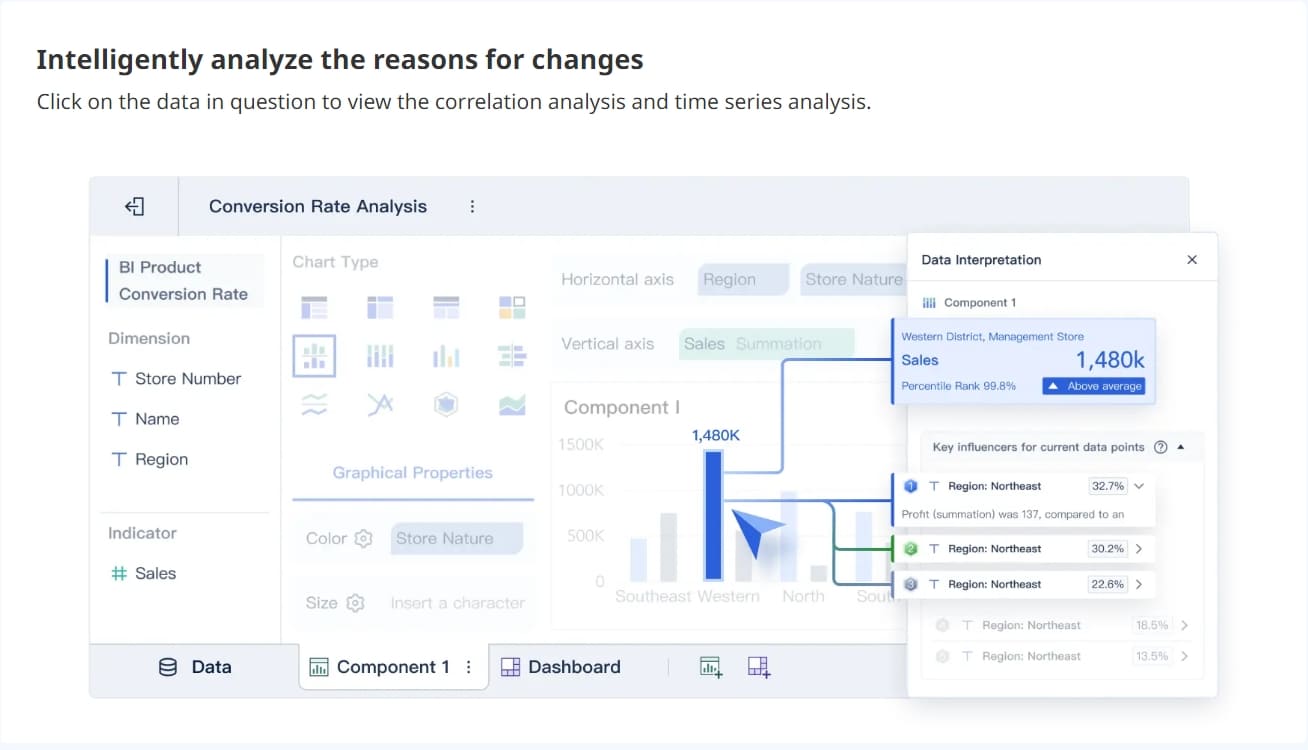
FineBI is designed for organizations that want interactive analytics with stronger business-user adoption, especially when teams need to move beyond static report consumption into more flexible self-service exploration. In practice, that means:
- drag-and-drop dashboard creation
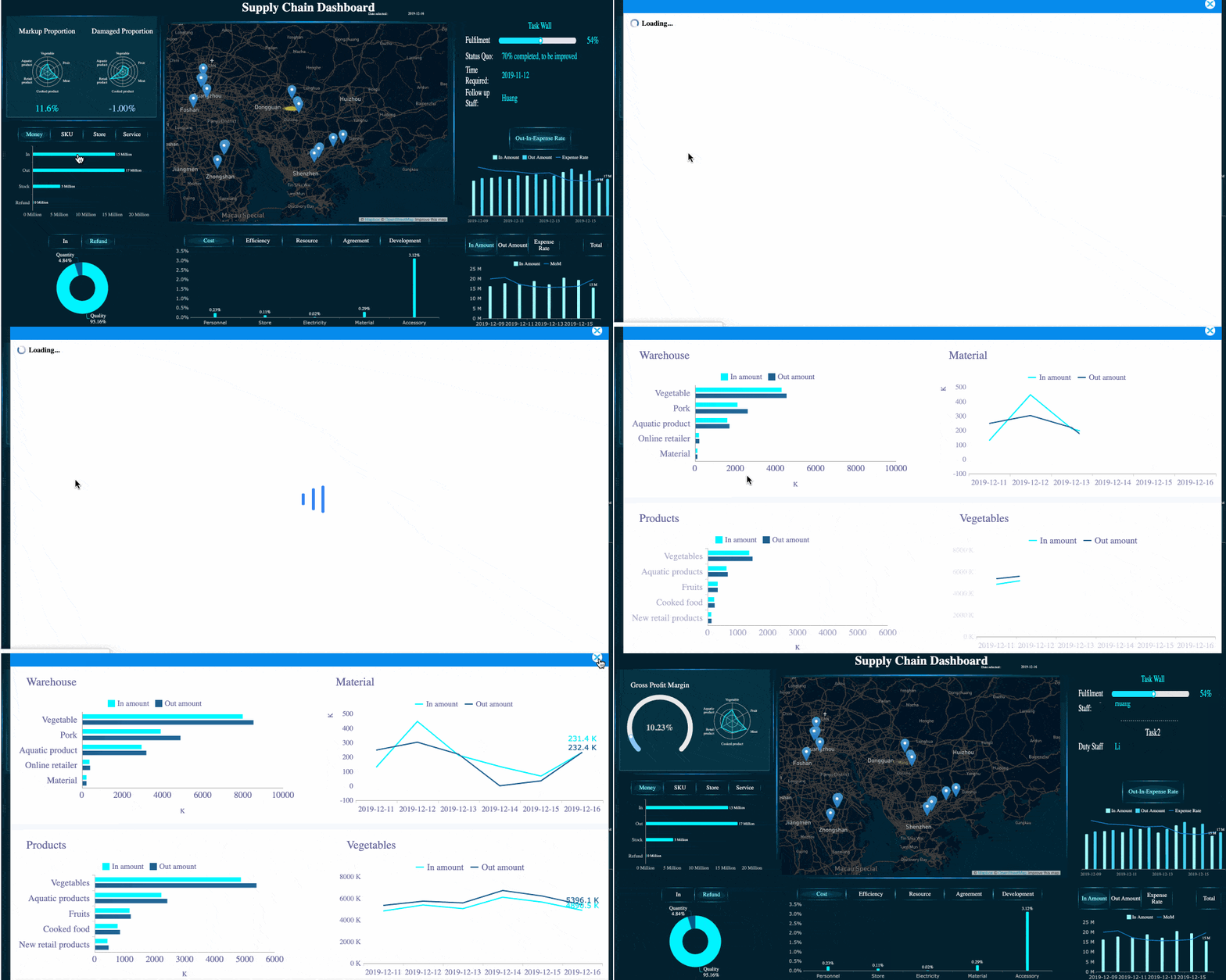
- interactive filtering and drill-down
- self-service analysis for business teams
- enterprise data connectivity
- dashboard sharing and collaboration
- faster iteration between analysts and business stakeholders
 Real-time Analysis
 FineBI's Drill-down Capability
For organizations comparing BI operating models, the question is not only “Which license do we buy?” but also “How easy is it for business teams to actually use analytics every day without overloading IT or a small BI center of excellence?”
Dora extends this model further.
Dora is FanRuan’s enterprise Data Agent platform. It acts as an AI assistant and AI digital employee layer on top of FineBI and existing enterprise data assets. Together, FineBI + Dora helps enterprises move from people manually checking dashboards to AI helping users ask, analyze, generate, push, alert, and follow up in governed workflows.
That matters for teams that are not only solving dashboard distribution, but also trying to improve how insights turn into action.
A useful way to understand this positioning:
- FineBI builds the trusted dashboard, metric, and semantic foundation.
- Dora turns that foundation into a scenario-specific enterprise Data Agent.
Dora supports a more Agentic BI approach:
- natural-language request
- trusted semantic layer
- governed query or skill execution
- answer, chart, summary, action, and follow-up

Ask Dora in Natural Language →
This makes FineBI + Dora relevant for scenarios such as:
- a Data Analyst digital employee that helps teams investigate KPI changes,
- a Report Researcher that summarizes report findings,
- a Daily Briefing Secretary that pushes guided updates,
- or a Risk Alert Officer that highlights issues needing attention.
For teams struggling with dashboard sprawl, limited analyst bandwidth, or low business-user adoption, that combination can be worth evaluating alongside traditional BI licensing discussions.
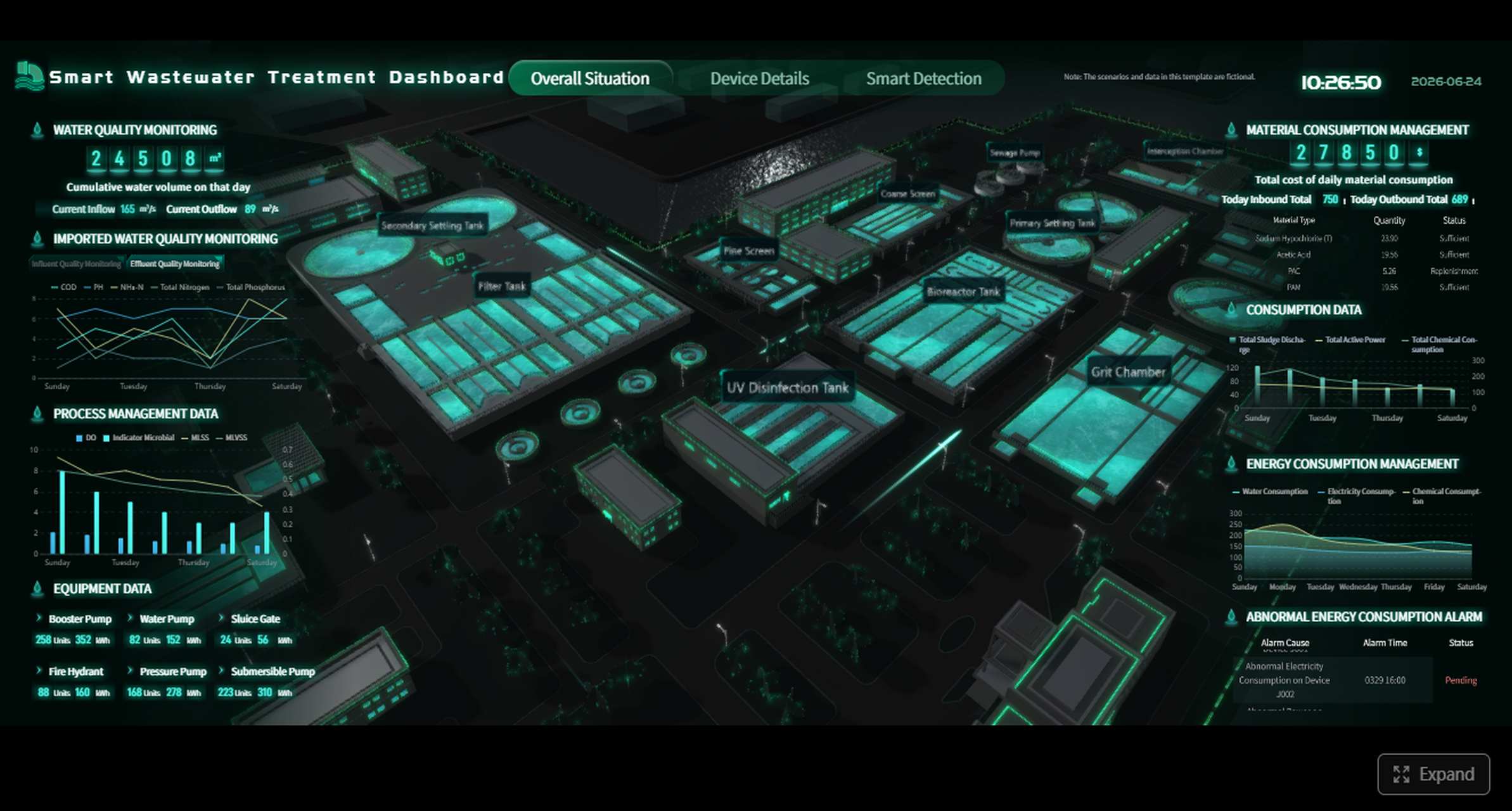

Get Ready-to-Use Dashboard Templates in Fine Gallery
Final takeaway
Understanding power bi licenses is really about understanding access logic.
The most expensive mistakes usually happen when teams assume any one of these is enough on its own:
- the right workspace role,
- the right sharing link,
- the right app audience,
- or the right paid license.
In reality, successful Power BI access depends on all of them working together.
If your team is evaluating how to support self-service analytics, scalable dashboard distribution, and more business-friendly data adoption, it may also be a good time to compare your broader BI operating model, not just your Microsoft licensing tier.
FAQs
Usually yes, unless the content is hosted in a qualifying Premium or Fabric capacity workspace and the user also has the right access permissions. A free license alone does not let someone view shared content in a regular shared workspace.