

A Pipedrive Dashboard shows you your sales pipeline and important numbers. You can see data as it happens. This helps you make good choices and notice trends quickly. Dashboards let you see your business like a pilot sees the cockpit. All the important details are right in front of you. Many companies grow sales faster and get more customers by using dashboards to make numbers simple. FineReport is a top tool for making strong dashboards that help you get these results.
What Is a Pipedrive Dashboard
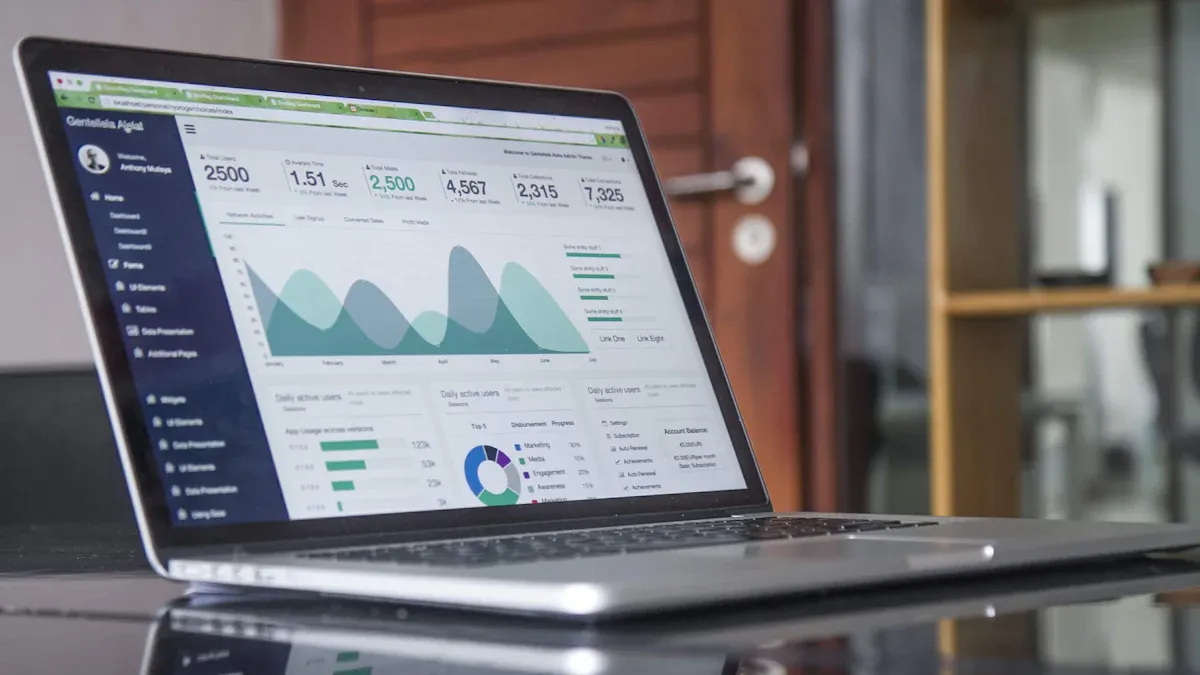
Core Purpose and Benefits
A pipedrive dashboard helps you see your sales steps. You can look at each part, from new leads to deals that are finished. This dashboard lets you watch important numbers and notice changes right away. You do not have to look through many screens or reports. Everything you need is in one spot.
You can use a pipedrive dashboard to check how your team is doing. It shows how many deals move in each step. You can match your results with your goals. This helps you make smart choices and change your plan fast. Many teams use dashboards to get better at sales and reach their goals quicker.
Here is a table that lists the main benefits you get from a pipedrive dashboard:
| Benefit | Description |
|---|---|
| Revenue trend monitoring and forecasting | Watch closed deal money over time to find growth and changes. |
| Lost opportunity analysis and learning | See why deals are lost and use this to make your plan better. |
| Sales funnel effectiveness evaluation | Check your pipeline to find slow spots and help more deals close. |
| Individual and team performance benchmarking | Compare how each team member does, like deal speed and pipeline growth. |
| Activity-to-outcome correlation analysis | Connect sales actions to results to see what helps close more deals. |
Key Features Overview
A pipedrive dashboard gives you many tools to help with sales. You can see pipeline size and value as time goes on. You can check win and loss rates by step, product, or team member. The dashboard shows sales speed and how long deals stay in each step. You can compare guessed revenue with real results.
- You can look at numbers by team, deal step, or time.
- The dashboard helps you see changes and compare results.
- You get easy-to-read charts for tracking progress.
- Automatic data sharing helps your team work better.
- You can track close rates, sales time, and deal success rates.
- Real-time tracking keeps you updated and helps you stay on track.
A pipedrive dashboard makes it simple to check your sales numbers and see what works best. You can use this tool to get better results and make smarter choices every day.
How Pipedrive Dashboard Works
Real-Time Data Visualization
You want to see your sales numbers right away. A pipedrive dashboard lets you do this. You do not need to wait for reports. You do not need to search through emails. You get updates on your screen as things happen. This helps you notice trends and track progress fast. You can react quickly when things change.
With pipedrive, you can see many kinds of data live. Here are some examples:
- Sales performance and revenue numbers
- Lead tracking and pipeline movement
- Team activity and deal status
- Marketing campaign results and new leads
- Customer support requests and response times
- Custom reports and activity summaries
You can show these numbers on TV screens or computers. When you see team goals and results live, you feel more excited. Your team can make choices fast. You can spot problems before they get big. This keeps your sales process smooth and easy.
Tip: Use an insights dashboard to show your top numbers. This helps you focus on what matters most every day.
Leaders use pipedrive dashboards to watch team talks and customer actions. You can change your marketing plans and help your team better. Seeing your deal pipeline clearly helps you find the best chances. You can guide your team to close more deals and reach your goals.
CRM Integration and Data Sources
A pipedrive dashboard works best when it connects to all your tools. Pipedrive lets you bring data from many places into one dashboard. You can connect your CRM, email, marketing, and finance tools. This gives you a full view of your business.
Pipedrive supports many connections:
- Popular CRMs like HubSpot and Salesforce
- Email marketing tools such as Mailchimp and Klaviyo
- Data tools like Google Sheets and Excel
- Customer support systems and chat apps
- Financial software for tracking revenue
You can use the open API to build custom links. Pipedrive’s Marketplace has over 400 connections. You can pick the apps that fit your work style. This makes your dashboard flexible and strong.
When you connect your CRM, you get a true customer management experience. You can see all your sales data, customer talks, and team actions in one place. This helps you make better choices and find new ways to grow.
Note: Advanced tools like FineReport let you connect to more places. You can link to many databases, files, and cloud services. FineReport lets you build dashboards that mix data from different sources. You can make custom views for sales, marketing, and operations. This gives you deeper insights and helps you run your business with confidence.
An insights dashboard helps you track key numbers across your company. You can watch sales, customer support, and marketing live. You can share dashboards with your team to keep everyone together. This boosts teamwork and helps you reach your goals faster.
A pipedrive dashboard, when connected to the right data, becomes your control center. You can see what is happening now and plan your next move with clear, fresh information.
Dashboard vs. Report in Pipedrive
Main Differences
You might wonder how a pipedrive dashboard is not the same as a pipedrive report. Both tools help you learn about your business, but they do different things. A dashboard gives you a fast look at your most important numbers. A report lets you look closer at the details.
Here is a table that shows how a pipedrive dashboard and a pipedrive report are different:
| Feature | Pipedrive Dashboard | Pipedrive Report |
|---|---|---|
| Definition | A collection of reports | A visual representation of performance metrics |
| Purpose | To track overall progress and performance | To analyze specific performance metrics |
| Types | Various dashboards can be created | Different types based on data entities: Activity, Deals, Forecast |
A pipedrive dashboard helps you see your sales pipeline and team progress quickly. You can check daily goals and notice trends fast. A pipedrive report gives you more ways to pick what you want to see. You can change it to focus on certain sales numbers or team actions.
There are also differences in how each tool shows your data. A pipedrive report lets you change almost everything. You can watch key performance indicators and use many kinds of graphs. A pipedrive dashboard gives you updates right away. You see the newest numbers as soon as they happen. This helps you act fast.
| Feature | Pipedrive Reports | Pipedrive Dashboards |
|---|---|---|
| Customization | Fully customizable to monitor KPIs | Limited customization options |
| Graphical Representation | Includes four comparative graphs | Visualizes data in real-time |
| Data Integration | Integrates with various business apps | Limited integration capabilities |
| Focus on Sales Analysis | Detailed sales metrics and trends | Overview of key metrics |
When to Use Each
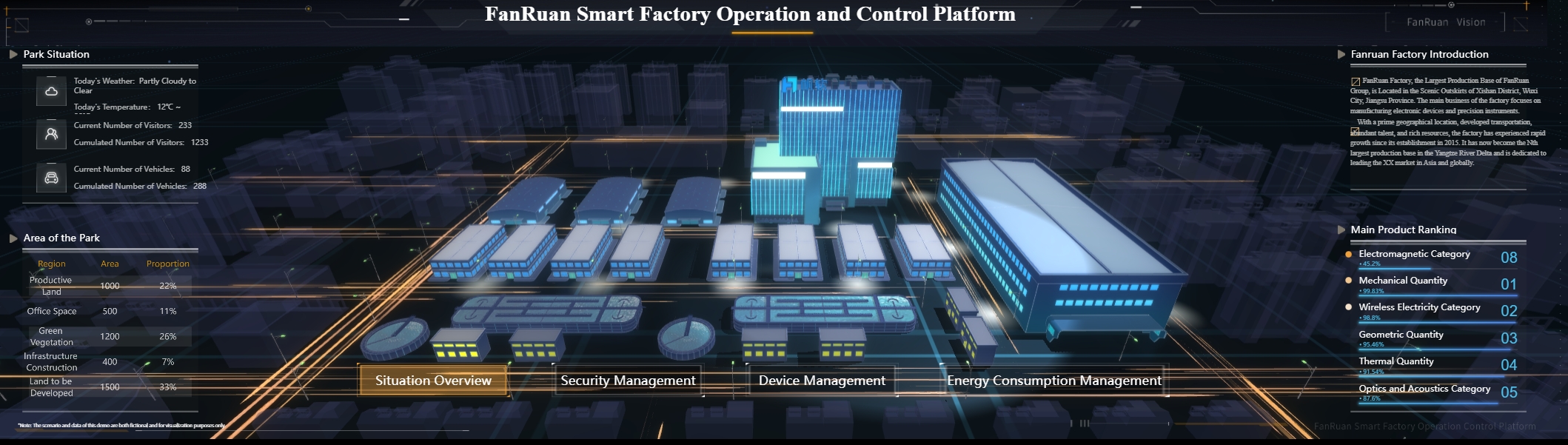
You should use a pipedrive dashboard when you want to see sales numbers as they happen. Dashboards are good for checking things every day. You can watch website analytics, IT system health, and customer support numbers. If you work in manufacturing, dashboards help you see production numbers and make changes fast. Marketing teams use dashboards to see campaign results right away.
A pipedrive report is better when you need to study details. You can use reports to look at sales trends, compare team results, or check how a project went. Reports help you answer special questions. You can share a pipedrive report with your team to show results or plan what to do next.
Tip: Use a pipedrive dashboard for quick checks and a pipedrive report for deep dives. This way, you get the best of both tools.
You can use both dashboards and reports in pipedrive to handle your sales process. Each tool helps you see your numbers in its own way. You will make better choices when you know when to use each one.
Create and Customize a Pipedrive Dashboard

Step-by-Step Creation Guide
You can build your own pipedrive dashboard in a few easy steps. Start by thinking about what you want to see. Do you want to track new leads, watch deals move through the pipeline, or check team sales numbers? Clear goals help you get the most from your dashboard.
- Define your objectives. Decide which sales or leads numbers matter most.
- Choose your dashboard platform. Pipedrive gives you built-in options, but you can also use tools like FineReport for more advanced needs.
- Gather your data. Make sure your leads, deals, and sales numbers are up to date and accurate.
- Design your dashboard. Pick a layout that makes it easy to spot trends and track progress.
- Review and test. Check your dashboard to make sure it shows the right data. Ask your team for feedback before you start using it every day.
You can create dashboards for different needs. For example, you might build a sales KPI dashboard to track closed deals, or a customer acquisition dashboard to follow new leads. FineReport lets you do the same, with even more ways to connect data and customize your view.
Customization Options and Widgets
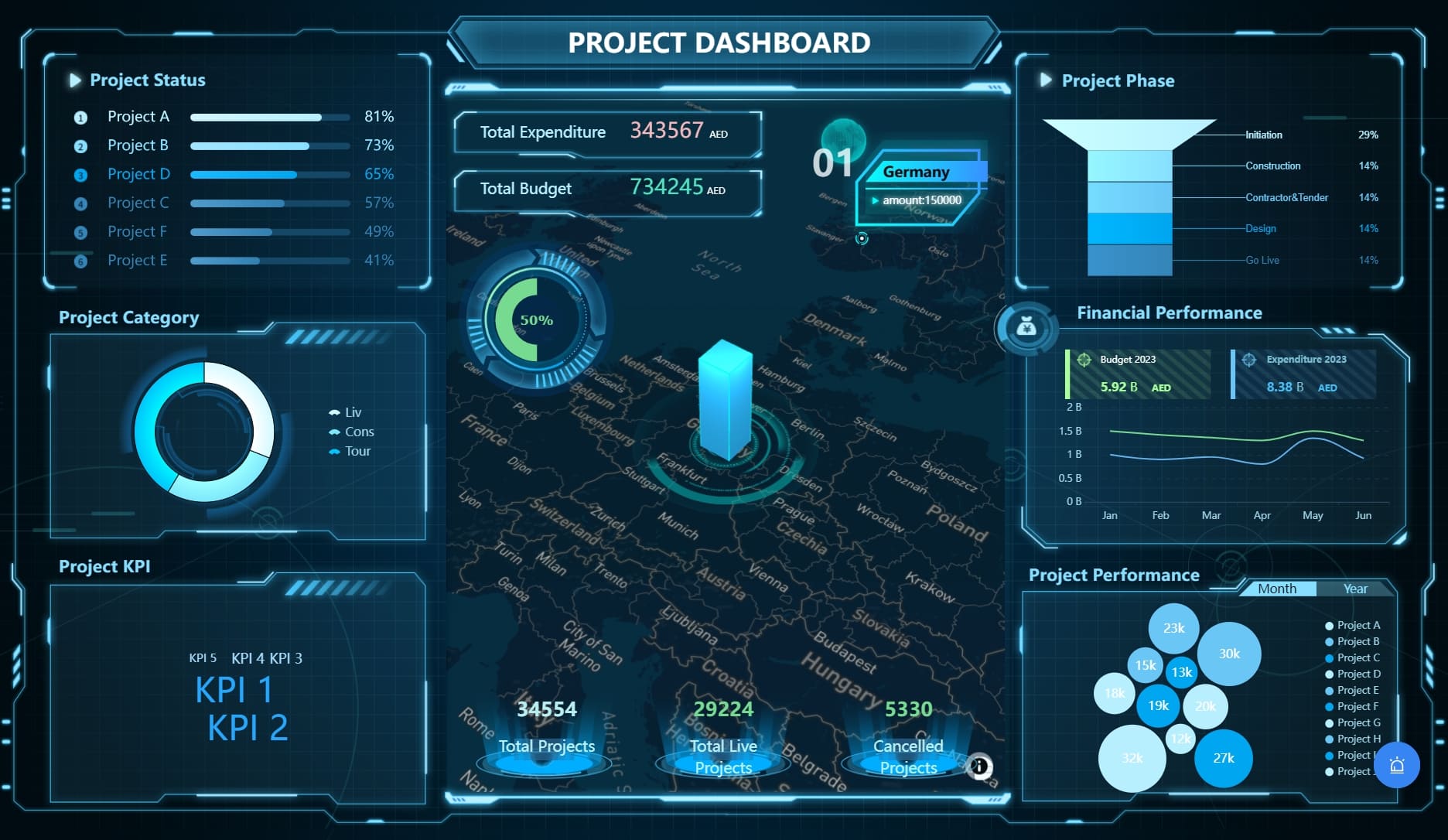
You can make your pipedrive dashboard fit your workflow. Rename your dashboard to match your project. Move widgets around by dragging and dropping them. Hide widgets you do not need. If you use a higher plan, you can create more dashboards for different teams or goals.
Here are some widgets you can add:
| Widget Type | What It Does | Why Use It? |
|---|---|---|
| Sales Pipeline Monitoring | Shows real-time sales and deals progress | Spot slow spots and improve forecasting |
| Customizable Dashboards | Lets you tailor dashboards to your sales process | Focus on what matters for your team |
| AI-Powered Sales Tools | Helps close deals faster and find new leads | Boosts your results with smart suggestions |
| Global Sales Performance | Tracks leads and deals across different countries | Supports teams working worldwide |
You can use these widgets to track leads, watch deals, and see how your sales team is doing. FineReport also gives you many chart types and layouts, so you can build dashboards that match your business.
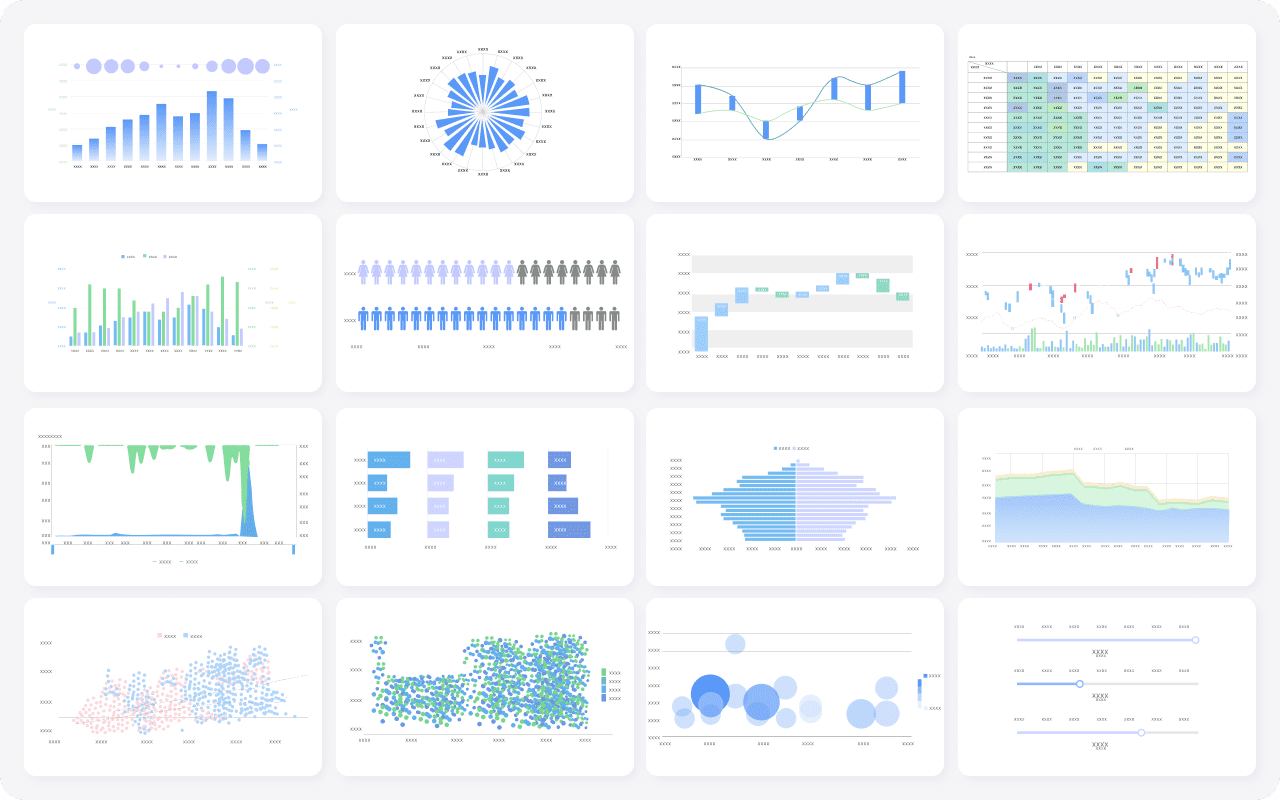
Tip: Try different widget layouts to see which one helps you spot trends in your leads and deals fastest.
Sharing and Collaboration
Sharing your pipedrive dashboard helps your team stay on the same page. You can let others view your dashboard, or give them editing rights if they need to change layouts or add new widgets. Share dashboards with your team, or send a public link to people outside your company. You can also export dashboards as PDF or PNG files for meetings.
| Action | Viewer | Editor |
|---|---|---|
| View dashboards and reports | ✅ | ✅ |
| Apply quick filters | ✅ | ✅ |
| Edit layout and widgets | ❌ | ✅ |
| Add or remove reports | ❌ | ✅ |
| Share dashboards | ❌ | ✅ |
When everyone sees the same dashboard, you can track leads, deals, and sales together. This makes it easier to spot problems and celebrate wins. FineReport supports sharing and collaboration too, so your whole team can work with the same data and insights.
Business Value and Use Cases of Pipedrive Dashboard
Sales Performance Tracking
You want to see how your team does each day. A pipedrive dashboard shows your sales numbers and team work. You can check important numbers as they happen. This helps you know what works and what needs fixing. When you use pipedrive, you get a crm dashboard with your pipeline, money earned, and customer info in one spot.
Here is a table that shows how pipedrive dashboards help you track sales performance:
| Metric Type | How It Helps You Track Sales Performance |
|---|---|
| Customizable dashboards | You see the sales pipeline and focus on the numbers you need. |
| Real-time metrics | You get live updates on prospects and customers. |
| Deal snapshots | You spot which reps close the most deals. |
| Sales activities tracking | You learn which actions lead to more sales. |
| Revenue and sales forecasts | You find top team members by revenue earned. |
| Individual performance | You check each rep’s wins, losses, and tasks. |
| AI Sales Assistant insights | You get tips to boost conversions and productivity. |
| Automated performance reports | You find who needs more training. |
You can also watch key performance indicators (KPIs) with pipedrive dashboards. Some common KPIs are:
- Sales conversion rate
- Average sales cycle length
- Sales win rate
- Average deal size
- Customer acquisition cost
- Weighted pipeline value
- Number of emails sent
- Lead response time
With pipedrive, you use these numbers to make smart choices. You can set goals, check progress, and help your team do better. The crm dashboard keeps everyone focused on money and results.
Real-World Example: FineReport in Action
You can see how a crm dashboard helps in real life. Kintetsu World Express, a big logistics company, used FineReport to build a strong reporting system. They linked many data sources to make dashboards that update right away. Now, their sales teams see customer visits, cargo amounts, and money earned quickly.
Before FineReport, Kintetsu had trouble finding all their customer info. Sales teams could not see everything they needed. With FineReport, they made a crm dashboard that brings pipedrive data, customer talks, and team work together. This helped them decide faster and give better service.
FineReport works well for companies in manufacturing and logistics. You can link your pipedrive data, sales reports, and money numbers in one cloud crm software. You get a full look at your business. You can share dashboards with your team and check results together. This makes it easy to spot trends, fix problems, and grow your money.
Note: If you use pipedrive dashboards and pipedrive reports together, you get both the big picture and the details. This helps you lead your team and reach your money goals.
You can use Pipedrive dashboards to watch sales and help your team do better. These dashboards show you important numbers and trends very quickly. Here is a simple comparison:
| Feature | Pipedrive | Freshsales |
|---|---|---|
| Dashboard Customization | Highly customizable visual dashboards | Specialized dashboards for functions |
| Reporting Flexibility | Custom field reports and forecasting | Curated and custom reporting |
| Collaboration | Shareable dashboard links | N/A |
| Key Metrics | Pipeline metrics and goal-setting | Win rates, sales cycles, customer feedback |
| Target Audience | Sales teams needing visualization | Lead generation and service teams |
To begin:
- Pick the integrations that help your business the most.
- Look at how data moves in each integration.
- Try using native integrations first.
- Write down each step you take to set things up.
- Test everything before you start using it for real.
You can find more tips and guides on websites like Klipfolio. If you want more details and stronger dashboards, try FineReport. This tool lets you connect data, change how things look, and share results with your team.

Frequently asked questions
A Pipedrive dashboard shows your sales data in one place. You can track deals, team performance, and key numbers. This helps you make smart choices fast.




