
If you’re searching for the best client dashboard software for your agency, you’ll want a solution that makes reporting simple and keeps your clients happy. Here are the top 10 dashboard tools for agencies in 2026:
- FineReport
- Whatagraph
- AgencyAnalytics
- DashThis
- Swydo
- Reportz
- Databox
- Looker Studio
- Tableau
- Supermetrics
You need software that handles integration, customization, user experience, data accuracy, pricing, and security. FineReport stands out as a top choice for agencies that want powerful dashboards and smarter client management.
Key Criteria for Choosing Client Dashboard Software
When you start looking for client dashboard software, you want something that fits your agency’s needs and helps you deliver great results for your clients. Let’s break down the most important criteria you should consider.
Integration and Data Sources
You need software that connects smoothly with your favorite tools. Integration is key for pulling in data from platforms like HubSpot, Google Analytics, and Salesforce. Here’s a quick look at how top dashboard tools handle integration:
| Data Source | Integration Type | Key Features |
|---|---|---|
| HubSpot | Marketing, CRM/Sales | Connects multiple data sources, visualizes key metrics in a single dashboard. |
| Google Analytics | Analytics | Centralizes data for easier access and reporting. |
| Salesforce | CRM | Allows performance tracking across platforms. |
FineReport makes integration easy. You can connect to hundreds of data sources, including databases, files, and cloud apps. This means you get all your data in one place for better reporting.
Customization and Branding
Your agency’s dashboard should look and feel like your own. Customization lets you add your logo, colors, and adjust layouts. Here’s what you can expect:
| Feature | Description |
|---|---|
| Customizable dashboards | Create dashboards that reflect your key metrics and branding elements. |
| White-label branding | Add your logos, brand colors, and custom domains into reports. |
| Flexible reporting layouts | Adjust colors, logos, and data presentation for a professional look. |
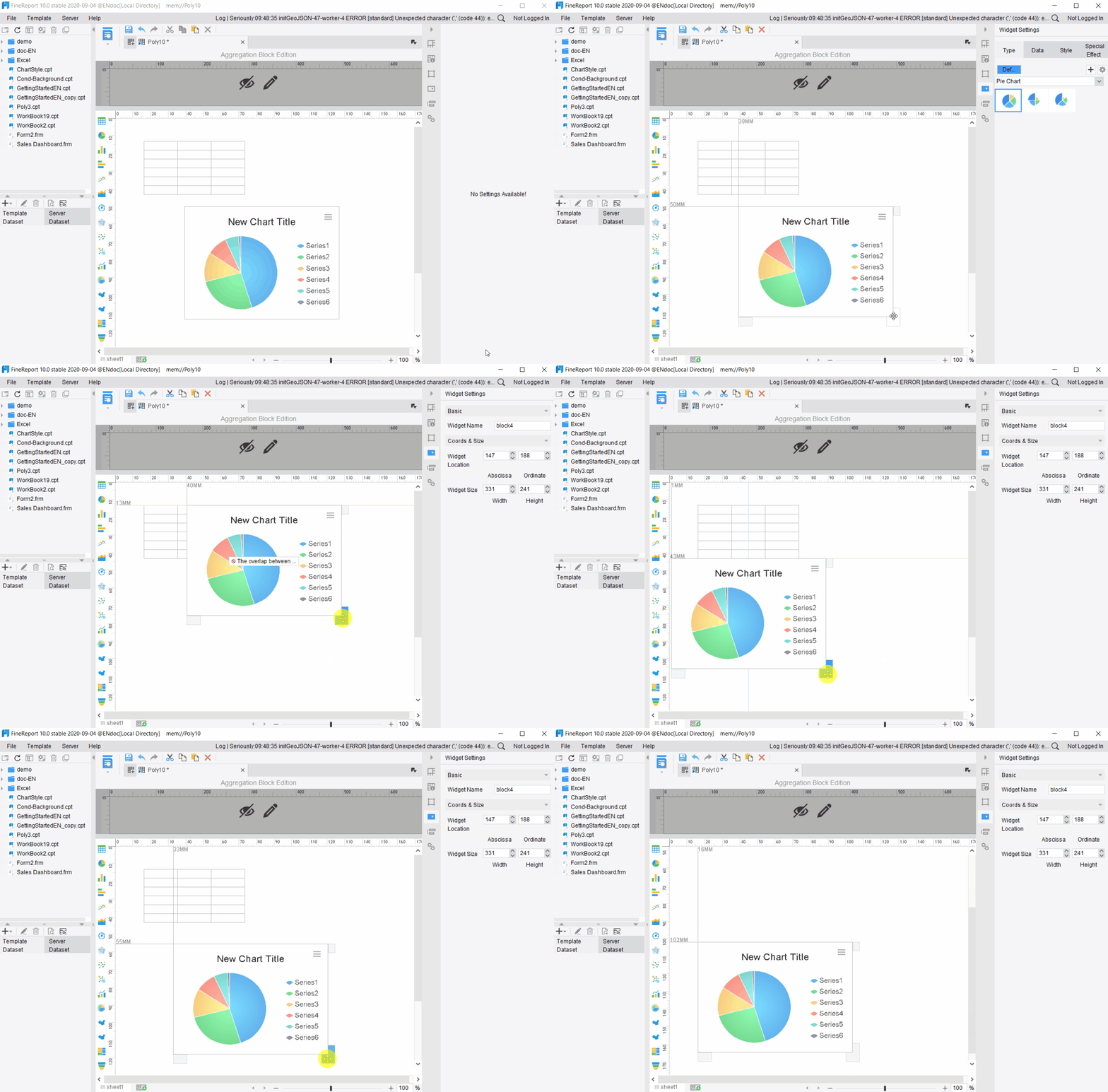
FineReport gives you full control over dashboard layouts and branding. You can design dashboards that match your agency’s style and client needs.
User Experience and Accessibility
You want a dashboard that’s easy to use and accessible for everyone. Top software offers user-friendly interfaces and mobile access. For example:
| Software | User Experience Features | Accessibility Features |
|---|---|---|
| HubSpot | Free CRM, ideal for startups | Easy navigation |
| Salesforce | Robust customization options | Comprehensive accessibility settings |
| Zoho CRM | Cost-effective for small teams | Mobile access, screen reader support |
| Asana | Strong project management | Keyboard shortcuts, color contrast |
| Monday.com | Interactive dashboards | Customizable accessibility settings |
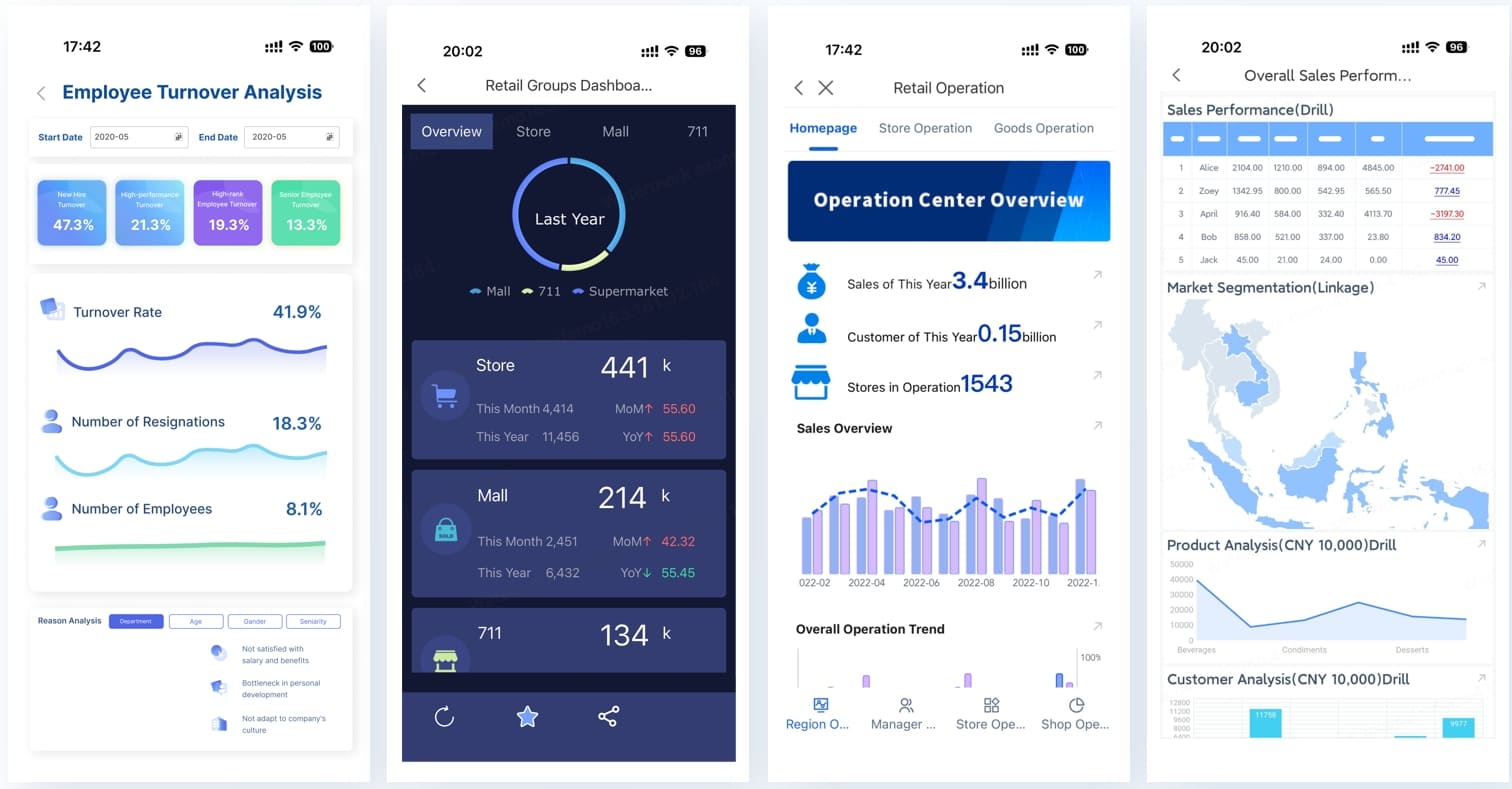
FineReport offers a simple drag-and-drop designer and mobile dashboards, so you and your clients can access data anywhere.
Data Accuracy and Reporting
Accurate data is essential for smart decisions. The best dashboard software uses real-time data processing and automated reporting. Here’s how they do it:
| Method | Description |
|---|---|
| Real-time data processing | Gives you the most current information for decision-making. |
| Automated report generation | Saves time and reduces errors by automating report creation. |
| Enhanced Data Accuracy | Reduces human error for more reliable data. |
| Advanced analytics | Offers deeper insights with predictive analytics. |
FineReport supports real-time data updates and automated reporting, so you always have reliable information.
Pricing and Scalability
You want software that fits your budget and grows with your agency. Cost matters, but so does scalability. Look for flexible plans and features that support your growth.
FineReport offers scalable solutions for agencies of all sizes, so you can start small and expand as you need.
Security and Compliance
Protecting client data is a top priority. Choose software with strong security features and compliance options. FineReport includes user permission controls, data encryption, and compliance support to keep your data safe.
Tip: Always check for security certifications and compliance standards before you choose a dashboard tool.
FineReport checks all the boxes for integration, customization, user experience, data accuracy, pricing, and security. You get a powerful platform that helps your agency deliver better reporting and smarter decisions.
Quick Comparison of Top Client Dashboard Tools
Choosing the right dashboard software can feel overwhelming. You want something that fits your agency’s needs and helps you deliver results. Let’s break down the top options so you can see what each tool brings to the table.
Feature Overview
Here’s a quick look at what each dashboard tool offers. You can spot the differences and decide which features matter most for your agency.
| Software | Key Features |
|---|---|
| FineReport | Multi-source integration, Custom dashboard layouts, Mobile access, Decision-making platform |
| AgencyAnalytics | Over 80 integrations, Built-in SEO tools |
| Databox | 130+ integrations, Query Builder |
| DashThis | Unlimited users, Simple setup, Aesthetic reports |
| Swydo | Unlimited users, clients, and dashboards |
| Looker Studio | Native connection to Google Marketing Platform, Customizable reports |
| Klipfolio | Custom formulas, Data modeling capabilities |
| Whatagraph | Cross-channel reporting, Custom branding options |
| NinjaCat | Budget pacing, Call tracking integrations |
| TapClicks | Over 250 native connectors, Unified campaign analytics |
Pricing Snapshot
You want a dashboard that fits your budget. Here’s a quick pricing guide for popular tools. Some offer free plans, while others scale with your agency.
| Tool Name | Pricing Details |
|---|---|
| AgencyAnalytics | Starts at $59/month |
| Looker Studio | Free; connectors may cost extra |
| HubSpot | Free CRM; Pro ~$890/month |
| Tableau | Viewer $15/user/month; Creator $75/month |
| Power BI | From $14/user/month |
| Zoho Analytics | Free plan starts at $25/month |
| DashThis | Starts at $42/month |
| TapClicks | Starts at $49.50/month |
| FineReport | Custom pricing; scalable for agencies |
Tip: Always check for hidden costs like extra connectors or user seats before you choose a dashboard tool.
Best For
Every agency has different needs. Some dashboard tools work better for marketing, while others shine in finance or manufacturing.
| Software | Best For | Key Features | Pricing |
|---|---|---|---|
| WhatConverts | Marketing Agencies | Lead tracking, custom reporting | Starts at $500/mo |
| AgencyAnalytics | Marketing Agencies | Data aggregation, white labeling | Starts at $49/mo |
| DashThis | Marketing Agencies | User-friendly dashboards | Starts at $42/mo |
| TapClicks | Multiple dashboards | Marketing operations platform | Starts at $49.50/mo |
| DashClicks | Integrated agency tools | Funnel builder, reputation mgmt | $199/mo |
| FineReport | Finance, Manufacturing, Retail | Multi-source dashboards, mobile BI | Custom pricing |
You can see that FineReport stands out for agencies in finance, manufacturing, and retail. It gives you flexible dashboard layouts and strong integration, making it a smart choice if you need more than just marketing analytics.
Top 10 Client Dashboard Software for Agencies
1.FineReport – Enterprise-Level Dashboard and Reporting
Website: https://www.fanruan.com/en/finereport
You want a client dashboard software that does more than just show numbers. FineReport gives you a full suite of dashboard tools for agencies that need powerful reporting and flexible data management. You can import data from almost any source, customize dashboards for each client, and automate reporting. FineReport stands out because you can:
- Import data from databases, Excel files, and cloud apps with ease.
- Build custom dashboards that match your agency’s branding and client needs.
- Integrate with hundreds of platforms, making analytics and data export simple.
- Automate client reporting so you never miss a deadline.
- Use real-time dashboards to track key metrics and share insights instantly.
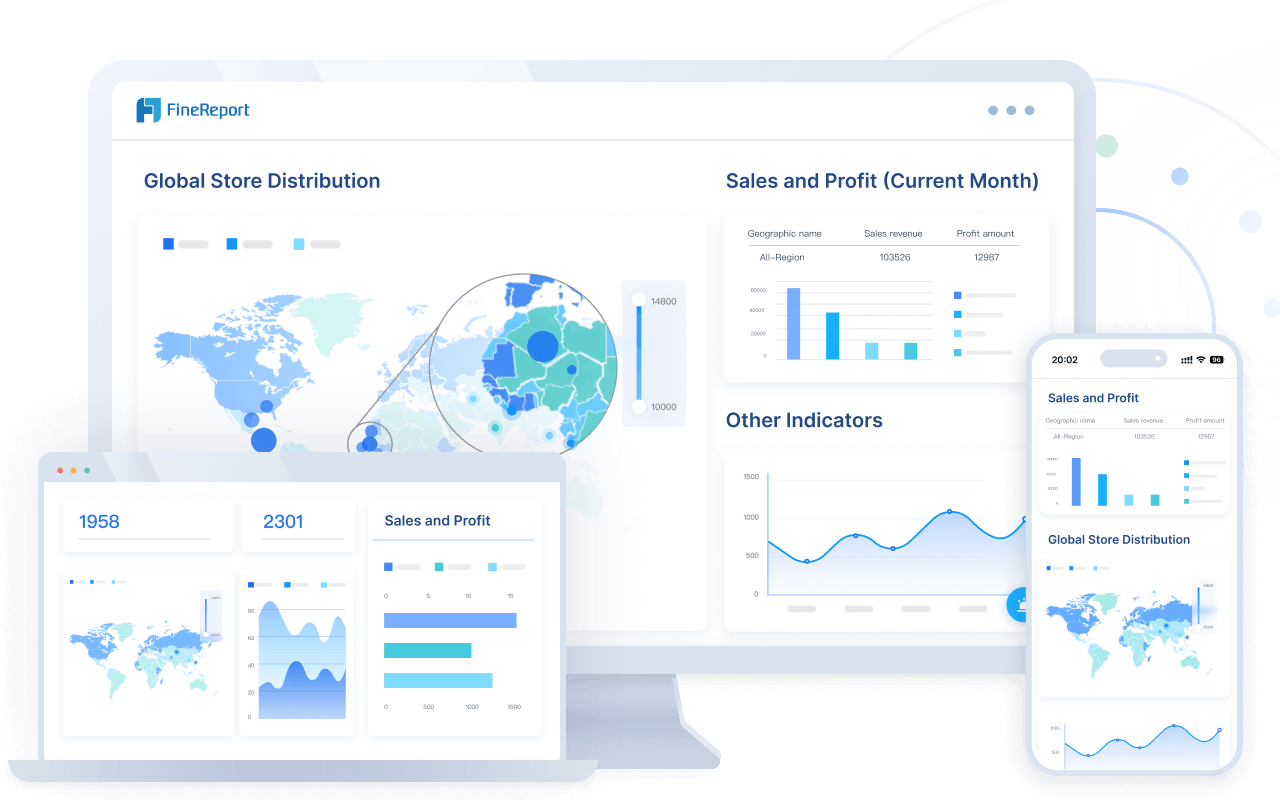
FineReport helps you deliver effective client reporting and makes your agency look professional. You get a reporting tool that grows with your business and adapts to every client.
2.AgencyAnalytics – Purpose-Built Client Dashboards
Website: https://agencyanalytics.com/
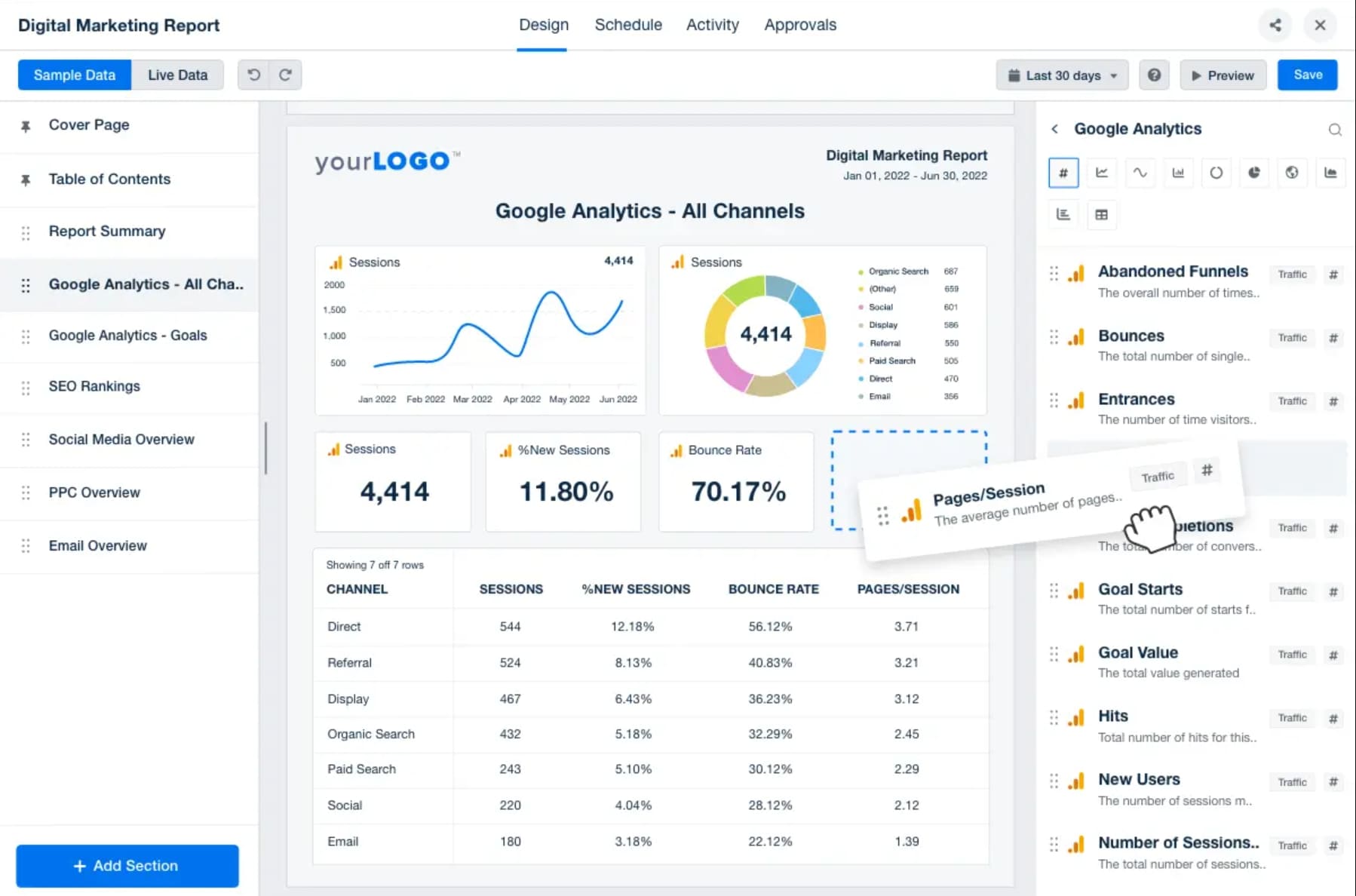
If you run a marketing agency, you need dashboard tools that work fast and keep things simple. AgencyAnalytics is designed for agencies that want easy setup and strong client management. You can see the difference in this table:
| Feature | AgencyAnalytics | Other Tools |
|---|---|---|
| User-Friendliness | Designed for marketing teams, easy to use | Often complex for non-technical users |
| Setup Speed | Faster setup with minimal effort | Slower, more complex setup |
| Customization | Custom metrics and dashboards available | Limited customization options |
| Data Consolidation | Combines data from multiple sources | Scattered data across platforms |
| Reporting | Automated, white-label reporting | Manual reporting required |
| Collaboration | Unlimited users for team collaboration | Limited user access |
AgencyAnalytics lets you automate client reporting, create custom dashboards, and manage unlimited users. You get a client dashboard tool that makes reporting easy and keeps your team on track.
3.Looker Studio – Google-Centric Dashboard Solution

Website: https://lookerstudio.google.com/
Looker Studio is perfect if you use Google services. You can connect Google Analytics, Google Ads, and Google Sheets, plus other third-party sources. This dashboard tool helps you centralize data and create interactive dashboards for your clients. You can automate resource management and migration if you use Google Workspace. Looker Studio makes it easy to visualize data from different platforms in one place. You get real-time dashboards that help your agency make smart decisions and deliver clear reports to clients.
4.HubSpot CRM – Integrated Client Portal Software
Website: https://www.hubspot.com/products/crm
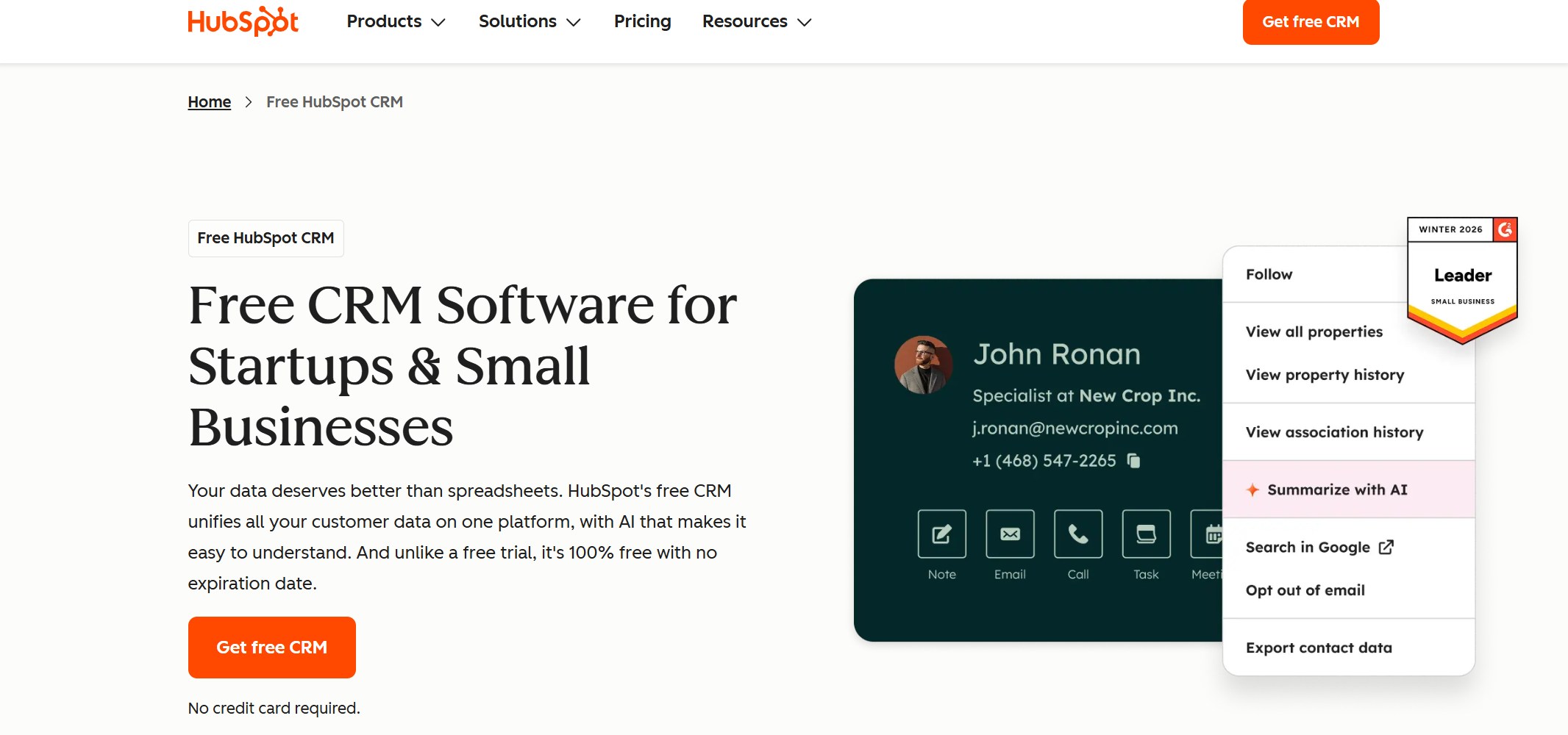
HubSpot CRM gives you a client portal software that brings marketing, sales, and customer service data together. You can customize dashboards, automate reporting, and visualize data for every client. Here’s what you get:
| Feature | Benefit |
|---|---|
| Customizable Dashboard | Integrates various data insights from marketing, sales, and customer service metrics |
| Automate Reporting | Saves time and streamlines client communications |
| Visualize Data | Allows agencies to effectively visualize data for better decision-making |
You can analyze top-performing website pages, monitor KPIs like page views and bounce rate, and create revenue forecasts. HubSpot CRM helps you keep clients informed and engaged with easy-to-read dashboards.
5.Tableau – Advanced Visual Analytics Dashboard
Website: https://www.tableau.com/
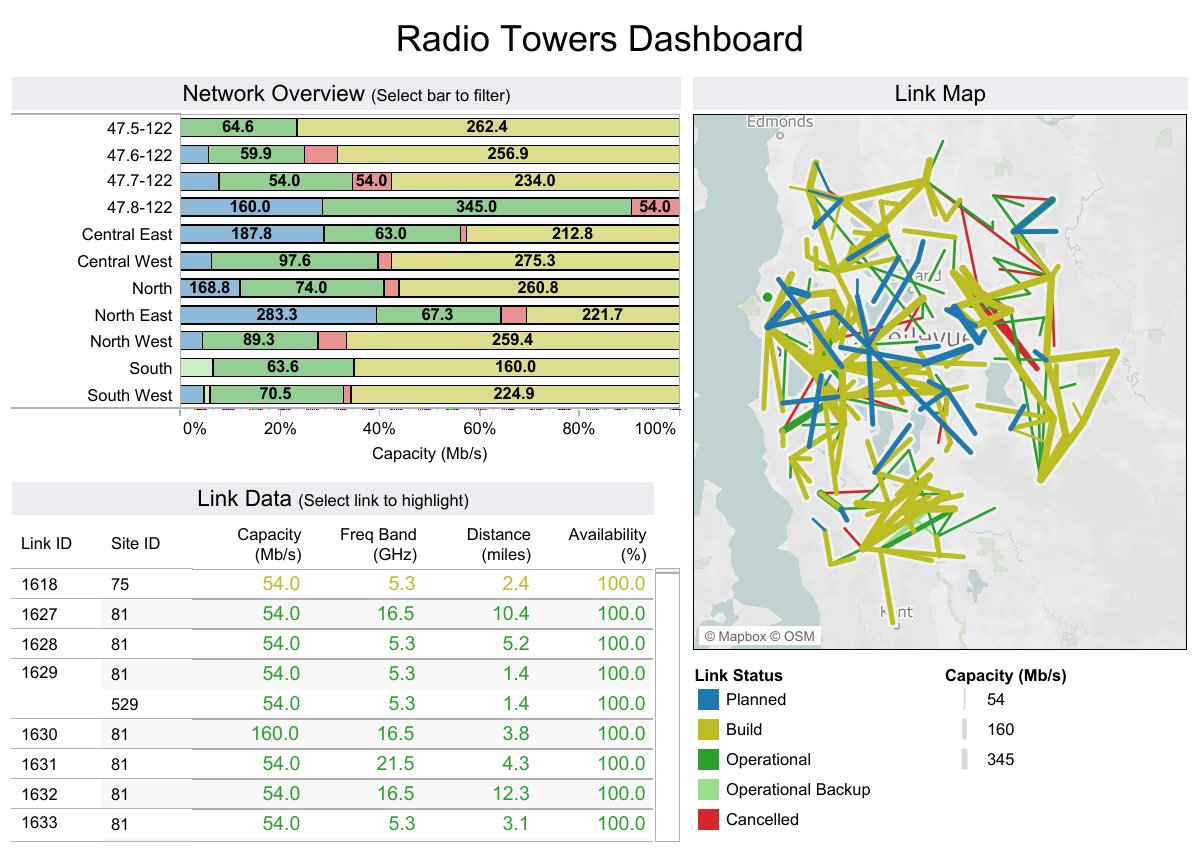
Tableau is a reporting tool for agencies that want advanced analytics and interactive dashboards. You can prepare data, forecast trends, and build custom analytics models. Here’s what you get:
- Tableau Prep for cleaning and preparing data.
- Advanced analytics like forecasting and clustering.
- Integration with R and Python for custom models.
- Machine learning features for smarter analysis.
- Interactive dashboards for exploring data and running 'what-if' scenarios.
- Geospatial analytics to map location-based data.
- Statistical tools to find patterns and insights.
Tableau helps you deliver client reporting dashboards that go beyond basic charts. You can give clients deep insights and interactive reports.
6.Dubsado – Best Client Portal Software for Management
Website: https://www.dubsado.com/
Dubsado is a favorite for agencies that want to manage clients and projects in one place. You get e-signatures, electronic invoicing, lead tracking, and automation. Here’s a quick look:
| Feature | Description |
|---|---|
| E-signatures | Clients sign documents electronically, making contracts easy. |
| Electronic invoicing | Send invoices and collect payments quickly. |
| Lead tracking | Manage potential clients and follow up easily. |
| Automation | Automate repetitive tasks to save time. |
| Client portals | Centralize communication and document management. |
| Calendar syncing | Sync appointments with Google Calendar. |
| Branding | Customize portals for a branded client experience. |
| Task organization | Track tasks and deadlines for each client. |
| Streamlined appointment scheduling | Clients book appointments directly, reducing back-and-forth. |
Dubsado makes it so easy for me to deliver a superior customer service experience to my clients. I’m always paranoid about tracking client’s dates to make sure I don’t double book anything. Dubsado helps me do that.
You get a client dashboard software that keeps everything organized and makes client management simple.
7.Databox – Fast Client Reporting Dashboard
Website: https://databox.com/
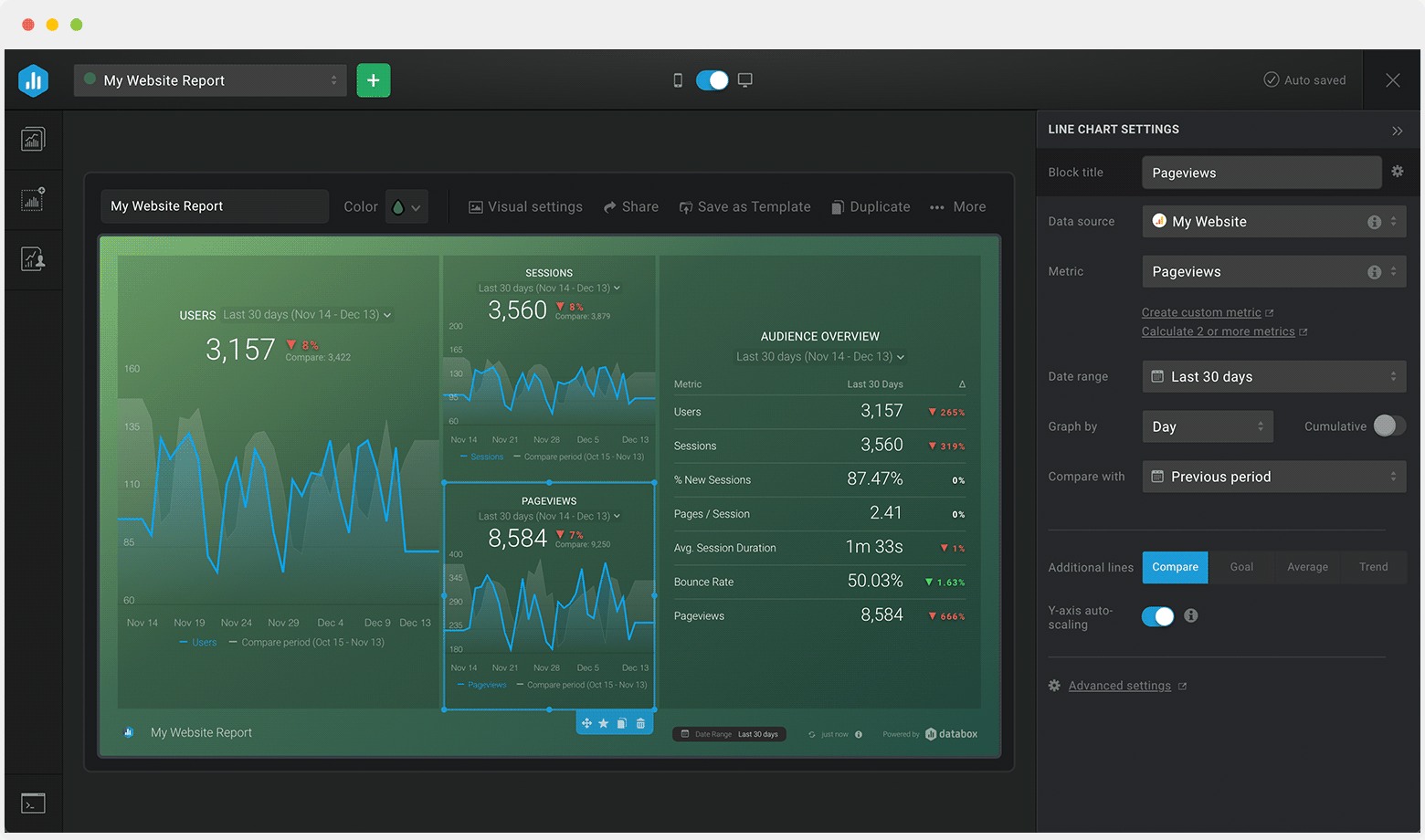
Databox is a client reporting dashboard that helps agencies deliver reports quickly. You can customize dashboards, access reports on mobile, and automate delivery. Here’s what makes Databox stand out:
| Feature | Description |
|---|---|
| Extensive Customization Options | Tailor reports and dashboards for each client. |
| Mobile-Friendly Reporting | Access reports on-the-go with real-time updates. |
| Automated Report Delivery | Schedule reports to send automatically. |
| White-Labeled Reporting | Brand reports with your agency’s logo and colors. |
| Data Stories | Add context to help clients understand their metrics. |
Databox helps you keep clients updated and makes reporting fast and easy.
8.Two Minute Reports – Quick Dashboard for Marketers
Website: https://twominutereports.com/
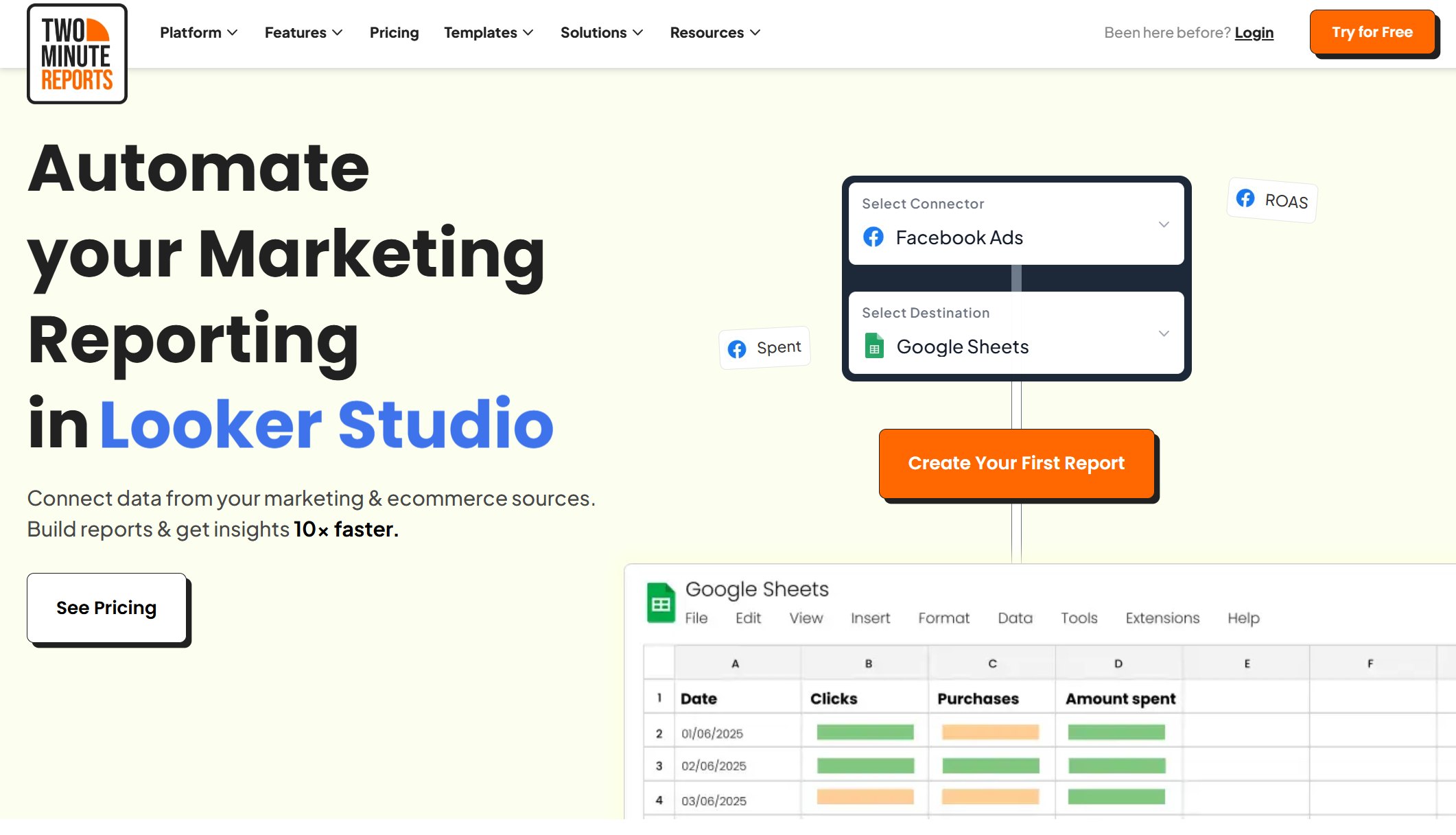
Two Minute Reports is one of the fastest marketing dashboard tools for agencies. You can automate client reporting, schedule recurring reports, and centralize data from over 30 sources. Here’s what you can do:
| Feature | Description |
|---|---|
| Automation of client reporting | Saves time by automating the reporting process for agencies. |
| Scheduling recurring reports | Automatic delivery of reports without manual work. |
| Centralized reporting | Integrates data from 30+ sources for complete insights. |
| White-label dashboards | Present reports under your own branding. |
| Customizable templates | Create reports that match each client’s goals. |
| AI-driven insights | Get smart analysis for better reporting. |
| Drag-and-drop report builder | Build dashboards quickly and easily. |
| Live dashboards | See real-time data for instant insights. |
- Automate multi-client reporting
- Schedule recurring reports without manual efforts
- Centralized reporting across 30+ data sources
- Deliver professional reports to reinforce agency branding
- Personalize dashboards to meet client-specific goals
- Blend PPC data to visualize cross-channel ROI instantly
- Boost team productivity by automating repetitive tasks
- Scale marketing reporting without overhead costs
You get a client reporting tool that saves time and helps you scale your agency.
9.DashThis – Simple Client Dashboard Tools
Website: https://dashthis.com/
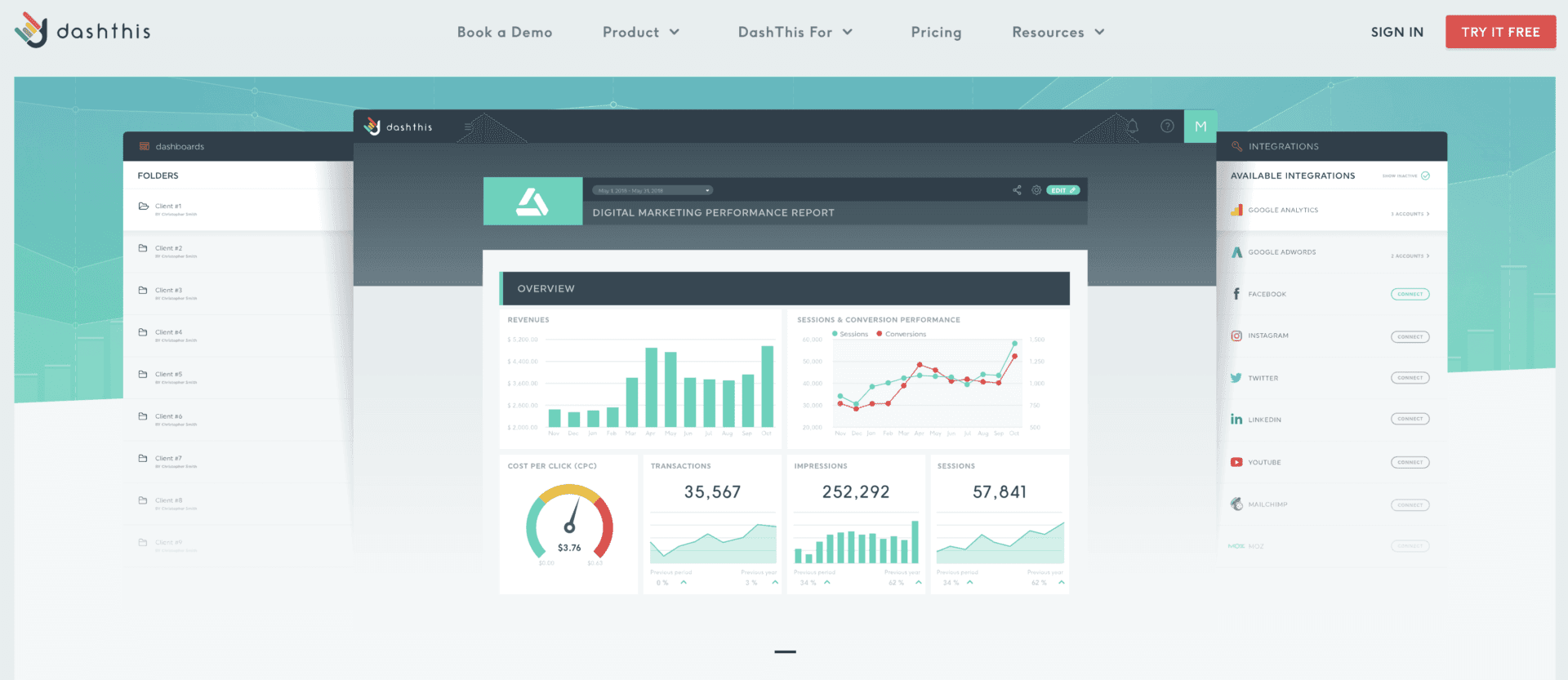
DashThis is a dashboard tool that makes reporting easy for agencies. You can automate data integration from marketing platforms, use drag-and-drop widgets, and customize dashboards for each client. DashThis lets you create real-time dashboards that focus on key performance indicators. You can customize report URLs, logos, and colors to match your agency’s brand. Automated report scheduling means clients get updates on time, and you spend less time on manual reporting. DashThis helps you focus on delivering value instead of getting stuck in reporting tasks.
10.Cyfe – All-in-One Dashboard for Small Agencies
Website: https://www.cyfe.com/
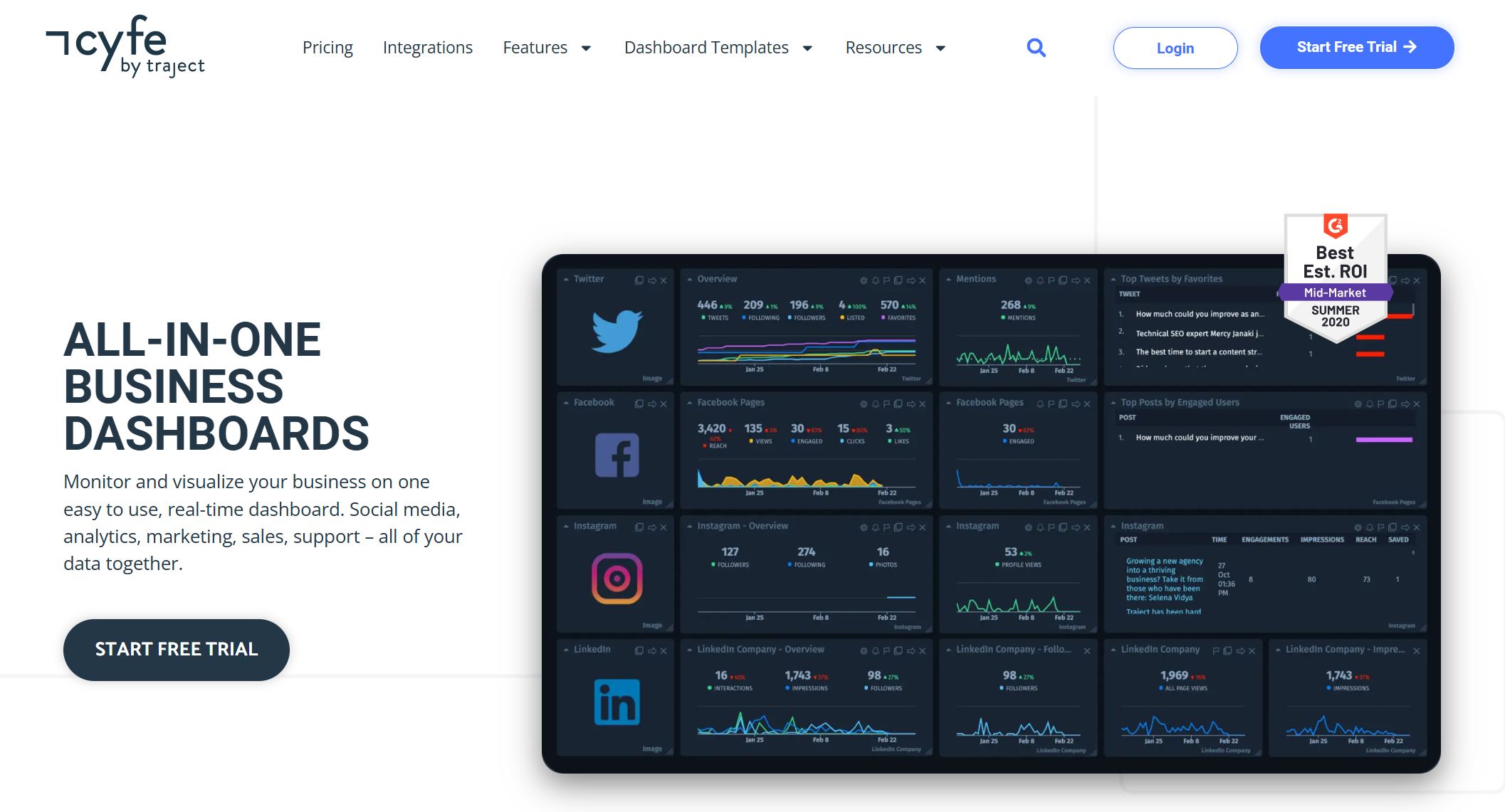
Cyfe is an all-in-one dashboard tool for small agencies. You can monitor and visualize your business on a real-time dashboard. Cyfe lets you create dashboards for each department or client and pull data from over 100 integrations. You can set up dashboards in minutes with pre-populated widgets. Download or schedule automatic email reports in different formats. Customize colors and logos, and upgrade for full white label options. Cyfe lets you securely display data, combine metrics for new insights, and archive data for reliable storage. Share dashboards with clients and benchmark metrics against business goals. You get flexible data sharing and quick setup with pre-built templates. TV Mode lets you project KPIs onto a screen for easy viewing.
If you want marketing agency tools that are easy to use and help you deliver effective client reporting, Cyfe is a great choice. You can connect data sources and design a real-time dashboard in minutes.
FineReport Features and Advantages
Multi-Source Data Integration
You want your dashboard to pull data from everywhere your agency works. FineReport makes this easy. You can connect databases, files, and cloud apps, then combine everything into one interactive dashboard. This means you get a complete view of your client’s business. You can manage staff, reports, and permissions with simple settings. FineReport even lets you deploy as a web application, so you can integrate with systems like CRM or MES. Here’s how it works:
| Feature | Description |
|---|---|
| Integrate multiple data sources | Combines various data sources into a cohesive report system, ensuring business data remains connected. |
| Visual charts | Offers a variety of visual representations to intuitively display the business value of data. |
| Data entry functions | Provides simple data entry options for well-formed and manageable data collection. |
| Report management platform | Manages staff, reports, and permissions with straightforward settings. |
| Web application deployment | Can be deployed as a web application and integrated into existing systems like OA, CRM, or MES. |
Customizable Dashboard Layouts
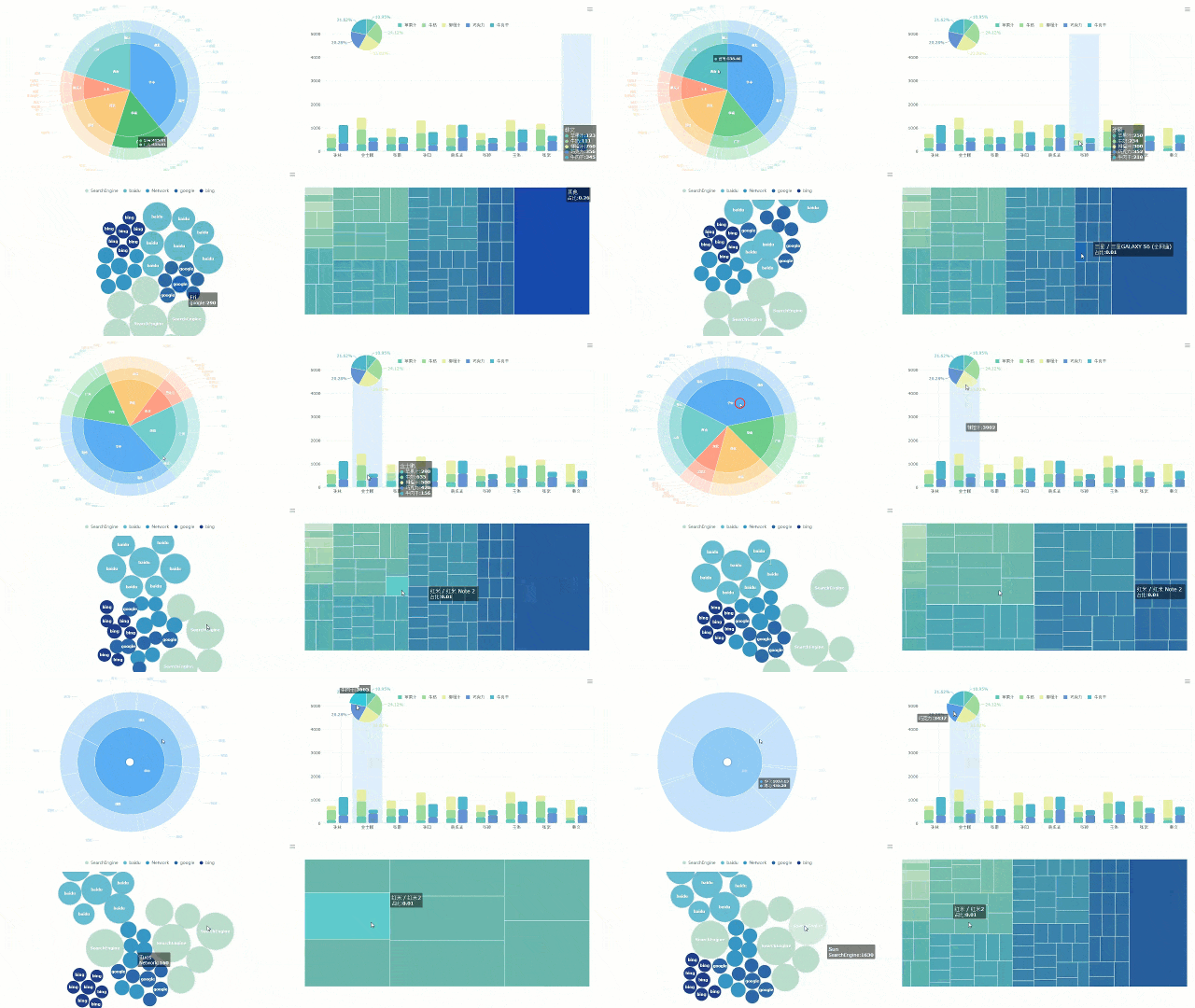
You want dashboards that look great and fit your client’s brand. FineReport gives you customizable dashboards with multi-page designs and advanced visualization options. You can use 3D components, card animations, bullet maps, and flowcharts to make your interactive dashboards stand out. These features help you create live dashboards that show real-time insights and make data easy to understand.
- Visual dashboard components for data visualization
- Multi-page design for organizing client information
- 3D city scenes and custom models for unique dashboard layouts
- Dynamic charts like water balloons for engaging presentations
Mobile Dashboard and Reporting
You need to check client data on the go. FineReport lets you access interactive dashboards and reporting from any device. You can view live dashboards on your phone or tablet, so you never miss important updates. This mobile access improves the client experience and keeps everyone informed with real-time insights.
Decision-Making Platform for Agencies
FineReport gives you a decision-making platform that helps your agency manage users, data, and permissions. You can schedule tasks, monitor access, and customize the information platform for each client. This software supports real-time monitoring and makes reporting easy for everyone.
| Feature | Description |
|---|---|
| User Management | Control user access and manage roles |
| Data Management | Synchronize data connections |
| Permission Management | Manage who can see which reports and data |
| Scheduled Tasks | Automate reporting and dashboard updates |
| Real-time Monitoring | Track user access and dashboard usage |
| Customization | Tailor the platform to your agency’s needs |
Real-World Use Cases (SAMOA, Manufacturing, Finance)
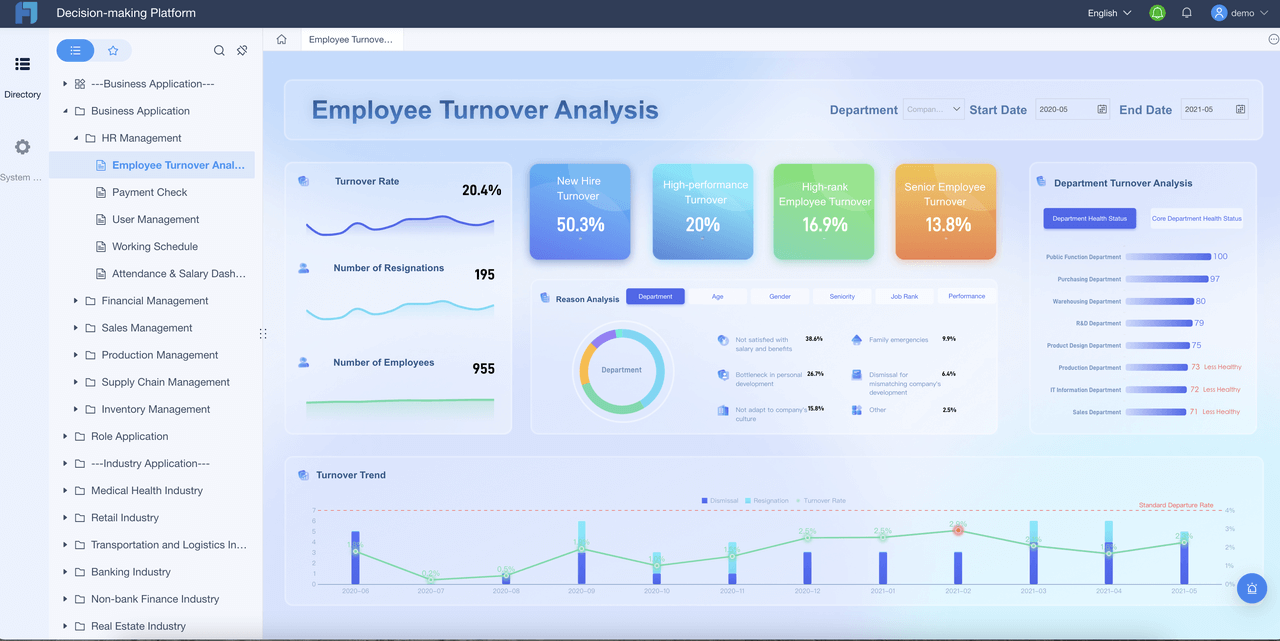
FineReport works in many industries. You can use it for attendance systems and quality management in manufacturing. Finance teams use it for small-scale financial systems. The SAMOA customer story shows how FineReport helped unify data, automate reporting, and improve the client experience for a global distributor. You get interactive dashboards that solve real problems and deliver value to every client.
| Industry | Use Case |
|---|---|
| Manufacturing | Attendance systems |
| Manufacturing | Quality management systems |
| Finance | Small-scale financial systems |
Tip: If you want dashboards that deliver real-time insights and improve client experience, FineReport gives you the tools to make it happen.
Best Client Portal Software for Agencies
What Makes a Portal “Best”?
You want the best client portal software for your agency, but what does “best” really mean? It’s not just about looks or price. The top client portal software gives you tools that make your client’s life easier and your work smoother. Take a look at what matters most:
| Criteria | Description |
|---|---|
| White-Label and Branding | Custom domain support, agency branding, and removal of third-party badges for a seamless client experience. |
| Client Experience | Importance of simplicity, mobile-friendly design, and easy navigation to enhance user experience. |
| File Management | Features like drag-and-drop uploads, organized folders, and version control for efficient file handling. |
| Communication Features | In-context commenting, threaded discussions, and notification controls to facilitate effective communication. |
| Project Visibility | Clear task progress and timelines presented in a client-friendly manner without exposing internal operations. |
| Integration | Ability to connect with existing tools to streamline workflows and reduce manual effort. |
You want a portal that makes data sharing simple, keeps communication clear, and lets your clients see what matters most. The best client portal software should help you deliver a smooth, branded experience every time.
FineReport as a Client Portal Solution
FineReport stands out as a powerful client portal software for agencies that need more than just basic file sharing. You get a platform that brings all your data together and makes reporting easy. Here’s what you can expect:
| Feature | Description |
|---|---|
| Report Management | FineReport provides a comprehensive platform for easy management of reports. |
| Customization | Users can customize reports to meet specific needs. |
| Data Integration | It integrates with various data sources for seamless reporting. |
| Multi-Device Support | Reports and dashboards can be displayed on different screen sizes due to HTML5 charts. |
| User-Friendly Design | The application layer includes a drag-and-drop designer for easy report creation. |
| Monitoring and Maintenance | The portal allows for monitoring report access and includes data backup and recovery functions. |
You can manage client data, customize dashboards, and integrate data from many sources. FineReport lets you display data on any device, so your clients always have access. The drag-and-drop designer makes it easy to build reports that fit your client’s needs. You can also monitor who views reports and keep data safe with backup tools.
Alternatives: Dubsado, HubSpot, AgencyAnalytics
You have options when it comes to client portal software. Dubsado helps you organize client projects, send invoices, and manage communication. HubSpot gives you a client portal with CRM features, making it easy to track data and automate tasks. AgencyAnalytics focuses on marketing data, letting you share dashboards and reports with your clients. Each tool has its strengths, but the best client portal software for your agency will always put data, client experience, and branding first.
Tip: Think about what your clients need most—easy data access, clear communication, or custom branding. Choose the client portal software that checks those boxes for you.
How to Choose the Right Client Dashboard Tools
Assessing Agency Needs
Start by asking yourself what your agency really needs. Do you want to impress every client with real-time dashboards? Maybe you need to manage lots of data from different sources. Make a list of your must-haves. Think about the size of your team, the number of clients you serve, and the type of data you handle every day. If you work with sensitive information, put security at the top of your list.
Matching Features to Use Cases
Not every dashboard tool fits every agency. Some focus on marketing, while others shine in finance or manufacturing. Match features to your use cases. For example, if you need to track sales and inventory, look for tools with strong data integration and visualization. If your clients want custom branding, pick a platform that lets you design unique dashboards. Use this table to help you compare:
| Use Case | Must-Have Features |
|---|---|
| Marketing | Multi-channel data integration |
| Finance | Real-time data accuracy |
| Manufacturing | Custom dashboards, mobile access |
| Project Management | Task tracking, client portals |
Budget and Scalability Considerations
Set a budget before you choose a tool. Some platforms charge per user, while others offer unlimited seats. Make sure the software can grow with your agency. You do not want to switch tools every year. Look for flexible pricing and features that support more data and clients as you expand.
Implementation Tips
Roll out your new dashboard in stages. Start with one client or department. Train your team on how to use the tool. Test data connections and make sure reporting works as expected. Ask for feedback from your clients. Tweak your dashboards based on what they need. Stay open to updates and new features. A little planning now saves you a lot of headaches later.
Tip: Always back up your data before making big changes. This keeps your client information safe and helps you avoid surprises.
You have plenty of choices when it comes to client dashboard software. FineReport stands out for agencies that want flexible reporting and strong data integration. Take time to review your agency’s needs before you pick a tool. Try requesting demos, reading client stories, or exploring solution guides.
Tip: Data-driven decision-making helps your agency grow and keeps your client happy.
Continue Reading About Client Dashboard Software
Get a Free PPC Dashboard and Streamline Agency Reporting
10 Must-Have Marketing Agency Reporting Tools for Your Success
Mastering Client Dashboards: A Complete Guide to Transform Data into Actionable Business Insights
Frequently asked questions
You just pick your database or file type, then use the drag-and-drop connector. FineReport supports hundreds of sources, so you can link everything in minutes.