

Digital dashboard software is a platform that centralizes data from multiple sources into visual, real-time dashboards for faster monitoring, reporting, and decision-making.
10 best digital dashboard software tools in 2026
1. Tool-by-tool comparison snapshot
Here is a quick view of the leading digital dashboard software tools covered in this guide:
| Tool | Best For | Core Strength | Main Limitation |
|---|---|---|---|
| FineBI | Executive and business intelligence dashboards | Self-service BI, strong data modeling, scalable enterprise reporting | More BI-focused than lightweight single-purpose tools |
| Tableau | Advanced data visualization | Deep visual analytics and flexible dashboard design | Higher learning curve and cost |
| Power BI | Microsoft-centric organizations | Strong value, Excel and Azure alignment | Licensing and sharing can get complex |
| Looker Studio | Free or budget-friendly dashboard needs | Free reporting with Google ecosystem compatibility | Limited governance and advanced modeling |
| Databox | KPI tracking for small teams | Easy scorecards and business monitoring dashboards | Less suitable for complex enterprise analytics |
| DashThis | Marketing reporting and campaign visibility | Automated marketing dashboards and client reporting | Narrower use case outside marketing |
| Geckoboard | Live operational dashboards | Real-time wallboard-style KPI visibility | Limited depth for advanced analytics |
| Klipfolio | Custom online business dashboards | Good flexibility with broad connector support | Interface can require setup effort |
| Monday.com | Project tracking and team performance | Work management plus visual project dashboards | Not a full BI platform |
| Qlik Sense | Enterprise analytics and governed self-service | Associative analytics and strong governance | More implementation effort for smaller teams |
2. Features, pros, cons, and best use cases for each digital dashboard software
1. FineBI
One-sentence overview: FineBI is a self-service business intelligence and digital dashboard software platform designed for teams that need scalable dashboards, governed analytics, and fast access to business data across departments.
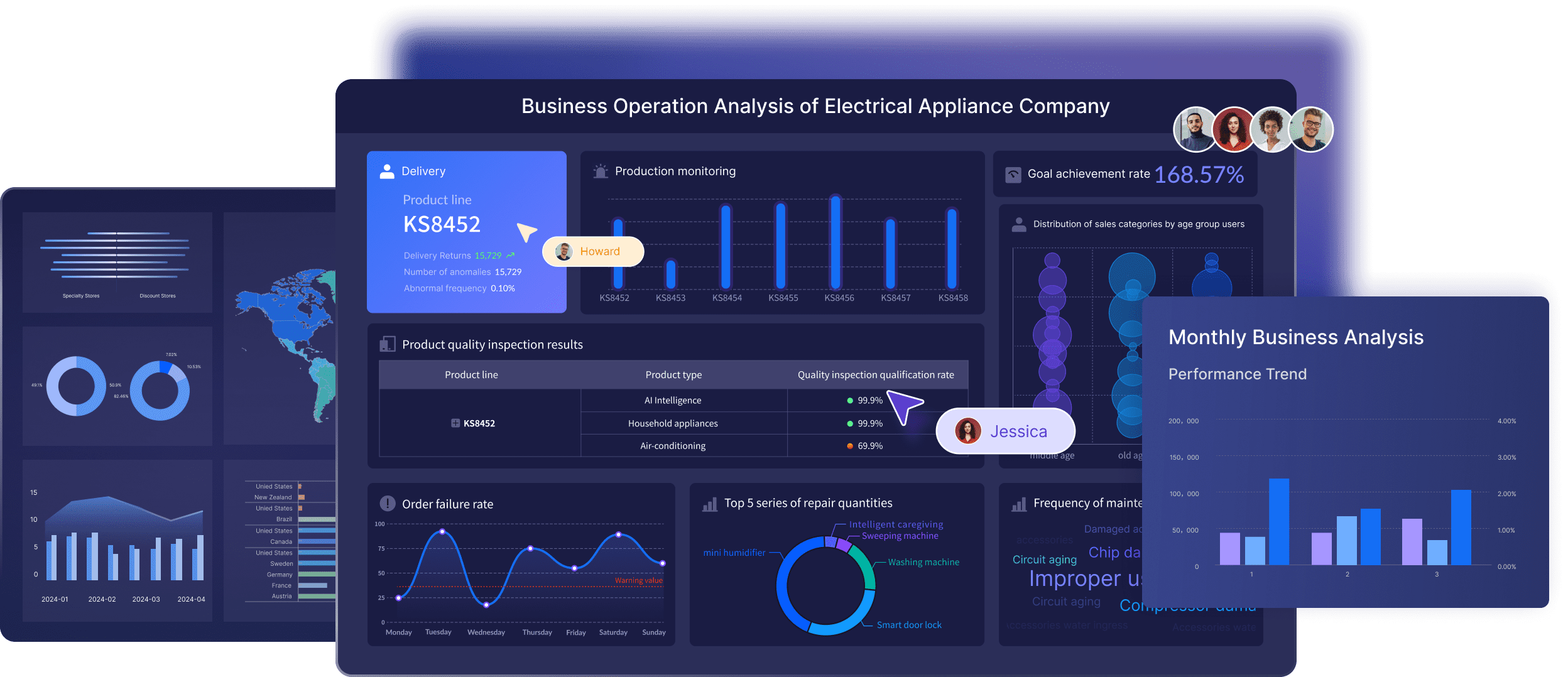 Key Features:
- Broad data connectivity across databases, cloud apps, files, and enterprise systems
- Self-service dashboard creation for business users
- Interactive drill-down, filters, and cross-analysis
- Centralized governance, permissions, and data security controls
- Pixel-perfect reporting and scheduled distribution
- Mobile-friendly dashboard access
Pros & Cons:
- Pros:
- Strong balance between self-service usability and enterprise-grade governance
- Well-suited for executive dashboards, operational reporting, and cross-functional analytics
- Flexible data preparation and modeling capabilities
- Effective choice for organizations that need both dashboards and formal reporting
- Cons:
- May offer more capability than very small teams need
- Initial setup is more involved than lightweight dashboard-only tools
Best For (Target user/scenario):
- Mid-sized companies and enterprises
- Leadership teams needing unified KPI visibility
- Organizations that want to standardize dashboards across finance, sales, operations, and marketing
For teams comparing long-term dashboard platforms, FineBI stands out as one of the most balanced options because it supports both business-user dashboard building and enterprise control. That makes it a particularly strong choice when you need more than isolated charts and want a centralized analytics layer behind them.
2. Tableau
One-sentence overview: Tableau is a leading analytics and digital dashboard software platform known for powerful visual exploration and highly customizable dashboards.
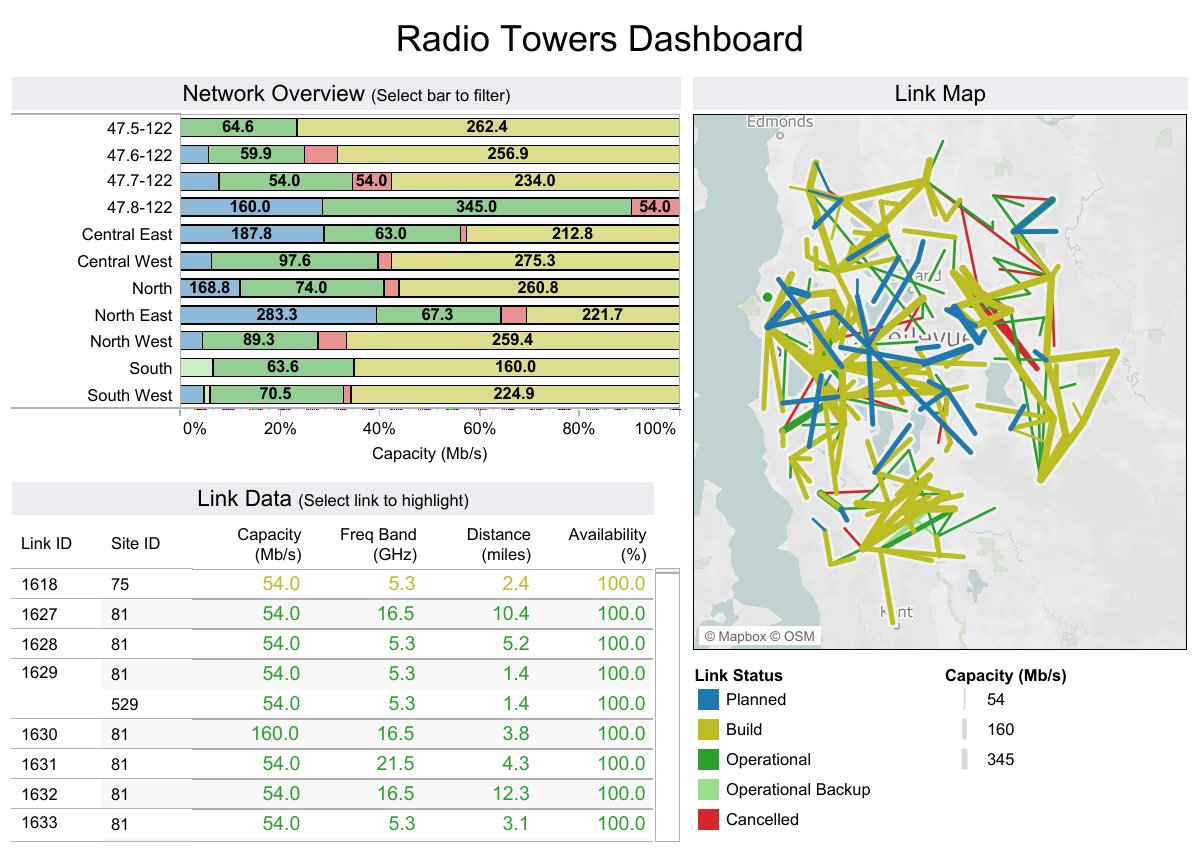 Key Features:
- Advanced visual analytics and drag-and-drop dashboard building
- Extensive data connectors
- Interactive filters, drill-down paths, and storyboards
- Published dashboards for teams and stakeholders
- Mobile dashboard access
Pros & Cons:
- Pros:
- Best-in-class visual flexibility
- Strong for analysts handling large, varied datasets
- Mature ecosystem and broad community support
- Cons:
- Can be expensive at scale
- Often requires skilled users to fully unlock value
- Governance can require careful administration
Best For (Target user/scenario):
- Data teams and analysts
- Enterprises needing sophisticated data storytelling
- Organizations prioritizing visual exploration over simplicity
3. Power BI
One-sentence overview: Power BI is Microsoft’s business analytics platform that combines dashboarding, reporting, and data modeling at a competitive price point.
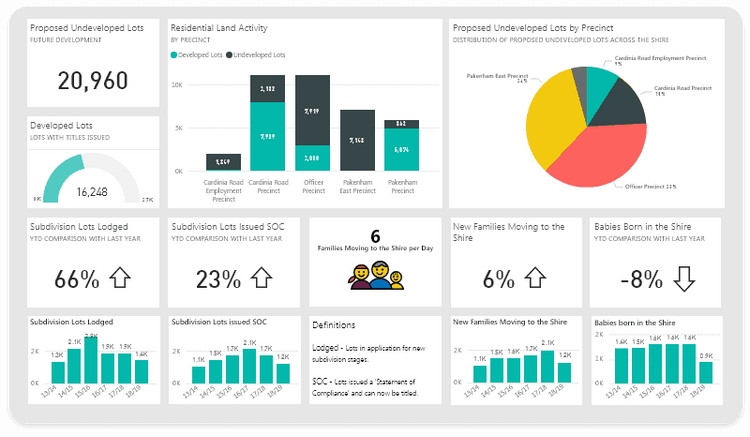 Key Features:
- Native integration with Excel, Teams, Azure, and Microsoft Fabric ecosystem components
- Interactive dashboards and drill-through reporting
- Data modeling with Power Query and DAX
- Automated refresh and scheduled report delivery
- Role-based security and governance options
Pros & Cons:
- Pros:
- Strong value for organizations already using Microsoft tools
- Powerful analytics capabilities for the price
- Good balance of dashboard creation and deeper reporting
- Cons:
- DAX and modeling can be difficult for non-technical users
- Sharing and licensing structure may be confusing
- Performance tuning may be needed on complex datasets
Best For (Target user/scenario):
- Microsoft-centric companies
- Finance, operations, and IT teams
- Businesses looking for cost-efficient BI dashboards
4. Looker Studio
One-sentence overview: Looker Studio is a free, web-based dashboard tool that helps teams build connected reports, especially for Google marketing and website data.
 Key Features:
- Native integrations with Google Analytics, Google Ads, Search Console, and BigQuery
- Shareable cloud dashboards
- Custom charts and report templates
- Scheduled email delivery
- Community connector ecosystem
Pros & Cons:
- Pros:
- Free entry point for dashboard creation
- Familiar option for marketers using Google tools
- Fast to deploy for basic reporting workflows
- Cons:
- Limited governance and enterprise controls
- Performance can vary with large or blended data sets
- Advanced data modeling is limited compared with BI platforms
Best For (Target user/scenario):
- Startups and small businesses
- Marketing teams focused on Google ecosystem reporting
- Users who need simple, low-cost dashboards
5. Databox
One-sentence overview: Databox is a KPI-focused digital dashboard software platform built for quick visibility into business performance across common SaaS tools.
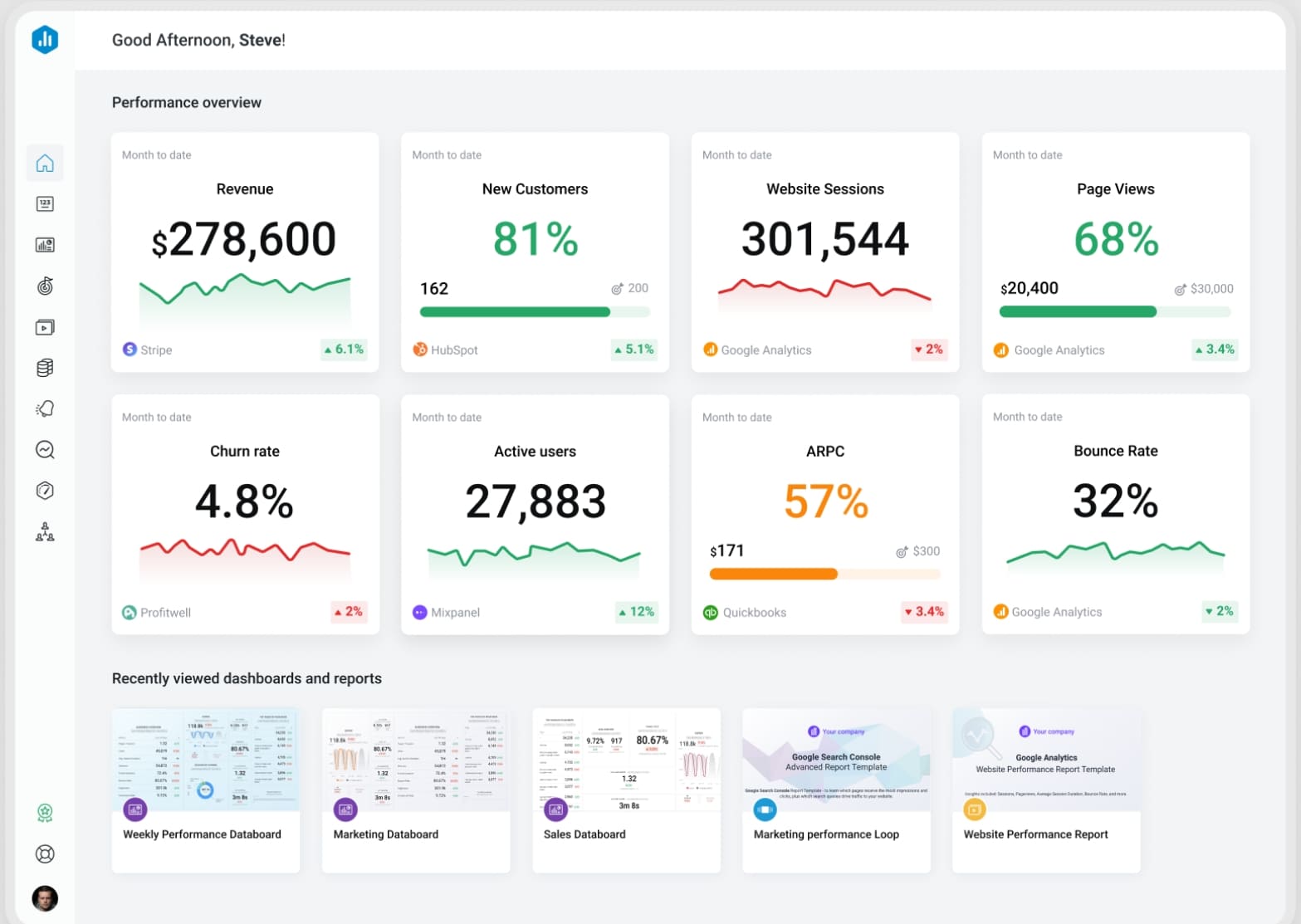 Key Features:
- Prebuilt metrics and dashboard templates
- KPI scorecards and goal tracking
- Mobile apps and TV dashboards
- Alerts and scheduled reporting
- Integrations with CRM, marketing, and sales tools
Pros & Cons:
- Pros:
- Easy to set up and use
- Good for executive summaries and simple performance tracking
- Useful mobile experience
- Cons:
- Less flexible for deep custom analytics
- Advanced transformations may be limited
- Can feel restrictive for complex reporting needs
Best For (Target user/scenario):
- Small businesses
- Sales and marketing teams
- Leaders who want quick KPI snapshots without BI complexity
6. DashThis
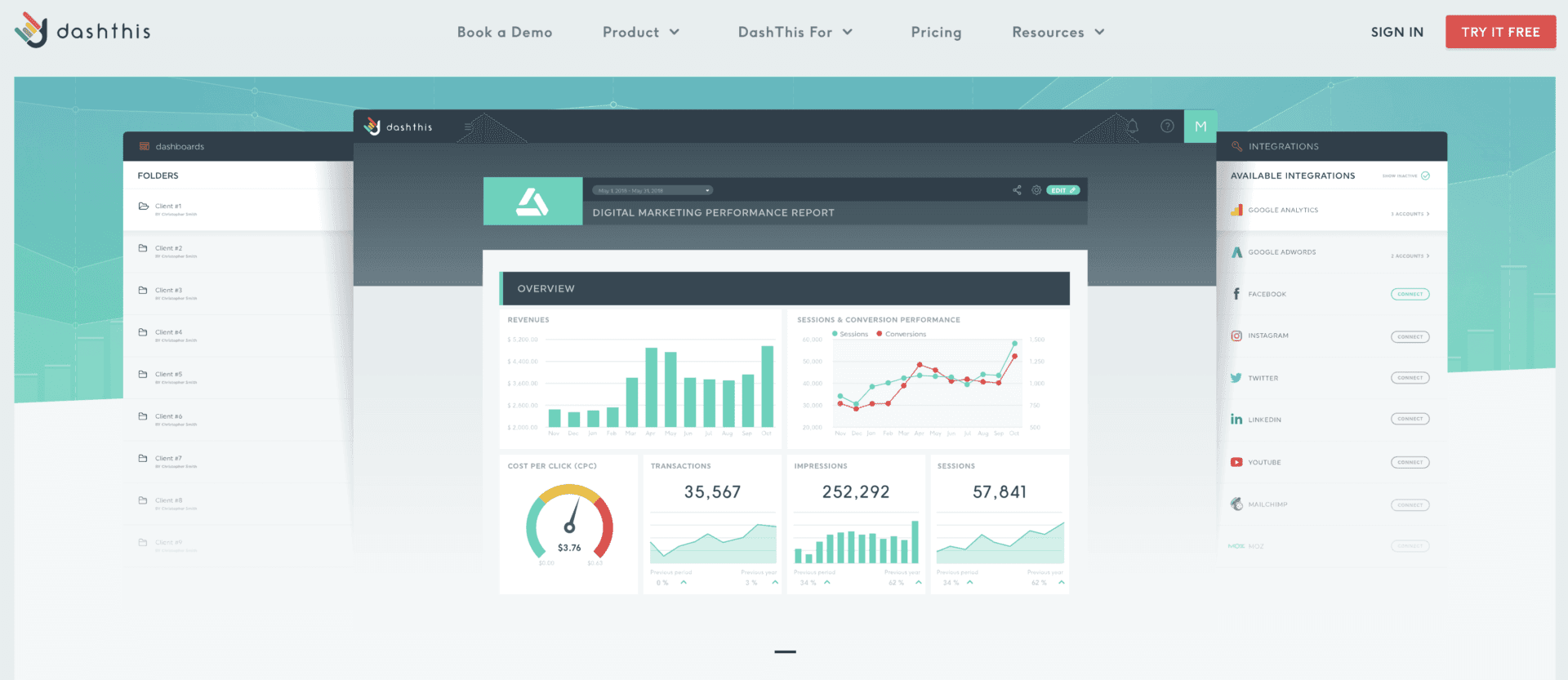
One-sentence overview: DashThis is a marketing-focused dashboard software tool designed to automate recurring client and campaign reports across major advertising and analytics platforms.
 Key Features:
- Native marketing integrations
- Prebuilt marketing report templates
- Automated report refresh and scheduled sharing
- White-label reporting options
- Consolidated multi-channel campaign dashboards
Pros & Cons:
- Pros:
- Strong fit for agencies and in-house marketing teams
- Reduces manual reporting effort
- Useful template-driven setup for recurring reports
- Cons:
- Less suitable for finance, operations, or company-wide BI
- More specialized than general-purpose dashboard platforms
- Limited if you need deeper data modeling
Best For (Target user/scenario):
- Marketing agencies
- Performance marketing teams
- Businesses that need automated stakeholder reporting
7. Geckoboard
One-sentence overview: Geckoboard is a lightweight dashboard platform built to display live business metrics on office screens and simple web dashboards.
Key Features:
- Live KPI dashboards
- Simple visual widgets
- TV mode and sharing capabilities
- Integrations with support, sales, and operations tools
- Goal indicators and status monitoring
Pros & Cons:
- Pros:
- Very easy to understand and deploy
- Effective for live team visibility
- Good for customer support and operations environments
- Cons:
- Limited analytical depth
- Less suitable for multi-layer reporting
- Customization is narrower than BI-focused platforms
Best For (Target user/scenario):
- Operations teams
- Support teams and sales floors
- Organizations wanting real-time KPI wallboards
8. Klipfolio
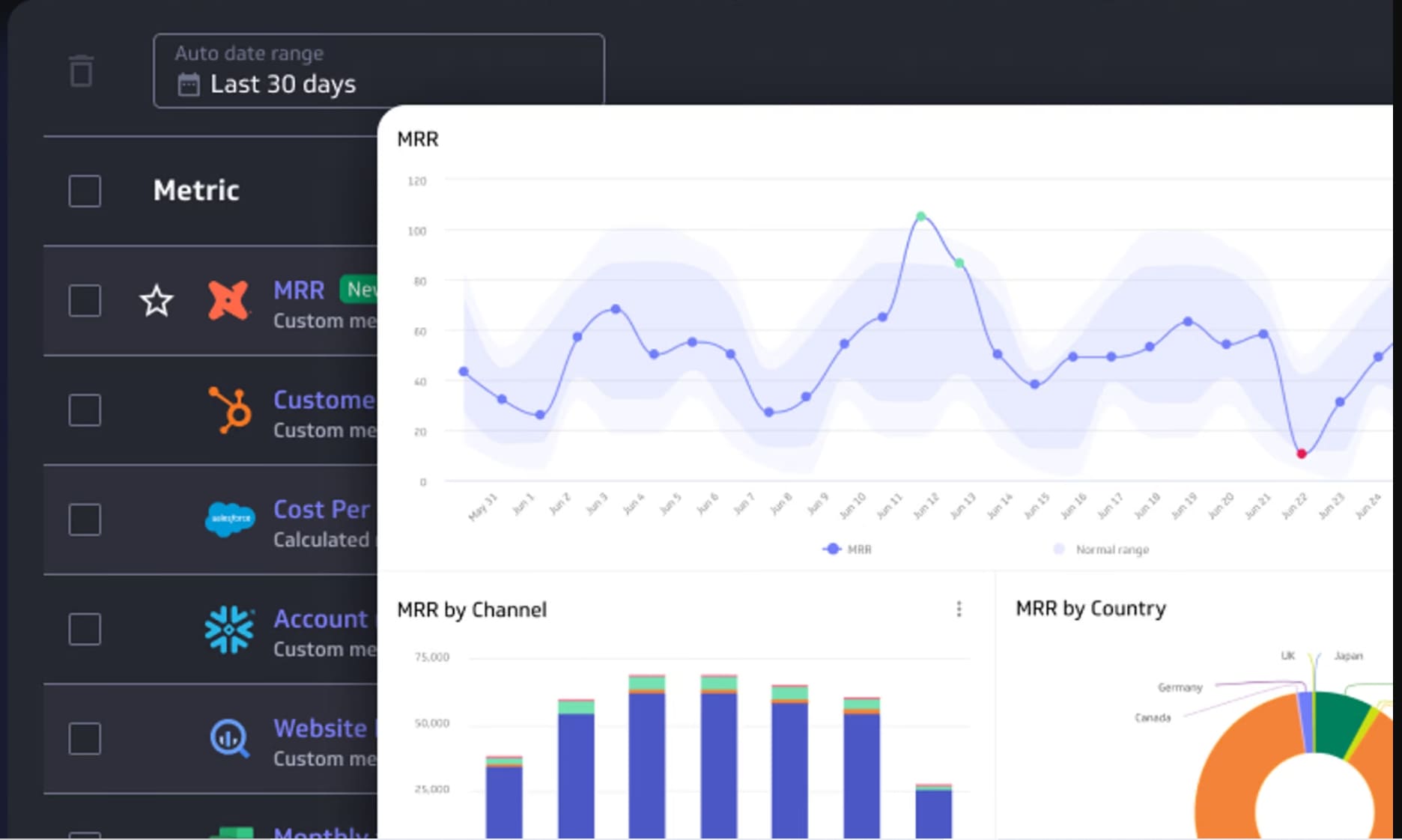
One-sentence overview: Klipfolio is a customizable online dashboard software platform aimed at businesses that need flexible KPI dashboards from multiple systems.
 Key Features:
- Wide connector library
- Custom metric formulas and visual components
- Dashboard publishing and sharing
- Real-time and scheduled data updates
- KPI monitoring across departments
Pros & Cons:
- Pros:
- Flexible for custom business dashboards
- Good breadth of connectivity
- Suitable for teams that want tailored metrics
- Cons:
- Setup can take time
- Interface may feel less intuitive for new users
- Not always the simplest option for non-technical teams
Best For (Target user/scenario):
- SMBs with multiple data sources
- Teams needing custom KPI tracking
- Users comfortable with some configuration work
9. Monday.com
One-sentence overview: Monday.com is a work management platform with dashboard capabilities that help teams track projects, resources, and operational progress visually.
 Key Features:
- Project dashboards tied to boards and workflows
- Workload, timeline, and status widgets
- Automations and team collaboration features
- Permissions and workspace controls
- Templates for operations and project tracking
Pros & Cons:
- Pros:
- Strong for project visibility and execution tracking
- Easy for teams already managing work inside the platform
- Combines dashboards with action-oriented workflows
- Cons:
- Not ideal for enterprise BI or complex analytics
- Cross-system reporting can be limited compared with BI tools
- Dashboarding is strongest within Monday.com use cases
Best For (Target user/scenario):
- Project managers
- Operations teams
- Companies wanting simple work dashboards connected to execution
10. Qlik Sense
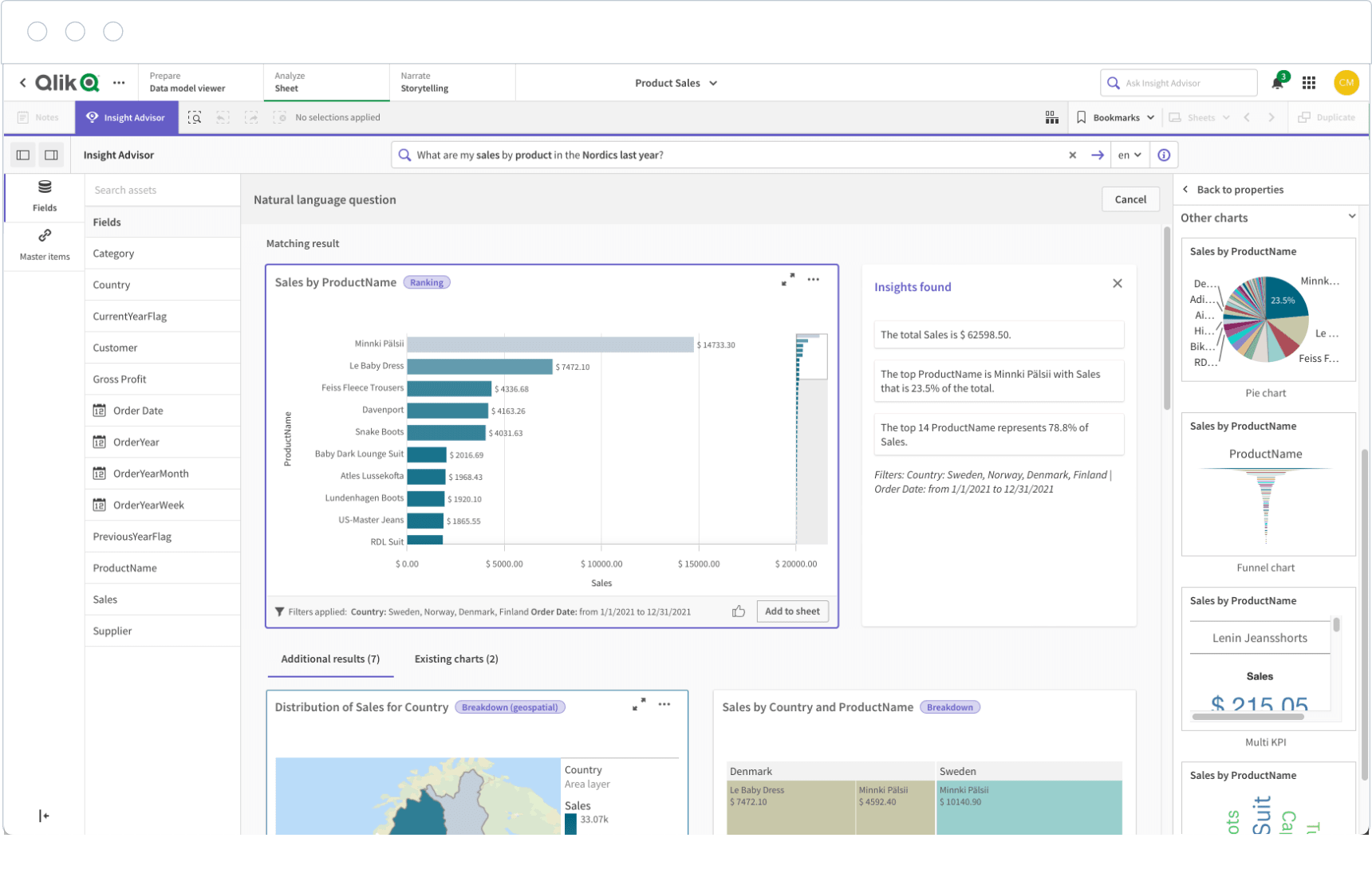
One-sentence overview: Qlik Sense is an enterprise analytics platform that offers governed self-service dashboards and associative data exploration for complex reporting environments.
 Key Features:
- Associative analytics engine
- Interactive dashboards and embedded analytics
- Strong governance and security framework
- Data integration and transformation capabilities
- Mobile and responsive dashboard access
Pros & Cons:
- Pros:
- Excellent for large, complex data environments
- Strong discovery-oriented analysis
- Good fit for governed self-service analytics
- Cons:
- Higher implementation complexity
- Can be excessive for small teams
- Usually requires stronger internal analytics maturity
Best For (Target user/scenario):
- Enterprises
- IT-led analytics programs
- Organizations managing many data sources and governance requirements
3. Which digital dashboard software is best for your team?
- Best option for startups and small businesses: Looker Studio or Databox
- Best fit for enterprises with complex data environments: FineBI, Qlik Sense, or Tableau
- Best choice for marketers needing automated reporting: DashThis
- Best solution for teams that want simple project dashboards: Monday.com
- Best all-around option for executive and business intelligence dashboards: FineBI
Why digital dashboard software matters in 2026
Modern digital dashboard software is no longer just a reporting layer. In 2026, teams expect a platform that delivers real-time visibility, automated reporting, and cross-functional access to trusted metrics without depending on manual spreadsheet work.
Executives want instant visibility into strategic KPIs. Marketers need cross-channel campaign dashboards that refresh automatically. Operations teams need live performance tracking. Project managers need status, workload, and delivery views that help teams act quickly. The common need is the same: one place to monitor performance and make better decisions faster.
The best dashboard platforms now support more than attractive charts. They help organizations:
- Consolidate fragmented data
- Standardize reporting across teams
- Reduce manual update cycles
- Improve accountability with shared KPIs
- Create governed access to trusted business metrics
In this guide, the tools are compared using the criteria that matter most in real buying decisions:
- Data integrations and connector depth
- Dashboard customization and template flexibility
- Reporting automation
- Collaboration and governance controls
- Ease of use, mobile access, and scalability
How we evaluated the 10 best digital dashboard software
Key features we compared
To identify the best digital dashboard software options, we focused on practical platform capabilities rather than surface-level design alone.
Data integrations and connectors
A dashboard is only useful if it can access the systems your business relies on. We looked at how well each platform connects to:
- Databases
- Cloud applications
- CRM tools
- Marketing platforms
- Project management systems
- File-based data sources
Tools with broader connectivity and more stable refresh workflows ranked higher.
Custom dashboard building and templates
Some teams want drag-and-drop simplicity. Others need deeply customized executive dashboards or operational layouts. We assessed:
- Ease of dashboard creation
- Available templates
- Widget and chart flexibility
- Filtering, drill-down, and interactivity
- Branding and layout control
Reporting automation and scheduled exports
Automation is a major reason companies invest in digital dashboard software. We compared whether each tool supports:
- Scheduled email delivery
- Auto-refresh
- Export options
- Reusable templates
- Recurring stakeholder reporting
Collaboration, permissions, and governance
As dashboards scale across departments, security and governance become critical. We examined:
- Role-based permissions
- Workspace or folder controls
- Data access governance
- Auditability
- Collaboration features such as sharing and comments
Mobile access, usability, and scalability
A dashboard should be easy to consume and maintain. We considered:
- Mobile responsiveness
- User experience for non-technical teams
- Performance on larger datasets
- Suitability for startup, mid-market, and enterprise use
Pros, cons, and pricing factors
Where each tool stands out
Each platform in this list has a clear strength:
- FineBI for governed self-service BI
- Tableau for visual analytics
- Power BI for Microsoft alignment
- Looker Studio for free entry-level reporting
- DashThis for marketing automation
- Monday.com for project dashboard workflows
Common limitations to watch for
The most common issues buyers encounter include:
- Weak integration depth
- Limited governance
- High learning curves
- Poor scalability
- Hidden sharing or viewer costs
- Dashboard tools that look polished but lack analytical depth
How pricing models affect long-term value
Pricing is not just about the entry plan. Long-term value depends on how a vendor charges for:
- Creators vs viewers
- Dashboards or data sources
- Refresh frequency
- Advanced connectors
- White-labeling
- Governance and enterprise security
A low-cost tool can become expensive if reporting complexity grows. On the other hand, investing in a stronger platform early can reduce future migration costs. That is one reason many scaling companies evaluate FineBI seriously when they want a platform that can support both immediate dashboard needs and broader BI maturity over time.
Use-case recommendations by team and goal
For marketing and reporting teams
Marketing teams usually need dashboards that combine campaign metrics, attribution data, and recurring stakeholder reports with minimal manual work.
Best options:
- DashThis for agency and campaign reporting automation
- Looker Studio for Google ecosystem reporting on a budget
- Databox for high-level KPI tracking
- FineBI for companies that want marketing dashboards connected to wider business performance data
If your reporting needs are mostly channel-based and repetitive, DashThis is efficient. If you want to connect marketing data with sales, finance, or regional business performance, FineBI offers a stronger path to unified reporting.
For project and operations teams
Operations and project teams need dashboard software that surfaces KPIs, workload, team throughput, and process efficiency.
Best options:
- Monday.com for project execution dashboards
- Geckoboard for real-time operational visibility
- Klipfolio for custom KPI dashboards
- FineBI for broader operational analytics across multiple systems
Monday.com is best when your dashboard must live inside the work management process. FineBI is better when operational visibility depends on multiple systems, historical analysis, or executive rollups.
For leadership and cross-functional visibility
Executives need dashboards that summarize performance across sales, finance, operations, and marketing without forcing teams into disconnected reporting silos.
Best options:
- FineBI for enterprise-ready executive and business intelligence dashboards
- Power BI for Microsoft-heavy organizations
- Tableau for advanced visual storytelling
- Qlik Sense for governed enterprise analytics
For leadership reporting, consistency and trust matter more than visual novelty. This is where platforms with strong governance and scalable semantic layers tend to outperform lighter dashboard tools.
How to choose the right dashboard platform
Questions to ask before you buy
Before selecting digital dashboard software, ask the following:
What data sources need to connect today and later?
Make a realistic inventory of current systems and likely future additions. A tool that works for one ad platform or one spreadsheet today may become limiting when CRM, ERP, finance, and warehouse data need to be combined.
Who will build dashboards, and who will consume them?
If analysts are building and executives are consuming, a more advanced BI tool may make sense. If business users must self-serve without technical support, usability becomes a more important factor.
How important are white-labeling, governance, and audit controls?
Agencies may prioritize white-label delivery. Enterprises often need permissions, governance, audit trails, and security layers. These requirements can quickly narrow your shortlist.
What level of customization is necessary for your workflows?
Some teams only need simple KPI widgets. Others require drill-through analysis, custom formulas, embedded dashboards, or standardized executive reporting across regions and business units.
Common mistakes to avoid
Choosing based on visuals alone instead of integration depth
A dashboard that looks polished but cannot reliably connect to your business systems will create reporting friction. Connectivity and data trust should come before visual preference.
Overpaying for enterprise features your team will not use
Not every company needs embedded analytics, advanced governance, or large-scale semantic modeling on day one. Match tool complexity to actual reporting maturity.
Ignoring adoption, training, and maintenance requirements
A powerful platform only works if teams use it consistently. Consider onboarding effort, internal ownership, documentation, and the ongoing maintenance burden before buying.
Final verdict: the best digital dashboard software for different needs
Choosing the best digital dashboard software depends on your reporting complexity, data environment, and team structure. There is no single winner for every use case, but there are clear leaders by category.
- Best overall pick: FineBI
- Best value option: Power BI
- Best for marketers: DashThis
- Best for project-focused teams: Monday.com
- Best for advanced analytics and enterprise reporting: Tableau or Qlik Sense
If you need a practical recommendation for most growing organizations, FineBI is the strongest overall choice. It combines self-service dashboard creation, strong governance, cross-functional reporting, and scalability in a way many dashboard-only tools cannot match. For businesses that want to move beyond isolated KPI screens and build a more durable reporting foundation, it is one of the most complete options in 2026.
FAQs
Digital dashboard software brings data from multiple sources into one visual view so teams can track KPIs, monitor performance, and make faster decisions. It is commonly used for executive reporting, operations, sales, marketing, and finance.




