

Warehouse operations break down when supervisors are forced to manage by lagging reports. If receiving delays are discovered after the shift ends, if stockouts are noticed only after orders miss cutoff, or if labor issues surface in weekly reviews, the cost shows up fast in SLA misses, overtime, and customer complaints. A Warehouse Dashboard solves this by giving operations leaders a live operational view of what is happening now, where flow is slowing down, and what action needs to be taken immediately.
For warehouse managers, operations directors, distribution leaders, and 3PL teams, the business value is straightforward: faster decisions, tighter execution, fewer exceptions, and more predictable service performance. A well-designed dashboard does not just display data. It converts raw WMS, ERP, TMS, and labor activity into a shared control tower for the floor.
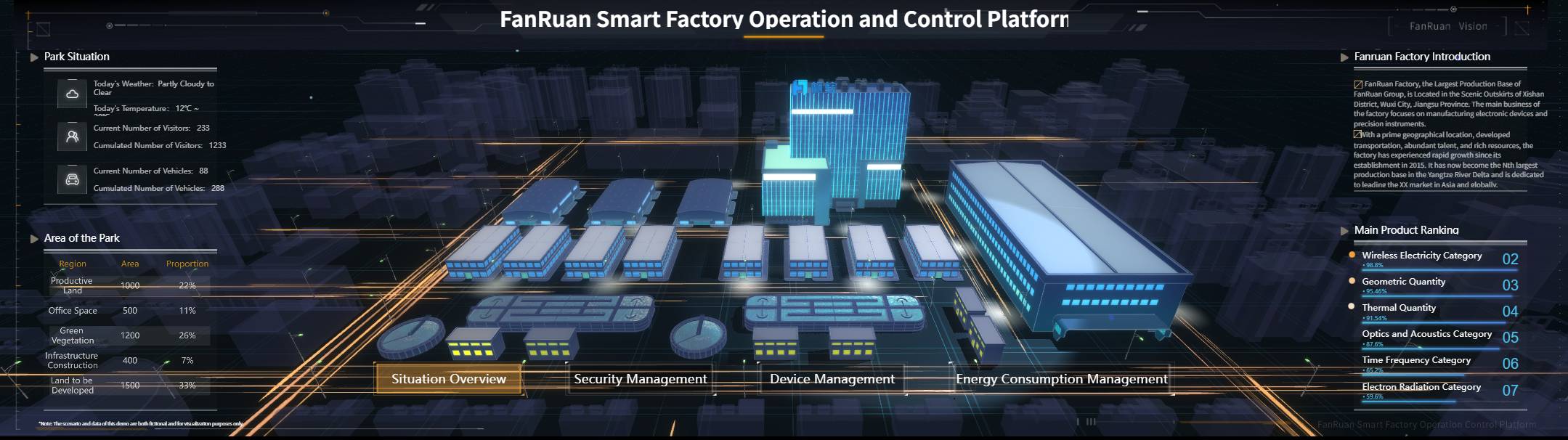
What a Warehouse Dashboard should show in real time
A real-time warehouse dashboard should present the current state of inbound, inventory, fulfillment, labor, and exceptions in one operational view. The purpose is not to create another reporting screen. It is to help the right people intervene before small issues become service failures.
Operators, team leads, supervisors, site managers, analysts, and client-facing 3PL account teams all use the dashboard differently:
- Operators need workload signals and task priorities
- Supervisors need shift-level bottleneck visibility
- Managers need SLA, throughput, and labor balance
- Executives need trend summaries and exception escalation
- Client service teams need account-level fulfillment visibility
A strong Warehouse Dashboard makes fast decisions possible because it organizes operational noise into visible priorities. Instead of asking “What happened yesterday?”, the team can answer questions like:
- Which receipts are aging too long?
- Which zones are falling behind on picks?
- Which orders are at risk of missing carrier cutoff?
- Where is labor underutilized or overloaded?
- Which client or customer segment is seeing rising exceptions?
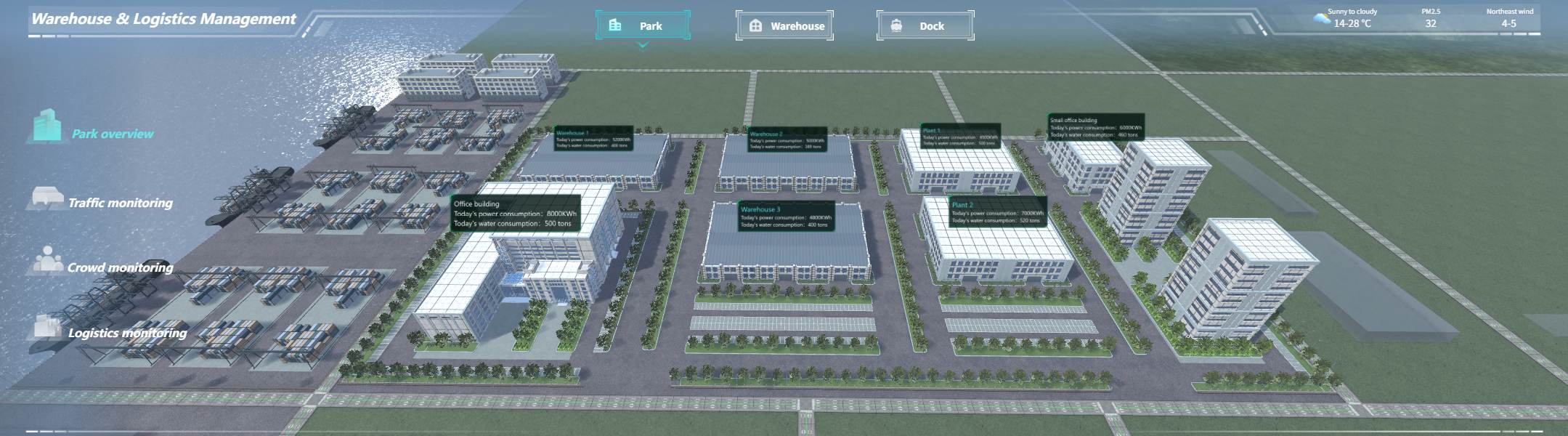
Live operations view vs. strategic reporting
This distinction matters. Strategic reporting is built for trend analysis, budgeting, network planning, and monthly business reviews. Shift-level monitoring is built for action inside the day.
A live operations dashboard should focus on:
- Current workload
- Near-real-time status changes
- Alerts and exceptions
- Bottlenecks by process or zone
- Team response priorities
Strategic reports, by contrast, focus on:
- Weekly and monthly trends
- Cost analysis
- Capacity planning
- Performance benchmarking
- Continuous improvement reviews
If you combine both purposes into a single cluttered screen, adoption drops. Floor leaders need operational clarity, not presentation overload.
Core elements every Warehouse Dashboard needs
For featured-snippet clarity, these are the non-negotiable components:
- Real-time operational KPIs: Metrics that update frequently enough to support shift decisions
- Role-based views: Different screens for supervisors, managers, analysts, and client stakeholders
- Threshold alerts: Visual or automated triggers for delays, service risks, and workload imbalance
- Drill-down capability: Ability to move from summary KPI to order, SKU, client, carrier, or zone detail
- Data integration layer: Unified data from WMS, ERP, TMS, labor systems, and spreadsheets where needed
- Standard KPI definitions: Common formulas, refresh logic, and ownership so users trust the numbers
- Action workflow alignment: Every critical KPI should link to a clear response plan
The 15 warehouse KPIs operations leaders should track
The best warehouse dashboards avoid vanity metrics. They focus on metrics that reveal flow, reliability, cost, and service risk in real time.
Key Metrics (KPIs)
- Dock-to-stock time: Time from receipt arrival at dock to inventory being available in storage and systems
- Receiving accuracy: Percentage of received items matched correctly to ASN, PO, SKU, and quantity
- Putaway cycle time: Time taken to move received goods from receiving area to final storage location
- Inventory accuracy: Degree to which system inventory matches physical inventory
- Stockout rate: Percentage of SKUs or order lines unavailable when needed
- Space utilization: Share of available warehouse capacity currently occupied
- Order picking accuracy: Percentage of picks completed without item, quantity, or location error
- Order cycle time: Total time from order release to shipment confirmation
- On-time shipment rate: Percentage of orders shipped before promised or cutoff time
- Units picked per labor hour: Labor productivity measured as units picked divided by hours worked
- Overtime rate: Share of labor hours paid at overtime rates
- Cost per order: Total warehouse operating cost allocated per fulfilled order
- Return rate: Percentage of shipped orders returned
- Backorder rate: Percentage of demand not fulfilled on first attempt due to unavailable stock
- Perfect order rate: Percentage of orders delivered complete, accurate, on time, and damage-free
Inbound and receiving performance
Inbound delays create downstream problems quickly. If receipts sit too long or are received inaccurately, putaway slows, inventory availability drops, and outbound teams end up chasing stock.
Dock-to-stock time
This KPI measures how long it takes inventory to move from the dock into available storage and system visibility. It is one of the clearest indicators of inbound flow health.
A rising dock-to-stock time often signals:
- Labor shortage in receiving
- ASN quality issues
- Congestion in staging
- Putaway bottlenecks
- Poor slotting discipline
Supervisors should watch this by hour, dock door, supplier, and shift.
Receiving accuracy
Receiving accuracy shows whether inbound goods are being processed correctly against expected quantity, SKU, lot, or serial data. Low accuracy causes downstream inventory distortion, rework, and customer service problems.
Track it by:
- Supplier
- Team
- Receipt type
- Product category
- Shift
Putaway cycle time
Putaway cycle time measures how quickly goods are moved from receiving to final storage. This metric highlights whether the warehouse is converting inbound volume into usable inventory efficiently.
If this KPI slips, inventory can appear “received” but remain operationally unavailable.
Inventory control and availability
Inventory visibility is the backbone of warehouse execution. If inventory accuracy is weak, nearly every outbound KPI becomes unreliable.
Inventory accuracy
Inventory accuracy compares system stock with physical stock. It is essential for order promising, replenishment, cycle counting, and client trust.
Low inventory accuracy usually points to:
- Mis-picks
- Improper adjustments
- Missed receipts
- Unrecorded damage
- Location control failures
Operations leaders should segment this KPI by SKU class, location type, and warehouse zone.
Stockout rate
Stockout rate measures service risk directly. If high-demand SKUs go unavailable, order cycle time rises, backorders grow, and customer satisfaction drops.
For actionable use, display stockouts by:
- SKU
- Customer
- Client account
- Channel
- Site
Space utilization
Space utilization indicates how much warehouse capacity is occupied. High utilization may sound good, but beyond a certain point it often reduces agility, creates congestion, and increases travel time.
Healthy use of this KPI includes monitoring:
- Rack vs. bulk occupancy
- Reserve vs. forward pick occupancy
- Capacity by zone
- Empty location buffer
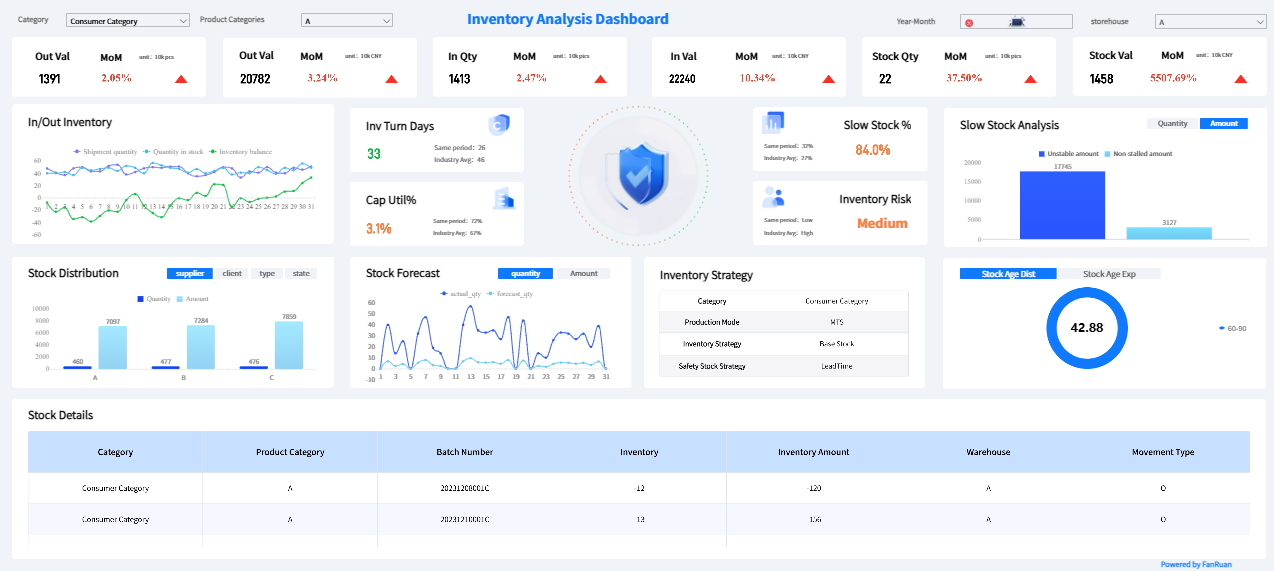
Order fulfillment and outbound execution
Outbound performance is where service commitments are won or lost. These KPIs should be visible in near real time throughout the shift.
Order picking accuracy
Order picking accuracy is a direct quality metric. Errors here drive returns, rework, customer complaints, and labor waste.
Track by:
- Picker
- Shift
- Pick method
- Zone
- Client account
- SKU family
Order cycle time
Order cycle time measures end-to-end fulfillment speed from release to ship confirmation. It helps leaders understand whether order flow is stable or building hidden backlog.
It becomes much more useful when split into stages:
- Release to allocation
- Allocation to pick start
- Pick to pack
- Pack to ship
On-time shipment rate
This KPI tells you whether execution is matching promise. It should be monitored against carrier cutoff, promised ship date, and client SLA.
A strong Warehouse Dashboard should flag at-risk shipments before they miss the target, not after.
Labor, productivity, and cost efficiency
Labor is usually the largest controllable warehouse cost. Real-time visibility here helps prevent overstaffing in one zone and missed throughput in another.
Units picked per labor hour
This is a foundational productivity KPI. It measures how much picking output is generated for each labor hour worked.
Use it carefully. It should be segmented by:
- Order profile
- Unit of measure
- Zone
- Batch vs. discrete picking
- Team or associate
Without context, it can drive the wrong behavior.
Overtime rate
Overtime rate helps leaders spot staffing imbalance, poor workload planning, or recurring process inefficiencies. It should be monitored daily and reviewed weekly for pattern analysis.
High overtime combined with low throughput usually indicates process waste, not just demand pressure.
Cost per order
Cost per order translates operational performance into financial language executives understand. It combines labor, handling, overhead, and process efficiency into a single business metric.
It is best used in management views rather than floor-level screens, but the drivers behind it should remain operationally visible.
Exceptions, service, and overall flow
Strong operations teams do not just monitor throughput. They monitor the friction that slows or damages flow.
Return rate
Return rate helps identify fulfillment quality problems, shipping damage, or upstream product issues. For warehouse leaders, it is an operational feedback loop.
A rising return rate may indicate:
- Mis-picks
- Packing errors
- Damaged handling
- Labeling mistakes
- Client-specific packaging issues
Backorder rate
Backorder rate reveals demand fulfillment failure. It should be visible by client, product category, customer segment, and warehouse.
This KPI is especially important in 3PL and multi-node environments where stock can potentially be reallocated.
Perfect order rate
Perfect order rate is the most complete service KPI because it combines accuracy, completeness, timeliness, and condition. It is the closest thing to a holistic operational score.
If you need one executive summary KPI for service execution, use this one.
How to use a Warehouse Dashboard for Daily Operation
A dashboard only creates value when it changes behavior on the floor. The goal is not more visibility alone. The goal is faster intervention, better prioritization, and tighter control of daily execution.
1. Prioritize only the few metrics supervisors need each shift
Do not overwhelm floor leaders with every KPI at once. For shift management, focus on a short list of operational control metrics such as:
- Open receipts
- Dock-to-stock aging
- Orders awaiting pick
- Orders at risk of missing cutoff
- Picking accuracy exceptions
- Labor coverage by zone
Supervisors need a decision screen, not an analyst workspace.
2. Set alert thresholds for delays, bottlenecks, and service risks
Static dashboards are not enough in high-volume environments. Configure thresholds that trigger visual escalation or notifications when performance drifts outside acceptable range.
Examples include:
- Dock-to-stock time exceeds target by 20%
- Open orders in packing exceed zone capacity
- On-time shipment risk breaches SLA threshold
- Inventory accuracy drops below tolerance
- Backorders spike for priority SKUs or clients
This is how data starts finding people, instead of people constantly hunting for data.
3. Review trends by hour, zone, carrier, customer, or team
Aggregate KPIs are useful, but they rarely reveal root cause. Build drill-down paths that let leaders move from summary to specific context in seconds.
Useful views include:
- Hourly order closure trend
- Zone-level congestion
- Carrier-related delays
- Client-specific SLA breaches
- Team productivity variance
4. Turn KPI signals into immediate action plans on the floor
A KPI without an owner or response plan becomes dashboard wallpaper. Every important signal should link to an operational action.
For example:
- Dock-to-stock time rising → reassign labor to receiving and clear staging backlog
- Orders at risk before cutoff → prioritize wave release and rebalance pickers
- Stockout rate climbing → trigger replenishment escalation or substitute workflow
- Overtime rising with low output → inspect process bottleneck before approving more labor
- Client SLA breach risk → notify account team and activate exception handling
5. Use daily huddles and automated summaries
The most effective warehouse teams use the dashboard before the shift, during the shift, and at shift close. A short morning summary or automated push can save leaders from manually assembling operational updates and keep teams focused on exceptions and actions.
Warehouse Dashboard examples and template ideas
Different warehouse models need different dashboard designs. A single-site distributor, a multi-client 3PL, and a networked fulfillment operation do not need identical layouts.
Warehouse Dashboard Example for a single-site operation
For a single-site warehouse, one screen can often cover the core workflow if the layout is disciplined. The most useful structure is a four-quadrant operational view:
- Receiving status
- Inventory control
- Fulfillment performance
- Labor and productivity
This works especially well for site managers and floor supervisors because it balances end-to-end flow without forcing users across multiple pages for routine monitoring.
Real-time warehouse dashboards for multi-client visibility
In 3PL and shared warehousing environments, dashboards need to support client-level transparency and SLA management. That means views by account, customer, or contract, not just by warehouse process.
Best-practice multi-client elements include:
- SLA attainment by client
- Open orders by client and status
- Inventory availability by account
- Exceptions by client priority
- Backorders and returns by contract
- Secure role-based access for internal and external stakeholders
This design also reduces status-check emails and enables faster client communication.
Top 10 Warehouse Dashboard templates with examples to evaluate
When selecting templates, evaluate them by operational use case rather than visual style alone. Here are ten practical template categories worth reviewing:
- Executive overview dashboard
- Shift supervisor control tower
- Receiving performance dashboard
- Inventory accuracy dashboard
- Order fulfillment dashboard
- Labor productivity dashboard
- Client SLA dashboard for 3PL operations
- Carrier and shipping performance dashboard
- Exception and risk monitoring dashboard
- Analyst drill-down dashboard
Look for templates that support:
- Drill-down by site, zone, client, or shift
- Threshold coloring
- Mobile or TV display compatibility
- Multiple tabs for summary and detail
- Filters for customer, carrier, SKU, and timeframe
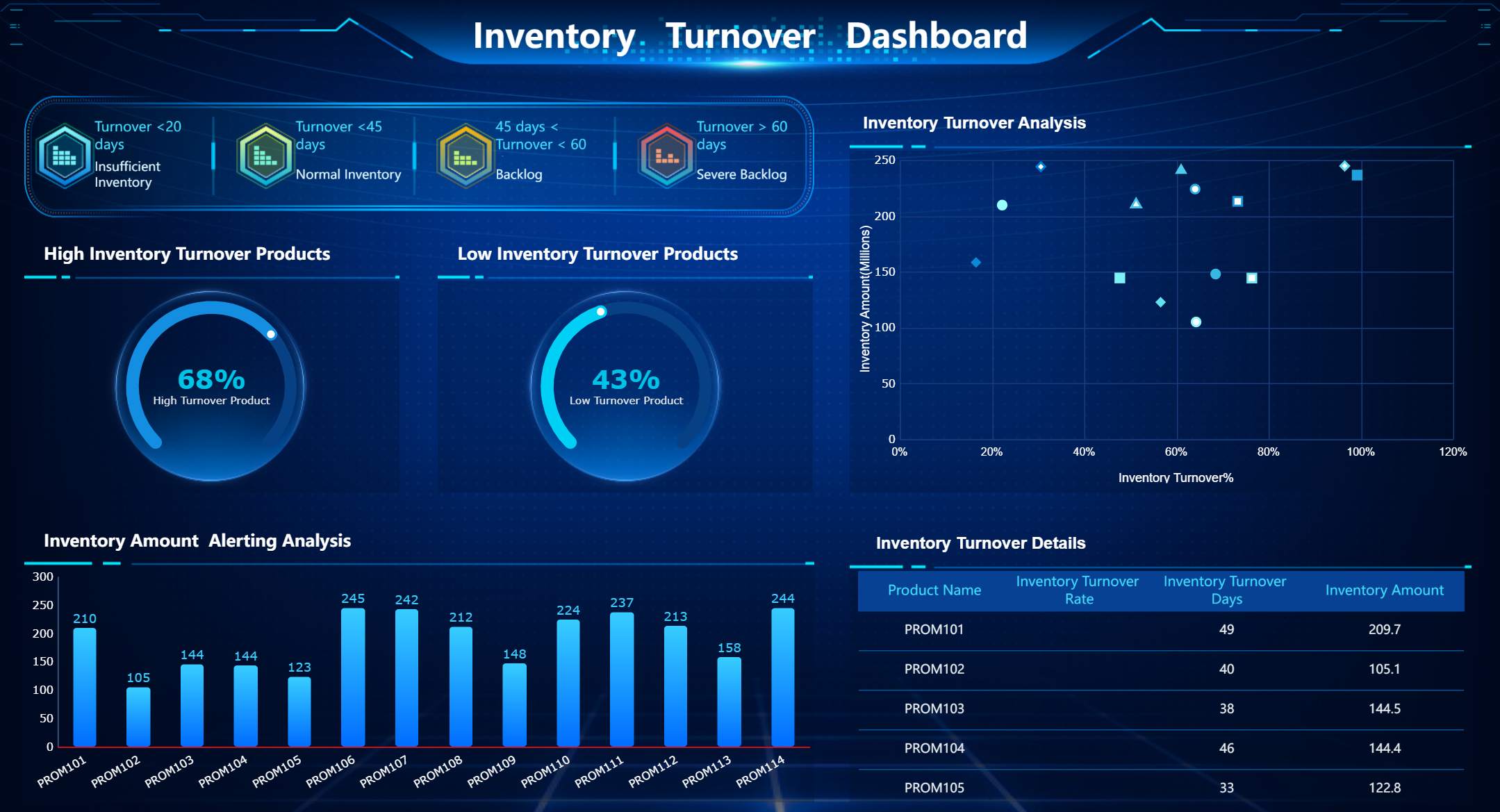
To learn more about the warehouse dashboard template, please visit: Fine Gallery
Choosing the right dashboard design and BI tool
The dashboard design matters just as much as the KPI list. Poor layout, weak governance, and low trust in data will kill adoption even if the metrics are technically correct.
Understanding the Warehouse Productivity Dashboard
A warehouse productivity dashboard should focus on labor utilization, process throughput, idle time, and performance by workflow step. This is where operations leaders identify whether delays are caused by demand spikes, staffing gaps, poor process sequencing, or local bottlenecks.
The most useful productivity views show:
- Labor hours by function
- Units or lines processed by hour
- Throughput by process step
- Idle or waiting time
- Work-in-progress aging
- Team or associate productivity comparisons
The key is balance. Productivity should never be isolated from accuracy and service. Fast but error-prone work is not operational excellence.
Best practices for rollout and continuous improvement
Dashboard rollout fails when companies treat it as a one-time design exercise. In reality, warehouse dashboards need ownership, governance, and ongoing refinement.
Start with business goals, then map each KPI to an owner and response plan
Do not begin with available charts. Begin with operational outcomes such as:
- Reduce dock-to-stock time
- Improve on-time shipment rate
- Cut backorders
- Stabilize labor productivity
- Improve client SLA performance
Then assign each KPI:
- An owner
- A calculation definition
- A refresh frequency
- A response workflow
- A review cadence
This creates accountability and makes the dashboard operational, not decorative.
Keep definitions consistent so teams trust what they see
One of the fastest ways to undermine adoption is inconsistent metric logic. If one team calculates on-time shipment rate from order creation and another uses carrier scan, the dashboard becomes a debate tool instead of a decision tool.
Standardize every KPI with:
- Name
- Formula
- Data source
- Refresh schedule
- Responsible team
- Business purpose
Review dashboard adoption regularly
A warehouse dashboard should evolve with the operation. Review usage, value, and actionability regularly.
Ask:
- Which metrics are actually used in shift decisions?
- Which views are ignored?
- Which alerts generate action?
- Which drill-downs reveal root cause quickly?
- Which visuals create confusion?
Retire metrics that do not drive action.
Use weekly feedback to refine thresholds, visuals, and workflows
Good dashboards improve through operational feedback. Weekly reviews help teams tighten alert logic, simplify layouts, and tune thresholds based on real execution patterns.
This keeps the dashboard aligned with PDCA-style continuous improvement rather than static reporting.
Build a scalable Warehouse Dashboard faster with FineReport
Building this manually is complex; use FineReport to utilize ready-made templates and automate this entire workflow.
 Get Ready-to-Use Dashboard Templates in Fine Gallery
For enterprise warehouse teams, the challenge is rarely just visualization. The real challenge is integrating WMS, ERP, TMS, labor, and spreadsheet data into one trusted, role-based operational system that people actually use every day. FineReport helps solve that with a practical enterprise framework:
- Ready-made dashboard templates for KPI monitoring and operational reporting
- Data integration support across multiple systems and APIs
- Role-based dashboards for executives, supervisors, analysts, and client-facing teams
- Drill-down analysis from top-level KPI to transactional detail
- Automated reports and push delivery for daily summaries and management review
- Alerting and exception monitoring so critical KPI changes trigger timely action
- Flexible layout and visualization for warehouse control towers, TV screens, and management views
This matters because warehouse operations need more than charts. They need a system that supports decision-making, exception management, and repeatable action across teams. FineReport enables organizations to package dashboards, automate recurring reporting, and create a more governed, reusable analytics environment without forcing teams to rebuild every workflow from scratch.
If your goal is to launch a Warehouse Dashboard that supports real-time floor control, client transparency, and executive oversight, FineReport is the practical way to move faster with less manual effort and stronger enterprise governance.
FAQs
A strong warehouse dashboard should track live metrics across receiving, inventory, fulfillment, labor, and exceptions. Common examples include dock-to-stock time, inventory accuracy, order cycle time, on-time shipment rate, picking accuracy, and units picked per labor hour.




