
If you are researching the tableau desktop specialist certification, you are probably trying to answer one practical question: will this credential actually help your career enough to justify the time and money?
That is the right question to ask in 2026. For some people, the certification is a useful resume signal and a structured way to learn Tableau fundamentals. For others, the return is limited compared with building a stronger portfolio, improving SQL, or delivering business-facing dashboard projects.
This guide breaks down what the certification covers, what it costs beyond the exam fee, and who is most likely to benefit by role.
Quick Decision Framework
| Question | If your answer is yes | If your answer is no |
|---|---|---|
| Do you need a recognized Tableau credential to support entry-level hiring, consulting credibility, or internal role change? | Certification may be worth it | Portfolio or project work may matter more |
| Are you still building confidence with Tableau basics? | Certification can provide structure | You may outgrow the value quickly |
| Do job descriptions in your target market mention Tableau certification or Tableau proficiency? | The credential may help as a filter signal | Practical examples may carry more weight |
| Do you already have strong dashboards with measurable business impact? | ROI may be modest | Certification may help prove baseline skills |
| Can you prepare without sacrificing more valuable learning priorities like SQL, business cases, or domain knowledge? | Better chance of positive ROI | Opportunity cost may be too high |
In short: the Tableau Desktop Specialist certification is usually most valuable as an early-career signal, a confidence-building milestone, or a credibility aid for people without a long Tableau work history. It is usually less compelling as a standalone differentiator for experienced BI professionals.

What the Tableau Desktop Specialist Certification Covers in 2026
The Tableau Desktop Specialist certification validates foundational Tableau Desktop knowledge. It is designed for people who can already navigate the product, connect to data, build basic visualizations, and understand common Tableau concepts.
It is not the same as proving advanced dashboard engineering, enterprise BI architecture, or deep analytics maturity. Think of it as a baseline product-skills credential rather than proof that you can lead a complex analytics program.
What the credential validates
At a practical level, the certification is meant to show that you understand core Tableau workflows such as:
- Connecting to and working with data
- Using fields, dimensions, and measures
- Building common chart types
- Applying filters and sorting
- Creating simple calculations
- Formatting views and dashboards
- Understanding basic data organization and exploration
For hiring managers, this usually signals: the candidate has at least a structured grasp of Tableau fundamentals.
That can matter when your resume is light on direct experience.
Who it is designed for
This credential generally fits:
- Entry-level data analysts
- Business analysts who use Tableau for reporting
- Operations analysts who build recurring dashboards
- Students building analytics credentials
- Career switchers who need a recognizable proof point
- Consultants who want a lightweight trust signal
It is less targeted at highly technical BI developers or analytics engineers who are expected to demonstrate deeper capabilities in data modeling, pipeline logic, semantic governance, and business impact.
How it differs from broader Tableau learning paths
A learning path can help you become effective in Tableau over time. A certification exam checks whether you can demonstrate a defined set of foundational knowledge at one point in time.
That difference matters.
A broader Tableau learning path may include:
- Hands-on dashboard projects
- Data storytelling
- Visual design principles
- Real stakeholder use cases
- Portfolio development
- Data cleaning and analysis habits
- Business communication skills
The Desktop Specialist certification, by contrast, is narrower. It is useful as a milestone, but it does not replace practical project work.
Current exam scope and foundational skills tested
While exact exam details can evolve, the Desktop Specialist level is commonly associated with foundational Tableau skills across areas like:
- Connecting to data sources
- Organizing and preparing data for analysis
- Exploring data through worksheets
- Creating charts and views
- Basic calculations and field usage
- Dashboard assembly and formatting
- Sharing or presenting insights at a basic level
Most candidates should expect the exam to test both concept recognition and applied platform familiarity. In other words, knowing terms alone is usually not enough. You should be comfortable opening Tableau and performing the core tasks yourself.
How much hands-on experience most candidates need
For most candidates, a reasonable readiness point is not “I watched a few videos,” but rather:
- You have built several simple dashboards yourself
- You understand how Tableau structures fields and views
- You can troubleshoot basic chart and filter issues
- You can create and format common visual outputs without guesswork
If you are brand new, expect a steeper prep curve. If you already use Tableau in your day job, the certification may be more about structured revision than skill acquisition.
How it relates to the Salesforce Certified Tableau Desktop Foundations track
Readers are often confused by the relationship between classic Tableau certifications and newer Salesforce-branded learning or certification pathways. The most important distinction is that employers may interpret them differently depending on familiarity.
In hiring contexts:
- A Tableau Desktop Specialist credential may be seen as a product-specific foundational certification
- A broader foundations track may be seen as part of a vendor learning ecosystem
- Employers often value whichever one is easier for them to recognize and connect to job performance
That means naming matters. A recruiter scanning resumes may react differently to a direct Tableau certification title versus a broader foundations credential, even if the underlying learning overlaps.
The key takeaway: the closer the credential appears to actual Tableau Desktop usage, the easier it may be for employers to understand what you can do.
Cost Breakdown: Exam Fees, Prep Time, and Opportunity Cost
The exam fee is only part of the true cost. To judge ROI honestly, you need to include prep time, supporting resources, and what you give up while studying.
Direct costs to plan for
Your total spend can include:
- Exam registration fee
- Study guides or prep courses
- Practice exams or question banks
- Paid training platforms
- Tableau access, if you need product time outside work or school
- Retake costs, if applicable
If you keep your prep lean, you may be able to prepare with mostly free documentation, community content, and hands-on practice. If you prefer structure, your total cost can climb quickly once you add guided courses or bundled exam prep.
Prep time by candidate type
A realistic time investment depends heavily on your starting point.
Beginners
If you are new to Tableau and new to analytics tools in general, expect the highest time investment. You are learning both product navigation and core BI thinking at the same time.
Typical needs include:
- Learning the interface
- Understanding chart logic
- Practicing dimensions vs measures
- Building repeatable dashboard habits
Career switchers
Career switchers often fall in the middle. You may already understand business reporting, but not Tableau conventions. That makes the learning curve manageable if you study consistently.
Analysts
Data analysts with some dashboard or reporting exposure usually prepare faster, especially if they already think in terms of KPIs, filtering, trend analysis, and business questions.
Experienced Tableau users
If you already use Tableau frequently, prep time may mostly involve reviewing overlooked fundamentals, tightening terminology, and doing timed practice.
Free vs paid prep options
There is no single best prep route for everyone. The right choice depends on whether you need efficiency, accountability, or cost control.
Free options
Free prep usually includes:
- Official product documentation
- Community posts and forum discussions
- YouTube walkthroughs
- Practice using sample datasets
- Personal dashboard building
This path works best if you are disciplined and already comfortable learning independently.
Paid options
Paid prep can include:
- Structured certification courses
- Guided bootcamps
- Mock exams
- Instructor-led revision
- Bundled prep materials
Guided resources, including offerings such as GSUSA Tableau Desktop Specialist Certification Exam Prep, can be useful when you need a schedule, step-by-step coverage, and external accountability. The tradeoff is cost: structured programs are often more expensive than the credential itself.
Opportunity cost is where the decision gets real
The biggest hidden cost is not always money. It is what you could have done instead.
Examples of opportunity cost include:
- Hours that could have gone into a dashboard portfolio
- Time that could have been spent applying for jobs
- Delayed progress on SQL or Excel
- Less time building domain-specific business cases
- Reduced focus on stakeholder communication or storytelling skills
This is especially important for entry-level candidates. If you have only 40 hours available this month, should those hours go toward passing an exam or building two strong portfolio dashboards with clear business context? In many cases, the portfolio creates stronger interview material.
ROI by Job Role: Who Gets the Most Value?
The tableau desktop specialist certification does not produce the same return for every role. Its value depends on how employers judge proof of skill in your target job.
ROI by Job Role: Who Gets the Most Value?
Entry-level data analyst
For an entry-level data analyst, the certification can help you stand out when your experience is still thin.
It can signal that you have:
- Learned Tableau in a structured way
- Invested in a relevant BI tool
- Reached baseline proficiency beyond casual exposure
That said, certification alone rarely wins interviews. Hiring teams often want to see whether you can answer business questions with data, choose appropriate visuals, and explain tradeoffs.
Certification vs portfolio for entry-level hiring
If you must choose only one, a well-documented portfolio often has stronger interview value than the certification by itself.
A portfolio shows:
- How you define business metrics
- How you structure dashboard logic
- How you communicate findings
- How you solve messy analysis problems
The certification helps most when paired with portfolio evidence. In that combination, it acts as a trust booster rather than your only credential.
Verdict for entry-level analysts: usually worth considering if you lack experience and need a resume signal, but strongest when combined with project work.
Business analyst or operations analyst
For business analysts and operations analysts, Tableau is often only one part of the role. You may be expected to support reporting, process improvement, stakeholder alignment, and KPI monitoring rather than pure dashboard development.
In that context, the certification can strengthen credibility, especially if:
- You are moving into a more data-heavy version of your current role
- Your company uses Tableau internally
- You want to show readiness for reporting ownership
- You need evidence of self-driven upskilling
Does it help with promotion or internal mobility?
Sometimes, yes, but not automatically.
Managers usually promote based on visible business impact, stakeholder trust, and execution. A certification can support the narrative that you are growing into analytics work, but it rarely outweighs:
- Better business reporting processes
- Improved dashboard adoption
- Faster decision cycles
- More credible KPI definitions
Verdict for business or operations analysts: moderate ROI when Tableau skills support a broader business role; less powerful as a standalone promotion lever.
BI developer, reporting specialist, or analytics engineer
For more technical professionals, the ROI is often weaker.
Why? Because employers in these roles usually expect proof of deeper skills such as:
- Data modeling
- Performance optimization
- ETL or pipeline familiarity
- Advanced dashboard logic
- Semantic consistency
- Governance and deployment thinking
A foundational certification may confirm product familiarity, but it does not usually differentiate you from other technical candidates.
When it still adds value
There are a few cases where it can still help:
- You are switching into a Tableau-heavy BI environment
- Your employer values formal vendor credentials
- You need a quick baseline certification before pursuing broader BI responsibilities
- You are building consulting credibility in a client-facing setting
When other work delivers better ROI
For technical professionals, stronger alternatives often include:
- Building advanced reporting projects
- Demonstrating business-facing dashboard architecture
- Improving SQL and data modeling depth
- Showing cross-tool BI fluency
Verdict for BI developers, reporting specialists, and analytics engineers: usually limited ROI unless the credential fills a specific gap in employer expectations or consulting credibility.
Career switcher, student, or consultant
This group often gets meaningful value from the certification because the main challenge is not only skill acquisition. It is trust.
If you do not have a long Tableau work history, a recognizable credential can reduce skepticism.
Why it helps career switchers and students
For career switchers and students, the certification can:
- Create structure for learning
- Add a recognizable keyword to the resume
- Support applications when experience is still developing
- Increase confidence in interviews
Again, it works best alongside projects. The certification opens the door a little; the portfolio helps you walk through it.
Why consultants may benefit more
Client-facing professionals sometimes benefit more because buyers and internal stakeholders often look for visible signals of competence. A Tableau certification can support proposals, training credibility, or platform-specific service positioning.
Verdict for career switchers, students, and consultants: often worthwhile when credibility is the main barrier and practical experience is still being built.
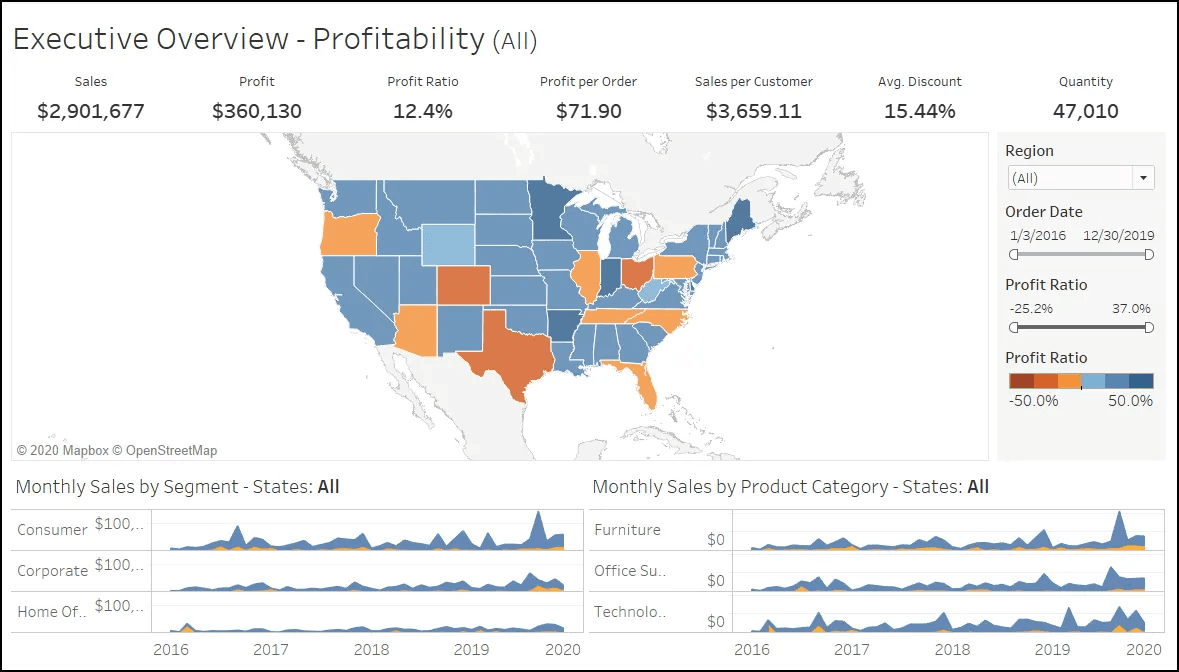
Is Tableau Desktop Specialist Certification Worth It? Key Decision Factors
The best answer depends on your career stage, target role, current Tableau proficiency, and local hiring market.
When the certification is worth it
The credential is more likely to be worth the investment if you need it as a:
- Confidence-builder: you want a clear goal that forces consistent learning
- Resume signal: you need a recognized keyword for recruiter screening
- Structured learning milestone: you learn better with defined scope and deadlines
- Trust indicator: you are switching careers, consulting, or entering analytics from another function
When it may not be worth it
The ROI may be weak if you already have:
- Strong dashboards with measurable business outcomes
- A solid analytics portfolio
- Employer-sponsored Tableau training
- Better near-term returns from SQL, Python, or business case development
- A role where Tableau is secondary to broader data engineering or BI architecture skills
Simple decision framework before paying for the exam
Ask yourself these four questions:
- Will this credential directly support the jobs I am applying for?
- Do I need a trusted proof point because my portfolio or experience is still limited?
- Can I prepare without delaying more important learning goals?
- Will I still build practical projects, not just study for the exam?
If the answer to at least three is yes, the certification is more likely to deliver positive ROI.
Best Prep Paths and Alternatives to Consider
A good prep plan should help you pass without overspending or mistaking memorization for usable skill.
When a focused prep plan makes sense
A focused study strategy is useful when you have:
- A deadline
- Inconsistent Tableau exposure
- Limited time each week
- A tendency to study broadly without retaining details
An effective Tableau Desktop Specialist Certification Prep plan should include:
- Core concept review
- Repeated hands-on practice
- Dashboard building from scratch
- Timed review sessions
- Mock-question exposure
- Error analysis after each practice attempt
Guided resources, including GSUSA Tableau Desktop Specialist Certification Exam Prep, can fit into a broader plan if you want instructor structure or employer-backed training. Just make sure the resource helps you use Tableau actively rather than only consume lectures.
How to pass without overinvesting
If your goal is simply to pass efficiently, keep the prep practical.
A lean but effective prep approach
- Review official concepts first
- Practice inside Tableau every study session
- Build simple dashboards repeatedly
- Use targeted mock exams near the end
- Focus extra time on weak areas, not comfortable topics
Common prep mistakes to avoid
- Memorizing terms without opening Tableau
- Watching tutorials passively
- Ignoring chart-building repetition
- Spending too much on prep before trying free resources
- Treating certification as a substitute for portfolio work

Alternatives if certification is not the best next step
Sometimes the best career move is not another credential.
Depending on your goal, better alternatives may include:
- Building a Tableau or BI portfolio with business context
- Completing internal reporting projects at work
- Learning SQL for stronger data retrieval and validation
- Improving data storytelling and executive communication
- Practicing stakeholder-facing dashboard design
- Learning cross-platform BI concepts
For many hiring managers, a candidate who can explain a business problem, model a useful metric, and present a clean dashboard may be more compelling than someone who only lists a certification.
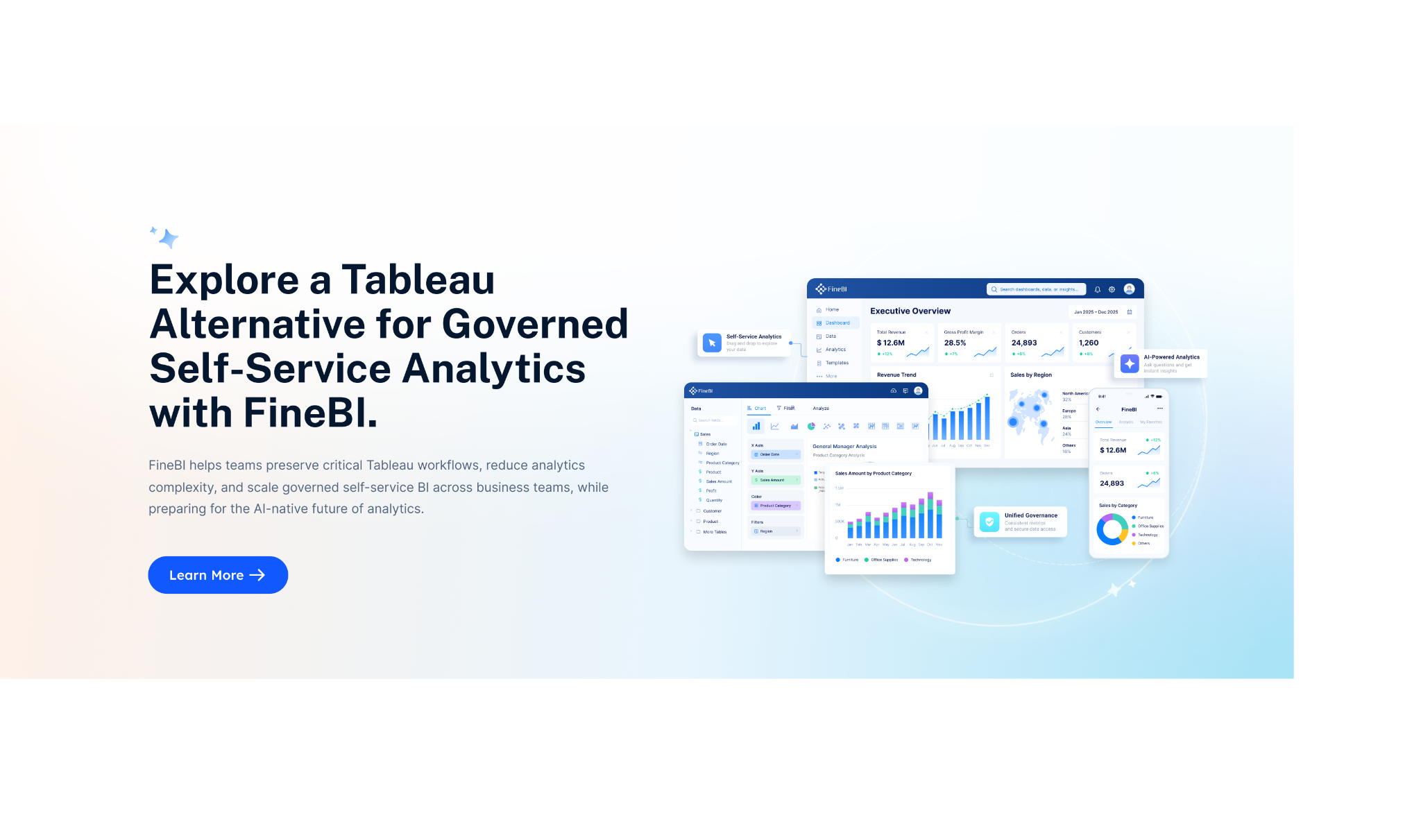
Practical Recommendations Before You Decide
Here are five recommendations I would give as a BI consultant evaluating certification ROI:
-
Start with job descriptions, not with the exam.
Check whether your target roles actually mention Tableau, dashboarding, or BI platform credentials. -
Pair certification with one or two strong projects.
The credential gives you a signal; the projects give you evidence. -
Set a cap on total prep spend.
Do not let the ecosystem of courses and practice products cost more than the career value you expect. -
Use the certification to create momentum, not to replace experience.
Your end goal is employable analytics output, not just a passed test. -
Invest in adjacent skills if your role demands more than visualization.
SQL, data modeling, KPI design, and business storytelling often increase ROI more than another beginner-level credential.
Beyond Tableau Skills: When FineBI + Dora Becomes More Relevant
If your real objective is not just passing an exam, but actually delivering faster and more usable business intelligence, it helps to look beyond a single desktop visualization tool.
For many teams, the bigger challenge is not learning charts. It is building a BI environment that business users can adopt consistently, with trusted metrics, reusable dashboards, and governed self-service analysis.
That is where FineBI + Dora becomes relevant.
Where FineBI fits for business intelligence teams
FineBI is well suited for organizations that need:
- Self-service BI for business users
- Drag-and-drop analysis
- Interactive dashboard creation
- Drill-down and ad hoc exploration
- Enterprise data connectivity
- Dashboard sharing across teams
- Faster iteration between analysts and business stakeholders
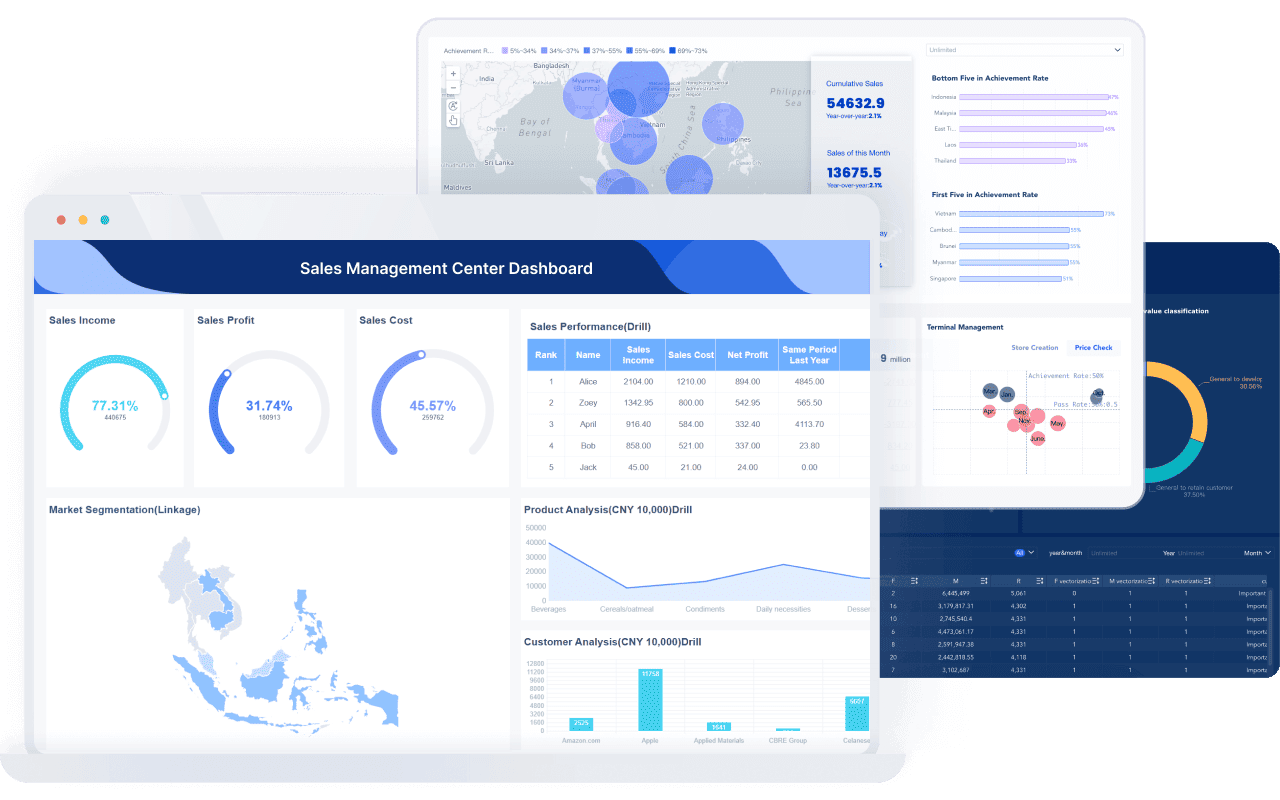
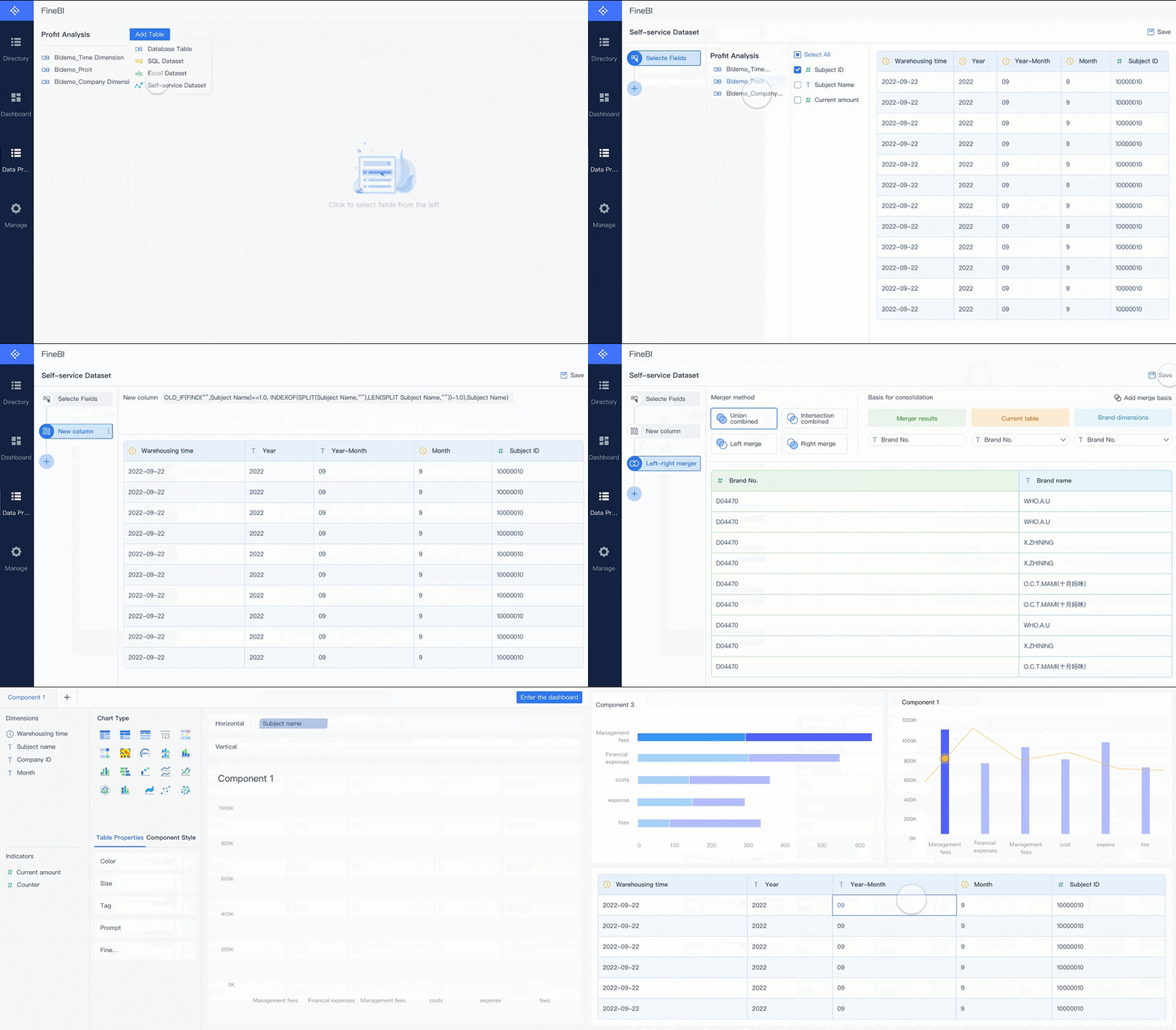 FineBI's Drag-and-drop Analysis
Instead of treating analytics as a specialist-only workflow, FineBI helps teams build a governed reporting and dashboard foundation that more users can actually work with.
How Dora extends that foundation
Dora should be understood as an enterprise Data Agent built on trusted BI assets, not as a generic chatbot.
Its value comes from a fourth-generation Agentic BI approach:
- Natural-language request
- Trusted semantic layer
- Governed query or skill execution
- Answer, chart, summary, action, and follow-up
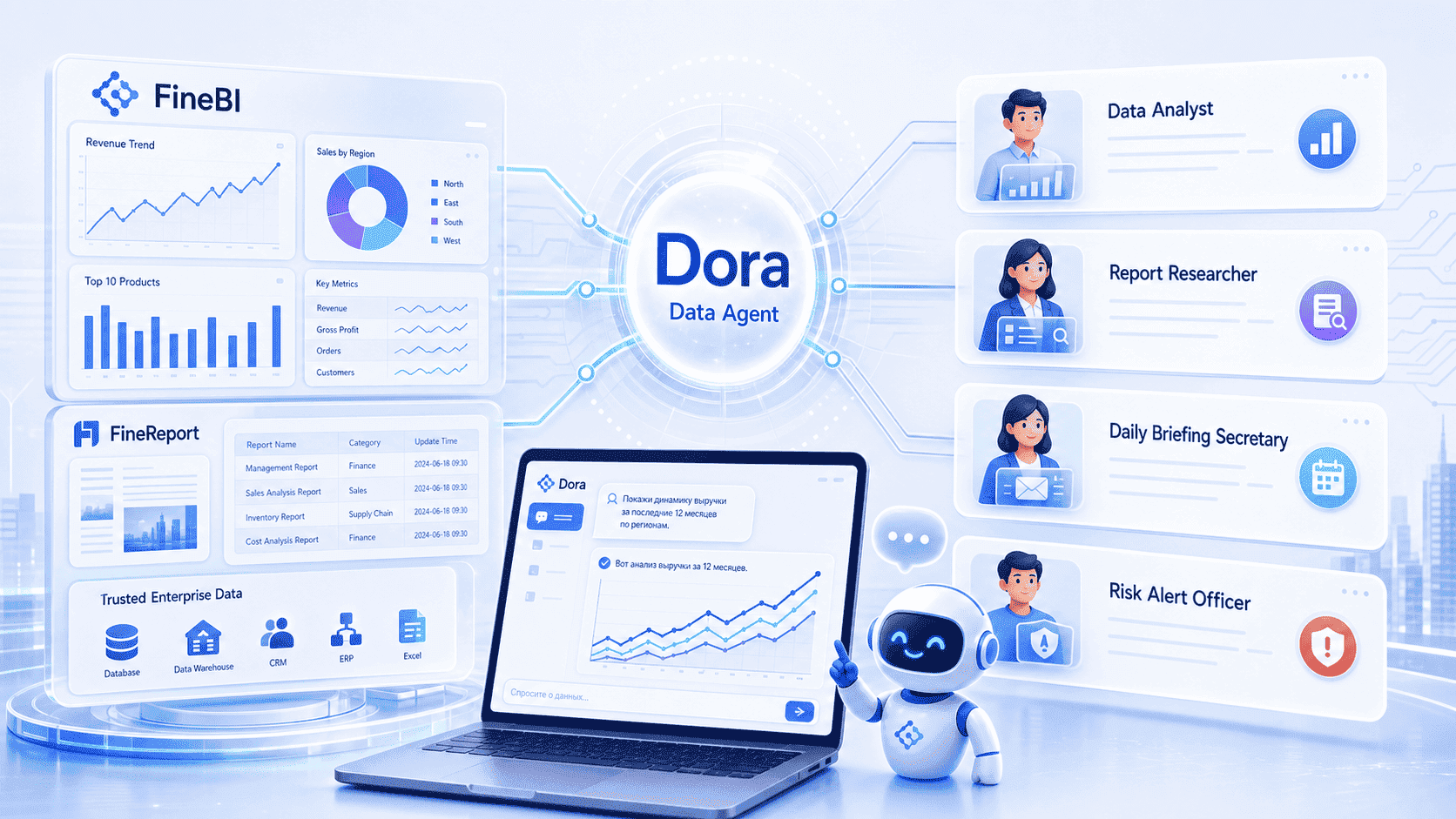
In practical terms:
- FineBI builds the trusted dashboard, metric, and semantic foundation
- Dora turns that foundation into a scenario-specific AI assistant or digital employee
Depending on the use case, Dora can support roles such as:
- Data Analyst digital employee
- Report Researcher
- Daily Briefing Secretary
- Risk Alert Officer
This matters if your organization is moving from dashboard consumption to governed, AI-assisted analytics workflows.
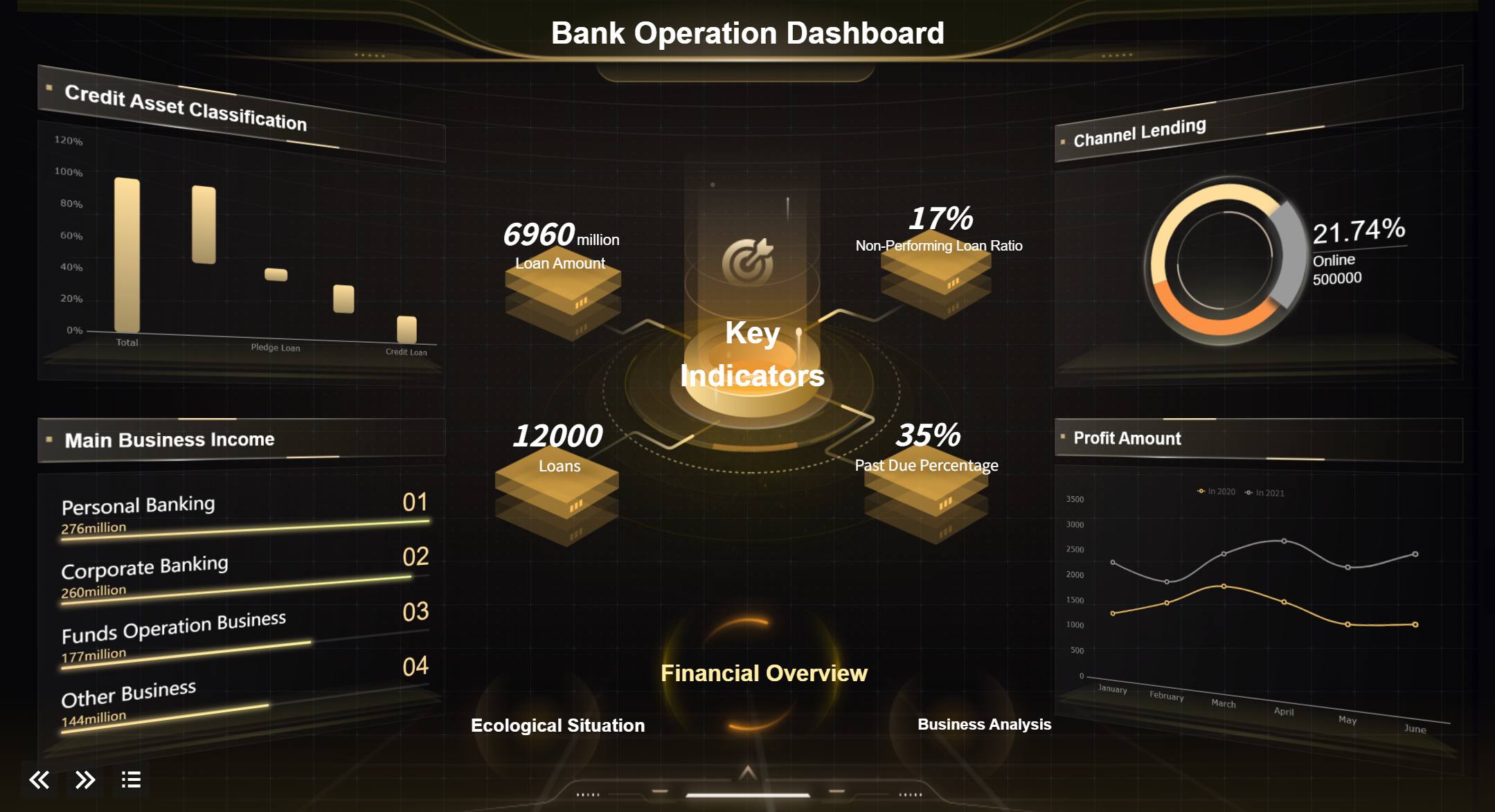 Click to View This Live Dashboard
When FineBI is a practical alternative direction
If you are evaluating your long-term BI path, FineBI can be a practical fit when your priorities include:
- Easier business-user adoption
- Faster dashboard development
- More interactive self-service analysis
- Better alignment between governed data and frontline decision-making
- A stronger foundation for enterprise AI analytics with Dora
This does not make Tableau certifications irrelevant. It simply shifts the question from “How do I validate one tool skill?” to “How do we enable analytics across the business in a governed and scalable way?”

Get Ready-to-Use Dashboard Templates in Fine Gallery
Final Verdict: When the Tableau Desktop Specialist Certification Pays Off in 2026
So, is the Tableau Desktop Specialist certification worth it in 2026?
Yes, for some people. Not for everyone.
It tends to pay off most when you are:
- An entry-level analyst with limited experience
- A career switcher needing a recognizable proof point
- A student building resume credibility
- A consultant who benefits from visible vendor-aligned credentials
- A business analyst moving into more formal reporting work
Its ROI is weaker when you already have:
- Strong practical dashboard work
- Clear business impact stories
- Deeper technical BI expectations in your target role
- More urgent skill gaps in SQL, modeling, or communication
The most realistic recommendation is this:
- Pursue the certification if you need a structured milestone, a confidence boost, or a resume signal
- Skip or delay it if your limited time would be better spent building a portfolio or strengthening broader analytics capability
In other words, the certification is most useful as a career accelerator for developing practitioners, not as a magic credential for experienced BI talent.
If your larger goal is to build dashboards people actually use, create governed self-service analytics, or prepare for AI-assisted BI workflows, it may also be worth exploring platforms designed for broader business adoption such as FineBI, especially when paired with Dora for Agentic BI use cases.
FAQs
It is usually worth it for entry-level analysts, career switchers, and professionals who need a recognized Tableau proof point. For experienced BI candidates, the ROI is often lower than investing in stronger portfolio work, SQL, or business-impact projects.