
Salesforce data integration connects your Salesforce platform with other business systems, giving you a unified view of your data. You need this integration to improve business intelligence and make faster, more accurate decisions. Many businesses struggle with fragmented data, which leads to unreliable forecasting, automation failures, and higher operational costs.
- Flawed data skews forecasts and disrupts sales tracking.
- Automation failures create silos and confusion for teams.
- Human error causes missing records and poor analytics.
| Metric | Improvement Percentage |
|---|---|
| Report delivery times | 38% |
| Team productivity | 42% |
| Data-driven decision accuracy | 27% |
FineDataLink provides a modern solution to these integration challenges, helping you centralize and manage data efficiently.
Salesforce Data Integration

What Is Salesforce Data Integration
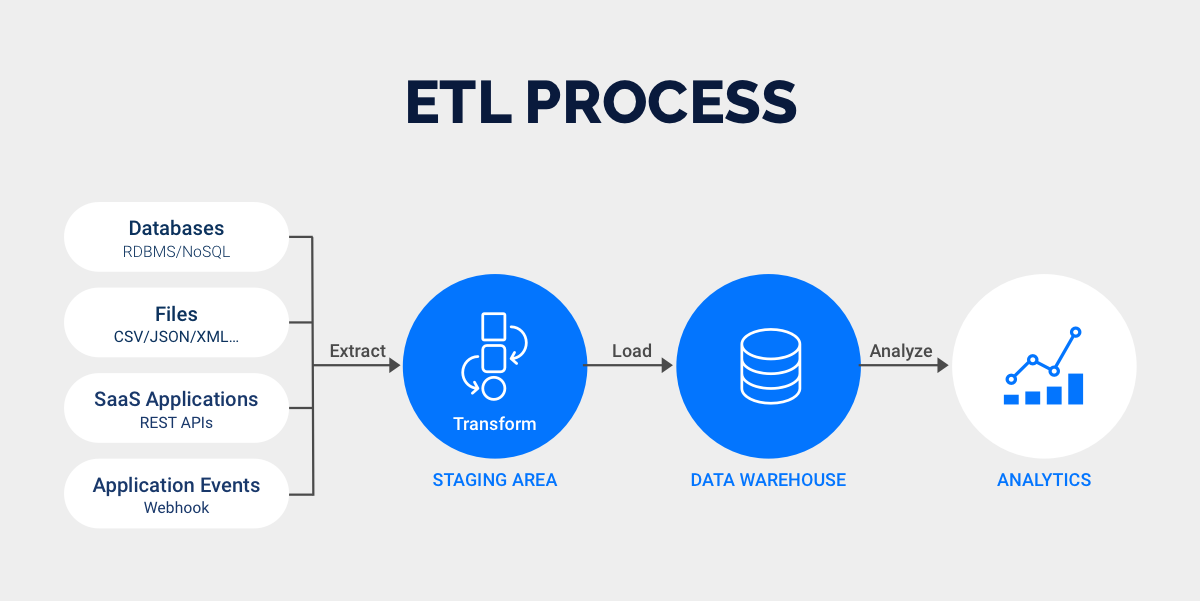
Salesforce data integration brings together information from Salesforce and other business systems to create a single, unified view of your data. You use this process to assemble and organize data from different Salesforce tools and third-party applications. For example, you might import customer contact information, update payment details, or exchange data between Salesforce and your accounting software. This integration helps you monitor incoming and outgoing data, often using automated, no-code triggers that make the process simple and efficient.
You need salesforce data integration to support your business operations. When you connect Salesforce with other platforms, you eliminate data silos and ensure everyone in your organization works with the same information. This unified approach improves forecasting, reporting, and customer service. You can see all your sales, financial, and customer data in one place, which helps you make better decisions and respond quickly to changes in your business.
Note: Salesforce data integration connects data from many sources, including SaaS applications and enterprise systems. You can break down the integration process into three layers: conceptual, logical, and physical. Each layer helps you manage and transform data as it moves between systems.
How Salesforce Integration Works
Salesforce integration connects Salesforce with other systems to enable seamless data management. You start by defining your integration goals. For example, you might want to automate lead management or synchronize financial data. Next, you choose the integration method that fits your needs, such as point-to-point connections or middleware platforms.
Here are the main steps you follow when integrating Salesforce with other business systems:
- Define your integration goals to guide your strategy.
- Choose the integration method that matches your requirements.
- Plan your data mapping to determine how data will flow between systems.
- Configure security settings to protect your data.
- Develop custom code if your integration needs special features.
- Test and perform quality assurance to ensure everything works as expected.
- Deploy the integration and monitor its performance.
You can use several technologies to facilitate Salesforce integration:
| Technology | Description |
|---|---|
| Middleware Platforms | Tools like MuleSoft act as intermediaries, offering pre-built connectors and templates. |
| APIs | Salesforce provides REST, SOAP, Bulk, and Streaming APIs for different integration needs. |
| Salesforce Connect | Lets you access external data in real time without storing it in Salesforce. |
| Apex REST/SOAP | Custom web services for specific business logic or communication needs. |
| Integration Cloud | Offers tools and templates for managing integrations within Salesforce. |
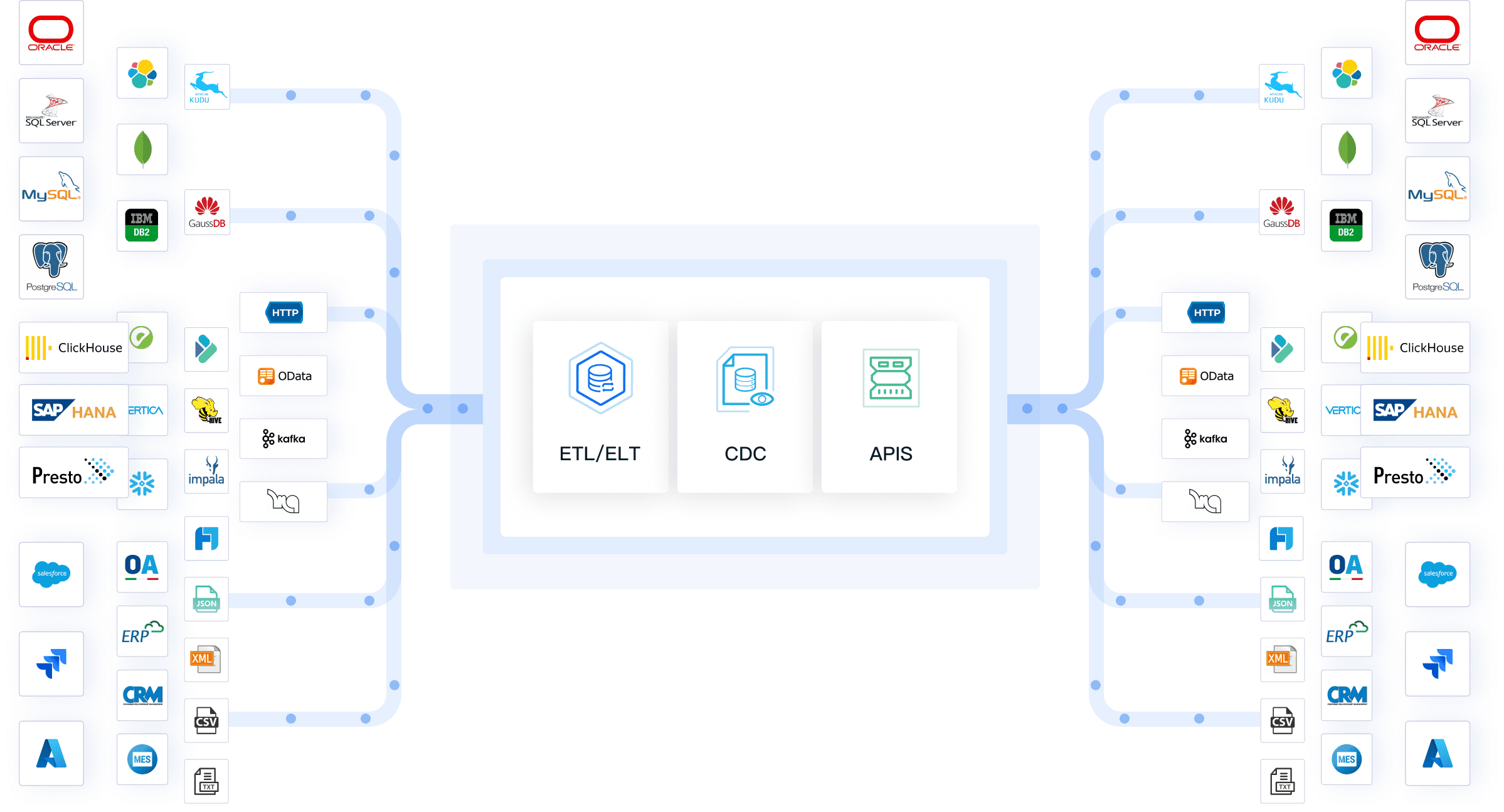
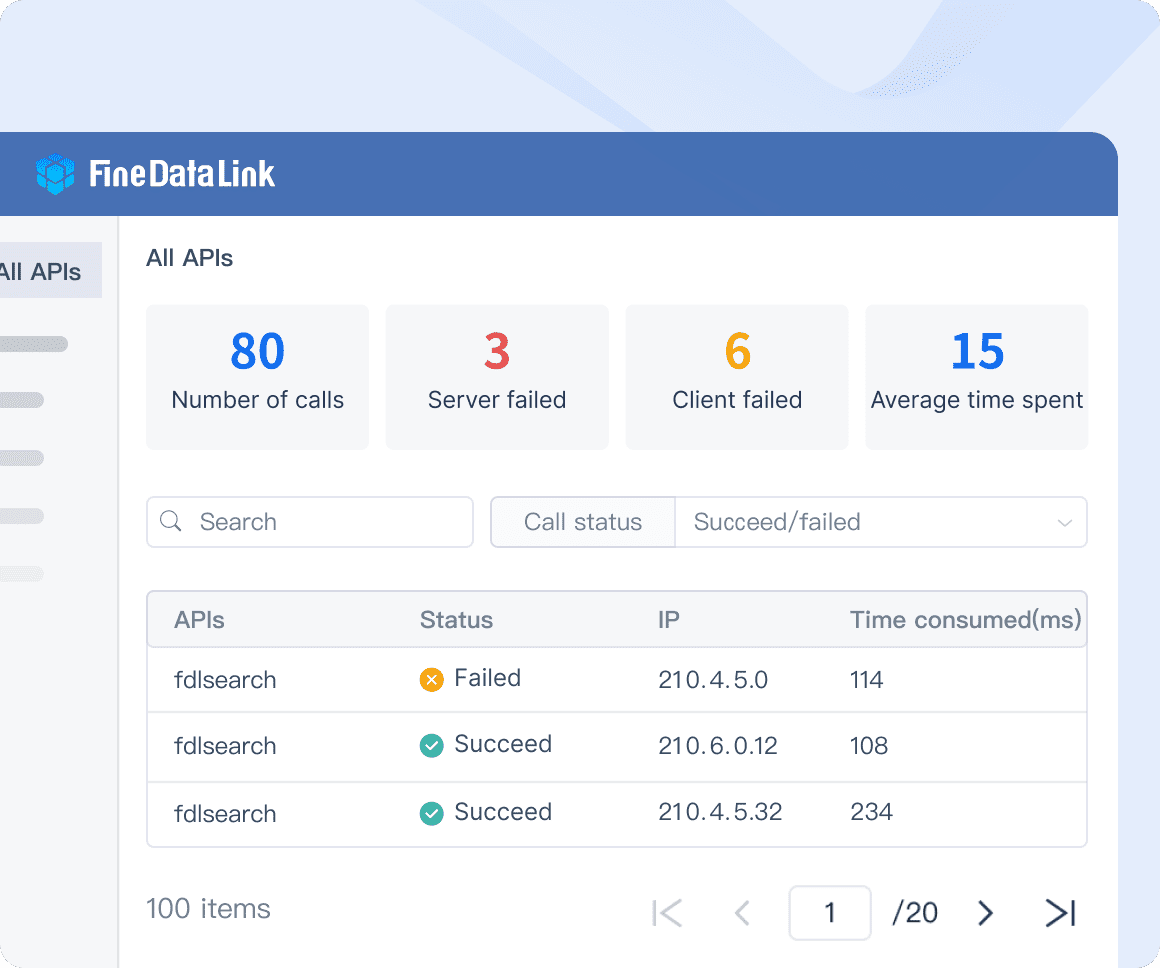
FineDataLink stands out as a modern data integration platform. You can use its low-code interface to connect Salesforce with over 100 data sources. The platform supports real-time data synchronization, advanced ETL/ELT development, and API integration. With drag-and-drop features and detailed documentation, you can streamline your integration projects and reduce manual work.
| Function | Description |
|---|---|
| Accurate Forecasting | Consolidates sales, production, and financial data for better trend analysis and demand prediction. |
| Streamlined Sales and Service Teams | Reduces manual updates, boosting productivity and collaboration. |
| Enhanced Reporting and Analytics | Integrates with BI tools for deeper insights into sales and operations. |
| Automated Lead Management | Automates lead scoring and follow-ups for higher conversion rates. |
| Simplified Financial Data Sync | Gives sales reps a complete view of customer financial status. |
| Seamless Collaboration | Ensures teams access up-to-date data, eliminating silos. |
| Better Customer Experience | Enables faster, more accurate service for customers. |
Types of Data Integration
You can choose from different types of salesforce integration based on your business needs. Each type offers unique benefits and fits specific scenarios.
- REST API: Lightweight and ideal for mobile apps and web projects.
- SOAP API: Works well for integrating Salesforce with enterprise systems like ERP.
- Bulk API: Optimized for processing large volumes of data.
- Streaming API: Delivers real-time event notifications.
- Metadata API: Manages customizations and configurations.
- Apex REST/SOAP API: Supports custom API development for specialized needs.
You also have several integration patterns to consider:
- Batch Integration: Processes data in groups at scheduled times.
- Real-time Integration: Synchronizes data immediately as changes occur.
- Remote Call-In: Lets external systems trigger actions in Salesforce.
- Request and Reply: Salesforce sends a request to an external system and waits for a response.
- Fire and Forget: Salesforce sends a message to an external system without waiting for a reply.
| Feature | Real-Time Synchronization | Batch Synchronization |
|---|---|---|
| Latency | Sub-second to seconds | Data updates at scheduled intervals |
| Throughput | Handles smaller, continuous data volumes | Processes data in scheduled, discrete chunks |
| Resource Usage | Consistent resource use with smaller spikes | Concentrates resource use during processing |
| Implementation Complexity | More complex due to continuous updates | Simpler procedural execution |
| Reliability and Error Handling | Handles simultaneous updates gracefully | Allows comprehensive pre-processing validation |
| Cost Considerations | Higher infrastructure costs | Lower overall infrastructure requirements |
| Scalability Characteristics | Scales for peak transaction volumes | Scales horizontally for periodic processing |
FineDataLink supports all these integration types. You can synchronize data across multiple tables in real time, build data warehouses, and develop APIs without writing code. The platform helps you handle both batch and real-time integration, making it easier to manage your data and support your business intelligence goals.
Benefits of Salesforce Data Integration
Improved Data Quality
Salesforce data integration improves the quality of your data across all business systems. When you connect Salesforce with other platforms, you create a unified source of truth. This process reduces duplicate records and eliminates inconsistencies. You can set up data validation rules in Salesforce to ensure accuracy at the point of entry. These rules help you catch errors before they affect your analytics and reporting.
You benefit from regular data audits. These audits identify and fix issues, keeping your data accurate and up-to-date. Automation tools in Salesforce streamline data management tasks. You spend less time correcting mistakes and more time focusing on business growth. Improved data accuracy reduces the risk of costly errors. You make decisions based on reliable information, which leads to better analytics and reporting.
- Data validation rules in Salesforce ensure accuracy and integrity.
- Regular audits help you maintain high data quality.
- Automation reduces manual errors and keeps your data consistent.
You notice a decrease in data entry errors after implementing salesforce data integration. You can track error rates before and after integration to measure improvements. Increased operational efficiency and improved decision-making follow naturally when your data accuracy rises.
Efficiency and Automation
Salesforce integration transforms your workflows by increasing efficiency and automating repetitive tasks. You save time on activities like lead generation and order processing. Automation reduces manual intervention, which minimizes errors and allows you to focus on critical business tasks. Integrated systems make it easier for teams to share information, leading to better collaboration.
You break down data silos when you connect Salesforce with other systems. This unified approach supports timely decision-making and ensures data consistency. Automated data synchronization keeps your records accurate and up-to-date. You spend less time on manual updates and more time analyzing trends.
- Streamlined workflows save time on repetitive tasks.
- Automation reduces errors and boosts efficiency.
- Enhanced collaboration improves teamwork and information sharing.
- Breaking down data silos creates a unified data source.
- Automated synchronization ensures data accuracy and consistency.
Salesforce data integration expands your capabilities. You can adapt to changing customer needs and support business growth. As your organization grows, integration helps you manage increased data volumes and user activity without performance issues. You can adopt new technologies more easily, driving innovation and competitive advantage.
Real-Time Insights
Salesforce data integration gives you access to real-time insights that improve your decision-making. You base your choices on the most current information, which enhances your strategic planning. Operational efficiency rises because you reduce data discrepancies and errors. You respond quickly to market changes and customer needs.
You adjust pricing strategies faster by analyzing market trends in real time. Immediate sales data helps you optimize inventory levels. You can address customer service issues proactively, improving satisfaction. A unified view of data from different departments supports better analytics and reporting.
- Enhanced decision-making with up-to-date information.
- Improved operational efficiency by reducing errors.
- Better strategic planning and faster responses to market changes.
- Quicker adjustments to pricing and inventory strategies.
- Proactive customer service based on real-time data.
- Unified data view supports better analytics and reporting.
- Automatic updates minimize manual errors.
Organizations use predictive analytics to forecast future performance. You can create custom reports that focus on relevant metrics for deeper insights. Real-time data visualization through dashboards gives you immediate understanding of performance metrics.
FineDataLink Advantages
FineDataLink offers unique features that enhance salesforce data integration. You use a low-code platform that simplifies complex integration tasks. Real-time data synchronization keeps your records accurate and up-to-date. Advanced ETL and ELT capabilities allow you to transform and manage data efficiently.
You benefit from a user-friendly drag-and-drop interface. Detailed documentation and instructional videos guide you through each step. You deliver projects faster compared to traditional methods. FineDataLink lets you configure and customize workflows using Salesforce Account attributes, which enhances personalization.
You manage data efficiently without needing extensive coding knowledge. You can pull Account attributes from Salesforce into FineDataLink, enabling personalized messaging and control over visibility. This flexibility supports better analytics and reporting, helping you make informed decisions.
FineDataLink supports integration with over 100 data sources. You synchronize data across multiple tables in real time, build data warehouses, and develop APIs without writing code. The platform helps you achieve high data accuracy, streamline reporting, and improve analytics and reporting for your business intelligence needs.
Challenges in Salesforce Data Integration
Data Silos
You often face data silos during salesforce integration projects. These silos occur when different departments or systems store data separately, making it hard to create a unified view. Data fragmentation and lack of standardized governance complicate your ability to manage information from multiple sources. Disconnected data leads to incomplete customer profiles, inefficient marketing, and missed sales opportunities. You may notice duplicated efforts and limited access to real-time insights, which can compromise customer experience.
| Common Data Silos in Salesforce Integration | Impact on Business Efficiency |
|---|---|
| Marketing and Sales | Incomplete customer profiles |
| Finance and Operations | Duplicated data |
| Customer Service | Limited visibility |
| Third-party Applications | Fragmented analytics |
- Inconsistency and duplicated data compromise your analyses.
- Partial views of business lead to decisions based on incomplete information.
- Data silos create barriers to access, resulting in increased operational costs.
Complex Formats
You encounter complex data formats when you work on salesforce integration. Data quality issues, duplication, and inconsistent records can arise across systems. You must plan your integration architecture and data mapping carefully to connect different platforms and protocols. Data synchronization becomes crucial, especially in high-volume scenarios, to prevent discrepancies and outdated information. You need to manage CSV, XML, JSON, databases, and proprietary formats, which often require manual transformation.
- Data quality and complexity can lead to duplication or incomplete records.
- Integration architecture and mapping require careful planning.
- Synchronization is essential to prevent outdated information.
- You must address security and compliance when handling sensitive data.
Security and Compliance
Salesforce integration projects require strong security and compliance measures. You must adhere to industry-specific regulations and protect sensitive data. Tracking data access and maintaining audit trails can be complex, exposing you to regulatory penalties if not managed correctly. Unauthorized access, data leakage from unsecured APIs, and data theft through exports are risks you need to address.
- Difficulty in tracking data access and modifications across automation flows.
- Challenges in ensuring data residency compliance in global salesforce implementations.
- Limited granularity in logging for certain types of access and changes.
You should map regulatory requirements to salesforce objects and fields. Establish governance structures to define ownership and accountability. Configure security controls, including multi-factor authentication and encryption, to protect sensitive data. Regular audits and user training help you maintain compliance.
Overcoming Challenges with FineDataLink
FineDataLink helps you overcome salesforce data integration challenges with automation, scalability, and connectivity. You process large datasets efficiently as your business grows. The platform supports more users without performance issues and adapts to new requirements, integrating with emerging technologies. FineDataLink provides a visual interface and supports over 100 data sources, making it easier to break down data silos and manage complex formats. You benefit from real-time synchronization, advanced ETL/ELT capabilities, and robust security controls. FineDataLink enables you to build a unified data layer for business intelligence, ensuring compliance and high data quality.
| Benefit | Description |
|---|---|
| Handles Growing Data | Processes large datasets efficiently as your business scales |
| Supports More Users | Accommodates new team members without performance issues |
| Adapts to Requirements | Integrates with new technologies and evolving needs |
You streamline your salesforce integration projects and reduce manual work. FineDataLink empowers you to achieve reliable, secure, and scalable data integration for better business outcomes.
Implementing Salesforce Data Integration
Best Practices
You need to follow proven best practices to achieve successful salesforce data integration in your crm environment. Begin with comprehensive planning and analysis. Understand your current business needs and future goals. This step helps you set clear integration objectives and select the right data integration methods.
- Ensure data consistency and quality. Implement rules to verify data before integration. Use deduplication techniques and strong data governance policies.
- Prioritize security and compliance. Apply encryption for sensitive customer data. Make sure your integration meets regulations such as GDPR and HIPAA.
- Optimize API performance. Use bulk APIs for efficient data transfer. Apply caching strategies to reduce unnecessary API calls.
- Enable real-time synchronization. Use event-driven architecture and webhooks for instant updates and automated responses.
- Automate workflows. Use Salesforce Flow and Process Builder to streamline repetitive tasks and improve workflow efficiency.
- Monitor and maintain integrations. Set up error logging and periodic testing to ensure ongoing performance and reliability.
- Provide user training and support. Help your team adopt new integration processes and tools.
These best practices help you maintain high data quality, protect customer information, and ensure your crm system supports real-time business operations.
Tools and Platforms
You have many data integration tools available for salesforce data integration in your crm system. Middleware platforms such as MuleSoft, Boomi, and Jitterbit offer versatile solutions for connecting salesforce with other business applications. Automation and iPaaS tools like Zapier and Workato help you automate workflows and synchronize customer data in real time. ETL tools such as Estuary Flow and Integrate.io support advanced data integration methods for large-scale projects.
You can also use pre-built connectors and applications from Salesforce AppExchange. These tools simplify integration and offer extensive connectivity options. Middleware solutions provide flexibility and efficiency, allowing you to synchronize customer data across various systems and maintain operational efficiency.
| Tool Type | Examples | Main Benefit |
|---|---|---|
| Middleware | MuleSoft, Boomi, Jitterbit | Versatile, scalable integration |
| Automation/iPaaS | Zapier, Workato | Automated workflows, real-time sync |
| ETL | Estuary Flow, Integrate.io | Advanced data processing |
| Connectors | XL-Connector, G-Connector | Easy connection to salesforce |
Choose data integration tools that match your business requirements and support real-time data integration for your crm and customer relationship management needs.
FineDataLink Implementation
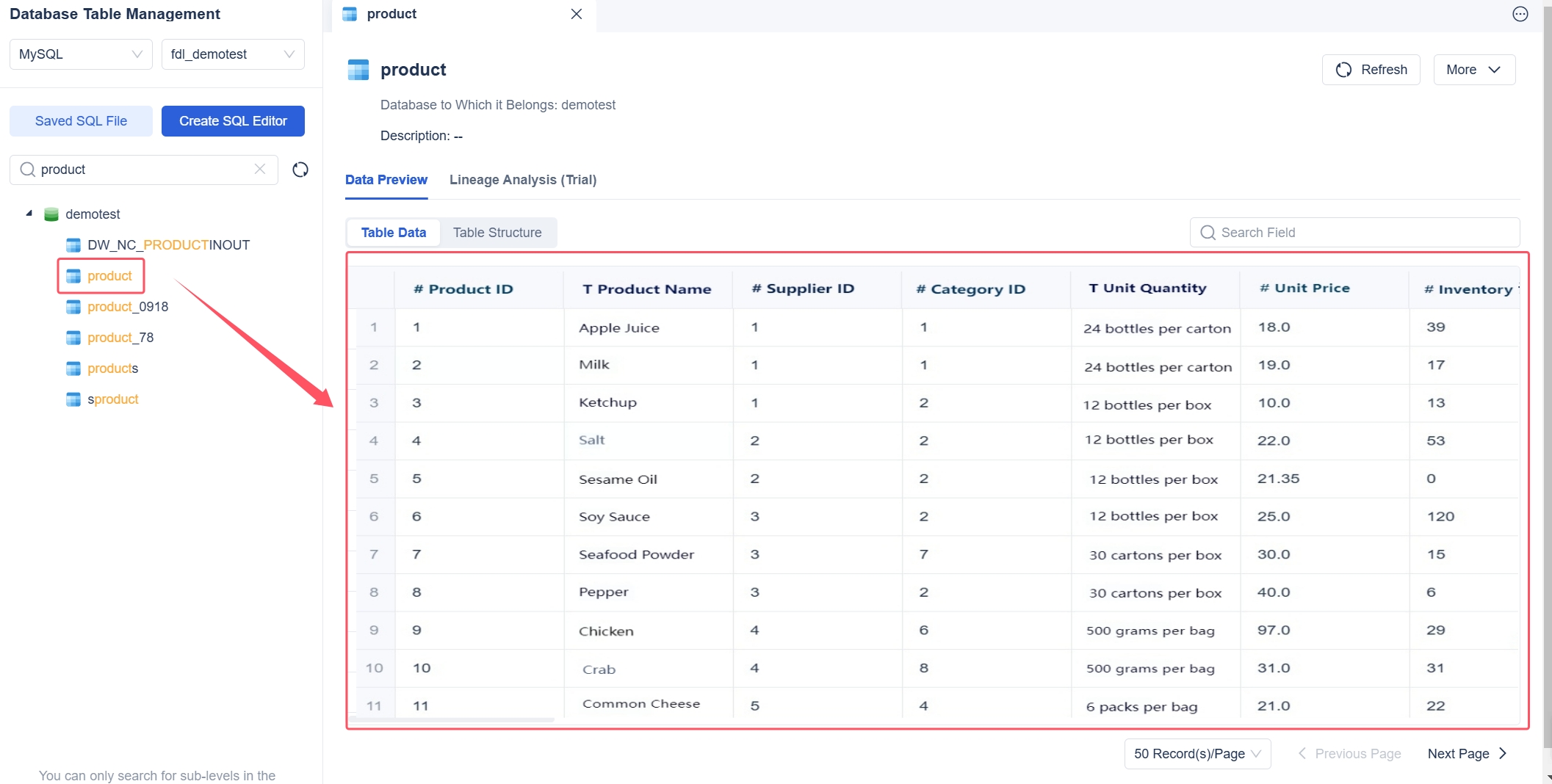
FineDataLink makes salesforce data integration simple and efficient for your crm system. You use a visual, drag-and-drop interface to connect salesforce with over 100 data sources. The platform supports real-time data integration, allowing you to synchronize customer data instantly across multiple tables and applications.
You can build data warehouses and develop APIs without writing code. FineDataLink provides detailed documentation and step-by-step instructional videos to guide you through each stage of the integration process. You automate workflows and reduce manual work, which improves data accuracy and reporting.
FanRuan’s business intelligence solutions complement FineDataLink by providing advanced analytics and real-time dashboards. You gain a unified view of customer data, which supports better decision-making and enhances your customer relationship management strategy.
Tip: Start with a small integration project using FineDataLink. Test and optimize your workflows before scaling up to larger crm initiatives. This approach helps you refine your integration methods and ensures reliable performance.
Salesforce data integration drives business growth by giving you unified, accurate data for better decisions. Real-time analytics help you respond quickly to changes and improve efficiency. FineDataLink offers a seamless way to connect your systems and boost business intelligence. To get started, follow these steps:
- Create a Salesforce integration project plan.
- Set the budget and resources.
- Find a Salesforce integration consultant.
- Choose a Salesforce integration type.
- Choose a system integration solution.
Explore these steps to unlock the full value of your data.
Continue Reading About Salesforce Data Integration
Mastering Data Integration Engineering: A Comprehensive Guide
Understanding Data Integration Architecture Basics
Understanding Data Integration Techniques and Their Applications
2025 Best Data Integration Solutions and Selection Guide
Best Data Integration Platforms to Use in 2025
Frequently asked questions
Salesforce data integration connects Salesforce with other business systems. You use it to unify data, automate workflows, and improve reporting. This process helps you make better decisions and supports business growth.