

A recruitment dashboard gives you a visual summary of your entire hiring process in one place. It pulls together data from different sources, helping you track every stage of recruitment and make smarter decisions. You see trends, spot bottlenecks, and measure results quickly.
Over the past five years, the shift toward data-driven recruitment has been clear. Many organizations now use AI tools to improve hiring. For example:
| Year | Percentage of Organizations Using AI in Recruiting |
|---|---|
| 2024 | 26% |
| 2025 | 43% |
You need real-time insights to keep up. FineBI lets you centralize, visualize, and act on recruitment data, making your dashboard a powerful tool for modern hiring.
Recruitment Dashboard Overview
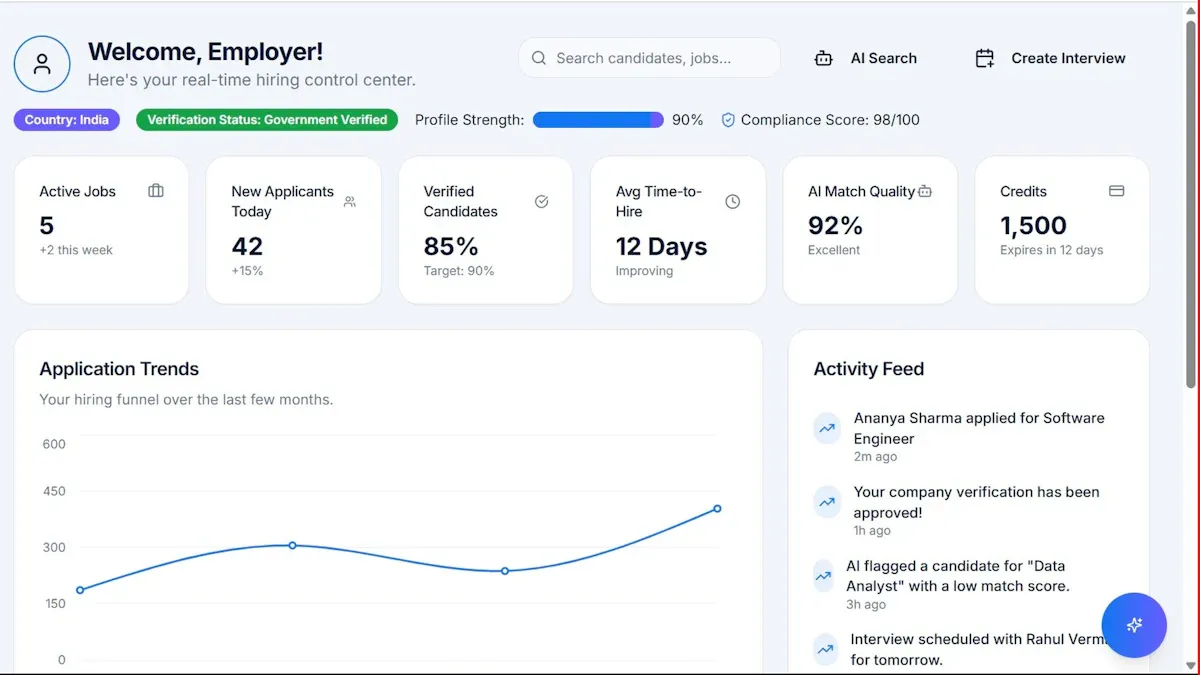
What is a Recruitment Dashboard
A recruitment dashboard gives you a clear, visual interface to monitor your hiring process. You see all your important metrics, KPIs, and goals in one place. This tool transforms raw data into helpful insights, making it easier for you to understand how well your company attracts new talent. Leading HR technology sources describe a recruitment dashboard as a centralized platform that tracks job applicants, costs, speed, and the entire talent acquisition process.
| Source | Definition |
|---|---|
| Netsuite | A recruiting dashboard is a visual interface of metrics, KPIs, benchmarks, and goals designed to provide a snapshot of how well a company’s efforts to attract new talent are going. It centralizes data-derived metrics related to job applicants, costs, speed, and talent acquisition processes, allowing HR teams to improve candidate sourcing and reduce acquisition costs. |
| Wellhub | A recruiting dashboard is a tool that provides real-time visibility into the hiring process, transforming raw recruitment data into helpful insights for better recruitment decisions. |
You use a recruitment dashboard to bring together information from different systems. This helps you avoid manual data searches and gives you instant access to the numbers that matter most. You can track how many candidates apply, how long each step takes, and where you might lose strong applicants. This kind of dashboard supports your hiring team by making complex data easy to understand and act on.
Core Purpose in Recruitment
The main purpose of a recruitment dashboard is to make your hiring process more efficient and transparent. You get a single view of all your key metrics, which helps you make faster and better decisions. Here are some ways a recruitment dashboard supports your work:
- You access data instantly, so you do not waste time searching through spreadsheets.
- You track important KPIs, such as time-to-hire and cost-per-hire, to measure your progress.
- You share a common view of recruitment data with your team, which improves communication and alignment.
A recruitment dashboard also helps you spot problems early. For example, you can see if candidates drop out at a certain stage or if interviews take too long to schedule. This lets you fix issues before they slow down your hiring. You can also compare the performance of different recruiters and see which sourcing channels bring in the best candidates.
"An effective recruiting dashboard is an indispensable tool for anyone working in recruitment today, critical for hiring faster and cheaper without compromising on talent."
You use a recruitment dashboard to track candidate progress, identify bottlenecks, and visualize recruiter performance. This helps you understand where candidates get stuck and how you can improve the process. When you see how long candidates spend at each stage, you can reduce drop-off rates and create a better experience for applicants. You also get the ability to filter data by different criteria, which gives you tailored insights for each role or department.
| Benefit | Description |
|---|---|
| Real-time visibility | Dashboards provide immediate insights into applications, interviews, and hires, aiding swift decisions. |
| Improved collaboration | Different stakeholders can access a shared view of data, promoting transparency and alignment. |
| Identification of bottlenecks | Dashboards highlight inefficiencies in the hiring process, allowing for targeted improvements. |
| Enhanced candidate experience | Tracking feedback ensures a positive experience for applicants, increasing acceptance rates. |
| Compliance support | Facilitates tracking of diversity metrics and ensures hiring steps are completed properly. |
You rely on a recruitment dashboard to support compliance, track diversity metrics, and ensure every hiring step is completed correctly. This makes your process not only faster but also more reliable and fair.
FineBI for Recruitment Dashboards
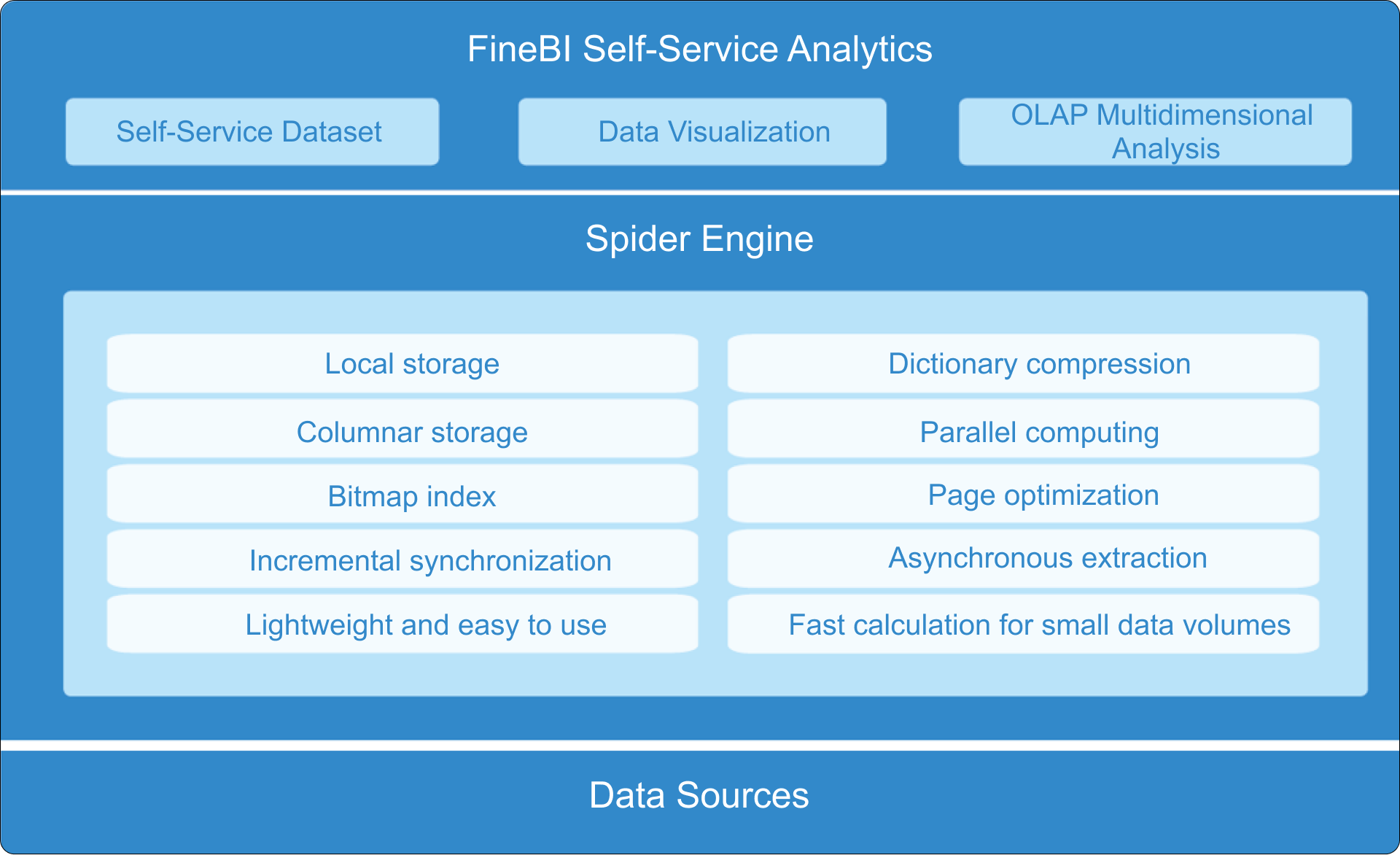
Once you understand the value of a recruitment dashboard, you need the right tool to build and manage it. FineBI stands out as a powerful solution for creating an effective recruitment dashboard. You do not need advanced technical skills to use FineBI. Its self-service analytics let you connect to your data sources and start analyzing right away.
FineBI offers several features that make your recruitment dashboard more useful:
- Self-Service Analytics: You can conduct your own analysis with a simple drag-and-drop interface. This means you do not have to wait for IT support.
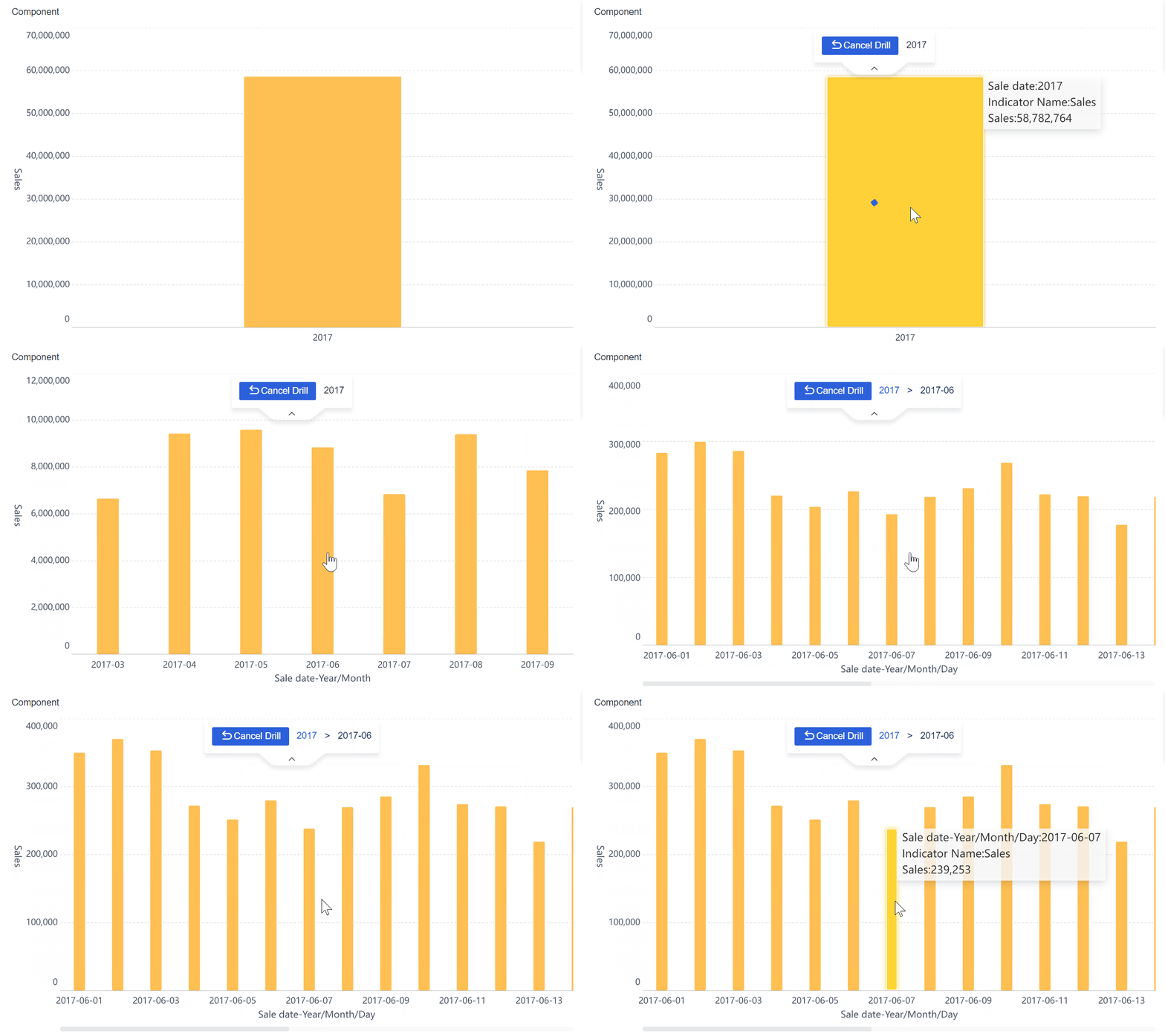
- Interactive Dashboards: You explore data dynamically and drill down into details for deeper insights.
- Data Visualization: You choose from a wide range of charts and visuals to communicate your findings clearly.
- Real-Time Data Analysis: You analyze data as soon as it is available, which helps you respond quickly to changes in your recruitment process.
With FineBI, you centralize all your recruitment data, visualize trends, and act on insights in real time. This makes your recruitment dashboard a central hub for smarter, faster hiring decisions.
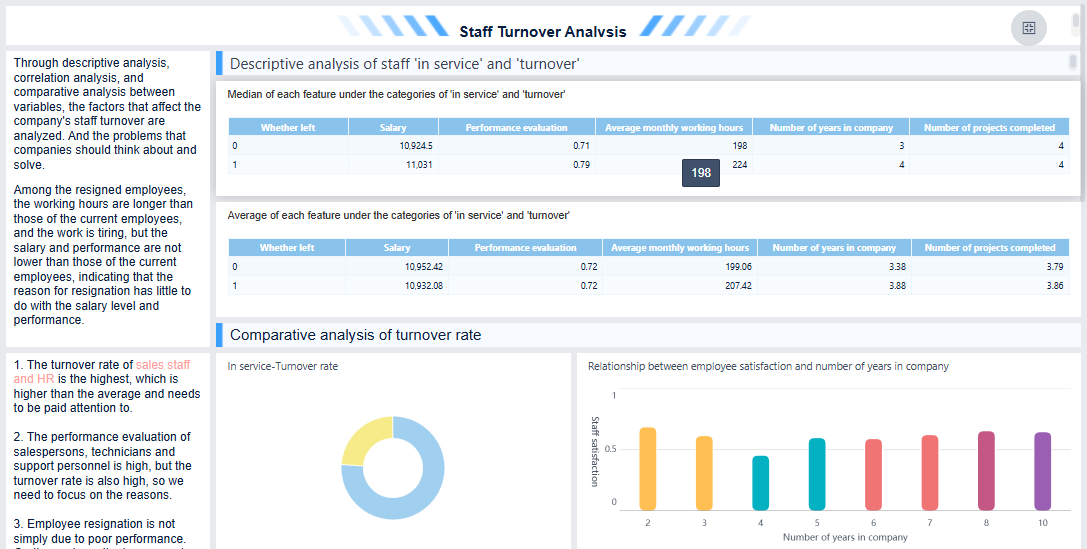
Key Benefits of a Recruitment Dashboard
Efficiency and Time-to-Hire
A recruitment dashboard transforms how you manage recruiting by making your workflow faster and more organized. You can quickly spot where candidates get stuck and address these issues before they slow down your hiring process. Many organizations report that dashboards help automate repetitive tasks, such as sending interview reminders and updating candidate statuses. This automation frees you to focus on engaging with top talent instead of handling manual tasks.
| Improvement Aspect | Description |
|---|---|
| Identification of Bottlenecks | Dashboards help pinpoint where candidates are getting stuck in the hiring process. |
| Automation of Tasks | Repetitive tasks are automated, freeing up recruiters to focus on engaging with candidates. |
| Real-time Data Utilization | Access to real-time data allows for quicker decision-making and adjustments in the hiring process. |
You can also use a recruiting dashboard to automate resume screening, schedule interviews, and manage candidate relationships. These features reduce the time it takes to move candidates through each stage, helping you secure top talent before your competitors do.
Communication and Collaboration
A recruitment dashboard improves communication between recruiters and hiring managers. You get instant access to reports and performance metrics, which means you do not need to gather data manually. This visibility helps your team align on goals and make informed decisions together.
| Feature | Benefit |
|---|---|
| Automated Reporting | Eliminates manual data gathering, providing instant visibility for better communication. |
| Performance Optimization | Identifies top channels and areas for improvement, facilitating strategic discussions. |
| AI Recommendations | Provides actionable steps based on data analysis, enhancing decision-making between teams. |
| Real-time Dashboards | Offers clear visibility into hiring metrics, improving alignment on recruitment goals. |
| Business-value Metrics | Tracks critical KPIs, allowing for informed discussions on hiring effectiveness. |
Recruitment dashboards also support collaboration across distributed teams. You can share a single view of all recruitment metrics, making it easier for everyone to stay updated and work toward common objectives.
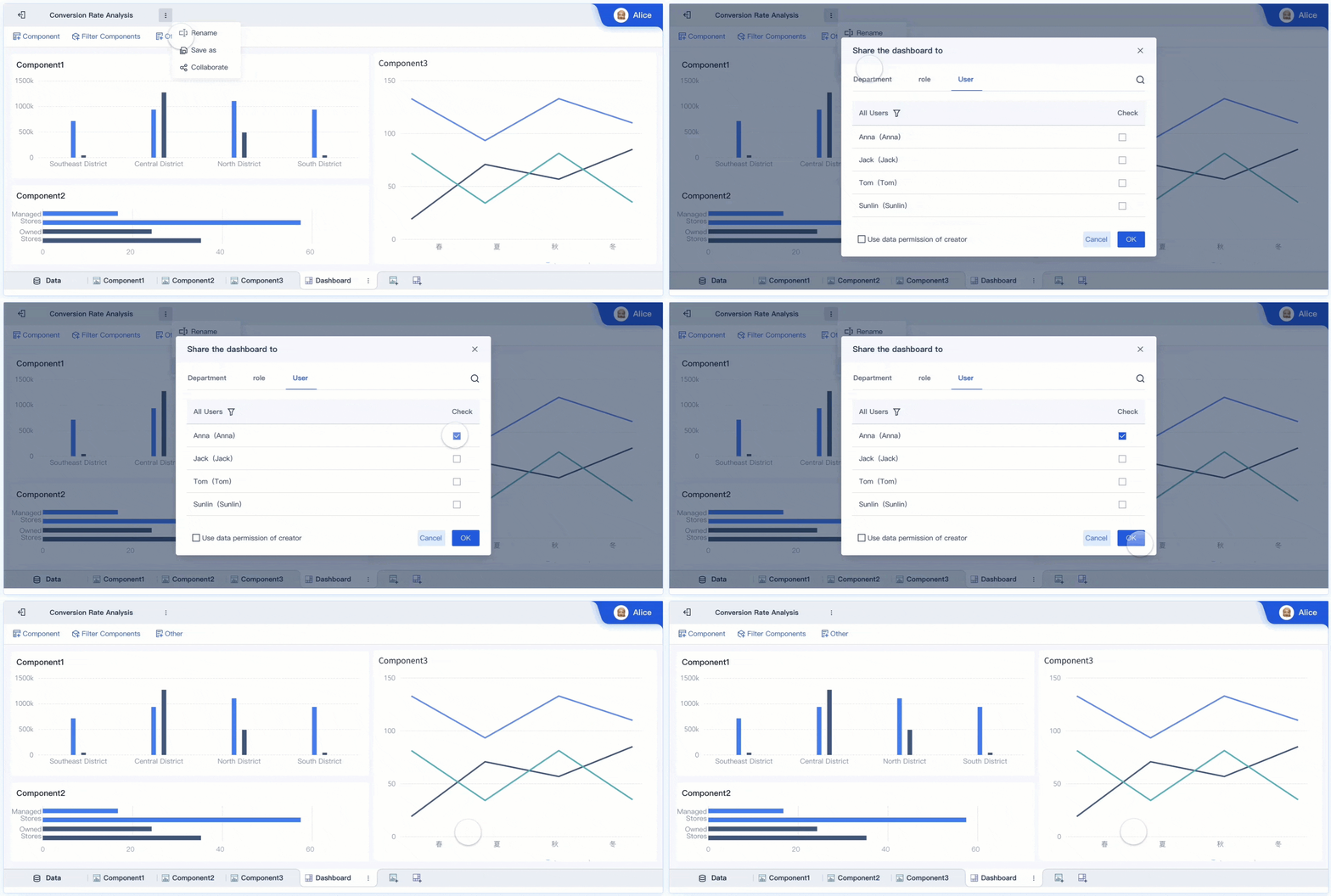
Data-Driven Decisions with FineBI
When you use FineBI for your recruitment dashboard, you gain access to self-service analytics and real-time data. This empowers you to make decisions based on facts, not guesswork. You can analyze historical data to identify traits that lead to successful hires and standardize evaluations to reduce bias.
Research shows that using analytics in recruiting leads to better hiring outcomes. For example, companies have seen up to a 30% reduction in time to hire and a 40% reduction in cost per hire. FineBI’s interactive dashboards let you track key metrics, visualize trends, and set up alerts for important changes. This helps you attract and retain the best talent while continuously improving your recruiting strategy.
Essential Metrics in Recruitment Dashboard
Candidate Pipeline Metrics
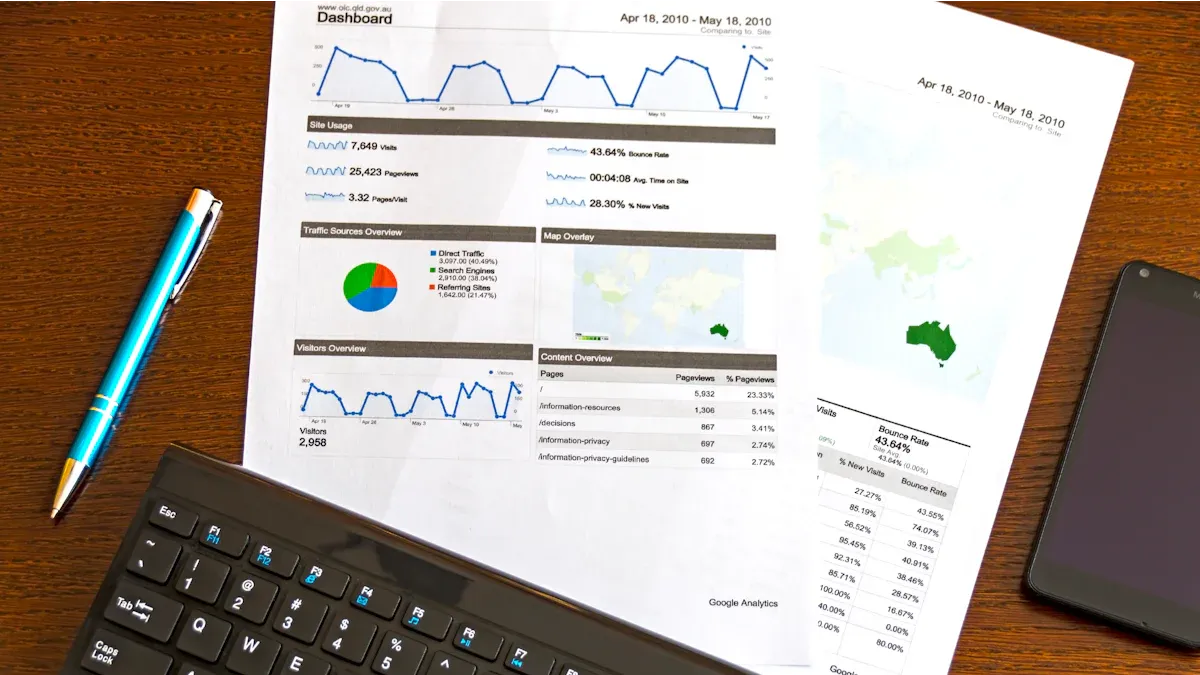
You need to track candidate pipeline metrics to understand how applicants move through each stage of your recruitment process. These metrics help you identify where candidates drop off and where you can improve efficiency. A recruitment metrics dashboard gives you instant access to these numbers, allowing you to monitor trends and make proactive adjustments. Organizations use these metrics to spot delays, such as slow screening or interview scheduling, and then streamline those steps. Continuous monitoring helps you attract high-quality talent and reduce the time it takes to fill vacancies.
| Metric | What it Measures | Why it Matters | Goal |
|---|---|---|---|
| Quality of hires by channel | Performance or retention rate of hires from different channels | Helps allocate time and budget to effective sourcing channels | Justify more investment in successful sourcing channels like referrals. |
| Offer acceptance rate | Percentage of candidates accepting job offers | Indicates potential issues with compensation or candidate experience | Aim for 85–90% acceptance by improving candidate engagement throughout the process. |
| Time to fill | Total time from role opening to accepted offer | Valuable for assessing recruitment efficiency | Automate tasks to reduce this time metric. |
| Pipeline speed | Speed at which candidates move through the recruitment process | Identifies inefficiencies in the recruitment pipeline | Use analytics to find and address bottlenecks in the process. |
| Cost per hire | Average cost to fill a role | Measures sourcing ROI and helps manage recruitment budgets | Lower costs while maintaining candidate quality through efficient workflows. |
| Candidate satisfaction score | Satisfaction level of candidates with the recruitment process | Impacts brand reputation and offer acceptance rates | Gather feedback to refine the recruitment process. |
| Sourcing channel efficiency | Ratio of successful hires to total candidates from each channel | Reveals effectiveness of different sourcing channels | Optimize sourcing mix based on successful hire ratios. |
Source of Hire and Channel Effectiveness
You should analyze the source of hire to see where your best candidates come from. A recruitment metrics dashboard tracks the origin of successful hires, helping you allocate resources to the most effective channels. For example, job boards may bring in many applicants, but referrals often result in higher-quality hires. By comparing channel effectiveness, you can focus your recruiting efforts on sources that deliver strong talent.
| Source Type | Quality of Candidates | Volume of Applicants | Success Rate |
|---|---|---|---|
| Job Boards | Low | High | Low |
| Employee Referrals | High | Low | High |
| Social Media | Medium | Medium | Medium |
| Recruitment Agencies | Medium | Low | Medium |
Recruitment dashboards help you optimize your sourcing strategy and save costs by investing in channels that yield the best results.
Time-to-Fill and Cost-per-Hire
Tracking time-to-fill and cost-per-hire in your recruitment metrics dashboard is essential for managing budgets and improving efficiency. You see how long it takes to fill roles and how much each hire costs. These metrics help you justify investments and refine your recruiting practices.
| Industry | Cost Per Hire |
|---|---|
| Technology | $7,500 |
| Finance | $6,200 |
| Healthcare | $5,800 |
| Manufacturing | $4,100 |
| Retail | $3,200 |
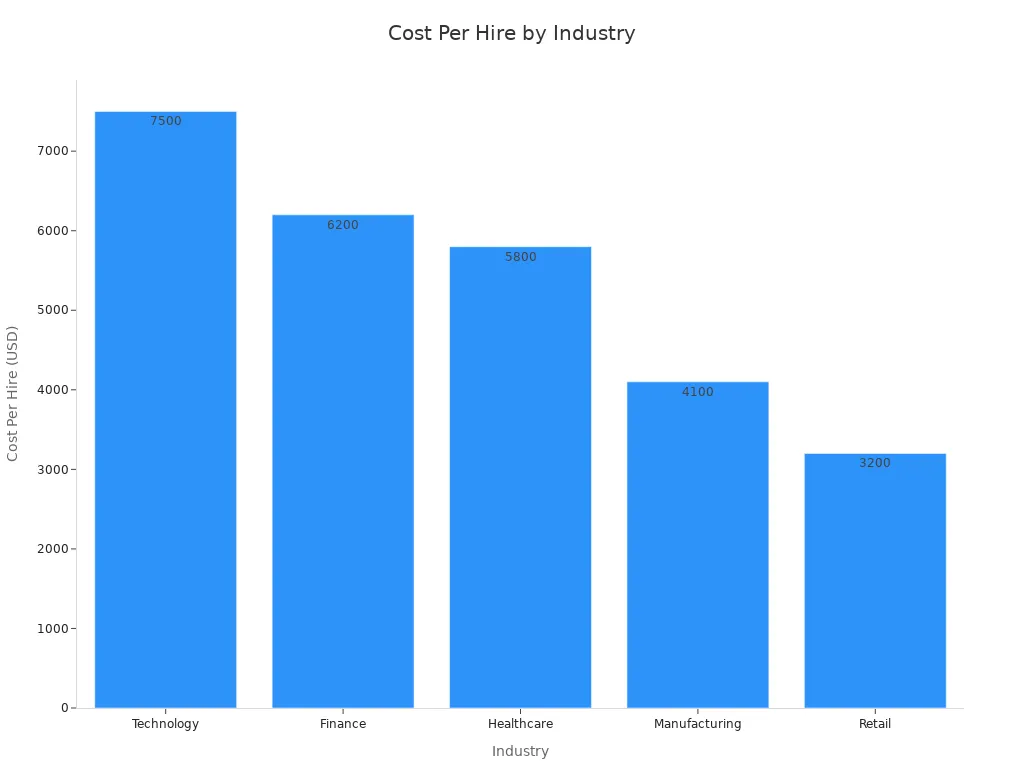
Quick approvals and efficient workflows can reduce both time-to-fill and cost-per-hire, improving overall recruitment performance.
Quality of Hire and Retention
You measure quality of hire and retention to see how well new employees perform and stay with your company. Recruitment metrics dashboards track pre-hire indicators like skill tests and interview scores, as well as post-hire metrics such as retention rates and performance reviews. Early turnover often signals issues in your hiring process. Track retention at intervals like 30, 90, and 365 days to assess onboarding and long-term fit.
Early turnover often signals quality issues in the hiring process. Track retention at key intervals: 30-day retention (onboarding effectiveness), 90-day retention (role fit assessment), and 12-month retention (long-term value).
Companies that optimize their hiring process with a recruitment metrics dashboard can see up to a 70% improvement in quality of hire. FineBI enables you to visualize these metrics, set alerts for anomalies, and compare outcomes across recruiters and channels, helping you build a stronger talent pipeline.
Improving Recruitment Outcomes with FineBI's Recruitment Dashboard
Identifying Bottlenecks
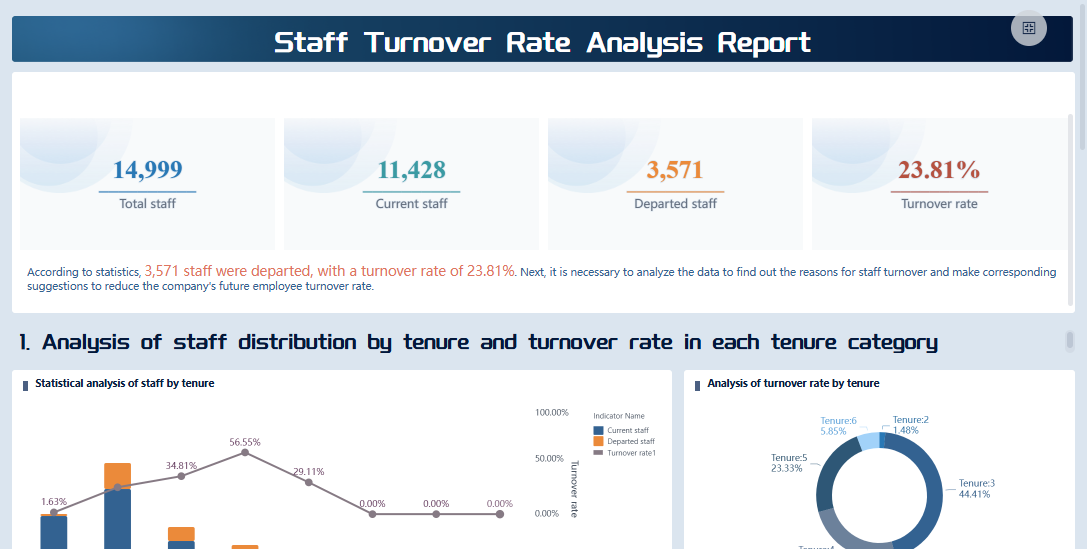
You can use a dashboard to quickly spot bottlenecks in your recruiting process. Common issues often include slow response times after candidates apply, poor communication between HR and hiring managers, lengthy interview cycles, and inefficient tools that create duplicate work or missing records. When you track these problems, you can address them before they impact your ability to attract top talent.
A dashboard helps you monitor key metrics that reveal where your process slows down. For example, you can track the number of applicants generated, conversion rates at each stage, and the average time to hire. The table below shows how these metrics support your recruiting efforts:
| Metric Type | Description |
|---|---|
| Number of applicants | Understand the volume and quality of applicants from different sources. |
| Conversion rates | Track how candidates move through each stage and find areas for improvement. |
| Average time to hire/fill | Measure the efficiency of your recruiting process at both team and individual levels. |
By using these insights, you can make targeted changes that keep your hiring process efficient and competitive.
Continuous Improvement in Recruitment
You need to focus on continuous improvement to stay ahead in recruiting. A dashboard supports this by helping you analyze time-to-fill, candidate drop-off points, and process efficiency. You can identify areas of opportunity, optimize workflows, and make data-driven decisions that improve your hiring strategy.
Consider these methods for ongoing improvement:
- Analyze time-to-fill to reduce the duration needed to fill open positions.
- Review where candidates drop out to improve the candidate experience.
- Monitor interview scheduling and feedback to enhance process efficiency.
- Use metrics to evaluate and refine your recruiting strategies.
Tracking these metrics over time leads to better outcomes. For example, you can measure average time to fill, time to hire, source of hire, diversity recruiting, attrition rate, quality of hire, applicants per opening, and cost per hire. Each metric gives you a clear view of your recruiting performance and helps you adjust your approach for better results.
Custom Insights with FineBI
FineBI gives you advanced analytics and collaboration tools that make your dashboard even more powerful. You can set up real-time alerts for important changes, such as a sudden drop in applicants or a spike in interview delays. These alerts help you respond quickly and keep your recruiting process on track.
You can also customize your dashboard to focus on the metrics that matter most to your team. FineBI allows you to share dashboards securely, so everyone involved in recruiting can access the latest data and insights. This collaboration ensures that your team works together to attract and retain the best talent.
Tip: Use FineBI’s interactive features to drill down into specific stages of your recruiting process. This helps you uncover hidden trends and make smarter decisions.
With FineBI, you turn your recruitment data into actionable insights that drive continuous improvement and help you build a stronger talent pipeline.

You gain a clear advantage when you use a dashboard to manage recruitment. Tracking the right metrics helps you improve efficiency and candidate quality. FineBI gives you tools to analyze data and make better decisions. Many organizations report faster hiring and stronger teams after adopting solutions like FineBI. See how these metrics reflect real improvements:
| Metric | Description |
|---|---|
| Time-to-fill | Shows how quickly you fill open positions. |
| Candidate Quality | Measures how well new hires perform after joining your company. |
| Offer Acceptance Rate | Tracks how many candidates accept job offers. |
Consider implementing a dashboard to support data-driven hiring and build a more effective recruitment process.

Continue Reading About Recruitment Dashboard
Best Dashboard Apps for Business Insights
What is a Call Center Dashboard and Why Does It Matter
What is a Reporting Dashboard and How Does it Work
What is An Interactive Dashboard and How Does It Work
What is a Call Center Metrics Dashboard and How Does It Work
Frequently asked questions
A recruitment dashboard is a visual tool that helps you track and analyze your hiring process. You see key metrics, trends, and bottlenecks in one place. This makes it easier to improve your recruitment strategy.




