If you are searching for power bi developer jobs, you are probably trying to answer three practical questions at once: how much these roles pay, whether remote jobs are worth the added competition, and what employers now expect from candidates in 2026.
The market is still active, but it is more selective than many applicants expect. Companies are hiring for Power BI talent across finance, operations, healthcare, manufacturing, retail, consulting, and public sector teams. At the same time, hiring managers are asking for more than dashboard-building basics. They want developers who can model data correctly, write solid DAX, manage refresh reliability, communicate with stakeholders, and turn reporting requests into decision-ready analytics.
Quick Comparison Table
| Criteria | Remote Power BI Developer Jobs | On-Site Power BI Developer Jobs |
|---|---|---|
| Best for | Candidates who want flexibility and access to national openings | Candidates who want lower applicant competition and stronger local visibility |
| Ease of getting interviews | Often harder due to larger applicant pools | Often easier in markets with local hiring urgency |
| Salary variation | Wider range based on company location, contract structure, and geography | Usually more tied to local market rates and cost of labor |
| Dashboard and reporting work | Similar technical scope, but more async collaboration | Similar technical scope, often with more direct stakeholder contact |
| Data preparation expectations | High, especially for independent contributors | High, often with closer integration to internal data teams |
| Collaboration | More documentation, meetings, and written communication | More real-time feedback and in-person alignment |
| Deployment environment | Often distributed teams and cloud-first processes | May include tighter coordination with local IT and business teams |
| Learning curve | Technical learning plus remote work discipline | Technical learning plus office and team coordination |
| Recommended users | Experienced candidates with strong portfolios and communication skills | Candidates who benefit from visibility, mentorship, or local market demand |
Power BI Developer Jobs in 2026: What the Market Looks Like
In 2026, power bi developer jobs sit in an interesting middle ground between analytics engineering, BI development, and business-facing reporting work. The title itself can mean different things depending on the company.

Some employers use it for a report developer focused on dashboards and KPI delivery. Others expect a broader skill set that includes data modeling, SQL development, semantic layer design, security roles, refresh troubleshooting, and stakeholder consulting. In smaller companies, one Power BI developer may effectively act as a BI team of one. In larger enterprises, the role may sit alongside data engineers, analysts, and governance teams.
The biggest differences between remote and on-site roles usually show up in three areas:
- Pay structure: remote roles often have a broader salary spread
- Competition: remote openings usually attract more applicants
- Work style: on-site roles often involve more real-time collaboration with business teams
Opportunity is still strongest in markets where analytics supports day-to-day decision-making, such as:
- Financial planning and performance management
- Sales and revenue operations
- Supply chain and inventory reporting
- Healthcare and payer-provider analytics
- Manufacturing and plant performance tracking
- Consulting and client delivery environments
- Public sector and regulated reporting teams
For candidates, that means the best job search strategy is not just “apply to every Power BI opening.” It is to understand what kind of Power BI developer you are and which market segment matches your strengths.
Remote vs On-Site Power BI Developer Salary Trends
How hourly and annual compensation compare
Compensation for Power BI developers in 2026 typically falls into a few common patterns:
- Hourly contract work: often varies widely depending on seniority, project scope, and whether the role includes data engineering or platform administration tasks
- Annual full-time salaries: usually cluster into junior, mid-level, and senior bands
- Hybrid compensation packages: may combine base salary with bonus, benefits, or retention incentives
In general terms:
- Entry-level to junior roles tend to land in lower salary bands, especially when the employer expects more dashboard maintenance than advanced modeling
- Mid-level roles usually pay more when they require strong DAX, Power Query, SQL, semantic modeling, and stakeholder ownership
- Senior roles often command premium pay when they include architecture input, governance, performance tuning, executive reporting, or cross-functional leadership
Remote roles usually show wider pay variation than on-site roles for a few reasons:
- The hiring company may benchmark pay to its headquarters rather than the candidate’s location.
- Some remote roles are contract-based rather than salaried.
- International or multi-region hiring can introduce currency and labor-market differences.
- Fully remote jobs often attract both premium specialists and lower-cost contractor models.
That is why two listings with the same title can look very different. One “Power BI Developer” job may mostly involve maintaining dashboards. Another may actually require semantic model design, row-level security, deployment discipline, and business consulting.
Why location still affects pay
Even in a remote-friendly market, location still influences compensation.
Employers continue to price roles based on factors such as:
- Local cost of labor
- Competition for experienced BI talent
- Industry concentration in a metro area
- Tax and payroll considerations
- Office attendance requirements
- Security or compliance constraints
On-site and hybrid roles may also include compensation trade-offs that do not appear in the headline salary, such as:
- Annual bonuses
- Stronger health or retirement benefits
- Commuter support
- Relocation packages
- Training budgets
- Clearer promotion pathways
- Better executive exposure
In other words, a remote role with a slightly higher salary is not always the better offer. If the on-site role offers stronger mentorship, more ownership, or a cleaner data environment, it may create better long-term career value.
What candidates should expect in major U.S. markets
Major U.S. metros still tend to reward experienced BI talent, especially where Power BI supports revenue operations, enterprise finance, consulting delivery, or regulated reporting.
Candidates often see premium offers in markets where companies need people who can do more than build visuals. Those premium conditions usually include roles that require:
- Advanced DAX and model optimization
- Enterprise reporting governance
- Executive dashboard ownership
- Multi-source data integration
- Cross-functional project leadership
- Industry knowledge in finance, healthcare, or supply chain
Cities with dense corporate hiring, consulting demand, or enterprise headquarters often remain strong markets for experienced Power BI developers. However, the highest-paying job is not always in the largest city. Sometimes regional markets pay surprisingly well because the local supply of BI talent is limited.
The practical takeaway: compare offers at the job level, not just by city. Scope often matters as much as geography.
Hiring Competition for Remote and On-Site Roles
Why remote openings attract more applicants
Fully remote power bi developer jobs tend to draw much larger applicant pools. That happens for obvious reasons:
- Candidates can apply from anywhere
- Job alerts spread faster across platforms
- The application process is usually simpler
- Remote work remains highly desirable
As a result, remote openings often move quickly. Hiring teams may receive a large volume of applications within days, not weeks. That changes the hiring dynamic in several ways:
- Resume screening becomes stricter
- Portfolios matter more
- Keyword matching has more impact
- Domain experience becomes a faster filter
- Communication quality stands out earlier
For applicants, this means remote jobs are accessible but not necessarily easier to win. In fact, many remote roles are more competitive because employers can compare candidates across a national or global pool.
Where on-site roles may be easier to win
On-site roles can be easier to land when employers have immediate local needs and fewer qualified nearby candidates.
This is especially true when:
- The company needs someone to partner directly with local stakeholders
- The role involves sensitive data or controlled systems
- Leadership prefers in-person collaboration
- The employer wants faster onboarding into internal processes
- Relocation is limited, reducing the total applicant pool
In some industries, hiring managers still prefer BI developers who can sit close to finance, operations, or plant teams because reporting work is deeply tied to business context. Being available for workshops, whiteboard sessions, and fast iteration can give local candidates an advantage.
For job seekers, that means on-site roles may provide a more practical path to interviews, especially if you are in a strong regional market and can demonstrate business-facing experience.
How employers are filtering candidates in 2026
In 2026, employers are relying less on title alone and more on proof of capability. Common screening methods now include:
- Skills tests: DAX, SQL, data modeling, or Power Query exercises
- Portfolio reviews: dashboards, reporting packs, or case studies
- Domain screening: finance, healthcare, operations, supply chain, or SaaS experience
- Interview scorecards: structured assessment of technical depth and communication
- Scenario questions: how you handle messy data, vague requirements, or low dashboard adoption
What hiring managers usually want to know is simple:
- Can you build reliable reporting?
- Can you work with imperfect data?
- Can you explain trade-offs clearly?
- Can you turn a request into something the business will actually use?
Candidates who only describe visual design often struggle. Candidates who connect their work to business decisions usually perform better.
What Employers Expect from Power BI Developers
Core technical skills
Most employers now expect Power BI developers to be strong in the core Microsoft BI workflow, not just the report canvas.
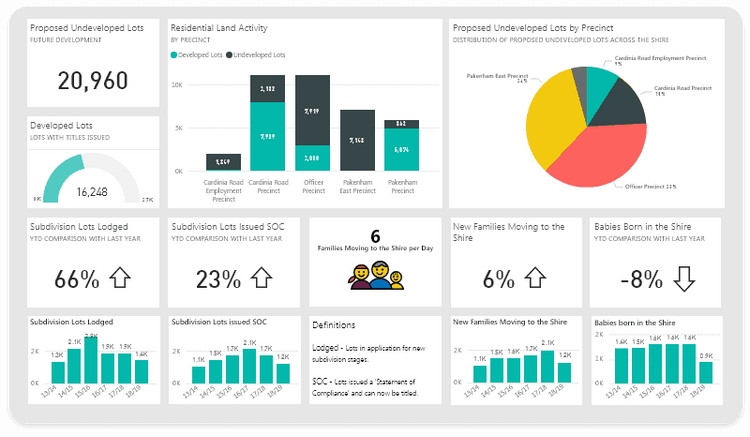
That usually includes:
- Power BI Desktop for report creation and data modeling
- DAX for measures, time intelligence, and KPI logic
- Power Query for shaping and transforming data
- SQL for extracting, validating, and troubleshooting source data
- Data modeling for star schemas, relationships, and semantic clarity
- Dashboard performance tuning for faster report interaction and lower refresh pain
In more mature teams, expectations often extend further into platform discipline:
- Governance and dataset ownership
- Semantic model design
- Row-level security and access control
- Scheduled refresh reliability
- Source-to-report validation
- Workspace organization and deployment practices
The strongest candidates are not just building reports. They understand how report quality depends on model quality, source quality, and governance quality.
Business and communication skills
A technically strong Power BI developer can still miss out if they cannot work with stakeholders.
Employers increasingly value candidates who can:
- Gather requirements without overcomplicating the process
- Translate vague requests into measurable dashboard goals
- Push back when metrics are poorly defined
- Explain data issues in plain language
- Drive adoption instead of just delivering a file
This is where industry context matters. In some roles, a candidate with slightly less technical depth but stronger business understanding may outperform a more technical applicant. For example:
- Finance teams may value close familiarity with budgeting, variance, and forecast reporting
- Operations teams may care more about throughput, exceptions, service levels, and root-cause workflows
- Healthcare teams may prioritize data sensitivity, compliance awareness, and metric precision
Communication is no longer a soft bonus. In many Power BI roles, it is part of the job itself.
What a strong candidate profile looks like
A strong Power BI candidate profile in 2026 usually combines four things:
- Evidence of hands-on work
- Clear business impact
- Relevant technical breadth
- Credible collaboration experience
That can show up through:
- A portfolio with dashboards and short project explanations
- Resume bullets with quantified results
- Certifications that support, but do not replace, real project work
- Examples of working with finance, sales, operations, or executive stakeholders
- Stories about improving adoption, trust, or reporting speed
The best resumes do not just say “created dashboards.” They explain outcomes such as:
- Reduced manual reporting time
- Improved executive visibility into KPIs
- Standardized definitions across teams
- Increased dashboard adoption
- Identified revenue leakage or cost trends
- Improved refresh stability or data trust
How to Evaluate Opportunities and Improve Your Chances
How to compare job listings realistically
Not all power bi developer jobs are equal, even if the titles look similar. Before applying or accepting an interview, compare listings on the factors that most affect your daily work:
- Scope: Are you building dashboards, owning the data model, or also doing ETL and admin work?
- Reporting structure: Do you sit in IT, data, finance, or operations?
- Tooling maturity: Is there a real BI environment or just spreadsheet chaos being renamed as analytics?
- Stakeholder access: Will you work directly with decision-makers or only take ticket-based requests?
- Workload expectations: Are you supporting one business area or the entire company?
- Promotion path: Is this a stepping stone to senior BI, analytics engineering, or data platform work?
Many candidates make the mistake of chasing title appeal instead of role fit. A “Senior Power BI Developer” job can sometimes mean overextended reporting support with little strategic ownership. A plain “BI Developer” role may actually offer better mentorship and stronger enterprise exposure.
How to tailor your application for better results
Generic resumes struggle in a competitive market, especially for remote roles.
To improve results:
- Match your resume language to the employer’s stack
- Highlight the industries you have supported
- Emphasize business outcomes, not just tool usage
- Show where you owned requirements, validation, or stakeholder alignment
- Include examples of adoption, efficiency gains, or reporting improvement
If the job mentions finance reporting, bring forward variance analysis, executive KPI work, and model accuracy. If it mentions operations, surface throughput dashboards, process bottlenecks, and exception tracking. If it mentions enterprise BI, highlight governance, semantic models, role-based access, and refresh reliability.
A good application feels customized because it is relevant, not because it is stuffed with keywords.
Questions to ask before accepting an offer
A strong interview is not just about answering questions. It is also about asking better ones.
Before accepting an offer, ask about:
- How clean and reliable the source data is
- Who owns business definitions and KPI logic
- Whether the Power BI developer is expected to handle engineering tasks too
- How success is measured in the first 90 to 180 days
- What dashboard adoption actually looks like today
- How remote collaboration works across stakeholders and technical teams
- Whether there is documentation, governance, and change control
- What the most common reporting bottlenecks are
These questions help you spot roles with hidden risk, unclear ownership, or unrealistic expectations.
Practical Recommendations for Power BI Job Seekers in 2026
Here are five practical ways to improve your odds in this market:
-
Build a focused portfolio, not a random one.
Show two or three strong examples tied to real business questions such as sales performance, financial reporting, supply chain visibility, or executive KPI tracking. -
Tell outcome-driven stories.
In resumes and interviews, explain what changed because of your work: faster reporting, better decisions, stronger adoption, or more reliable metrics. -
Prepare for skills validation.
Be ready to discuss DAX logic, data modeling decisions, performance trade-offs, and how you handled messy source data. -
Target roles that match your real level.
Apply where your background fits the scope. Misaligned applications waste time, especially in highly competitive remote hiring. -
Evaluate the data environment before the salary.
A slightly lower-paying role with cleaner data, better governance, and stronger mentorship may accelerate your career more than a higher-paying but chaotic one.
When BI Teams Need More Than Power BI Alone
Power BI remains a widely used platform in the BI market, especially for Microsoft-centered environments. But employers and analytics leaders are increasingly dealing with a bigger challenge than dashboard creation alone: how to make analytics easier for business users, more scalable across teams, and more actionable in day-to-day work.
That is where teams may also look at platforms beyond a single reporting tool, especially when they need broader self-service analytics, governed data access, and easier business-user adoption.
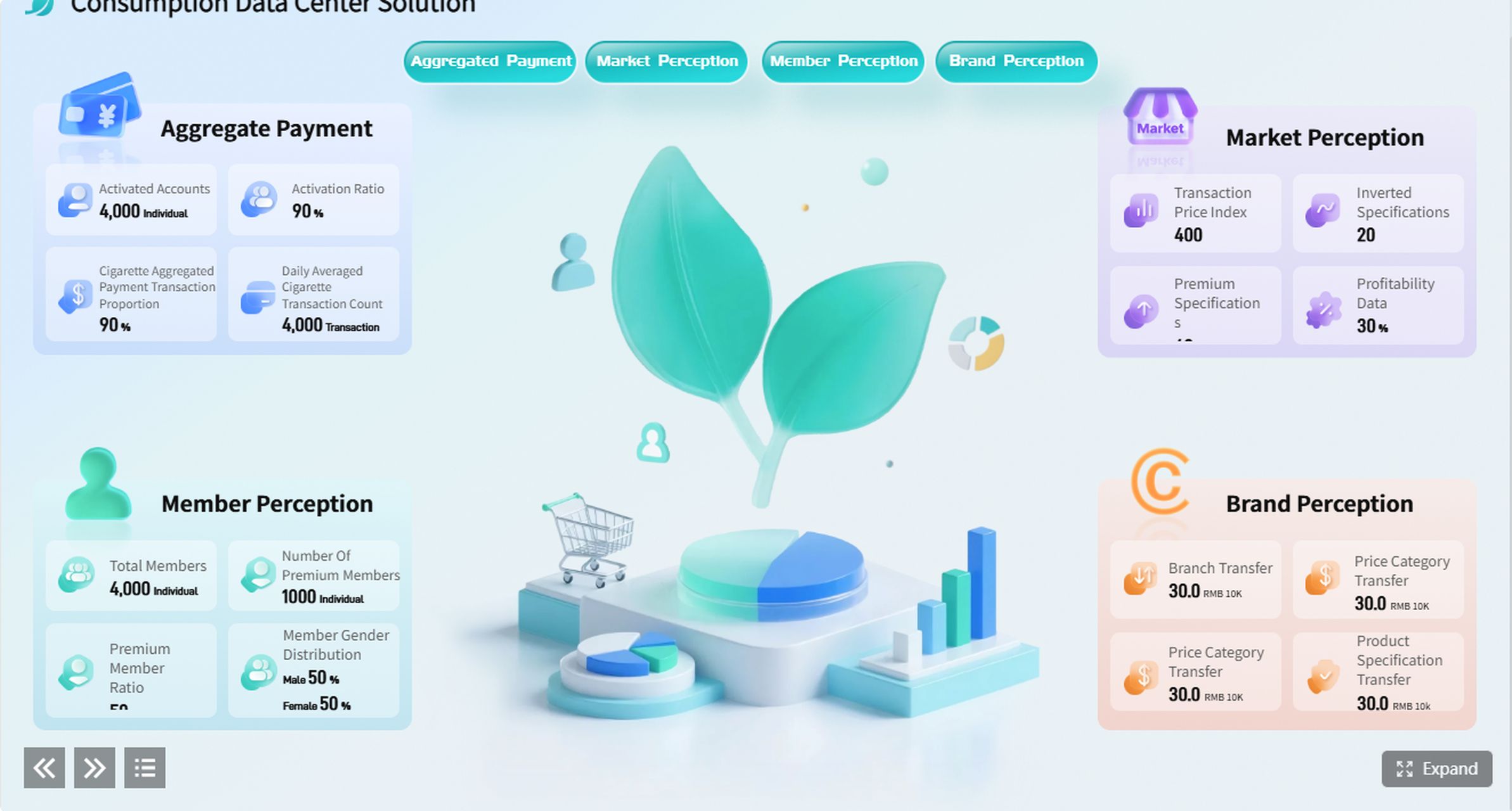
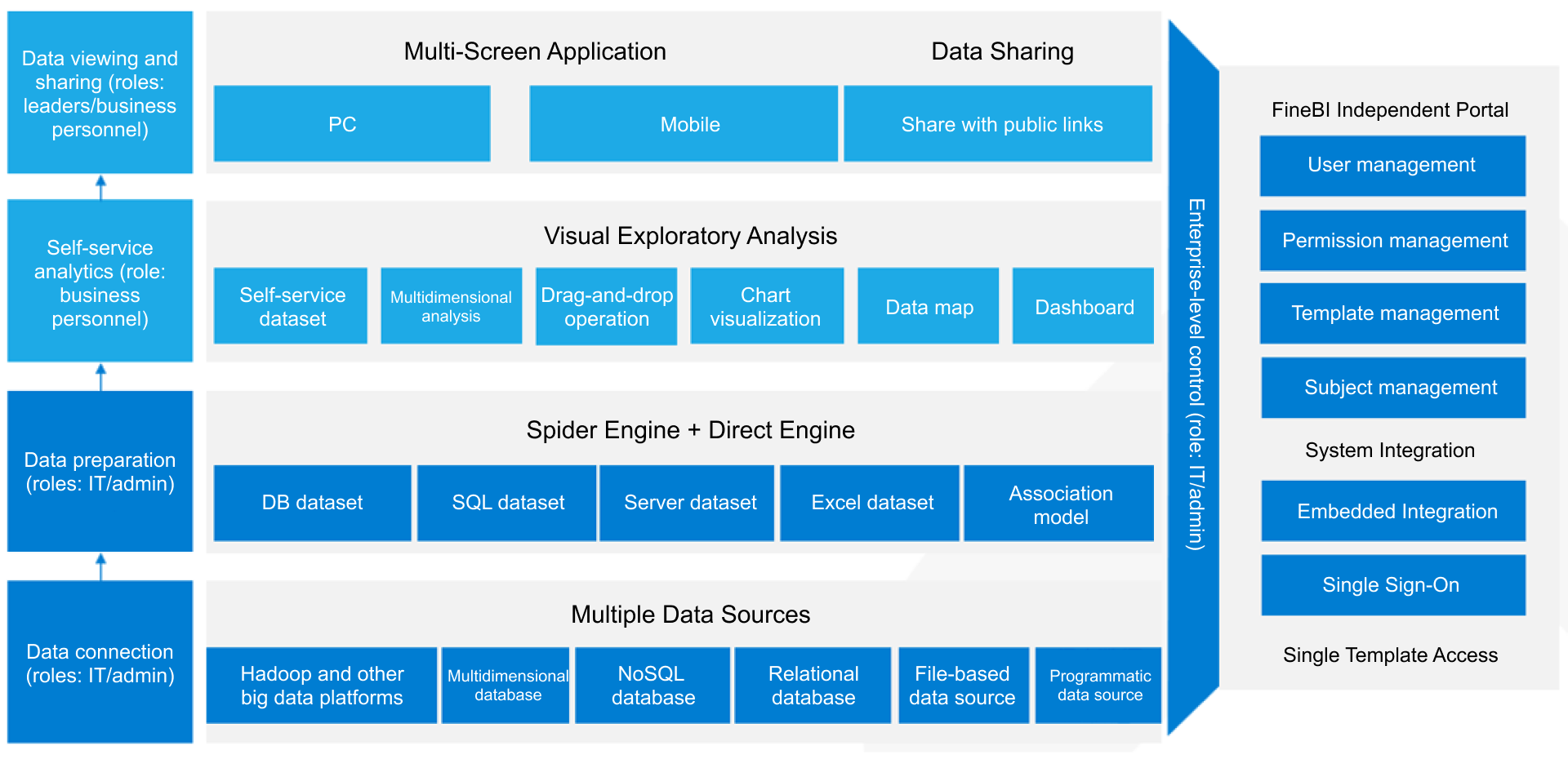 BI Workflow
Tools like Power BI are widely used, but teams that need a more business-user-friendly, self-service BI platform may also consider FineBI.
FineBI is positioned as a self-service BI platform that helps business teams work with trusted data through interactive dashboards, drag-and-drop analysis, and data exploration. For organizations that want broader dashboard adoption beyond technical users, FineBI can be relevant in scenarios such as:
- Business-led dashboard creation
- Interactive drill-down analysis
- Cross-department KPI tracking
- Enterprise dashboard sharing
- Faster reporting iteration for operational teams
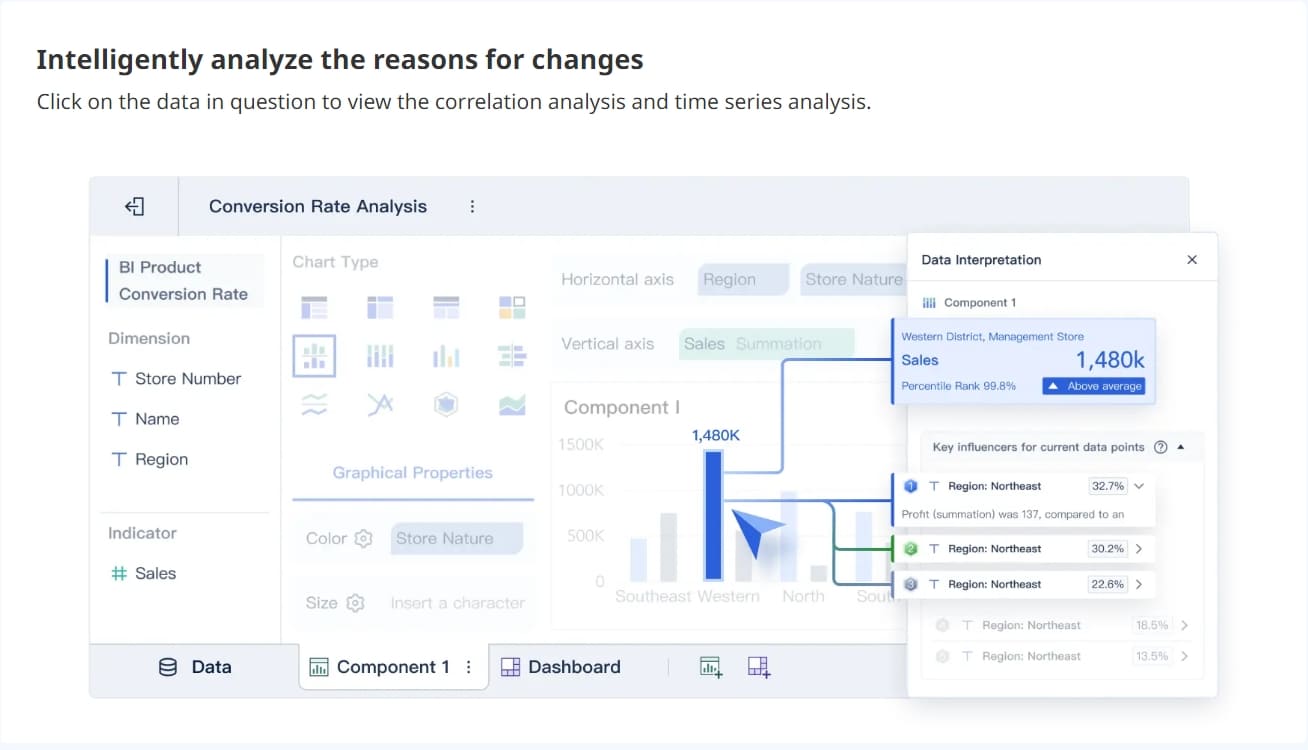 FineBI Real-time Analysis
Rather than replacing sound BI practices, FineBI helps teams build a more accessible analytics layer for business users who still need governed data and interactive exploration.
Where FineBI fits for business-facing analytics teams
FineBI is often a practical fit when organizations want to reduce dependence on purely specialist report development and enable more users to explore data directly.
Relevant strengths include:
- Self-service BI for business users
- Drag-and-drop dashboard building
- Interactive analysis and drill-down
- Enterprise data connectivity
- Dashboard distribution and collaboration
- Faster iteration between business questions and dashboard updates
For teams hiring BI developers, this matters because platform choice affects workload. In some environments, developers spend too much time on repetitive reporting requests. A more self-service-friendly BI approach can reduce that bottleneck and free technical teams to focus on modeling, governance, and higher-value analytics.
How Dora extends BI into Agentic BI workflows
Dora is FanRuan’s enterprise Data Agent platform. It works as an AI assistant and AI digital employee layer on top of FineBI and existing enterprise data assets.
Together, FineBI + Dora helps organizations move from simply viewing dashboards to enabling governed AI-supported analytics workflows. That means users can move closer to a model where AI helps them ask, analyze, summarize, generate, alert, and follow up based on trusted business data.
A useful way to think about the combination is:
- FineBI builds the trusted dashboard, metric, and semantic foundation
- Dora turns that foundation into a scenario-specific AI assistant or digital employee
Dora is best positioned as fourth-generation Agentic BI, combining:
- Natural-language requests
- A trusted semantic layer
- Governed query or skill execution
- Answers, charts, summaries, actions, and follow-up
This is especially relevant for enterprises that want to support use cases such as:
- Data Analyst digital employee
- Report Researcher
- Daily Briefing Secretary
- Risk Alert Officer
Dora is not a replacement for FineBI. It builds on trusted BI and data assets so organizations can create governed AI workflows rather than relying on a generic chatbot approach.
Use Natural Language to Ask Dora Now →

Get Ready-to-Use Dashboard Templates in Fine Gallery
Final Takeaways for 2026 Power BI Developer Job Seekers
The 2026 market for power bi developer jobs is active, but employers are hiring more carefully and candidates need to be more intentional.
The big takeaways are straightforward:
- Remote roles offer flexibility and broad access, but usually come with heavier competition and wider pay variation.
- On-site roles can be easier to win in local markets and may offer stronger visibility, stakeholder access, and longer-term growth.
- Employers want more than dashboard builders. They want developers who understand data models, governance, reliability, and business impact.
- The best opportunities come from alignment. Match your technical strengths, domain experience, and communication skills to the real scope of the role.
If your work goes beyond basic reporting and into self-service analytics, enterprise dashboarding, and business-user adoption, it is also worth understanding how platforms like FineBI + Dora support more scalable and governed BI operations.
FAQs
Usually yes, because remote openings attract far more applicants from multiple locations. On-site roles often have smaller candidate pools, which can make it easier to get noticed and land interviews.