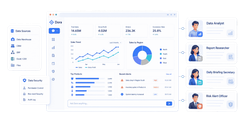
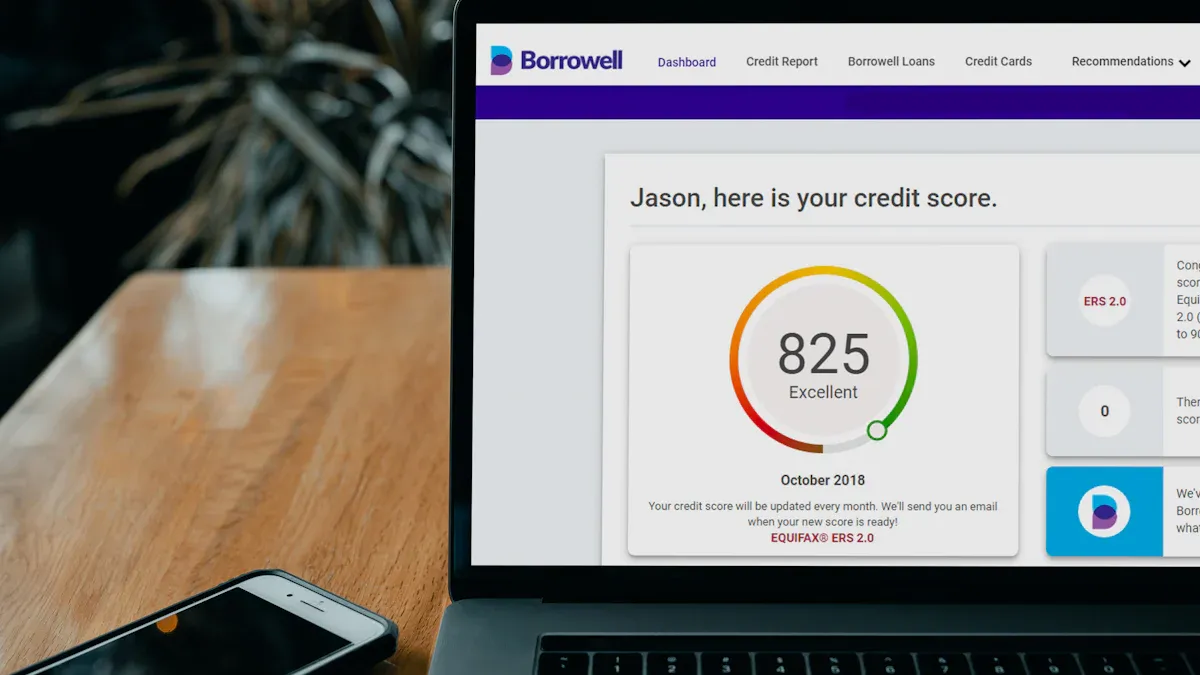
Performance reporting is the discipline of turning operational data into clear decisions. For IT managers, operations directors, PMO leaders, analysts, and executives, the value is simple: it shows whether goals are being met, where performance is slipping, and what actions should happen next. Without a strong performance reporting process, teams rely on disconnected spreadsheets, inconsistent definitions, and delayed updates that make accountability difficult and decisions slower than they should be.
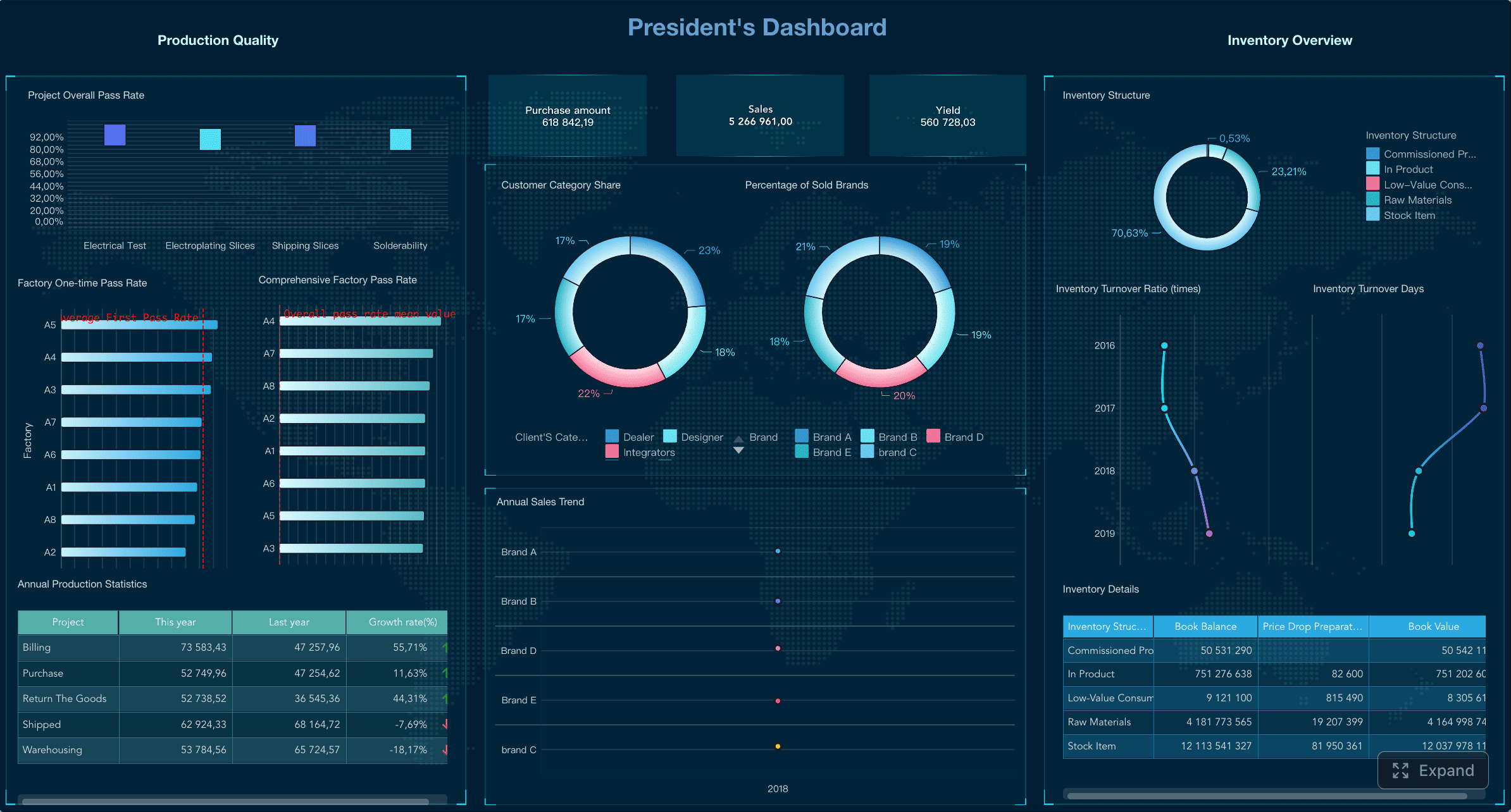
All reports in this article are built with FineReport.
Performance reporting explained: what it is and why it matters
Performance reporting is the structured process of collecting, analyzing, and presenting business results against goals. It helps organizations answer four practical questions:
- What happened?
- How are we performing against target?
- Why did results change?
- What should we do next?
For enterprise teams, performance reporting is not just a documentation exercise. It supports:
- Decision-making: leaders can allocate budget, resources, and attention based on evidence
- Accountability: owners and teams can be measured against agreed outcomes
- Continuous improvement: trends and root causes reveal where processes need to change
- Transparency: stakeholders see a consistent view of progress, risks, and priorities
A well-built performance report reduces noise. It highlights what matters most instead of flooding stakeholders with raw numbers.
Raw data vs metrics vs KPIs vs a finished report
Many reporting problems start because teams use these terms interchangeably. They are not the same.
- Raw data: unprocessed facts from source systems, such as tickets closed, revenue booked, defects logged, or hours worked
- Metrics: measurements derived from data, such as average resolution time or conversion rate
- KPIs: the small set of metrics that matter most because they track progress toward a strategic objective
- Finished report: the packaged output that combines KPIs, supporting metrics, trends, explanations, and recommended actions
A useful way to think about it is:
Data becomes metrics. Metrics become KPIs. KPIs become decisions when presented in a report with context.
Common use cases for performance reporting
Performance reporting is used across nearly every function. The format may differ, but the purpose is consistent: align execution with outcomes.
Common use cases include:
- Team reporting: monitor productivity, service levels, quality, and workload
- Program reporting: track milestones, deliverables, outcomes, and compliance obligations
- Operations reporting: measure throughput, cycle time, incident volume, and resource utilization
- Project reporting: compare actual progress to scope, schedule, and budget
- Leadership updates: summarize strategic progress, major variances, risks, and required decisions
How to create a performance reporting step by step
A strong performance reporting process is repeatable, auditable, and easy to understand. Below is the framework I recommend when advising enterprise teams.
1) Set the purpose, audience, and reporting period
Start with the business decision the report must support. Too many teams begin by pulling data before clarifying the report's purpose.
Define:
- Audience: executives, department heads, program sponsors, or frontline managers
- Primary decisions: resource shifts, corrective actions, strategic review, or status validation
- Reporting cadence: daily, weekly, monthly, quarterly, or by milestone
- Scope: business unit, team, program, process, or enterprise-wide performance
If your audience is the executive team, they want signals, risks, and decisions. If your audience is an operations manager, they need more detail on bottlenecks, process stability, and owner-level actions.
Consultant tip
Match reporting frequency to decision speed. If a KPI changes daily but the report is reviewed quarterly, the report is too slow to influence outcomes.
2) Choose the right KPIs and supporting metrics
This is where performance reporting either becomes actionable or turns into vanity reporting.
Choose a limited set of indicators that reflect:
- progress
- efficiency
- quality
- outcomes
You should also define each KPI clearly so everyone interprets it the same way.
Key Metrics (KPIs)
- Actual performance: the current measured result for the reporting period
- Target: the expected performance level or planned result
- Variance: the gap between actual performance and target
- Trend: the direction of performance over time, such as improving, declining, or stable
- Progress toward goal: how far the team has moved toward a defined objective or milestone
- Cycle time: the total time required to complete a process or deliver an output
- Productivity or throughput: the volume of work completed in a given time frame
- Quality rate: error rate, defect rate, rework rate, or first-pass accuracy
- Service level or SLA attainment: the percentage of work completed within the agreed standard
- Outcome metric: the end result achieved, such as customer retention, cost reduction, or compliance rate
- Leading indicator: an early signal that predicts future performance, such as pipeline growth or backlog aging
- Lagging indicator: a result metric that confirms performance after the fact, such as revenue or closed incidents
- Data freshness: how current the data is when the report is reviewed
- Owner: the accountable person or team responsible for the KPI
A practical KPI set is usually small. Most decision-makers do not need 40 charts. They need 5 to 10 core KPIs and a few supporting measures.
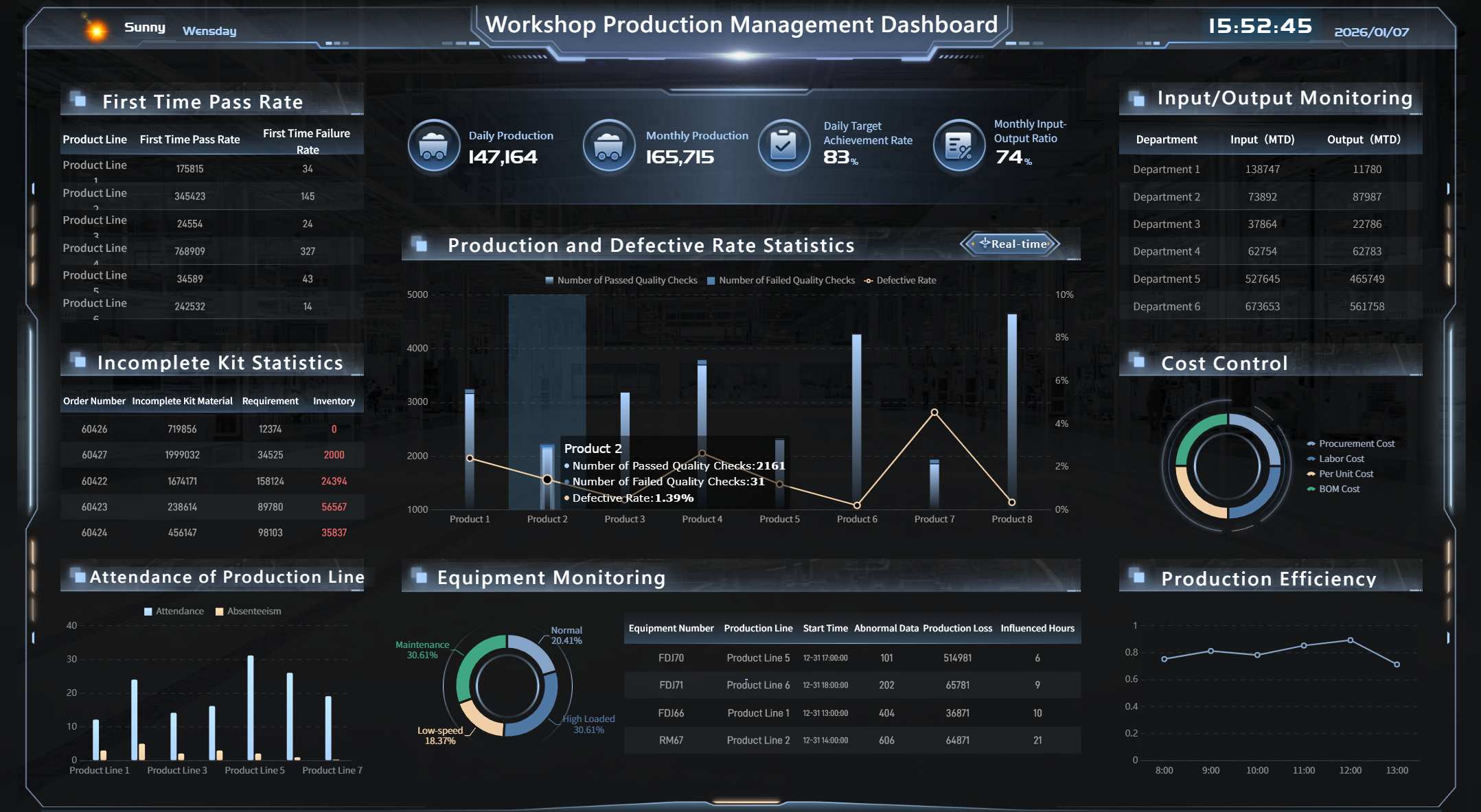
What good KPI definitions should include
For every KPI, document:
- name
- business purpose
- formula
- target and threshold
- reporting frequency
- source system
- owner
- notes on exclusions or special rules
This is the foundation of reporting consistency and data governance.
3) Collect, validate, and organize the data
Once KPIs are defined, build a disciplined data pipeline. This is where many reporting workflows break down.
Key tasks include:
- extracting data from source systems
- reconciling definitions across teams
- identifying missing or duplicated records
- validating totals and calculation logic
- structuring data into a repeatable format for reporting
The goal is not just accuracy. It is also maintainability. If your reporting process depends on manual file merges and last-minute formula checks, it will not scale.
Data validation checklist
- confirm time periods are aligned
- check for null values or missing entries
- verify units and formats are consistent
- compare totals to source systems
- test KPI formulas on sample records
- flag outliers that require explanation
With FineReport, teams can centralize data from multiple business systems and standardize dashboard logic, which is especially useful when different departments need the same KPI definitions but different reporting views.
4) Write the narrative and highlight actions
Numbers alone do not create alignment. A performance report must explain the story behind the results.
Your narrative should cover:
- what improved
- what declined
- what drove the change
- what the impact is
- what action is recommended
Keep commentary focused. A reader should understand the issue and the next step in less than a minute.
A practical reporting narrative often follows this format:
- Result: what happened
- Reason: why it happened
- Impact: why it matters
- Action: what should happen next
Example:
- Result: SLA attainment fell from 96% to 91% this month
- Reason: ticket volume increased 18% while staffing remained flat
- Impact: response delays are now affecting high-priority accounts
- Action: reassign two analysts temporarily and review automation opportunities in the intake queue
Recommended performance reporting structure
The best performance reporting structure balances speed, clarity, and depth. It should let executives scan fast while giving managers enough detail to act.
Executive summary
This section is the decision layer. It should answer the most important questions at a glance.
Include:
- top results
- critical risks
- major variances
- decisions required
- overall performance status
An executive summary is not a data dump. It is a prioritization tool.
KPI dashboard and trend analysis
This is the visual core of the report. It should show:
- current KPI values
- targets
- variance
- historical trends
- performance by segment, team, or region when relevant
Use charts that are easy to scan. For most enterprise reporting, the most effective choices are:
- line charts for trends
- bar charts for comparisons
- gauges sparingly for status
- tables for target vs actual detail
- conditional formatting for exception management
The goal is to make deviations obvious.
Insights, context, and root causes
This section explains why results changed. It should connect KPI movements to business conditions, process shifts, or external drivers.
Examples of useful context:
- staffing changes
- seasonality
- process redesign
- supply chain constraints
- policy updates
- market demand shifts
- system outages
- campaign launches
This is where mature performance reporting separates itself from simple status updates.
Action plan and follow-up items
Every report should end with action. If there is no owner, timeline, or follow-up measure, the report becomes informational rather than operational.
Include:
- action item
- owner
- due date
- expected outcome
- tracking method
A simple action table works well here.
| Action | Owner | Due Date | Expected Result | Status |
|---|---|---|---|---|
| Rebalance support queue staffing | Operations Manager | May 15 | Improve SLA attainment by 3% | In progress |
| Standardize KPI definitions across regions | BI Lead | May 22 | Remove reporting discrepancies | Planned |
| Review backlog automation workflow | IT Manager | May 30 | Reduce manual intake workload | Not started |
KPI selection best practices and common performance reporting mistakes
Good performance reporting depends more on KPI quality than dashboard complexity.
KPI selection best practices
- Tie KPIs directly to objectives. If a metric does not support a goal, it probably does not belong in the report.
- Favor actionability. A useful KPI should help someone decide what to do next.
- Keep definitions stable. Changing formulas frequently destroys comparability.
- Use both leading and lagging indicators. Leading metrics signal future issues; lagging metrics confirm final outcomes.
- Make metrics comparable over time. Trends are hard to trust if time periods or methods keep changing.
- Assign clear ownership. Every important KPI should have a business owner.
Common performance reporting mistakes
- Tracking vanity metrics: numbers that look impressive but do not influence decisions
- Overloading dashboards: too many charts reduce clarity
- Using inconsistent definitions: different teams calculate the same KPI differently
- Ignoring context: readers see what changed but not why
- Reporting too late: the report arrives after the opportunity to act has passed
- Separating data from action: no owner or next step is attached to poor performance
- Poor data governance: manual workarounds create recurring quality issues
How mature teams strengthen performance reporting
The most reliable organizations build discipline around reporting, not just templates.
Best practices include:
- scheduled review cycles
- KPI definition libraries
- controlled source-to-report workflows
- role-based access for stakeholders
- stakeholder feedback loops
- formal data governance rules
- automated refreshes and exception alerts
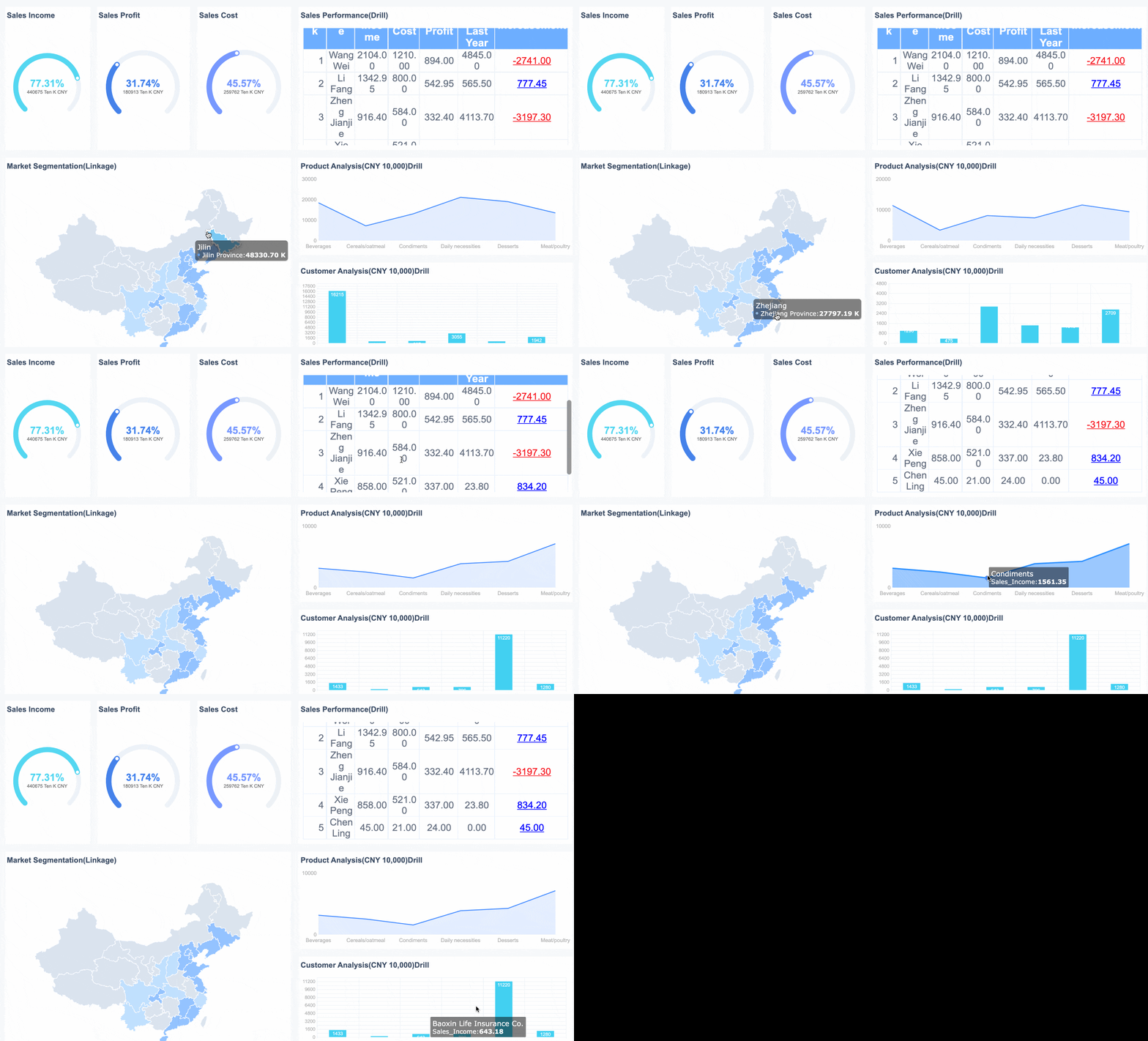 A FineReport Report Example with Drill-down Capability
Performance reporting template and practical examples
A good template shortens reporting time and improves consistency across teams.
Simple template you can adapt
Use the following structure for a monthly, quarterly, or program-based performance reporting document.
1. Reporting period
- report title
- date range
- business unit or program name
- report owner
2. Objectives and success criteria
- objective 1
- objective 2
- success criteria
- strategic alignment
3. KPI table with targets, actuals, and variance
| KPI | Target | Actual | Variance | Trend | Owner |
|---|---|---|---|---|---|
| On-time delivery | 95% | 92% | -3% | Down | Ops Lead |
| First-pass quality | 98% | 97.4% | -0.6% | Stable | QA Manager |
| Cycle time | 3.0 days | 3.6 days | +0.6 days | Up | Process Owner |
| Customer SLA attainment | 95% | 96% | +1% | Up | Service Manager |
4. Key insights and explanations
- summarize the most important changes
- explain root causes
- note business impact
- clarify whether the issue is temporary or structural
5. Risks, issues, and recommended actions
| Risk or Issue | Impact | Recommended Action | Owner | Deadline |
|---|---|---|---|---|
| Backlog rising in Tier 2 queue | SLA risk | Reassign staff and automate triage | Support Lead | June 10 |
| KPI definition mismatch across regions | Low confidence in trend data | Standardize formulas and source mapping | BI Manager | June 14 |
Example scenarios for different teams
A monthly operations report focused on efficiency and service levels
This report typically tracks:
- throughput
- cycle time
- backlog
- SLA attainment
- defect or error rate
- capacity utilization
The audience is usually operations leadership and frontline managers. The main decisions involve staffing, process redesign, and workload balancing.
A program or grant report focused on milestones, outcomes, and compliance
This report often includes:
- milestone completion
- budget usage
- deliverables submitted
- beneficiary or participant outcomes
- compliance status
- reporting deadlines and risks
The audience may include sponsors, funders, oversight bodies, or PMO teams. Accuracy and auditability matter as much as visual clarity.
An executive report focused on strategic progress and decisions
This report should stay concise and outcome-focused. Common elements include:
- strategic initiative status
- portfolio-level KPI trends
- major financial or operational variances
- top enterprise risks
- decisions requiring executive support
Executives do not need every operational detail. They need a high-confidence summary that supports prioritization.
Tools, systems, and next steps for better performance reporting
The right reporting tool depends on scale, complexity, and governance needs.
Spreadsheets vs BI dashboards vs automated reporting workflows
| Option | Best For | Strengths | Limitations |
|---|---|---|---|
| Spreadsheets | Small teams, early-stage reporting | Flexible, familiar, low setup effort | Manual, error-prone, weak governance |
| BI dashboards | Department and enterprise reporting | Visual, interactive, scalable | Requires design discipline and data modeling |
| Automated reporting workflows | Mature reporting environments | Fast refresh, consistency, alerts, reduced manual work | Needs setup, ownership, and integration planning |
If reporting is critical to operations or leadership governance, manual spreadsheets eventually become a bottleneck.
How reporting systems improve consistency, speed, and visibility
Modern reporting systems help organizations by:
- connecting multiple data sources
- standardizing KPI logic
- automating recurring refreshes
- enabling role-based dashboards
- supporting drill-down analysis
- reducing manual reporting effort
- improving auditability and trust
FineReport is especially relevant when enterprises need pixel-perfect reports, dashboards, scheduled distribution, and integration across varied data environments. It can support both executive-level summaries and detailed operational reporting without forcing teams to maintain separate reporting logic in disconnected files.
Actionable best practices for implementing performance reporting
If you want performance reporting to drive decisions rather than become a reporting ritual, follow these practices.
1. Build a KPI dictionary before building the dashboard
Document every KPI definition, formula, threshold, owner, and source system first. This prevents endless disputes later about what the numbers mean.
2. Design the report around decisions, not around available data
Ask, “What action should this section trigger?” If a chart does not support a decision, remove it.
3. Automate data collection wherever repetition exists
Manual copy-paste work increases cycle time and error rates. Prioritize automation for recurring inputs, refreshes, and distribution.
4. Use exception-based reporting
Do not give every metric equal visual weight. Highlight off-target KPIs, unusual changes, and urgent actions so readers focus on what matters.
5. Run a monthly review of report usefulness
Ask stakeholders:
- which KPIs influenced decisions
- which sections were ignored
- what definitions need clarification
- what new risks should be tracked
This is how reporting evolves from static output into a management system.
Simple checklist to build your first performance report
Use this checklist to create a practical performance reporting process:
- define the report purpose
- identify the audience
- choose the reporting period
- align KPIs to objectives
- define formulas, targets, and thresholds
- confirm data sources
- validate data quality
- design an executive summary
- add trend analysis and variance views
- write concise commentary
- assign owners and action items
- review the report with stakeholders
- improve the report after each cycle
Final thoughts
Performance reporting works when it turns measurement into management. The strongest reports are not the longest or most complex. They are the clearest. They show what matters, explain why it changed, and make the next action obvious.
If your current process still depends on fragmented spreadsheets, inconsistent KPI definitions, or manual updates, now is the right time to standardize it. A modern reporting platform can dramatically improve speed, trust, and visibility across the organization.
FAQs
Performance reporting is the process of collecting, analyzing, and presenting results against goals so teams can see what happened, why it happened, and what to do next. It turns raw data into decision-ready insight.