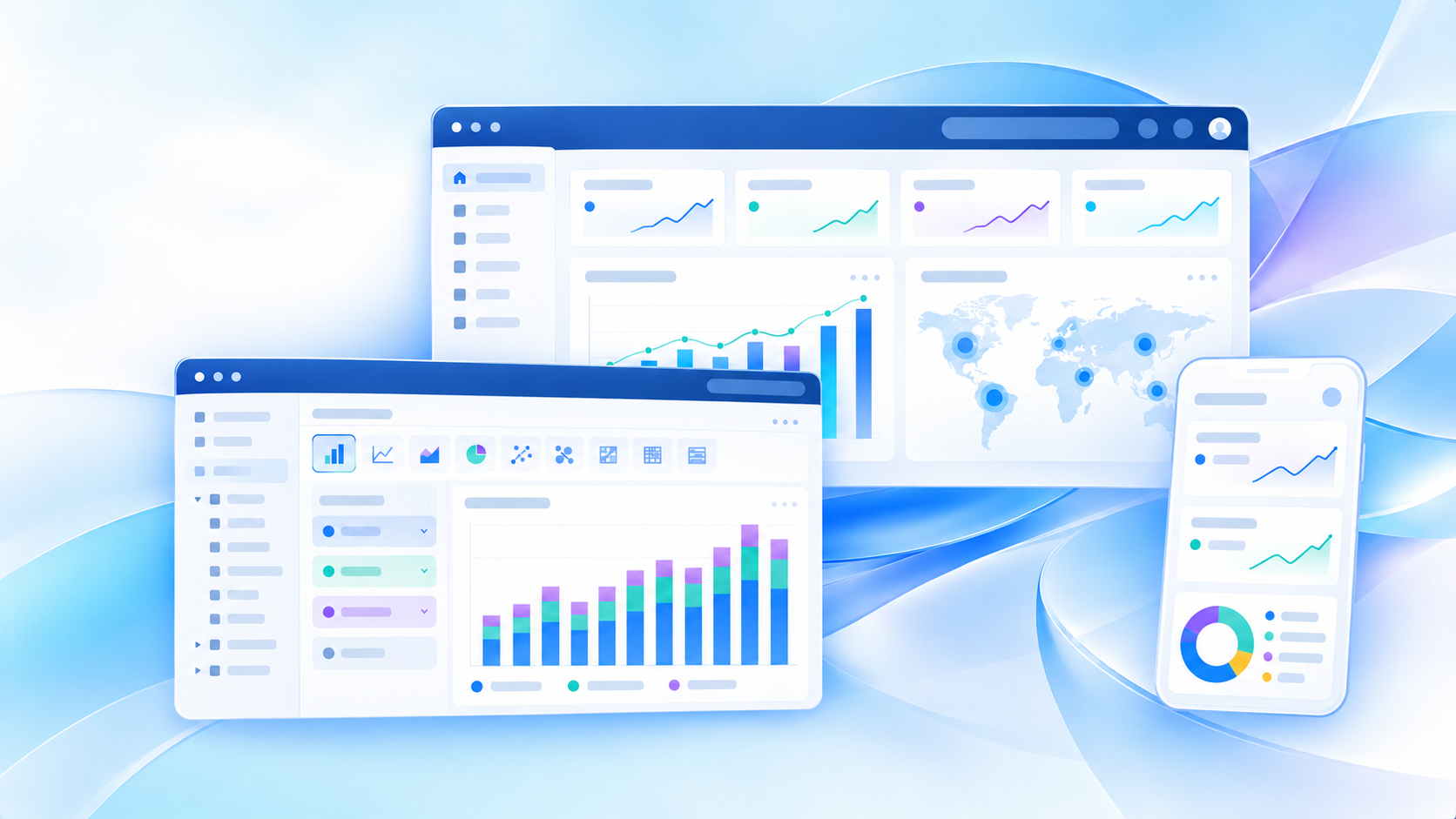
Oracle Analytics Cloud is Oracle’s cloud-based analytics and business intelligence platform for connecting data, preparing it, building dashboards and reports, and exploring insights with AI-assisted features. If you are researching Oracle Analytics Cloud, you are likely trying to answer one of a few practical questions:
- What does Oracle Analytics Cloud actually do?
- Is it mainly for Oracle customers, analysts, or business users?
- How does it compare with older on-premises BI approaches?
- What do you need to set it up and use it effectively?
This guide is written for BI leaders, data analysts, IT teams, and business stakeholders who want a clear, practical understanding of Oracle Analytics Cloud before evaluating or deploying it.
Key Elements of an Oracle Analytics Cloud Evaluation
If you are evaluating Oracle Analytics Cloud, focus on these criteria first:
- Data connectivity: Can it connect to your Oracle and non-Oracle data sources reliably?
- Data preparation: Can your team clean, blend, and model data without excessive manual effort?
- Dashboard usability: Can analysts and business users build useful dashboards quickly?
- Governance: Can IT manage permissions, security, and trusted metrics at scale?
- AI assistance: Do the natural language and automated insight features match your users’ needs?
- Deployment fit: Does it align with your cloud strategy, Oracle ecosystem, and operating model?
What Is Oracle Analytics Cloud?
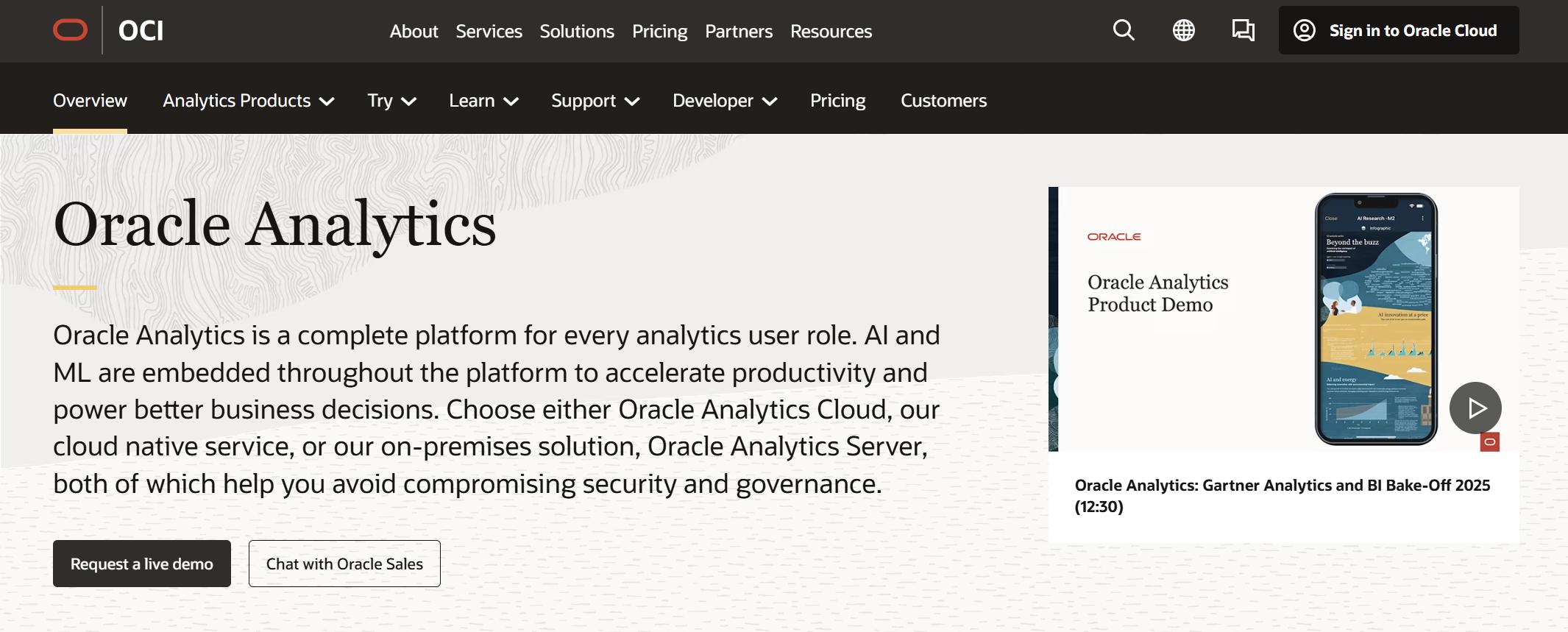
Oracle Analytics Cloud, often shortened to OAC, is a managed analytics platform that helps organizations move from raw data to dashboards, reports, and business insights in a cloud environment. In plain language, it is a tool for analyzing business data without having to manage as much analytics infrastructure yourself as you would with a traditional on-premises BI stack.
For many organizations, OAC is especially relevant when they already use Oracle databases, Oracle Cloud Infrastructure, or Oracle business applications. It is also commonly viewed as part of Oracle’s broader analytics path for organizations modernizing older Oracle BI environments.
Who it is for and the problems it helps solve
Oracle Analytics Cloud is generally used by:
- Data analysts who need interactive visual analysis and reporting
- BI teams that want governed dashboards and semantic modeling
- Business users who need self-service exploration within defined data environments
- IT and data teams responsible for security, access control, and analytics operations
- Oracle-centric enterprises that want analytics aligned with their existing Oracle estate
The platform helps solve common analytics problems such as:
- Disconnected data sources across departments
- Slow report creation cycles
- Limited self-service access for business teams
- Difficulty standardizing KPIs
- Fragmented analytics processes between data prep, modeling, and visualization
- The need to modernize from legacy Oracle BI environments
How it differs from traditional on-premises BI tools
Compared with older on-premises BI platforms, Oracle Analytics Cloud is designed as a cloud-managed service. That typically means less direct infrastructure management, easier service updates, and a deployment model better aligned with modern cloud strategies.
Traditional BI tools often required organizations to manage servers, patching, environment scaling, and more complex administration internally. OAC shifts more of that operational burden into a cloud service model while still supporting enterprise governance, data modeling, and reporting needs.
That said, moving to a cloud BI platform does not eliminate the need for planning. Teams still need to think carefully about data architecture, roles, permissions, semantic consistency, and adoption.
Core Features and Components of Oracle Analytics Cloud
Oracle Analytics Cloud combines several analytics capabilities in one platform, including data connectivity, modeling, dashboards, reporting, and AI-assisted analysis. The exact experience can vary depending on how an organization implements it, but the major functional areas are fairly consistent.
Data preparation and integration
One of the first questions buyers ask about Oracle Analytics Cloud is how well it handles data access and preparation. In practice, this is a major part of the platform’s value.
Connecting cloud and on-premises data sources
OAC is built to work with data across both cloud and on-premises environments. This matters for enterprises that are not fully cloud-native and still need to analyze operational data sitting in internal systems.
Common connection scenarios include:
- Oracle databases and data warehouses
- Oracle Cloud data services
- Enterprise application data
- On-premises operational systems
- Mixed-source reporting environments
For Oracle-heavy organizations, this can simplify the path from source systems to analytics. For mixed environments, the quality of the setup depends on connector support, network design, and how much transformation is needed before analysis.
Preparing, blending, and modeling data for analysis
Oracle Analytics Cloud includes capabilities for preparing data, combining datasets, and building models for analysis. This is important because business users rarely consume source data in its raw form.
Typical preparation tasks include:
- Cleaning and profiling data
- Combining data from multiple systems
- Creating calculated fields
- Structuring data for dashboards and reporting
- Building business-friendly semantic models
In many real-world deployments, teams still need to make decisions about where transformation should happen. Some logic may live in the source system or data warehouse, while some may happen inside OAC through data flows and modeling features. The right balance depends on governance standards, performance expectations, and the technical maturity of the analytics team.
Dashboards, reporting, and visualization
For many users, Oracle Analytics Cloud is judged by what they can actually build and consume day to day: dashboards, reports, and interactive analysis.
Building interactive dashboards and standard reports
OAC supports both dashboard-style analytics and more structured reporting use cases. That makes it relevant for organizations that need:
- Executive dashboards
- Departmental KPI tracking
- Standardized operational reports
- Shared visual analysis across teams
Interactive dashboards are useful when users need to filter, drill, and compare metrics across regions, periods, products, or business units. Standard reports are useful when the business needs repeatable output with consistent formatting and logic.
A practical strength of platforms like OAC is that they can support both exploratory analysis and governed reporting in one environment, which is often important for enterprise BI programs.
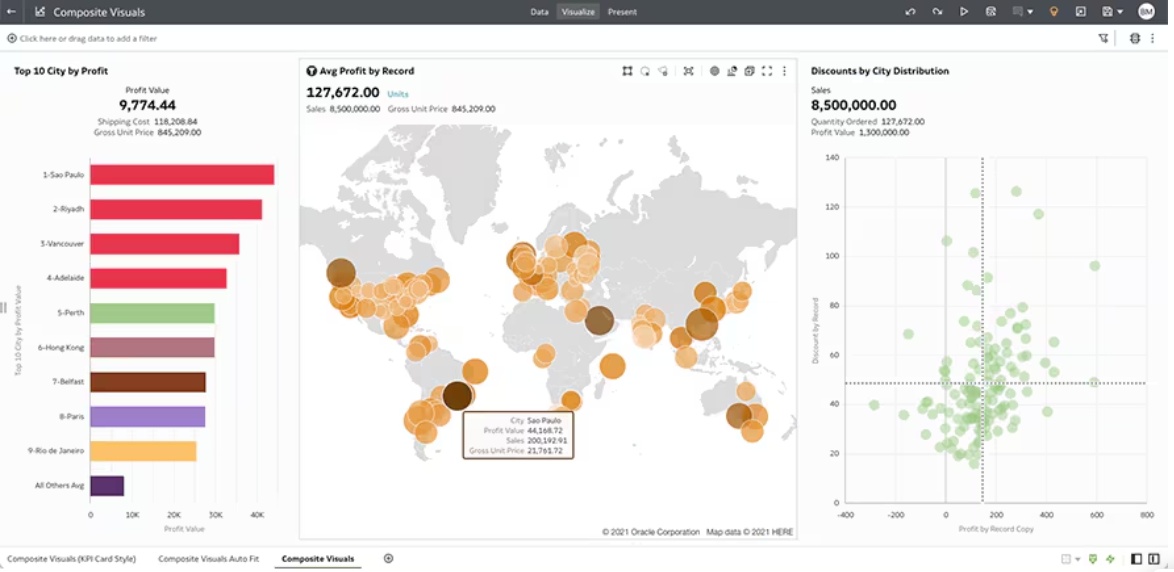
Exploring data through visual analysis and self-service discovery
Oracle Analytics Cloud also supports self-service visual exploration, allowing users to create analyses without relying entirely on central BI developers for every question.
This matters when teams want to answer questions such as:
- Why did margin decline in one region?
- Which sales segments are underperforming this quarter?
- How did staffing trends change over time?
- Which suppliers are driving delivery delays?
The effectiveness of self-service depends on how well the data is modeled and governed. If the semantic foundation is clear, self-service can reduce backlog and improve business responsiveness. If the data layer is inconsistent, self-service may create confusion instead of insight.
Augmented analytics and machine learning
A major part of modern analytics platforms is AI-assisted analysis. Oracle Analytics Cloud includes features in this area to help users move faster from question to insight.
Using natural language, automated insights, and predictive capabilities
OAC includes capabilities related to:
- Natural language querying
- Automated insight discovery
- AI-assisted visualization generation
- Predictive or machine learning-assisted analysis in certain workflows
These features are designed to lower the effort needed to explore data, especially for users who are not advanced BI developers. For example, a user may ask a question in natural language or use guided analysis to identify trends, outliers, or possible drivers behind a change.
In practice, AI features are most useful when the underlying data is already trusted and well-structured. AI can speed up analysis, but it does not replace sound data governance or business context.
Supporting faster decision-making with AI-assisted analysis
When implemented well, augmented analytics can help teams:
- Identify anomalies more quickly
- Reduce time spent manually exploring charts
- Surface patterns business users may miss
- Enable faster first-pass analysis for routine questions
For executives and operational managers, this can shorten the time between seeing a metric change and understanding what likely happened. For analysts, it can reduce repetitive work and help prioritize deeper investigation.
Common Use Cases for Oracle Analytics Cloud
Oracle Analytics Cloud supports a wide range of business use cases, but it is most effective when organizations start with a clear priority rather than trying to deploy everything at once.
Executive reporting and KPI tracking
Executive reporting is one of the most common Oracle Analytics Cloud use cases.
Monitoring performance with real-time dashboards
Leadership teams often use OAC dashboards to monitor:
- Revenue and profitability
- Forecast vs actual performance
- Sales pipeline movement
- Operational efficiency indicators
- Customer service metrics
- Supply chain performance trends
The value here is not just visualization. It is the ability to present timely, shared, and governed performance views across the organization.
Standardizing metrics across teams and departments
A recurring challenge in enterprise analytics is inconsistent metric definitions. Finance, sales, and operations may all calculate similar KPIs differently.
Oracle Analytics Cloud can support metric standardization by giving organizations a shared reporting and modeling environment. This is especially important for companies trying to improve executive alignment and reduce reporting disputes.
Operational and departmental analytics
Beyond the executive layer, OAC is also used by functional teams that need frequent access to day-to-day performance data.
Supporting finance, sales, HR, and supply chain reporting needs
Examples include:
- Finance: budget tracking, expense analysis, variance reporting
- Sales: pipeline analysis, territory performance, quota tracking
- HR: headcount, attrition, hiring pipeline, workforce trends
- Supply chain: inventory levels, fulfillment speed, supplier performance
These use cases usually require a mix of recurring reports and ad hoc analysis. The more closely the dashboards align with operational decisions, the more value the platform delivers.
Enabling business users to answer day-to-day questions independently
A mature BI environment should not require every small question to go through IT or a central analytics team. Oracle Analytics Cloud can support greater business-user independence when data models are clear and the user experience is manageable for non-technical teams.
That independence often improves when organizations provide:
- Curated datasets
- Trusted KPI definitions
- Dashboard templates
- Basic user training
- Department-specific rollout plans
Embedded and enterprise analytics scenarios
In larger organizations, analytics often needs to be delivered inside workflows rather than as a separate destination.
Delivering analytics inside business applications and workflows
Embedded analytics scenarios typically involve surfacing dashboards or insights where people already work, such as:
- ERP workflows
- CRM processes
- Operations portals
- Internal business applications
This reduces context switching and makes analytics more actionable. Instead of opening a separate tool to investigate performance, users can see relevant metrics closer to the decision point.
Scaling governance and access across larger organizations
Enterprise deployments also require robust access control, role management, and governance. As analytics usage expands across departments, it becomes increasingly important to define:
- Who can see what data
- Which dashboards are certified
- How metrics are governed
- How content is promoted from prototype to production
How Oracle Analytics Cloud Fits in the Oracle Ecosystem
One of Oracle Analytics Cloud’s clearest strengths is how naturally it fits into Oracle-centered environments.
How it works with Oracle Cloud Infrastructure and Oracle databases
For organizations using Oracle Cloud Infrastructure and Oracle data platforms, OAC often serves as the analytics layer on top of existing Oracle-managed data assets.
This can simplify architecture decisions when teams want tighter alignment between:
- Data storage
- Data processing
- Security models
- Cloud operations
- Analytics delivery
The closer your organization is to Oracle infrastructure and databases, the more straightforward Oracle Analytics Cloud may feel as part of an integrated stack.
Connections with Oracle Fusion applications and enterprise data sources
OAC is also relevant in organizations using Oracle Fusion applications and other enterprise systems. In these environments, the platform is often considered for analytics tied to ERP, HCM, SCM, and other operational domains.
However, buyers should still evaluate the practical work needed to turn application data into business-ready dashboards. In many enterprise systems, source structures are complex, so dashboard readiness depends on data modeling, semantic clarity, and implementation design.
When organizations choose it as part of broader analytics solutions
Organizations often choose Oracle Analytics Cloud when:
- They already have substantial Oracle investments
- They want a cloud-managed Oracle analytics path
- They are modernizing from older Oracle BI platforms
- They need a governed enterprise BI layer aligned with Oracle systems
- They want one platform that combines reporting, dashboards, and AI-assisted analysis
In mixed-vendor environments, the decision becomes more nuanced. Teams should compare OAC with other BI platforms based on user skills, deployment model, data diversity, and how much business-user self-service they actually need.
Oracle Analytics Cloud Get Started: Setup Basics and First Steps
Getting started with Oracle Analytics Cloud is not just about provisioning a service. The first setup decisions shape usability, governance, and adoption later.
What you need before setup
Before implementation, teams should define the foundations.
Licensing, roles, permissions, and data source planning
A successful start usually requires clarity on:
- Service edition or package considerations
- User roles and access levels
- Administrative ownership
- Initial data sources
- Priority dashboards and reports
- Data refresh expectations
It is helpful to identify a small number of high-value users first, such as a BI lead, an admin, a data model owner, and a few business stakeholders from the initial use case.
Key implementation decisions for security and governance
Security and governance should be addressed before broad rollout, not after. Key decisions include:
- Authentication and user management approach
- Data access segmentation
- Certified vs ad hoc content rules
- Naming conventions for datasets and dashboards
- Promotion and change management process
These decisions are not glamorous, but they directly affect trust in the platform.
First-time setup workflow
Most first deployments follow a fairly standard path.
Provisioning the environment and connecting initial data sources
A practical first-time workflow often looks like this:
- Provision the Oracle Analytics Cloud environment
- Configure administrative and user access
- Connect one or more initial data sources
- Prepare or model a core dataset
- Validate metric logic with business owners
- Build a first dashboard or report
- Test usability, filters, security, and performance
- Roll out to a pilot group
Starting with a contained domain usually works better than trying to launch a company-wide analytics portal immediately.
Creating a first project, dashboard, or report
Your first project should answer a business question that matters and can be validated quickly. Good examples include:
- Sales performance by region and month
- Budget vs actual by department
- Inventory and fulfillment status
- HR recruiting funnel performance
This creates an early proof point for both usability and governance.
Adoption tips for new teams
Technology setup is only half the job. Adoption determines whether the platform becomes part of the business operating rhythm.
Starting with a focused use case and measurable business goals
Good first use cases are:
- Easy to explain
- Important to stakeholders
- Based on accessible data
- Narrow enough to deliver quickly
- Measurable in business terms
For example, instead of “build a full finance analytics program,” start with “reduce monthly reporting preparation time for finance leadership.”
Training users and establishing a simple rollout plan
A practical rollout often includes:
- Short training for dashboard consumers
- Slightly deeper workshops for analysts and content creators
- A KPI glossary for business users
- A support path for feedback and fixes
- A 30- to 60-day pilot period before scaling
Benefits, Limitations, and Buying Considerations
Oracle Analytics Cloud can be a strong fit, especially in Oracle-centric enterprises, but it is important to assess it with a balanced lens.
Main benefits for business users and IT teams
For business users, common benefits include:
- Access to interactive dashboards and visual analysis
- One environment for reporting and exploration
- Better access to governed metrics
- AI-assisted insight discovery
- Cloud-based delivery that supports broader access
For IT and BI teams, benefits often include:
- Managed cloud deployment model
- Centralized governance and access control
- Integration with Oracle environments
- Support for enterprise reporting and modeling
- A clearer modernization path from older Oracle analytics approaches
Common limitations, learning curve factors, and integration considerations
Oracle Analytics Cloud is not automatically simple in every scenario. Buyers should be aware of common considerations such as:
- Data modeling effort may still be significant in complex environments
- The user experience may depend heavily on implementation quality
- Mixed-source enterprises may need careful integration planning
- Self-service success requires strong semantic design and governance
- New teams may face a learning curve around modeling, administration, and content design
It is also worth recognizing that dashboard success is rarely determined by features alone. The true test is whether your business users can get trusted answers quickly.
Practical criteria for evaluating whether it is the right fit
Use these questions during evaluation:
- Are you already invested in Oracle cloud, databases, or business applications?
- Do you need a governed enterprise analytics platform more than a lightweight dashboard tool?
- How much data preparation and modeling work will your team need?
- Who will build dashboards: central BI, analysts, or business users?
- How important is broad self-service adoption across non-technical teams?
- Do you need analytics tightly aligned with Oracle systems, or a more tool-agnostic BI layer?
Practical Recommendations Before You Choose a BI Platform
As a BI consultant, I would recommend a few practical steps before selecting Oracle Analytics Cloud or any similar analytics platform.
-
Start with one decision workflow, not a feature checklist.
Choose a real reporting or analysis process that matters, then test whether the platform supports it from data connection to business action. -
Evaluate the semantic layer early.
Many BI projects struggle not because dashboards look bad, but because metrics are inconsistent. Confirm how trusted definitions will be built and maintained. -
Test with both analysts and business users.
A tool may work well for technical teams but still be hard for department users to adopt. Include both groups in your pilot. -
Measure time to insight, not just dashboard aesthetics.
Compare how quickly teams can connect data, create trusted dashboards, answer follow-up questions, and share insights. -
Plan for governance before scale.
Role design, content certification, refresh policies, and ownership models should be defined before broad rollout.
When Teams Also Consider FineBI + Dora
Tools like Oracle Analytics Cloud are widely used in the BI market, especially in enterprises with existing Oracle investments. But teams that need a more business-user-friendly, self-service BI platform may also consider FineBI.
FineBI is designed for self-service BI, interactive dashboard creation, and business-led analysis. It supports drag-and-drop exploration, dashboard sharing, and drill-down analysis in ways that can be practical for teams trying to reduce dependency on specialist report developers.
This can be especially relevant when organizations want to:
- Expand BI usage beyond technical analysts
- Build interactive dashboards faster for departments
- Support governed self-service exploration
- Improve dashboard iteration speed for business teams
- Standardize enterprise analytics while keeping the experience approachable
Dora adds another layer to this picture. Dora is FanRuan’s enterprise Data Agent platform. It works on top of FineBI and existing enterprise data assets to help organizations move from static dashboard consumption to Agentic BI.
Instead of acting like a generic chatbot, Dora is positioned as a governed AI assistant or AI digital employee that can support tasks such as:
- Natural-language business requests
- Governed query and skill execution
- Summary generation and follow-up analysis
- Scenario-specific AI workflows
- Role-based assistance such as a Data Analyst digital employee, Report Researcher, Daily Briefing Secretary, or Risk Alert Officer
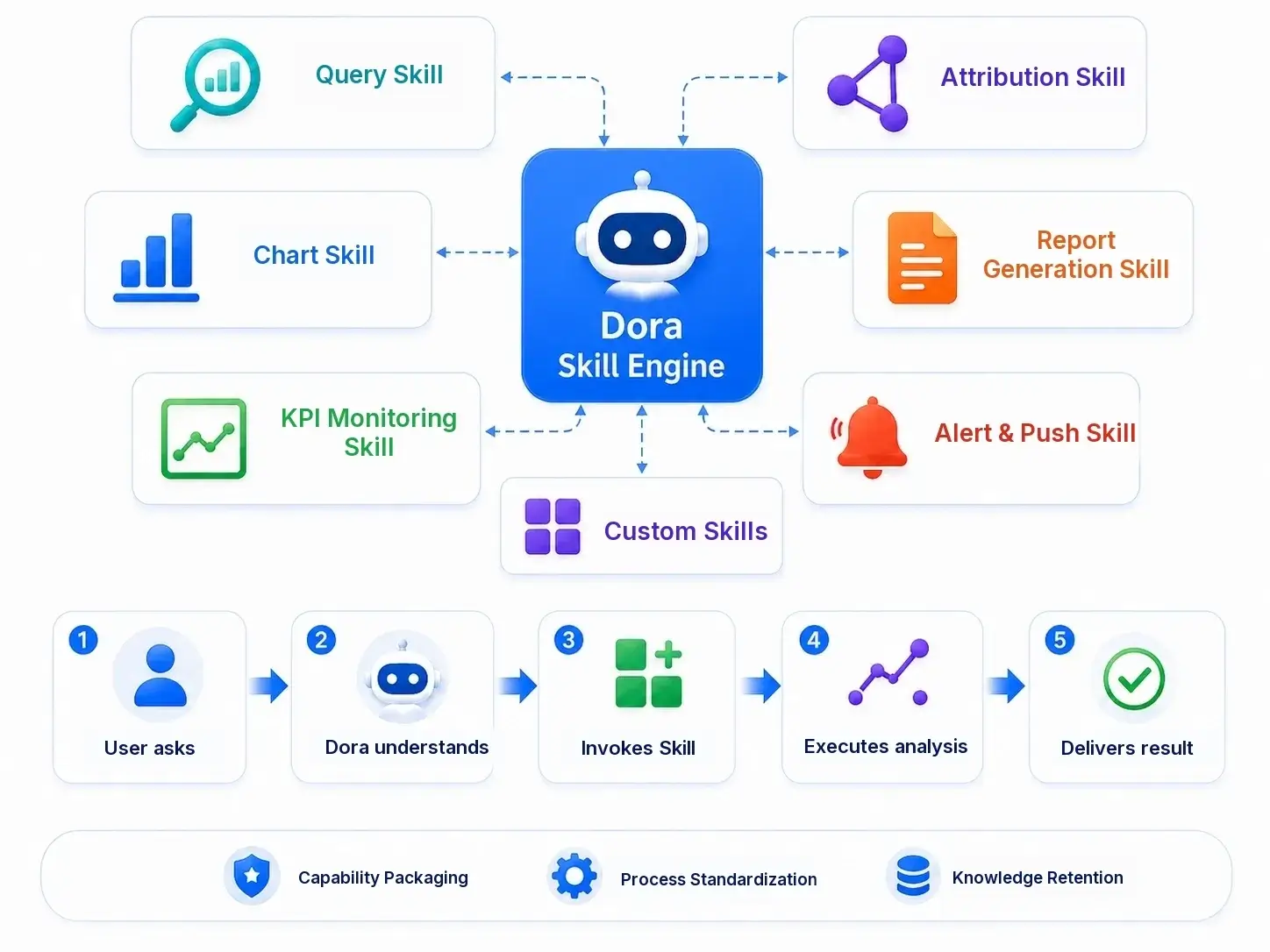 Dora is Powered by Skills.
The practical idea is this:
- FineBI provides the trusted dashboard, metric, and semantic foundation.
- Dora activates that foundation through an enterprise AI assistant layer that can answer, summarize, generate, push, alert, and follow up.
For organizations that already have trusted BI assets, Dora can also be evaluated in broader enterprise data assistant scenarios. But it should not be thought of as a replacement for a BI foundation. The two are strongest when used together.
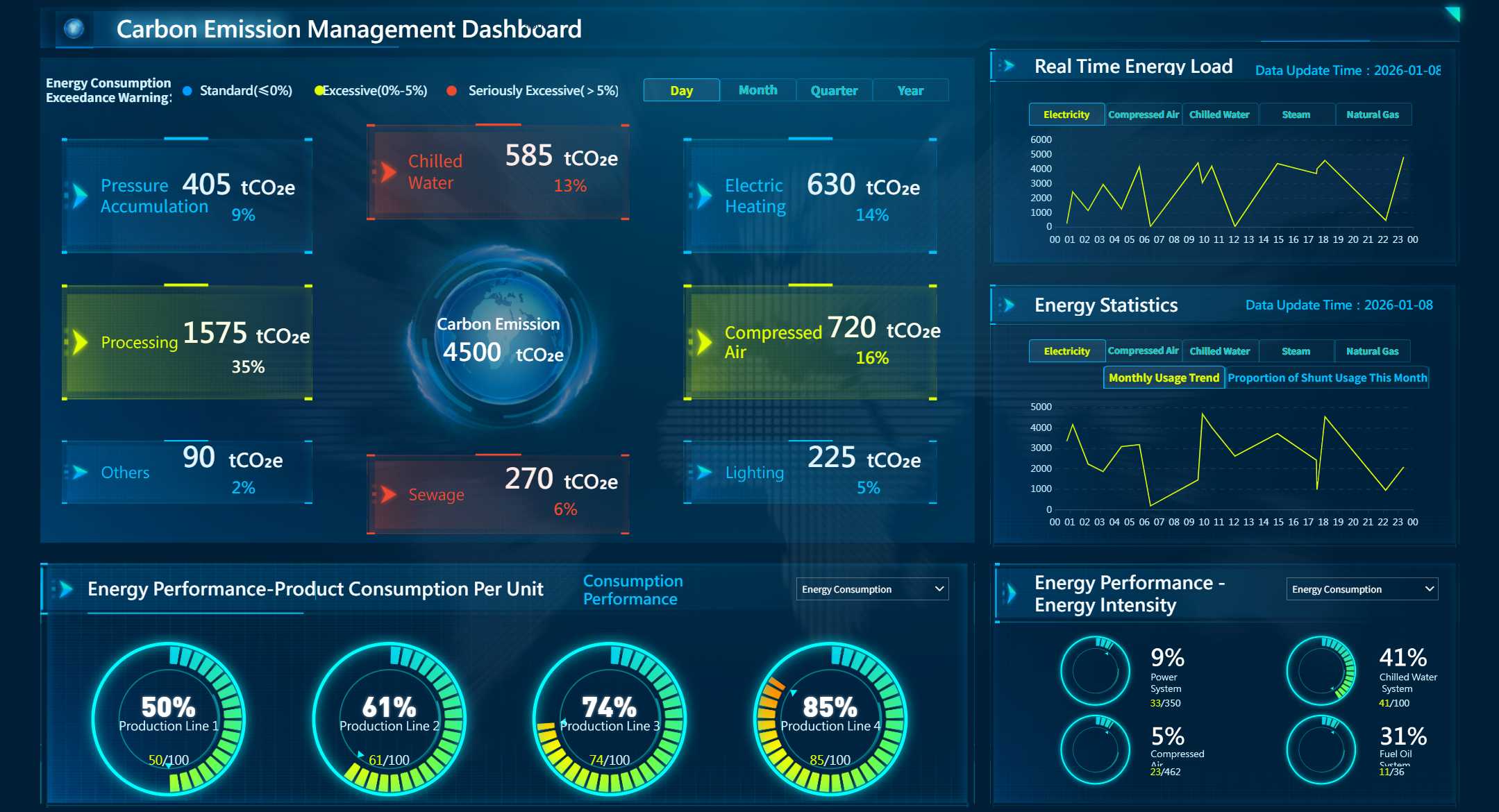
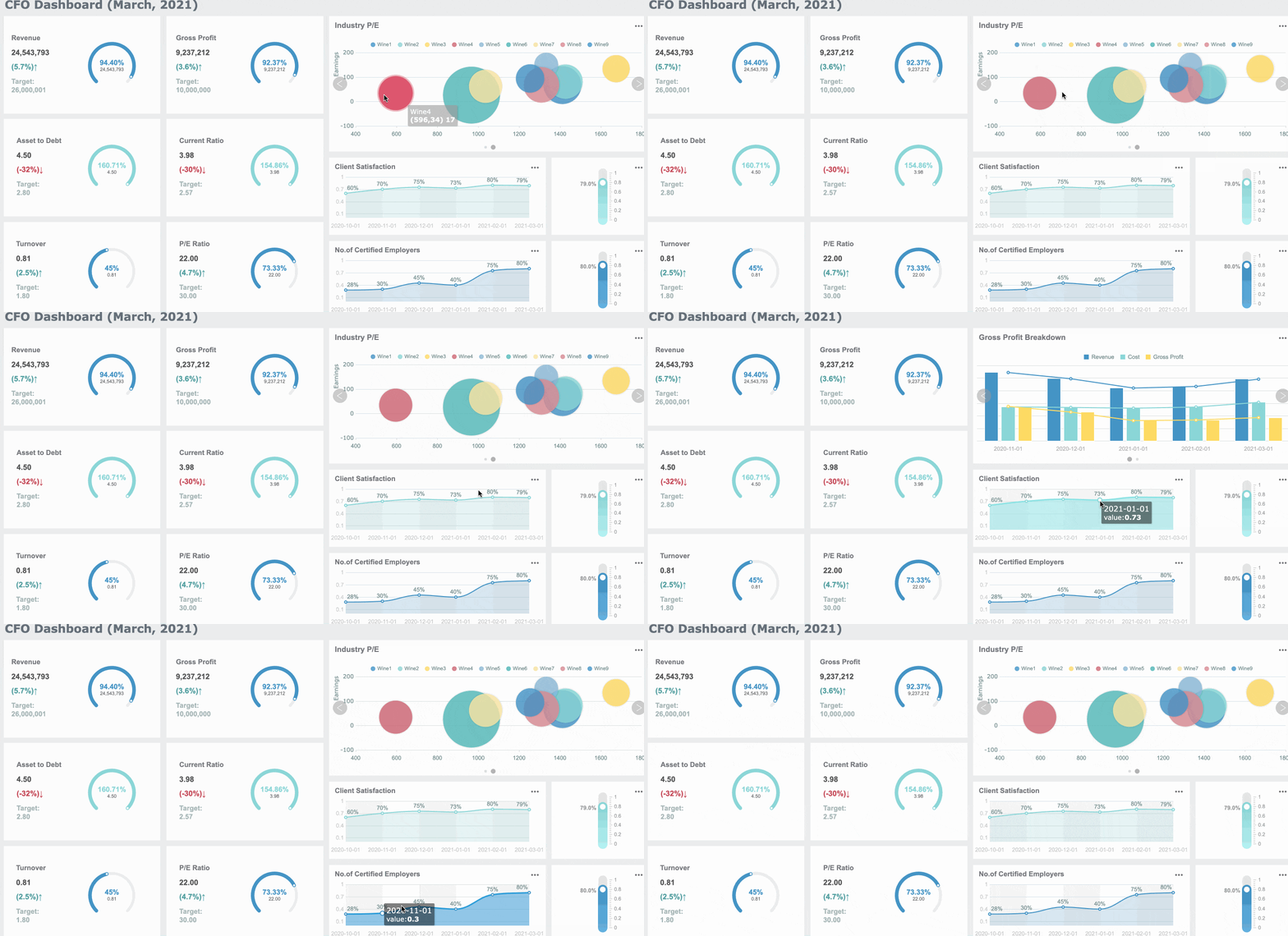 An Interactive Dashboard Created by FineBI
Final Thoughts
Oracle Analytics Cloud is a practical enterprise analytics platform for organizations that need cloud-based BI with reporting, dashboarding, data preparation, and AI-assisted analysis, especially when Oracle technologies are already part of the environment.
Its fit is strongest when:
- Oracle ecosystem alignment matters
- Governance is a priority
- Enterprise reporting and analytics need to coexist
- The organization is prepared to invest in data modeling and rollout planning
At the same time, teams should evaluate whether they need broader business-user self-service, faster dashboard iteration, or an AI-assisted analytics operating model. In those cases, FineBI + Dora is worth considering as a modern combination for governed self-service BI and enterprise Data Agent workflows.
FAQs
Oracle Analytics Cloud is a managed cloud BI platform for connecting data, preparing it, building dashboards and reports, and exploring insights with AI-assisted analysis. It is designed to help teams analyze data without managing as much analytics infrastructure as traditional on-premises tools.