You want to do well in 2026? Try the operation dashboard templates——the right dashboard helps you check results, improve sales performance and also helps you use data to manage better. And software like FineReport make this simple, giving you real-time insights and steady quality.
Why Operations Dashboard Templates Matter
Real-Time Data for Business Success
You want your business to work well. The right operations dashboard template lets you see what is happening right now. Real-time data means you do not need to wait for reports. You can find problems early and fix them fast.
Real-time dashboards give you quick insights for doing better.
They connect your plans with what is really happening.
You can see how you use resources and where to get better.
Let’s check out some key performance indicators that real-time dashboards track:
Key Performance Indicators (KPIs)
Description
Machine Production Schedules
Shows if your machines meet demand.
Defect Rates
Tells you where quality problems happen.
Average Response Times
Measures how fast your team helps customers.
Call Volumes
Helps you get ready for busy customer service.
When you use these dashboards, everyone sees the same numbers. This keeps your team working together and helps you reach goals faster. FanRuan wants to help you with data, so you always know how your business is doing.
Impact on Decision-Making and Performance
Operations dashboard templates do more than show numbers. They turn data into easy-to-understand pictures. This helps you see patterns, find problems, and make smart choices fast.
A good dashboard puts all your reports, tools, and analytics together. Everyone can see the newest updates, so teamwork gets better and things move faster. When you focus on customers, you know what to measure and how to improve. This is how you use data to get real results.
Essential Operations Dashboard Templates for 2026
If you want your business to run well, you need the right operations dashboard template. These templates help you see what is important. You can find problems early and make better choices. FineReport lets you build dashboards easily. This way, you can focus on what helps your business grow. Each template below matches FanRuan’s goal. They want to give you clear data and help you get better.
Executive Dashboard Template
Leaders need a dashboard that is quick and easy to read. The executive dashboard template gives them this. It shows big numbers and trends. This helps you make smart choices fast. Here is what you get:
Feature
Benefit
Visual and Intuitive
You see hard data in a simple way.
High-Level and Strategic
You look at the big picture, not just small things.
Real-Time or Near-Real-Time
You always see the newest numbers.
Customizable
You can change the dashboard for your needs.
Interactive
You can click to see more about any number or trend.
FineReport lets you build this dashboard with easy tools. You can connect to any data source, like power bi dashboards. This keeps your leaders working together. This template puts the most important KPIs in front.
If you want to check your goals, you need a kpi dashboard. This template puts your key performance indicators in one spot. You can see if you are doing well or need to change. With FineReport, you can set up alerts, watch trends, and share updates with your team.
The kpi dashboard template helps you:
Watch how you are doing on your main goals.
Find problems before they get big.
Share results so your team stays on track.
You can connect this dashboard to power bi dashboards or other tools. This helps your business run well and reach your goals. It is one of the best kpi dashboards for growing businesses.
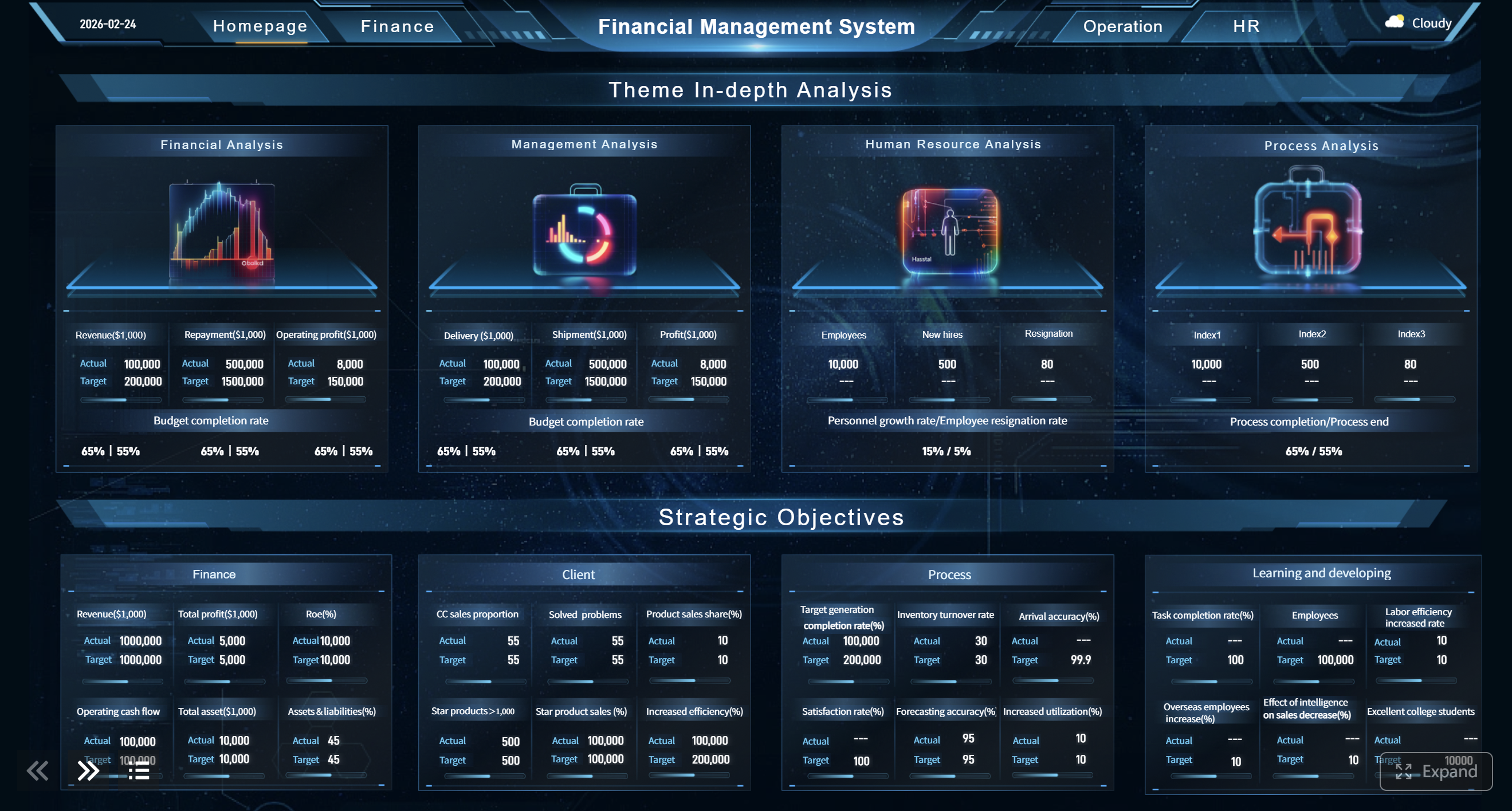
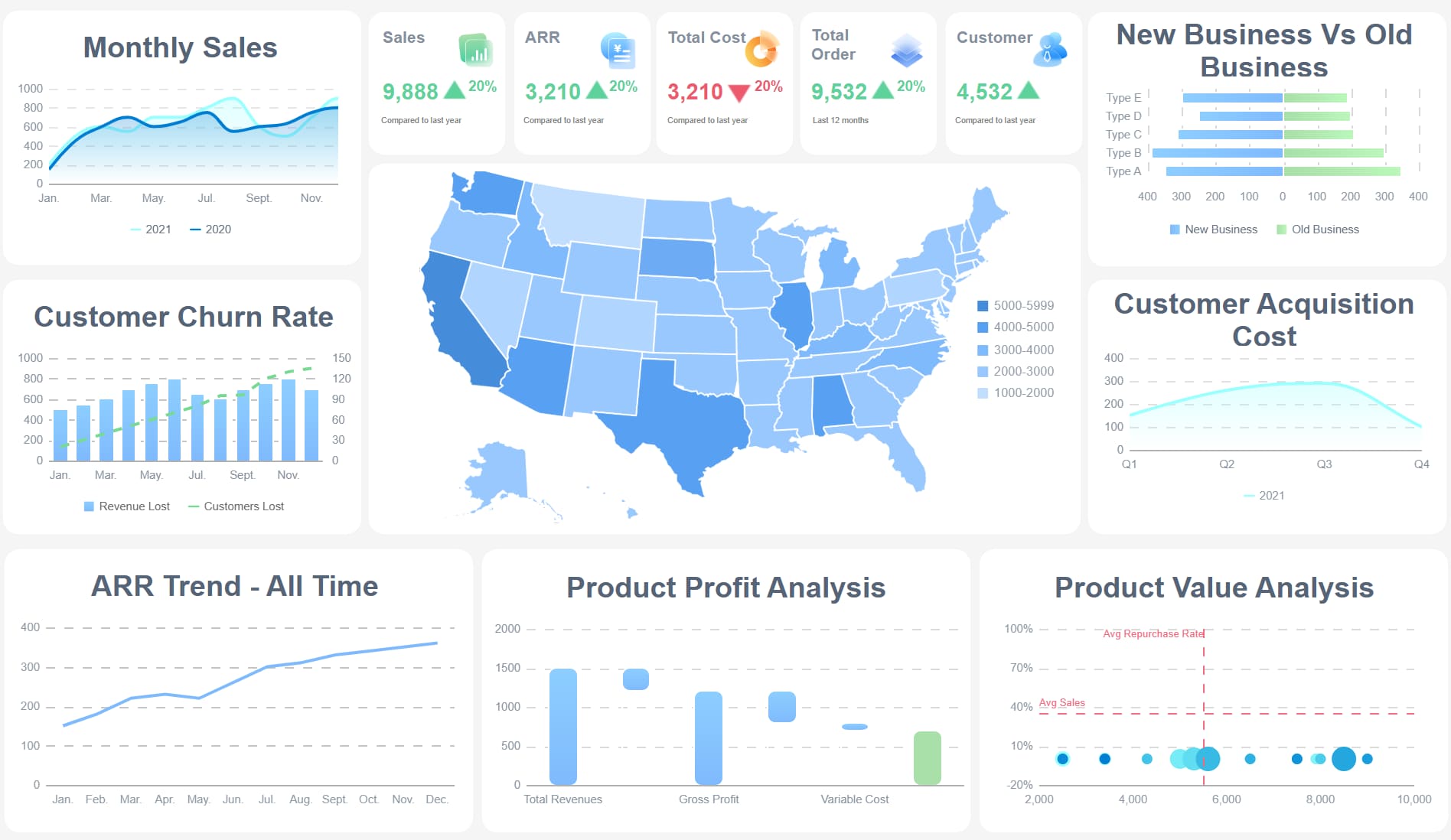
Money is important. The financial dashboard template shows you how your company is doing with money. You can see revenue, costs, profits, and more in one place. FineReport lets you build this dashboard fast. You use real-time data from your systems or power bi dashboards.
Here is how this template helps you:
You see all your main money numbers in one spot.
You can watch your cash flow and find problems early.
You make better choices about spending and saving.
You use your money wisely and everyone can see where it goes.
This dashboard template helps your main business dashboards. You always know where your money is going.
financial management dashboard template - click to engage
Supply Chain Dashboard Template
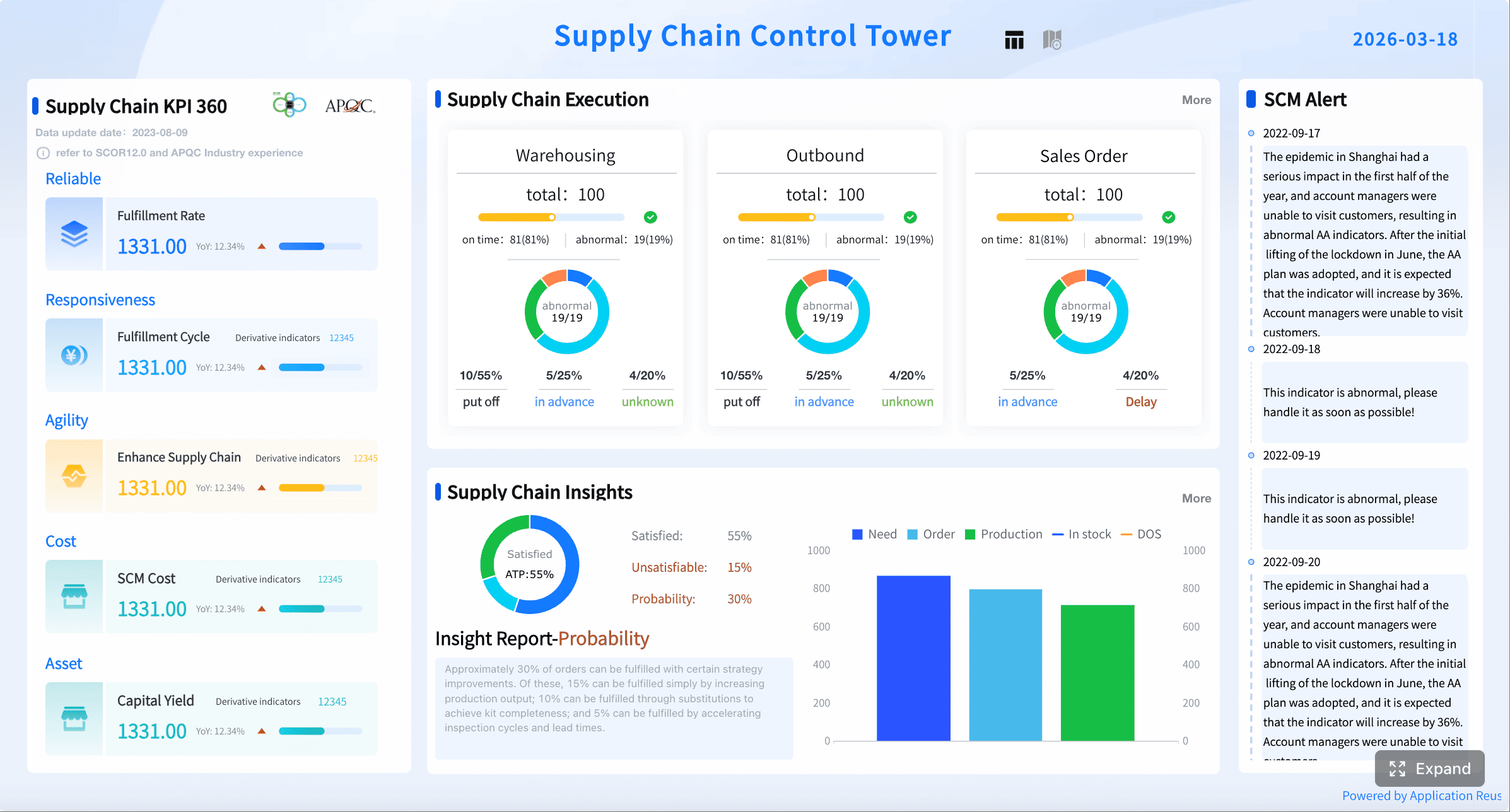
If you want your business to keep moving, you need to watch your supply chain. The supply chain dashboard template tracks orders and deliveries. FineReport lets you connect to power bi dashboards and other data. You always see the newest numbers.
Safety stock levels, lead times, inventory accuracy rate, service level targets, etc.
Supplier Performance Dashboard
On-time delivery rate, quality rejection rate, lead time, contract compliance, etc.
This operations dashboard template helps you find delays and manage risks. You can keep your customers happy. It is very important for any business that needs smooth operations.
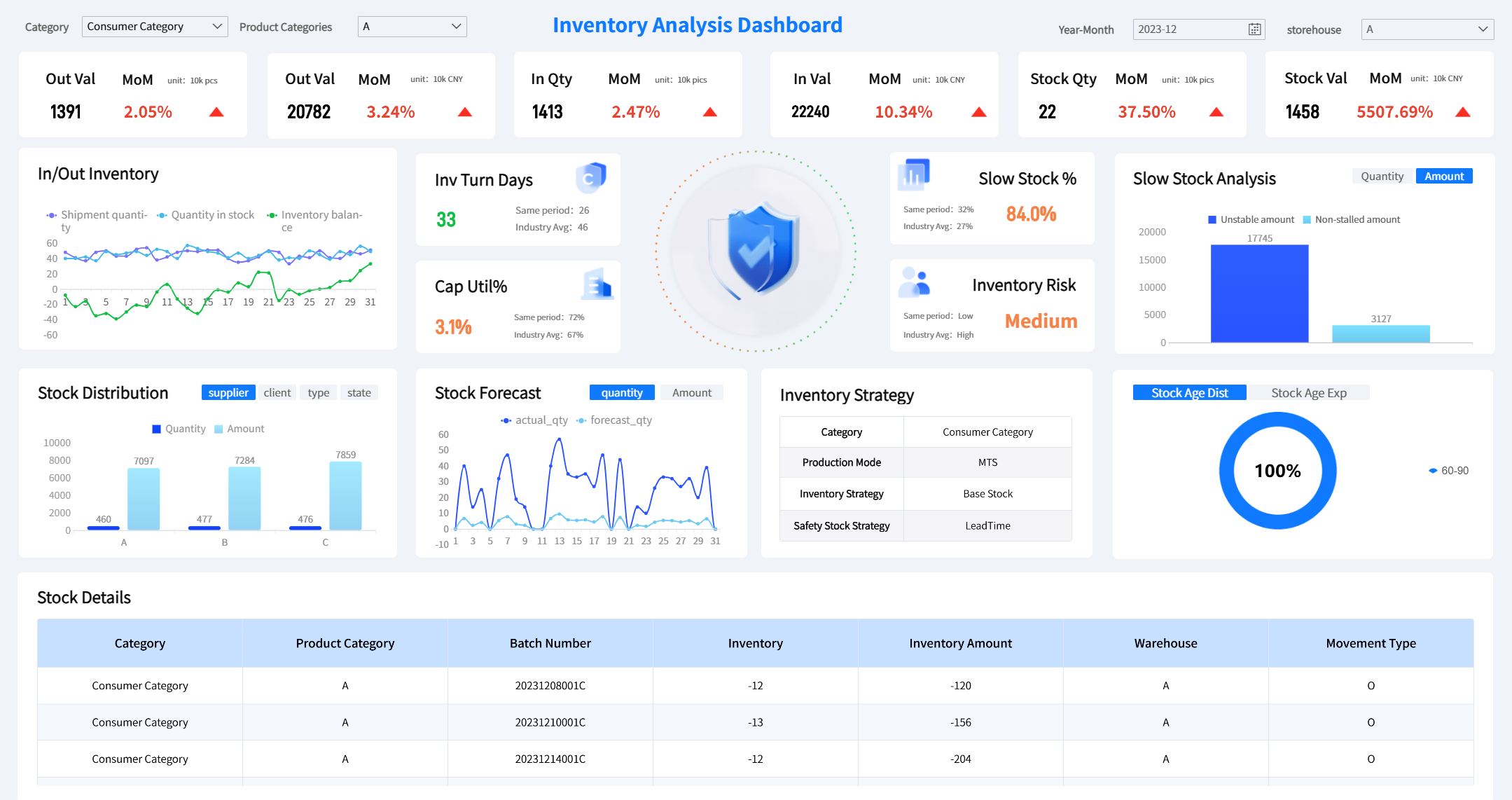
You do not want to run out of stock or have too much. The inventory dashboard template helps you with this. FineReport makes it easy to track stock, trends, and how suppliers are doing. You can connect this dashboard to power bi dashboards for more details.
Feature
Benefit
Real-time stock levels
You always know what you have, so you do not miss sales.
Trend analysis
You see how inventory changes, so you can buy better.
Customer satisfaction
You can react fast when customers want more.
Strategic supplier planning
You lower risks and stay ahead of others.
This template helps you fix supply chain problems early.
You save money by managing inventory well.
You make your business run better and smoother.
This dashboard sends alerts when stock is low or too high. You can act fast and stop mistakes.
Projects can be hard to manage. The project tracking dashboard template keeps things on track. You see what is done, what is late, and what needs work. FineReport lets you build this dashboard with real-time data and easy layouts. You can connect to power bi dashboards for more details.
Key Feature
Description
Real-time Data Integration
You see project updates as they happen.
Customizable Layouts
You set up the dashboard for your project.
Interactive Elements
You can click and see more details right from the dashboard.
Key Metrics Displayed
Track how much is done, bug fixes, and more.
Modular Layouts
Use charts and lists to show data in the best way.
This operations dashboard template helps you manage tasks and find risks. Your team can work together better. It is a key part of your main business dashboards.
Operations Dashboard Examples with FineReport
Do you want to know how operations dashboard examples work? FineReport helps you build dashboards for your team. These operations dashboard examples show you how to use data to make decisions.
Business Dashboard for Executives
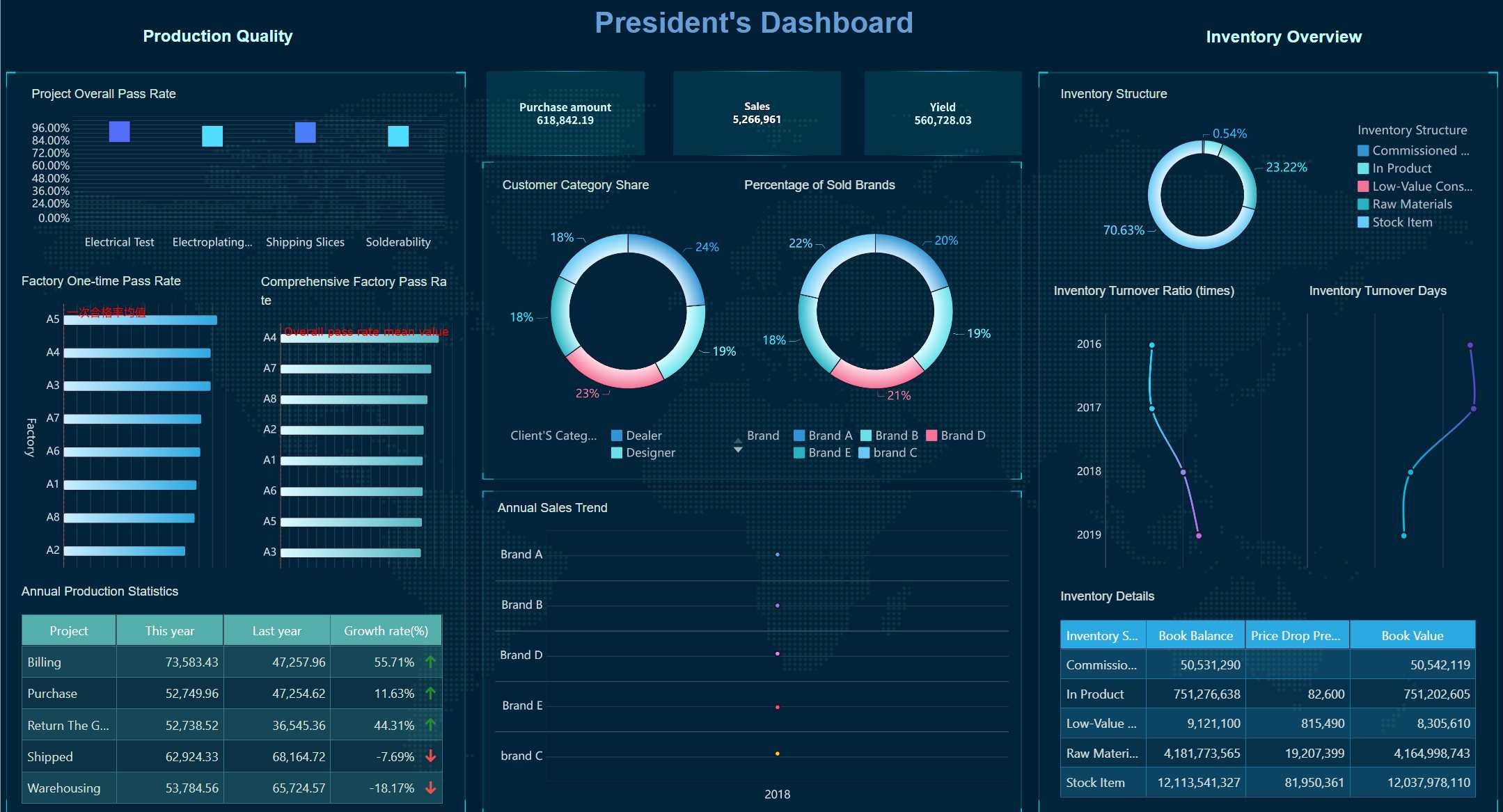
You need a dashboard that shows the big picture. FineReport gives you operations dashboard examples that show trends, profits, and risks together. Executives at BOE use a dashboard to check company health every day. They see sales, costs, and team performance without searching emails or spreadsheets. This dashboard helps you find problems early and make smart choices fast.
Here is a table with common challenges FineReport solves using these operations dashboard examples:
Challenge
Description
Limited web accessibility
Managers and engineers needed better remote access.
Complex report design
Staff wanted to build dashboards without coding.
Data silos
Teams needed to combine data from different places.
Scalability issues
Dashboards had to work well as data grew bigger.
Integration constraints
Dashboards needed to fit into other business tools.
KPI Dashboard for Operations
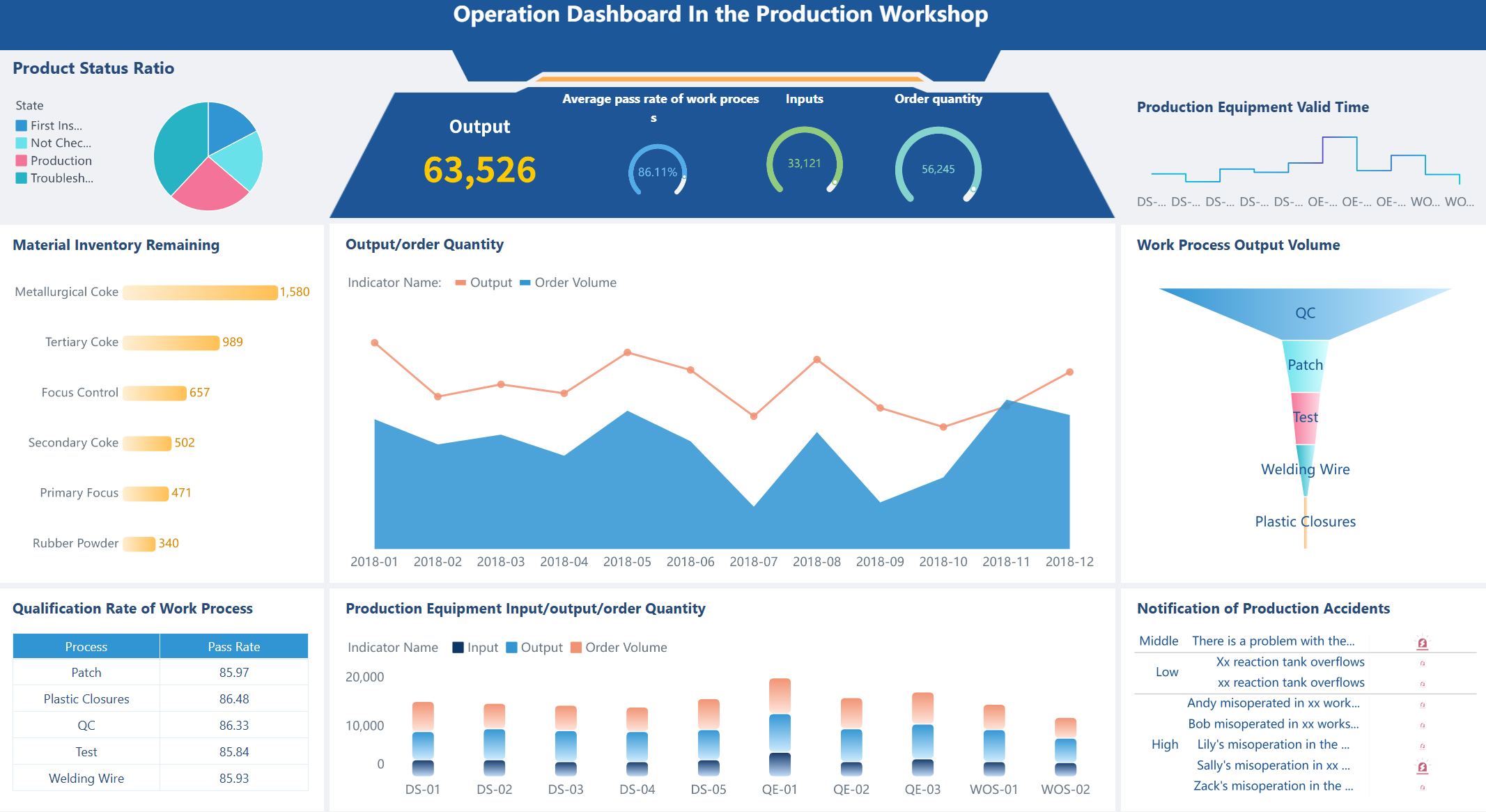
Do you want to track your goals? Operations dashboard examples like KPI dashboards help you see if your team is doing well. BOE used FineReport to build KPI dashboards that show real-time numbers for each department. You can check production, quality, and customer service in one place. These operations dashboard examples help you find problems before they get worse.
Financial Dashboard for Analysis
Money is important. Operations dashboard examples for finance help you see where your cash goes. FineReport lets you build a financial dashboard that connects to all your data. You can look into costs, profits, and trends. BOE used these dashboards to cut inventory costs and work better. Here is what you get with these operations dashboard examples:
Feature/Capability
Description
Interactive Web Dashboards
Explore numbers and trends with a click.
Visual Report Creation
See your data in charts and graphs, not just tables.
Data Connectivity
Pull numbers from any system for a full view.
Parameterization and Filtering
Focus on what matters most to you.
Drill-Down Capabilities
Dive deep into details when you need answers.
You can use these operations dashboard examples to make better choices and keep your business strong.
Key Features and Strategic Advantages
Customization and Integration
FineReport dashboard software lets you make dashboards that fit your business. You can change dashboards to match what your team likes. The drag-and-drop tool is simple for anyone to use. You do not need much training to start. You can set up quick links to your favorite reports. You get alerts when something important changes. This helps you keep track of your work.
FineReport dashboard software connects to many databases. You can bring in data from different places. You see all your information in one dashboard. This makes your analytics better. It helps you make smarter choices for your business.
Capability
Description
Database Connection
Connect to databases easily
Report Generation
Make reports using SQL
Data Source Integration
Bring data together from many places
Custom Development
Add analytics to your own tools
Real-Time Data and Automation
You want to know what is happening right now. FineReport dashboard software shows you real-time performance. You can watch your business as things happen. Real-time pictures help you see problems and fix them fast. The software can make reports by itself, so you always have the newest numbers.
With real-time dashboards, you do not wait for updates. You can check KPIs, sales, and supply chain data right away. This is good for businesses that need to act fast. FineReport works with power bi, so you can add more data to your dashboards.
Mobile and 3D Dashboards
You do not have to be at your desk to see your dashboards. FineReport dashboard software lets you use your phone or tablet. You can check your business from anywhere. The mobile dashboards are easy to use and show real-time data.
FineReport also gives you 3D views. You can see your business in a new way. 3D dashboards help you spot trends and patterns. This helps you work better and make smart choices. You can connect your dashboards to power bi for even more data.
How to Choose and Implement Templates
Assessing Business Needs
Before you pick a dashboard, think about your goals. Decide what your team needs to know. Ask what questions the dashboard should answer. Look at your data and compare it to old numbers. This helps you see if things are better or worse. Keep your dashboard simple so you can check it fast. Each chart or number should help you act or learn more.
Decide what your dashboard is for.
Compare numbers to old results for context.
Make it easy to understand quickly.
Use visuals that help you take action.
Customizing with FineReport
Your dashboard should match your business needs. FineReport lets you change dashboards in many ways. You can connect to any database, even power bi. You can make templates that fit your team. The drag-and-drop tool makes building dashboards easy. Here is what you can do:
Feature
Description
Flexible customization
Make dashboards for any operations need.
Database integration
Connect to power bi and other databases for live data.
Customized report templates
Design templates that look like your business.
Fixed-format analytical reports
Link charts and reports for more details.
Data visualization
Switch graphs to see trends from all sides.
You can start with power bi dashboards and add your own ideas with FineReport. This way, your dashboard always shows what matters most.
Best Practices for Implementation
When you use a new dashboard, keep it simple. Use tools like power bi and FineReport to set up fast. Pick templates for areas like finance or HR. Change charts, KPIs, and layouts to fit your team. Make sure your team can use the dashboard without much training. The goal is to help everyone make smart choices fast.
With the right dashboard and power bi, your operations can run smoothly. You can make better choices every day.
Business Dashboard Comparison Table
Do you want your operations to work well in 2026? You should use the right dashboard templates. These dashboards help you match your work with business goals. They help you find problems quickly. You can also stay ahead of other companies.
Benefit
Description
Strategic Alignment
Connects operations to business targets
Real-time Insights
Shows what’s happening in your operations now
Competitive Advantage
Lets you act faster than others
FineReport give you smart tools. These tools help you make better choices and run things stronger. Are you ready to begin? Choose a dashboard that fits your work. Focus on what is important. You can also look at Databox or OKR templates for more ideas.
Product Trial
FineReport
Pixel-perfect reports · Interactive dashboards · Easy data entry · Digital twins
Access a wealth of case studies, industry insights, and solution guides to accelerate digital transformation.
FAQ
What are the benefits of using dashboard templates?
The major benefit is time-saving. You don’t have to spend hours designing a dashboard and integrating it with your data sources. Dashboard templates come with pre-built data visualizations, saving you time and effort. As a result, you can focus on making data-driven decisions rather than transforming raw data into insights. With FineReport's automatic data refresh, each dashboard report template stays up-to-date without any manual effort.
Can I customize templates for my data?
Yes! The templates are white-label and fully customizable. They allow you to adapt them to your specific business needs. You can align any dashboard report template with your brand by adjusting colors, adding your logo, and modifying the layout.
Are these templates free to use?
Yes, all the templates are completely free to use. However, to connect a data source and automate data loading to the dashboard, you'll need a FineReport subscription. You can start for free - with no credit card required - and then upgrade to one of the paid plans to unlock the full potential of automated reporting.
How often should I update my dashboard?
The frequency of updates depends on your business needs and the data you're tracking.For instance, an hourly refresh is a good choice for sales performance dashboard examples. You can monitor real-time sales data and make quick adjustments to meet targets.