HR compliance reporting is no longer a side task handled once a year. For enterprise employers, it is a cross-functional operating discipline that affects audit readiness, legal exposure, workforce visibility, and executive risk management. The challenge is not just filing forms. It is maintaining the reporting and operational cockpit needed to track employee records, workforce composition, benefits coverage, safety incidents, and state-specific pay data across multiple systems and jurisdictions.
With FineReport + Dora, teams can ask for a report summary in chat, generate structured narratives from trusted report assets, receive scheduled briefings, and push exceptions to the right owner. That makes HR compliance reporting more actionable for HR leaders, payroll teams, legal counsel, and operations owners who need timely answers instead of last-minute spreadsheet consolidation.
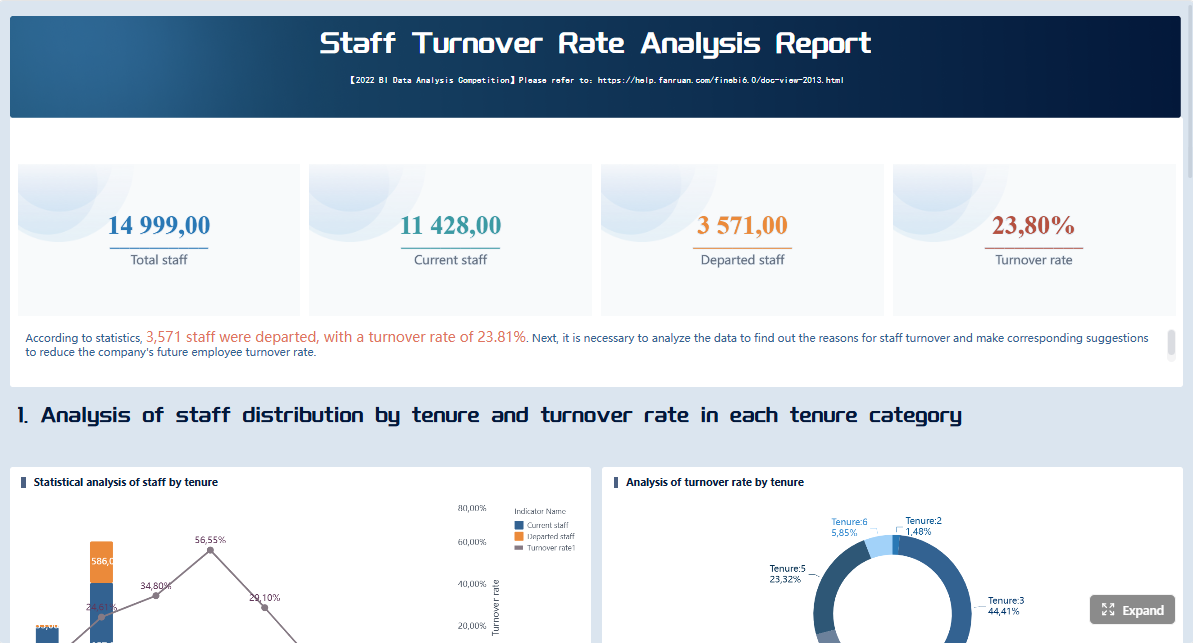 Click To Try The Dashboard
All reports in this article are built with FineReport
HR compliance reporting: the core filings enterprises need to track
Enterprise HR compliance reporting covers the recurring and event-driven records, disclosures, logs, and filings that employers must maintain or submit under federal and state employment rules. In practice, this includes document retention, workforce demographic reporting, workplace injury logs, health coverage reporting, and increasingly detailed state pay data programs.
For large and multi-state employers, the risk grows because requirements do not operate on one calendar or one data model. A company may need to:
- retain I-9 records based on hire and termination timing
- group workforce data for EEO-1 reporting
- maintain OSHA logs at the establishment level
- align ACA eligibility, offers of coverage, and payroll data
- respond to different state pay data reporting rules by employee location, category, or compensation fields
That is why hr compliance reporting should be treated as a governed reporting program, not a collection of ad hoc exports.
Why multi-jurisdiction requirements create enterprise risk
The more locations, business units, and worker populations an organization has, the more likely it will face inconsistencies in:
- employee counts
- location mapping
- job category definitions
- demographic data completeness
- compensation code usage
- retention practices
- audit response ownership
A merger, remote-work shift, or payroll system change can quickly create filing errors if reporting logic is not standardized. In many enterprises, the issue is not lack of data. It is lack of trusted, reusable reporting assets and clearly governed definitions.
How obligations differ across major HR compliance frameworks
The same employee can appear across multiple compliance workflows, but the reporting purpose is different in each framework:
- I-9: verifies employment eligibility documentation and retention obligations
- EEO-1: groups workforce data by demographic categories and job classifications
- OSHA: records injuries and illnesses and triggers event-based incident reporting in certain cases
- ACA: tracks coverage offers, affordability, and employer reporting obligations
- State pay data: analyzes compensation and workforce composition under state-specific rules
Because each framework has different rules, employers need reporting views designed for the filing purpose, not just generic HR dashboards.
Which teams usually share responsibility
Few enterprises can manage hr compliance reporting through HR alone. Responsibility is commonly shared across:
- HR: workforce records, job changes, employee status, demographics
- Payroll: wage and hours data, compensation elements, employee counts
- Benefits: coverage offers, enrollment and affordability support
- Legal and compliance: interpretation, review, audit response, jurisdiction monitoring
- Safety or operations: workplace incident logging and establishment-level OSHA readiness
- IT and data teams: system integration, data quality, permissions, report automation
This is also where the role of IT is changing. In the AI era, IT should not be manually rebuilding every HR compliance report. Instead, it should optimize data connections, semantic rules, permissions, report templates, and reusable AI Skills on top of trusted reporting assets.
What each major reporting framework requires
I-9 employment eligibility records
Form I-9 compliance is primarily about completion accuracy, retention discipline, reverification when required, and the ability to present records during an audit or agency request.
What employers must complete, retain, reverify, and present
At a high level, employers need to ensure:
- Section 1 is completed by the employee on time
- Section 2 is completed by the employer or authorized representative within the required timeframe
- reverification is handled where applicable
- records are retained for the proper period
- forms and supporting processes can be produced quickly during an inspection
A strong I-9 reporting cockpit should track:
- missing or incomplete forms
- late completion
- upcoming reverification dates
- terminated employee retention countdowns
- storage location and document status
- audit exceptions by business unit or location
Report Element: I-9 completion status
Definition: Whether each active employee has a properly completed I-9 with required sections completed on time.
Business value: Reduces audit exposure and helps HR identify missing or late records before an inspection.
AI use: Dora can summarize overdue forms, list locations with the highest exception counts, and push follow-up tasks to responsible HR owners.
Report Element: Reverification queue
Definition: Employees whose work authorization requires monitoring or reverification.
Business value: Prevents missed deadlines and business disruption.
AI use: Dora can generate a scheduled reverification briefing and explain which cases need action this month.
Report Element: Retention eligibility
Definition: Terminated employee I-9s that are eligible for continued retention or disposal based on timing rules.
Business value: Supports compliant retention while reducing unnecessary record storage.
AI use: Dora can flag records approaching retention thresholds and produce a review list for compliance teams.
Common recordkeeping errors that increase exposure
Typical enterprise errors include:
- missing signatures or dates
- late completion
- using inconsistent document review procedures
- failure to track reverification requirements
- poor separation of active and terminated records
- inability to retrieve forms by employee, site, or audit scope
These are exactly the kinds of exceptions that should appear in a governed FineReport exception list rather than being discovered only when counsel asks for an urgent audit file.
EEO-1 workforce reporting
EEO-1 reporting requires covered employers to submit workforce data grouped by job category, race or ethnicity, and sex, using the applicable reporting structure.
Which employers must file and how data is grouped
For enterprises that fall within filing scope, the operational challenge is not only counting employees. It is ensuring that each employee is mapped accurately to:
- the correct establishment
- the correct job category
- the correct demographic grouping
- the correct reporting period logic
An enterprise EEO-1 cockpit should make visible:
- headcount by establishment
- demographic breakdowns by category
- employees with missing demographic fields
- location or entity mapping anomalies
- year-over-year shifts caused by reorganizations
Report Element: EEO job category mapping
Definition: Assignment of employees to the required reporting categories used for workforce grouping.
Business value: Improves filing accuracy and supports defensible workforce reporting.
AI use: Dora can explain where category assignments changed and summarize which business units need cleanup before filing.
Report Element: Demographic data completeness
Definition: Availability and usability of required race, ethnicity, and sex data fields.
Business value: Reduces incomplete submissions and manual remediation work.
AI use: Dora can identify records with missing fields and produce a prioritized exception summary.
Report Element: Establishment roll-up accuracy
Definition: Whether employees are associated with the proper reporting location and entity.
Business value: Prevents distorted counts caused by entity restructuring or remote work complexity.
AI use: Dora can compare current reporting structure against the prior cycle and highlight unusual shifts.

How organizational changes can affect reporting accuracy
EEO-1 data often becomes inaccurate after:
- mergers or acquisitions
- new legal entity creation
- location closures
- remote-worker reassignment
- job architecture redesign
- HRIS migration
These changes may look operationally minor but can materially affect reported counts. That is why enterprises need a reporting foundation that preserves definitions and supports controlled changes over time.
OSHA injury and illness reporting
OSHA compliance can involve both continuous recordkeeping and event-driven reporting. Those are different operational tasks and should be managed differently in enterprise reporting.
Which logs and summaries employers may need to maintain
Depending on employer profile and reporting obligations, organizations may need to maintain establishment-level injury and illness records and prepare annual summaries. They may also need processes that identify incidents requiring agency notification within a specific timeframe.
A practical OSHA reporting view should track:
- recordable incidents by site
- open case review status
- case classification consistency
- annual summary preparation status
- posting readiness
- incidents that may trigger immediate reporting workflows
Report Element: Recordable case log status
Definition: The ongoing completeness and classification status of work-related injury and illness cases.
Business value: Improves consistency in safety records and supports annual summary preparation.
AI use: Dora can summarize case trends, identify sites with unusual increases, and prepare a weekly safety briefing.
Report Element: Annual summary readiness
Definition: Whether the required annual summary is complete, approved, and ready for posting or internal review.
Business value: Helps safety and operations teams avoid last-minute compilation.
AI use: Dora can notify responsible owners of missing site submissions and push a consolidated readiness update.
Report Element: Incident escalation trigger
Definition: Cases that may require immediate evaluation for event-based reporting obligations.
Business value: Supports faster internal escalation and reduces the chance of missed reporting triggers.
AI use: Dora can push alerts when an incident matches predefined escalation conditions.
Ongoing recordkeeping versus event-based reporting
This distinction matters:
- Ongoing recordkeeping focuses on maintaining accurate logs and summaries over time.
- Event-based reporting is triggered by specific incidents that may require rapid assessment and agency notification.
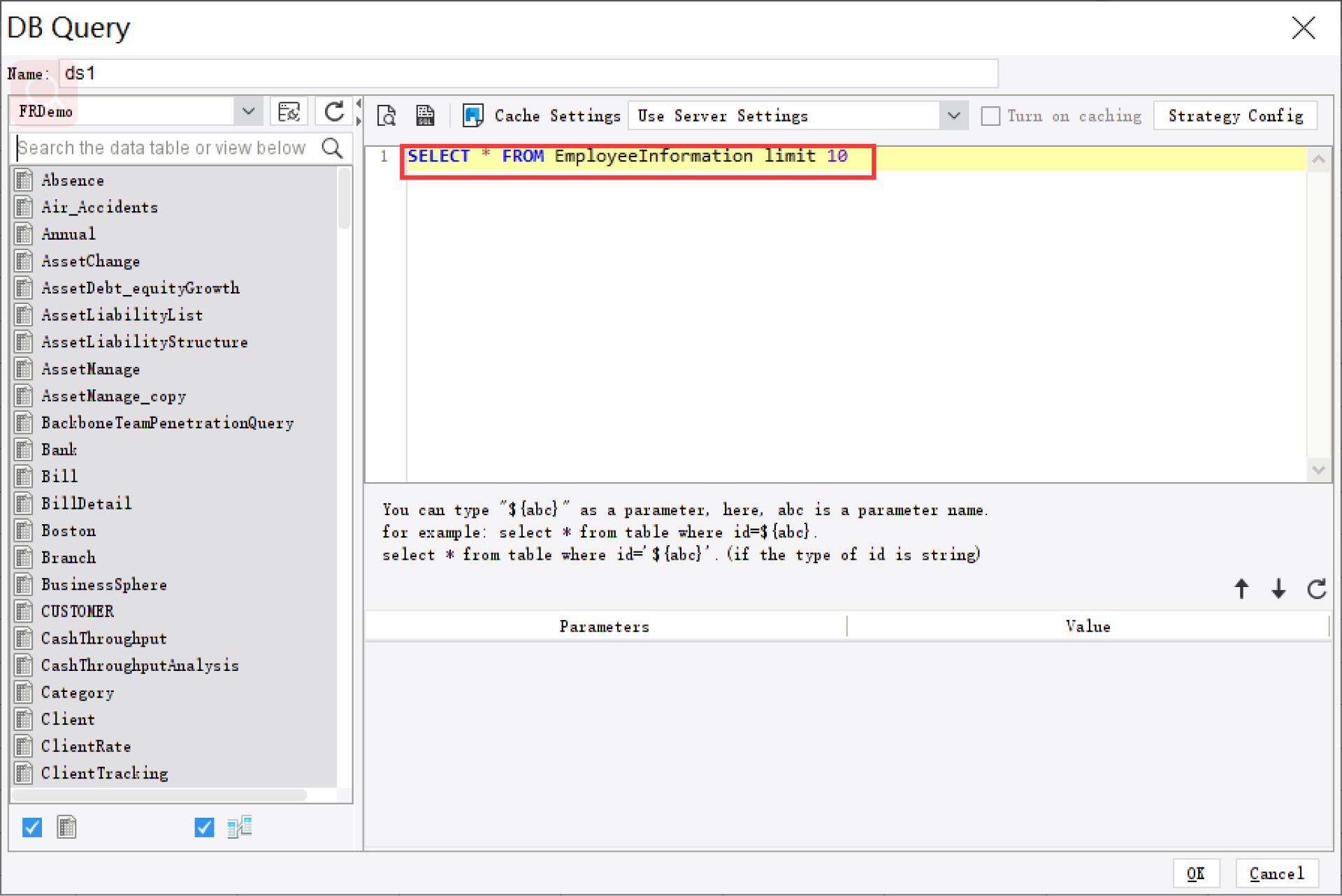
Enterprises often fail when they manage both with email alone. A better model is a FineReport operations cockpit with threshold rules and Dora follow-up workflows for exception escalation.
ACA employer reporting
ACA employer reporting depends on reliable alignment between workforce eligibility, coverage offers, affordability logic, and employee statement support.
What large employers need to track
Applicable large employers typically need visibility into:
- full-time status measurement
- offer of coverage tracking
- affordability support logic
- enrolled versus offered populations
- employee statement readiness
- filing package completeness
Because these data points often live across HRIS, payroll, and benefits systems, ACA reporting is a classic example of why hr compliance reporting must be cross-functional.
Report Element: Coverage offer tracking
Definition: Whether eligible employees received the appropriate offer of coverage during the reporting period.
Business value: Supports employer reporting obligations and internal compliance validation.
AI use: Dora can summarize employees with missing offer records and explain population differences by month.
Report Element: Affordability support view
Definition: The payroll and benefits data needed to evaluate affordability under the employer’s approach.
Business value: Helps finance, payroll, and benefits teams reconcile reporting support before filing.
AI use: Dora can create a structured narrative explaining affordability exceptions and their possible root causes.
Report Element: Employee statement fulfillment
Definition: Tracking for required employee-facing forms, requests, or distribution support processes.
Business value: Improves readiness for employee inquiries and filing season operations.
AI use: Dora can generate a briefing on outstanding statement issues and push follow-up tasks.
Why payroll and benefits data alignment matters
ACA problems often stem from:
- inconsistent employee status dates
- payroll and benefits systems using different eligibility logic
- coverage offer records not matching payroll periods
- entity changes not reflected in filing views
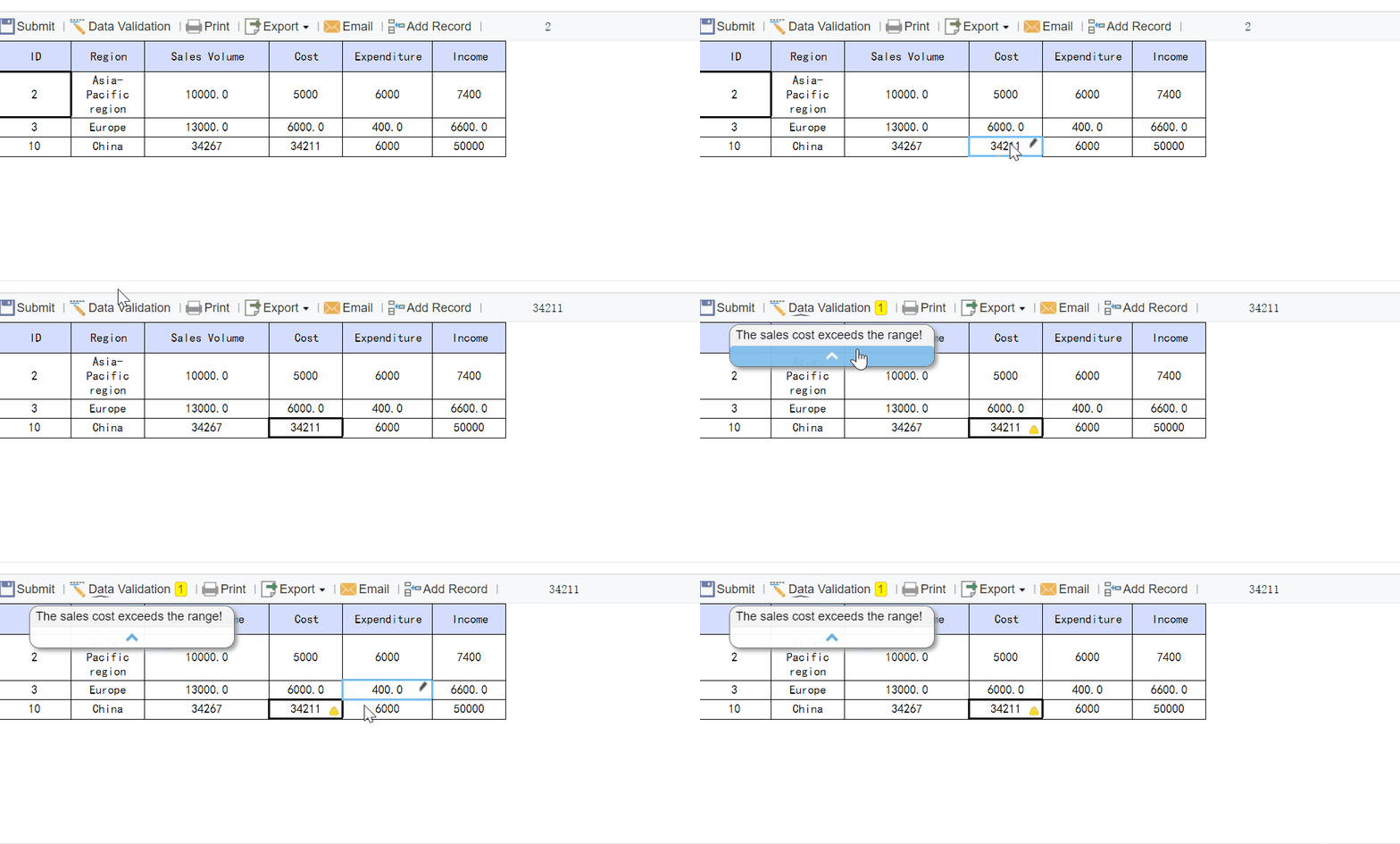
FineReport can standardize the reporting layer across those systems. Dora can then help users consume that reporting layer through chat, summaries, exception pushes, and periodic briefings.
State pay data reporting
State pay data reporting is one of the most dynamic areas of HR compliance reporting because definitions, required fields, thresholds, and covered employers can vary by jurisdiction.
Why state requirements vary
State programs may differ in areas such as:
- which employers must file
- which employees to include
- how job categories are mapped
- which compensation elements to report
- how labor hours are defined
- whether remote employees are counted based on residence or work location
- what demographic fields are required
That variability means enterprises cannot assume one state report can be copied into another filing with minor edits.
Report Element: Jurisdictional employee inclusion rules
Definition: The logic used to determine which employees belong in a state-specific pay data submission.
Business value: Prevents under-reporting or over-reporting across multi-state workforces.
AI use: Dora can explain inclusion logic in plain language and highlight records that fall into ambiguous categories.
Report Element: Compensation field standardization
Definition: The mapping of payroll earnings and compensation data into state-specific reporting elements.
Business value: Reduces manual adjustment and improves consistency between states.
AI use: Dora can summarize mapping exceptions and identify fields requiring payroll review.
Report Element: Location and remote-work mapping
Definition: Rules that assign employees to the correct reporting state and establishment context.
Business value: Supports accurate multi-state reporting as work models change.
AI use: Dora can flag employees whose location attributes conflict across systems.

How enterprises can prepare for changing state rules
Enterprises should assume state pay data rules will continue to evolve. The practical response is to build:
- reusable compensation and job architecture mappings
- location governance for remote and hybrid workers
- state-specific reporting templates
- periodic legal review of filing scope
- exception dashboards before filing windows open
The data, documents, and systems enterprises should standardize
A sustainable hr compliance reporting program starts with standard inputs. If data definitions are unstable, every filing cycle becomes a new reconciliation project.
Core employee data fields to validate
The most important fields to validate usually include:
- employee ID and unique identifiers
- legal entity
- work location and establishment mapping
- hire, rehire, termination, and status dates
- job title and job category
- pay rate and compensation elements
- hours worked or hours basis
- benefits eligibility and offer indicators
- demographic data where lawfully collected and applicable
- safety incident identifiers and case status where relevant
Retention rules also matter. Sensitive employment records should have:
- documented retention periods
- controlled access
- audit trails for changes
- traceable report versions used for filing support
Cross-functional workflows that reduce reporting errors
Good reporting depends on workflow, not just fields. Enterprises should define how data moves between:
- HRIS
- payroll
- recruiting
- benefits administration
- safety systems
- legal review
- compliance sign-off
A reliable workflow typically includes:
- system data refresh and validation
- exception reporting by owner
- business review and correction
- legal or compliance review where needed
- filing package preparation
- post-filing archive and lessons learned
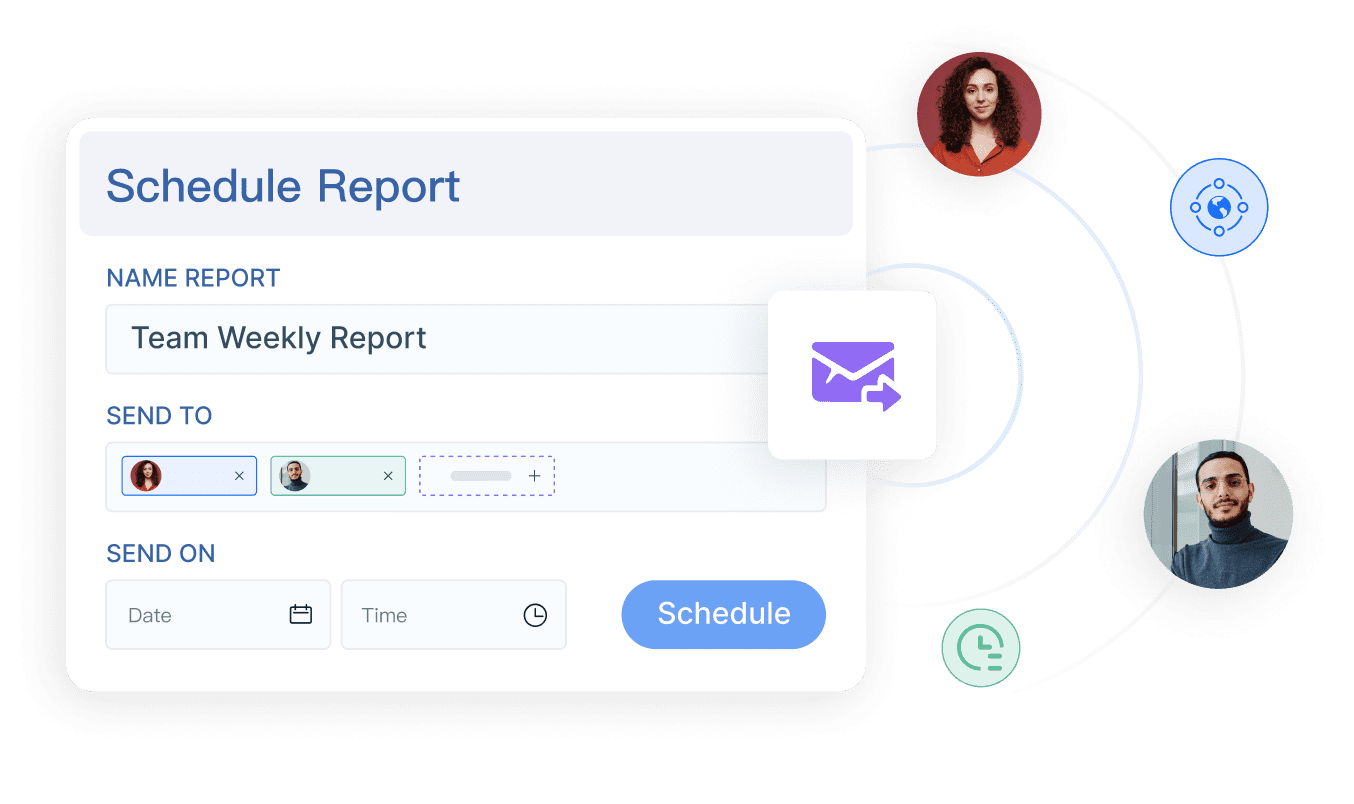
When these handoffs are informal, errors multiply. FineReport helps standardize the reporting workflow. Dora can assist by pushing scheduled summaries, unresolved exception lists, and owner-specific follow-up prompts.
Common system gaps to address before filing season
Most enterprises already know where the trouble spots are. Common gaps include:
- duplicate employee records
- inconsistent job codes
- outdated location hierarchies
- missing demographic fields
- weak links between payroll and benefits data
- manual incident logs outside core systems
- spreadsheet workarounds without audit trails
These issues rarely disappear on their own. They need to be surfaced in operational reporting before the filing calendar becomes urgent.
Key deadlines, risk areas, and audit readiness for 2026
Deadlines change, and some obligations are annual while others are periodic or triggered by specific events. The safest enterprise practice is to build a living filing calendar and review it regularly with legal, HR, payroll, and compliance stakeholders.
Key HR compliance dates for 2026
For 2026 planning, enterprises should build a calendar that separates:
- annual obligations: recurring filings, annual summaries, and standard employer statements
- periodic obligations: recurring reviews, reverification checks, monthly affordability monitoring, quarterly validations
- incident-driven obligations: audit responses, safety incidents, agency requests, document production deadlines
- state-specific windows: pay data submissions and other jurisdictional reporting periods
Instead of keeping this calendar in static documents, leading teams use an operational cockpit that shows:
- filing name
- covered population
- owner
- due window
- upstream data dependencies
- review status
- open exceptions
- escalation status
That kind of visibility is especially valuable for executives, because it translates compliance work into operational risk status.
High-risk mistakes employers should avoid
Several errors repeatedly create exposure in hr compliance reporting:
- late filings
- incomplete documentation
- inconsistent employee counts across reports
- failure to maintain retention rules
- unsupported manual overrides
- missing or outdated location mapping
- poor treatment of reorganizations and acquired entities
- remote-worker misclassification by reporting jurisdiction
High-risk periods include:
- acquisitions and divestitures
- HRIS or payroll migration
- return-to-office or remote-work policy shifts
- entity consolidation
- benefit plan redesign
- rapid hiring in new states
How to prepare for audits and agency requests
Audit readiness is not just document storage. It is the ability to retrieve trusted records, explain reporting logic, show ownership, and document corrective action.
Enterprises should prepare by:
- organizing supporting records by framework and year
- designating response owners and backups
- documenting review and approval steps
- retaining report snapshots used for filing
- performing internal spot checks
- logging corrective actions and closure dates
An audit-ready reporting cockpit should answer questions like:
- Which records are incomplete?
- Which locations are high risk?
- Which filings are pending review?
- Which exceptions remain unresolved?
- Who owns the next action?

How an AI Data Agent Automates Report Consumption
For most enterprises, the reporting problem is not only how to produce compliance reports. It is how to help decision-makers consume them quickly, understand exceptions, and take action before deadlines are missed. This is where Dora, FanRuan’s enterprise Data Agent platform, adds practical value on top of FineReport.
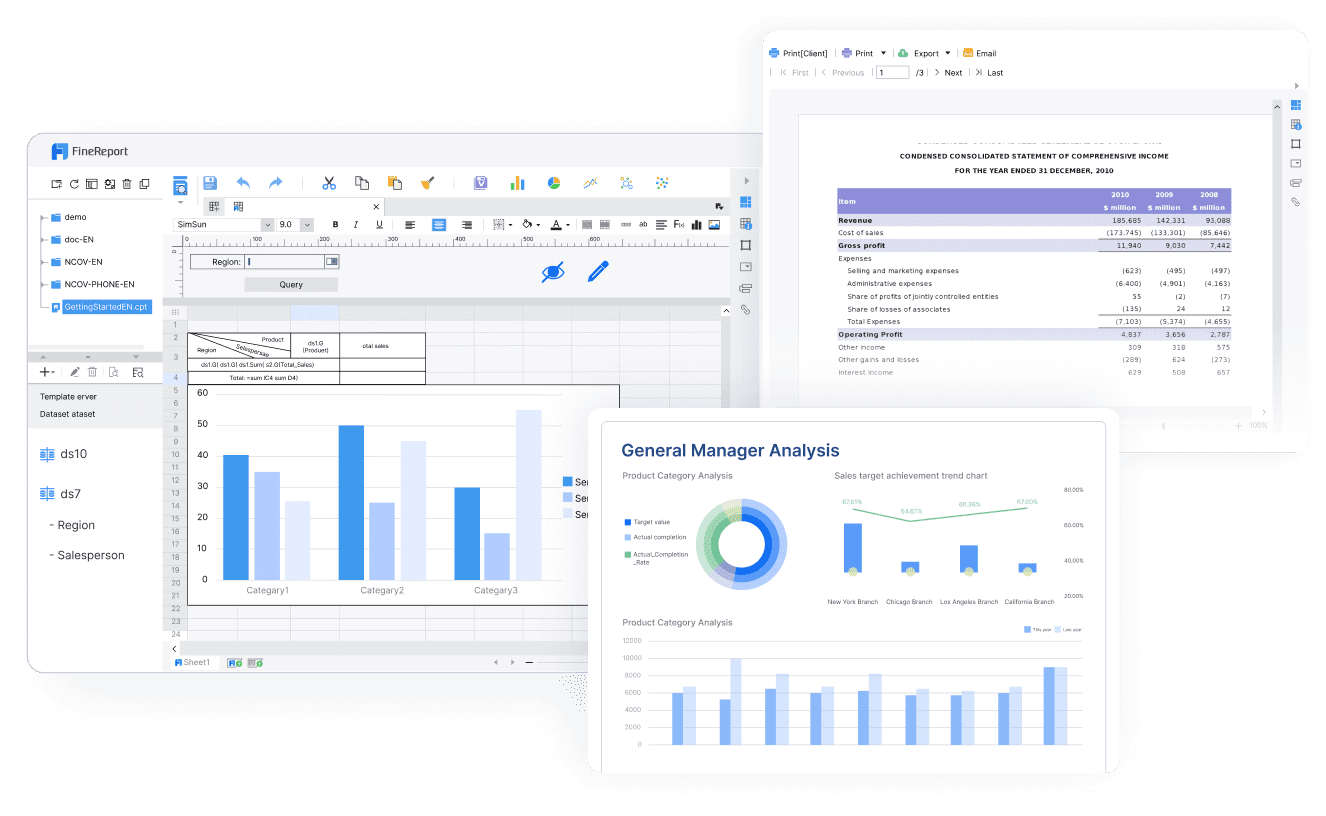
FineReport provides the trusted reporting and semantic foundation: formatted reports, cross-system compliance dashboards, management views, exception lists, and workflow-ready report templates. Dora turns those assets into a scenario-specific AI assistant and AI digital employee for recurring compliance work.
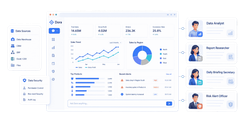
In this HR compliance scenario, the most relevant Dora digital employees are:
- Daily Briefing Secretary for recurring compliance status updates
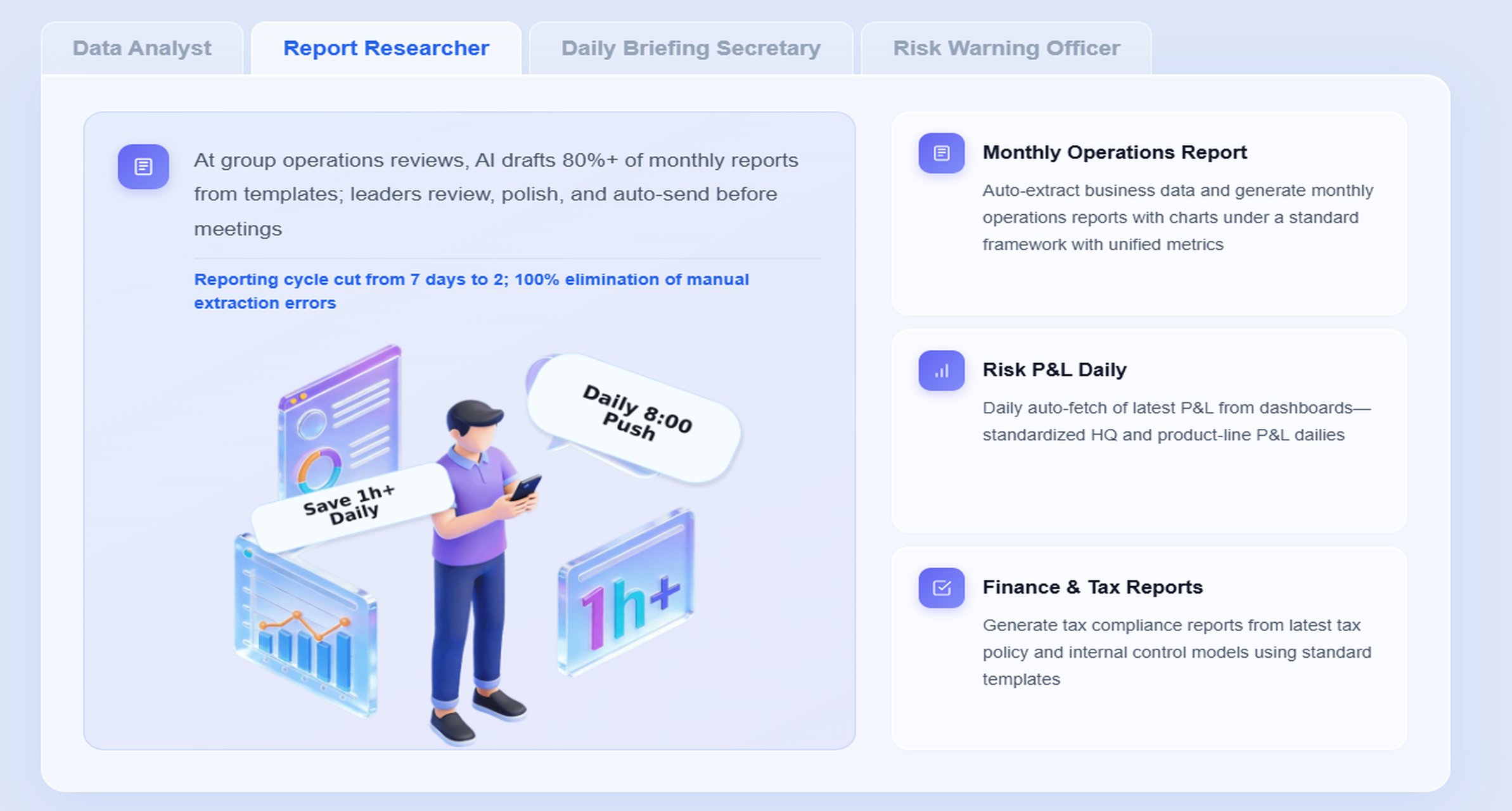
- Report Researcher for structured report summaries from dashboards and filing views
- Risk Alert Officer for exception monitoring, threshold breaches, and owner notification
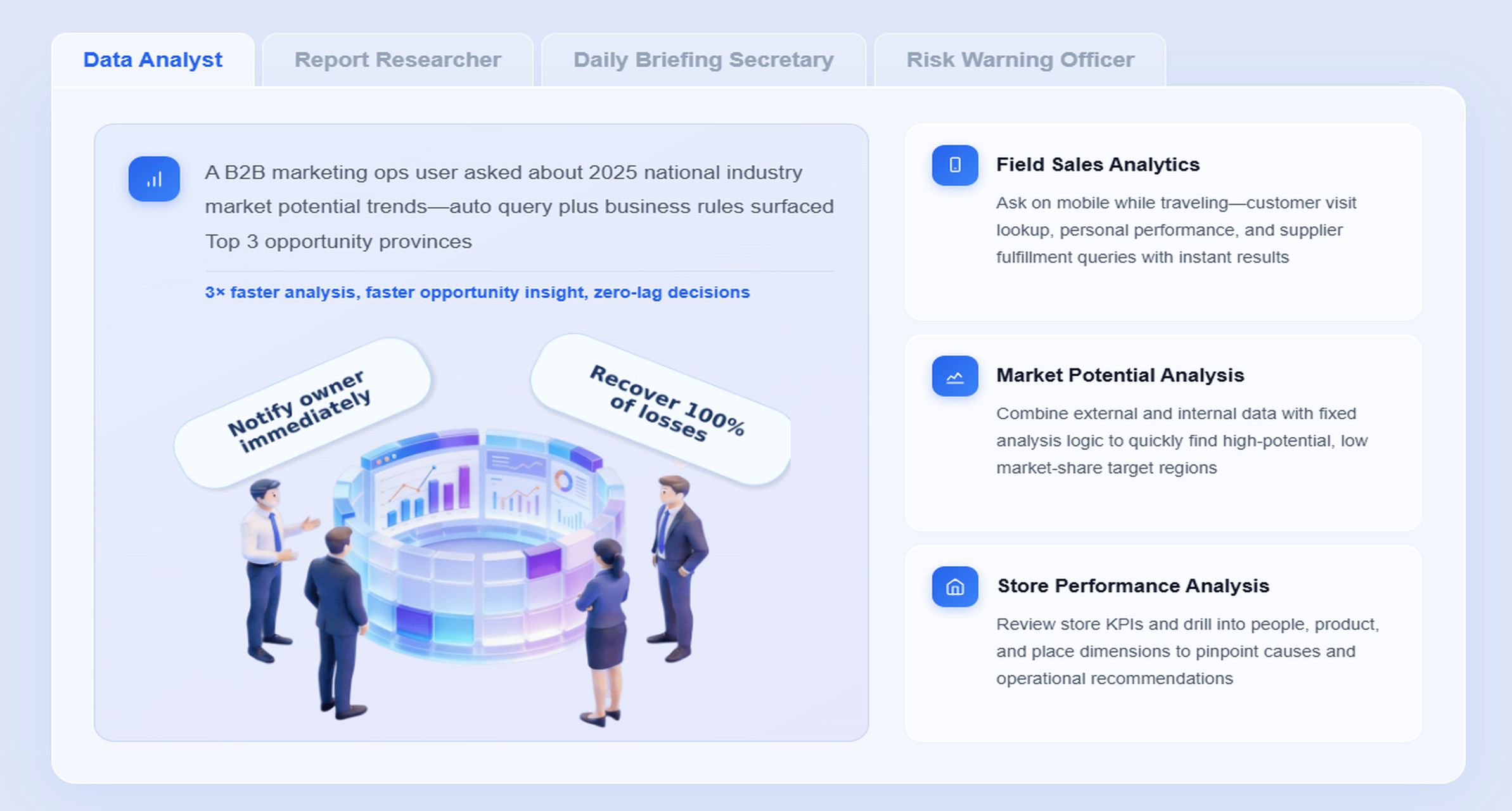
- Data Analyst digital employee for natural-language Q&A over governed HR compliance reports
A chat-style example for HR compliance reporting
A compliance leader or HR operations manager could ask:
“Summarize our 2026 HR compliance reporting status, highlight missing I-9 reverifications, ACA coverage offer exceptions, OSHA sites with open incident reviews, and states where pay data fields are incomplete. Then list the owners who need follow-up this week.”
That is not a generic chatbot interaction. It is a governed Agentic BI workflow running on trusted reporting assets, semantic definitions, permissions, and reusable Skills.
A 6-step Dora workflow for HR compliance reporting
-
Retrieve trusted FineReport assets
Dora accesses approved FineReport compliance dashboards, operational cockpits, filing calendars, and exception reports. -
Understand KPI definitions and business rules
It applies governed semantic logic for terms such as active employee, establishment, offer of coverage, reverification queue, and state inclusion rules. -
Generate a structured report summary
Dora produces a chart-based answer or management-style narrative covering filing readiness, overdue tasks, and exception concentration by team or location. -
Detect exceptions and priority risks
It identifies threshold breaches such as missing forms, incomplete demographic fields, unresolved incident logs, or state pay data gaps. -
Push alerts and follow-up tasks
Dora sends scheduled summaries or owner-specific notifications to HR, payroll, benefits, safety, or legal stakeholders. -
Create follow-up records for review
It prepares a daily or weekly compliance briefing for management and keeps a record of outstanding issues for subsequent review.
Why this works in an enterprise setting
Many AI demos fail in HR because they rely on raw prompts over ungoverned data. That creates risk. Dora is designed for better enterprise landing capability because it works with:
- trusted FineReport reports and cockpits
- governed KPI definitions
- report templates and permission boundaries
- skills-based execution for more controllable workflows
- auditable follow-up paths
- more stable execution than prompt-only agent patterns
This matters for HR compliance reporting because teams need consistency, not creative output. They need scheduled summaries, chart explanations, exception pushes, and clear ownership routing.
Example of AI-assisted report consumption by persona
For executives
Executives do not want to inspect five different compliance systems. They want a concrete risk summary. Dora can act as a Daily Briefing Secretary that delivers:
- filing readiness by framework
- top unresolved risks
- business units with repeated exceptions
- pending deadlines requiring leadership attention
Dora is not an AI experiment. It is a landed digital employee for recurring reporting work such as monthly compliance summaries, audit-readiness updates, safety exception overviews, and pay data preparation follow-up.
For IT and data teams
IT’s role shifts from manual report production to governed enablement. FineReport standardizes data connections, report templates, and semantic logic. Dora uses those assets through controlled Skills, reducing fragile one-off reporting requests and improving auditability.
For business users
HR, payroll, and operations users get lower friction. Instead of searching across reports, they can ask a natural-language question and receive a structured report summary linked back to the source FineReport asset. That improves timeliness without bypassing governance.
Best practices for building a sustainable HR compliance reporting program
A strong enterprise program is built on repeatability, ownership, and governed reporting design.
A practical compliance checklist for HR teams
Use a recurring checklist that covers:
- applicable federal and state reporting obligations
- system of record for each required data element
- named owners for preparation, review, approval, and response
- filing windows and incident-driven triggers
- validation rules and exception thresholds
- document retention and audit support location
- post-filing review and remediation steps
This keeps hr compliance reporting visible throughout the year instead of forcing a scramble during filing season.
Best practices that strengthen reporting accuracy
1. Standardize definitions, templates, and exception rules
Define key business terms once and reuse them across reporting. This includes employee status logic, location mapping, job category standards, compensation classifications, and incident definitions. FineReport is well-suited to building these governed report templates and operational cockpits.
2. Build a semantic layer inside the reporting workflow
AI value depends on trusted semantics. If “active employee” means one thing in payroll and another in HRIS, both reporting and AI summaries will break. FineReport provides the governed reporting foundation, while Dora uses that semantic layer for more reliable chart-based answers and structured report summaries.
3. Start with high-value recurring reports
Do not try to automate every compliance report at once. Start with recurring, high-friction scenarios such as:
- I-9 exception and reverification tracking
- ACA readiness summary
- annual compliance filing calendar
- multi-state pay data completeness review
- OSHA incident exception push
These scenarios are easier to operationalize and show value quickly.
4. Preserve permission governance and human review
AI outputs should respect FineReport access boundaries. Dora should not expose sensitive employee data outside approved permissions. For sensitive narratives or filing support packages, keep human review in the process and gradually expand Skills after governance is proven.
5. Treat data quality as part of AI implementation
Dora can improve report consumption, but it cannot fix broken source logic by itself. Data quality, retention discipline, KPI governance, and report standardization remain essential. That is why enterprises with mature reporting assets get stronger AI outcomes.
FineReport + Dora solution pitch
Building this manually is complex. FineReport helps teams standardize trusted reports, operational cockpits, templates, and reporting workflows. Dora turns those assets into an AI assistant that can answer report questions in chat, generate structured summaries, push scheduled briefings, monitor exceptions, and follow up with responsible owners.
For HR compliance reporting, that means enterprises can build a governed foundation for:
- I-9 record status and reverification views
- EEO-1 workforce grouping dashboards
- OSHA logs and exception monitoring
- ACA readiness and cross-system reconciliation
- state pay data completeness and jurisdiction-specific filing support
- annual compliance calendars and audit-readiness cockpits
Then Dora adds the execution layer:
- natural-language query over trusted reporting assets
- chat-based AI assistant for report consumption
- retrieval of reports, cockpits, metrics, and exception lists
- structured report summaries and management narratives
- scheduled daily or weekly briefings
- exception alerts and push notifications
- digital employees for repeatable compliance workflows
- skills-based execution for more controllable and auditable AI workflows
FineReport + Dora is not only a reporting upgrade; it is a practical fourth-generation Agentic BI path. FineReport provides governed reports and operational cockpits. Dora provides the AI assistant layer for scenario execution, with more controlled Skills, lower token waste, faster execution paths, and more stable workflows than prompt-only agents.

Get Ready-to-Use Dashboard Templates in Fine Gallery
The strongest Dora pitch is scenario + product + service: FineReport provides the trusted reporting foundation, Dora provides the AI digital employee, and implementation service connects data, governance, semantic setup, Skills, report templates, permissions, and rollout.
For enterprise teams struggling with hr compliance reporting across I-9, EEO-1, OSHA, ACA, and state pay data obligations, that combination is what makes the solution practical. It does not replace compliance judgment. It helps teams consume reports faster, detect exceptions earlier, coordinate owners more effectively, and operate with a more reliable reporting foundation.
FAQs
It typically covers I-9 records, EEO-1 workforce demographics, OSHA injury and illness logs, ACA coverage reporting, and state pay data requirements. Enterprise teams also need supporting audit trails, retention controls, and exception tracking across systems.