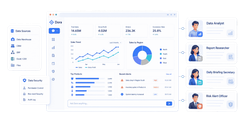
Regulatory reporting automation is the disciplined use of workflows, rules, data pipelines, and AI to produce accurate regulatory filings faster, with less manual effort and stronger auditability. For compliance leaders, operations directors, and IT managers, the business value is direct: fewer reporting errors, shorter cycle times, clearer accountability, and defensible evidence when regulators or auditors ask how a number was produced.
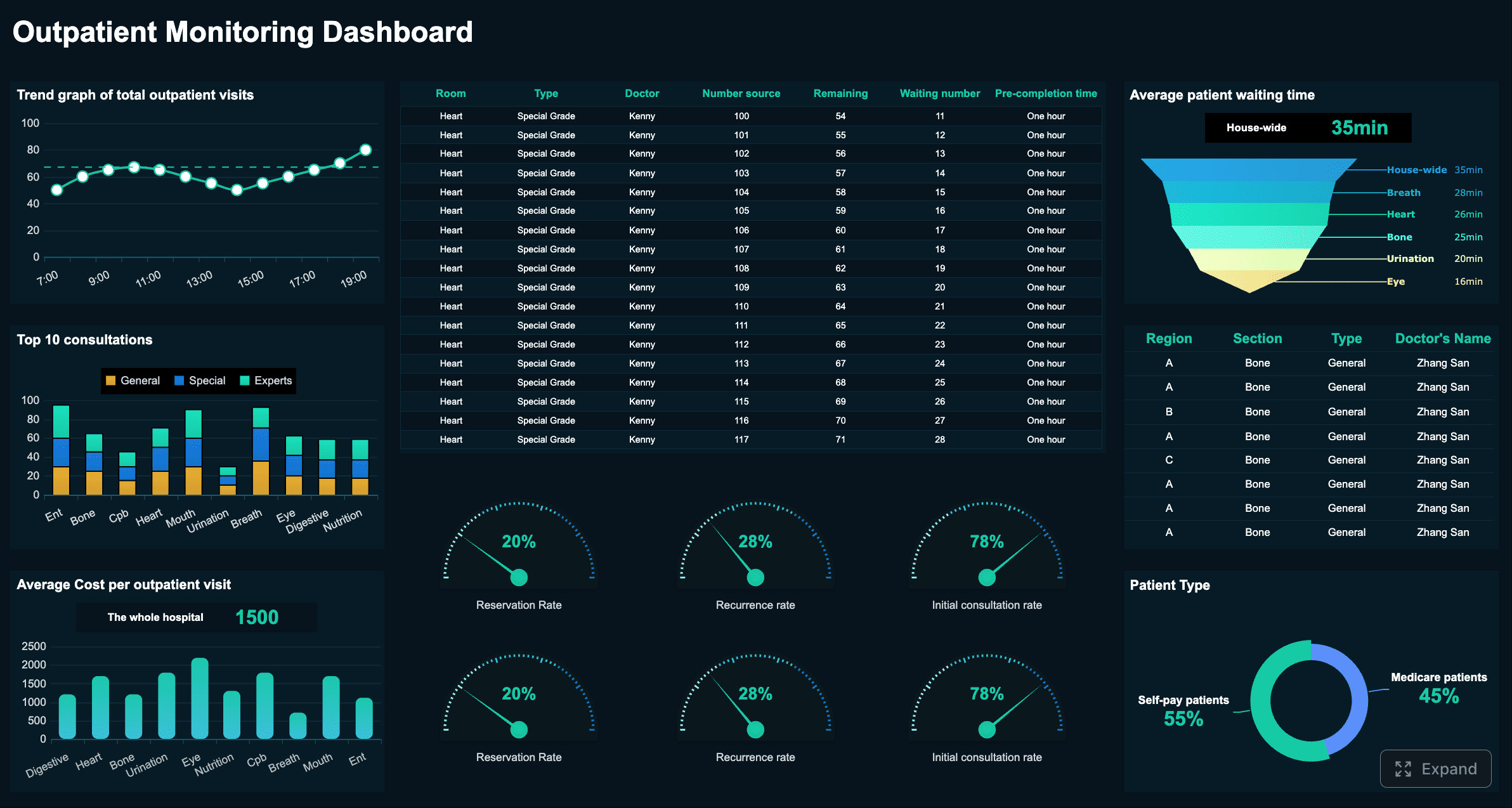
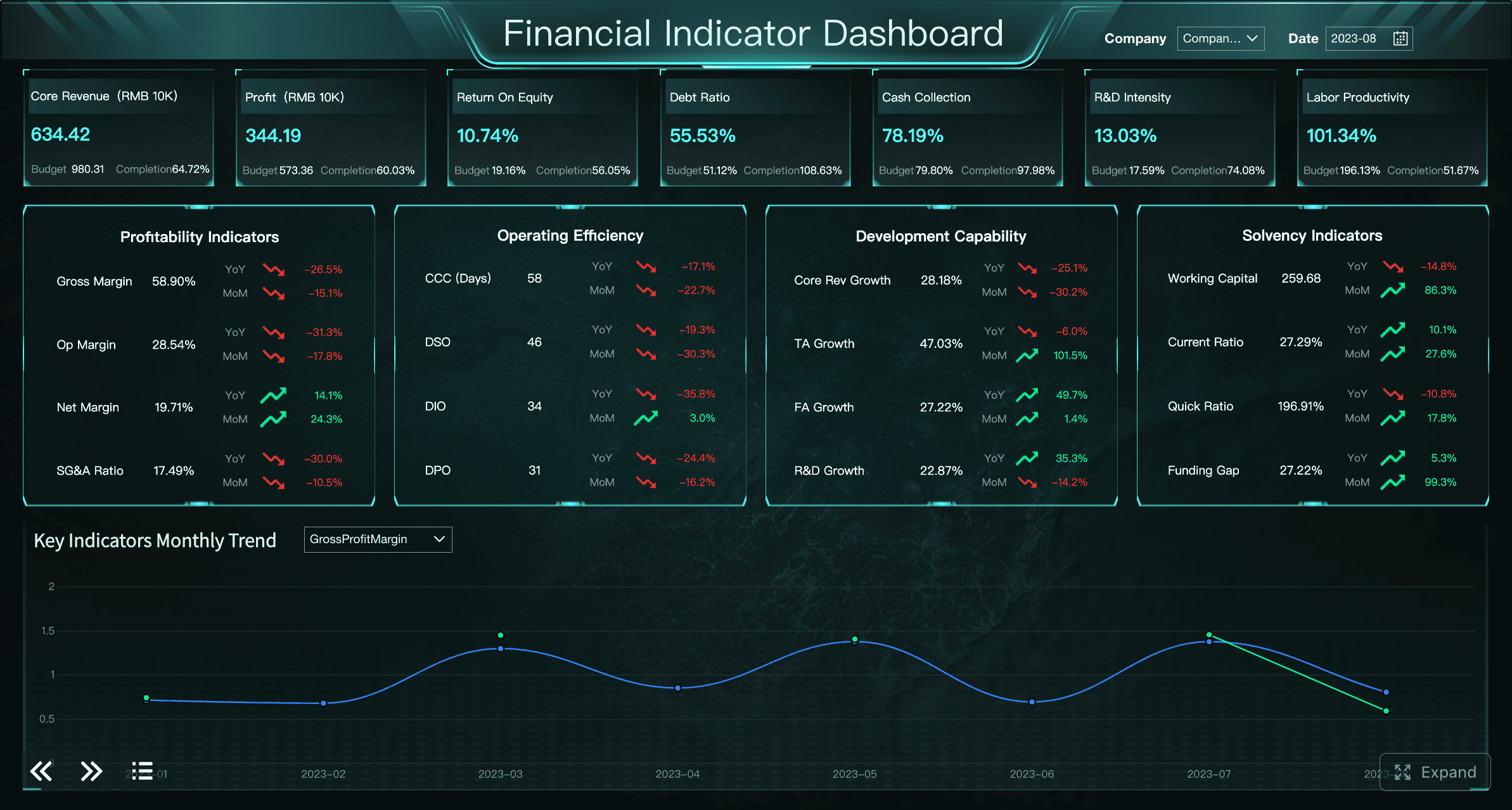
All reports in this article are built with FineReport.
What regulatory reporting automation is and why it matters
Regulatory reporting automation means replacing fragmented spreadsheets, email-based approvals, and manual reconciliations with a governed workflow that collects data, applies reporting logic, validates outputs, and records every action. AI fits into this process where it adds speed and scale without weakening control, especially in document extraction, transaction classification, anomaly detection, and reviewer assistance.
In regulated environments, four outcomes matter more than anything else:
- Accuracy: reported values must be correct and consistent with source systems.
- Timeliness: filings must be delivered on time across entities and jurisdictions.
- Traceability: every figure, override, and approval must be reconstructable.
- Repeatability: the same inputs and rules should produce the same compliant result.
Manual reporting usually depends on analysts pulling data from multiple systems, interpreting policy rules, updating spreadsheets, and circulating drafts for review. It works until reporting volume increases, regulations change, or key staff leave. Rule-based automation improves consistency by encoding deterministic logic for calculations, validations, and routing. AI-assisted workflows go further by handling high-volume tasks that are difficult to hard-code, such as reading supporting documents, identifying unusual transactions, or proposing classifications for reviewer approval.
A practical way to separate these models is simple:
- Manual reporting: human-driven data gathering, calculations, checks, and submission.
- Rule-based automation: fixed logic automates deterministic tasks and approvals.
- AI-assisted workflows: AI supports variable or unstructured tasks, while humans retain control over sensitive decisions.
Key Metrics (KPIs) for regulatory reporting automation
To make regulatory reporting automation measurable and audit-ready, track these KPIs from day one:
- On-time filing rate: percentage of reports submitted before the deadline.
- First-pass accuracy rate: percentage of reports accepted without rework or rejection.
- Exception rate: share of records or filings that fail validation and require review.
- Cycle time: end-to-end time from data cut-off to final submission.
- Reconciliation variance: difference between source data and report-ready figures.
- Override frequency: how often users change system-generated outputs or classifications.
- Approval turnaround time: average time spent in reviewer and sign-off stages.
- Audit trail completeness: percentage of filings with full evidence, approvals, and change history.
- Data freshness: age of source data at the time of filing.
- Model confidence and review rate: percentage of AI outputs above threshold and percentage routed for human review.
Core building blocks of an audit-ready regulatory reporting automation workflow
An audit-ready design is not just about automation speed. It is about proving that your process is controlled, explainable, and reconstructable months later.
Data sources, controls, and ownership
Every reporting workflow starts with source data. Most compliance teams pull from a mix of internal and external systems, such as:
- Core banking or transaction systems
- ERP and general ledger platforms
- CRM and onboarding tools
- Risk, AML, and KYC systems
- Document repositories
- Market, reference, or sanctions data feeds
- Regulatory portals and official taxonomies
For each source, define three things clearly:
- Data owner: who is accountable for data quality and completeness
- Access control: who can view, edit, extract, or approve use of the data
- Usage scope: which reports, entities, and jurisdictions rely on that source
Without explicit ownership, teams waste time debating whether a discrepancy is a finance issue, compliance issue, or systems issue. Strong ownership also supports escalation when a late source feed threatens a filing deadline.
Data lineage is equally important. Auditors and regulators want to know where a number came from, what transformations were applied, and which version of the logic was used. Version control should cover:
- Source extracts
- Transformation rules
- Validation logic
- Mapping tables
- AI prompts or model versions
- Final submitted files
This is where FineReport becomes useful operationally. Instead of stitching together disconnected logs and spreadsheets, teams can centralize data views, access controls, lineage visibility, and report outputs in one governed reporting layer. Where unstructured compliance evidence is involved, combining FineReport with an AI agent like DORA can help summarize supporting records, route them to the right reviewer, and preserve the interaction trail for later inspection.
Rules, validations, and exception handling
Once source data is controlled, convert reporting obligations into explicit business logic. That means translating legal or policy requirements into operational rules, field mappings, and calculation methods.
Core rule categories typically include:
- Eligibility rules: what records belong in the report
- Classification rules: how transactions, customers, products, or events are categorized
- Calculation rules: how balances, ratios, thresholds, or aggregates are computed
- Format rules: how outputs must conform to required templates, XML, XBRL, CSV, or portal formats
- Submission rules: who submits, when, and through which channel
Validation checks then test whether the output is fit for filing. Common checks include:
- Completeness checks
- Balance and reconciliation checks
- Threshold and limit checks
- Cross-field consistency checks
- Duplicate detection
- Historical variance checks
- Jurisdiction-specific format validation
Exception handling is where mature workflows separate themselves from fragile automations. Do not just flag an issue. Define the path for resolving it:
| Exception Type | Typical Cause | Owner | Required Action |
|---|---|---|---|
| Missing data | Incomplete source feed | Data owner | Re-send or complete source file |
| Validation mismatch | Mapping or logic issue | Reporting analyst | Investigate and document correction |
| AI low confidence | Ambiguous document or transaction | Reviewer | Manually classify or escalate |
| Material variance | Business event or anomaly | Compliance lead | Approve explanation or trigger review |
| Submission failure | Portal or format error | Operations | Correct format and re-submit |
A defensible workflow requires each exception to be reviewed, approved if necessary, and documented with timestamps, comments, and supporting evidence.
Human oversight and evidence capture
AI can accelerate tasks, but it should not remove accountability from sensitive compliance decisions. Human oversight should be deliberately designed into the workflow.
Typical review checkpoints include:
- Data readiness approval
- Pre-submission validation review
- Exception resolution approval
- Final filing sign-off
- Post-submission confirmation and archive
Reviewer roles often include:
- Data owner: confirms source completeness and quality
- Reporting analyst: prepares and validates report content
- Compliance reviewer: checks policy interpretation and exceptions
- Manager or signatory: approves final submission
- Audit or control function: reviews evidence quality and control adherence
Evidence capture should be automatic wherever possible. Teams should retain:
- Source extracts and timestamps
- Transformation and calculation logic versions
- Validation results
- Exception logs and resolutions
- Comments, approvals, and overrides
- AI-generated outputs and confidence scores
- Submission confirmations and acknowledgments
- Final filed report copies
Step by step: how to build regulatory reporting automation with AI
The most effective implementations start small, build controls early, and introduce AI only where review boundaries are clear.
Step 1: Map reporting obligations and reporting calendars
Start with a full inventory of your reporting landscape. Document:
- Jurisdictions
- Legal entities
- Report families
- Forms and templates
- Required data fields
- Filing deadlines
- Submission channels
- Internal approval timelines
Then rank reports by volume, risk, complexity, and pain level. High-volume or high-risk reports are often the best starting point because they produce visible ROI and justify control investment.
Best practice: build a master reporting calendar that includes upstream cut-off dates, review windows, escalation points, and regulator deadlines. This prevents automation from only speeding up downstream steps while upstream bottlenecks remain manual.
Step 2: Standardize data inputs and reporting logic
Do not automate messy inputs. First normalize source data and define a common reporting model. This includes:
- Standard field definitions
- Entity and account mappings
- Reference data standards
- Transformation rules
- Policy interpretations for ambiguous cases
Your goal is a single source of truth for calculations and reporting logic. If two teams calculate the same regulatory measure differently, automation will only scale inconsistency.
A seasoned approach is to document logic in a controlled rule catalog. Each rule should have:
- Business purpose
- Source systems used
- Calculation or transformation method
- Owner
- Effective date
- Approval status
- Version history
Step 3: Add AI for extraction, classification, and anomaly detection
Once the deterministic foundation is stable, add AI in narrow, high-value use cases.
Good uses of AI in regulatory reporting automation include:
- Extracting fields from unstructured documents
- Classifying transactions or case attributes
- Suggesting SAR or case narrative summaries for review
- Detecting unusual values or reporting patterns
- Prioritizing exceptions based on risk signals
Poor uses include allowing AI to make final filing decisions without review or using opaque outputs where rationale cannot be examined later.
The right control design is confidence-based. For example:
- High-confidence extraction can auto-populate draft fields
- Medium-confidence outputs go to analyst review
- Low-confidence outputs trigger exception workflows
This keeps model usage scoped and defensible.
If your team needs an operational copilot, DORA can complement FineReport by helping users query reporting status, summarize exception causes, or propose next actions inside a governed workflow. The key is to treat DORA as an assistant, not a final authority.
Step 4: Build approvals, audit trails, and submission workflows
Now formalize the workflow. Every filing should move through a controlled sequence:
- Data ingestion
- Validation and reconciliation
- Exception identification
- Review and remediation
- Sign-off
- Submission
- Archive and evidence packaging
Every event should be captured automatically:
- Who changed what
- When the change was made
- Why it was changed
- What the prior value was
- Whether the change was approved
- Which version of logic or model was used
This is the backbone of audit readiness. If a regulator questions a number months later, you should be able to reconstruct the full path from source data to final filing.
Step 5: Test, monitor, and improve the workflow
Before going live, run parallel testing against the current manual process. Compare:
- Output accuracy
- Cycle time
- Reconciliation differences
- Exception rates
- Reviewer effort
- Rework volume
Then move into ongoing monitoring. Regulatory reporting automation is not a one-time deployment. Rules change. Products evolve. Data quality shifts. AI models drift.
Practical monitoring routines include:
- Weekly exception trend review
- Monthly rule change review
- Quarterly model performance assessment
- Filing rejection root-cause analysis
- Periodic control evidence sampling
4 best practices for implementation
Here is the consultant’s version of what works in the field:
- Start with one report family, not the whole program. Choose a use case with stable rules, known pain points, and measurable value.
- Lock down governance before scaling. Assign clear owners for data quality, policy interpretation, workflow logic, and model performance.
- Automate decisions only after standardizing them. If a rule is still debated weekly, do not encode it yet.
- Design for reconstruction, not just execution. Every override, exception, and AI suggestion should be reviewable later.
Choosing the right regulatory reporting automation platform and AI tools
Platform selection should focus less on flashy AI and more on control, configurability, and operational fit.
What to look for in a regulatory reporting platform
A strong regulatory reporting platform should support:
- Configurable workflows and approval chains
- Broad data integrations
- Role-based access controls
- Detailed audit logs
- Validation and reconciliation frameworks
- Reusable report templates
- Multi-entity and multi-jurisdiction support
- Collaboration across compliance, finance, risk, and IT
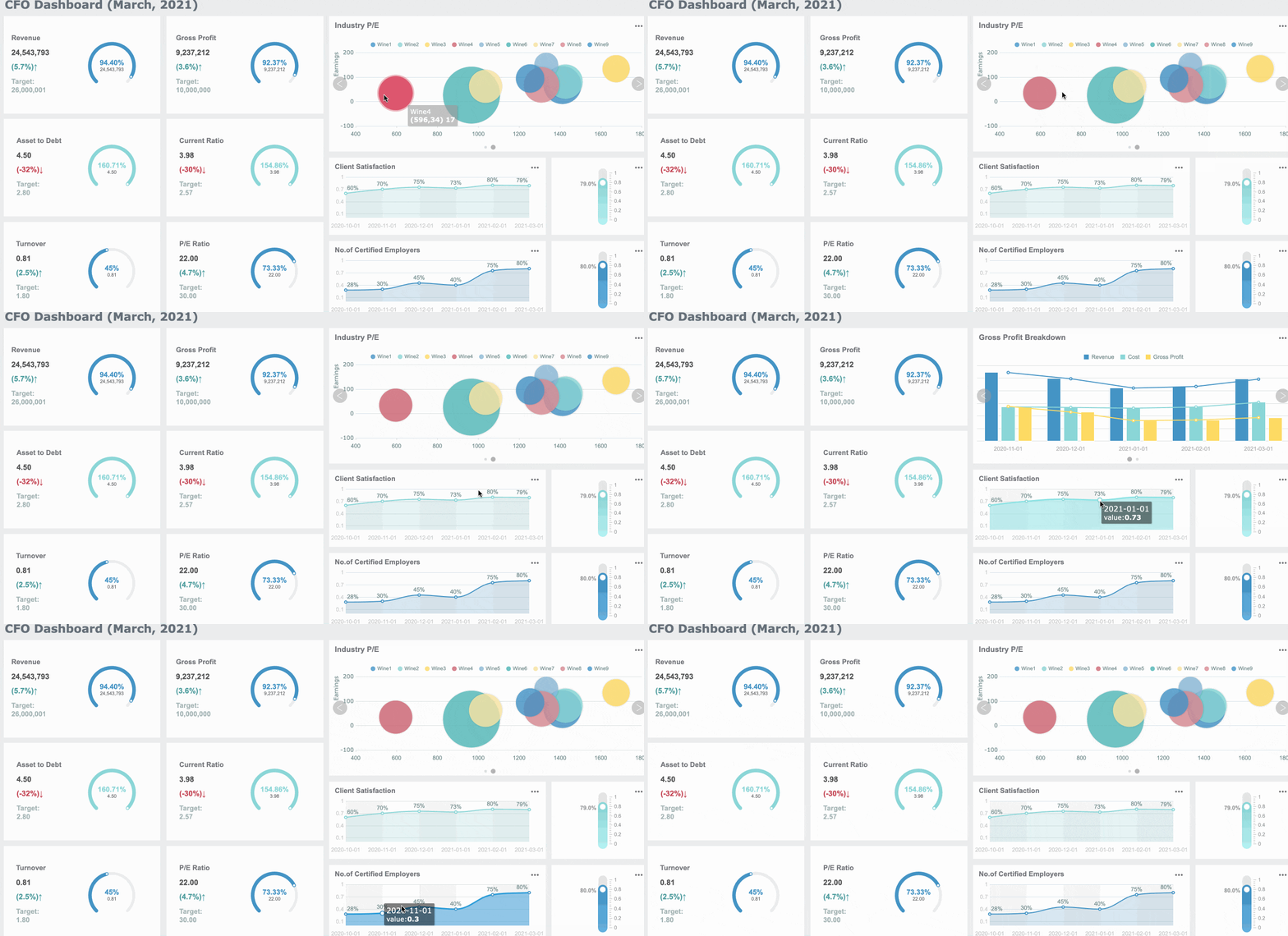
It should also make it easy to expose status visually. Decision-makers need dashboards that answer simple questions quickly: what is due, what is blocked, what failed, and what has been approved.
 Flexible Report Designer - FineReport
When specialized compliance and AML tools make sense
Some organizations need domain-specific tools for AML, fraud, KYC, or transaction monitoring because those systems generate reportable events or supporting evidence. In those cases, specialized software belongs in the reporting stack, but not as the only layer.
A practical architecture often looks like this:
- Specialized compliance tools detect events or manage investigations
- Data integration layers normalize the outputs
- Workflow orchestration manages approvals and exceptions
- Reporting platforms generate dashboards, templates, and evidence packages
- AI tools assist with extraction, summarization, and anomaly review
If reporting requirements are narrow and highly specialized, a buy-first approach may work. If requirements span multiple jurisdictions and internal systems, a hybrid model is usually better than forcing one tool to do everything.
Common tool categories and evaluation criteria
Use the following categories when evaluating vendors:
| Tool Category | Primary Purpose | What to Evaluate |
|---|---|---|
| Data integration | Connect and normalize source systems | Connector depth, refresh reliability, transformation control |
| Workflow orchestration | Route approvals and exceptions | Flexibility, SLA management, escalation logic |
| Validation engine | Enforce business and format rules | Rule transparency, testability, version control |
| AI assistance | Extract, classify, summarize, detect anomalies | Confidence handling, explainability, review controls |
| Evidence management | Store audit artifacts | Searchability, retention policies, completeness tracking |
| Reporting and dashboards | Deliver filing views and management insight | Template speed, self-service design, governance |
Avoid evaluating tools with a generic feature checklist alone. Instead, run scenario-based tests:
- Can the platform reconstruct one filing end to end?
- Can it show rule version and approval history?
- Can it route low-confidence AI outputs to review?
- Can it support multiple entities without duplicating logic?
- Can business users monitor status without depending on IT?
Benefits, risks, and common mistakes to avoid in regulatory reporting automation
The upside is substantial, but only if governance matures alongside automation.
Practical benefits teams can expect
Well-designed regulatory reporting automation typically delivers:
- Faster reporting cycles
- Fewer manual errors
- More consistent application of rules
- Better transparency into bottlenecks
- Reduced dependency on spreadsheet-based controls
- More time for investigators and compliance reviewers to focus on judgment-heavy work
Operationally, leaders also gain stronger forecasting. Once workflows are instrumented, teams can see which report families create the most friction and where to invest next.
Risks and governance gaps to manage
The main risks are not just technical. They are governance failures.
Watch for:
- Model drift: AI performance degrades as data patterns change
- Opaque decisioning: users cannot explain why an output was generated
- Weak data quality: automation processes bad inputs faster
- Unclear accountability: no named owner for rules, evidence, or exceptions
- Over-automation: human review is removed from sensitive decisions
A good policy is simple: AI may assist, but accountable humans approve material reporting outcomes.
Common implementation mistakes
The most common mistakes are predictable:
- Automating a broken process before standardizing it
- Failing to document assumptions and ownership
- Ignoring version control for rules and prompts
- Letting business logic live in disconnected spreadsheets
- Treating AI outputs as final rather than reviewable recommendations
These errors usually surface during audits, regulator inquiries, or scaling attempts across jurisdictions.
A practical regulatory reporting automation rollout plan for compliance teams
A successful rollout is usually phased, measurable, and governance-led.
Start with a narrow, high-impact use case
Choose one report family with:
- Stable rules
- Recurring manual pain
- Clear owners
- Enough volume to justify investment
- A baseline process that can be measured
Good pilot candidates often include recurring entity-level filings, AML-related reports with repetitive field population, or reports requiring data from a limited number of systems.
Document current-state metrics before changing anything:
- Average cycle time
- Number of manual touches
- Error and rework rate
- Exception counts
- Approval delays
Build governance before scaling
Before expanding to more reports, define formal owners for:
- Policy interpretation
- Data quality
- Rule maintenance
- Workflow logic
- AI prompts or models
- Audit evidence retention
Also establish change management. Any modification to reporting logic, prompts, mappings, or model thresholds should go through review, testing, approval, and release control.
This is where enterprise teams often benefit from FineReport. Building this manually is complex; use FineReport to utilize ready-made templates and automate this entire workflow. With governed dashboards, workflow-connected reports, audit-ready output packaging, and integration flexibility, FineReport helps teams operationalize reporting controls without rebuilding the reporting layer from scratch.
Measure success and prepare for expansion
After the pilot, assess success against business outcomes, not just deployment completion.
Track:
- Turnaround time
- First-pass acceptance rate
- Exception rate
- Reviewer effort
- Rework volume
- Audit trail completeness
- Filing visibility for management
Then use pilot lessons to scale across reports, entities, and jurisdictions. Expand only when the governance model, evidence capture, and rule management approach have proven repeatable.
The end-state is not just faster filing. It is a controlled reporting operation where compliance, finance, and IT share the same workflow, the same evidence, and the same view of reporting risk.
Building this manually is complex; use FineReport to utilize ready-made templates and automate this entire workflow. For organizations that want to combine governed reporting with AI assistance, FineReport and DORA can provide a practical path: deterministic workflows for control, AI for acceleration, and dashboards for management visibility.
FAQs
Regulatory reporting automation uses governed workflows, data pipelines, validation rules, and approval controls to produce and submit regulatory reports with less manual work. The goal is to improve accuracy, timeliness, traceability, and repeatability.