

Expense report automation is the fastest way to reduce reimbursement delays, eliminate repetitive finance admin, and improve control over employee spend without forcing your accounting team to rebuild core processes. For finance managers, controllers, operations leaders, and IT teams, the real challenge is not just automating receipt capture. It is automating submissions, approvals, coding, reimbursement, and reconciliation in a way that still respects your chart of accounts, approval matrix, and audit requirements.
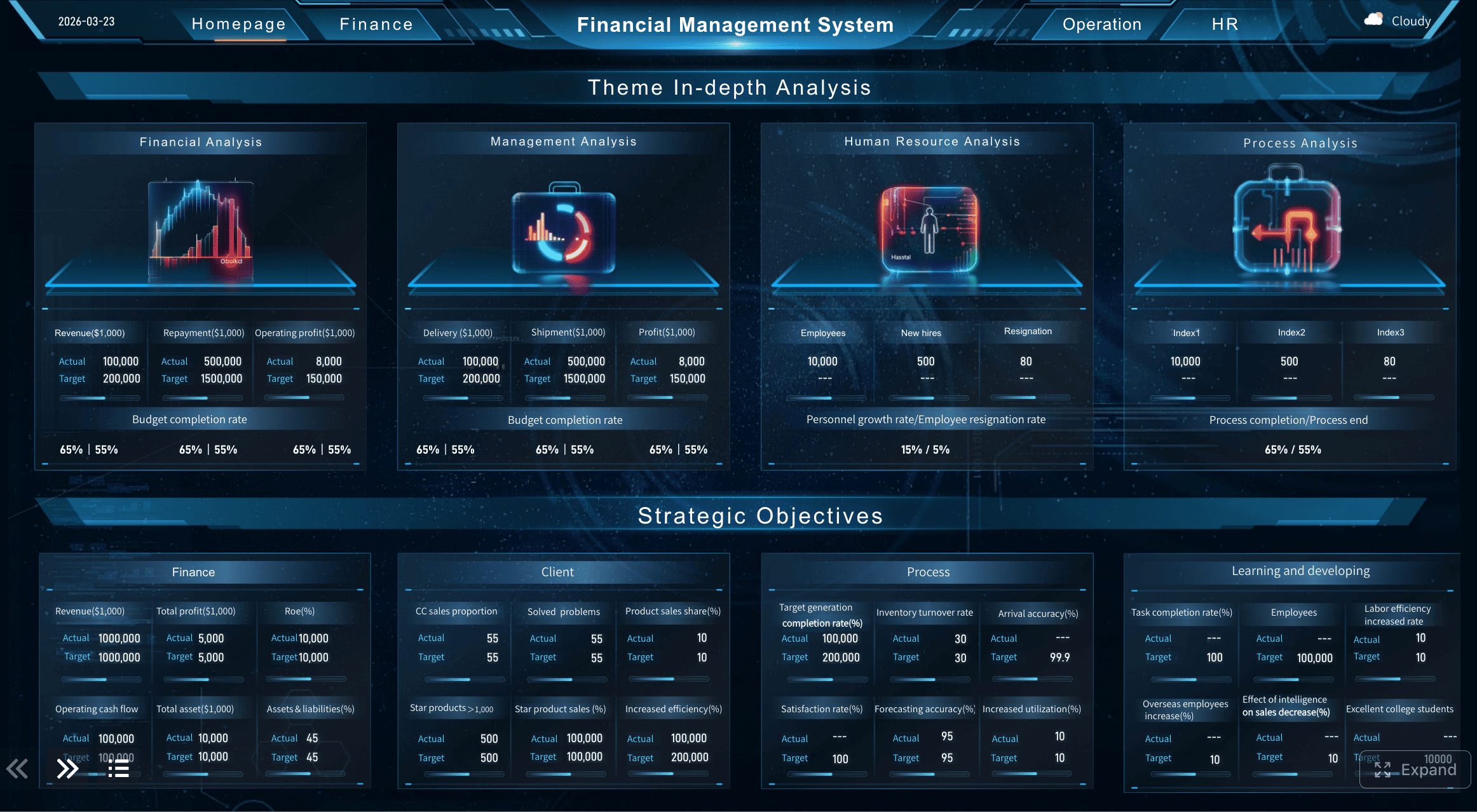
All reports in this article are built with FineReport.
What expense report automation is and why it matters
Expense report automation uses software and workflow rules to handle the repetitive parts of expense processing: receipt capture, line-item extraction, policy validation, approval routing, reimbursement triggering, and accounting sync. In plain language, it replaces spreadsheets, email chains, paper receipts, and manual re-entry with a controlled digital workflow.
For finance teams, this solves a familiar set of problems:
- Employees submit incomplete reports
- Managers approve late or inconsistently
- Accounting rekeys the same data into ERP or payroll systems
- Policy violations slip through because reviews are manual
- Month-end close gets slowed down by unresolved expense reports
For employees, the pain is different. They want to snap a receipt, submit quickly, and get reimbursed on time. For managers, the issue is keeping approvals moving without becoming policy experts. For accounting, the priority is accuracy, traceability, and clean posting into the right accounts and cost centers.
Expense report automation is often misunderstood because companies lump three different capabilities together:
Digitizing receipts is not the same as automating expenses
Digitizing receipts means turning paper or emailed receipts into digital records. That usually involves mobile upload, OCR, or email forwarding. It solves document handling, but not the rest of the workflow.
Automating approvals is not the same as integrating accounting
Approval automation routes reports to the right manager based on rules like department, amount threshold, or expense type. That speeds up sign-off, but it still does not guarantee clean GL coding, tax treatment, reimbursement, or reconciliation.
Full expense report automation connects the whole workflow
True expense report automation links capture, validation, approval, accounting sync, reimbursement, and audit logging into one governed process. That is where the real business value appears.
Core benefits of expense report automation
When implemented correctly, expense report automation delivers measurable gains across finance operations:
- Fewer manual errors: Less rekeying means fewer coding mistakes, duplicate entries, and mismatched totals
- Faster reimbursements: Automated routing and validation reduce approval lag
- Stronger policy compliance: Rules catch missing receipts, limit violations, and duplicate claims before they hit accounting
- Better visibility into spend: Finance leaders can monitor trends by category, team, entity, or cost center in real time
- Lower processing cost per report: Manual touches drop, which improves finance productivity
- Cleaner close process: Approved and coded expenses flow into accounting faster and with fewer exceptions
Key Metrics (KPIs) for expense report automation
Below are the most important KPIs to track if you want automation to improve performance without weakening controls:
- Average submission-to-approval time: How long it takes for a submitted report to get approved
- Average approval-to-reimbursement time: The delay between approval and employee repayment
- Expense report exception rate: Percentage of reports flagged for missing information, policy violations, or mapping issues
- Duplicate claim rate: Frequency of duplicate receipts or repeated expenses
- Policy compliance rate: Share of reports submitted within company policy
- Manual touch rate: Number of finance interventions required per report
- Accounting sync success rate: Percentage of approved reports posted successfully to ERP, payroll, or AP
- Reconciliation cycle time: Time required to match expense records with card feeds, reimbursement records, and ledger entries
- Close-period expense backlog: Number of unposted or unresolved reports at month-end
- Audit readiness score: Completeness of receipts, approvals, timestamps, and supporting documentation

The 5-step framework of expense report automation without disrupting accounting
The safest way to implement expense report automation is to treat it as a finance operations redesign, not just a software deployment. Here is the five-step framework I recommend to clients who need efficiency without accounting disruption.
Step 1: Map your current expense workflow and approval rules
Before you automate anything, document what happens today from the moment an employee incurs an expense to the moment it is posted and reimbursed. Most organizations discover hidden variation at this stage.
Map the full path:
- How employees submit expenses
- What documentation is required
- Who reviews and approves
- How exceptions are handled
- How reimbursement is triggered
- How entries are coded and posted
- How finance reconciles the final data
This exercise should also reveal where duplicate work happens. A common failure point is entering data once in an expense tool, again in payroll, and again in accounting. Another is approving based on policy in one system while coding manually in another.
Focus especially on exception cases that still require human judgment, such as:
- International receipts with VAT
- Split allocations across departments
- Client-billable expenses
- Missing receipt declarations
- Mileage reimbursements
- High-value travel claims
A good automation design does not eliminate human review entirely. It removes unnecessary manual work and preserves review where risk is highest.
Step 2: Standardize policies, categories, and required documentation
You cannot automate inconsistent policy logic. If different departments interpret meal limits, receipt thresholds, or travel rules differently, the software will either create false exceptions or let risky claims through.
Standardize the following:
- Expense categories
- GL coding conventions
- Cost center logic
- Mileage rules
- Per diem or meal limits
- Receipt requirements
- Currency handling
- Tax treatment rules
- Approval thresholds
Keep the policy structure simple enough to enforce automatically. If you have 300 overlapping categories and highly subjective approval rules, clean that up before implementation.
Practical examples of rules to encode:
| Policy Area | Example Rule | Automation Impact |
|---|---|---|
| Meals | Meals above a set threshold need second-level approval | Auto-route only higher-risk claims |
| Receipts | Receipts required above a defined amount | Auto-flag incomplete submissions |
| Mileage | Mileage reimbursed at approved rate only | Auto-calculate reimbursement |
| Travel | Hotel category must include check-in and check-out date | Reduce incomplete bookings and folios |
| Coding | Airfare must map to approved travel expense account | Prevent manual recoding later |
Using structured forms and templates is the easiest way to make policy compliance happen upstream instead of after submission.
Step 3: Choose software that fits your accounting stack
This is where many projects go off track. Teams choose a polished user app, then discover the accounting sync is weak, the chart of accounts mapping is rigid, or tax treatment cannot support their real workflow.
Evaluate software based on operational fit, not just UI.
Key criteria to assess:
- Integration with your ERP, accounting system, payroll, or AP platform
- Support for your chart of accounts and dimension structure
- Cost center, department, project, and entity mapping
- Mobile receipt capture and OCR quality
- Duplicate detection and policy engine flexibility
- Role-based permissions and audit trails
- Reimbursement workflow options
- Multi-currency and tax handling
- Reporting depth and export quality
- API availability for custom integration needs
AI-powered receipt capture can reduce manual work significantly, but only if extraction accuracy is high enough to avoid downstream reconciliation issues. If AI misclassifies merchants, tax, or categories too often, accounting spends the saved time correcting bad data.
That is why reporting and monitoring matter just as much as transaction capture. FineReport is especially useful here because finance teams can build dashboards that track exception rates, coding mismatches, approval delays, and reimbursement status across departments. It gives operations and finance leadership visibility into how automation performs after go-live, not just whether reports are being submitted.
How expense report automation works inside a real accounting workflow
To automate safely, you need to understand what happens behind the scenes. The best expense report automation setups are built around three linked layers: capture, control, and accounting integration.
Data capture and receipt processing
This stage collects expense data and supporting documents from different channels, then converts them into structured records.
Typical capture methods include:
- Mobile app photo uploads
- Email forwarding of digital receipts
- Corporate card feed imports
- Manual web entry for edge cases
- OCR extraction from PDFs and scanned receipts
The system should extract fields such as:
- Merchant name
- Date
- Currency
- Gross amount
- Tax amount
- Expense type
- Payment method
The best setups allow employees to review extracted data before submission, while using mandatory fields to prevent incomplete reports.
Policy checks and approval routing
Once a report is created, the workflow engine applies policy rules and approval logic. This is where expense report automation begins to protect finance, not just save time.
Rules can check for:
- Missing receipts
- Duplicate submissions
- Out-of-policy amounts
- Nonstandard categories
- Incorrect cost center assignment
- Weekend or holiday anomalies
- Violations of travel or meal caps
Routing logic then sends the report to the correct approver based on:
- Employee hierarchy
- Department
- Expense amount
- Expense type
- Entity or region
- Project ownership
A mature workflow distinguishes between what should be auto-approved, what should be auto-flagged, and what should be routed for manual review. Low-risk routine claims can move quickly. High-risk or unusual claims should trigger stronger review.
Accounting sync, reimbursement, and audit readiness
After approval, the expense data must move cleanly into accounting. This is where many automation projects fail if the posting logic is not designed properly.
The workflow should support:
- GL account mapping
- Department and cost center coding
- Project or job allocation
- Tax handling
- Currency conversion
- Reimbursement via payroll or AP
- Matching to corporate card feeds
- Audit log retention
A strong setup also creates review checkpoints before final posting. That might include finance review of unusual tax treatment, incomplete allocation, or cross-entity expenses. Automation should strengthen internal controls, not bypass them.
FineReport can support this layer by giving finance a single view of posted versus unposted expenses, unresolved exceptions, reimbursement lag, and audit completeness. That is particularly valuable during month-end close when accounting teams need immediate visibility into what is still pending.
How to evaluate expense report automation software before you implement
The right platform depends on the maturity of your finance operation, your accounting architecture, and the volume and complexity of employee spend.
Features that matter most for finance and operations teams
When comparing tools, prioritize capabilities that protect workflow integrity.
Must-have features:
- Configurable policy controls
- Approval routing by role and threshold
- ERP or accounting integration
- OCR and receipt capture
- Duplicate and anomaly detection
- Audit trail and timestamp history
- Custom role permissions
- Reimbursement support
- Flexible reporting and dashboarding
- Multi-entity and multi-currency support if relevant
Below is a practical evaluation lens:
| Capability | Why It Matters | What to Verify |
|---|---|---|
| Policy engine | Enforces compliance at submission | Can rules be customized without heavy IT work? |
| Integration | Avoids manual re-entry | Does it sync with your ERP, payroll, or AP platform reliably? |
| User experience | Drives adoption | Can employees submit from mobile in under a few minutes? |
| Audit trail | Supports control and compliance | Are edits, approvals, and exceptions fully logged? |
| Reporting | Enables management oversight | Can finance monitor trends, bottlenecks, and exceptions in real time? |
Questions to ask when reviewing leading tools and platforms
Use these questions to cut through marketing language and identify implementation risk:
- How does the platform map expenses to our chart of accounts?
- Can it handle split coding by cost center, department, project, or entity?
- What accounting systems does it integrate with natively?
- How are reimbursements processed: payroll, AP, or both?
- What percentage of receipts require manual correction after OCR?
- How are policy exceptions surfaced and escalated?
- Can we configure regional tax or VAT treatment?
- What does the audit trail capture?
- How long does implementation typically take?
- What internal resources are required from finance and IT?
- How does the vendor support testing, training, and post-launch optimization?
You should also decide whether you need a full spend management suite or a lighter expense automation backend. Some organizations need cards, travel, and invoice management in one stack. Others only need to automate reporting while keeping their existing reimbursement and accounting systems intact.
Common mistakes of expense report automation to avoid
Most failed expense report automation initiatives do not fail because automation is a bad idea. They fail because teams automate chaos.
Avoid these common mistakes:
- Automating a broken process first: Simplify policies and approval logic before you configure workflows
- Ignoring accounting mappings: If categories do not map cleanly to your chart of accounts, reconciliation pain simply moves downstream
- Overcomplicating approval rules: Too many exceptions and custom branches create confusion and delay
- Underestimating change management: Employees and managers need clear guidance, quick training, and simple support
- Overrelying on AI: AI can accelerate categorization, but finance still needs validation controls and accuracy monitoring
- Skipping pilot testing: Enterprise-wide rollout without controlled testing creates avoidable disruption
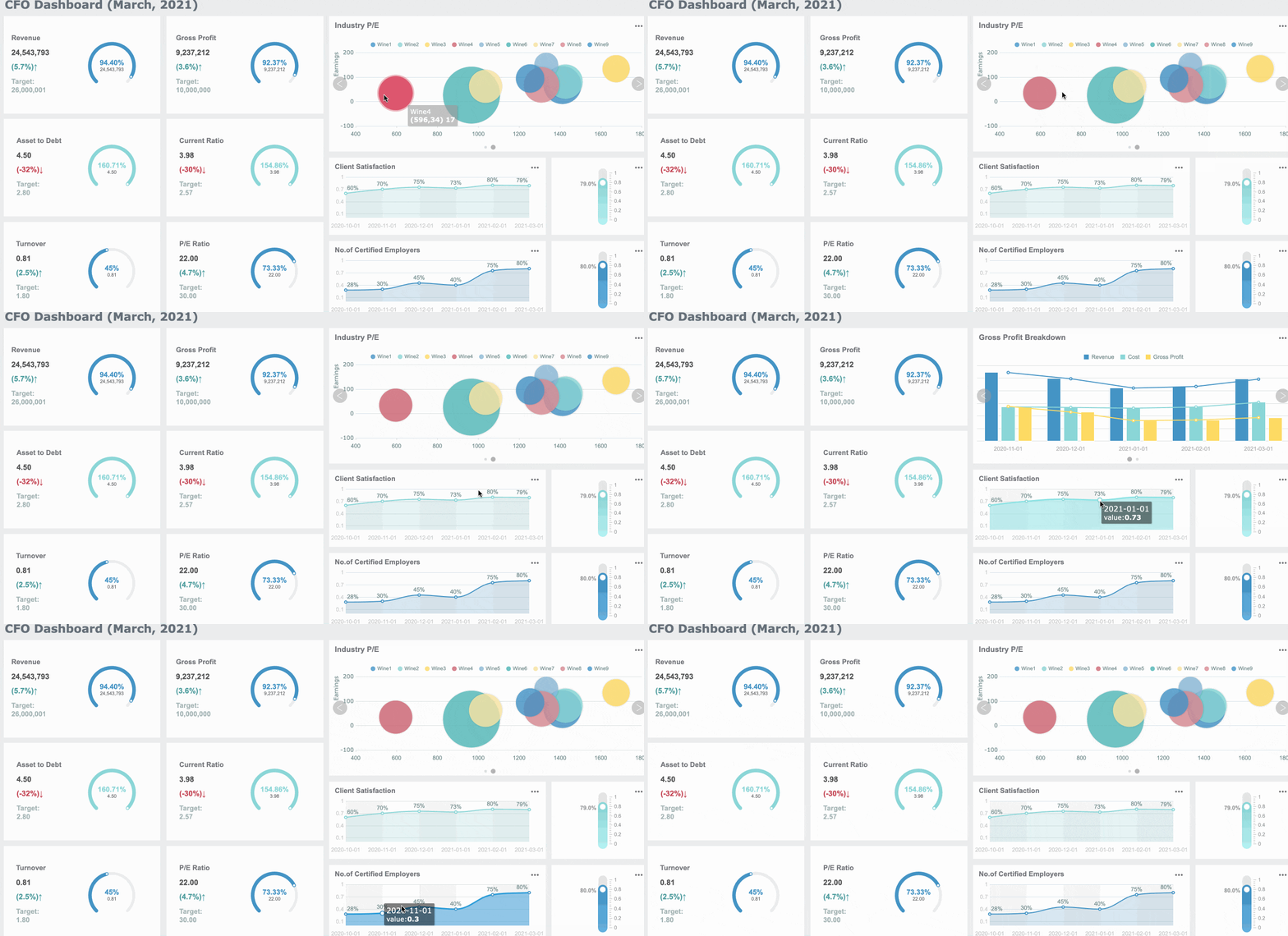
- Treating reporting as optional: Without dashboard visibility, you cannot see exception patterns, bottlenecks, or adoption gaps
How to roll out expense report automation successfully and measure results
A controlled rollout is what separates a high-confidence finance transformation from a messy software launch.
Best practices for implementation
Here is the practical rollout sequence I recommend:
1. Start with a pilot team and baseline current performance
Choose one department or business unit with manageable volume but real complexity. Capture baseline metrics such as:
- Average reimbursement cycle time
- Average approval turnaround
- Manual touch count per report
- Exception rate
- Month-end unresolved expense volume
This gives you a real before-and-after view.
2. Configure policies and accounting mappings before expanding scope
Build and test:
- Expense categories
- Approval rules
- Receipt requirements
- Cost center and GL mappings
- Reimbursement pathways
- Exception flags
Test with real scenarios, not just perfect sample data.
3. Define exception handling explicitly
Not every report should auto-flow. Create a documented rule set for:
- Missing receipts
- Unclear tax amounts
- Duplicate claims
- Out-of-policy submissions
- International currency and tax cases
- Split allocations
This keeps finance in control even as volume rises.
4. Build dashboards for ongoing operational monitoring
This is where FineReport adds practical value. Use dashboards to monitor:
- Submission volume by team
- Approval SLA performance
- Reimbursement aging
- Policy violation frequency
- Accounting sync failures
- Open exceptions before close
Operational reporting turns expense report automation into a managed process rather than a black box.
5. Train users by role, not with one generic session
Employees need to know how to submit correctly. Managers need to know how to review exceptions. Finance needs to know how to monitor controls, edit mappings, and troubleshoot sync issues.
Role-based training shortens adoption time and reduces support tickets.
Metrics to measure after launch
Once live, track results continuously. The most important measures include:
- Reimbursement speed
- Approval turnaround time
- Policy compliance rate
- Exception rate
- OCR correction rate
- Sync success into accounting
- Manual finance touches per report
- Month-end close efficiency related to expense posting
If these metrics are not improving, the issue is usually one of three things: weak policy design, poor integration mapping, or insufficient user adoption.
After the best practices phase, many organizations benefit from a guided design review to validate controls, reporting needs, and integration architecture before scaling.
Final take: expense report automation without losing accounting control
Expense report automation should not be treated as a convenience project. Done well, it is a finance control improvement project that also happens to make employees happier and reimbursements faster.
The winning approach is straightforward:
- Map the current workflow
- Standardize policies and coding logic
- Select software that fits your accounting stack
- Automate validation and approvals carefully
- Connect reimbursement and reconciliation with proper controls
- Measure results through operational dashboards
If your goal is to automate expense reporting in five steps without breaking accounting, the priority is not maximum automation at all costs. The priority is reliable automation that reduces manual effort while preserving finance accuracy, compliance, and audit readiness.
FineReport can help finance and operations teams monitor the full lifecycle of expense report automation through configurable dashboards, exception tracking, reconciliation views, and management reporting. That visibility is what keeps automation aligned with accounting reality.
 Get Ready-to-Use Dashboard Templates in Fine Gallery
FAQs
It is the use of software and workflow rules to handle receipt capture, submission, approval routing, policy checks, reimbursement, and accounting sync with less manual work. The goal is to speed up processing while keeping finance controls intact.




