A data analyst dashboard is not just a collection of charts. It is a decision system that turns raw, scattered data into a focused view of business performance so teams can act faster, reduce uncertainty, and improve outcomes. For analysts, operations leaders, sales managers, and executives, the pain is familiar: too many reports, inconsistent metrics, slow answers, and delayed decisions. A well-designed dashboard fixes that by putting the right KPIs in front of the right people at the right time.
The business value is straightforward. A strong dashboard helps teams detect performance shifts early, diagnose issues faster, and align action across departments. Instead of spending hours pulling spreadsheets or debating whose numbers are correct, stakeholders can move directly to decisions.
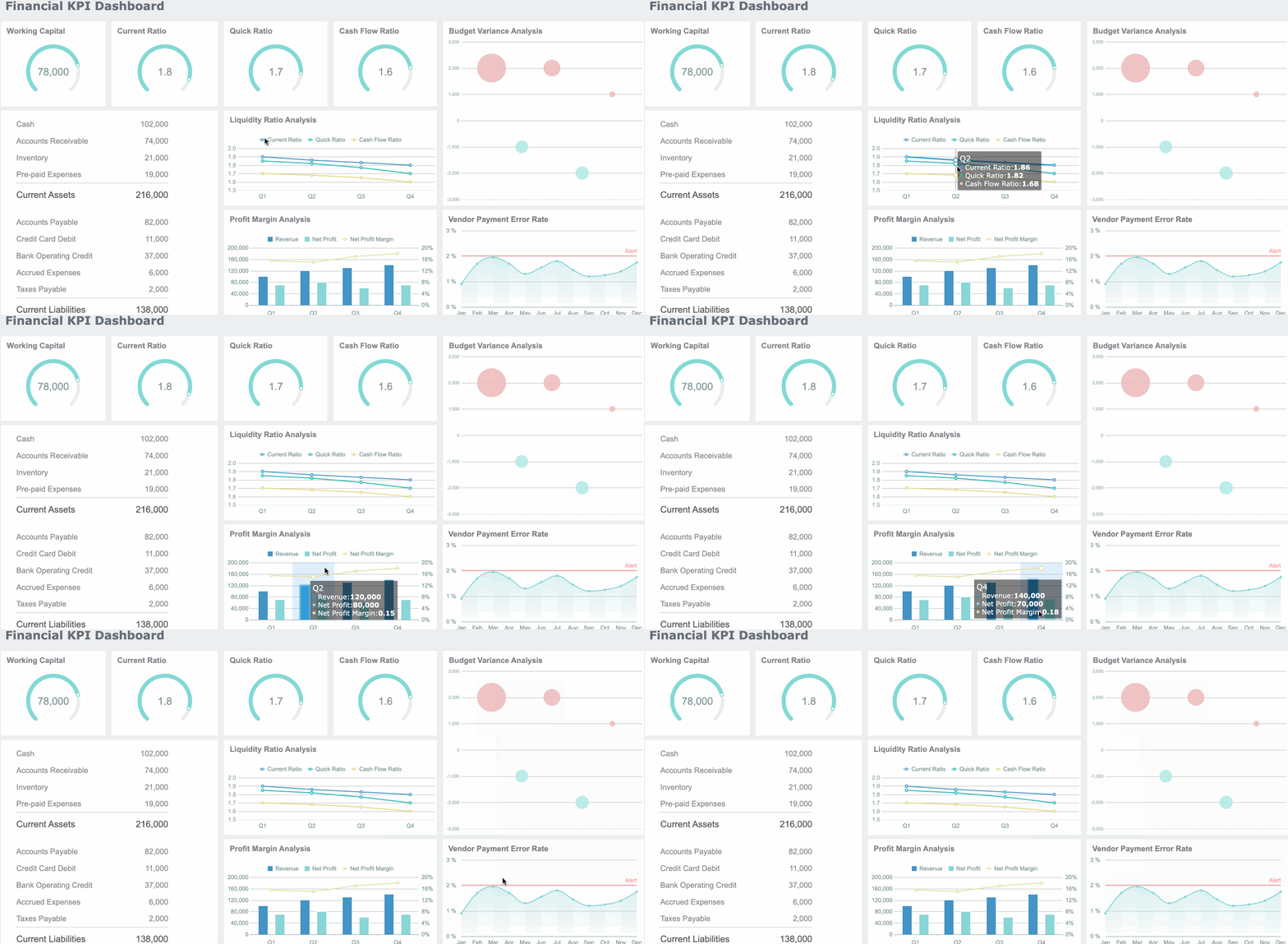
All dashboards in this article are created by FineBI
Data Analyst Dashboard Fundamentals: What It Is and Why It Matters
In practical terms, a data analyst dashboard is an interactive visual interface that consolidates key business metrics from multiple data sources into one usable workspace. It gives teams a live or regularly refreshed view of performance, trends, and exceptions. The goal is not simply to display data. The goal is to support action.
Unlike static reports, dashboards are built for ongoing monitoring and exploration. A static report shows a snapshot in time and usually answers a predefined question. A dashboard supports continuous use. It helps users check current status, compare periods, filter by segment, and investigate why a KPI moved.
That difference matters in day-to-day operations. Reports are useful for documentation and formal updates. Dashboards are useful when someone needs to know what is happening now, what changed, and what should happen next.
KPI views are the core of that experience. When built correctly, they help teams:
- Monitor progress against targets
- Spot anomalies and underperformance quickly
- Compare results across time periods, segments, or teams
- Prioritize corrective action with confidence
- Reduce dependency on ad hoc data pulls
How Data Analyst Dashboard Fits into the Role
For a data analyst, dashboards sit at the intersection of data preparation, analysis, and communication. Analysts do not create dashboards just to make data look better. They build them to translate raw data into operational and strategic visibility.
A typical analyst workflow includes:
- Collecting and validating data from source systems
- Defining KPI logic and business rules
- Designing dashboard views around stakeholder decisions
- Analyzing trends, outliers, and patterns
- Explaining findings in plain business language
This is where many teams struggle. Analysts are often asked to build visually impressive dashboards without clear decision goals. The result is cluttered reporting that looks polished but fails in practice. The best analysts maintain balance: they spend enough time building reliable dashboards, but they also protect time for deeper analysis and stakeholder guidance.
A strong dashboard therefore reflects more than technical skill. It reflects business understanding, KPI discipline, and the ability to make data immediately useful.
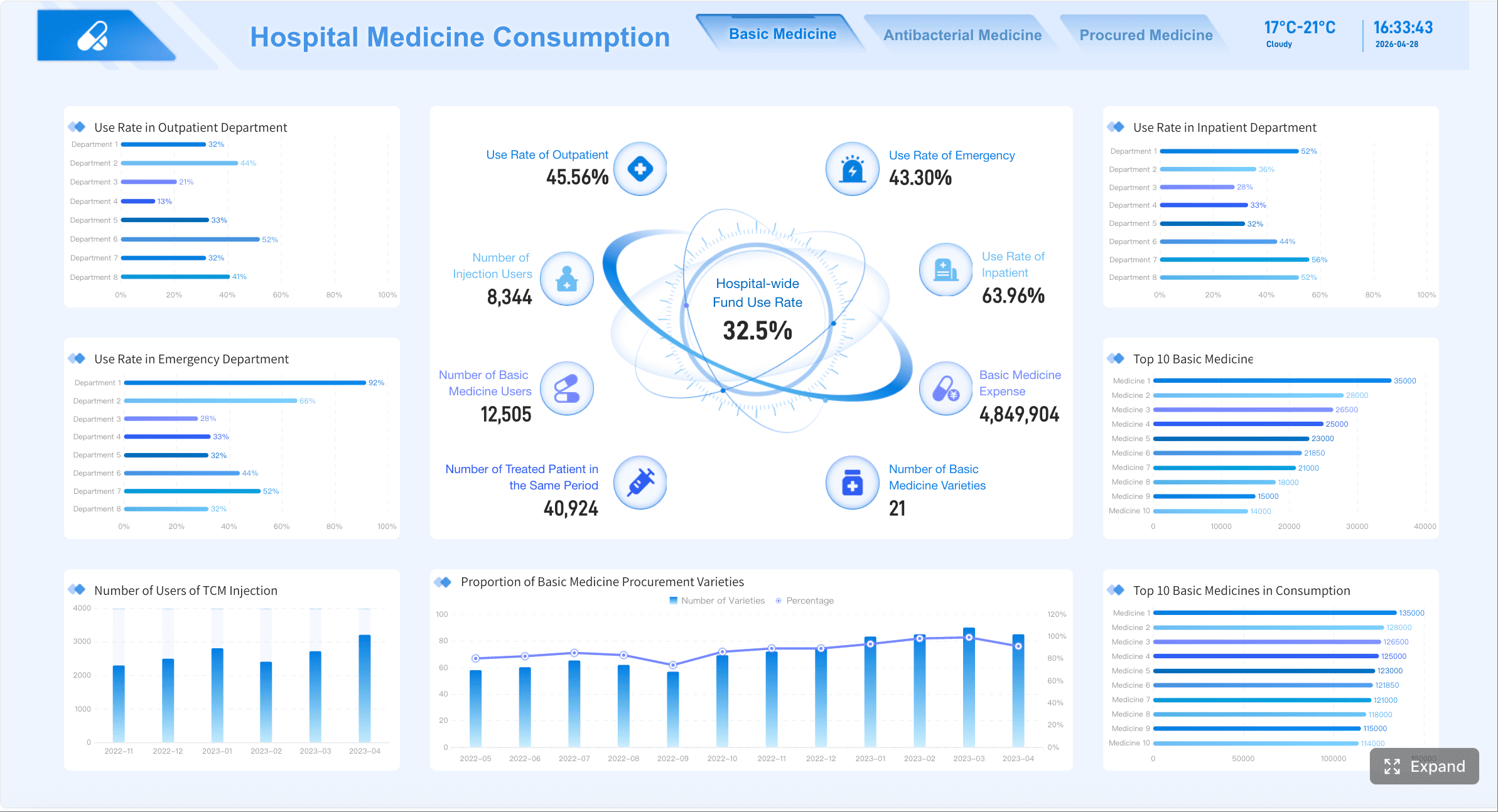
Core Types of KPI Dashboards and When to Use Each
Not every dashboard serves the same purpose. The most effective data analyst dashboard strategy separates views by decision type, audience, and time horizon. In enterprise environments, three categories matter most: operational, analytical, and strategic.
Key Metrics (KPIs) Every Dashboard Framework Should Define
Before selecting charts or layouts, define the KPI model. These are the core elements that make dashboards decision-ready:
- Primary KPI: The headline metric tied directly to business success, such as revenue, churn rate, or SLA compliance.
- Leading Indicator: A metric that signals future performance, such as pipeline coverage, lead volume, or product usage.
- Lagging Indicator: A metric that confirms past outcomes, such as closed revenue, completed orders, or monthly retention.
- Target or Benchmark: The expected threshold, goal, or industry comparison used to judge performance.
- Variance: The gap between actual performance and plan, target, or prior period.
- Trend: Direction of movement over time, usually daily, weekly, monthly, or quarterly.
- Segment View: KPI breakdown by region, product, channel, team, customer type, or other business dimension.
- Exception Metric: A measure designed to reveal risk, delay, defects, or performance outside acceptable limits.
- Freshness: The recency of data, which determines whether the dashboard can support real-time or periodic decisions.
- Ownership: The accountable team or role responsible for each KPI definition and business response.
When these elements are missing, dashboards create confusion. When they are clear, dashboards become trusted operating tools.
Operational data analyst dashboards for real-time monitoring
Operational dashboards are designed for high-frequency monitoring. They help frontline teams and managers keep daily processes on track. These views often refresh in near real time or several times a day.
Common use cases include:
- Monitoring order volume and fulfillment status
- Tracking support queue backlogs
- Watching service response times
- Flagging system or process exceptions
- Managing same-day sales or production targets
The KPI design here should emphasize speed and clarity. Users need to know what requires attention right now. That means visible thresholds, alert states, and minimal clutter.
Strong operational dashboards typically include:
- Current status KPIs
- Hourly or daily trend lines
- Threshold-based color coding
- Exception tables
- Filters for team, region, queue, or shift
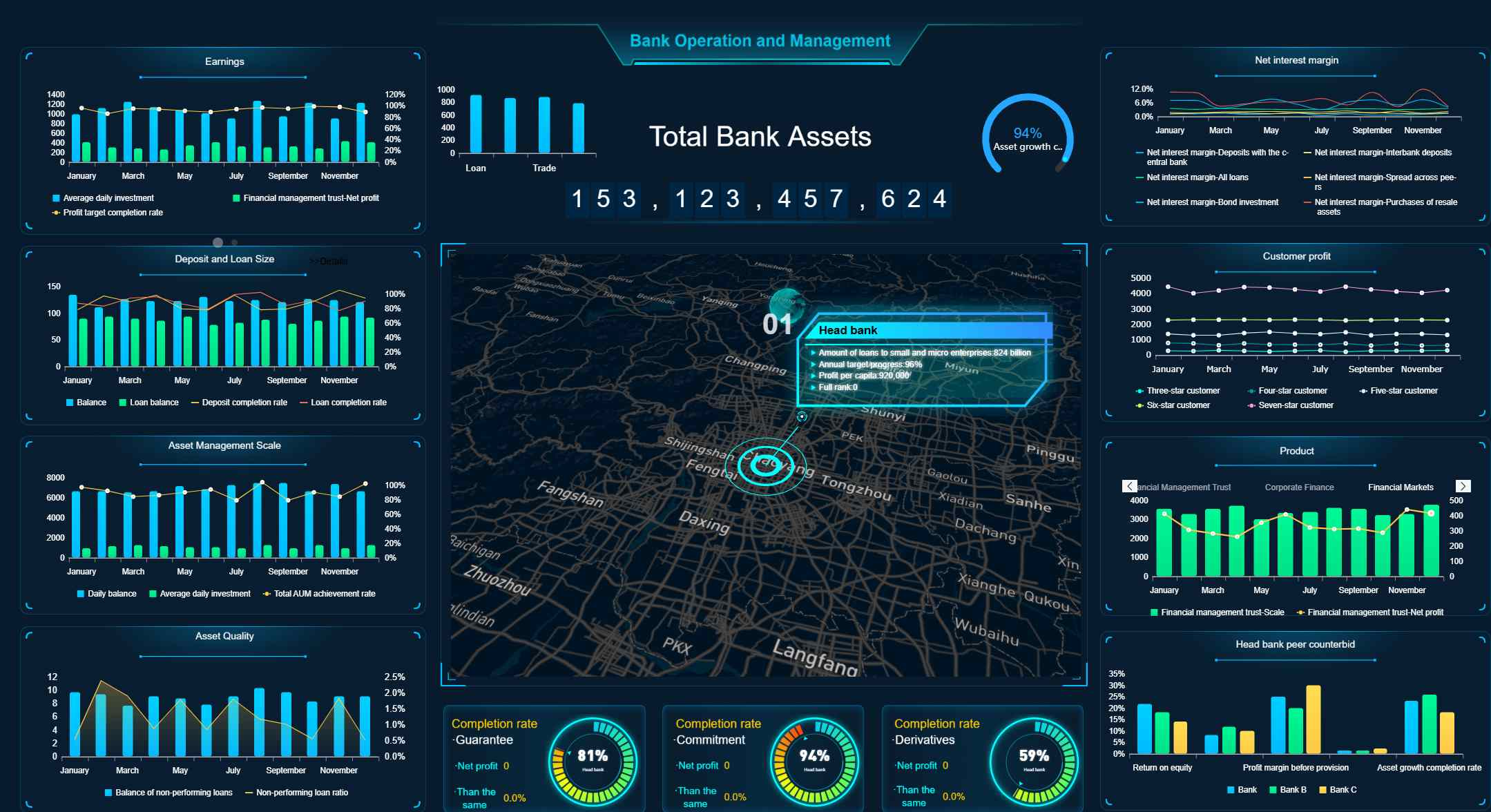
Analytical dashboards for deeper investigation
Analytical dashboards help users answer more complex questions. These are not just for checking status. They are for diagnosis, pattern detection, and planning.
Use analytical dashboards when teams need to:
- Understand why a KPI changed
- Compare segments and performance drivers
- Explore conversion drop-offs
- Investigate customer behavior
- Support budgeting, forecasting, or optimization decisions
These dashboards usually include richer interaction. Filters, drill-downs, cohort views, funnel analysis, and period comparisons are common. The audience often includes analysts, managers, and power users who need context beyond a surface KPI.
The design priority is flexibility without chaos. Users should be able to investigate performance without getting lost in too many options.
Strategic dashboards for executive decision-making
Strategic dashboards serve leaders who need a concise view of whether the business is moving in the right direction. These dashboards focus on top-level KPIs, goal tracking, and major trend summaries.
They are best used for:
- Monthly or quarterly business reviews
- Executive leadership meetings
- Board-level KPI monitoring
- Cross-functional performance management
- Goal and initiative tracking
A strategic dashboard should not overwhelm executives with every underlying metric. It should highlight progress against objectives, show risk areas clearly, and offer enough context to trigger the right follow-up questions.
Typical components include:
- Revenue and growth summaries
- Margin or profitability indicators
- Customer retention and acquisition trends
- Forecast versus actual performance
- Goal progress by business unit or function

Scenario-Based Data Analyst Dashboard Design for Better Business Decisions
The most effective dashboard design starts with business questions, not visual preferences. Too many projects begin with requests like “build me a dashboard with six charts” or “make it look like the executive template.” That approach almost always leads to weak adoption.
A better method is to anchor the dashboard to real operating scenarios. Ask:
- What decision must the user make?
- What metric tells them whether action is needed?
- What comparison gives that metric meaning?
- What breakdown helps them identify the source of the issue?
- What follow-up action should be obvious from the view?
This is how analysts move from reporting outputs to decision support systems. KPI selection should follow the workflow of the user, not the convenience of available charts.
Scenario: Sales performance and pipeline health
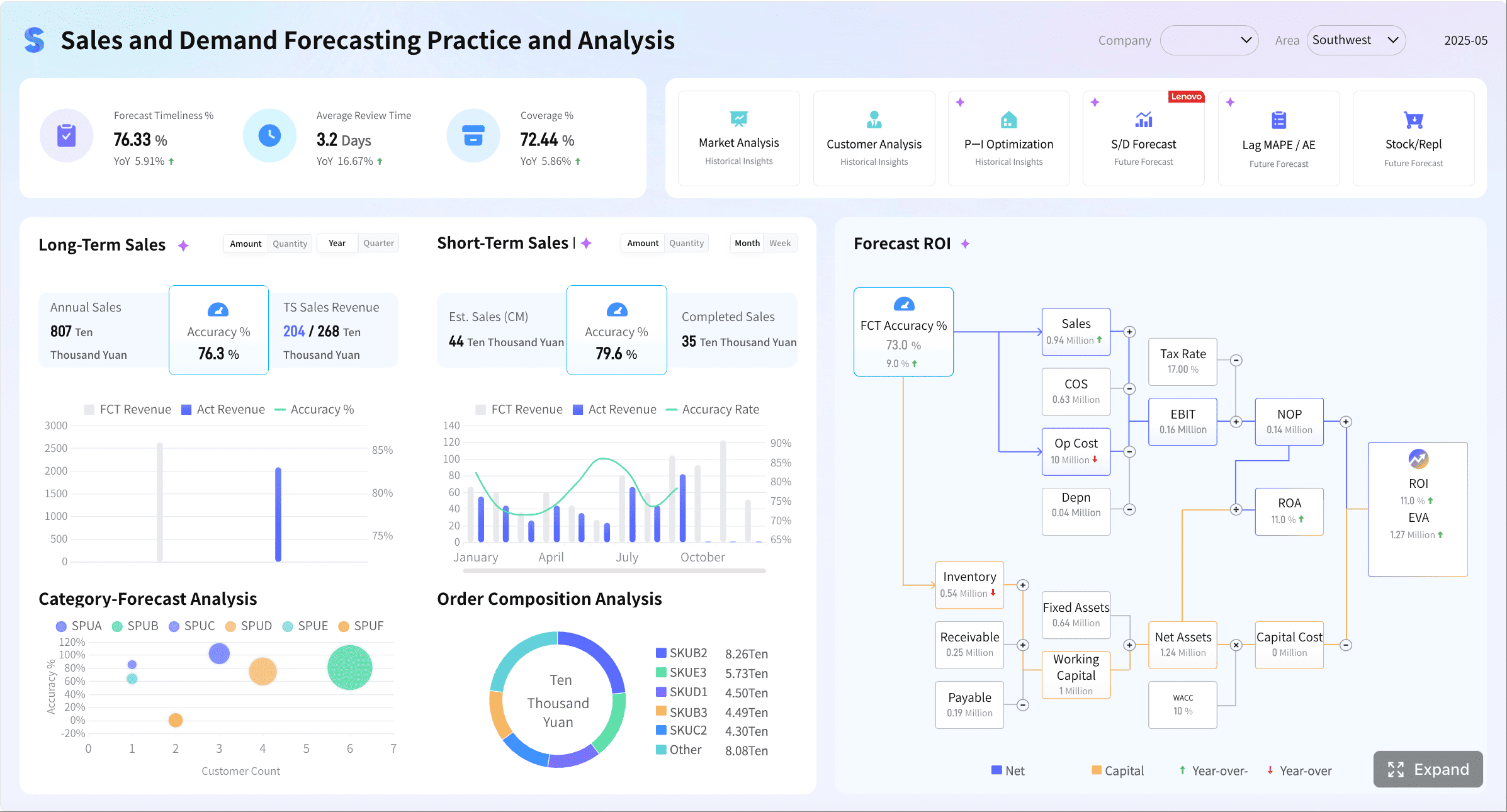
A sales dashboard should help leadership and frontline managers answer two questions quickly: are we on pace to hit target, and where is pipeline quality improving or weakening?
Core KPI views should include:
- Revenue versus target
- Pipeline value by stage
- Conversion rate by stage
- Average deal size
- Win rate
- Sales cycle length
- Forecast accuracy
These metrics become far more actionable when users can filter by:
- Region
- Sales channel
- Product line
- Sales representative
- Customer segment
A regional manager may need to identify which territory is missing conversion goals. A sales director may need to compare forecast confidence by rep. A revenue operations analyst may need to detect pipeline inflation in later stages.
The right layout usually starts with top-line revenue, target attainment, and forecast variance, then moves into conversion and pipeline diagnostics. This lets users progress from “what happened” to “why it happened.”
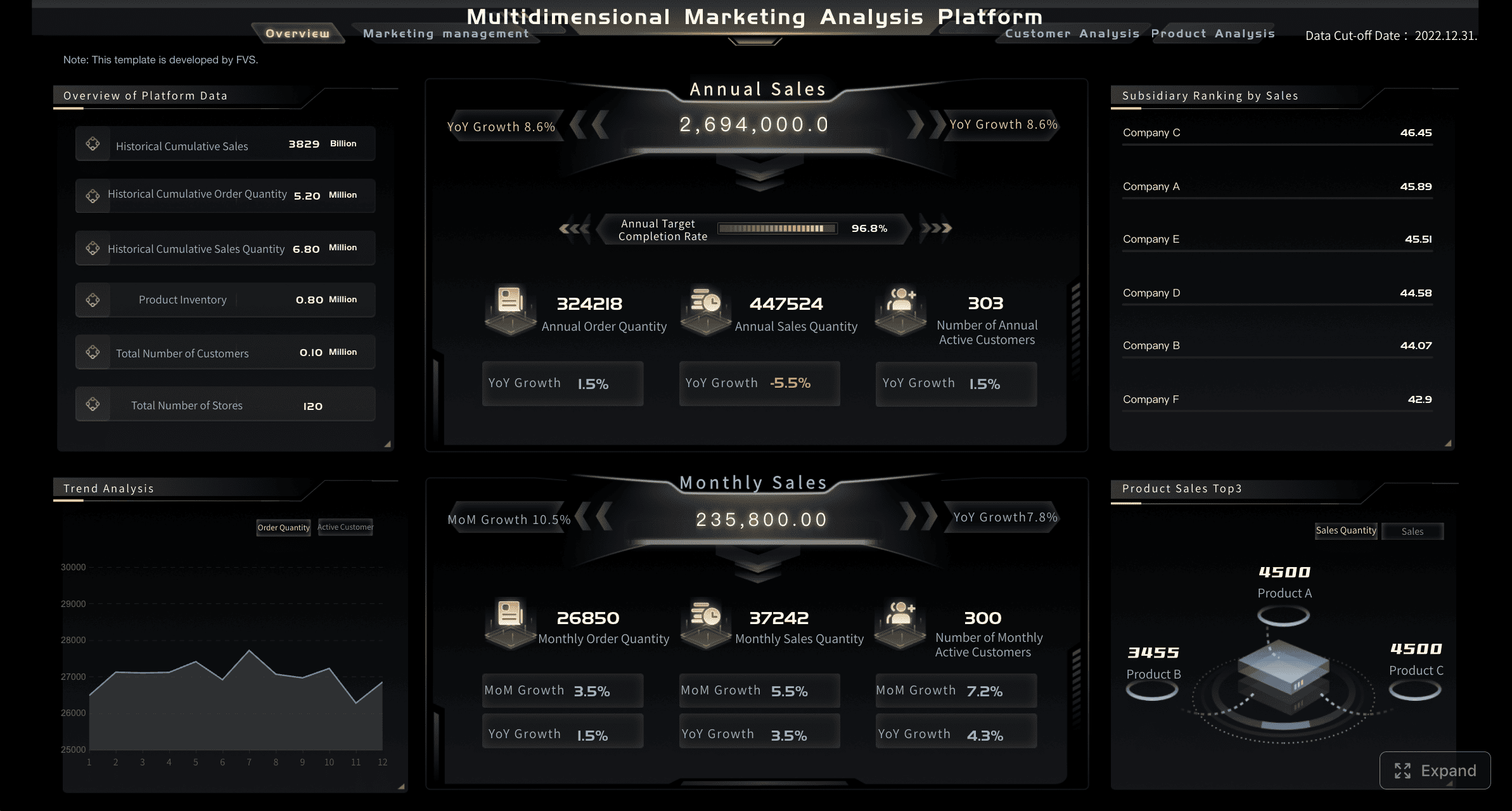
Scenario: Marketing campaign effectiveness
Marketing stakeholders need dashboards that separate activity from impact. High traffic alone is not enough. A useful view must connect campaigns to lead quality, acquisition cost, and return.
Core KPI views should include:
- Sessions or traffic by source
- Lead volume
- Marketing qualified leads
- Cost per acquisition
- Conversion rate
- Campaign ROI
- Return on ad spend
- Attribution by channel
Comparisons are critical here. Marketers need to evaluate:
- Current period versus prior period
- Campaign versus campaign
- Channel versus channel
- Spend versus pipeline contribution
- Creative or audience segment performance
Attribution and trend comparison help budget decisions become more defensible. If paid search drives volume but poor conversion, while email drives lower volume but higher ROI, the budget decision becomes clearer.
A strong dashboard also distinguishes leading indicators from outcome metrics. Clicks and impressions matter, but they should not dominate the view unless they directly support optimization decisions.
Scenario: Operations and service performance
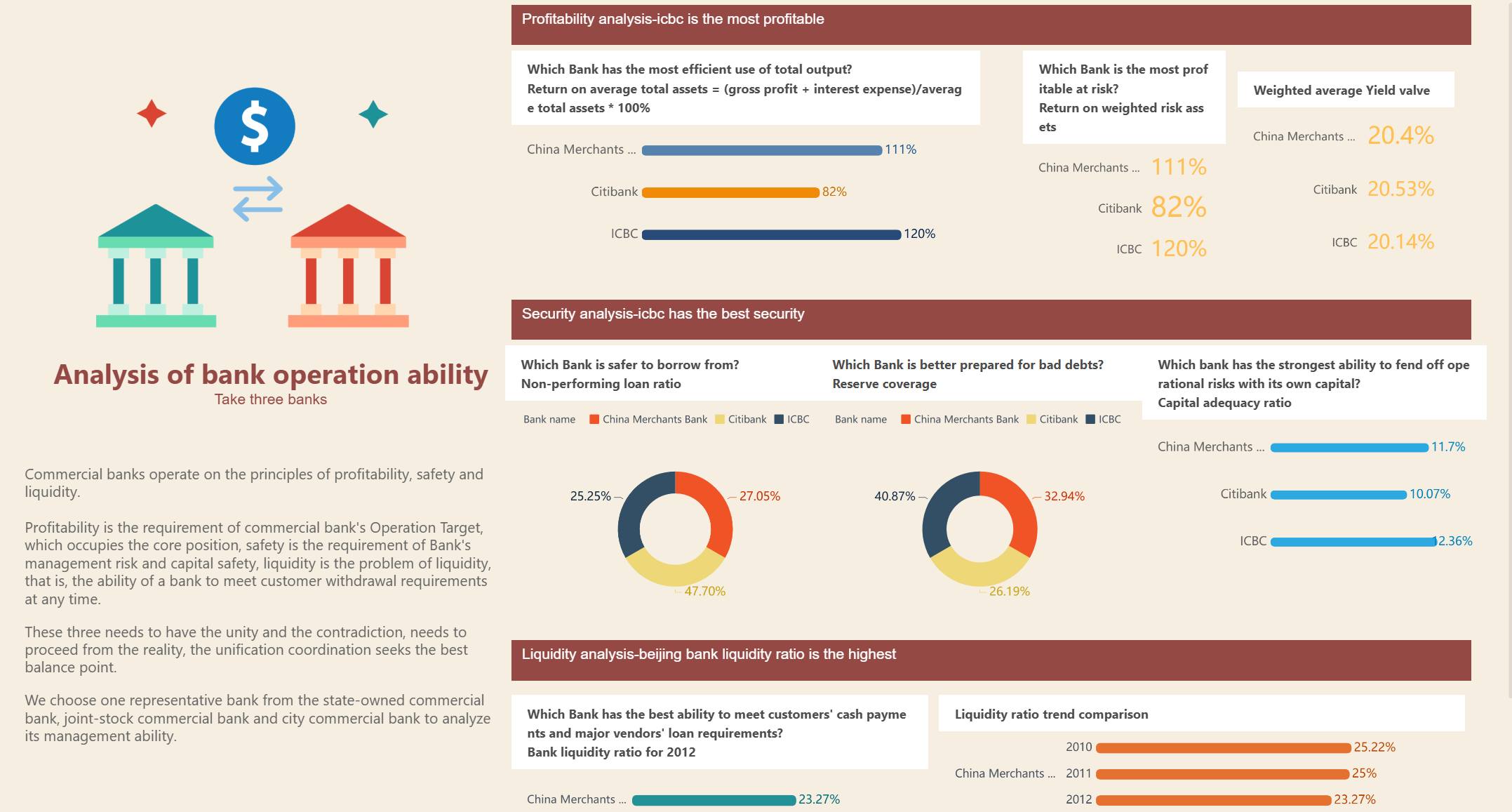
Operations dashboards exist to prevent small issues from becoming expensive failures. The best designs make service risk visible before it affects customers or internal deadlines.
Core KPI views should include:
- Turnaround time
- Backlog volume
- SLA compliance
- First-response time
- Throughput
- Exception or error rate
- Rework rate
To support fast action, dashboards should include status indicators and threshold logic. Teams need immediate clarity on whether performance is normal, at risk, or out of bounds.
Useful design patterns include:
- Red-amber-green KPI status
- Queue aging views
- Daily throughput trends
- Exception tables sorted by severity
- Drill-down by team, location, or workflow stage
In service operations, speed matters, but trust matters more. If SLA logic changes every month or backlog definitions differ across teams, the dashboard loses credibility. Analysts must standardize these definitions before rollout.
Scenario: Product or customer behavior analysis
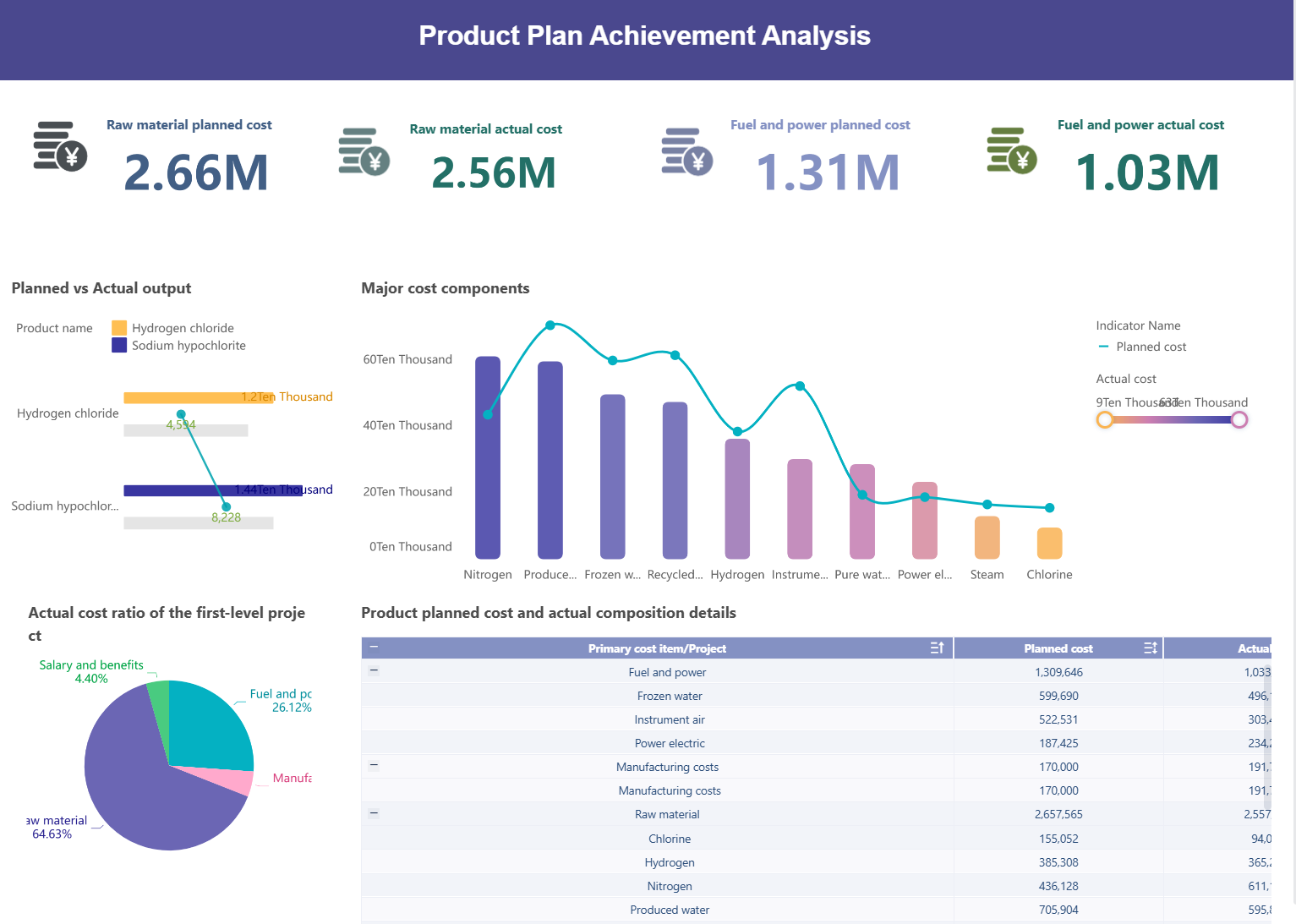
For product, customer success, and growth teams, the dashboard must reveal where users engage, where they stall, and where churn risk is building.
Core KPI views should include:
- Retention rate
- Feature adoption
- Active users
- Funnel completion
- Churn indicators
- Expansion opportunity signals
- Customer segments by behavior
Cohort and funnel views are especially valuable here. They show where changes occur across time and user groups, rather than flattening everything into averages.
For example:
- A retention cohort can reveal whether onboarding changes improved long-term usage
- A funnel view can identify where trial users drop before activation
- Segment analysis can show whether enterprise and SMB customers behave differently
- Feature adoption trends can highlight which product capabilities drive stickiness
This scenario is a strong reminder that dashboards should not only show outcomes. They should expose the behavioral steps that influence those outcomes.
Building Data Analyst Dashboards That People Actually Use
The biggest dashboard failure is not bad design. It is non-use. Many dashboards are technically correct yet ignored because they are overloaded, unclear, or disconnected from decisions.
Usability comes from three priorities:
- Clarity: Users understand what each metric means in seconds
- Context: Users can tell whether performance is good, bad, or changing
- Actionability: Users know what decision or follow-up the dashboard supports
A practical dashboard layout should reflect visual hierarchy. The most important KPIs go first. Supporting trends and comparisons come next. Detailed breakdowns and drill-down tables sit lower or behind interaction layers.
If every element is equally loud, nothing gets attention. Good dashboard design guides the eye and reduces cognitive effort.
Choosing the right metrics, comparisons, and time ranges
The best metrics are the ones tied directly to a decision. That sounds obvious, but many teams still load dashboards with every available number.
A seasoned consultant approach is to select metrics using this sequence:
- Define the business outcome
- Identify the KPI that measures it
- Add the comparison that creates meaning
- Add only the breakdowns that support action
Useful comparisons include:
- Target versus actual
- Current period versus prior period
- Current performance versus benchmark
- Planned forecast versus achieved result
- Segment A versus segment B
Time range selection also matters. A daily operational dashboard should not default to yearly aggregation. A strategic dashboard should not force executives into hourly volatility unless that volatility affects strategic action.
Highlight these elements when relevant:
- Trend when direction matters
- Variance when performance against target matters
- Exceptions when intervention is required
Designing for trust, speed, and self-service exploration
Stakeholders adopt dashboards they trust immediately. That trust is built through consistency, freshness, and simplicity.
Key best practices include:
-
Standardize KPI definitions
Create one business definition for each metric. Revenue, backlog, active customer, and SLA compliance should mean the same thing everywhere. -
Make data freshness visible
Show the last refresh time clearly. Users need to know whether they are looking at live data, daily data, or monthly data. -
Keep navigation simple
Limit tabs, avoid hidden logic, and use intuitive filter labels. A user should not need training to find the answer. -
Design sensible filters
Use only filters that matter to the decision. Too many filters create friction. Too few remove control. -
Support self-service without sacrificing governance
Allow drill-downs and segment exploration, but do it on top of governed datasets and trusted KPI logic.
These are the practices that make dashboards durable in enterprise environments. A visually attractive dashboard may win a demo. A trustworthy one wins adoption.
Common Data Analyst Dashboard Mistakes and How to Avoid Them
Most dashboard problems are predictable. They usually come from weak KPI alignment, not weak tooling.
Common mistakes include:
- Metric overload: Too many KPIs on one screen dilute attention and reduce actionability.
- Poor KPI alignment: Metrics are present, but they do not support a real decision.
- Weak labeling: Ambiguous titles and unexplained acronyms confuse users.
- No target or benchmark: Users see a number but cannot judge its significance.
- Lack of context: Charts show movement without explaining what changed or why it matters.
- Visual clutter: Excessive colors, chart types, or widgets create noise.
- Inconsistent definitions: Different teams use different logic for the same KPI.
- Overbuilt interactivity: Complex filters and drill paths make dashboards slower and harder to use.
To avoid these issues, pressure-test every chart with one question: what decision does this support? If there is no clear answer, remove or redesign it.
When to use dashboards vs. reporting
Teams often confuse dashboards and reports, then wonder why neither works well.
Use a dashboard when the goal is:
- Continuous KPI monitoring
- Fast performance checks
- Interactive exploration
- Exception detection
- Repeated use by managers or teams
Use a report when the goal is:
- Formal documentation
- Narrative explanation
- Point-in-time analysis
- Auditability
- Distribution of a fixed summary
Use ad hoc analysis when the goal is:
- Investigating a one-off question
- Testing a hypothesis
- Deep diagnostic work
- Building a case before dashboarding a metric
A modern analytics workflow needs all three. The dashboard shows the current signal. The report explains the story. The ad hoc analysis uncovers deeper answers when the signal changes.
A Practical Workflow for Creating Your Next Data Analyst Dashboard
A strong dashboard is built through process, not improvisation. If you want adoption and business impact, use a structured workflow.
Dashboard planning checklist
Start with planning, not design. Use this checklist before anyone opens a BI tool.
-
Define the audience
Who will use the dashboard: executives, managers, analysts, frontline teams, or a mix? -
Clarify business goals
What outcome are they trying to improve, monitor, or protect? -
List the decisions the dashboard must support
What will users actually do differently after seeing it? -
Select KPIs intentionally
Choose a focused set of metrics tied to those decisions. -
Identify data sources
Confirm where each KPI comes from and whether the data is complete and reliable. -
Set refresh cadence
Decide whether the dashboard needs real-time, daily, weekly, or monthly updates. -
Assign ownership
Define who owns the dashboard, the data model, and each KPI definition. -
Define success criteria
Establish how you will measure dashboard success through adoption, clarity, speed of insight, and business impact.
This checklist prevents the most expensive dashboard mistake: building something no one truly needed.
Iterating after launch
Launch is the beginning, not the finish line. The first version of a dashboard is usually only directionally right. What matters is how quickly the team learns and refines.
After launch, track:
- Usage frequency
- Most-used filters and views
- Stakeholder feedback
- Decision outcomes influenced by the dashboard
- Repeated questions the dashboard still does not answer
Then improve in small cycles. Often the most valuable changes are simple:
- Renaming a confusing KPI
- Reordering cards to match user priorities
- Removing unused filters
- Adding benchmark context
- Improving drill-down paths
- Reducing load time
These refinements increase trust and relevance. Over time, they turn a dashboard from a reporting artifact into a core operating asset.
From Manual Dashboarding to Scalable Decision Intelligence
Building an enterprise-grade data analyst dashboard manually is complex. You need clean data pipelines, stable KPI definitions, flexible visual design, proper access controls, refresh automation, and enough usability for non-technical stakeholders. Doing that repeatedly across sales, marketing, operations, and product teams becomes expensive and slow.
That is why many organizations move beyond manual dashboard assembly. Building this manually is complex; use FineBI to utilize ready-made templates and automate this entire workflow. FineBI helps teams accelerate dashboard delivery with governed self-service analytics, reusable KPI structures, interactive visualizations, and business-ready templates that reduce development time without sacrificing trust.
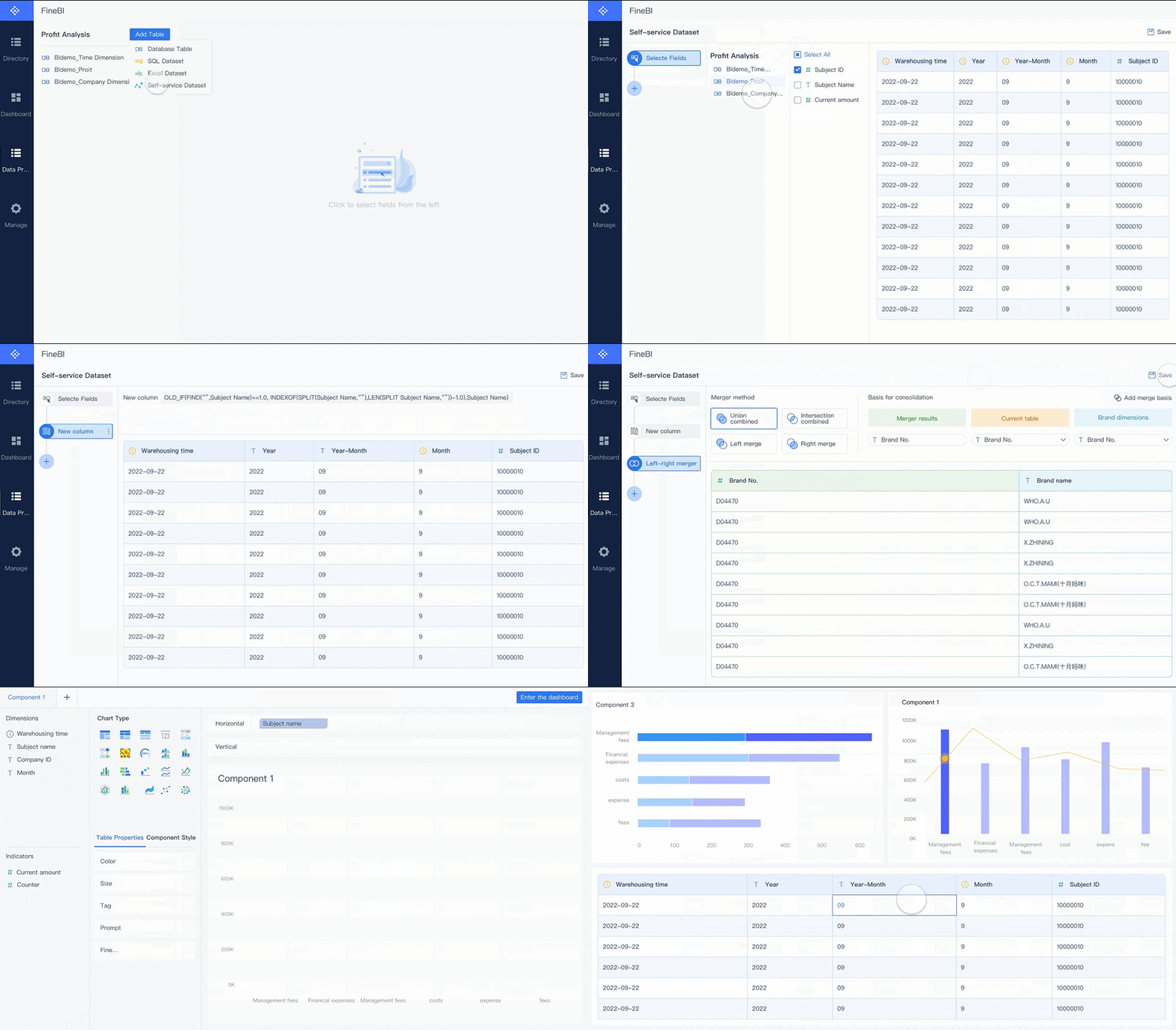 For enterprise teams, that matters in three ways:
- Faster rollout of decision-ready KPI dashboards
- More consistent metrics across departments
- Easier self-service exploration for business users
Instead of rebuilding sales dashboards, marketing dashboards, and operational monitoring views from scratch, teams can standardize faster and scale with less friction. Analysts stay focused on analysis and business impact rather than repetitive dashboard rework.
 Utilize ready-made templates and automate this entire workflow with FineBI
If your current environment depends on spreadsheet updates, static reports, or fragmented BI requests, this is the moment to modernize. The right dashboard strategy improves decisions. The right platform makes that strategy practical at scale. FineBI is built to do exactly that.
FAQs
A data analyst dashboard is an interactive view that brings key metrics from multiple data sources into one place. It helps teams monitor performance, spot changes quickly, and make faster decisions.