

FineReport is a highly customizable enterprise reporting and dashboard platform that helps sales teams turn complex, multi-source data into actionable sales insights.
10 Best Sales Reporting Software Tools for 2026
FineReport

- One-sentence overview: FineReport is a powerful sales reporting software option for organizations that need deeply customizable reports, advanced dashboards, and strong visualization across complex business environments.
- Key Features:
- Drag-and-drop report design for highly tailored sales reports
- Advanced dashboard creation with interactive charts and filters
- Broad connectivity across CRM, ERP, databases, and other business systems
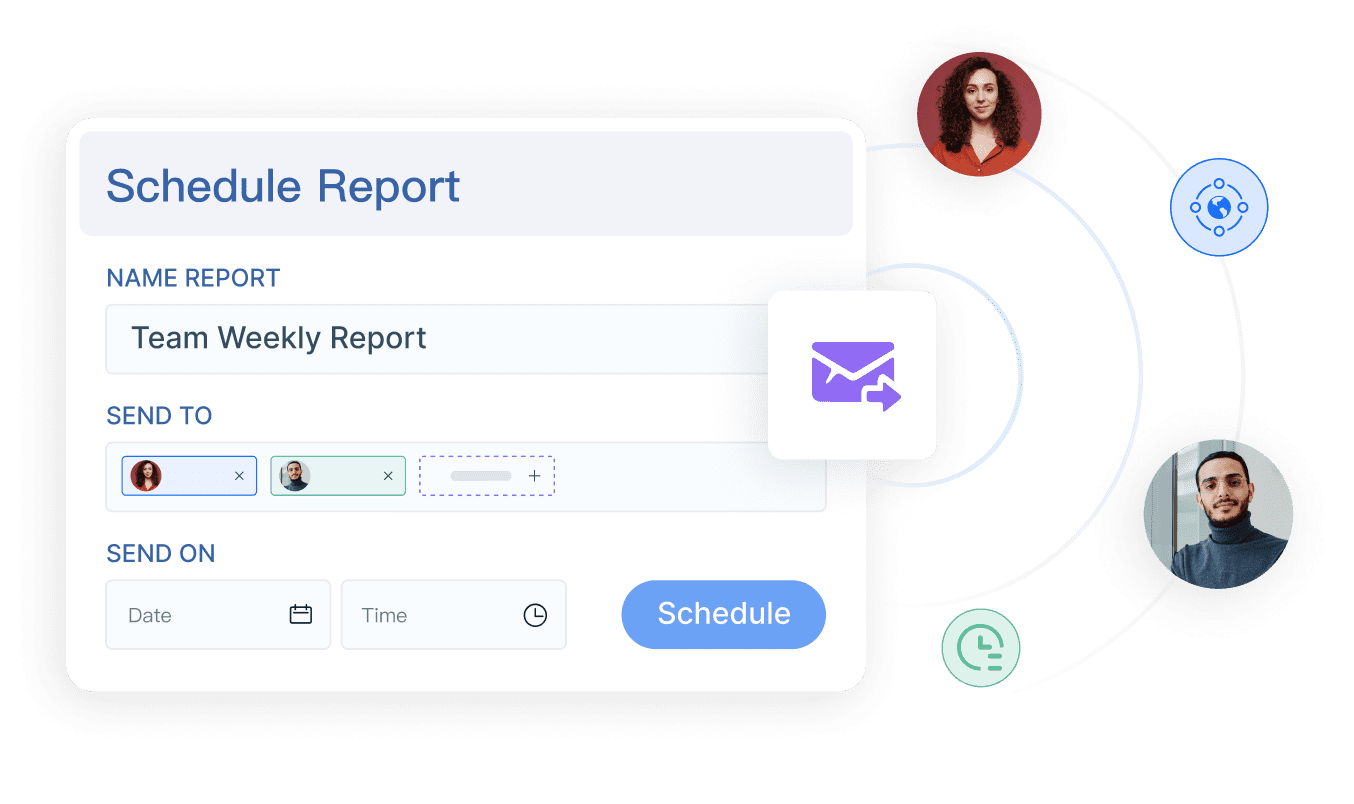
- Real-time and scheduled reporting for pipeline tracking and executive visibility
- Enterprise-grade permissions and deployment flexibility
- Pros & Cons:
- Pros: flexible report design, enterprise-level analytics, strong customization, broad data source connectivity
- Cons: may require more setup and technical involvement than plug-and-play tools
- Best For: enterprise sales operations teams, multi-system organizations, and data-driven leaders who need custom reporting beyond standard CRM dashboards
FineReport stands out in the sales reporting software market because it is built for teams that cannot rely on basic out-of-the-box CRM reports alone. If your organization needs to combine sales data with finance, operations, inventory, or regional performance data, FineReport gives you much more control over report logic and dashboard structure than lightweight CRM-native tools.
Its biggest advantage is flexibility. Sales leaders can build reports for quota attainment, regional pipeline analysis, conversion trends, forecast variance, rep activity, and margin-based sales performance without being boxed into a rigid dashboard format. That makes FineReport especially useful for large businesses with layered reporting requirements across departments.
Compared with CRM-first tools, FineReport is often the better fit when sales reporting needs to reflect the full business picture, not just pipeline movement inside one platform. For companies prioritizing advanced analytics and custom visualization, it is one of the strongest choices in 2026.
Salesforce
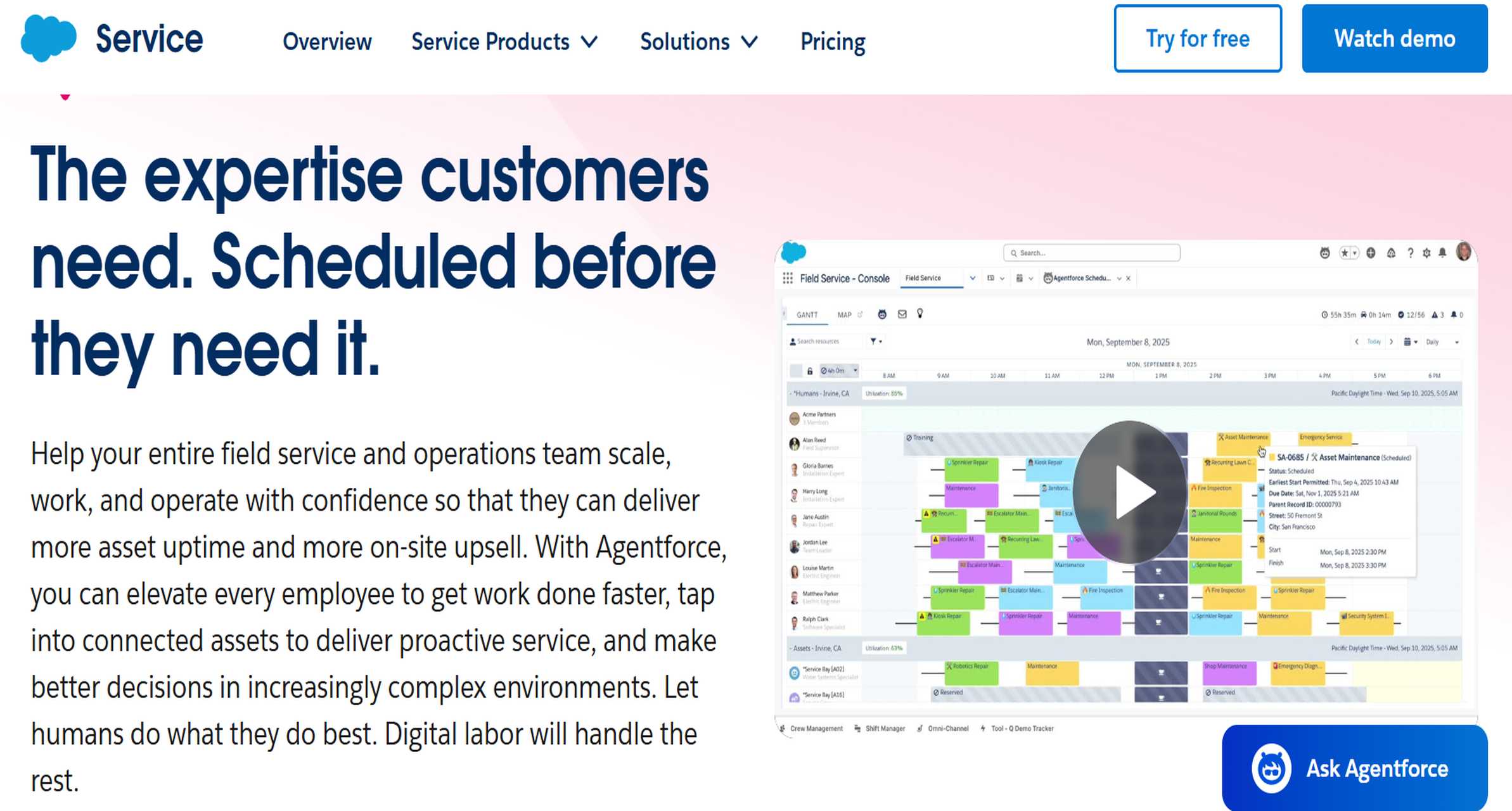
- One-sentence overview: Salesforce is a leading CRM-native sales reporting software solution with strong forecasting, deep pipeline analytics, and enterprise scalability.
- Key Features:
- Native reporting tied directly to Salesforce CRM records
- Forecasting and pipeline visibility tools
- Custom dashboards for leadership, managers, and reps
- Extensive app ecosystem and integrations
- AI-assisted insights in higher-tier offerings
- Pros & Cons:
- Pros: strong native CRM reporting, forecasting features, extensive integrations, enterprise scalability
- Cons: higher total cost, steeper learning curve for smaller teams
- Best For: organizations already invested in the Salesforce ecosystem and larger teams needing CRM-linked reporting at scale
Salesforce remains one of the most recognized names in sales reporting software because its reporting capabilities are deeply tied to daily sales execution. Teams can monitor opportunities, rep activity, stage progression, win rates, and forecast categories without needing a separate reporting layer for standard use cases.
Its strength is native alignment. Because Salesforce reporting sits close to the CRM data model, sales managers can move quickly from dashboard review to deal-level coaching. This makes it especially effective for organizations running structured enterprise sales processes with heavy reliance on CRM governance.
That said, smaller businesses may find Salesforce expensive and more complex than they need. For companies that want the broadest flexibility in report design across multiple business systems, FineReport may offer more room for customization. But for Salesforce-centric organizations, the built-in reporting depth is hard to ignore.
HubSpot
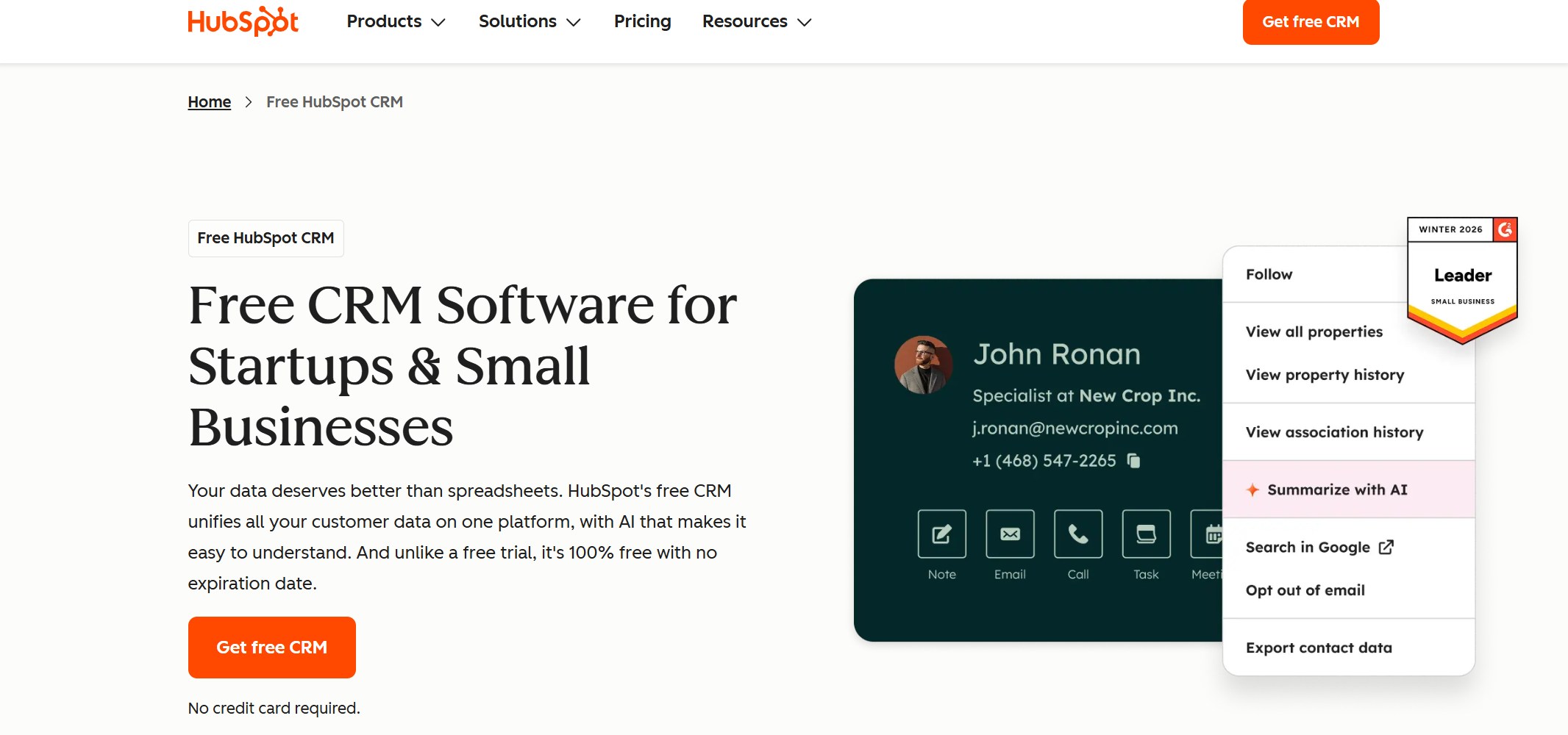
- One-sentence overview: HubSpot offers approachable sales reporting software with user-friendly dashboards and strong alignment between sales and marketing data.
- Key Features:
- Easy-to-use sales dashboards and prebuilt reports
- Pipeline and deal reporting
- Revenue and activity tracking
- Close alignment with marketing attribution and lead source reporting
- Automation and workflow support within the HubSpot ecosystem
- Pros & Cons:
- Pros: user-friendly dashboards, solid pipeline visibility, good alignment between sales and marketing metrics
- Cons: advanced reporting capabilities may depend on higher-tier plans
- Best For: growing teams that want easy adoption and reporting tied closely to both sales and marketing activity
HubSpot is a practical choice for companies that want sales reporting software without a steep learning curve. Its interface is clean, setup is relatively fast, and the reporting experience is approachable for teams that do not have dedicated analysts.
One of its best qualities is cross-functional visibility. Since marketing and sales data often live in the same ecosystem, users can track lead generation, conversion paths, deal progression, and campaign influence in a more connected way. That is especially useful for growing businesses trying to tighten alignment between demand generation and revenue teams.
The trade-off is that advanced analytics can become limited unless you move into more premium tiers. If your needs center on straightforward pipeline visibility and fast team adoption, HubSpot is a strong contender. If you need highly customized dashboards across several data sources, FineReport will usually provide more flexibility.
Pipedrive
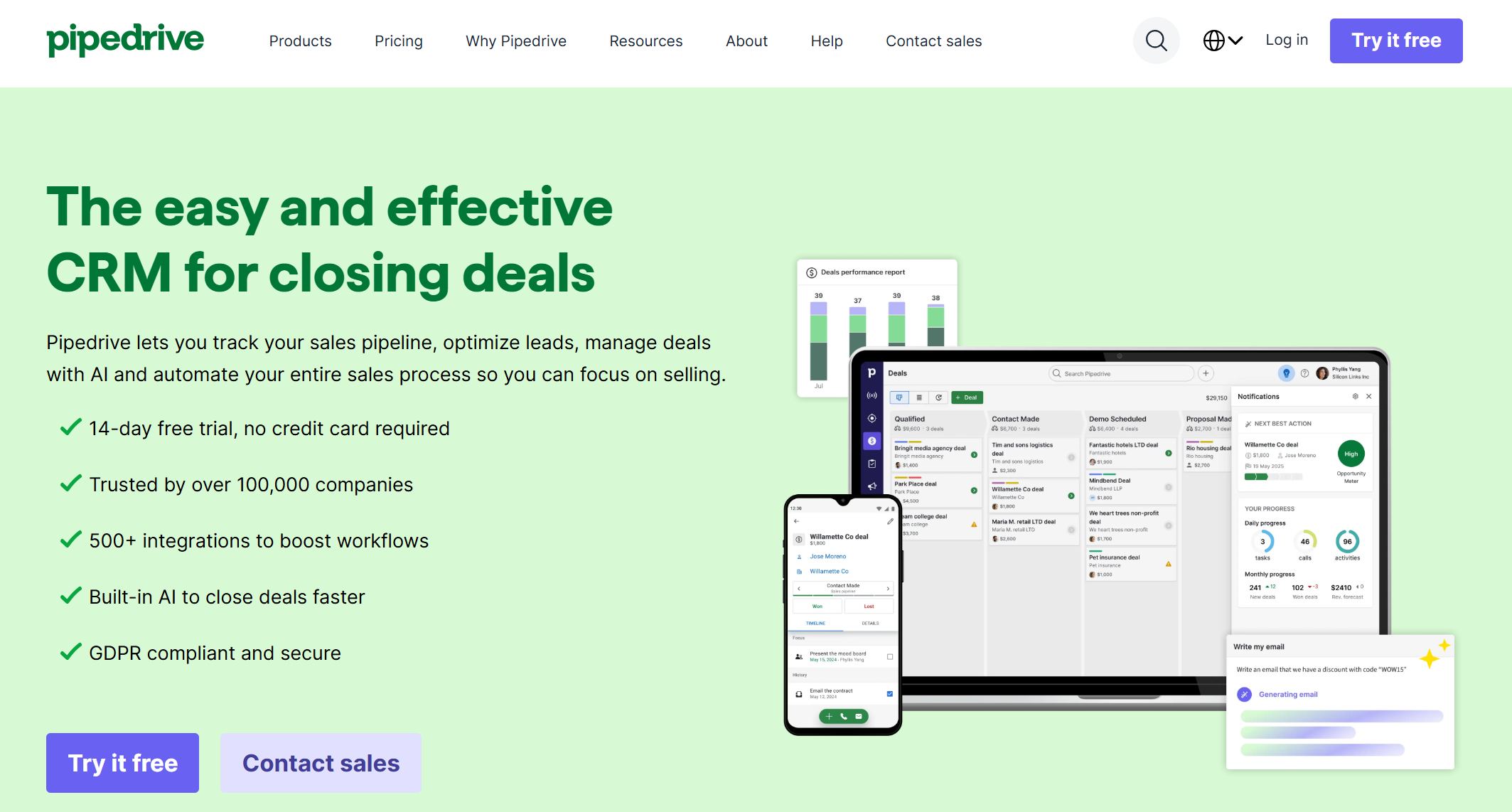
- One-sentence overview: Pipedrive is a visual sales reporting software tool designed for SMB teams that want simple pipeline reporting and fast setup.
- Key Features:
- Visual pipeline dashboards
- Deal and activity reporting
- Custom filters for pipeline insights
- Goal tracking and performance dashboards
- Easy onboarding for smaller teams
- Pros & Cons:
- Pros: intuitive pipeline visualization, easy setup, affordable for SMBs
- Cons: less depth for complex analytics and enterprise reporting
- Best For: small and midsize sales teams that prioritize simplicity and visual pipeline management
Pipedrive focuses on ease of use. It gives sales teams a clear picture of deal stages, rep activity, and progress toward targets without overwhelming users with enterprise-level complexity. That makes it appealing for businesses moving away from spreadsheets and wanting a more structured reporting process.
Its reporting works best when teams need visibility into sales motion rather than full business intelligence. Managers can track deal counts, conversions, average sales cycle length, and activity metrics with minimal setup.
For SMBs, that simplicity is a strength. For organizations with layered data models or custom executive reporting requirements, it can feel limiting. In those scenarios, FineReport or Zoho Analytics usually offers greater analytical depth.
Zoho Analytics
- One-sentence overview: Zoho Analytics is a BI-oriented sales reporting software option for teams that want broader analytics layered onto sales data.
- Key Features:
- Advanced dashboard and report creation
- Data blending from CRM and non-CRM sources
- Scheduled reporting and sharing
- Visualization tools for trend and performance analysis
- Support for more business intelligence-style reporting
- Pros & Cons:
- Pros: strong analytics depth, useful for cross-source reporting, good value
- Cons: setup can require more configuration, user experience may feel less streamlined than simpler CRM tools
- Best For: teams that want broader business analytics capabilities on top of sales reporting
Zoho Analytics is often considered by buyers who want more than basic CRM dashboards but do not necessarily need a full enterprise reporting stack. It provides a flexible environment for building custom reports, combining datasets, and analyzing trends across sales, marketing, and operations.
Its appeal lies in the balance between cost and reporting depth. Businesses that already use Zoho products may find it especially convenient, but even outside that ecosystem, it can serve as a capable analytics layer for sales teams.
Compared with FineReport, Zoho Analytics is a solid alternative for custom dashboarding, though FineReport tends to be stronger for more complex enterprise scenarios, highly formatted reports, and broader organizational reporting demands.
Insightly
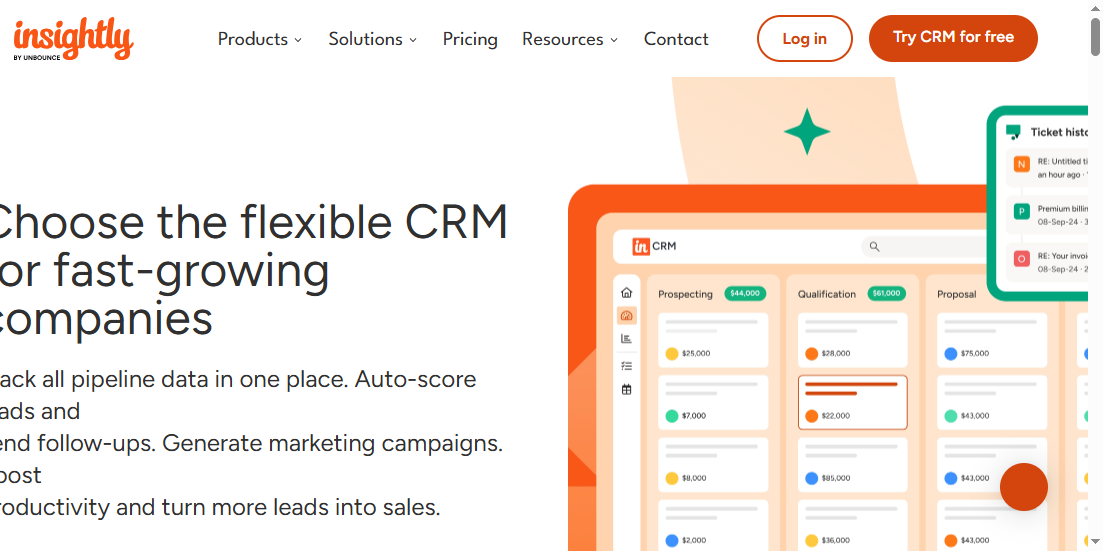
- One-sentence overview: Insightly combines CRM and reporting in a manageable platform for businesses that want practical sales visibility without excess complexity.
- Key Features:
- CRM-based reporting dashboards
- Pipeline and opportunity tracking
- Activity and task visibility
- Workflow automation support
- Project and customer relationship context
- Pros & Cons:
- Pros: manageable all-in-one approach, practical CRM reporting, suitable for smaller teams
- Cons: less advanced than specialized analytics platforms
- Best For: businesses seeking an accessible CRM-plus-reporting platform in one system
Insightly works well for companies that want enough reporting to support sales management without investing in a highly specialized analytics environment. It covers standard reporting needs like pipeline tracking, opportunity visibility, and rep activity summaries in a relatively straightforward package.
Its biggest strength is manageability. Teams can centralize customer and sales data while keeping reporting connected to the workflows they use every day. That can be enough for service-oriented SMBs or businesses with moderate reporting requirements.
However, organizations needing advanced forecasting models, extensive dashboard customization, or multi-source enterprise analysis may outgrow it over time.
Freshsales
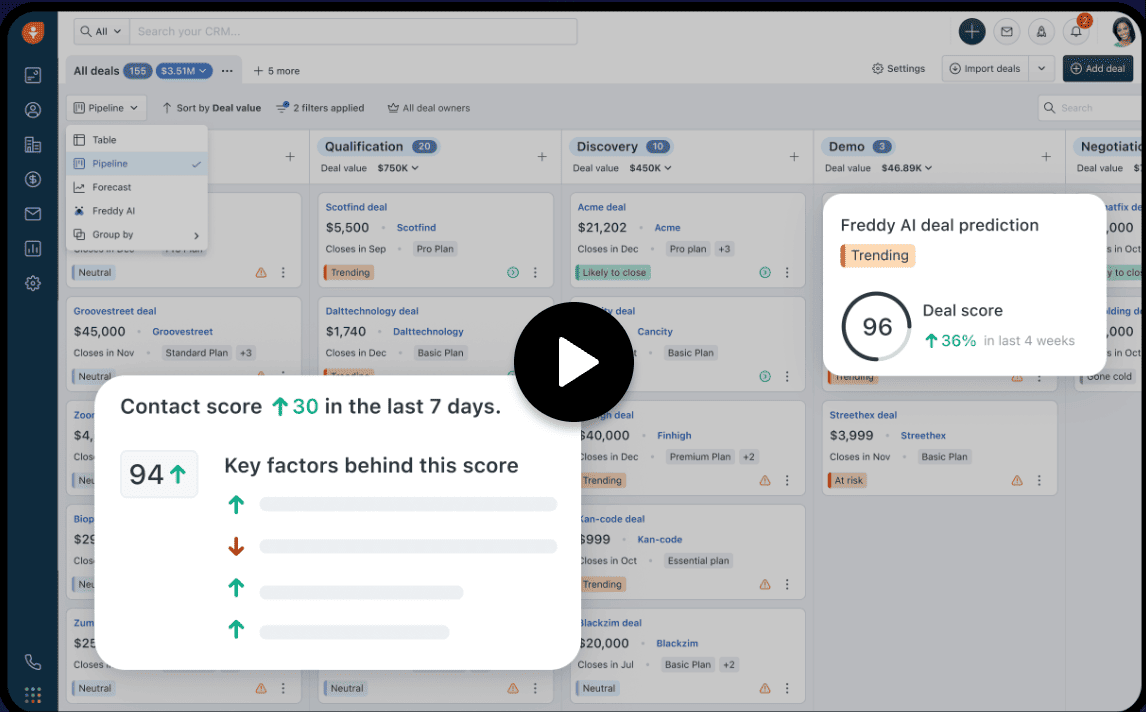
- One-sentence overview: Freshsales is a sales reporting software tool that combines straightforward reporting with AI-assisted insights for modern sales teams.
- Key Features:
- Built-in sales dashboards
- AI-assisted lead and deal insights
- Activity tracking and pipeline reporting
- Communication tracking across channels
- Automation for routine sales workflows
- Pros & Cons:
- Pros: AI-assisted insights, clean interface, useful reporting for day-to-day sales management
- Cons: may not match the customization depth of advanced BI platforms
- Best For: teams that want practical sales reporting with some AI support and fast usability
Freshsales appeals to buyers looking for a middle ground between basic CRM reporting and more advanced sales intelligence. It offers enough visibility into deal progression, rep output, and customer communication to support daily management and performance reviews.
Its AI layer can help surface useful insights without requiring heavy manual analysis. That makes it attractive for teams that want smarter reporting but still prefer an accessible interface.
For highly customized executive reporting, it may not be as flexible as FineReport. But for CRM-native reporting with modern usability, it remains a relevant option in 2026.
Monday CRM
- One-sentence overview: Monday CRM delivers flexible sales reporting software with customizable workflows and visual dashboards for collaborative teams.
- Key Features:
- Visual dashboards for deal and performance tracking
- Custom workflows and board-based reporting
- Automation for repetitive sales tasks
- Team collaboration features
- Adaptable views for different sales processes
- Pros & Cons:
- Pros: flexible workflows, visual interface, easy customization for non-technical teams
- Cons: may require configuration to match more traditional CRM reporting expectations
- Best For: teams that value customizable workflows and visual performance management
Monday CRM is especially appealing to teams that want a more adaptable work environment rather than a rigid CRM structure. Its reporting is closely tied to how teams build and manage their workflows, which can be an advantage for organizations with non-standard sales processes.
Users can create dashboards that track progress, workload, status changes, and team performance in a visually intuitive way. This makes it a good fit for fast-moving teams that prioritize collaboration and flexibility.
For traditional sales ops teams with highly defined forecasting and CRM reporting structures, Salesforce or HubSpot may feel more natural. For customization and visual process management, Monday CRM is worth considering.
Copper
- One-sentence overview: Copper is a lightweight sales reporting software choice built for organizations that operate heavily within Google Workspace.
- Key Features:
- Google Workspace integration
- Basic pipeline and activity reporting
- Contact and opportunity management
- Easy interface with minimal friction
- Automated data capture from Gmail and related tools
- Pros & Cons:
- Pros: strong Google Workspace fit, simple adoption, low-friction user experience
- Cons: lighter reporting depth than larger CRM and BI platforms
- Best For: Google Workspace-centric organizations that value simplicity and fast adoption
Copper is designed around convenience. For teams living in Gmail, Calendar, and Google Workspace, it reduces friction and keeps reporting close to existing workflows. That makes it appealing for companies that do not want a heavy CRM rollout.
Its reporting is suitable for tracking pipeline basics, rep activity, and deal progress, but it is not built for deep analytics. Businesses with simple reporting needs may appreciate that restraint, while data-heavy organizations will likely need more robust tools.
Copper is best viewed as a simplicity-first option rather than a full analytics platform.
Zendesk Sell

- One-sentence overview: Zendesk Sell is a sales reporting software platform suited to teams that want sales tracking and reporting connected to broader customer interaction data.
- Key Features:
- Sales pipeline reporting
- Activity and communication tracking
- Forecasting and performance monitoring
- Connection to customer service workflows
- Mobile-friendly sales visibility
- Pros & Cons:
- Pros: useful customer interaction context, practical sales reporting, service-connected visibility
- Cons: may be less compelling for teams not using the broader Zendesk ecosystem
- Best For: organizations that want sales and customer interaction reporting in a connected environment
Zendesk Sell is a sensible option for teams that see sales reporting as part of the wider customer journey. Its value increases when organizations already use Zendesk for service or support and want a more unified view of customer-facing activity.
That service connection can help teams understand not only what is happening in the pipeline, but also how customer interactions may influence renewals, upsells, or deal outcomes. For some businesses, that broader context is useful.
Its sales reporting is capable, though not as customizable as FineReport or as ecosystem-deep as Salesforce.
What Is Sales Reporting Software and Why It Matters in 2026
Sales reporting software is a tool that collects, organizes, analyzes, and visualizes sales data so teams can monitor pipeline health, forecast revenue, track rep performance, and make faster decisions.
Unlike a basic CRM dashboard, sales reporting software is built to go beyond a few standard widgets. Basic CRM dashboards typically show limited views of deals, activities, and team output within a single system. Spreadsheet-based reporting, meanwhile, often depends on manual exports, inconsistent formulas, and outdated data. In contrast, modern sales reporting software is designed to centralize information, automate updates, and present insights in a more interactive and reliable way.
In 2026, that difference matters more than ever. Sales teams now work across multiple channels, tools, and customer touchpoints. Revenue leaders need to understand not just what closed last month, but which pipeline segments are slowing down, which reps need coaching, where forecast risk is building, and how marketing, service, and operations data influence sales outcomes.
The business value of strong sales reporting software includes:
- Faster pipeline visibility: managers can spot stalled deals, weak stages, and momentum shifts in real time
- Cleaner forecasting: teams can use current performance and historical trends to make more accurate revenue projections
- Rep performance tracking: leaders can compare activities, conversions, and outcomes at the individual and team level
- Better decision-making: executives can allocate resources, adjust strategies, and identify growth opportunities with more confidence
Several trends are shaping the category in 2026:
- AI-assisted analysis: more tools now surface anomalies, opportunity signals, and forecast recommendations automatically
- Real-time reporting: teams expect live dashboards rather than weekly manual reports
- Cross-channel data consolidation: sales leaders increasingly need reporting that combines CRM, marketing, finance, support, and operations data
That is why the best sales reporting software is no longer just a reporting add-on. It is part of the operating system for modern revenue teams.
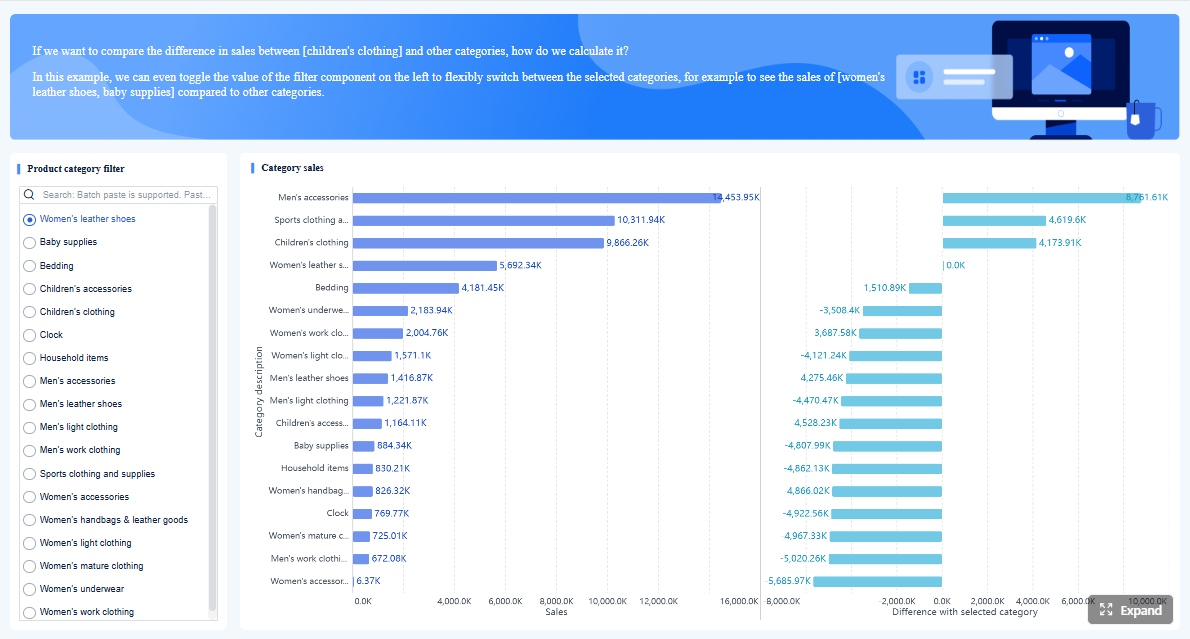 Click To Try The Dashboard
How to Choose the Best Sales Reporting Software
Choosing the best sales reporting software starts with understanding whether you need simple CRM visibility, advanced analytics, or a flexible reporting layer that sits across multiple business systems.
Core Evaluation Criteria
When comparing tools, focus first on the reporting capabilities that affect day-to-day decisions.
- Reporting depth: Can the software support both standard sales reports and custom analysis? Tools like Pipedrive are good for straightforward pipeline tracking, while FineReport and Zoho Analytics support deeper customization.
- Dashboard flexibility: Can users build dashboards for executives, managers, and reps with different views and filters?
- CRM integrations: Does the platform connect cleanly to Salesforce, HubSpot, Pipedrive, or other key systems?
- Automation: Can reports refresh automatically, be scheduled, and trigger alerts based on conditions?
- Forecasting: Does the tool support revenue forecasting, trend tracking, and stage-based prediction?
- Ease of use: Will sales teams actually adopt it, or will reporting remain limited to admins and analysts?
Practical Buying Factors
Functionality matters, but buying decisions usually come down to operational realities too.
- Implementation time: Some tools are usable quickly, while others require planning, data modeling, and setup
- Pricing structure: Check whether advanced reporting is only available on higher plans
- Scalability: Make sure the tool can support your growth in data volume, user count, and reporting complexity
- Support quality: Strong onboarding, documentation, and vendor support can significantly improve time to value
Which Teams Should Prioritize Which Capabilities?
Different businesses should evaluate sales reporting software differently.
Startups
- Prioritize ease of use, fast setup, and affordable pricing
- Usually benefit from HubSpot, Pipedrive, or Copper
SMB sales teams
- Need visual pipeline reporting, rep activity tracking, and manageable admin overhead
- Often fit well with Pipedrive, HubSpot, Freshsales, or Insightly
Enterprise ops teams
- Need advanced governance, custom reports, multi-source data integration, and layered dashboards
- Usually benefit most from FineReport, Salesforce, or Zoho Analytics
Data-driven revenue leaders
- Should prioritize forecasting, dashboard flexibility, custom KPI design, and business-wide reporting
- FineReport is especially strong when sales reporting must connect with finance, operations, and executive planning
Quick Shortlist Framework
Before reviewing individual tools, ask these four questions:
- Do we need CRM-native reporting or cross-system analytics?
- How much customization do our dashboards and reports require?
- Will sales managers build reports themselves, or will analysts support reporting?
- Do we need fast adoption, or are we optimizing for long-term reporting depth?
If your answer leans toward simplicity, shortlist HubSpot, Pipedrive, or Copper.
If it leans toward CRM depth, shortlist Salesforce or Freshsales.
If it leans toward advanced customization and broader analytics, shortlist FineReport and Zoho Analytics.
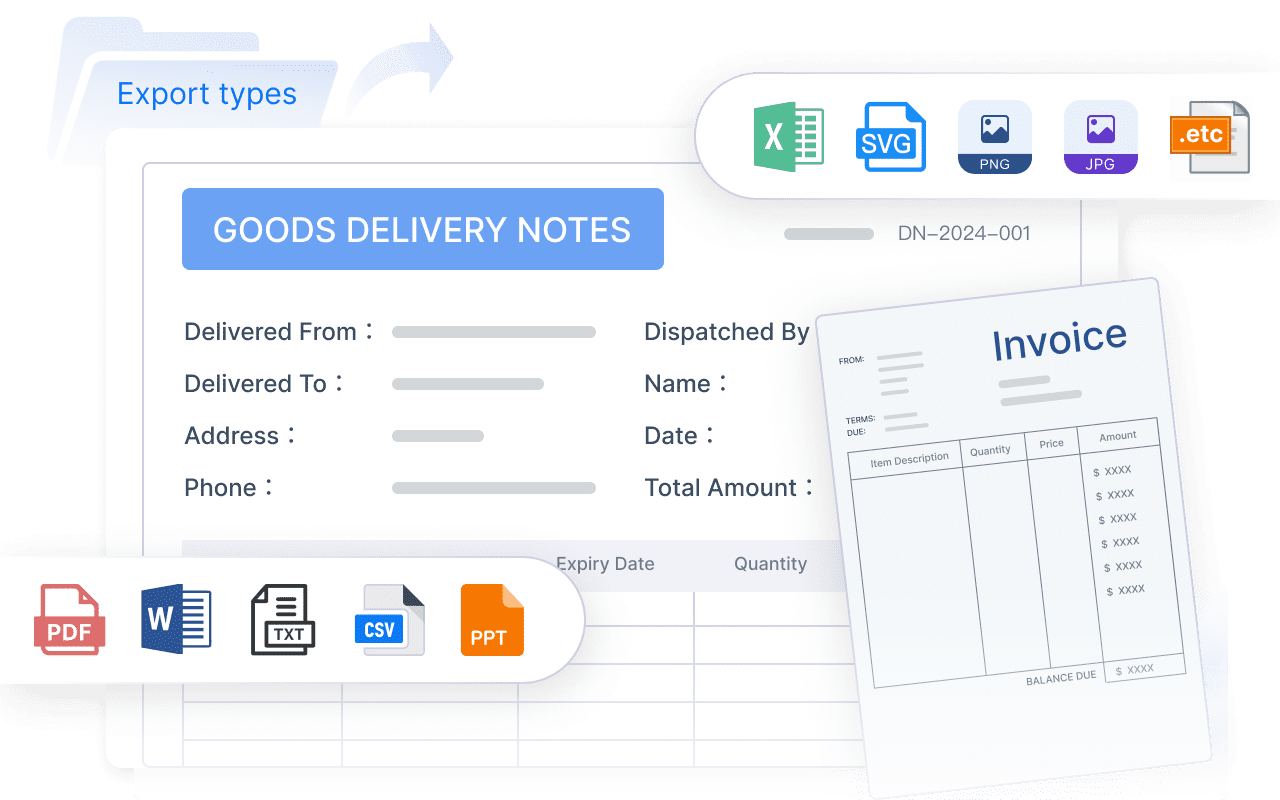
Side-by-Side Comparison of the Top Tools
Best for customization and advanced analytics
The clearest comparison here is FineReport vs Zoho Analytics.
FineReport is stronger when organizations need:
- pixel-level report customization
- enterprise dashboard design
- highly formatted reporting for different stakeholders
- complex data integration across sales and non-sales systems
Zoho Analytics is stronger when organizations want:
- BI-style dashboards at a relatively accessible price point
- broad cross-source analytics
- a lighter-weight analytics layer for sales and business reporting
In short, both are strong for custom reporting, but FineReport is the better fit for more demanding enterprise scenarios and deeply customized sales reporting environments.
Best for CRM-native reporting
This category includes Salesforce, HubSpot, Pipedrive, and Freshsales.
- Salesforce: best for enterprise-grade CRM reporting with deep pipeline and forecasting functionality
- HubSpot: best for approachable reporting connected to both sales and marketing activity
- Pipedrive: best for visual pipeline reporting and quick SMB adoption
- Freshsales: best for practical CRM reporting with AI-assisted insights
If your sales team wants reporting directly inside the CRM they already use, these are the most natural candidates. The right pick depends on scale, budget, and complexity.
Best for ease of use and fast adoption
The leaders here are HubSpot, Monday CRM, Copper, and Pipedrive.
- HubSpot offers one of the most accessible user experiences for growing teams
- Monday CRM is strong for teams that prefer visual workflows and adaptable structures
- Copper is especially easy for Google Workspace users
- Pipedrive keeps reporting intuitive and sales-focused
These tools are ideal when the main goal is replacing spreadsheets quickly and ensuring team-wide adoption without a long training cycle.
Best for enterprise vs small business needs
Here is the simplest fit-by-size view:
Enterprise and complex reporting needs
- FineReport
- Salesforce
- Zoho Analytics
Mid-market and scaling teams
- HubSpot
- Freshsales
- Monday CRM
- Zendesk Sell
Small businesses and lighter reporting needs
- Pipedrive
- Copper
- Insightly
Budget expectations usually follow the same pattern. Simpler tools tend to be easier to adopt and cheaper to deploy. More customizable and enterprise-ready tools usually require more setup but deliver stronger reporting depth.
Pros, Cons, and Final Recommendations
The best sales reporting software depends less on brand recognition and more on how your team balances usability, reporting depth, and system complexity.
Biggest Strengths and Trade-Offs by Tool Category
Custom reporting and advanced analytics
- Strengths: powerful dashboards, broad data integration, tailored KPI design
- Trade-offs: more setup, more technical involvement
- Best examples: FineReport, Zoho Analytics
CRM-native reporting
- Strengths: direct connection to pipeline activity, easier operational adoption, fewer system handoffs
- Trade-offs: may be limited outside the CRM data model
- Best examples: Salesforce, HubSpot, Freshsales, Pipedrive
Ease-of-use platforms
- Strengths: fast onboarding, approachable interfaces, lower friction
- Trade-offs: lighter analytics depth
- Best examples: HubSpot, Pipedrive, Copper, Monday CRM
Best Options by Use Case
Best for enterprise reporting:
FineReport
Choose FineReport when your business needs highly customized sales dashboards, complex report logic, and connectivity across multiple systems. It is especially strong for organizations where sales data must be analyzed alongside finance, operations, or regional business performance.
Best for SMB sales tracking:
Pipedrive
Choose Pipedrive if your priority is simple, visual sales reporting that helps smaller teams stay focused on deal progress and activity.
Best all-in-one CRM reporting:
Salesforce or HubSpot
Choose Salesforce for enterprise CRM reporting depth. Choose HubSpot for easier adoption and stronger sales-marketing visibility in growing companies.
Best for highly customized analytics:
FineReport or Zoho Analytics
Choose FineReport for more demanding enterprise customization. Choose Zoho Analytics if you want flexible analytics with good value and broader BI functionality.
When to Choose a Specialized Reporting Platform vs a CRM with Built-In Reporting
Choose a CRM with built-in reporting when:
- your reporting needs are mostly sales-pipeline focused
- you want quick deployment
- your team values simplicity over deep customization
- your data mostly lives in one CRM
Choose a specialized reporting platform when:
- you need dashboards that combine multiple systems
- executive reporting requires custom formatting and logic
- you want more control over metrics, visualizations, and permissions
- your sales reporting is part of broader business intelligence
For many organizations in 2026, this is the key decision. If your reporting needs stay within the CRM, tools like HubSpot, Salesforce, or Pipedrive may be enough. If reporting needs are broader, more strategic, and more customized, FineReport is often the stronger long-term choice.
Simple Decision Checklist
Use this checklist to narrow your shortlist:
- Need highly customizable dashboards across multiple systems? → FineReport
- Already committed to Salesforce? → Salesforce
- Want an easy-to-use system for sales and marketing alignment? → HubSpot
- Need simple pipeline reporting for an SMB team? → Pipedrive
- Want BI-style analytics layered onto sales data? → Zoho Analytics
- Prefer manageable CRM plus reporting in one platform? → Insightly
- Want AI-assisted sales visibility with practical reporting? → Freshsales
- Need flexible workflow-based dashboards? → Monday CRM
- Work primarily in Google Workspace? → Copper
- Want sales reporting tied to customer interaction data? → Zendesk Sell
If you are building a shortlist for 2026, start with your reporting complexity first, not just your CRM preference. For teams that need advanced customization, stronger visualization, and enterprise-grade flexibility, FineReport deserves a top place on the list.
FAQs
Sales reporting software helps teams track pipeline health, revenue performance, rep activity, and forecasts in one place. It turns sales data into dashboards and reports that support faster, more informed decisions.




