

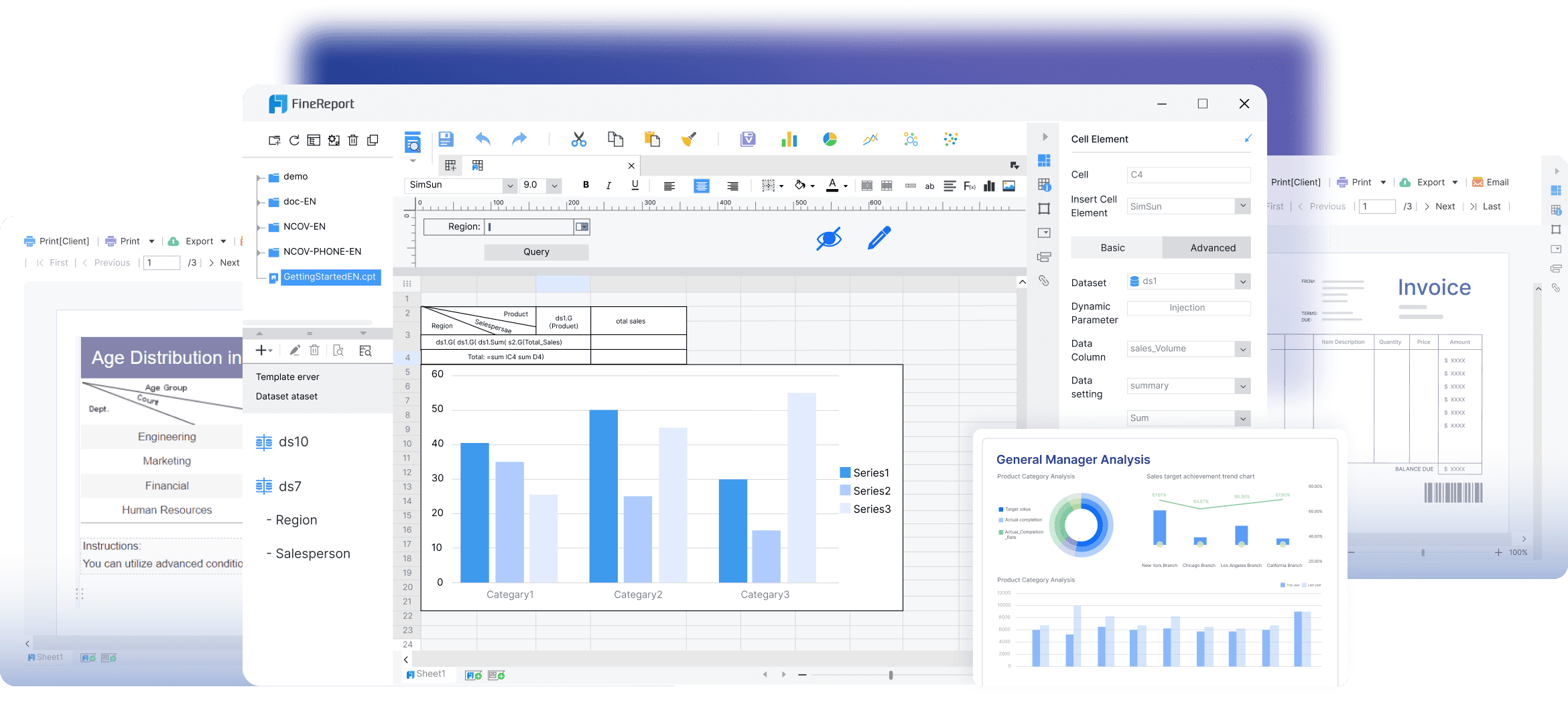
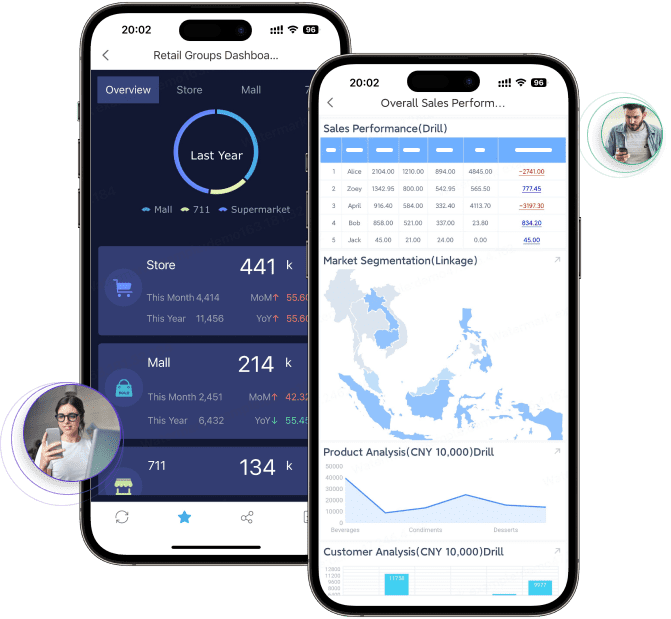
FineReport is an enterprise reporting and dashboard platform that also supports highly customized mobile data entry workflows for field teams.
What Makes a Great Field Reporting App in 2026?
1. Fast data capture in real field conditions
- One-sentence overview: A strong field reporting app must let teams submit accurate information quickly on phones and tablets, even in busy, remote, or high-pressure environments.
- Key Features:
- Mobile-friendly forms with large input controls
- Minimal taps for common tasks
- Fast loading on unstable networks
- Support for repeatable field workflows
- Pros & Cons:
- Pros: Speeds up reporting, reduces manual errors, improves adoption among field workers
- Cons: Some tools optimize for speed but limit customization or reporting depth
- Best For: Service teams, inspectors, supervisors, and site staff who need to file reports on the go
Modern field teams need more than a digital replacement for paper. In 2026, the baseline includes fast data capture, offline access, photo evidence, GPS tagging, signatures, and instant sharing. If a tool cannot handle these basics reliably, it will struggle in construction, utilities, maintenance, logistics, and field service environments.
2. Offline access and sync reliability
- One-sentence overview: Offline capability is no longer optional because many field reporting workflows happen in locations with weak or inconsistent connectivity.
- Key Features:
- Offline form completion
- Local data storage until sync resumes
- Conflict handling and version control
- Automatic background synchronization
- Pros & Cons:
- Pros: Prevents data loss, supports remote teams, improves continuity
- Cons: Not all apps handle complex offline workflows equally well
- Best For: Remote operations, outdoor sites, utility work, environmental surveys, and infrastructure inspections
A field reporting app should not just work offline in theory. It should preserve photos, signatures, timestamps, and structured form logic without corrupting records when the device reconnects.
3. Evidence capture and traceability
- One-sentence overview: The best field reporting tools capture proof, not just text.
- Key Features:
- Photo and video uploads
- GPS location tagging
- Time stamps
- Signature capture
- Attachment support
- Pros & Cons:
- Pros: Improves accountability, supports audits, strengthens compliance records
- Cons: Media-heavy workflows may require stronger storage and reporting controls
- Best For: Compliance teams, inspectors, maintenance operations, and regulated industries
Simple mobile forms are useful for quick submissions, but reporting requirements often become more complex over time. Teams may need to compare trends across sites, combine field inputs with internal business data, route approvals, and generate management dashboards. That is where many lightweight apps begin to show their limits.
4. A broader evaluation standard
- One-sentence overview: Choosing the best app means looking beyond form filling and comparing how well the platform supports end-to-end reporting.
- Key Features:
- Ease of use
- Customization
- Reporting depth
- Integration options
- Scalability
- Total cost of ownership
- Pros & Cons:
- Pros: Leads to a better long-term decision
- Cons: Requires buyers to assess future needs, not just current convenience
- Best For: Teams evaluating software for growth, cross-team reporting, or enterprise deployment
This is the right comparison lens for 2026. A basic tool may solve today's checklist problem, while a more capable platform may support mobile entry, reporting, analytics, and management oversight in one system.
FineReport vs Traditional Apps: The Core Difference
1. Traditional field reporting tools focus on standardized submissions
- One-sentence overview: Traditional apps are usually designed to help field teams complete and submit simple forms quickly.
- Key Features:
- Template-based forms
- Mobile-first interfaces
- Fast setup
- Prebuilt inspection or checklist workflows
- Pros & Cons:
- Pros: Low learning curve, quick deployment, strong for routine reporting
- Cons: Often limited in complex reporting, advanced customization, and enterprise data modeling
- Best For: Small teams or single-purpose workflows with straightforward reporting needs
Many traditional tools do one job well: they digitize routine field submissions. If your process is mostly daily logs, issue reports, inspection checklists, or short service records, these apps can be efficient and practical.
2. FineReport connects mobile data entry with advanced reporting
- One-sentence overview: FineReport stands out because it supports both front-end mobile reporting and back-end analytical reporting in the same broader workflow.
- Key Features:
- Custom form design
- Report and dashboard creation
- Workflow support
- Data integration across systems
- Role-based access and distribution
- Pros & Cons:
- Pros: Strong flexibility, deep reporting, suitable for organizations with evolving needs
- Cons: More planning may be required than with a lightweight checklist app
- Best For: Mid-sized to large organizations that need mobile forms plus management reporting and decision support
This is the core difference. A traditional field reporting app is often a submission tool. FineReport is better understood as a reporting platform that can also serve mobile field data collection scenarios. That makes it a stronger fit when the business needs more than isolated form records.
3. Comparing flexibility, reporting power, and deployment fit
- One-sentence overview: The better option depends on how complex your forms, workflows, and reporting outputs need to be.
- Key Features:
- Flexible layout and data structure options
- Dashboard-driven analysis
- Scheduled reports
- Multi-role access
- Enterprise deployment support
- Pros & Cons:
- Pros: Helps buyers match software to operational maturity
- Cons: Simpler teams may not need advanced capabilities immediately
- Best For: Buyers comparing short-term convenience against long-term reporting value
In practical terms, traditional apps usually win on quick deployment and simplicity. FineReport usually wins on reporting power, customization, integration, and scalability.
Where Traditional Apps Work Best
- One-sentence overview: Traditional tools are strongest when the reporting process is repeatable, narrow, and easy to standardize.
- Key Features:
- Routine inspections
- Basic service logs
- Daily checklists
- Fast single-purpose submissions
- Pros & Cons:
- Pros: Efficient for operational consistency, often easy for non-technical users
- Cons: Harder to extend when reporting logic becomes more complex
- Best For: Small businesses, contractors, and teams with one main reporting use case
If the main requirement is to complete a predefined form and send it to a manager, a lightweight app may be enough.
Where FineReport Has the Advantage
- One-sentence overview: FineReport has the advantage when field data must feed into broader reporting, approvals, and cross-department decision-making.
- Key Features:
- Multi-step approval flows
- Highly customized forms
- Dashboard-driven analysis
- Cross-department reporting
- Scheduled and shareable outputs
- Pros & Cons:
- Pros: Better support for complex workflows and management visibility
- Cons: Requires clearer process design during implementation
- Best For: Enterprises, regulated industries, multi-site operations, and teams with growing reporting complexity
This is where promoting FineReport is justified on substance. It is not merely another mobile form tool. It is a stronger choice for organizations that want field submissions to become structured, reportable, decision-ready data.

Create Digital Forms for Mobile Field Reporting Without Losing Reporting Depth
1. Field form usability matters more than most teams expect
- One-sentence overview: Good form design directly affects completion speed, data quality, and user adoption in the field.
- Key Features:
- Phone-optimized layouts
- Tablet-friendly input components
- Clear field labels
- Logical sectioning
- Low-friction navigation
- Pros & Cons:
- Pros: Reduces incomplete submissions and improves consistency
- Cons: Poorly designed custom forms can become slower than paper
- Best For: Any organization deploying forms to mobile users across multiple field scenarios
In real field conditions, users may be standing outdoors, wearing gloves, moving between tasks, or working under time pressure. A capable field reporting app should support practical mobile form design, not just desktop-style templates compressed onto a small screen.
2. Template-based builders vs fully customizable logic
- One-sentence overview: The biggest product difference often lies in whether the app offers fast templates or deeper control over form logic and data structure.
- Key Features:
- Prebuilt templates for inspections and logs
- Conditional logic
- Dynamic fields
- Custom data models
- Reusable components
- Pros & Cons:
- Pros of templates: Faster to launch, easier for simple use cases
- Pros of customization: Better fit for unique workflows and reporting requirements
- Cons: More flexibility can require more setup discipline
- Best For: Buyers deciding between speed of implementation and long-term adaptability
Template-based tools work well when your process closely matches the template. But if your reporting flow involves exceptions, branching paths, approvals, or multiple data relationships, more customizable platforms become more valuable.
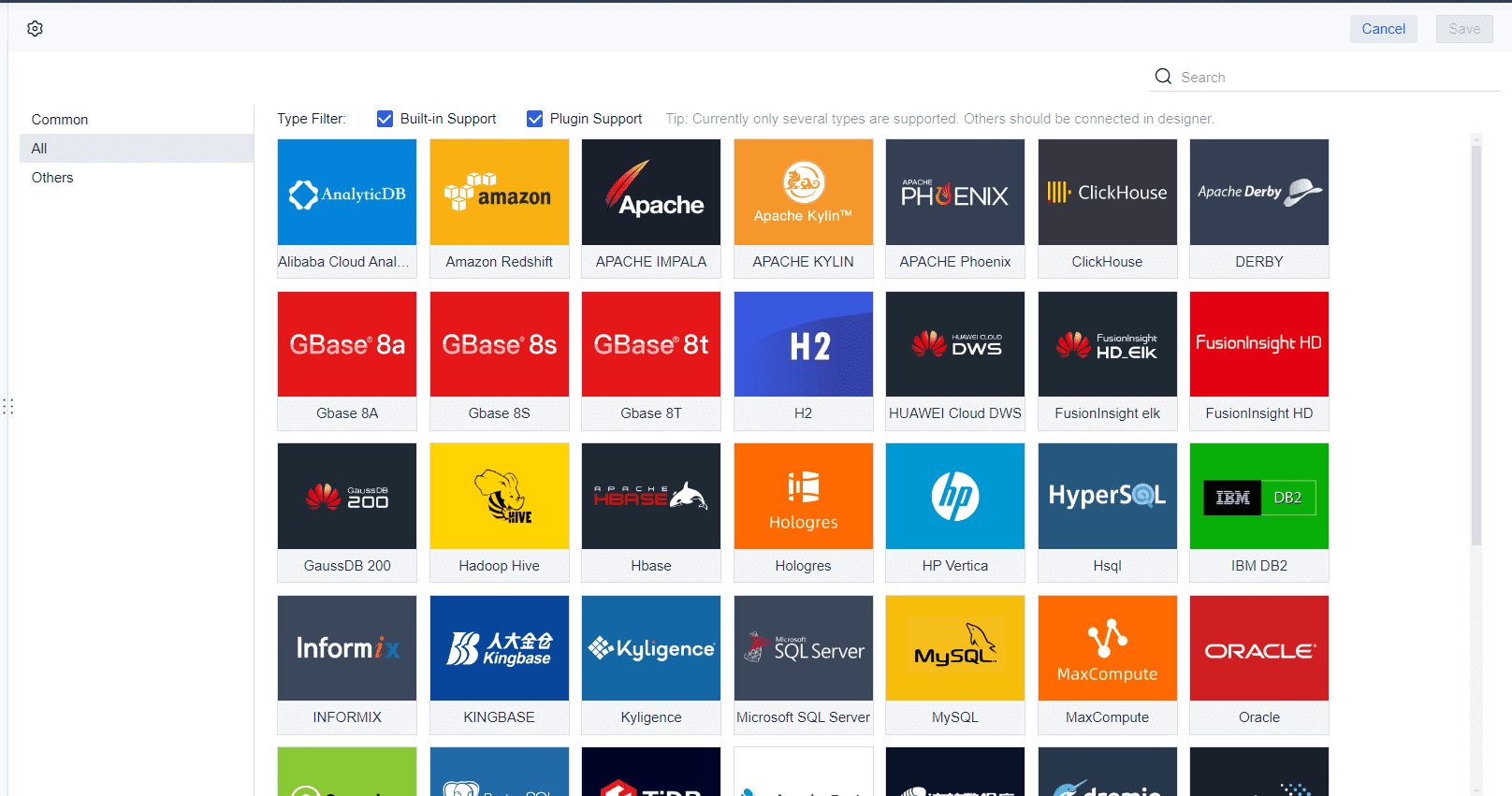
FineReport is especially relevant here because organizations often discover that the real challenge is not creating a mobile form. It is ensuring that the collected data can support dashboards, scheduled reports, operational analysis, and management review later.
3. Data quality features separate serious tools from basic apps
- One-sentence overview: Strong validation and structured input controls improve the reliability of every report submitted from the field.
- Key Features:
- Custom fields
- Conditional logic
- Attachments
- Signatures
- Validation rules
- Required fields
- Pros & Cons:
- Pros: Reduces errors at the source, improves compliance, simplifies review
- Cons: Overly rigid validation can frustrate users if poorly configured
- Best For: Compliance-heavy operations, regulated workflows, and organizations reporting to multiple stakeholders
These features matter because bad field data creates downstream reporting problems. A missing location, invalid date, incomplete photo evidence, or inconsistent category value can weaken the quality of dashboards and business decisions.
Key Questions to Ask Before Choosing a Tool
- One-sentence overview: The best buying questions focus on whether the tool can support both current field needs and future reporting demands.
- Key Features to evaluate:
- Can the tool handle both simple and complex forms?
- Will field data feed directly into dashboards and scheduled reports?
- How easily can non-technical teams update forms as business needs change?
- Pros & Cons:
- Pros: Encourages better software selection and fewer replacement projects later
- Cons: Requires a more strategic evaluation process
- Best For: Software buyers, operations managers, digital transformation teams, and department heads
If the answer to the second question is weak, the tool may be more of a form app than a true reporting platform. That distinction is central when comparing FineReport with traditional field reporting apps.
Field Report App: 7 Things To Look For In The Best App
1. Mobile usability and fast input
- One-sentence overview: The best app should help users complete reports quickly with minimal friction.
- Key Features:
- Clean mobile UI
- Fast load times
- Touch-friendly controls
- Repeatable entry patterns
- Pros & Cons:
- Pros: Better user adoption and faster reporting
- Cons: Some simple interfaces sacrifice flexibility
- Best For: Teams filing high volumes of reports each day
2. Offline capability and sync reliability
- One-sentence overview: A field report app must work consistently beyond office Wi-Fi.
- Key Features:
- Offline storage
- Background sync
- Recovery after interruption
- Reliable attachment upload
- Pros & Cons:
- Pros: Essential for field continuity
- Cons: Performance varies widely between vendors
- Best For: Remote and multi-site operations
3. Flexible form creation and reusable templates
- One-sentence overview: Teams need enough flexibility to standardize forms without locking themselves into rigid workflows.
- Key Features:
- Drag-and-drop builders
- Reusable templates
- Form versioning
- Conditional logic
- Pros & Cons:
- Pros: Supports consistency and faster rollout
- Cons: Template-only systems may become restrictive over time
- Best For: Teams balancing speed and customization
4. Photo, video, signature, and location capture
- One-sentence overview: Rich media and traceability features are now core reporting requirements.
- Key Features:
- Photo capture
- Video attachments
- Signature fields
- GPS tagging
- Timestamps
- Pros & Cons:
- Pros: Strong evidence trail and better accountability
- Cons: Requires good storage governance
- Best For: Audits, inspections, incident reporting, and compliance workflows
5. Real-time dashboards and exportable reports
- One-sentence overview: The best field reporting app should turn submitted data into usable insight, not just stored records.
- Key Features:
- Dashboards
- Scheduled reporting
- PDF and spreadsheet exports
- Trend analysis
- Summary views
- Pros & Cons:
- Pros: Improves management visibility and decision-making
- Cons: Many lightweight apps only provide basic exports
- Best For: Managers, analysts, and operations leaders
This is one of FineReport’s clearest strengths. While many field apps stop at collection and export, FineReport is built to transform collected data into formal reports, dashboards, and ongoing performance analysis.
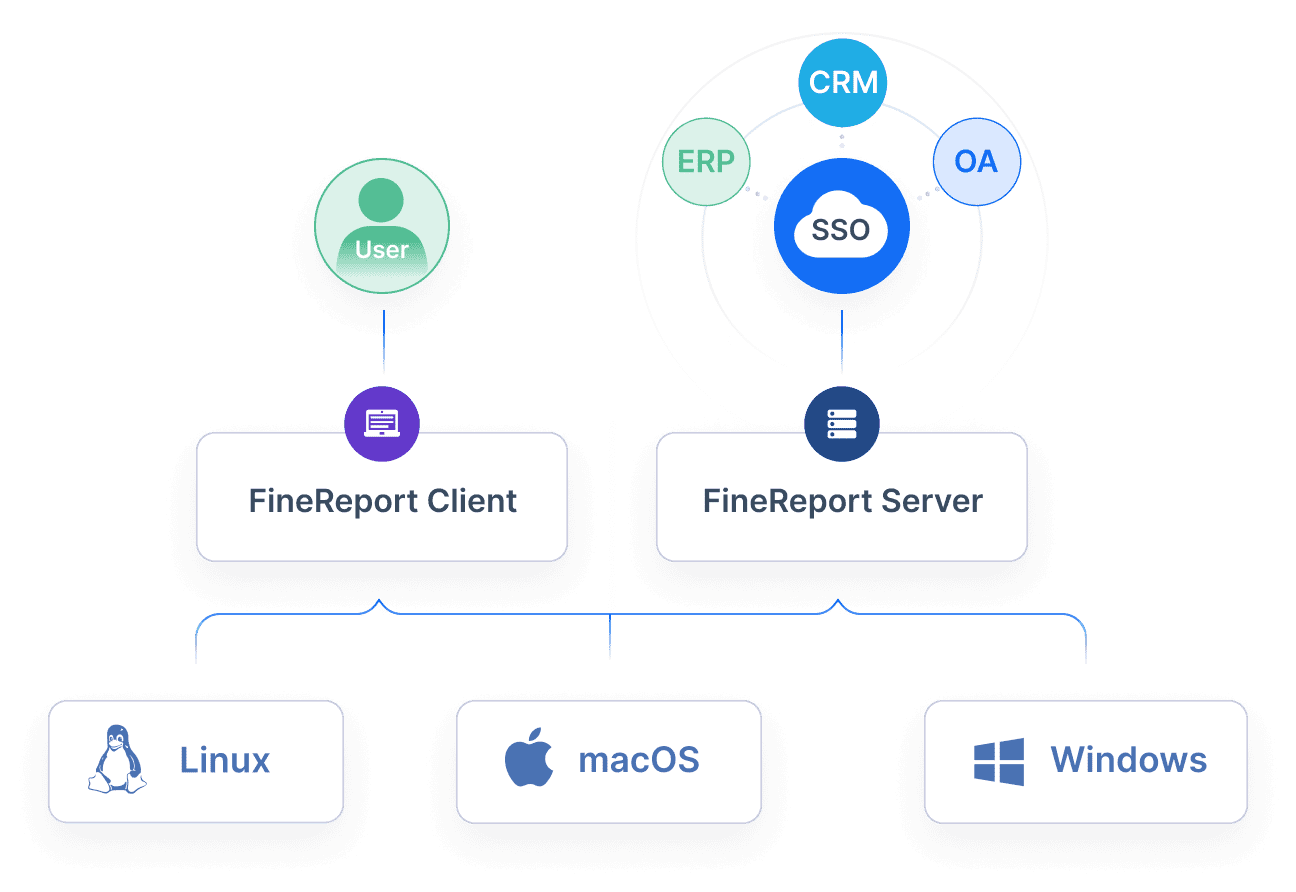
6. Integration with CRM, ERP, and project tools
- One-sentence overview: Field data is most valuable when it connects to the rest of the business.
- Key Features:
- API support
- Database connectivity
- CRM and ERP integration
- Workflow integration
- Pros & Cons:
- Pros: Reduces duplication and creates a stronger data pipeline
- Cons: Integration quality differs by platform and implementation resources
- Best For: Organizations managing field work across multiple systems
7. Security, permissions, and scalable administration
- One-sentence overview: As field reporting expands, governance becomes just as important as usability.
- Key Features:
- Role-based permissions
- Access control
- Audit trails
- Centralized administration
- Multi-team scalability
- Pros & Cons:
- Pros: Supports enterprise control and data protection
- Cons: More robust governance usually means more setup effort
- Best For: Growing organizations and enterprises with compliance requirements
How FineReport Compares With Popular Field Reporting App Recommendations
1. What most roundup lists include
- One-sentence overview: Most “best field reporting app” lists feature lightweight form apps, inspection tools, and field data collection platforms.
- Key Features commonly highlighted:
- Mobile forms
- Offline use
- Photo capture
- Templates
- Basic exports
- Pros & Cons:
- Pros: Helpful for identifying easy-to-deploy tools
- Cons: Often underweight reporting depth, workflow complexity, and enterprise analytics
- Best For: Buyers starting their market research
Most recommendation lists are useful, but they often compare products that belong to slightly different categories. Some are checklist apps. Some are inspection platforms. Some are GIS-oriented field tools. Some are broader operations systems. That can make it harder for buyers to see where FineReport fits.
2. FineReport occupies a different evaluation category
- One-sentence overview: FineReport should be evaluated not only as a field reporting app alternative, but as a platform for mobile data entry plus formal reporting and analysis.
- Key Features:
- Customized form workflows
- Advanced reports
- Dashboards
- Cross-functional reporting
- Enterprise integration
- Pros & Cons:
- Pros: Better alignment with organizations that need reporting maturity
- Cons: Not the lightest option for teams seeking only a quick checklist tool
- Best For: Businesses that want one platform to support field reporting and management reporting together
This matters because buyers often choose a fast field app first, then later add separate BI, dashboard, or reporting tools to fill gaps. FineReport can reduce that fragmentation when advanced reporting is already part of the requirement.
3. What marketplaces and app roundups may overlook
- One-sentence overview: Popular listings usually reveal usability signals, but they rarely tell the full story about reporting capability.
- Key Features often overlooked:
- Data modeling flexibility
- Dashboard sophistication
- Scheduled enterprise reporting
- Approval flow support
- Cross-department analytics
- Pros & Cons:
- Pros: Helps buyers avoid underbuying
- Cons: Requires deeper demos and requirement mapping
- Best For: Teams with compliance, management, or executive reporting needs
A top-rated app in an app marketplace may be excellent for field submission speed but still weak in report design, enterprise governance, or multi-source analysis.
What to Watch for in App Store and Google Play Listings
- One-sentence overview: Marketplace ratings are useful for checking usability, but not for judging enterprise reporting fitness.
- Key Features to assess beyond ratings:
- Does the app support custom workflows?
- Can it generate dashboards and formal reports?
- Is it suitable for compliance-heavy environments?
- Can it support enterprise permissions and integrations?
- Pros & Cons:
- Pros: Helps separate consumer-style convenience from business-grade reporting capability
- Cons: Requires hands-on evaluation rather than relying on star ratings
- Best For: Buyers comparing high-rated mobile apps with more robust reporting platforms
When evaluating listings, look past the screenshots. Ask whether the product supports the reporting environment your business will need in one year, not just what the field team needs this week.
Which Option Is Better for Your Team?
1. Choose traditional apps when speed and simplicity matter most
- One-sentence overview: Traditional field reporting apps are often the better choice for teams that need quick setup and straightforward mobile submissions.
- Key Features:
- Simple deployment
- Easy-to-learn forms
- Standard templates
- Lower setup effort
- Pros & Cons:
- Pros: Fast time to value, suitable for smaller or narrower workflows
- Cons: Can become limiting as reporting needs expand
- Best For: Small businesses, contractors, and teams with basic field documentation requirements
If your workflow is mainly about collecting standard reports and forwarding them quickly, a lighter app may be the most practical option.
2. Choose FineReport when field reporting feeds business decisions
- One-sentence overview: FineReport is the stronger option for organizations that need custom forms, advanced reporting, and better decision support from field data.
- Key Features:
- Customizable mobile reporting workflows
- Dashboard and report generation
- Integration with enterprise systems
- Multi-role reporting and analysis
- Better support for complex reporting structures
- Pros & Cons:
- Pros: Strong long-term value, better visibility, fewer reporting silos
- Cons: More strategic implementation than a basic app
- Best For: Enterprises, multi-site operators, regulated industries, and teams scaling beyond simple mobile forms
For these use cases, FineReport is not just an alternative to a field reporting app. It is often a more complete reporting foundation.
3. A practical decision framework
- One-sentence overview: The right choice depends on workflow complexity, reporting requirements, budget, and growth plans.
- Key Features to compare:
- Workflow complexity: simple checklist or multi-step process?
- Reporting needs: raw submissions or dashboard-ready analysis?
- Budget: lowest upfront cost or stronger long-term platform value?
- Growth plans: one team today or multiple departments tomorrow?
- Pros & Cons:
- Pros: Creates a clearer buying decision
- Cons: May show that a low-cost app is not the cheapest option over time
- Best For: Any organization comparing FineReport with traditional field reporting app options
A useful rule of thumb is simple:
- Choose a traditional field reporting app if you need fast, standardized submissions with minimal setup.
- Choose FineReport if you need mobile field data collection and robust reporting, dashboards, approvals, and cross-department analysis from the same workflow.
For 2026, that distinction is what separates a basic field tool from a reporting platform built for operational decision-making.
FAQs
The most important features are fast mobile data capture, offline use, photo and signature support, GPS and timestamp tracking, and reliable syncing. Strong reporting, integrations, and workflow support also matter for teams that need more than simple form submission.




