

Expenses report software is a tool that helps small and midsize businesses capture receipts, enforce policy, route approvals, reimburse employees, and sync expense data with accounting systems.
Best expenses report software for SMBs in 2026 at a glance
Below is a practical comparison of leading expenses report software options for SMBs, with FineBI listed first for teams that want stronger spend visibility and reporting alongside expense workflow oversight.
| Tool | Pricing Model | Ideal Company Size | Standout Features | Reimbursement Speed | Mobile App Quality | Accounting Integrations |
|---|---|---|---|---|---|---|
| FineBI | Custom pricing | SMBs to multi-entity businesses | Advanced expense analytics, dashboarding, cross-system reporting, finance visibility | Depends on connected workflow tools | Strong for reporting access; depends on connected submission stack | Broad database and business system connectivity |
| Expensify | From low per-user pricing; free individual option | Small teams to growing SMBs | Receipt scanning, simple approvals, BYOC card support, global reimbursement options | Often fast, including next-business-day scenarios in some setups | Very strong | QuickBooks, Xero, NetSuite, Sage Intacct, Gusto, more |
| BILL Spend & Expense | Free core tier with paid add-ons/features | SMBs to mid-market | AP + expense + card controls in one workflow | Fast when using card-led flows and integrated finance ops | Strong | QuickBooks, NetSuite and broader BILL ecosystem |
| Ramp | Free base platform; paid upgrades for advanced capabilities | Startups to mid-market SMBs | Corporate cards, spend controls, automation, real-time visibility | Fast for card-first environments; reimbursements vary by workflow | Strong | QuickBooks, Xero, NetSuite, ERP options |
| Zoho Expense | Free for very small teams; affordable per-active-user tiers | Small businesses and growing SMBs | OCR receipts, mileage, travel features, active-user pricing | Good for SMB reimbursement workflows | Strong | QuickBooks, Xero, Zoho Books, payroll/business apps |
| SAP Concur | Quote-based | Larger SMBs, multi-country teams, upper mid-market | Deep compliance controls, configurable workflows, travel-expense linkage | Strong but can depend on implementation complexity | Mature and capable | QuickBooks, Xero, NetSuite, SAP ecosystem, many more |
| Rydoo | Per-user pricing | SMBs with travel-heavy teams | Mobile-first expense capture, automation, travel support | Often positioned for faster reimbursements | Very strong | Accounting and HR integrations vary by plan |
| Emburse | Custom / quote-based | Growing finance teams and policy-heavy SMBs | Configurable controls, approvals, travel and expense depth | Good for structured finance teams | Strong | ERP, accounting, travel ecosystem integrations |
| Everlance | Lower-cost per-user plans | Field teams, mileage-heavy businesses | IRS-style mileage tracking, mobile expense logging | Good for simple reimbursement use cases | Very strong | Limited compared with broader enterprise suites |
| FreshBooks | Subscription-based accounting platform | Very small businesses and service firms | Accounting plus basic expense tracking in one platform | Good for basic workflows, less specialized | Strong | Best within FreshBooks-led accounting workflows |
Fast takeaways
- Best overall for analytics-led finance visibility: FineBI
- Best for fast employee adoption and receipt capture: Expensify
- Best for combined AP, card spend, and expense control: BILL Spend & Expense
- Best for startup cost control and card-led spend management: Ramp
- Best for budget-conscious SMBs: Zoho Expense
- Best for complex policy and compliance needs: SAP Concur
- Best for mileage-heavy or field-based teams: Everlance
- Best for travel-heavy mobile users: Rydoo
Which tools fit which SMB profile
- Lean startups: Ramp, Zoho Expense, Expensify
- Growing SMB finance teams: FineBI, BILL Spend & Expense, Expensify, Emburse
- Multi-entity businesses: FineBI, SAP Concur, BILL Spend & Expense
- Frequent employee travel: Expensify, SAP Concur, Rydoo, Zoho Expense
How we compared pricing, integrations, and reimbursement workflows of expenses report software
Choosing expenses report software is rarely just about the monthly fee. SMBs usually feel the impact in three places: total software cost, how well the tool connects to the existing finance stack, and how quickly it moves employees from submission to reimbursement.
Pricing and total cost of ownership
We looked at:
- Monthly vs annual pricing
- Per-user or per-active-user charges
- Free plans and trial options
- Implementation and onboarding effort
- Paid upgrades for policy controls, cards, or ERP sync
- Hidden costs tied to support, admin time, and approval complexity
For SMBs, the cheapest sticker price is not always the lowest total cost. A tool can look affordable but become expensive if:
- Approval workflows are too rigid and require manual workarounds
- Corporate card management is locked behind a higher tier
- International reimbursement requires external payment tools
- Finance teams need manual exports to close the books
- Advanced reporting requires separate BI software
This is one reason FineBI deserves early consideration. While it is not a pure-play expense app in the same way as some mobile-first products, it helps SMB finance teams centralize expense data from multiple systems and turn reimbursement, spend, and policy data into actionable reporting. For companies that have outgrown basic point solutions, that reporting layer can reduce the real cost of fragmented tools.
Integrations and ecosystem fit
The best expenses report software should fit the systems your team already uses, not force unnecessary replacement projects.
We compared:
- Accounting integrations such as QuickBooks, Xero, NetSuite, and Sage Intacct
- Payroll and HR connections
- ERP support
- Travel booking and e-receipt ecosystem links
- Corporate card feeds and bank connectivity
- API availability
- Sync reliability and setup effort
For small business finance teams, integration quality matters because poor syncing creates duplicate work. If an expense tool cannot reliably push approved transactions into your GL, the “automation” benefit disappears at month-end.
FineBI stands out here because it is useful when your expense data lives across more than one platform. If your organization uses separate accounting, reimbursement, payroll, or card systems, FineBI can help unify that data into dashboards for finance leadership, branch-level managers, and multi-entity reporting teams.
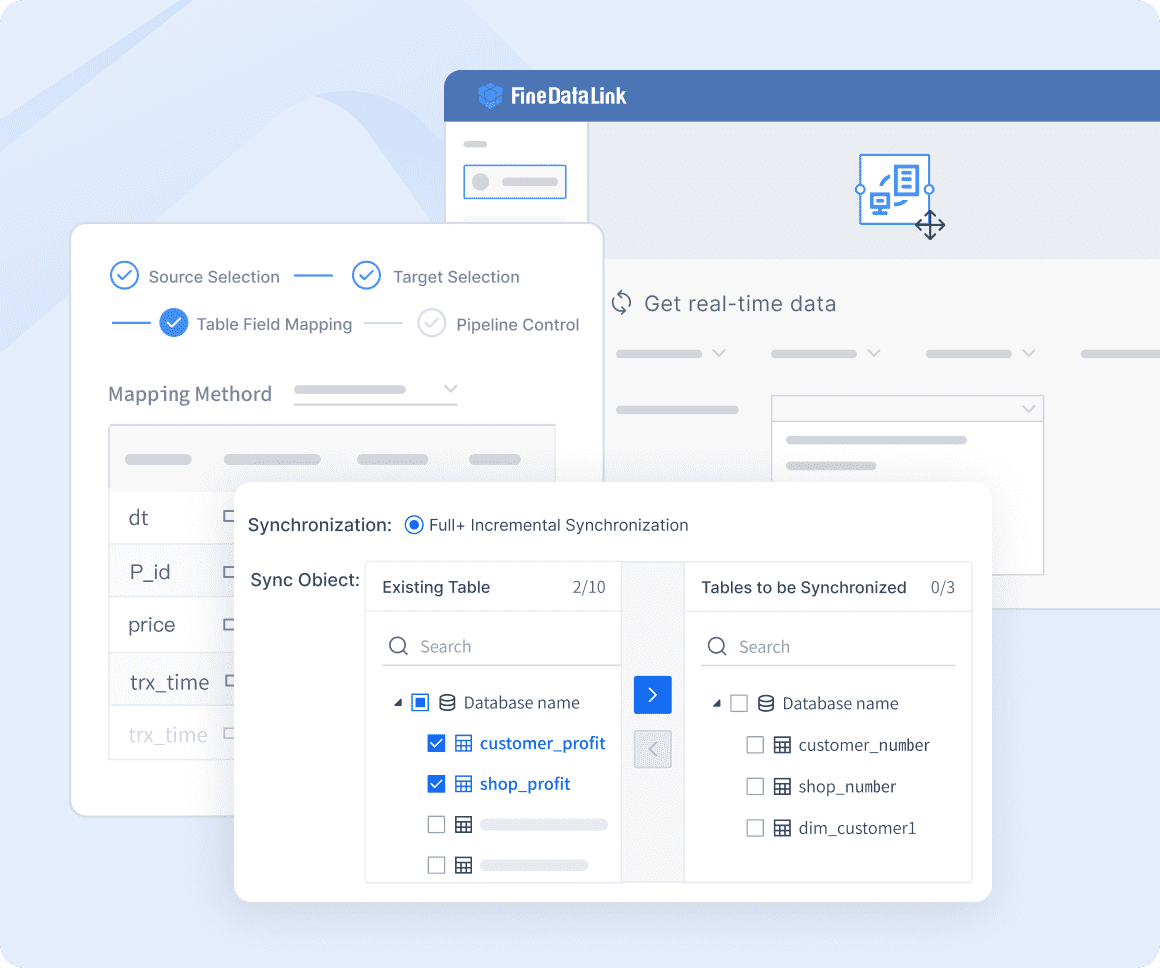 Real-time data integration
Reimbursement workflow and automation criteria
We evaluated each tool on workflow efficiency, including:
- Receipt scanning accuracy
- Mobile submission simplicity
- Mileage tracking
- Policy enforcement
- Approval routing flexibility
- Speed of reimbursement processing
- Audit trail quality
- Automation that reduces manual entry
Good expenses report software should do more than collect receipts. It should shorten the path between purchase, review, approval, reimbursement, and reconciliation.
For SMBs, the most valuable workflow automations usually include:
- OCR receipt capture
- Auto-categorization
- Policy flagging before approval
- Auto-matching receipts to card transactions
- Mobile approvals for managers
- Direct sync to accounting or payroll
- Real-time dashboards for pending reimbursements and exception trends
Side-by-side comparison of the top SMB expenses report software
FineBI
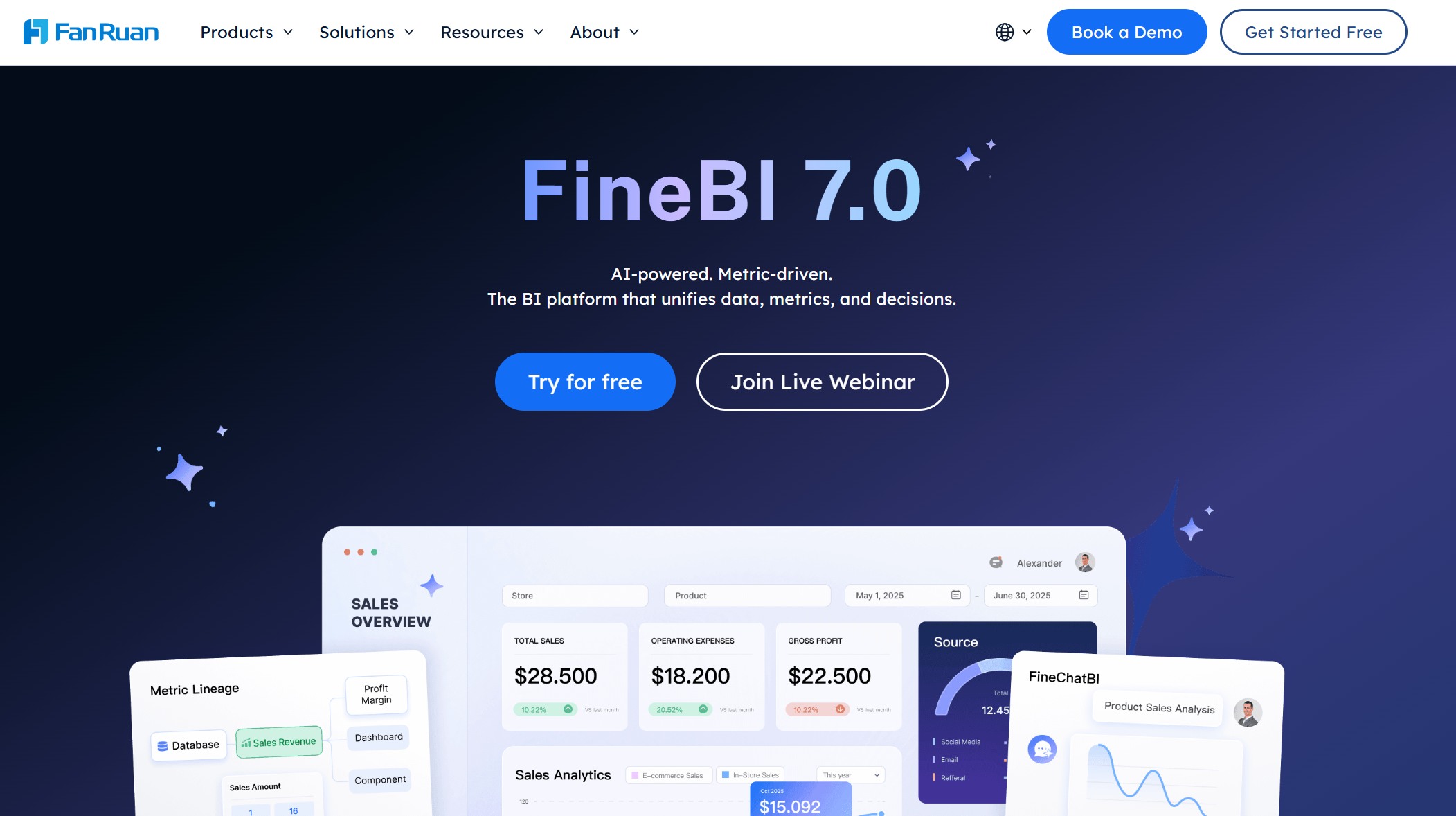
- One-sentence overview: FineBI is best for SMBs that want expense reporting visibility, multi-system analysis, and stronger finance dashboards beyond basic reimbursement processing.
- Key Features:
- Interactive dashboards for expense trends, reimbursement cycles, and policy exceptions
- Cross-system data integration for accounting, ERP, and operational datasets
- Self-service analytics for finance and department managers
- Multi-entity and multi-department reporting views
- Visual monitoring of reimbursement bottlenecks and budget variance
- Pros & Cons:
- Pros:
- Strong analytical depth compared with standard expense apps
- Useful for businesses managing multiple entities or systems
- Helps finance teams monitor spend patterns, approval lag, and compliance trends
- Good fit when leadership wants reporting beyond static expense exports
- Cons:
- Not a lightweight plug-and-play receipt app by itself
- Best value comes when paired with existing transaction or workflow systems
- Requires clarity on data model and reporting objectives
- Pros:
- Best For (Target user/scenario):
- SMB finance teams that already have expense workflows but need better reporting
- Multi-entity companies
- Growing businesses that want to promote FineBI as the analytics layer for expense oversight and decision-making
Why it ranks first: Most SMB roundups focus only on submission and reimbursement. In practice, finance leaders also need visibility into who is overspending, where approvals stall, how reimbursement cycles affect employee experience, and how expenses roll up by entity, project, or department. FineBI addresses that gap well.
Website: https://www.fanruan.com/en/finebi
Expensify
- One-sentence overview: Expensify is a strong choice for SMBs that want easy receipt capture, simple approvals, and a smooth employee submission experience.
- Key Features:
- Mobile receipt scanning
- Email and app-based receipt capture
- Mileage tracking
- Approval workflows
- Bring-your-own-card support
- Global reimbursement support in many cases
- Accounting integrations across common SMB stacks
- Pros & Cons:
- Pros:
- Very easy for employees to learn
- Strong mobile app and receipt capture
- Good range of accounting integrations
- Suitable for travel-heavy teams
- Cons:
- Advanced controls may be lighter than more finance-centric platforms
- Costs can rise with larger user counts or broader feature needs
- Some businesses may outgrow its workflow simplicity
- Pros:
- Best For (Target user/scenario):
- Small to midsize businesses prioritizing ease of use
- Teams with frequent receipt submissions
- Companies that need fast adoption with minimal training
Website: https://www.expensify.com/
BILL Spend & Expense
- One-sentence overview: BILL Spend & Expense is best for SMBs that want expenses, card controls, and accounts payable workflows connected in one finance operations environment.
- Key Features:
- Physical and virtual cards
- Budget and spend controls
- Expense categorization
- Reimbursement workflows
- AP workflow adjacency within the BILL ecosystem
- Reporting and approval tools
- Pros & Cons:
- Pros:
- Strong fit for finance-led control
- Useful when card spend and expense reimbursement need one system
- Good for reducing fragmented AP and expense processes
- Attractive pricing for core functionality
- Cons:
- Best value often comes if you adopt more of the BILL ecosystem
- Employee UX can feel more finance-centric than ultra-simple apps
- Some advanced needs may require add-ons or deeper setup
- Pros:
- Best For (Target user/scenario):
- SMBs wanting tighter control over employee spending
- Finance teams managing both reimbursements and card-based spend
- Businesses looking to consolidate spend operations
Website: https://www.bill.com/product/spend-and-expense
Ramp, Zoho Expense, and SAP Concur
Ramp
- One-sentence overview: Ramp is best for startups and fast-growing SMBs that want expense management wrapped into a broader spend control and card platform.
- Key Features:
- Corporate cards with limits and controls
- Automated spend categorization
- Approval workflows
- Real-time spend visibility
- Accounting sync
- Budget tracking
- Pros & Cons:
- Pros:
- Strong cost-control orientation
- Free entry point is appealing for startups
- Good automation for card-first companies
- Useful finance visibility from a single platform
- Cons:
- Best fit is often card-led spending, not reimbursement-only environments
- Some advanced integrations may sit behind higher tiers
- Less ideal if your team wants a simple standalone expense report tool
- Pros:
- Best For (Target user/scenario):
- Startups and SMBs standardizing on corporate cards
- Finance teams focused on prevention and policy control before spend happens
Website: https://ramp.com/
Zoho Expense
- One-sentence overview: Zoho Expense is best for budget-conscious SMBs that need solid expense reporting, mileage, and approvals without enterprise pricing.
- Key Features:
- OCR receipt scanning
- Multi-level approvals
- Mileage tracking
- Travel and per diem support
- Active-user pricing
- Integrations with accounting tools and Zoho ecosystem products
- Pros & Cons:
- Pros:
- Low upfront cost
- Good breadth for SMBs
- Flexible enough for growing teams
- Good mobile usability
- Cons:
- UI and admin setup may feel less polished than premium competitors
- Deep customization is not as extensive as enterprise suites
- Best experience may come if you already use other Zoho products
- Pros:
- Best For (Target user/scenario):
- Small businesses watching software costs
- Teams that need reimbursement, mileage, and travel basics in one tool
Website: https://www.zoho.com/expense/
SAP Concur
- One-sentence overview: SAP Concur is best for SMBs with complex policy, compliance, travel, and international expense requirements.
- Key Features:
- Highly configurable workflows
- Strong compliance controls
- Travel-expense integration
- Receipt automation
- Audit and exception management
- Broad integration ecosystem
- Pros & Cons:
- Pros:
- Very strong compliance and workflow depth
- Good for global or policy-heavy environments
- Mature ecosystem and long-term scalability
- Suitable for more complex approval structures
- Cons:
- Quote-based pricing can be harder for smaller businesses to justify
- Implementation may be heavier than SMBs want
- User experience can feel more complex than lightweight apps
- Pros:
- Best For (Target user/scenario):
- Upper-SMB and mid-market companies
- Multi-country teams
- Businesses with formal travel and audit requirements
Website: https://www.concur.com/
Other app-based tools worth considering
Rydoo
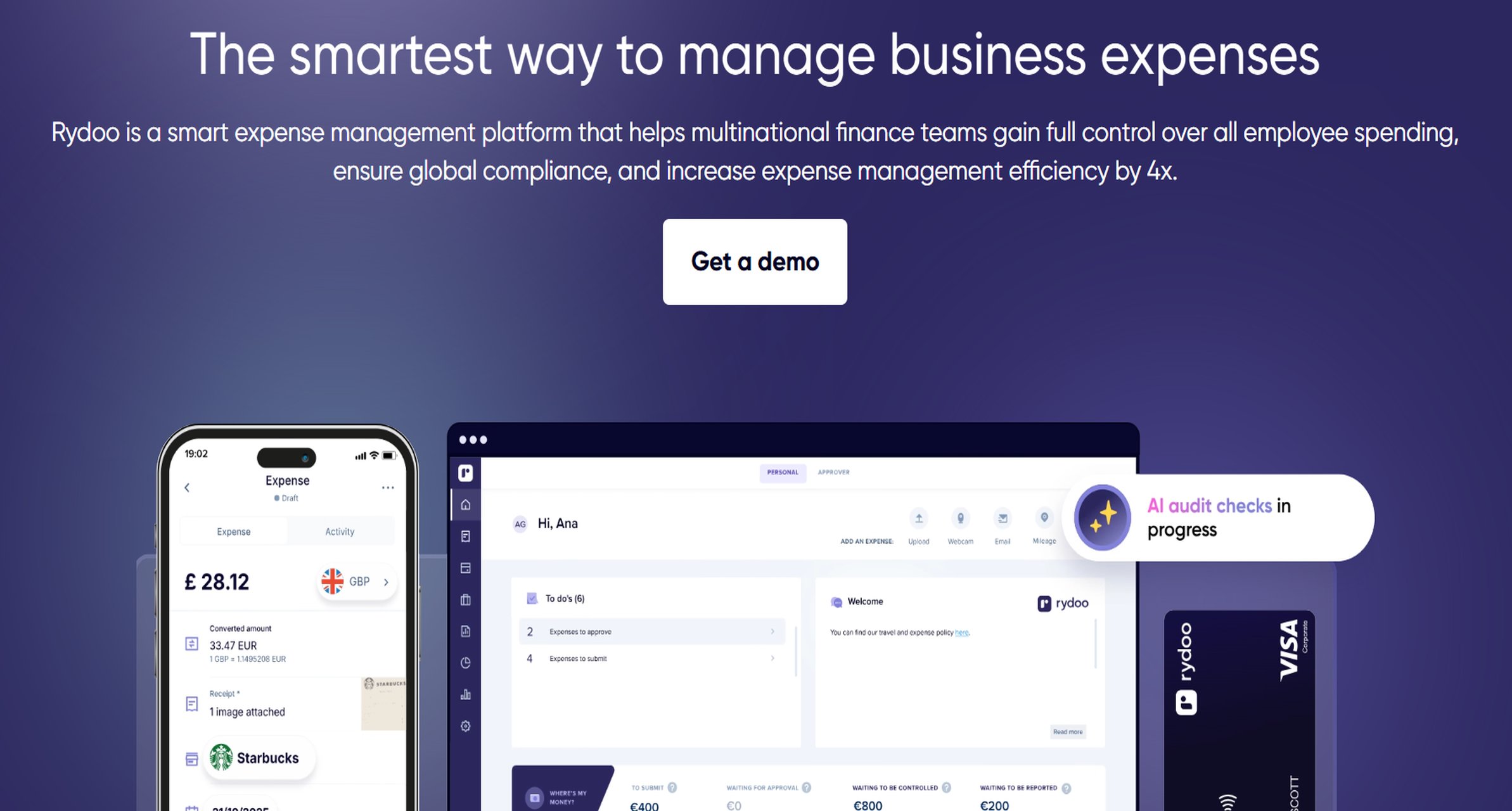
- One-sentence overview: Rydoo is a mobile-first expense tool focused on fast receipt capture, travel-related workflows, and automation.
- Key Features:
- Mobile expense entry
- OCR capture
- Travel booking connections
- Approval automation
- International usability
- Pros & Cons:
- Pros:
- Strong mobile experience
- Good for frequent travelers
- Streamlined for on-the-go submissions
- Cons:
- Can be relatively costly for smaller teams
- Integration depth may vary by plan and region
- Pros:
- Best For (Target user/scenario):
- Travel-heavy SMBs
- Teams that submit most expenses from mobile devices
Website: https://www.rydoo.com/
Emburse
- One-sentence overview: Emburse is suited to growing finance teams that need stronger controls and configurable workflows than basic expense apps offer.
- Key Features:
- Policy controls
- Approval routing
- Travel and invoice-related capabilities
- Reporting and analytics
- Enterprise-style configuration
- Pros & Cons:
- Pros:
- Good control depth
- Scales well into more structured finance environments
- Helpful for policy-heavy companies
- Cons:
- May be more than very small SMBs need
- Cost and setup can exceed simpler alternatives
- Pros:
- Best For (Target user/scenario):
- Scaling SMBs with formal approval and audit needs\
Website: https://www.emburse.com/
Everlance
- One-sentence overview: Everlance is a practical low-cost option for mileage-heavy businesses and field teams.
- Key Features:
- Automatic mileage tracking
- Mobile expense logging
- Receipt storage
- Tax-friendly reporting
- Pros & Cons:
- Pros:
- Very good for mileage use cases
- Simple mobile-first setup
- Lower cost than broad expense suites
- Cons:
- Narrower feature set for complex expense programs
- Limited finance-stack depth compared with broader platforms
- Pros:
- Best For (Target user/scenario):
- Service businesses
- Sales teams
- Field operations with heavy driving reimbursement
Website: https://www.everlance.com/
FreshBooks
- One-sentence overview: FreshBooks works best for very small businesses that want basic expense tracking inside an accounting platform.
- Key Features:
- Expense tracking
- Receipt capture
- Accounting and invoicing
- Basic reporting
- Pros & Cons:
- Pros:
- Simple all-in-one environment for small firms
- Good for freelancers and service businesses
- Easy accounting adjacency
- Cons:
- Not specialized enough for complex expense workflows
- Limited policy and approval sophistication
- Pros:
- Best For (Target user/scenario):
- Microbusinesses and service firms with lightweight needs
Which expenses report software is best for different SMB use cases
Best for the lowest upfront cost
If your goal is core expense tracking without major upfront investment, these are the strongest options:
- Zoho Expense for affordable SMB pricing and a free entry tier
- Ramp for startups comfortable with a card-led spend model
- BILL Spend & Expense for businesses attracted to a free core platform
- Everlance for simple mileage and mobile expense use cases
Best choice: Zoho Expense for reimbursement-focused SMBs that want broad capability at a controlled price.
Best for automation and policy control
If your business needs stronger guardrails, approval logic, and less manual checking:
- BILL Spend & Expense for combining spend control with operational finance workflows
- Ramp for proactive controls in card-first environments
- SAP Concur for complex compliance and configurable routing
- Emburse for policy-heavy finance teams
Best choice: BILL Spend & Expense for most SMBs; SAP Concur if policy complexity is unusually high.
Best for accounting and payroll integration
If reducing reconciliation work is the top priority:
- Expensify for broad SMB accounting integrations
- BILL Spend & Expense for close adjacency with finance workflows
- Ramp for modern accounting sync and automation
- FineBI for consolidating expense data visibility across accounting and operational systems
Best choice: Expensify for direct SMB-friendly integrations; FineBI if you need reporting across multiple connected systems rather than just transactional sync.
Best for reimbursement speed and employee experience
If employee adoption, mobile usability, and fast reimbursement are key:
- Expensify for fast receipt capture and simple submission
- Rydoo for mobile-first travelers
- Zoho Expense for balanced SMB usability
- Everlance for mileage and field-team simplicity
Best choice: Expensify for the best balance of employee ease and finance team practicality.
Key pros, cons, and buying considerations before you choose the expenses report software
Questions to ask before switching software
Before choosing new expenses report software, ask:
- How many expense reports do we process monthly?
- Do we reimburse employees only, or do we also need corporate cards?
- How many approval layers are required?
- Do we need mileage tracking or per diem support?
- Do we reimburse across multiple countries or currencies?
- Which accounting or payroll tools must sync reliably?
- Do we need audit-ready controls today, or only basic approvals?
- Will finance leadership need dashboards and spend analytics by entity, department, or project?
These questions often determine whether you need a lightweight app, a spend management platform, or a reporting layer like FineBI in addition to a workflow tool.
Common implementation pitfalls for SMBs
The most common mistakes are not technical. They come from misalignment between the software and the actual finance process.
1. Overbuying enterprise features
Many SMBs choose a highly configurable platform and then use only 20% of it. If your policy structure is simple, heavyweight configuration may slow adoption.
2. Underestimating change management
Even the best expenses report software fails if employees do not understand:
- how to submit receipts
- when to code expenses
- who approves what
- how reimbursement timing works
A short rollout plan with test users usually improves success more than adding more features.
3. Choosing weak integrations
If finance still has to export CSV files and manually map categories every month, the software is not saving enough time. Always test:
- GL mapping
- class or department sync
- vendor/employee mapping
- tax handling
- reimbursement exports
4. Ignoring mobile usability
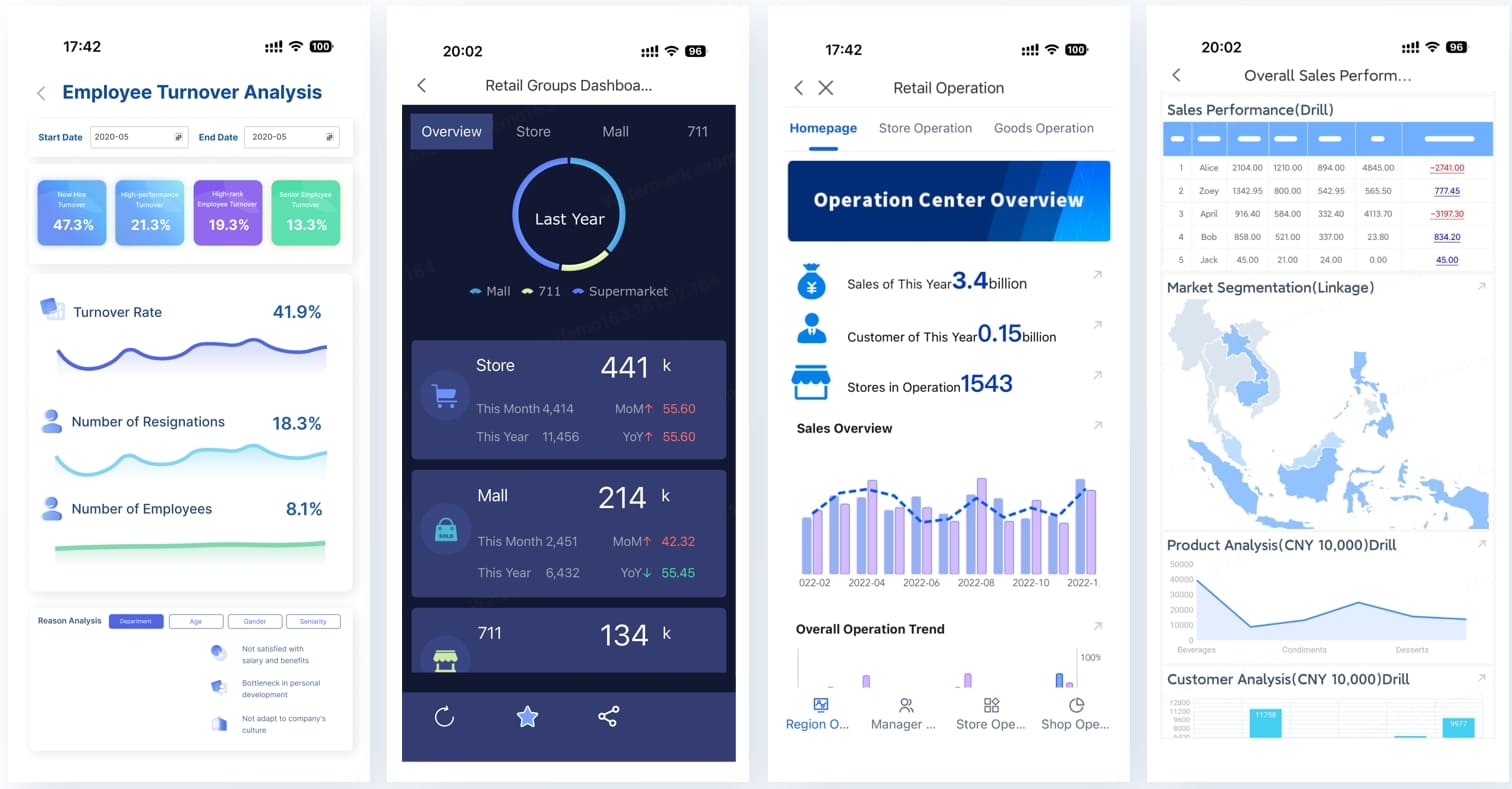
For travel, field service, and sales teams, mobile usability is not optional. Test whether employees can:
- scan receipts quickly
- create reports with minimal typing
- track mileage easily
- see reimbursement status clearly
 FineBI Mobile
5. Failing to test policy enforcement before rollout
A tool may advertise policy automation, but SMBs should verify whether it can actually handle:
- receipt-required thresholds
- category limits
- duplicate detection
- manager escalation
- exception routing
Final recommendation framework
Use this simple framework to choose the right expenses report software:
Choose FineBI if:
- You already have expense workflows but lack unified reporting
- You manage multiple entities, departments, or systems
- Finance leaders need dashboard-level spend intelligence
- You want to promote FineBI as the analytics hub for expense visibility and operational oversight
Choose Expensify if:
- Employee experience is your top priority
- You need fast receipt capture and straightforward approvals
- Your team wants strong accounting integrations without heavy setup
Choose BILL Spend & Expense if:
- You want tighter finance control across cards, expenses, and AP
- Your finance team prefers one operational spend environment
- Policy enforcement matters more than ultra-simple employee UX
Choose Ramp if:
- You are a startup or growth-stage SMB
- You prefer corporate cards and proactive spend control
- You want low upfront cost and automation
Choose Zoho Expense if:
- Budget is a major concern
- You want a balanced SMB feature set
- You need mileage, approvals, and reimbursement without enterprise pricing
Choose SAP Concur if:
- Your expense program is complex
- Travel and compliance are tightly linked
- You need deep workflow configuration and global support
Final verdict
For most SMBs, the best expenses report software depends on whether your primary pain point is submission, control, or visibility.
- If you want the easiest employee experience, choose Expensify.
- If you want stronger spend controls across finance operations, choose BILL Spend & Expense.
- If you want a low-cost SMB option, choose Zoho Expense.
- If you need enterprise-grade complexity, choose SAP Concur.
- If you need to see expense performance across systems, entities, and departments, choose FineBI first.
That last category is increasingly important in 2026. Many SMBs no longer struggle only with capturing receipts. They struggle with fragmented financial visibility. If your team needs more than a basic expense app, FineBI is one of the strongest options for turning expense data into decisions.
FAQs
Expense report software helps small and midsize businesses capture receipts, route approvals, enforce spending policies, reimburse employees, and sync approved expenses to accounting systems. It replaces manual spreadsheets, paper receipts, and email-based approvals with a more automated workflow.




