

You need executive dashboard software to keep your business competitive in 2025. Here are the 12 top executive solutions:
- FineBI
- Tableau
- Power BI
- Domo
- Looker
- Sisense
- Klipfolio
- Zoho Analytics
- Qlik Sense
- Databox
- Geckoboard
- Smartsheet
When you evaluate dashboard software, focus on features that matter most for business reporting. These include visual customization, mobile access, and seamless data integration. The table below shows common selection criteria executives use:
| Category | Criteria |
|---|---|
| Visual Features | Customization, Drag-and-Drop, Dashboard Component Graphics |
| Infrastructure and Platform | Cloud-Based, Platform Support, Mobile Options |
| Data Features | Data Blending, Drill Down, Multi-Source Access |
| User Features | Multi-User, Sharing Control, Collaboration Tools |
Top Executive Dashboard Software Comparison
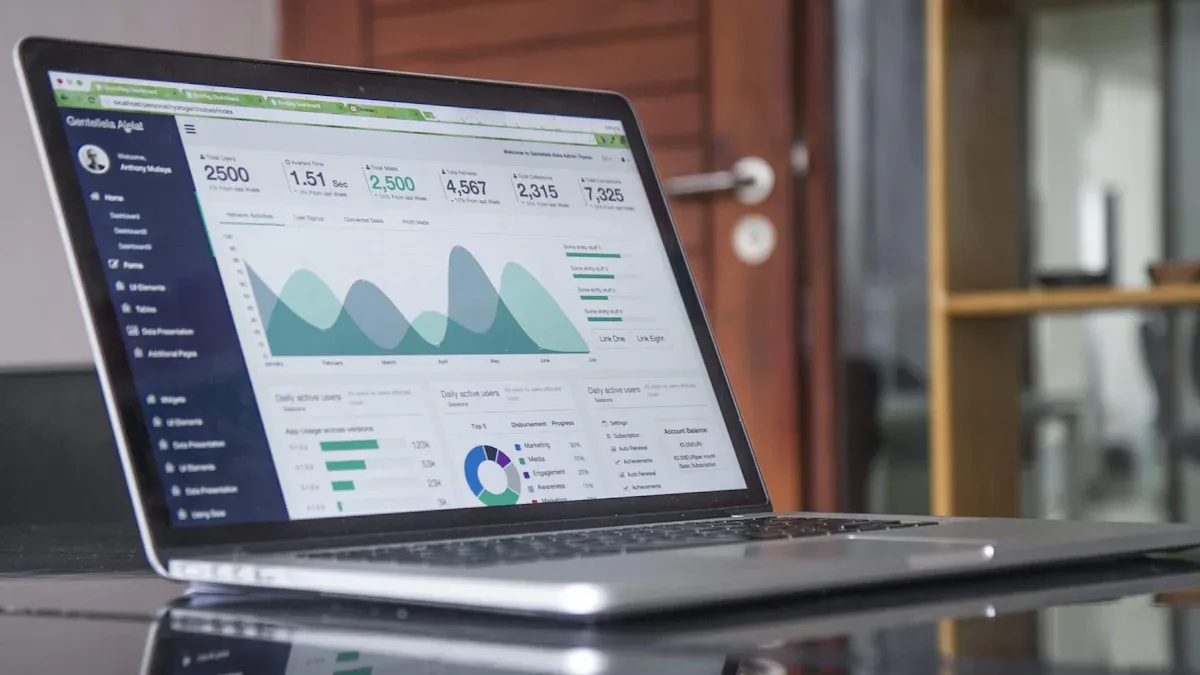
Quick Overview Table
You want to choose dashboard software that fits your business needs. The table below gives you a quick look at the top 12 executive dashboard software tools for 2025. You can see which platforms offer cloud support, mobile access, and self-service analytics.
| Software Tool | Cloud Support | Mobile Access | Self-Service Analytics | Best For |
|---|---|---|---|---|
| FineBI | Yes | Yes | Yes | Enterprise, Analytics |
| Tableau | Yes | Yes | Yes | Visualization, BI Teams |
| Power BI | Yes | Yes | Yes | Microsoft Ecosystem |
| Domo | Yes | Yes | Yes | Real-Time Data |
| Looker | Yes | Yes | Yes | Google Cloud Users |
| Sisense | Yes | Yes | Yes | Embedded Analytics |
| Klipfolio | Yes | Yes | Yes | SMBs, Agencies |
| Zoho Analytics | Yes | Yes | Yes | Budget-Friendly BI |
| Qlik Sense | Yes | Yes | Yes | Data Discovery |
| Databox | Yes | Yes | Yes | Marketing, Sales |
| Geckoboard | Yes | Yes | Yes | KPI Dashboards |
| Smartsheet | Yes | Yes | Yes | Project Management |
Feature Highlights
You get a range of features with these dashboard solutions. FineBI stands out with its drag-and-drop dashboard creation, real-time filtering, and enterprise-grade governance. Tableau gives you advanced visualization and interactive dashboards. Power BI integrates well with Microsoft tools and offers strong data modeling. Domo provides real-time data streaming and collaboration. Looker connects deeply with Google Cloud and supports custom modeling. Sisense lets you embed analytics into your own apps. Klipfolio is easy for small teams and agencies. Zoho Analytics offers affordable analytics with AI insights. Qlik Sense focuses on data discovery and associative exploration. Databox helps you track marketing and sales metrics. Geckoboard makes KPI dashboards simple. Smartsheet combines dashboards with project management.
Tip: You should look for dashboard software that matches your team's workflow and data sources.
Pricing Summary
Pricing for executive dashboard software varies. You pay per user, per month for most tools. For example, Smartsheet starts at $12 and goes up to $25 per user each month. monday work management ranges from $9 to $24. Wrike costs between $10 and $25. FineBI and other enterprise dashboard software tools may offer custom pricing based on your needs. You should compare pricing plans and features before you decide.
Dashboard Software Overview
What Makes a Great Dashboard Tool
When you choose executive dashboard software, you want a solution that brings clarity and speed to your business decisions. The best dashboard software gives you improved visibility, enhanced decision-making, increased efficiency, and better collaboration. These features help you see the big picture and act quickly.
| Feature | Description |
|---|---|
| Improved Visibility | Gain a comprehensive understanding of your business performance. |
| Enhanced Decision-Making | Make faster, data-backed decisions. |
| Increased Efficiency | Save time by accessing all key data in one place. |
| Better Collaboration | Foster data transparency and collaboration across teams. |
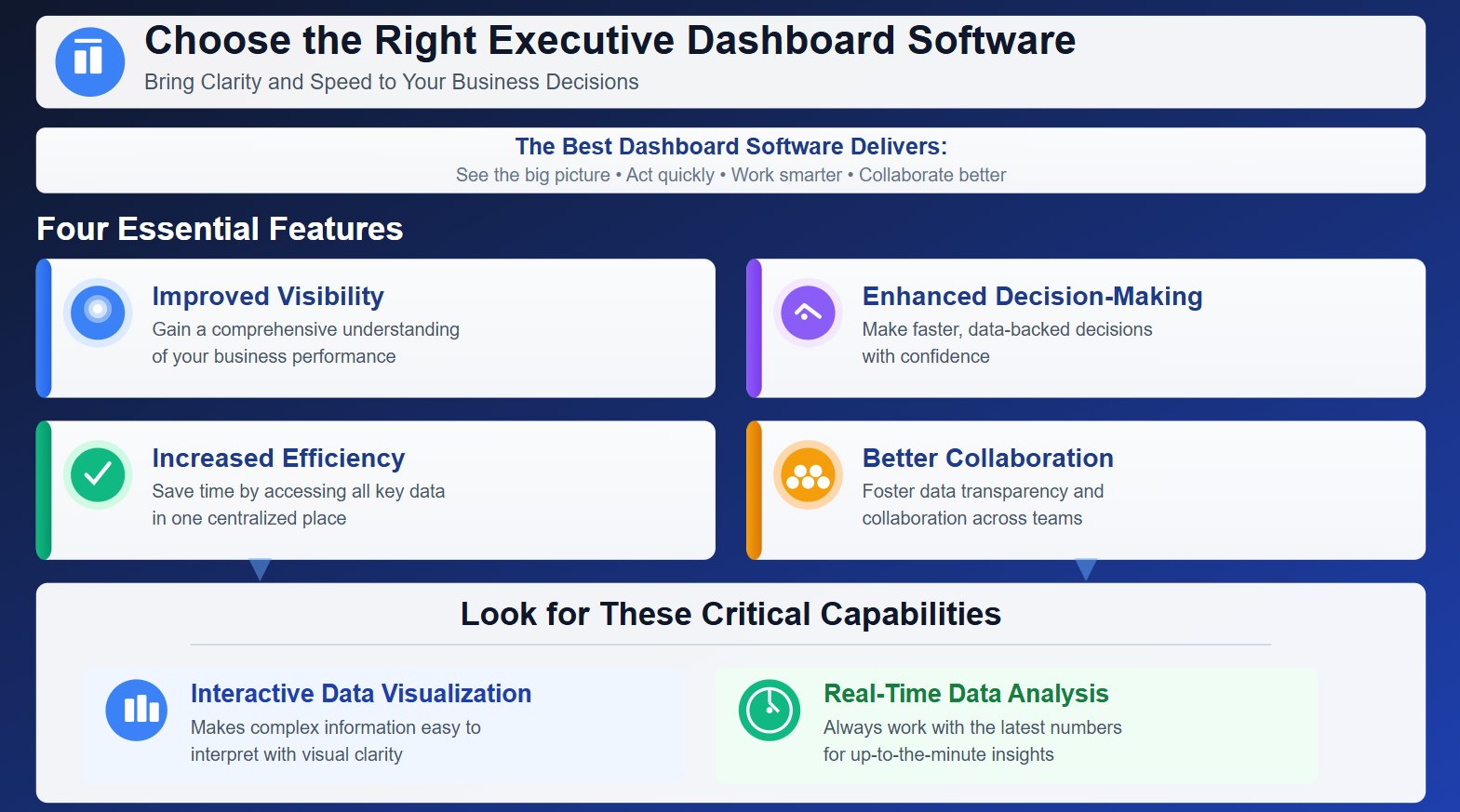
You should look for dashboard solutions that offer interactive data visualization. This makes it easier to interpret complex information. A great dashboard tool also supports real-time data analysis, so you always work with the latest numbers.
Key Selection Criteria
Selecting the right dashboard software means focusing on what matters most for your organization. You need a tool that is easy to use, integrates with your existing systems, and adapts as your business grows. The table below highlights essential criteria for evaluating dashboard solutions:
| Essential Criteria | Description |
|---|---|
| Real-time Data | Syncs with data sources in real-time for accurate insights. |
| Customizable KPIs | Tailored to specific roles like CEOs, CFOs, etc. |
| Interactive Visuals | Creates visuals that simplify data interpretation. |
| Multi-Source Integration | Fetches and interprets data from various platforms like CRMs and ERPs. |
| Instant Collaboration | Enables sharing for quick collaboration among decision-makers. |

You should also consider customization and scalability. Customization lets you adapt dashboards to your changing needs. Scalability ensures your dashboard software grows with your business, supporting more users and data sources over time. Integration capability is vital. Dashboards must pull information from systems like ERP and CRM, giving you a complete view and quick access to key metrics.
Tip: Treat dashboard software as an investment in your business infrastructure. This approach helps you maintain efficiency and stay competitive as your company expands.
1.FineBI: Executive Dashboard Software
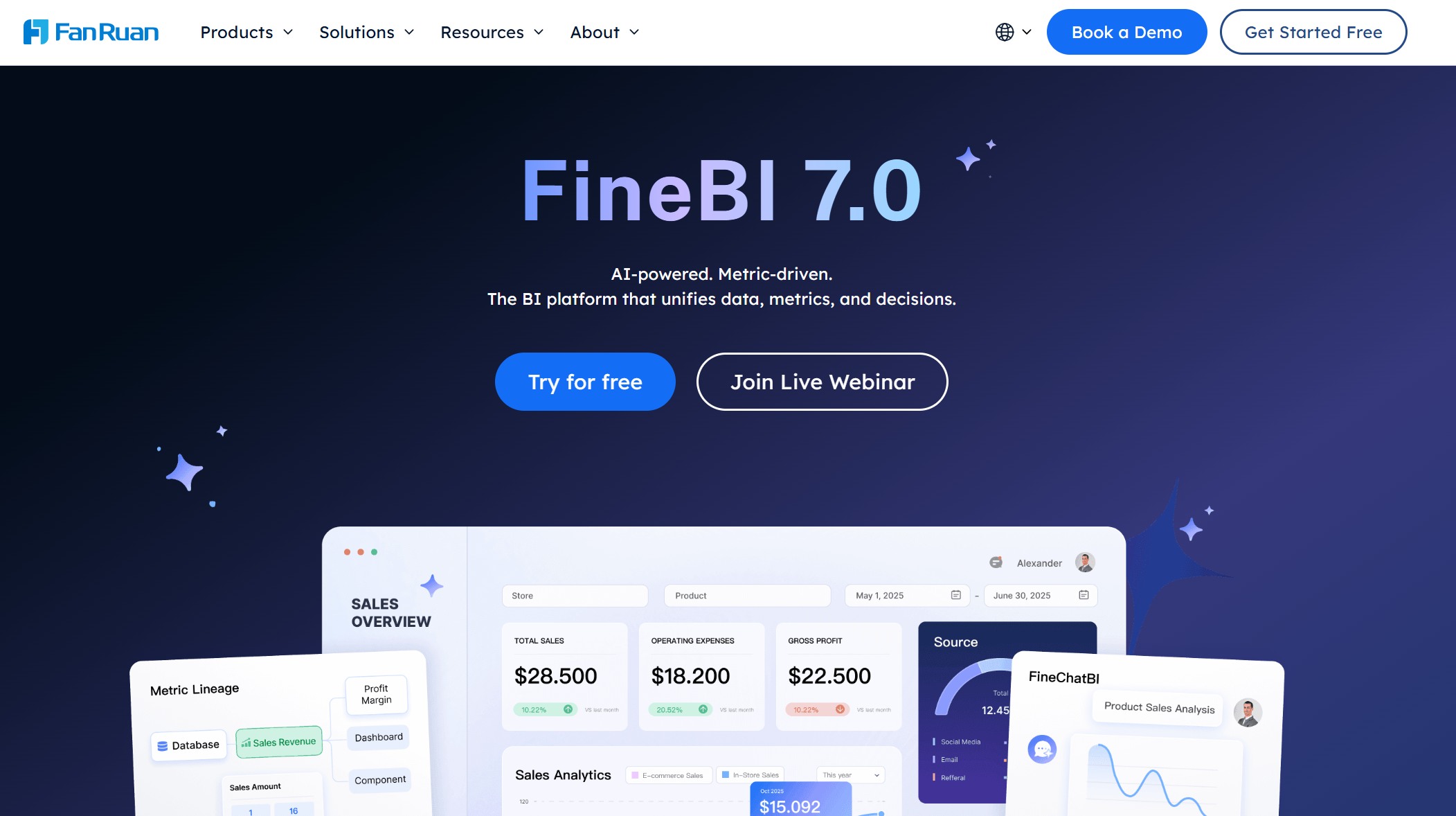
Website: https://www.fanruan.com/en/finebi
Key Features
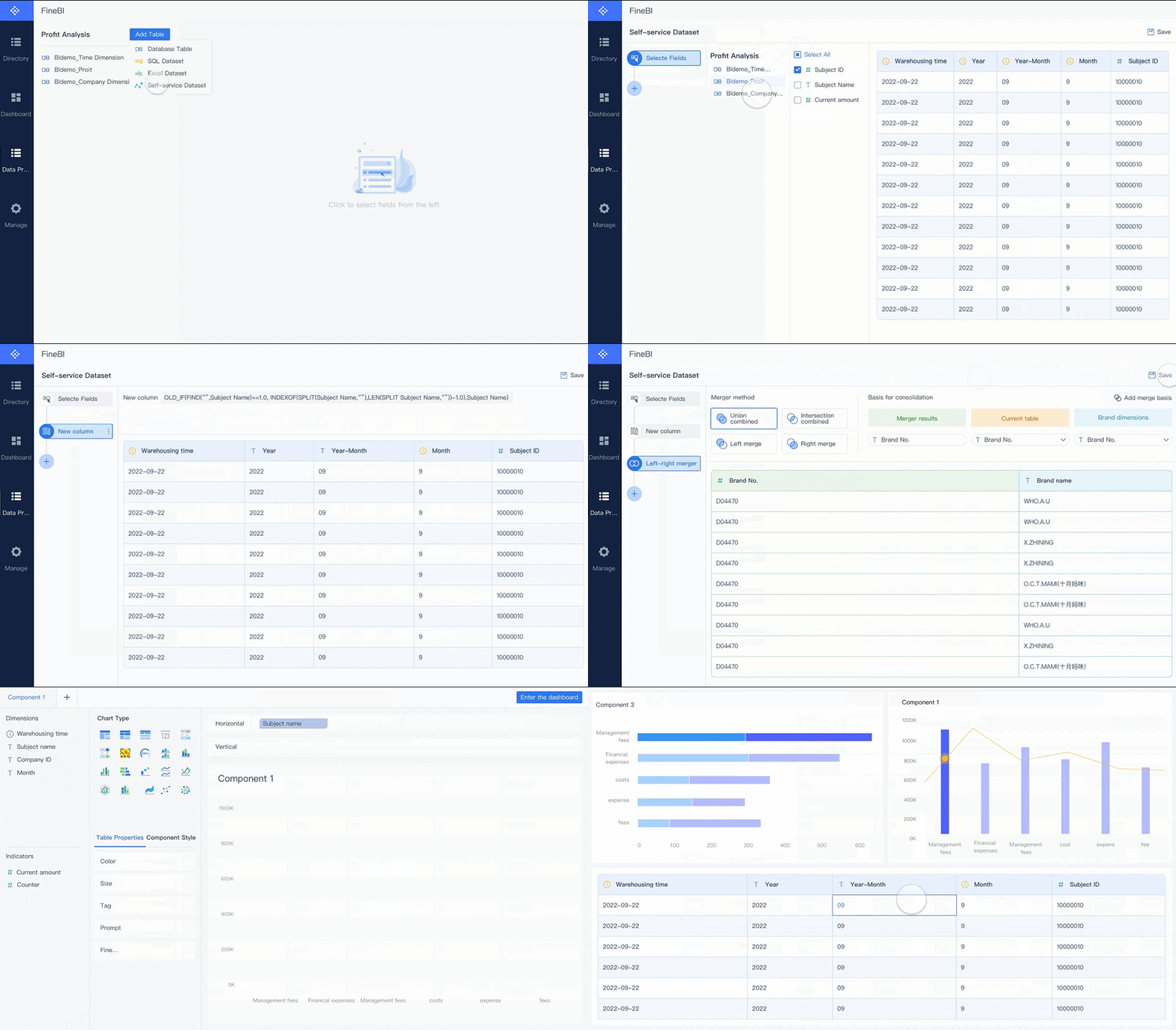
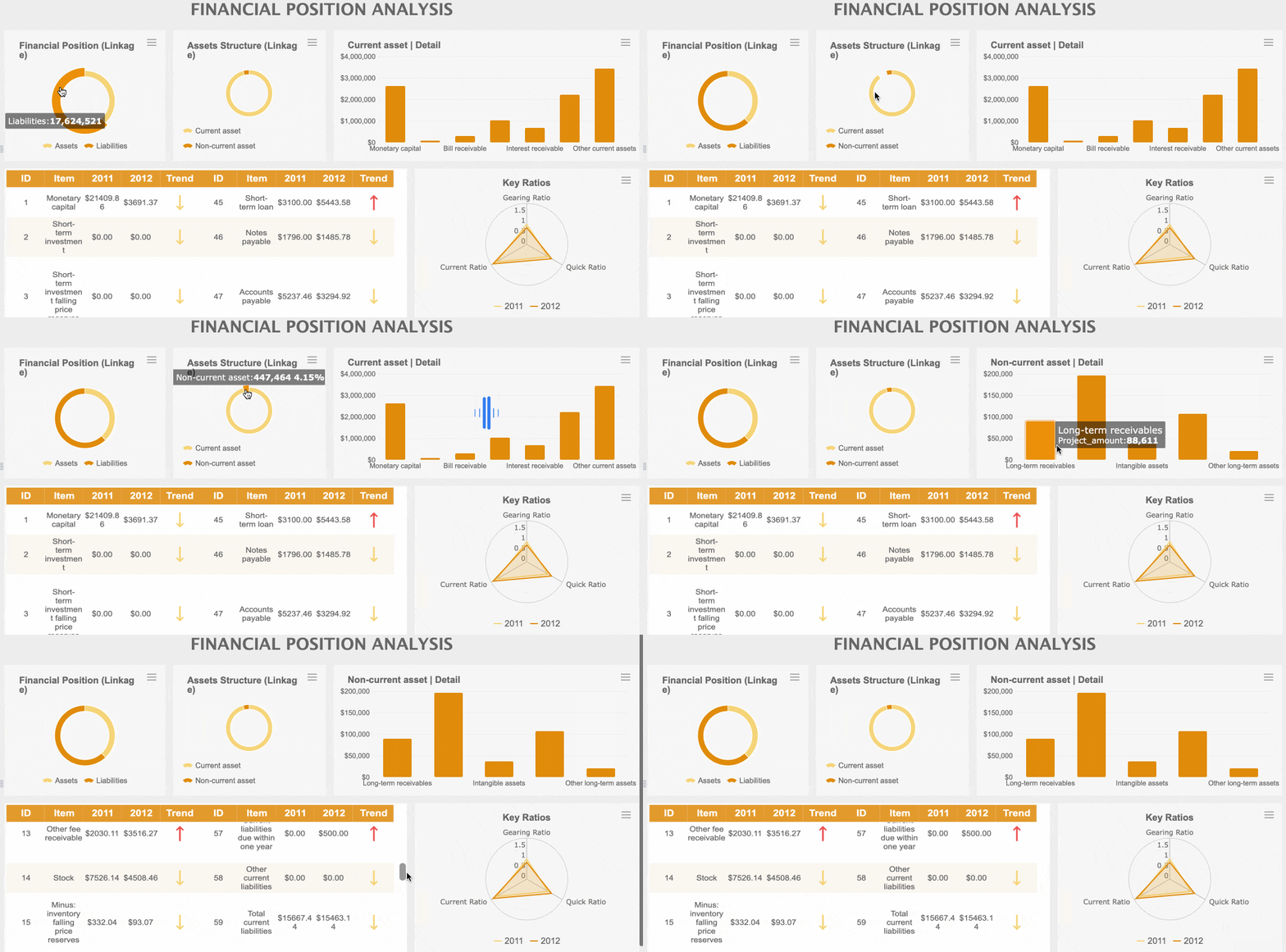
You can use FineBI to connect to over 60 data sources, including databases, cloud warehouses, and APIs. The platform gives you a drag-and-drop interface for building dashboards. You do not need coding skills. FineBI supports real-time data updates, so you always see the latest numbers. You can set up data alerts and use advanced data visualization tools. The software also provides strong governance with role-based access and audit trails.
Use Cases
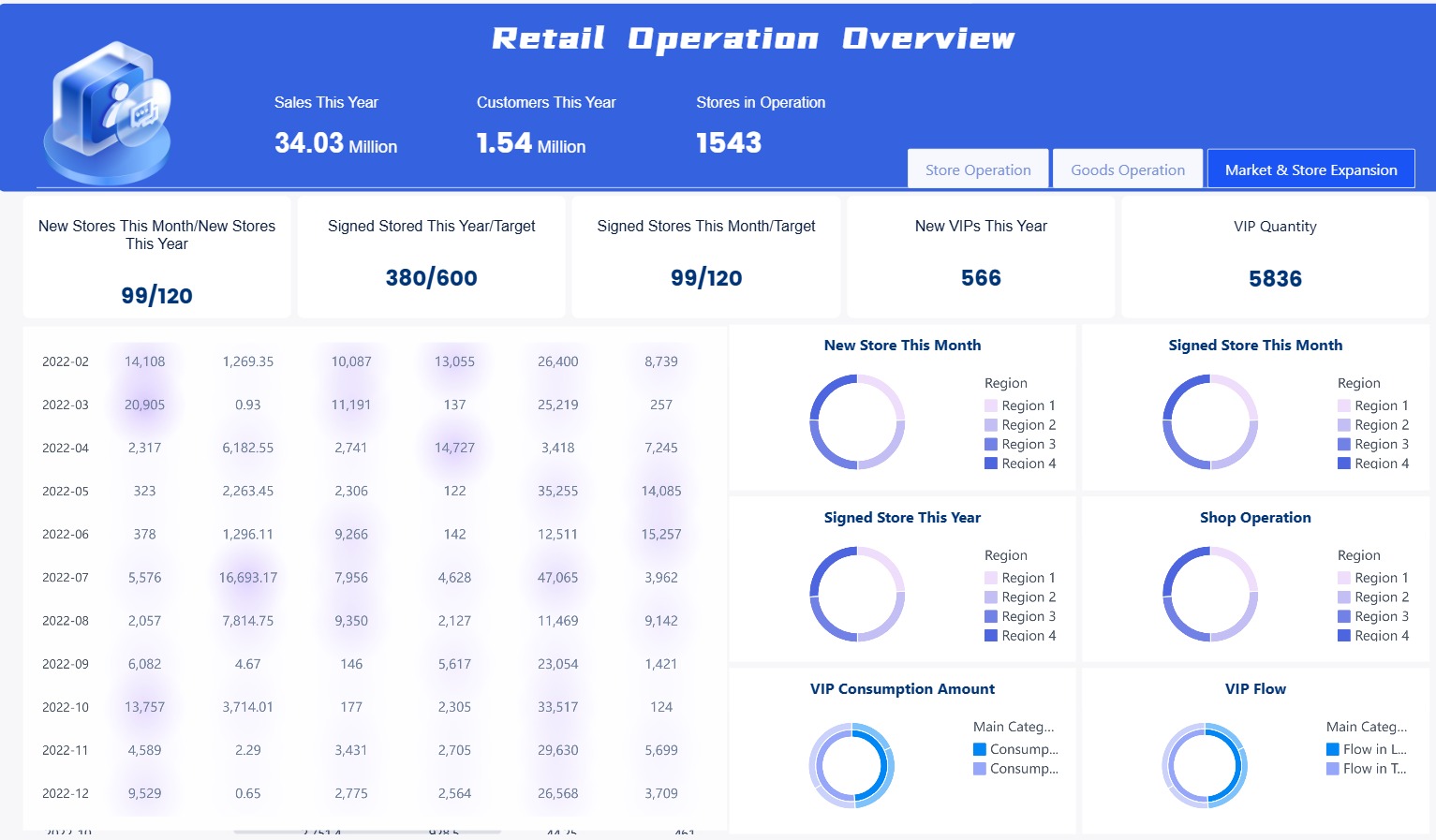
You can use FineBI for many business needs. Sales teams track pipeline health and customer segments. Finance departments monitor cash flow and budget variances. HR managers analyze employee retention. Executives use the data dashboard for strategic planning. FineBI supports real-time monitoring, so you can respond quickly to changes.
Pricing
FineBI offers flexible pricing. You can request a custom quote based on your organization’s size and needs. This approach ensures you only pay for what you use. You can start with a free trial to explore the features before making a decision.
Pros and Advantages
FineBI stands out as executive dashboard software because it empowers you to perform self-service data analysis. You can blend data from multiple sources and create interactive dashboards. The platform supports real-time data and advanced business reporting. You can collaborate with your team and share insights securely. FineBI’s mobile access means you can check dashboards anywhere.
Customer Success Stories
BOE Technology Group used FineBI to unify data and standardize metrics. This led to a 5% reduction in inventory costs and a 50% increase in operational efficiency. TXC Corporation improved data analysis and made employees more data-driven. Both companies now use real-time data for better decision-making.

Tip: You can read more about these customer stories on the FineBI website.

2.Tableau: Top Executive Solution
Website: https://www.tableau.com/
Features
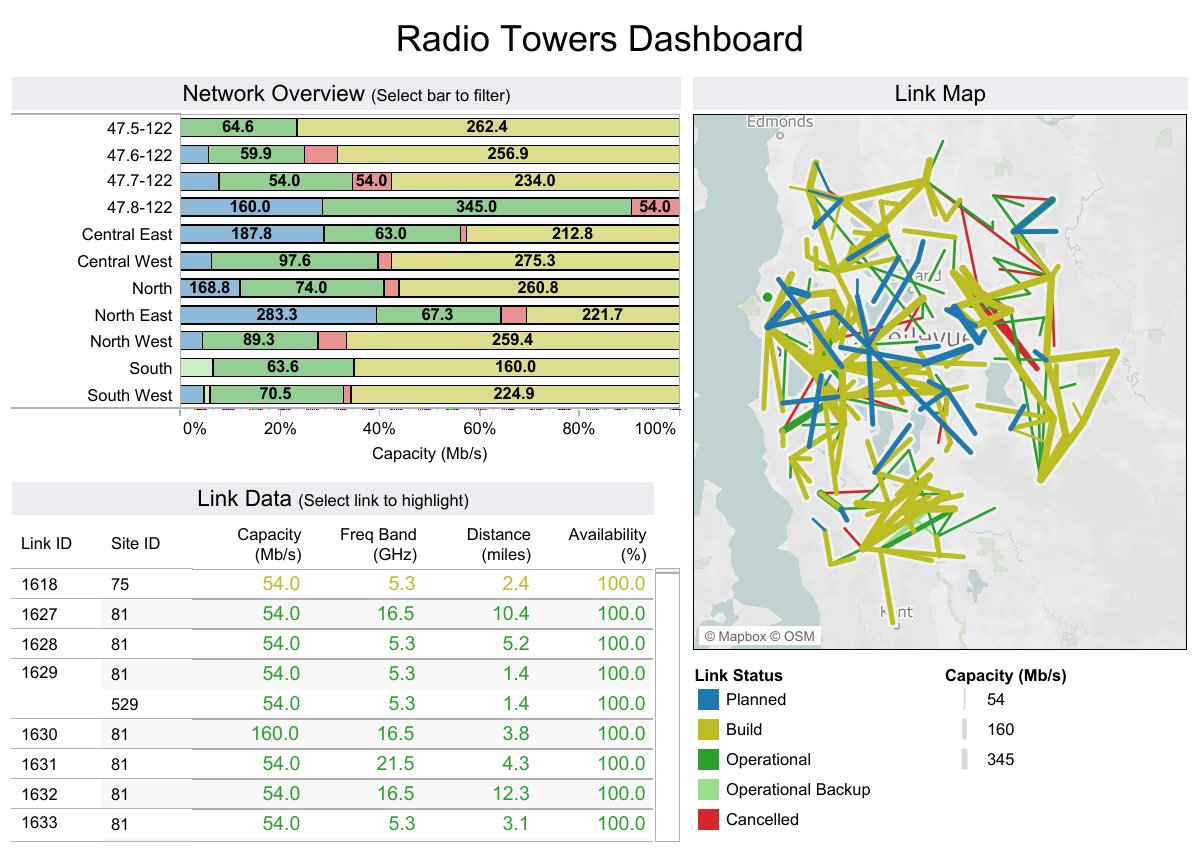
You can use Tableau to create interactive dashboards that help you see your business data in new ways. The platform gives you tools for data visualization, predictive modeling, and automated insights. These features help you spot trends and make better decisions. Tableau lets you monitor all parts of your business with one executive dashboard. You can scale your dashboards as your company grows and keep your data secure.
| Feature | Description |
|---|---|
| Data Visualization | Build interactive and visually appealing dashboards for any business area. |
| Predictive Modeling | Forecast future trends using your historical data. |
| Automated Insights | Get instant insights without manual work, making decisions faster. |
Use Cases
You can use Tableau in many ways. Executives often use it to track key metrics and monitor the health of their business. You can set up dashboards for sales, finance, operations, or HR. Tableau helps you unify data from different sources, so you get a complete view of your organization. You can also use it to share reports with your team and improve collaboration.
- Track sales performance and revenue trends.
- Monitor financial health and cash flow.
- Analyze employee data for HR planning.
- Assess operational efficiency across departments.
Tip: Use Tableau to bring together data from different systems and make your executive dashboard software more powerful.
Pricing
Tableau uses a subscription model. The Creator license costs $70 per user each month. This price is higher than many other dashboard software options. For a team of five, you may pay over $4,000 per year. Some users find the cost high, especially for small teams. However, many organizations see value in Tableau’s features and support.
Note: Tableau’s pricing can be a barrier for small businesses, but it offers a wide range of capabilities for larger organizations.
Pros and Cons
Tableau gives you many advantages, but you should also consider its limitations. The table below shows the main pros and cons.
| Pros | Cons |
|---|---|
| Powerful data visualization tools | Higher cost than many alternatives |
| Interactive dashboards for easy data exploration | No automatic report scheduling |
| Real-time analytics for up-to-date decisions | Limited custom visual imports |
| Easy drag-and-drop interface | Some formatting challenges |
| Advanced mapping and in-memory analytics | Layout issues on different screen sizes |
| Unifies data from many sources | Limited parameter functionality |
You can use Tableau to build executive dashboards that support fast, informed decisions. Make sure you weigh the costs and features before you choose the right solution for your business.
3.Power BI: Best Dashboard Software
Website: https://www.microsoft.com/en-us/power-platform/products/power-bi
Features
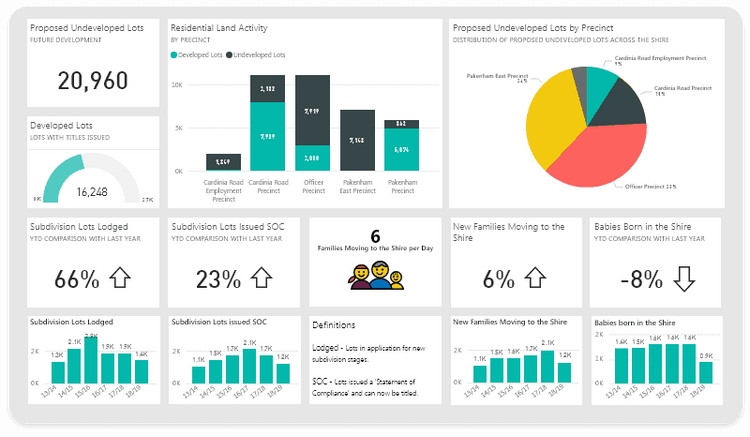
You get a wide range of features with Power BI. The platform gives you access to over 70 connectors, letting you pull data from many sources. You can blend information from databases, cloud services, and third-party apps like Salesforce and Google Analytics. Power BI supports real-time data, so you always see the latest numbers. Drill-down capabilities help you explore details without relying on static reports. You can manage permissions for different roles, which keeps your data secure. The table below shows some key features:
| Feature | Description |
|---|---|
| Real-time data | Provides updated information for timely decision-making. |
| Database access | Allows drilling down to lower-level details from various databases. |
| Access to data sources | Integrates with third-party sources for comprehensive data. |
| Drill-down capabilities | Enables you to ask questions and explore data easily. |
| Connectors | Offers over 70 connectors for seamless integration. |
| Data Blending | Correlates information from multiple sources. |
| Data Governance | Manages permissions for tailored data access. |
Use Cases
You can use Power BI for many executive dashboard software needs. Executives track campaign spending or factory performance in real time. You can create personalized dashboards for sales, finance, or operations. Power BI works well with Microsoft 365 tools like Excel and Teams, making collaboration easy. You can share reports across departments and control who sees what data. Artificial intelligence features help you find trends and insights quickly, even if you do not have data science skills.
Tip: Power BI lets you access dashboards from any device, so you stay informed wherever you work.
Pricing
Power BI offers flexible pricing. You can start with a free version, but it has limits on dataset size and sharing. The Pro plan costs $10 per user each month and gives you more sharing options. The Premium plan starts at $20 per user each month and supports larger datasets and advanced features. You can choose the plan that fits your team’s needs and budget.
Pros and Cons
Power BI gives you many advantages, but you should know its limitations. The table below helps you compare the main pros and cons:
| Pros | Cons |
|---|---|
| Strong data source support | Complexity in handling advanced analytics |
| Affordability | Limited compatibility for tailored requests |
| Advanced analytics capabilities | Dataset size constraints |
| User-friendly interface | Complex licensing model |
| Comprehensive suite for data integration | Limited support for right-to-left languages |
| Challenges with diverse operating systems |
You get a user-friendly interface and strong integration with Microsoft products. Power BI is affordable for most organizations. You may face challenges with advanced analytics or licensing. You should review your needs before choosing the best dashboard software for your business.
4.Domo: Executive Dashboard Software
Website: https://www.domo.com/
Features
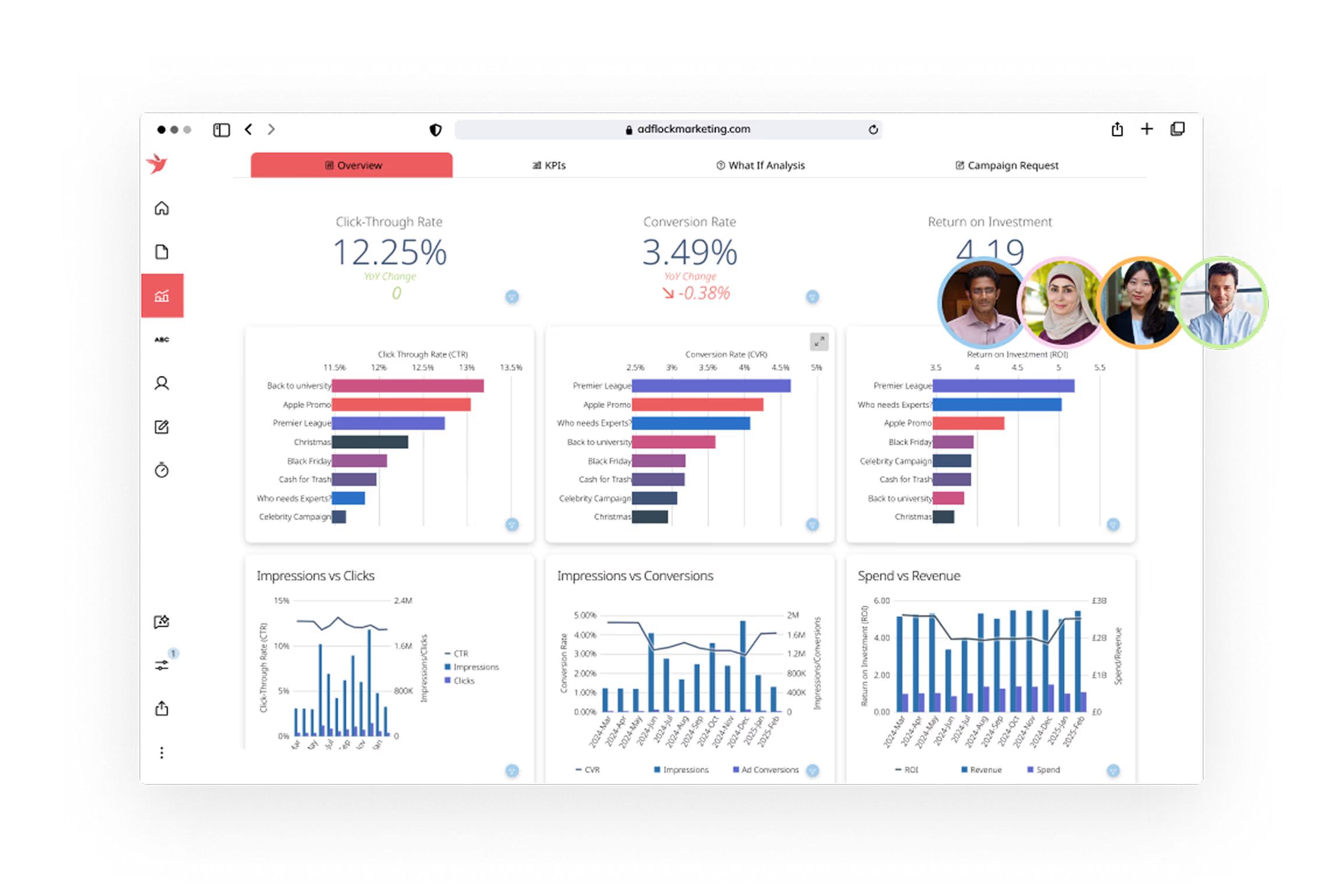
You can use Domo to connect your business data from over 1,000 sources. The platform is cloud-native, which means you access your dashboards from anywhere. You build dashboards with drag-and-drop tools, making it easy for non-technical users. Domo sends notifications when your data changes, so you always work with real-time data. You get mobile-friendly dashboards that help executives track performance on the go.
- Connect to databases, cloud apps, and spreadsheets
- Build dashboards with simple drag-and-drop tools
- Receive instant alerts for important changes
- Access dashboards on mobile devices
Use Cases
You can use Domo to monitor sales, marketing, finance, or operations. Executives often track KPIs and business health in one place. You share dashboards with your team to improve collaboration. Domo helps you spot trends quickly and respond to changes. You can set up automated reports and schedule updates, so your team always sees the latest numbers.
Tip: Use Domo to unify data from different departments and make faster decisions.
Pricing
Domo uses a flexible, credit-based pricing model. You pay based on how much you use, not by the number of users. This model works well for large enterprises because you can scale up without buying extra licenses. You get volume discounts as your usage grows. Domo provides a credit utilization report, so you track your spending and avoid surprise bills. All features are available from the start, which encourages teams to experiment and innovate. The shift from fixed user licensing to consumption-based pricing means costs may change as your usage increases.
- Unlimited users with volume discounts
- Consumption-based pricing encourages innovation
- Built-in usage reports help you manage costs
- Immediate access to all features
Pros and Cons
Here is a quick look at Domo’s strengths and weaknesses for executive dashboard software:
| Strengths | Weaknesses |
|---|---|
| Cloud-native platform with many integrations | Pricing can be high for small teams |
| Easy dashboard creation for non-technical users | Limited customization for embedded dashboards |
| Real-time data updates and notifications | Reliance on Domo’s cloud ecosystem |
| Mobile-friendly executive dashboards | Advanced analytics may feel constrained |
You get a powerful dashboard software that supports real-time data and collaboration. You should consider your team size and usage needs before choosing Domo.
5.Looker: Top Executive Solution
Website: https://lookerstudio.google.com/navigation/reporting
Features
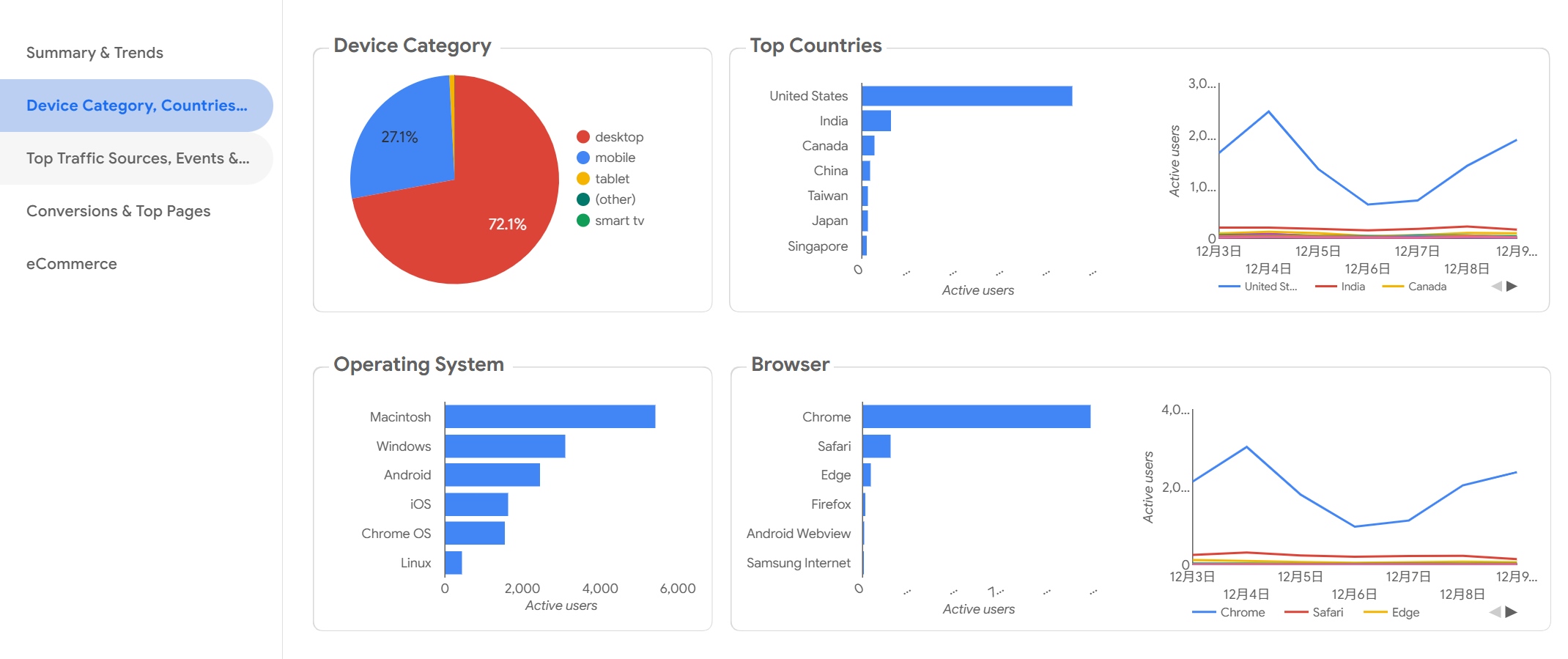
You can use Looker to build executive dashboard software that helps you understand your business. The platform connects with many data sources and lets you create custom dashboards. You get access to advanced analytics for different areas of your company. Here are some ways Looker supports your business:
- Supply chain and inventory management: Track inventory levels and supply chain performance.
- Financial analysis and forecasting: Monitor cash flow and profitability.
- HR and workforce analytics: Analyze employee performance and retention rates.
- Product analytics and user behavior: See how customers use your products and which features they like.
- Operational analytics: Watch key metrics and find ways to improve processes.
- Healthcare analytics: Review patient outcomes and measure operational efficiency.
- E-commerce analytics: Check customer retention and conversion rates.
You can set up dashboards that show real-time data, so you always know what is happening in your business.
Use Cases
You can use Looker for many executive tasks. If you manage a retail company, you can track sales and inventory. In finance, you can monitor budgets and forecast profits. HR teams use Looker to study employee turnover and performance. Product managers see which features customers use most. Healthcare organizations analyze patient care and efficiency. E-commerce teams follow customer journeys and sales conversions. Looker helps you make better decisions by showing you the data you need.
Tip: You can share dashboards with your team to improve collaboration and keep everyone informed.
Pricing
Looker’s pricing starts at about $35,000 per year. For larger teams, costs can go above $150,000. The price depends on user roles and how much you use the platform. If you have a small team or basic needs, you may find other dashboard software like Power BI more affordable. Tableau offers strong data visualization, which may suit you if you want visual storytelling. Looker’s pricing works best for larger organizations that need advanced analytics and many users.
Pros and Cons
You should know the main strengths and weaknesses before you choose Looker for executive reporting.
| Pros | Cons |
|---|---|
| Extensive integrations with various tools | Steep learning curve and LookML dependency |
| Semantic modeling ensures report consistency | Performance slowdowns at scale |
| Enterprise security and governance | Embedding complexity and iFrame limitations |
| Pricing complexity and user-based growth | |
| Limited white-label control |
You get strong integrations and secure data management. You may need time to learn LookML, and costs can rise as your team grows.
6.Sisense: Best Dashboard Software
Website: https://www.sisense.com/
Features
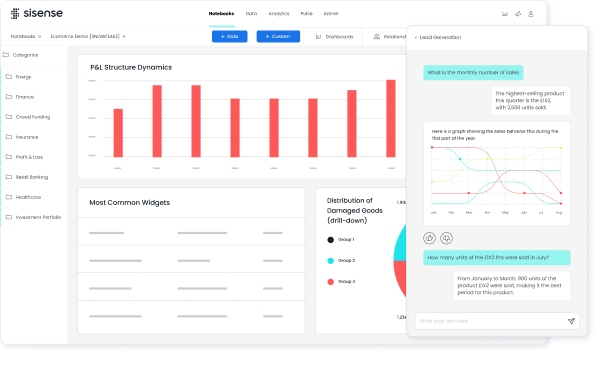
Sisense gives you a flexible way to build executive dashboard software for your business. You can connect data from many sources, including cloud apps, databases, and spreadsheets. Sisense lets you blend and analyze data without writing code. You can use drag-and-drop tools to create dashboards that show real-time data. Sisense supports advanced analytics, so you can dig deeper into your numbers. You also get intelligent alerts and notifications when important changes happen. The platform works well for both small teams and large enterprises.
Recent user satisfaction ratings show that Sisense scores high in several areas:
- Dashboard: 84
- Collaboration: 83
- Data Exploration and Visualization: 83
- BI Platform Administration: 82
- BI Security: 81
- Data Connectors and Data Mashup: 81
- Operational Reporting Capabilities: 81
- Self Service and Ad Hoc Capabilities: 81
- Intelligent Alerts and Notifications: 80
- Mobile: 78
Use Cases
You can use Sisense to track sales, monitor operations, or manage financial performance. Executives often choose Sisense for its ability to combine data from different departments. You can set up dashboards for marketing, HR, or supply chain management. Sisense helps you spot trends and make decisions quickly. You can share dashboards with your team to improve collaboration. Many companies use Sisense to automate reporting and reduce manual work.
Tip: Use Sisense to bring together data from all parts of your business for a complete view.
Pricing
Sisense uses a custom pricing model. You pay based on your company’s needs and the number of users. You can request a quote from the Sisense team. This approach helps you get the best dashboard software features for your budget. Sisense offers a free trial, so you can test the platform before you decide.
Pros and Cons
Sisense gives you many advantages as executive dashboard software. You get strong data integration, real-time data, and easy dashboard creation. The platform supports advanced analytics and secure sharing. You can access dashboards on mobile devices, though mobile scores slightly lower in user ratings. Some users say the learning curve is steep at first. You may need time to set up complex data models. Sisense works best for teams that want flexibility and powerful analytics.
| Pros | Cons |
|---|---|
| High dashboard and collaboration scores | Steep learning curve for new users |
| Strong data blending and mashup tools | Mobile experience could improve |
| Real-time data and intelligent alerts | Setup can take time for large data |
| Secure sharing and governance | Custom pricing may not suit all |
You can rely on Sisense for a flexible and powerful dashboard software solution.
7.Klipfolio: Executive Dashboard Software
Website: https://www.klipfolio.com/
Features
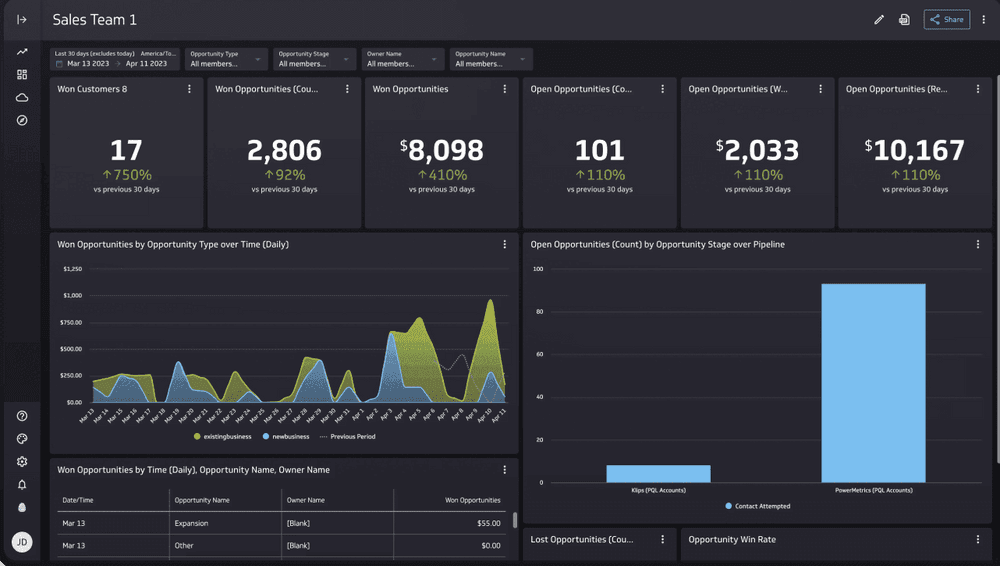
You can use Klipfolio to build dashboards quickly. The platform gives you a drag-and-drop editor that helps you create custom visualizations. You connect to many data sources, such as spreadsheets, databases, and cloud services. Klipfolio supports real-time data, so you always see the latest numbers. You can set up data refresh intervals to keep your dashboards up to date. The platform also lets you share dashboards with your team or clients using secure links.
Key features include:
- Pre-built templates for fast setup
- Customizable charts and graphs
- Integration with over 100 services
- Mobile-friendly dashboards
Use Cases
Klipfolio works well for small and medium businesses. You can track sales performance, marketing campaigns, or financial metrics. Agencies use it to report results to clients. Executives use Klipfolio to monitor KPIs and spot trends. You can set up alerts for important changes in your data. This helps you respond quickly to business events.
Tip: Use Klipfolio to bring together data from different departments and make better decisions.
Pricing
Klipfolio offers several pricing plans. You choose a plan based on your needs. The Starter plan begins at $125 per month. The Team plan costs $250 per month. The Business plan starts at $500 per month. Each plan gives you more users, data sources, and features. You can try Klipfolio for free before you buy a plan.
| Plan | Price (per month) | Best For |
|---|---|---|
| Starter | $125 | Small teams |
| Team | $250 | Growing companies |
| Business | $500 | Larger businesses |
Pros and Cons
You get many benefits with Klipfolio as your dashboard software. The platform is easy to use and supports many integrations. You can access dashboards on any device. Some users want more advanced customization options. Pricing may be high for very small teams.
Pros:
- Easy setup and user-friendly interface
- Strong integration options
- Real-time data updates
- Mobile access
Cons:
- Limited advanced customization
- Higher cost for small businesses
8.Zoho Analytics: Top Executive Solution
Website: https://www.zoho.com/analytics/
Features
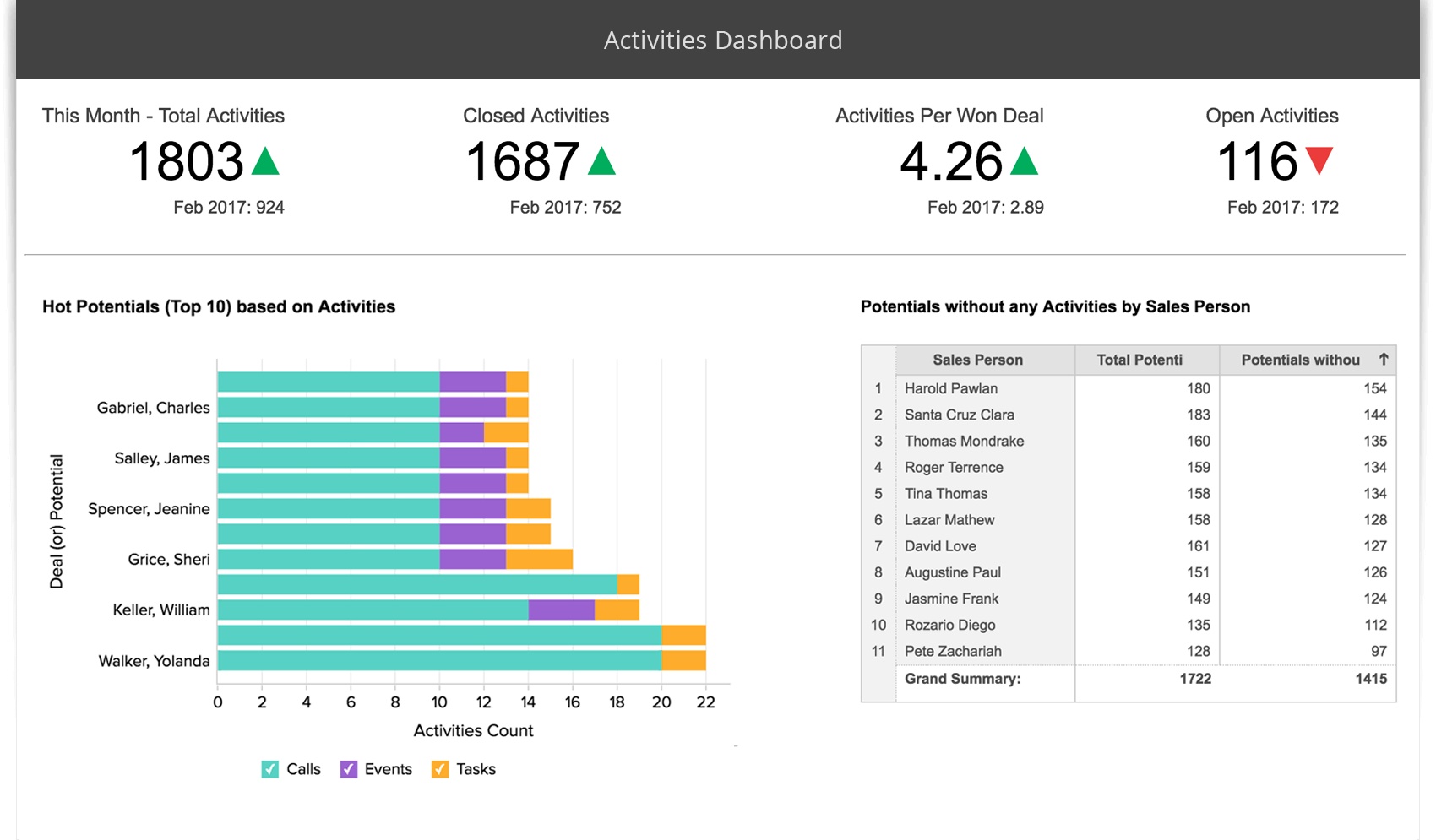
You can use Zoho Analytics to build executive dashboard software that fits your business needs. The platform gives you an intuitive drag-and-drop interface. You create dashboards and reports without technical skills. Zoho Analytics supports data import from many sources, including Google Analytics, Salesforce, and QuickBooks. You get customizable charts, filters, and widgets. The Zia assistant uses AI to deliver insights and answer questions about your data. You can also white-label your dashboards for client presentations.
Here is a quick comparison of Zoho Analytics features with other dashboard software:
| Feature | Zoho Analytics | Other Tools |
|---|---|---|
| User Interface | Intuitive drag-and-drop | Varies, often more complex |
| Built-in Connectors | Google Analytics, Salesforce, QuickBooks | Varies, may have fewer options |
| AI Insights | Yes, via Zia assistant | Not all tools offer this feature |
| Customization Options | Various chart types, filters, widgets | Varies, some may offer more |
| White-labeling | Yes | Not all tools provide this |
| Target Audience | Small to mid-sized businesses | Varies, some target enterprises |
| Affordability | Generally more affordable | Often more expensive |
| Scalability | Limited for enterprise needs | Typically better for large enterprises |
Tip: Zoho Analytics works best for small and mid-sized businesses that want easy-to-use dashboards and affordable pricing.
Use Cases
You can use Zoho Analytics to track sales, monitor marketing campaigns, and analyze financial performance. The platform supports real-time data dashboards for different business areas. You can import data from spreadsheets, cloud apps, or databases. You customize visualizations to highlight KPIs and trends. Zoho Analytics helps you share reports with your team or clients. You use AI-powered insights to spot patterns and make decisions faster.
- Build sales dashboards to monitor revenue growth.
- Analyze marketing data to improve campaign results.
- Track financial metrics for budgeting and forecasting.
- Share dashboards with stakeholders for better collaboration.
Pricing
Zoho Analytics offers affordable plans for businesses. You pay based on the number of users and data rows. The Basic plan starts at $30 per month for two users. The Standard plan costs $60 per month for five users. The Premium plan is $115 per month for fifteen users. You get more features and data capacity as you upgrade. Zoho Analytics provides a free trial so you can test the platform before you buy.
Pros and Cons
You get many benefits with Zoho Analytics. The platform is easy to use and supports many data connectors. You access AI-powered insights and real-time data dashboards. Pricing is lower than most competitors. Some users find scalability limited for large enterprises. Advanced customization may require more setup.
Pros:
- Intuitive interface
- Wide range of connectors
- AI insights with Zia assistant
- Affordable pricing
Cons:
- Limited scalability for large organizations
- Advanced customization options may need extra effort
9.Qlik Sense: Best Dashboard Software
Website: https://www.qlik.com/us/products/qlik-sense
Features
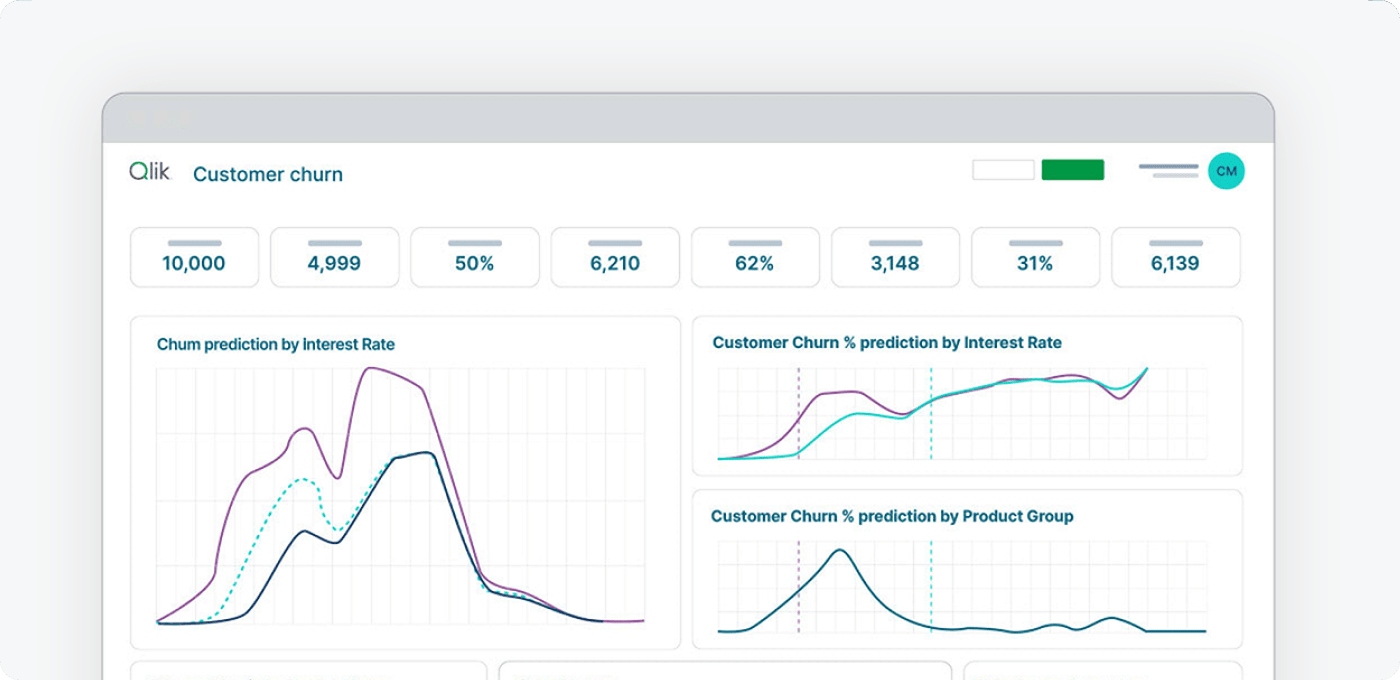
You can use Qlik Sense to create executive dashboard software that helps you see your business clearly. The platform gives you self-service visualization tools. You build interactive dashboards with drag-and-drop features. Qlik Sense supports search and conversational analytics, so you ask questions and get answers fast. You set up alerting and automation to stay informed about important changes. The software also offers advanced analytics for deeper insights. You access dashboards on any device, which helps you make decisions wherever you are.
Use Cases
Qlik Sense works well for many business needs. You track sales performance and monitor financial health. You analyze customer behavior and measure marketing results. You use real-time data to respond quickly to changes in your business. Executives rely on Qlik Sense to unify data from different sources and share insights with their teams. You can set up dashboards for HR, operations, or supply chain management. The platform helps you spot trends and make better decisions.
Tip: Use Qlik Sense to bring together data from all departments and improve collaboration.
Pricing
Qlik Sense uses a subscription pricing model. You pay per user each month. The cost depends on the number of users and the features you need. For small teams, the price is competitive. For larger organizations, costs may increase. You can request a custom quote to match your business requirements. Qlik Sense offers a free trial, so you test the dashboard software before you buy.
Pros and Cons
Qlik Sense gives you many advantages as executive dashboard software. You get self-service visualization and interactive dashboards. The platform supports search and conversational analytics, alerting, and automation. Advanced analytics help you understand your data better. Some users notice slowdowns when processing large data sets. Costs may rise for bigger teams. You may find limitations when exporting customized reports.
| Advantages | Disadvantages |
|---|---|
| Self-Service Visualization | Slows Down When Processing Large Data Sets |
| Interactive Dashboards | Potential High Costs for Larger Teams |
| Search and Conversational Analytics | Limitations in Exporting Customized Reports |
| Alerting and Automation | |
| Advanced Analytics |
You can rely on Qlik Sense for the best dashboard software experience if you want flexibility and strong analytics.
10.Databox: Executive Dashboard Software
Website: https://databox.com/
Features
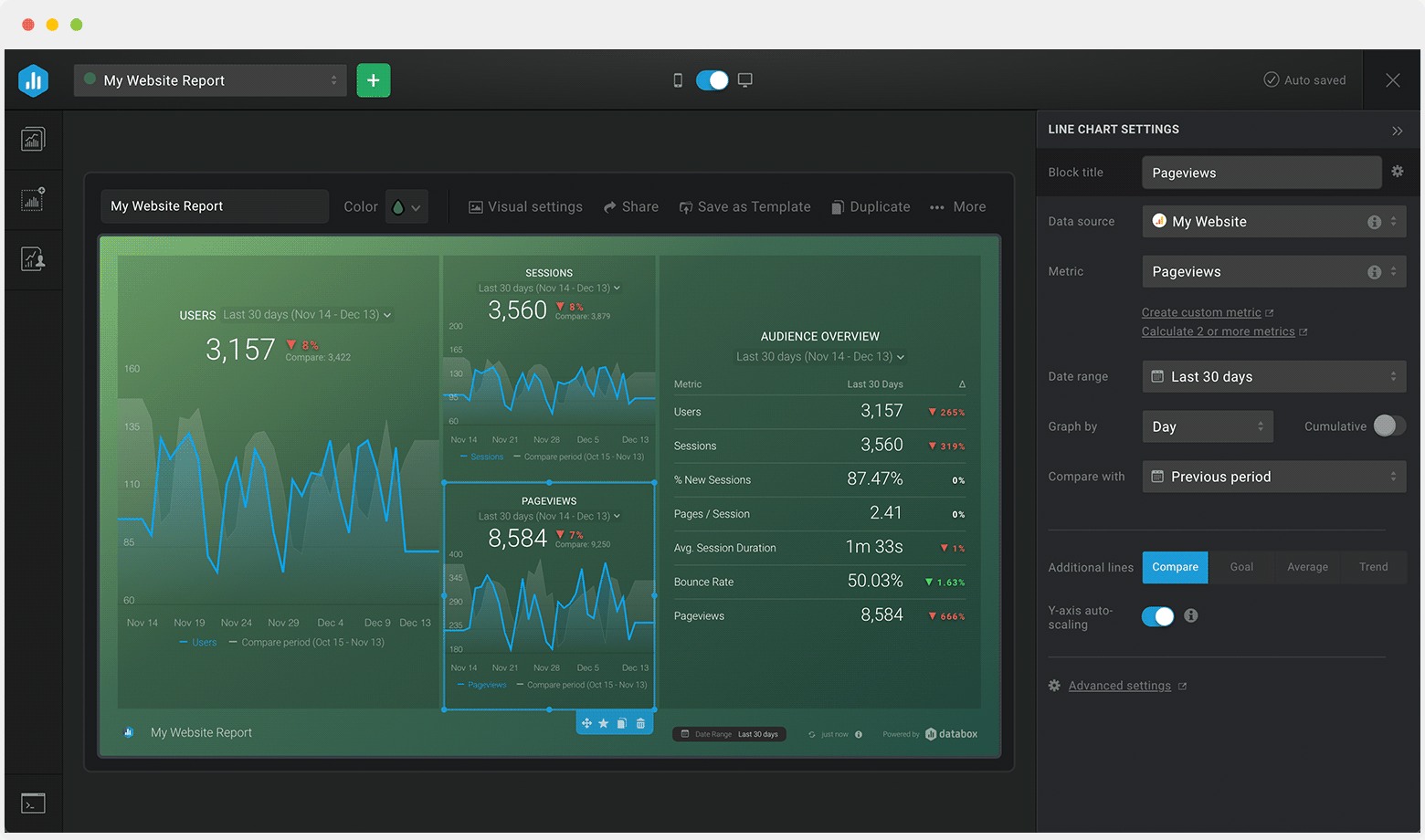
You can use Databox to bring all your business metrics into one place. The platform connects to over 70 data sources, including Google Analytics, HubSpot, and Salesforce. You build dashboards with a simple drag-and-drop editor. Databox gives you pre-built templates, so you start quickly. You set up goals and track progress with visual scorecards. The platform sends daily, weekly, or monthly snapshots to your email or mobile device. You also get alerts when your numbers change. Databox supports real-time data, so you always see the latest results.
Use Cases
Databox helps you monitor performance across sales, marketing, and customer support. You track KPIs for your team and share dashboards with stakeholders. Marketing managers use Databox to watch campaign results. Sales leaders follow pipeline health and revenue trends. Customer support teams measure ticket response times and satisfaction scores. You can set up dashboards for executives, so everyone sees the same numbers. Databox works well for agencies that need to report results to clients.
Tip: Use Databox to keep your team focused on goals and spot issues before they grow.
Pricing
Databox offers a free plan for basic needs. You get three dashboards and daily data updates. Paid plans start at $72 per month. Higher tiers give you more dashboards, data sources, and advanced features. You choose a plan based on your team size and reporting needs. Databox provides a free trial, so you test the platform before you buy.
Pros and Cons
You find Databox easy to set up and use. The platform offers strong integrations and helpful templates. You get mobile access and automated alerts. Some users want more customization options. Advanced analytics may require a higher-tier plan. Databox works best for teams that want simple, visual dashboard software.
| Pros | Cons |
|---|---|
| Easy setup and user-friendly | Limited advanced customization |
| Strong integrations | Some features cost extra |
| Real-time data and alerts | Advanced analytics in higher tiers |
| Mobile access |
11.Geckoboard: Top Executive Solution
Website: https://www.geckoboard.com/
Features
You can use Geckoboard to create clear and focused dashboards for your team. The platform gives you a simple drag-and-drop interface. You connect to over 80 data sources, including Google Analytics, Salesforce, and spreadsheets. Geckoboard lets you display key metrics in real time. You can set up visualizations like bar charts, line graphs, and number widgets. The software allows you to customize layouts and colors, so your dashboard matches your brand. You can also display dashboards on TVs in your office to keep everyone updated.
Use Cases
Geckoboard works well for teams that need to track performance at a glance. You can use it to monitor sales targets, customer support tickets, or website traffic. Many companies use Geckoboard to share progress on KPIs with the whole team. You can set up dashboards for marketing, sales, or operations. When you display dashboards in common areas, everyone stays focused on goals. Geckoboard helps you keep your team motivated and informed.
Pricing
Geckoboard offers simple pricing plans. The Essential plan starts at $39 per month and supports one dashboard. The Pro plan costs $79 per month and allows unlimited dashboards and users. You get a 14-day free trial to test the features. You can choose a plan based on your team size and needs. Geckoboard does not charge extra for more users, which makes it cost-effective for growing teams.
Pros and Cons
You will find Geckoboard easy to set up and use. The platform supports many integrations and updates data automatically. You can display real-time data on screens for instant visibility. Some users want more advanced customization or analytics features. Geckoboard focuses on simplicity, so it may not fit complex reporting needs. If you want straightforward executive dashboard software, Geckoboard is a strong choice.
12.Smartsheet: Best Dashboard Software
Website: https://www.smartsheet.com/
Features
Smartsheet gives you a flexible way to manage projects and track business performance. You can build dashboards that show key metrics and progress. The platform supports drag-and-drop editing, so you design layouts easily. You connect to data from spreadsheets, cloud apps, and databases. Smartsheet lets you automate workflows and set up reminders. You view real-time data, which helps you make quick decisions. The software also includes templates for common business needs.
Tip: Use Smartsheet to create dashboards that update automatically as your team works.
Use Cases
You use Smartsheet for many business tasks. Project managers track deadlines and deliverables. Executives monitor KPIs and team performance. Sales teams follow pipeline stages and revenue goals. Marketing teams measure campaign results. You share dashboards with your team to keep everyone informed. Smartsheet works well for remote teams because you access dashboards from any device.
- Track project timelines and milestones
- Monitor sales and marketing metrics
- Share updates with stakeholders
- Manage resources and budgets
Pricing
Smartsheet offers several pricing plans. The Pro plan costs $12 per user each month. The Business plan is $25 per user each month. Enterprise pricing is available for larger organizations. Each plan gives you more features and support. You can start with a free trial to test the dashboard software before you buy.
| Plan | Price (per user/month) | Best For |
|---|---|---|
| Pro | $12 | Small teams |
| Business | $25 | Growing companies |
| Enterprise | Custom | Large organizations |
Pros and Cons
Smartsheet helps you organize work and visualize progress. You get strong collaboration tools and easy dashboard creation. The platform supports real-time data updates. Some users want more advanced analytics. Pricing may increase for large teams. You should review your needs before choosing executive dashboard software.
Pros:
- Simple dashboard design
- Real-time data visibility
- Strong collaboration features
- Mobile access
Cons:
- Limited advanced analytics
- Costs rise with more users
Selecting the Best Dashboard Software
Evaluation Criteria
You want dashboard solutions that match your business reporting needs. Start by listing the features that matter most for your team. The table below shows key considerations when you choose executive dashboard software:
| Feature Type | Key Considerations |
|---|---|
| User Features | Multiple users, sharing control, collaboration tools |
| Visual Features | Customization, drag-and-drop interface, color and font selection, graphics variety |
| Infrastructure Features | Cloud-based access, platform support, mobile options |
| Data Features | Data blending, drill down, database access, integration with multiple sources |
You should check if the dashboard software supports real-time monitoring and easy data blending. Look for a drag-and-drop interface that lets you build dashboards quickly. Make sure you can customize colors and fonts to match your brand. You need mobile access so you can view your data dashboard anywhere. Collaboration tools help your team share insights and work together on data analysis.
Common Mistakes to Avoid
When you set up dashboard solutions, you want to avoid common mistakes that slow down progress. Many teams add too many elements, which confuses users. Focus on essential information for clear business reporting. Use easy-to-read fonts and graphics sized for quick viewing. Always label KPIs, pages, and sections so users can navigate easily. Choose visualizations that fit your data, not ones that distract from the message.
Tip: Place dashboard visualizations in a logical order. Avoid random placement, which can confuse users.
Other mistakes include using distracting color schemes and not making dashboards mobile-friendly. You should provide summaries or tooltips for quick understanding. Make sure your dashboard software supports real-time monitoring and gives context for each visualization. Good navigation helps users find what they need fast.
A well-designed data dashboard improves decision-making and supports efficient data analysis. You help your team stay focused and get the most value from your dashboard solutions.
You have explored the leading executive dashboard software options for modern leaders. To get started, plan your key metrics, involve your team, and test dashboard software with real business data. You can access a free trial of FineBI by visiting the official website and requesting an activation code. When you use data-driven insights, you improve your strategies and increase your chances of exceeding revenue goals. Empower your team with data skills and stay ahead in a fast-changing market.
Continue Reading About dashboard
How an AP Dashboard Optimizes Your Working Capital
What Makes an AR Dashboard Essential for Modern Finance Team
Profit and Loss Dashboard Made Easy for Beginners
Frequently asked questions
Executive dashboard software helps you track key business metrics in one place. You see real-time data, spot trends, and make faster decisions. You use dashboards to monitor sales, finance, operations, and more.




