A dashboard business view is how enterprise teams stop chasing updates across spreadsheets, emails, CRM exports, finance systems, and operations tools and start making decisions from one shared source of truth. For IT managers, operations directors, finance leaders, and analysts, the value is simple: less time assembling data, more time acting on it.
When performance data lives in different systems, teams face predictable problems:
- Leaders get conflicting numbers in meetings
- Managers react too late to missed targets
- Analysts spend hours preparing recurring updates
- Frontline teams cannot see what they own
- Decision-making slows because no one fully trusts the data
A business dashboard solves this by combining the most important metrics into a single, decision-ready interface. Instead of asking, “Where is the latest file?” teams can ask, “What changed, why did it happen, and what do we do next?”
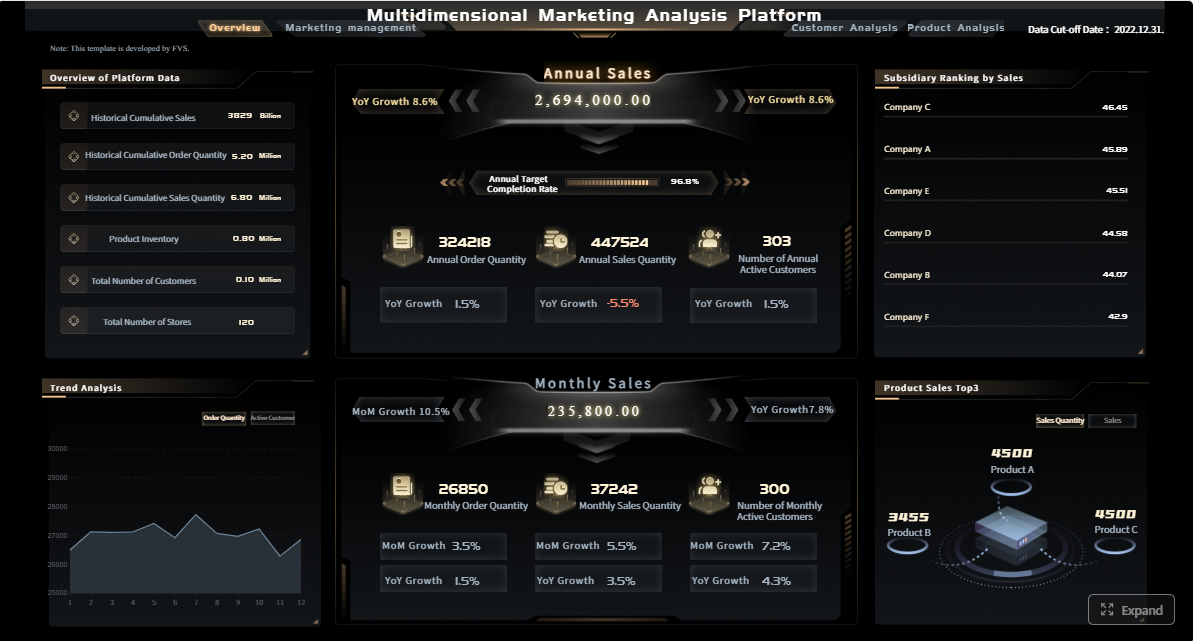 Click To Try The Dashboard
What a dashboard business view actually means
A business dashboard is a visual workspace that brings together key metrics, trends, and alerts from multiple data sources into one place. In plain language, it is a live summary of how part of the business is performing right now or over time.
For enterprise teams, a dashboard business setup is not just about charts. It is about creating a reliable operating view that supports decisions at the executive, department, and local team level.
Business dashboard definition in plain language
A business dashboard turns scattered data into a single decision-ready view by:
- Pulling information from different systems
- Displaying only the metrics that matter for a specific goal
- Showing performance at a glance through charts, tables, and status indicators
- Helping users filter, drill down, and investigate changes quickly
If a leadership team needs to understand revenue, pipeline health, service levels, and regional performance in one meeting, the dashboard becomes the common operating screen.
Dashboards vs. reports vs. spreadsheets vs. BI tools
These terms are often used interchangeably, but they serve different purposes.
- Dashboards: Ongoing, visual, interactive views of performance for monitoring and decision-making
- Reports: More static summaries, often produced on a schedule for formal review
- Spreadsheets: Flexible tools for manual analysis, calculations, and ad hoc tracking, but often hard to govern at scale
- BI tools: The broader technology layer used to connect data, model it, analyze it, and often build dashboards
A dashboard is usually the visible business layer. A BI platform is what makes that dashboard possible behind the scenes.
Why enterprise teams use dashboards
Enterprise teams use dashboards because speed and consistency matter.
A well-designed dashboard business environment helps teams:
- Monitor KPIs in real time or near real time
- Spot trends before they affect revenue or service quality
- Identify exceptions and bottlenecks early
- Align departments around the same metric definitions
- Reduce manual reporting effort
- Support faster, more confident decisions
In practice, dashboards are less about “seeing data” and more about improving operational response.
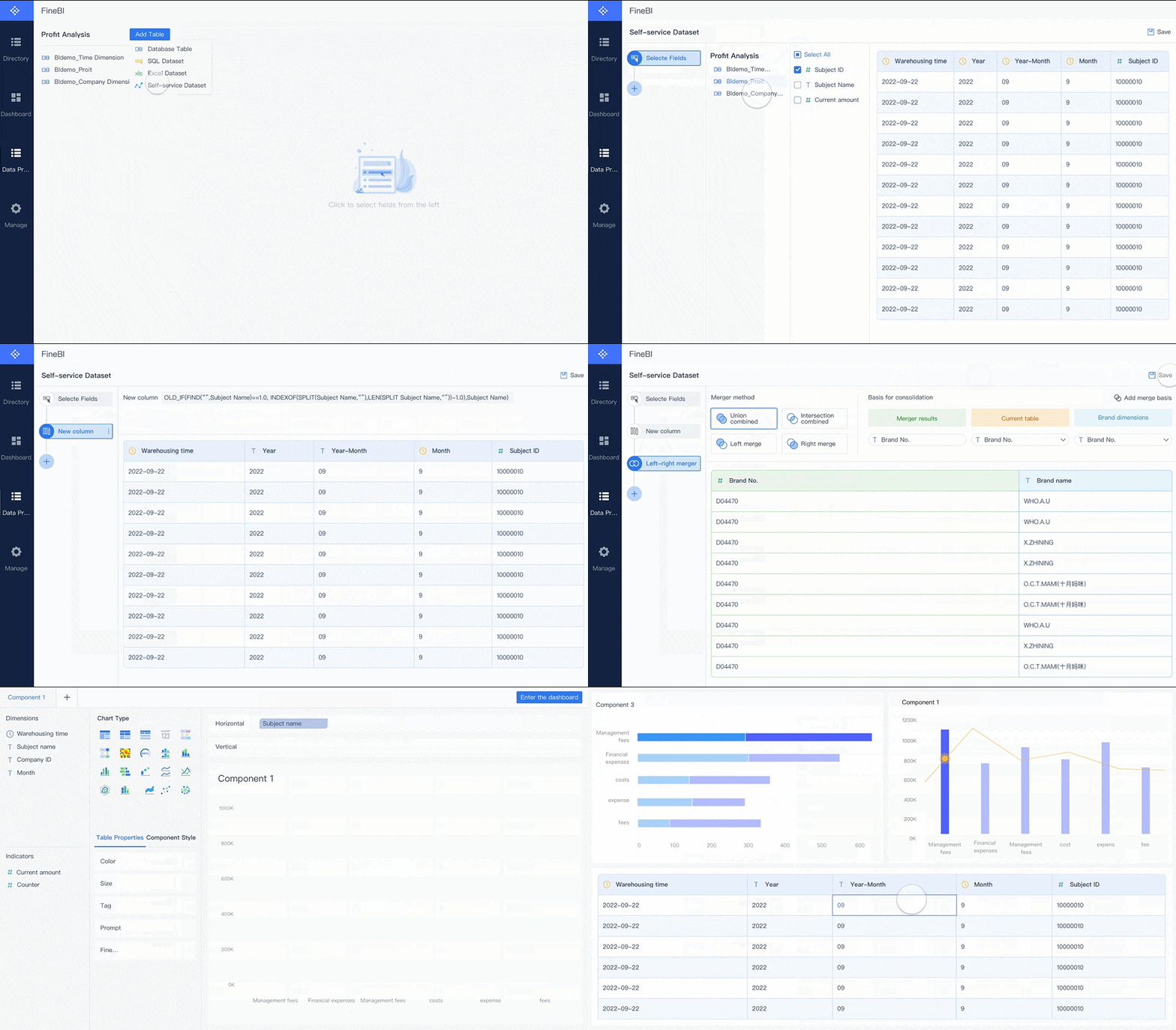
Core types of business dashboards and when to use each
Not every dashboard should do the same job. The best enterprise dashboard programs separate monitoring, analysis, and strategic review instead of forcing one screen to serve every audience.
Strategic dashboards
Strategic dashboards help senior leaders track long-term business goals and high-level performance. They focus on executive KPIs rather than daily task detail.
Common use cases include:
- Revenue growth tracking
- Margin and profitability trends
- OKR or scorecard reviews
- Cross-functional performance monitoring
- Regional or business unit comparison
A strategic dashboard business view should stay concise. Executives need trend direction, target status, and the ability to spot where deeper review is needed.
Operational dashboards
Operational dashboards are built for day-to-day management. They help teams monitor activity, service levels, throughput, exceptions, and workflow health.
Typical examples include:
- Open orders and fulfillment delays
- Service desk backlog and SLA risk
- Production throughput and downtime
- Inventory movement and stock alerts
- Daily sales activity and pipeline movement
These dashboards need to be timely, easy to scan, and built around action. If a number changes, the next step should be obvious.
Analytical dashboards
Analytical dashboards support deeper exploration. They are used by analysts, business managers, and power users to compare segments, investigate patterns, and identify root causes.
Typical analytical use cases include:
- Customer churn analysis
- Cohort and retention breakdowns
- Sales performance by rep, product, or region
- Campaign attribution analysis
- Variance analysis in finance
Unlike operational dashboards, analytical dashboards require more flexibility. Filters, drill-downs, and comparisons matter more than simple glanceability.
Role-based dashboards
Different teams need different views of the same business.
A sales manager needs pipeline coverage, conversion rates, and rep performance. A finance leader needs revenue realization, expense trends, and cash visibility. A support leader needs ticket volume, response times, and CSAT.
Role-based dashboards ensure that each function gets relevant metrics without losing shared business context.
Common role-based views include:
- Sales: Pipeline, win rate, forecast accuracy, rep activity
- Marketing: Traffic, leads, campaign ROI, funnel conversion
- Finance: Revenue, cost variance, cash flow, budget performance
- Operations: Throughput, quality, downtime, SLA adherence
- Support: Ticket backlog, first response time, resolution time, satisfaction
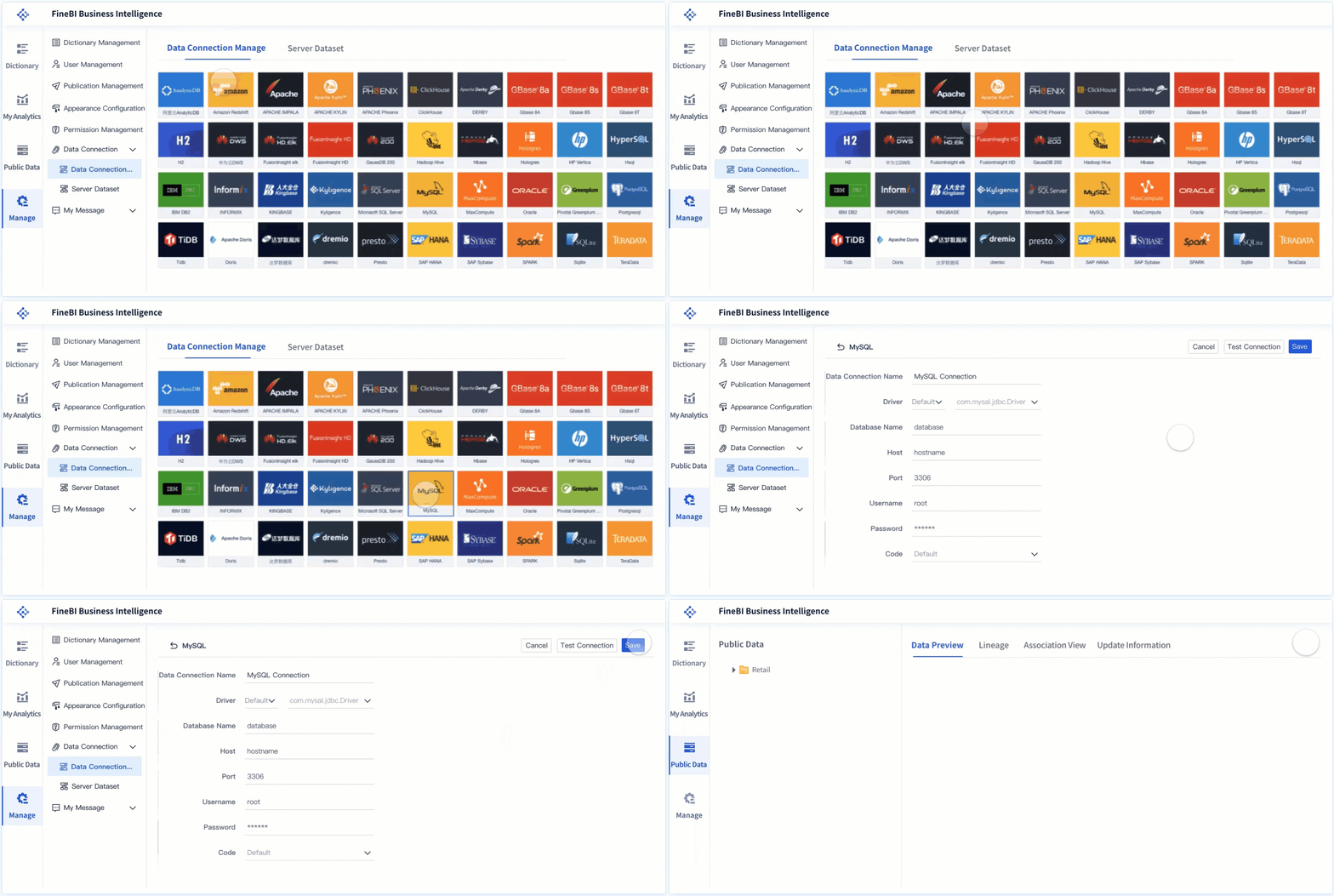
The essential components of an effective enterprise dashboard
Enterprise dashboards fail when they are visually impressive but operationally weak. The most effective dashboards combine the right metrics, trustworthy data, clear ownership, and an interface that helps people act quickly.
Core elements every enterprise dashboard needs
Below are the Core Elements that make a dashboard useful in a business setting:
- Business objective: The specific decision or performance question the dashboard supports
- Target audience: The user group the dashboard is designed for, such as executives, analysts, or team managers
- Primary KPIs: The few metrics that signal whether performance is on track
- Contextual metrics: Supporting measures that help explain why the primary KPIs changed
- Visual hierarchy: A layout that prioritizes the most important information first
- Filters and drill-downs: Controls that let users explore by time, region, product, team, or segment
- Alerts and thresholds: Signals for missed targets, anomalies, or exceptions requiring action
- Data refresh logic: Clear timing for how often data updates
- Ownership and governance: Defined responsibility for metric definitions, quality, and access
- Actionability: A direct link between what users see and what they are expected to do next
Key Metrics (KPIs)
The specific KPI mix depends on the function, but every strong dashboard business implementation defines metrics clearly and keeps them consistent. Here is a structured KPI framework enterprise teams can use.
- Revenue: Total income generated over a period; often segmented by product, region, or account
- Growth rate: Percentage increase or decrease in revenue, users, volume, or output over time
- Conversion rate: The percentage of leads, opportunities, or visits that become the desired outcome
- Pipeline value: The total potential revenue in active sales opportunities
- Forecast accuracy: How closely predicted outcomes match actual results
- Cycle time: The amount of time required to complete a process from start to finish
- SLA compliance: The percentage of work completed within agreed service targets
- Backlog: The volume of unresolved tasks, tickets, orders, or requests waiting for action
- Exception rate: The share of records or processes that fall outside expected conditions
- Customer satisfaction: A score such as CSAT or NPS that reflects customer experience quality
- Cost variance: The difference between planned and actual cost
- Data freshness: How current the displayed data is, measured by last refresh timing
- Adoption rate: The frequency and breadth of dashboard usage across intended users
These KPIs should always come with metric definitions, owners, target values, and update frequency.
Visualizations, filters, and alerts that make dashboards useful
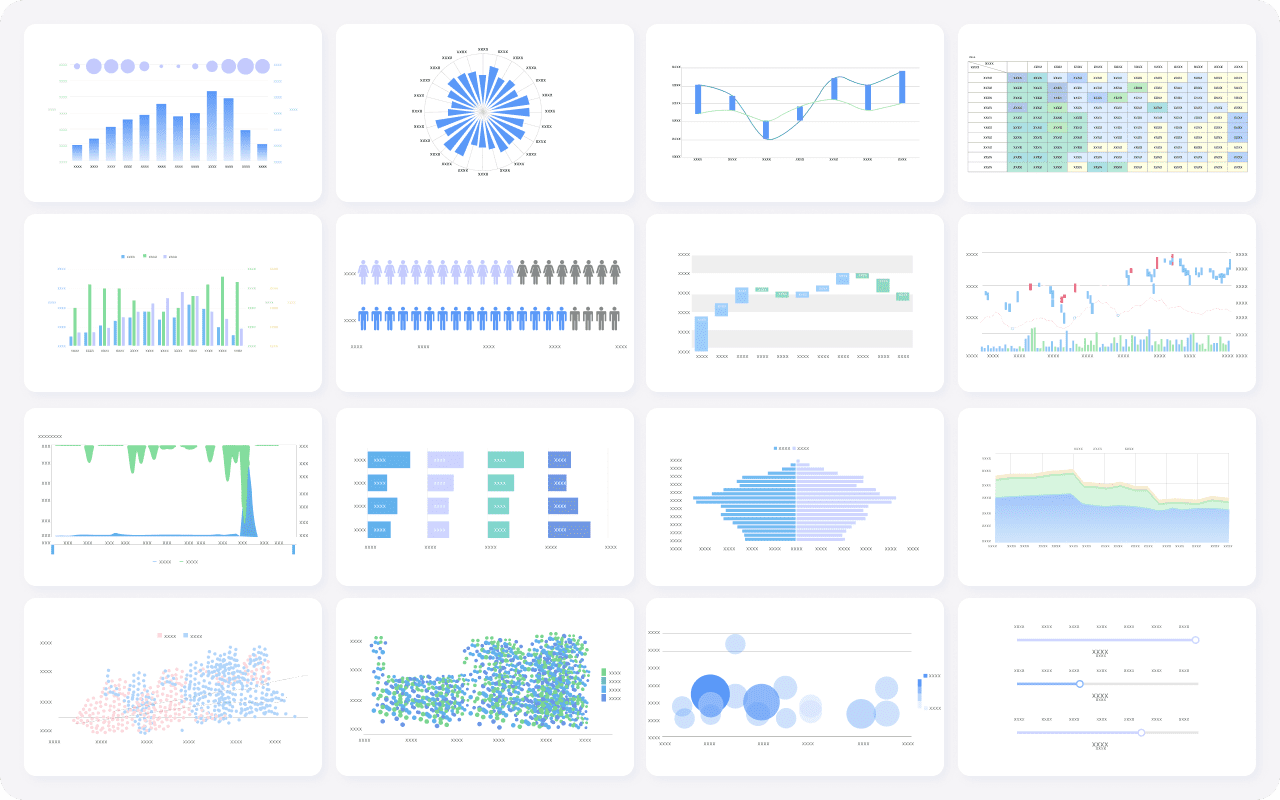
The best dashboard design is not about adding more charts. It is about choosing the right visualization for the right decision.
Useful dashboard components include:
- Scorecards for top-line KPIs
- Line charts for trends over time
- Bar charts for comparisons across teams, products, or regions
- Tables with conditional formatting for ranked operational detail
- Maps for distributed location performance
- Filters for time period, business unit, geography, and channel
- Alerts for threshold breaches, anomalies, or missed targets
If a user cannot quickly tell what changed and whether it matters, the dashboard is too complex.
Why data freshness, ownership, and governance matter
A dashboard is only as trusted as its data model.
In enterprise settings, trust breaks when:
- Sales and finance use different revenue definitions
- Metrics refresh at inconsistent times
- No one owns quality checks
- Users can see numbers but not their source logic
- Access controls are too loose or too restrictive
To avoid this, every dashboard should have:
- A named owner
- Standardized metric definitions
- Documented refresh schedules
- Access rules by role
- Validation checks for missing, delayed, or duplicated data
Without governance, dashboards become another layer of confusion.
Usability essentials for enterprise adoption
Usability is often underestimated. Even accurate dashboards fail if they are difficult to read or slow to navigate.
Key usability practices include:
- Put the most important KPIs at the top
- Limit each screen to a focused decision set
- Use consistent colors and labels
- Avoid chart clutter and unnecessary decoration
- Make filters intuitive
- Support mobile access for leaders and field users
- Reduce clicks to reach the next level of detail
For many enterprise users, a personalized home view is especially valuable. It gives each person immediate access to the metrics they own while preserving links to shared company-wide context.
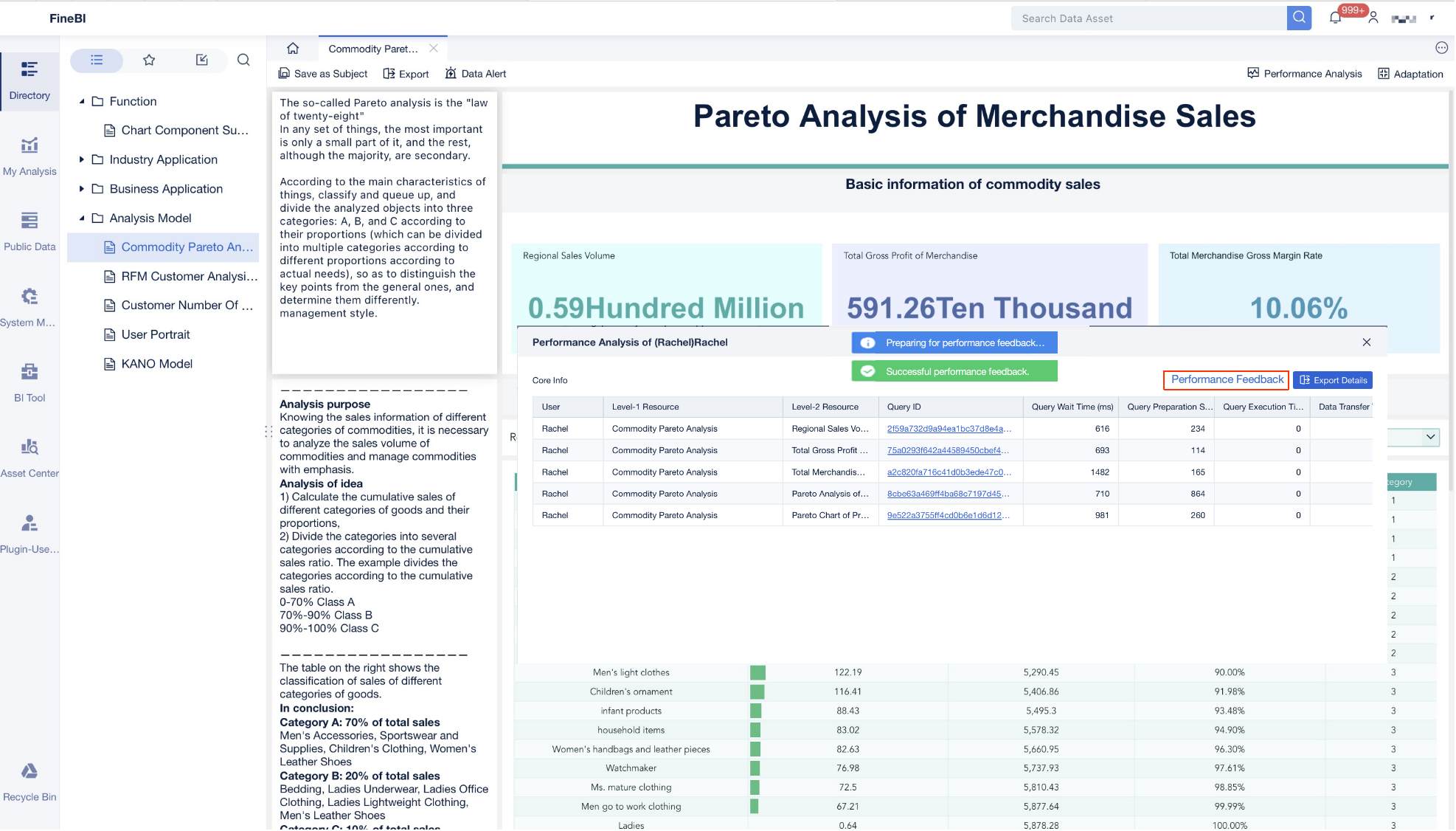
7 practical ways enterprise teams turn scattered data into decisions
This is where the business value becomes tangible. A dashboard business strategy is not just about visibility. It changes how teams operate, coordinate, and respond.
Align KPIs across departments
Most enterprise reporting friction starts with inconsistent definitions. Sales counts booked revenue one way, finance uses another, and operations measures fulfillment on a different timeline. Meetings turn into debates instead of decisions.
A shared dashboard solves this by standardizing scorecards and KPI definitions.
Best practice:
- Define enterprise metrics centrally
- Assign metric owners
- Publish shared scorecards by department
- Use role-based dashboard views built on the same metric logic
This creates alignment without forcing every user to see the same screen.
Surface exceptions before they become problems
High-performing teams do not wait for monthly reviews to find issues. They use dashboards to spot anomalies, missed targets, and bottlenecks early.
Examples include:
- A sudden drop in conversion rate
- SLA breaches rising in one support queue
- Delayed shipments concentrated in one region
- Revenue underperformance against forecast
- A spike in refund requests after a product release
Exception-based dashboards reduce noise by highlighting what needs attention first.
Connect customer, revenue, and operational signals
Scattered systems hide cause-and-effect relationships. Revenue may be down, but why? A dashboard that combines customer data, sales data, and operational data can reveal the answer.
For example:
- Lower renewal rates may correlate with support backlog
- Reduced conversion may align with slower response times
- Margin pressure may tie back to fulfillment cost by region
- Store-level performance may link to review sentiment and local engagement
This cross-functional visibility is where enterprise dashboards create real decision advantage.
Speed up recurring decision-making
A large share of management time is still spent preparing updates for meetings. Weekly reviews, forecast checks, executive summaries, and operational standups often rely on manually assembled files.
Dashboards compress that cycle.
Instead of spending hours collecting and formatting updates, teams can:
- Open the latest view
- Review changes against target
- Drill into the outliers
- Decide next actions in the same session
That shift improves not only efficiency but also decision cadence.
Give local teams visibility into location performance
Distributed enterprises often struggle with local visibility. Branches, territories, field teams, and multi-location operations need more than a company-wide average.
Location-level dashboards can track:
- Listing accuracy
- Reputation and review trends
- Local engagement
- Foot traffic proxies
- Sales output by branch
- Service quality by site
This helps regional managers compare locations, identify lagging areas, and replicate what top-performing sites are doing.
Personalize views by role and priority
Executives need a top-down picture. Managers need team accountability. Individual contributors need actionable metrics tied to their work. A one-size-fits-all dashboard usually satisfies no one.
Role-based personalization allows each stakeholder to focus on what they own without losing the shared operational picture.
A practical enterprise model includes:
- A corporate summary view
- Functional dashboards by department
- Personal home views for priority metrics
- Drill-through paths into detailed analysis
This balance increases adoption because each user sees immediate relevance.
Turn examples into repeatable templates
One of the fastest ways to scale dashboard programs is to stop rebuilding from scratch. Proven layouts, metric groups, and governance rules can be turned into reusable templates.
Templates help enterprise teams:
- Reduce design time
- Preserve KPI consistency
- Accelerate rollouts across regions or business units
- Improve usability through familiar structure
- Lower dependence on custom one-off builds
For organizations with many teams, repeatable templates are the difference between isolated success and enterprise-wide adoption.
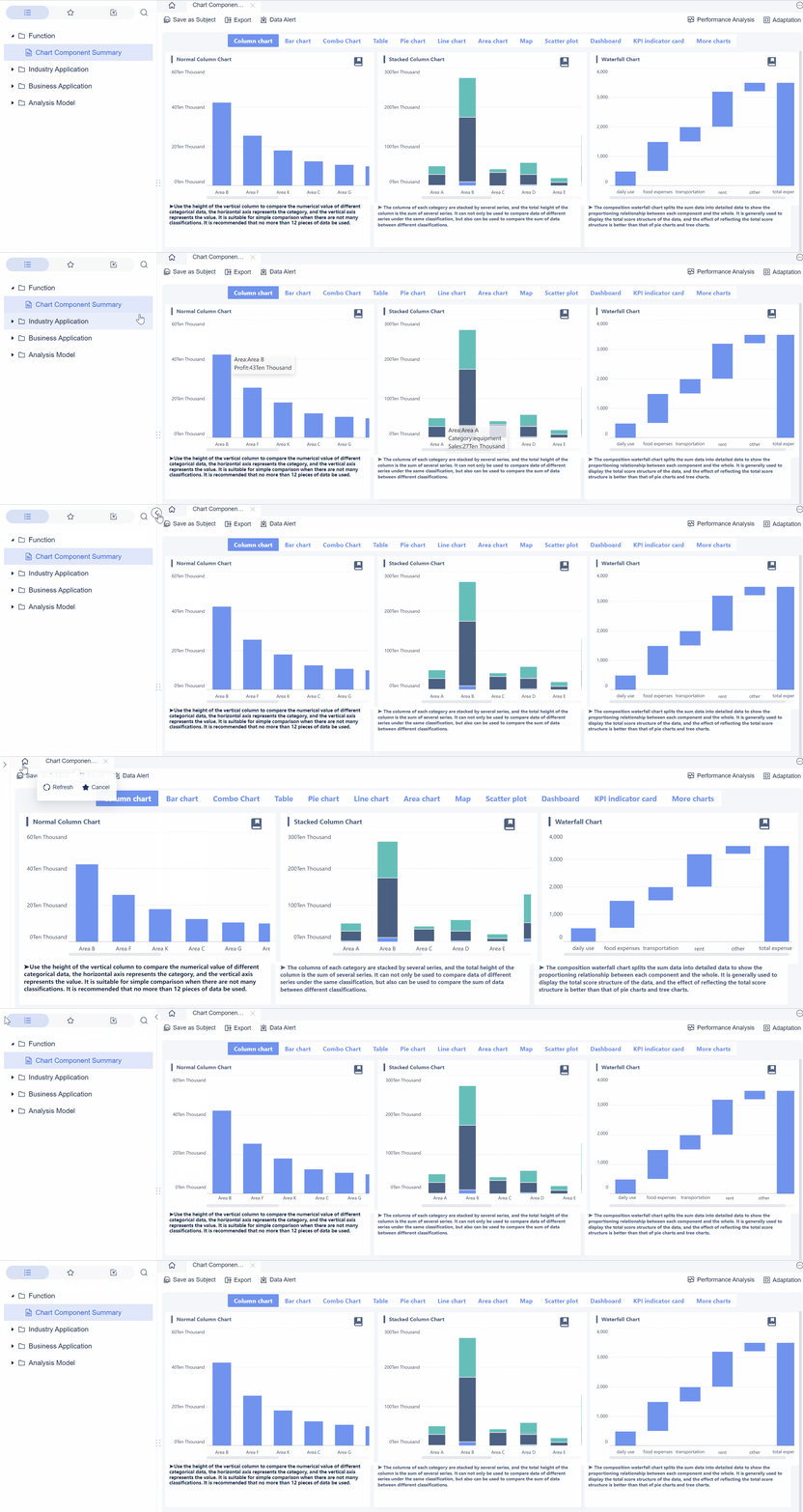
Business dashboard examples and common implementation mistakes
The best way to understand dashboard value is to look at practical business use cases.
Example use cases by function
Executive reporting
An executive dashboard typically includes:
- Revenue versus target
- Margin trend
- Cash position
- Pipeline coverage
- Regional performance
- Strategic initiative status
The goal is not detail overload. It is fast executive clarity.
Sales pipelines
A sales dashboard often tracks:
- Pipeline by stage
- Win rate
- Average deal size
- Sales cycle length
- Forecast accuracy
- Rep activity and quota attainment
This helps sales leaders shift from anecdotal pipeline reviews to evidence-based coaching and forecasting.
Marketing performance
A marketing dashboard usually combines:
- Traffic by channel
- Lead volume
- Cost per lead
- Conversion to opportunity
- Campaign ROI
- Funnel performance over time
This gives marketing and sales a shared view of demand generation quality.
Finance oversight
A finance dashboard may include:
- Actual versus budget
- Revenue and expense variance
- Cash flow
- Accounts receivable aging
- Margin by business unit
- Forecast updates
For finance leaders, dashboard value comes from reliable, governed data and consistent definitions.
Customer support
A support dashboard often shows:
- Ticket volume
- Backlog
- First response time
- Resolution time
- SLA attainment
- CSAT trend
- Queue health by team or region
This enables service leaders to manage staffing, quality, and escalation risk in near real time.
What strong dashboard examples have in common
Regardless of function, strong dashboards usually share the same design principles:
- A clear business goal
- A limited set of meaningful metrics
- Consistent metric definitions
- A visible link between metrics and action
- Simple visual structure
- Appropriate filtering and drill-down options
- Trusted, timely data
In other words, the dashboard is built for decision support, not decoration.
Mistakes that make dashboards harder to use
Many enterprise dashboards fail for avoidable reasons.
Common mistakes include:
- Metric overload: Too many KPIs on one screen dilute focus
- Unclear ownership: No one is responsible for accuracy or updates
- Stale data: Users stop trusting dashboards that lag behind reality
- Visuals without context: Numbers shown without targets, trends, or benchmarks
- One-size-fits-all design: Different audiences forced into the same view
- No action path: Users can see issues but cannot drill down or respond
- Poor governance: Definitions vary across departments
A useful test is simple: after viewing the dashboard, can a manager decide what to do next within minutes?
How to choose, launch, and improve a dashboard over time
The strongest dashboard business programs start narrow, validate quickly, and improve continuously. They do not begin with a giant enterprise rollout across every function.
Start with one decision, one audience, and a short list of must-have metrics
Do not begin with “we need a dashboard for everything.” Begin with one recurring decision.
Examples:
- How should we prioritize underperforming regions this week?
- Which service queues are at SLA risk today?
- Are we on track to hit quarterly revenue target?
Then define:
- The audience
- The top 5 to 10 metrics
- The refresh frequency
- The action each metric is meant to trigger
That focus prevents complexity from taking over the project.
Validate data sources and define ownership early
Before design work goes too far, confirm:
- Which systems provide the data
- Whether the data is complete and timely
- How each KPI is calculated
- Who approves metric definitions
- Who owns access, updates, and quality control
This is the step many teams rush past, and it is exactly where trust problems begin.
Roll out in phases and improve based on feedback
A practical enterprise rollout usually follows this path:
- Launch a pilot for one team or decision workflow
- Validate KPI relevance and usability
- Add filters, alerts, and drill-downs based on user behavior
- Expand to adjacent functions using shared metric logic
- Standardize successful designs into templates
This phased approach lowers risk and improves adoption.
4 best practices from a seasoned consultant
If you are implementing a dashboard in an enterprise setting, these practices consistently deliver better outcomes:
1. Design for a meeting, not for a wall of data
Build the dashboard around the exact review conversation it will support. If the dashboard cannot structure a weekly meeting or daily standup, it is probably too broad.
2. Define thresholds before building visuals
Know what “good,” “at risk,” and “off track” mean before choosing chart types. Threshold clarity makes alerts and color logic meaningful.
3. Separate monitoring from analysis
Use one dashboard for quick status monitoring and another for deeper root-cause exploration. Trying to combine both often creates clutter.
4. Track dashboard adoption as a KPI
If leaders want dashboards to shape decisions, they should measure usage, repeat visits, time saved, and reduction in manual reporting effort.
Practical checklist before building your next dashboard
Use this checklist before starting:
- Is there one clearly defined business decision this dashboard supports?
- Is the target audience specific?
- Are KPI definitions agreed across stakeholders?
- Are data sources validated and refresh timing documented?
- Is there an owner for metric quality and access control?
- Are targets, thresholds, and alerts defined?
- Is the layout prioritized around the most important metrics?
- Are role-based views needed?
- Can users drill into exceptions easily?
- Is mobile or field access required?
- Have you limited the dashboard to essential metrics?
- Is there a feedback loop for improvement after launch?
Build smarter, faster, and at scale with FineBI
Building this manually is complex; use FineBI to utilize ready-made templates and automate this entire workflow.
For enterprise teams, the challenge is not understanding why dashboards matter. The challenge is building trusted, scalable, role-based dashboards without creating another layer of reporting work. FineBI helps solve that problem by giving organizations a faster path from scattered data to governed, decision-ready dashboards.
With FineBI, teams can:
- Connect multiple business data sources into one environment
- Use ready-made templates to accelerate dashboard design
- Create strategic, operational, analytical, and role-based views
- Standardize KPI definitions across departments
- Enable self-service exploration without sacrificing governance
- Automate recurring reporting workflows and reduce manual preparation time
- Personalize home views for different stakeholders
For IT managers, that means better control and lower reporting sprawl. For analysts, it means less repetitive dashboard rebuilding. For executives and department heads, it means faster visibility into the metrics that drive action.
If your current dashboard business process still depends on spreadsheets, static reports, and last-minute data assembly, the opportunity is clear: move from fragmented reporting to a governed dashboard model that supports real enterprise decision-making. FineBI is built to help you do exactly that.
FAQs
A business dashboard is a visual view that combines key metrics from different systems into one place. It helps teams monitor performance, spot changes quickly, and make decisions from shared data.