Looking for the best reporting tool for asp net or asp.net core projects? You have plenty of options to explore. Here are the top choices developers are using in 2026:
You want a solution that makes data visualization simple, supports generating pdf reports, and offers reliable pdf creation. The right reporting tool can help you connect to multiple data sources, streamline reporting, and deliver results faster.
Reporting Tools Overview
What Are Reporting Tools?
You probably hear about reporting tools all the time, but what do they actually do? These tools help you turn raw data into clear, useful information. You can create reports that show sales numbers, performance stats, or even financial results. Most reporting tools let you connect to different data sources, so you can pull in information from databases, spreadsheets, or cloud services.
Here’s a quick look at what defines a great reporting tool in software development:
Function/Capability
Description
Data Integration
Connects data from different systems, making the reporting process faster.
Customization
Lets you design reports that fit your needs, not just generic templates.
Report Generation
Produces all kinds of reports—operational, financial, performance, and more.
Visual Presentation
Uses charts, graphs, and dashboards for better clarity and understanding.
Customer Support
Offers help and resources when you run into questions or issues.
You get more than just numbers on a page. With features like drag-and-drop design, interactive dashboards, and export options, reporting tools make your job easier and your results more impressive.
Why Use Reporting Tools in ASP.NET?
If you build apps with asp.net or asp.net core, you know how important it is to present data in a way that makes sense. Reporting tools help you do just that. They let you create dynamic reports that update in real time, so your users always see the latest information. You can add interactive charts, graphs, and tables, making data visualization simple and engaging.
Here’s why these tools matter for asp.net and asp.net core projects:
You can generate reports that update instantly, giving users fresh insights.
Interactive visualizations make it easy to spot trends and patterns.
Customizable reports let you tailor content for different audiences.
You get support for multiple data sources, so integration is seamless.
Exporting options allow you to share reports in formats like PDF or Excel.
Reporting tools in asp.net and asp.net core applications transform raw data into visually engaging reports. You can analyze information, filter results, and export findings with just a few clicks. This means you spend less time wrestling with code and more time delivering value to your users.
Key Features for ASP.NET Reporting
Integration with ASP.NET and ASP.NET Core
You want your reporting tool to fit right into your workflow. The best tools for asp.net make integration smooth and hassle-free. You can add reports to your web apps, display dashboards, and let users interact with data—all without jumping through hoops. Tools like DevExpress, Telerik, Syncfusion, GrapeCity, and Stimulsoft work well with asp.net and asp.net core. They support many report types and let you export results in different formats. Dotnet Report, for example, gives you an easy-to-use report builder that works with .NET apps and supports advanced features like scheduling.
Report Design and Customization
You need flexibility when designing reports. Maybe you want to change layouts, add custom logic, or let users filter data on the fly. The top asp.net reporting tools give you drag-and-drop designers, templates, and options for deep customization. You can build reports that match your brand and meet any business need. Interactive runtime filtering lets users change what they see in real time, making reports more useful and personal.
Tip: Look for tools that let you use expressions and scripts. This way, you can create dynamic reports that adapt to your users’ needs.
Here’s a quick table showing what developers like you look for:
Feature
Description
Customizability
Tailor reports to any business need with flexible options and deep integration.
Extensibility
Connect to various data sources and add custom logic for advanced behaviors.
Comprehensive Export Options
Deliver reports efficiently from asp.net core apps.
Interactive Runtime Filtering
Let users change displayed data in real time for personalized insights.
Dynamic Reporting
Create reports that adapt to user needs with expressions and scripts.
Data Source Connectivity
You probably work with lots of data. The right asp.net reporting tool connects to all your sources—SQL databases, JSON files, MongoDB, and even predefined data sets. You can pull in information from anywhere and combine it in one place. This makes your reports more complete and your analysis more powerful.
Connect to SQL databases for structured data.
Use JSON for flexible, web-friendly data.
Tap into MongoDB for NoSQL needs.
Link up with predefined data sources for quick starts.
Export and Sharing Options
Once you build a great report, you want to share it. Leading asp.net reporting tools let you export to many formats—PDF, DOCX, RTF, images, CSV, and TXT. You can choose synchronous or asynchronous export methods, so you get the right balance of speed and reliability.
You can send reports by email, save them to the cloud, or let users download them right from your asp.net app. This makes sharing insights with your team or clients a breeze.
Top 9 Reporting Tools for ASP.NET
Quick List and Selection Criteria
If you want to find the best reporting tool for asp net or asp.net core, you need to know what’s out there. Here’s a quick list of the top 9 tools that developers like you trust for building modern, data-driven web apps:
FineReport
DevExpress Reports
Telerik Reporting
Syncfusion Report Platform
Stimulsoft Reports
ActiveReports.NET
Microsoft SSRS and RDLC
Crystal Reports
DotNetReport
You’ll see both open-source and commercial options here. Each one brings something unique to the table. Some focus on pixel-perfect layouts. Others shine with interactive dashboards or easy integration with asp.net core. You might want a tool that makes generating pdf reports simple, or maybe you need advanced data entry and dashboard features. This list covers all those needs.
Tip: Don’t just pick the most popular tool. Think about your project’s requirements and your team’s workflow.
How Did These Tools Make the List?
You probably wonder how to choose the best reporting tool for asp net or asp.net core. Experts look at several key factors when they compare reporting solutions. Here’s what you should keep in mind:
Data source support: Can you connect to SQL, NoSQL, cloud, and file-based data? The more options, the better.
Report designer & ease of use: Does the tool offer a drag-and-drop designer? Is it easy for you and your team to learn?
Report presentation & performance: How fast do reports load? Do they look good on all devices?
Output formats & printing: Can you export to PDF, Excel, HTML, and other formats? Is printing straightforward?
Report integration & deployment: Does the tool fit smoothly into your asp.net or asp.net core app? Can you deploy reports with minimal hassle?
Pricing: Does the cost match your budget and expected usage?
Popularity & developer community: Is there a strong community? Will you find answers and resources when you need help?
Resources: Are there good docs, samples, and tutorials?
Tech support: Can you get help quickly if you run into trouble?
You want a tool that checks as many boxes as possible. For example, FineReport stands out for its flexible designer, multi-source connectivity, and seamless integration with asp.net core. DevExpress and Telerik are known for their polished UI and strong support. Syncfusion and Stimulsoft offer a wide range of export options, making generating pdf reports a breeze. Microsoft SSRS and RDLC are great if you prefer Microsoft’s ecosystem. DotNetReport is a solid choice for quick integration and user-friendly design.
Here’s a quick comparison table to help you see how these tools stack up:
Tool Name
Open Source
Drag-and-Drop Designer
Multi-Source Support
Export to PDF
ASP.NET Core Integration
FineReport
No
Yes
Yes
Yes
Yes
DevExpress Reports
No
Yes
Yes
Yes
Yes
Telerik Reporting
No
Yes
Yes
Yes
Yes
Syncfusion Report Platform
No
Yes
Yes
Yes
Yes
Stimulsoft Reports
No
Yes
Yes
Yes
Yes
ActiveReports.NET
No
Yes
Yes
Yes
Yes
Microsoft SSRS/RDLC
Yes
Limited
Yes
Yes
Yes
Crystal Reports
No
Yes
Yes
Yes
Yes
DotNetReport
No
Yes
Yes
Yes
Yes
You can use this table to narrow down your options. Think about which features matter most for your asp.net or asp.net core project. Maybe you need strong data source support, or you want a tool that makes deployment easy. The right choice will help you deliver reports faster and keep your users happy.
Remember, the best reporting tool for asp net is the one that fits your workflow, supports your data, and grows with your needs.
1.FineReport by FanRuan – Best Reporting Tool for ASP.NET
Overview and Key Features
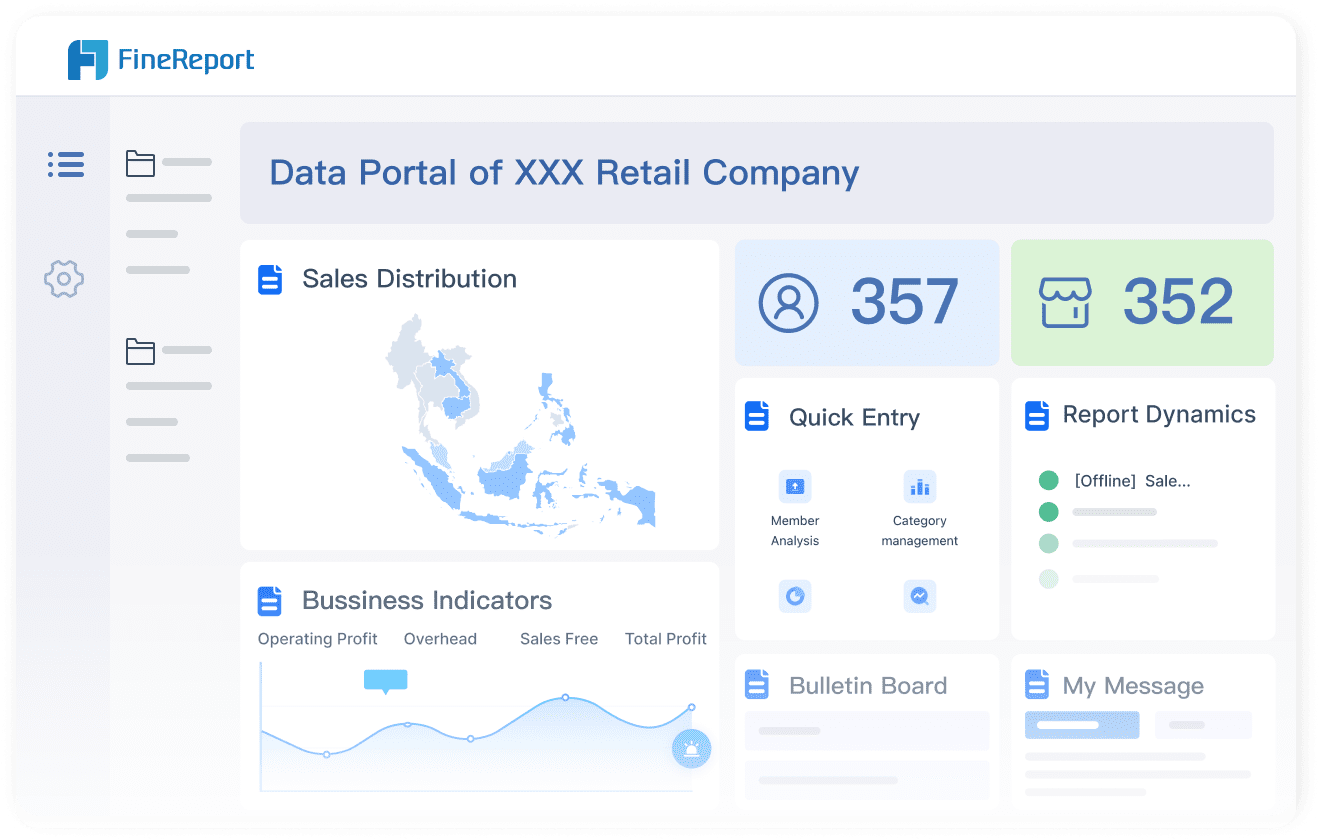
If you want a reporting tool that works perfectly with asp.net and asp.net core, FineReport by FanRuan stands out. You get a drag-and-drop designer that feels familiar, almost like using Excel. You can connect to many data sources, including SQL databases, Excel files, and cloud services. FineReport lets you build dashboards and reports that look great on any device. You can access your data from your phone, tablet, or computer. The platform supports generating pdf reports, so sharing insights with your team is easy.
You want a tool that fits right into your asp.net or asp.net core workflow. FineReport makes integration simple. You can embed reports and dashboards directly into your web apps. The designer helps you create pixel-perfect layouts and interactive dashboards. You can set up scheduled tasks to automate report delivery. FineReport supports real-time data updates, so your users always see the latest numbers. You can also control who sees what with detailed permission settings.
Tip: You can use FineReport to create custom forms for data entry, making your asp.net core apps even more powerful.
Use Cases and Success Stories
FineReport helps companies in many industries. In manufacturing, teams use FineReport to track production, manage costs, and improve quality. You can read about King Yuan Electronics, a leader in semiconductor testing. They switched to FineReport and cut their report development time from two weeks to just two hours. Their team now enjoys easy integration with asp.net and asp.net core systems, plus support for multiple data sources. FineReport also powers agile production solutions, helping factories respond quickly to changes and keep operations running smoothly.
Note: If you want a reporting tool that grows with your business, FineReport gives you flexibility and speed.
2.DevExpress Reports for ASP.NET
Main Features
If you want a tool that gives you lots of options, DevExpress Reports for ASP.NET might be just what you need. You can connect to many data sources, like SQL databases, Excel files, or even custom objects. The platform makes it easy to build reports with visual controls such as charts, gauges, and bar codes. You can shape your data by grouping, sorting, and filtering. You also get report parameters, so you can let users filter what they see in real time.
Here’s a quick table showing what sets DevExpress Reports apart:
Feature
Description
Data Source Flexibility
Connect to SQL, Entity Framework, custom objects, and Excel files
Visual Controls
Use charts, cross tabs, gauges, and bar codes for better data visualization
Data Shaping Features
Group, sort, filter, and format data with ease
Report Parameters
Add multi-value and cascading filters for interactive reports
You can use these features to create reports that look professional and help users understand their data quickly.
Pros and Cons
DevExpress Reports for ASP.NET gives you a lot of power. You get a drag-and-drop designer that feels easy to use. The tool works well with asp.net projects, so you can add reports to your web apps without much trouble. You can export reports in many formats, including generating pdf reports for sharing or printing.
Tip: If you want strong visual controls and flexible data connections, DevExpress Reports is a solid choice.
Still, you might notice that the learning curve can be a bit steep if you’re new to reporting tools. Some advanced features may take time to master. You also need a license, which means there’s a cost to consider.
Ideal Use Cases
You should consider DevExpress Reports for ASP.NET if you need to build dashboards or reports for business apps. It’s great for financial analysis, sales tracking, or any project where you want to show data in a clear way. If you work with different data sources and want interactive reports, this tool fits well. You can use it for asp.net web apps that need real-time filtering or exporting options.
Note: DevExpress Reports works best when you want to give users a smooth experience and lots of ways to view their data.
3.Telerik Reporting for ASP.NET Core
Main Features
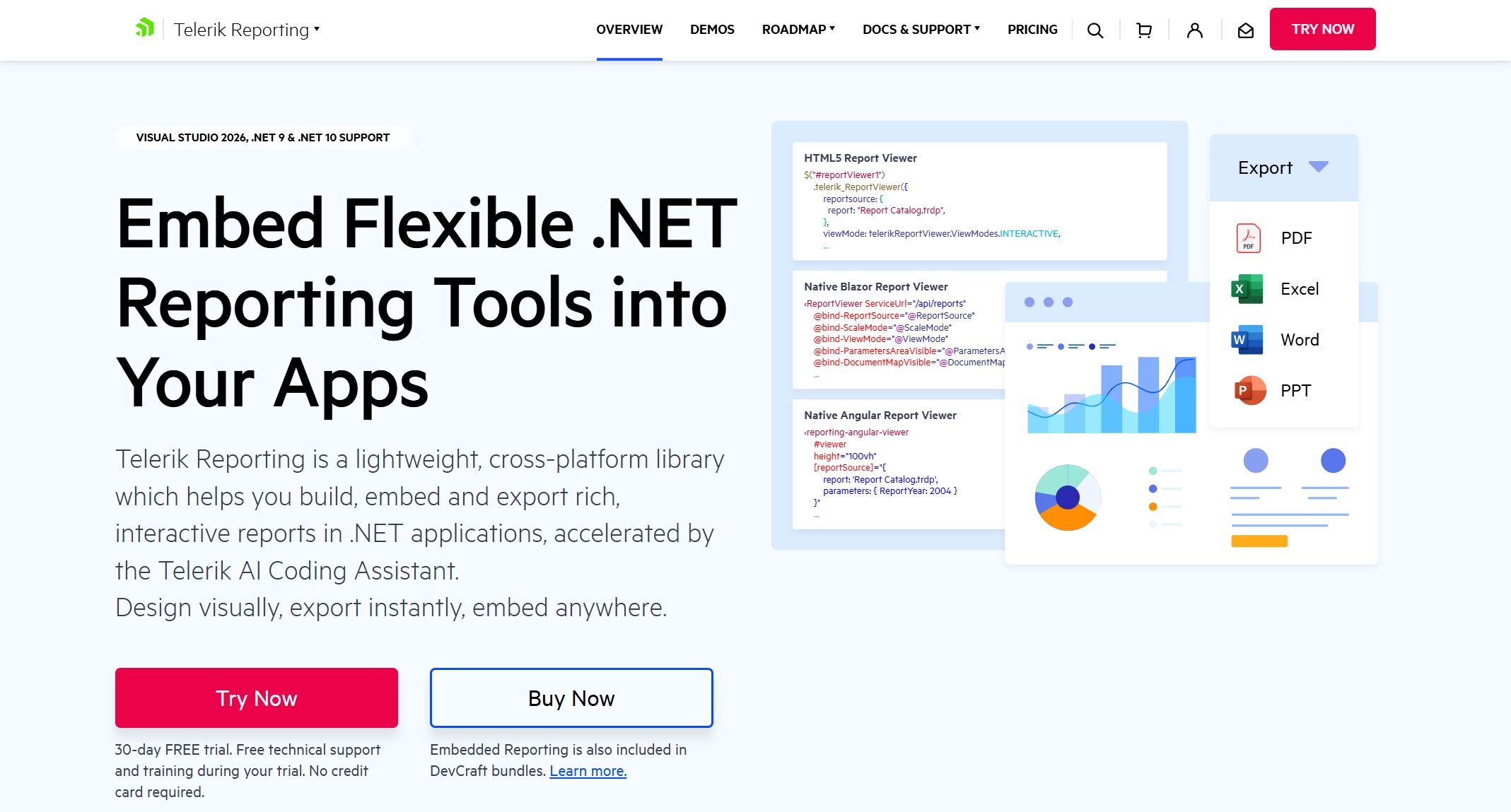
You want a tool that makes your life easier when building reports in asp.net and asp.net core. Telerik Reporting for ASP.NET Core gives you a complete feature set that covers everything from design to deployment. You get three different report designers—web-based, desktop, and Visual Studio—so you can work the way you like. The styling options feel familiar, with CSS-like styles and Excel-like conditional formatting. You can add interactive features like drill-down and drill-through, which help users explore data without getting lost.
Mature report engine with 15+ years on the market, supporting various report types.
Report designers
Three report designers: web-based, desktop WYSIWYG, and Visual Studio.
Styling capabilities
CSS-like styles and Excel-like conditional formatting.
Interactive capabilities
Drill-down and drill-through for enhanced user interaction.
Cross-platform access
View reports in both web and desktop applications.
Data source integration
Connect to OLAP cubes, databases, Excel, XML, and business objects.
Scalability, security, performance
Robust performance and security for report management.
Lightweight and easy-to-use
Short learning curve with lots of resources.
Deployment flexibility
Integrate with any .NET and JavaScript app, supporting multiple frameworks.
Export options
Export in over 15 formats, including Word, Excel, PDF, and more.
You can connect to almost any data source, which means you can pull in information from databases, Excel files, or even business objects. If you need to share results, you’ll love the export options. Generating pdf reports is simple and reliable.
Pros and Cons
You want to know what works well and what might slow you down. Telerik Reporting for ASP.NET Core gets high marks for technical support and well-designed controls. Many users say the time-saving features help them finish projects faster. The controls look modern and work smoothly in most cases.
Here’s a quick table to help you compare:
Pros
Cons
Excellent technical support
Some controls may not function as expected
Well-designed controls
Support response times could be faster
Time-saving features
Some help topics not for .NET CORE 3.1
Fast, professional, accurate support
Possible bugs in components
Nice and progressive controls
Better globalization support needed
You might run into issues with certain controls or need more help for asp.net core 3.1. Some users wish for faster support and better globalization features. Still, the positives often outweigh the negatives, especially if you value strong support and modern design.
Ideal Use Cases
You should consider Telerik Reporting for ASP.NET Core if you want to build interactive dashboards or reports for business apps. It fits well in asp.net and asp.net core projects where you need flexible design and strong export options. You can use it for financial dashboards, sales analytics, or any scenario where you want users to explore data. If you need to deliver reports in multiple formats or embed them in web and desktop apps, this tool gives you the flexibility you need.
Tip: If you want a reporting solution that grows with your asp.net core projects and makes generating pdf reports easy, Telerik Reporting is a smart choice.
4.Syncfusion Report Platform
Main Features
You want a reporting tool that makes your job easier. Syncfusion Report Platform gives you a bunch of features that help you build and manage reports in asp.net and asp.net core projects. You get a Sample Browser, which lets you explore SDK samples for different frameworks, including asp.net. The platform offers a restructured user guide. You can edit live samples and learn about reporting APIs with clear explanations. Syncfusion also provides NuGet packages. These packages make it simple to add the Report Platform to your asp.net core apps. The web-based report designer lets you create free-form layouts. You can add charts, tables, and other items to your reports.
Easily integrate the Report Platform into your asp.net core applications.
Report Designer for Web
Build custom layouts with charts, tables, and more.
Pros and Cons
Syncfusion Report Platform gives you a lot of flexibility. You can work with many data sources and design reports that look great on any device. The Sample Browser helps you find examples fast. The user guide makes learning easy. You get NuGet packages, so you can set up your asp.net or asp.net core project quickly. The web designer lets you drag and drop items, which saves time.
Tip: If you need to start generating pdf reports for your users, Syncfusion makes it simple with built-in export options.
Sometimes, you might find the interface a little busy. You may need to spend time learning all the features. Some advanced options could take practice before you feel comfortable.
Ideal Use Cases
You should use Syncfusion Report Platform if you want to build interactive dashboards or reports for asp.net and asp.net core web apps. It works well for business intelligence, sales tracking, and financial analysis. If you need to connect to different data sources and share reports in formats like PDF or Excel, this tool fits your needs. You can use it for projects where you want to give users a smooth experience and strong export options.
Note: Syncfusion Report Platform helps you deliver professional reports fast, whether you work on asp.net or asp.net core projects.
5.Stimulsoft Reports for ASP.NET
Main Features
You want a tool that gives you flexibility and power for your asp.net and asp.net core projects. Stimulsoft Reports for ASP.NET does just that. You get a wide range of report viewers and designers. These work in HTML5, WinForms, WPF, and even Flash. You can use the same tool for both .NET Framework and .NET Core. This means you can switch between asp.net and asp.net core without missing a beat.
Here’s a quick comparison to help you see how Stimulsoft stacks up against other leading tools:
Feature
Stimulsoft Reports for ASP.NET
Other Leading Tools
Report Viewers
HTML5, WinForms, WPF, Flash
Varies
Report Designers
HTML5, WinForms, WPF, Flash
Varies
Report Engines
.NET Framework, .NET Core
Varies
Integration
ASP.NET, ASP.NET MVC, .NET Core, Angular, Blazor, Python
Varies
Cross-Platform Support
Yes
Varies
You can integrate Stimulsoft into many environments. It works with asp.net, asp.net core, Angular, and Blazor. You can even use it with Python. This makes it a great choice if you want to future-proof your reporting setup.
Pros and Cons
You want to know what makes Stimulsoft Reports for ASP.NET stand out. The tool runs fast and doesn’t need much from your system. The user interface feels friendly, with a Ribbon UI and drag-and-drop support. You can use conditional formatting to change how your reports look based on your data. If you use a 4K monitor, you’ll love the HiDPI support.
Here’s a table to break down the main pros:
Pros
Description
Rapidity of run and work
Fast performance, low system requirements
Convenient UI
Ribbon UI, drag-and-drop designer
Conditional formatting
Change report design based on conditions
HiDPI support
Works well with high-resolution screens
Template management
Include data and resources in templates
Cloud integration
Store and manage reports in the cloud
Nested reports
Use embedded or external nested reports
Customization options
Work with custom fonts and styles
Report Wizards
Use wizards for quick setup and component settings
You also get cloud integration, so you can manage your reports online. The tool supports both embedded and external nested reports. You can customize almost everything, from fonts to styles. If you like using wizards, you’ll find plenty to help you get started.
Ideal Use Cases
Stimulsoft Reports for ASP.NET fits many scenarios. You can use it for social media analytics, where you track trends and performance. It helps you manage communications and send out updates. If you need competitive intelligence, you can gather and analyze data with ease.
Here are some common use cases:
Use Case
Description
Social Media Analytics
Analyze performance and trends
Sending & Publishing Communications
Manage and distribute communications
Competitive Intelligence
Gather and analyze competitive data
Collaboration
Support teamwork and project management
Customer Feedback Management
Collect and analyze feedback
Scheduling Post To Social Media
Plan and automate posts
Workflow Management
Streamline business processes
Training & Onboarding
Support employee training
Contract Management
Manage contracts and agreements
Digital Signature
Add digital signing to documents
You can use Stimulsoft for workflow management, training, and even contract management. If you need digital signatures, the tool has you covered. You can also use it for generating pdf reports, making it easy to share results with your team or clients.
Tip: If you want a reporting tool that works across asp.net and asp.net core, Stimulsoft gives you the flexibility and features you need.
6.ActiveReports.NET
Main Features
ActiveReports.NET gives you a lot of control when you build reports for asp.net and asp.net core projects. You get a drag-and-drop designer that feels easy to use. You can create reports with tables, charts, and even barcodes. The tool supports both page and RDL report types, so you can pick what works best for your needs. You can connect to many data sources, like SQL databases, JSON, and CSV files. If you want to add custom logic, you can use scripts or expressions. The platform also supports generating pdf reports, which makes sharing results simple.
Interactive features like drill-down and drill-through
Export options for PDF, Excel, Word, and more
Embedding reports in asp.net and asp.net core apps
Tip: You can use the built-in viewer controls to let users interact with reports right inside your web app.
Pros and Cons
You will find that ActiveReports.NET works well with both asp.net and asp.net core. The designer is user-friendly, so you can start building reports quickly. The export options are strong, especially if you need to share reports in different formats. You can customize almost every part of your report.
Here’s a table to help you see the main points:
Pros
Cons
Easy integration
Licensing cost
Flexible report designer
Learning curve for advanced
Strong export options
Some features need setup
Good support for asp.net core
Documentation can be dense
Note: If you want to build advanced dashboards, you might need to spend some time learning the extra features.
Ideal Use Cases
ActiveReports.NET fits best when you need to create custom reports for business apps. You can use it for financial dashboards, sales tracking, or any project where you want to show data in a clear way. It works great for asp.net and asp.net core web apps that need interactive reports. If you want to let users filter data or drill into details, this tool gives you those options. You can also use it when you need strong export features, especially for generating pdf reports.
If you want a reporting tool that grows with your asp.net and asp.net core projects, ActiveReports.NET is a smart choice.
7.Microsoft SSRS and RDLC
Main Features
You might know Microsoft SSRS (SQL Server Reporting Services) and RDLC as classic choices for building reports in asp.net and asp.net core projects. SSRS gives you a server-based platform for creating, managing, and delivering reports. RDLC lets you design client-side reports that run inside your web apps. Both tools offer a visual designer, so you can drag and drop tables, charts, and images right onto your report. You can connect to SQL Server, Oracle, or other data sources. SSRS supports scheduling and subscriptions, which means you can automate report delivery. RDLC works well for local processing, especially when you want to keep everything inside your asp.net core app.
Here’s a quick table to help you see the main features:
Feature
SSRS
RDLC
Server-based
Yes
No
Local processing
No
Yes
Visual designer
Yes
Yes
Data source support
SQL, Oracle, more
SQL, in-memory, more
Export options
PDF, Excel, Word, more
PDF, Excel, Word, more
Pros and Cons
You get some big advantages with SSRS and RDLC. Both tools fit right into your asp.net and asp.net core workflow. You can use the familiar Visual Studio environment to design reports. SSRS handles large-scale reporting and lets you manage reports on a central server. RDLC gives you more control inside your app, so you don’t need a separate server. Both support generating pdf reports, which makes sharing results easy.
But you might notice some challenges. SSRS setup can feel complex if you’re new to server management. RDLC works best for smaller projects or when you don’t need centralized control. Sometimes, customizing advanced layouts takes extra effort.
Tip: If you want a solution that works well with Microsoft’s ecosystem, SSRS and RDLC are solid picks.
Ideal Use Cases
You should use SSRS if you need enterprise-level reporting for your asp.net or asp.net core applications. It shines when you want to schedule reports, manage permissions, or deliver reports to many users. RDLC fits best when you want to keep everything inside your app and avoid extra server setup. It’s great for internal dashboards, quick data analysis, or when you want to embed reports directly in your asp.net core project.
If your team already uses SQL Server, you’ll find SSRS and RDLC easy to adopt. You can build reports fast, automate delivery, and export to many formats. These tools help you deliver clear, professional results without a steep learning curve.
8.Crystal Reports for ASP.NET
Main Features
You probably know Crystal Reports as one of the classic tools for building reports in asp.net and asp.net core projects. It gives you a visual designer that lets you drag and drop tables, charts, and images right onto your report. You can connect to many data sources, like SQL Server, Oracle, or even Excel files. Crystal Reports supports real-time data access, so your reports always show the latest numbers.
You can use built-in formulas and expressions to customize how your data looks. The tool also lets you add interactive features, such as drill-down and sorting. If you need to share your work, you can export reports in many formats. Generating pdf reports is quick and reliable with Crystal Reports.
Pros and Cons
Let’s break down what you’ll like and what you might find challenging:
Pros
Cons
Easy integration with asp.net
Can feel outdated for some users
Works with asp.net core
Licensing costs can add up
Strong export options
Learning curve for advanced features
Good for complex layouts
Limited support for modern web tech
Tip: If you want a tool that handles complex layouts and connects to many data sources, Crystal Reports is a solid choice for your asp.net or asp.net core projects.
Ideal Use Cases
You should use Crystal Reports when you need to build detailed business reports for your asp.net or asp.net core applications. It works well for financial statements, inventory tracking, and operational dashboards. If your team needs a tool that supports advanced formatting and strong export options, this tool fits the bill. You can also use it when your users expect high-quality printed reports or need flexible ways to view data.
Note: Crystal Reports has been around for a long time. Many companies trust it for their reporting needs, especially when they want reliable results and easy integration.
9.DotNetReport for ASP.NET Core
Main Features
You want a tool that makes reporting easy in your asp.net and asp.net core projects. DotNetReport gives you a built-in report builder that you can add right into your web app. You get a drag-and-drop interface, so you can design reports without writing code. The tool lets you connect to different data sources, like SQL Server or MySQL. You can filter, group, and sort your data with just a few clicks.
DotNetReport supports charts, tables, and summary reports. You can let your users create their own reports, too. This means your team can explore data without waiting for IT. The platform also helps with generating pdf reports, so sharing results is simple.
Here’s a quick look at what you get:
Drag-and-drop report designer
User self-service reporting
Data filtering and grouping
Chart and table support
Export to PDF, Excel, and CSV
Pros and Cons
You will find DotNetReport easy to set up in your asp.net or asp.net core app. The interface feels simple and friendly. Your users can build reports on their own, which saves you time. The export options cover most needs, including PDF and Excel.
Tip: If you want to give users more control over their data, DotNetReport is a smart choice.
Some advanced features may need extra setup. You might find that customizing the look of reports takes a bit more work. The tool works best for small to medium-sized projects.
Pros
Cons
Easy integration
Limited advanced features
User self-service
Customization takes effort
Good export options
Best for smaller projects
Ideal Use Cases
You should use DotNetReport when you want to add reporting to your asp.net or asp.net core web apps quickly. It fits well for dashboards, sales reports, or internal analytics. If your users need to build their own reports, this tool makes it easy. You can use it for projects where you want to save development time and let users explore data on their own.
Note: DotNetReport helps you deliver results fast, especially when you need flexible reporting in your asp.net and asp.net core applications.
Comparison Table – ASP.NET Reporting Tools
Feature Comparison
You want to pick the right tool for your asp.net or asp.net core project. Let’s look at how the top reporting tools stack up. This table shows you which features each tool offers, so you can see what fits your needs best.
Tool Name
Integration
Drag-and-Drop Designer
Multi-Source Support
Mobile Access
Export Formats
Scheduling
Data Entry
Dashboard
FineReport
Yes
Yes
Yes
Yes
PDF, Excel, Word, HTML
Yes
Yes
Yes
DevExpress
Yes
Yes
Yes
Yes
PDF, Excel, HTML
Yes
No
Yes
Telerik
Yes
Yes
Yes
Yes
PDF, Excel, Word, HTML
Yes
No
Yes
Syncfusion
Yes
Yes
Yes
Yes
PDF, Excel, Word, HTML
Yes
No
Yes
Stimulsoft
Yes
Yes
Yes
Yes
PDF, Excel, HTML
Yes
No
Yes
ActiveReports
Yes
Yes
Yes
Yes
PDF, Excel, Word, HTML
Yes
No
Yes
SSRS/RDLC
Yes
Limited
Yes
No
PDF, Excel, Word, HTML
Yes
No
Yes
Crystal Reports
Yes
Yes
Yes
No
PDF, Excel, Word, HTML
Yes
No
Yes
DotNetReport
Yes
Yes
Yes
Yes
PDF, Excel, CSV
Yes
No
Yes
FineReport stands out with its flexible designer, multi-source connectivity, and strong mobile support. You can create dashboards, automate scheduling, and even build data entry forms. This makes generating pdf reports and sharing insights easy.
Pricing and Licensing
You want to know what each tool costs before you decide. Here’s a quick look at the pricing and licensing options for some of the most popular choices.
Tool Name
License Type
Price (per developer)
Support Options
FineReport
Commercial
Custom Quote
Priority, Local Support
DevExpress
DevCraft Complete
$1,699
Priority Support (24h)
DevExpress
DevCraft Ultimate
$2,199
Ultimate Support (phone)
Telerik Reporting
Lite, Priority, Ultimate
$699, $799, $1,199
Lite, Priority, Ultimate
Syncfusion
Commercial/Community
Custom Quote/Free
Standard, Premium
Stimulsoft
Commercial
Custom Quote
Standard, Premium
ActiveReports
Commercial
Custom Quote
Standard, Premium
SSRS/RDLC
Open Source
Free
Community
Crystal Reports
Commercial
Custom Quote
Standard, Premium
DotNetReport
Commercial
Custom Quote
Standard, Premium
You get flexible pricing with FineReport, plus local support and training. SSRS and RDLC offer free options if you want to keep costs low.
Best Scenarios
Choosing the best tool depends on your project. Here’s a table to help you match each reporting tool to the right scenario.
Tool Name
Best For
FineReport
Enterprise dashboards, manufacturing, agile production, data entry, mobile reporting
DevExpress
Business analytics, financial dashboards, complex visualizations
Telerik
Interactive dashboards, scalable web apps, cross-platform reporting
Syncfusion
SMBs, startups, business intelligence, flexible integration
Stimulsoft
Social media analytics, workflow management, collaboration
ActiveReports
Custom business reports, financial analysis, interactive dashboards
SSRS/RDLC
Large-scale enterprise, organizations with existing Microsoft infrastructure
Crystal Reports
Detailed business reports, printed statements, legacy systems
DotNetReport
SMBs, startups, user self-service reporting, quick deployment
FineReport works great for enterprise-level asp.net and asp.net core projects. You get advanced dashboards, real-time data, and easy integration for manufacturing and agile production.
When you look for the best reporting tool for asp net, focus on what matters most. You want easy integration with asp.net and asp.net core, strong customization, and support for many data sources. Tools that offer user interactivity and performance optimization make generating pdf reports simple. Match your project’s needs with each tool’s strengths. Try out demos or free trials before you decide. Picking the right solution helps you deliver better results and grow your skills.
Product Trial
FineReport
Pixel-perfect reports · Interactive dashboards · Easy data entry · Digital twins
Access a wealth of case studies, industry insights, and solution guides to accelerate digital transformation.
FAQ
What is the best reporting tool for ASP.NET Core?
You have many great options, but FineReport stands out for its flexibility, multi-source support, and easy integration. Try a few demos to see which tool fits your workflow best.
Can I use these reporting tools with cloud databases?
Yes! Most tools on this list connect to cloud databases like Azure SQL or AWS RDS. Just check the documentation for supported data sources before you start.
Do I need to know coding to design reports?
Not really. Many tools offer drag-and-drop designers. You can build reports visually without writing code. If you want advanced features, a little coding helps, but it’s not required.
How can I share reports with my team?
You can export reports as PDF, Excel, or Word files. Some tools let you schedule email delivery or share dashboards online. Look for export and sharing options in your chosen tool.