
A strong test management dashboard gives QA teams an immediate view of release health: what has been tested, what is blocked, what is failing, and where risk is building. In 2026, the best tools do much more than display pass/fail counts. They connect test cases, execution history, requirements, defects, automation pipelines, and team activity into one reporting layer that supports faster and more predictable releases.
If your team is still piecing together spreadsheets, Jira filters, and CI logs to understand testing progress, upgrading to a dedicated dashboard can save time and reduce blind spots. In this guide, we compare eight of the best test management dashboard tools in 2026, including FineReport, TestRail, Zephyr Enterprise, Xray, PractiTest, qTest, Testmo, and QA Touch.
Why a test management dashboard matters for QA teams
A modern test management dashboard should help teams understand software quality at a glance. Instead of digging through separate reports, QA managers, engineering leads, and testers should be able to open one workspace and quickly see:
- Current test execution status
- Test coverage by requirement, feature, or release
- Open defects linked to failed tests
- Automation trends over time
- Blockers, bottlenecks, and team workload
- Readiness for the next deployment
This visibility is especially important for teams shipping frequently. When test results are fragmented across manual runs, automation tools, issue trackers, and release boards, it becomes harder to answer simple but critical questions: Are we on track? What is still untested? Which failures matter most?
A good dashboard helps solve that by turning raw QA activity into decision-ready reporting. Teams can spot risk earlier, prioritize retesting faster, and reduce the delays caused by unclear status updates. Instead of spending meeting time collecting data, they can spend it acting on trends.
Visibility into test coverage, execution status, defects, and quality trends also supports faster releases. For example:
- Coverage views help teams identify missing validation for critical requirements
- Execution summaries show whether testing is progressing as planned
- Defect trends reveal unstable areas or regressions
- Historical reports help managers forecast release confidence
Centralized reporting is most useful for teams running both manual and automated testing. That includes:
- SaaS teams with frequent sprint releases
- Product engineering teams using Jira-heavy workflows
- Enterprise QA organizations with multiple projects and environments
- Regulated teams that need traceability and audit-friendly reports
- Growing QA teams moving away from spreadsheets
In short, a test management dashboard is not just a reporting layer. It is a control center for QA operations.
How we compared the best test management dashboard tools in 2026
To evaluate the best tools, we focused on the capabilities that matter most when teams are choosing a test management dashboard for daily use and executive reporting.
Core comparison criteria
We looked at six major areas:
- Usability: How easy the platform is to navigate, configure, and adopt
- Integrations: Support for Jira, CI/CD systems, automation frameworks, and defect tracking tools
- Customization: Flexibility for fields, workflows, widgets, filters, and dashboards
- Reporting depth: Availability of real-time metrics, trend views, traceability reports, and drill-down analytics
- Collaboration: Support for comments, assignments, shared views, and cross-functional visibility
- Pricing: Whether the value fits small teams, scaling teams, or enterprise programs
Lightweight tools vs enterprise-ready platforms
Not every QA team needs a large, highly configurable platform. Some tools focus on fast setup and clean reporting for smaller teams. Others are built for complex environments with multiple products, compliance requirements, and layered access controls.
In general, lightweight tools are best if you need:
- Fast onboarding
- Simple test case management
- Basic reporting and dashboards
- Lower cost per user
- Fewer process dependencies
Enterprise-ready platforms are better if you need:
- Deep traceability from requirements to defects
- Advanced role-based permissions
- Portfolio-level reporting
- Integration with large DevOps ecosystems
- Support for audit, governance, and scale
When free plans, open-source options, or add-ons may be enough
Smaller QA teams do not always need a premium platform on day one. If your process is still relatively simple, one of the following may be enough:
- A free plan with limited users or projects
- A Jira add-on if your team already works entirely inside Jira
- A reporting layer added to an existing test repository
- A lower-cost tool focused on structured manual testing
That said, once testing becomes more distributed, automated, or compliance-sensitive, limited reporting can quickly become a bottleneck. Many teams eventually move from “good enough” dashboards to platforms with stronger traceability and analytics.
8 best test management dashboard tools in 2026
1. FineReport
FineReport stands out differently from most products on this list. It is not a traditional test case management platform first. Instead, it is a powerful reporting and dashboard solution that can be used to build highly customized QA reporting across multiple systems.
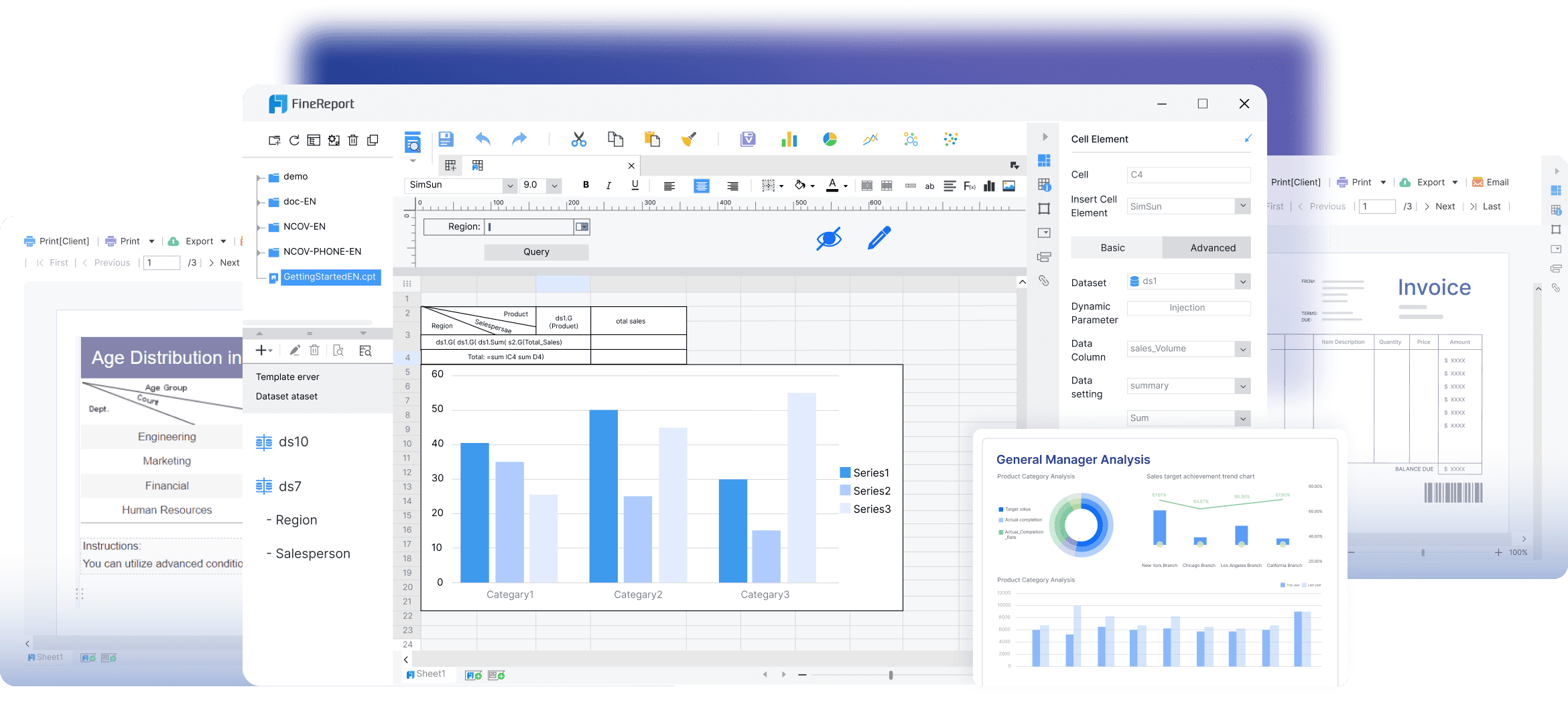 That makes FineReport a strong option for organizations that already have testing data spread across tools such as Jira, databases, automation logs, defect trackers, and internal platforms, but need a more flexible test management dashboard on top.
Best for
Teams that want custom BI-style test dashboards and advanced reporting across disconnected QA data sources.
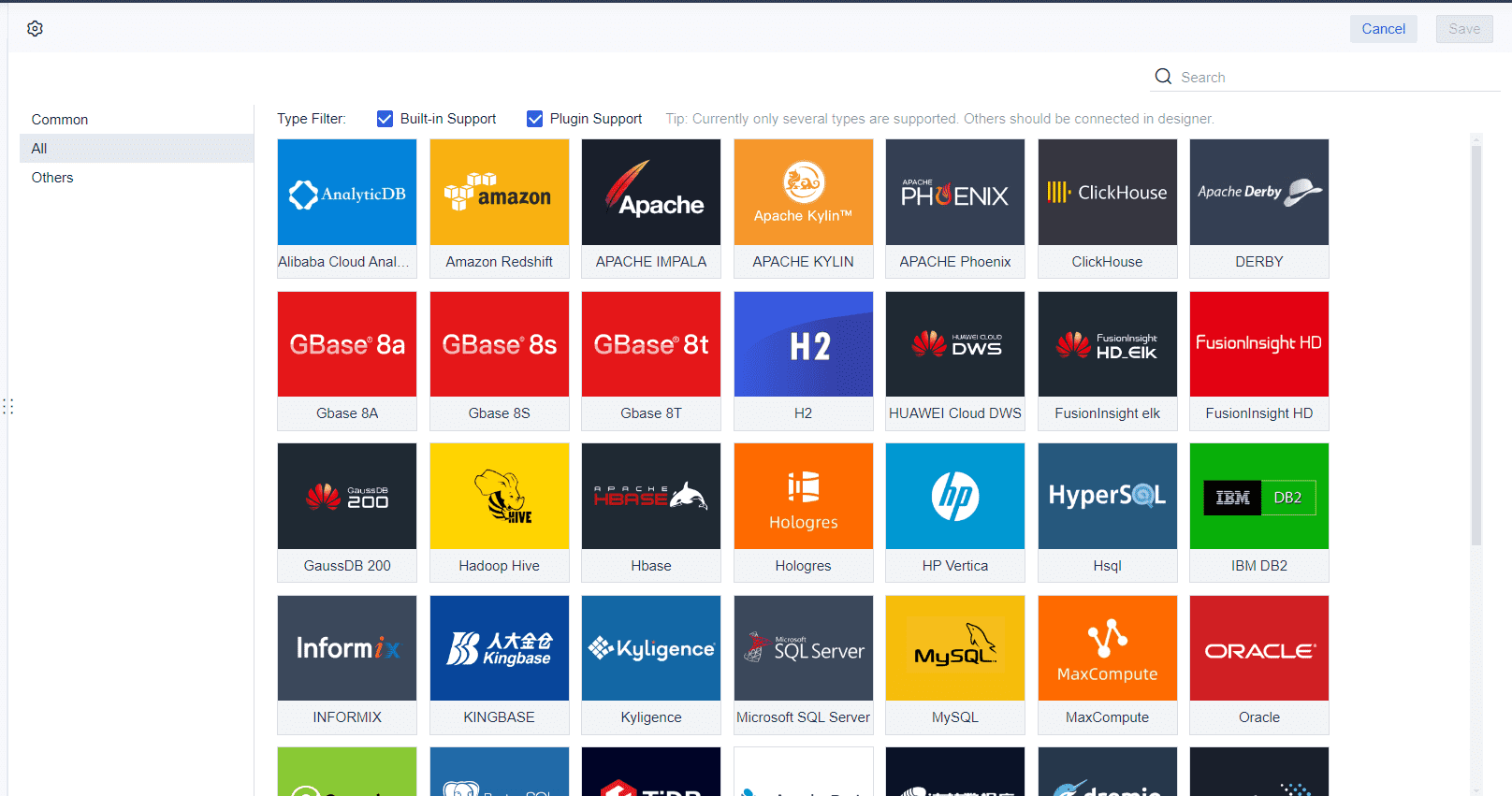
Key strengths
- Highly customizable dashboard design
- Strong data visualization options for quality metrics
- Useful for combining manual testing, automation, and defect data
- Good fit for organizations with custom reporting requirements
- Can support executive-level reporting beyond standard test tool templates
Potential drawbacks
- Not a purpose-built test management platform in the same way as TestRail or Xray
- Setup can require more planning and technical involvement
- Best value often comes when teams already have structured data sources
Ideal team size
Mid-sized to enterprise teams with mature reporting needs, especially those needing cross-platform QA visibility.
If your main challenge is not storing test cases but creating richer dashboards from multiple systems, FineReport can be a compelling choice.
2. TestRail
TestRail remains one of the most recognized names in test case management, and for good reason. It combines a structured approach to organizing test assets with reporting that works well for both managers and hands-on QA teams.
Best for structured test case management and customizable reporting
TestRail is especially effective for teams that want a central repository for test cases, plans, and runs, along with out-of-the-box reports that are easy to filter and share.
Key strengths
- Mature test case management with strong organization features
- Customizable reports and dashboards
- Good support for manual and automated testing workflows
- Broad integrations with Jira, Azure DevOps, and other engineering tools
- Scales well from growing teams to larger QA organizations
Its reporting is one of its major advantages. Teams can track execution progress, milestone health, coverage, and defect-linked outcomes without building everything from scratch.
Potential drawbacks
- Interface can feel more structured than lightweight modern tools
- Advanced customization may take setup effort
- Pricing can add up for larger teams
Ideal team size
Best for small-to-large QA teams that want proven, structured test management with dependable reporting.
3. Zephyr Enterprise
Zephyr Enterprise is built for organizations that need scalable testing operations and strong traceability, especially in Jira-centered environments. It is often considered by teams that want broader test governance than simple plugin-style tools provide.
Best for Jira-centered teams that need scalable reporting and traceability
If your development process already revolves around Jira and your testing spans multiple teams, releases, and requirements, Zephyr Enterprise offers stronger coordination and visibility than more basic setups.
Key strengths
- Deep Jira ecosystem alignment
- Strong traceability between requirements, tests, and defects
- Dashboards support project-level and portfolio-level reporting
- Useful for distributed QA teams and large programs
- Better suited for complex release structures than lightweight tools
Potential drawbacks
- Can be heavier to implement and administer
- May feel too complex for smaller teams
- Cost is often more suitable for medium to large organizations
Ideal team size
Best for medium to large teams, especially enterprises managing multiple products or compliance-sensitive releases.
4. Xray
Xray has become a leading choice for engineering teams that want test management fully embedded inside Jira. Rather than operating as a separate testing system, Xray treats testing as part of the delivery workflow.
Best for engineering teams that want test management inside Jira workflows
For teams that already live in Jira every day, Xray reduces context switching and keeps requirements, test execution, defects, and release workflows connected in one place.
Key strengths
- Native Jira experience
- Excellent traceability between user stories, tests, and bugs
- Strong support for manual and automated testing
- Good fit for Agile and DevOps teams
- Useful reporting through Jira dashboards and Xray reporting features
Xray is especially strong when engineering and QA want one shared workflow rather than a separate QA-owned platform.
Potential drawbacks
- Best experience depends heavily on Jira maturity
- Reporting can be powerful, but sometimes less plug-and-play than standalone tools
- Teams outside the Jira ecosystem may find it less appealing
Ideal team size
Best for small to large engineering teams already standardized on Jira.
5. PractiTest
PractiTest focuses on end-to-end QA visibility. It is designed to connect requirements, tests, runs, and defects in a way that gives stakeholders a broader view of quality across the entire lifecycle.
Best for end-to-end QA visibility across requirements, tests, and defects
Teams that need more than execution reporting often like PractiTest because it helps connect testing activities back to product scope and risk.
Key strengths
- Strong end-to-end traceability
- Flexible dashboards and reporting
- Supports multiple testing methodologies
- Good for tracking coverage and release readiness
- Useful collaboration and organizational controls
PractiTest is often appreciated by teams that need clear oversight across multiple testing layers without losing structure.
Potential drawbacks
- Can require more configuration upfront
- Interface depth may feel substantial for small teams
- Pricing may be better suited to teams with established QA processes
Ideal team size
Best for medium to large QA teams that need lifecycle-wide visibility and traceable reporting.
6. qTest
qTest is aimed squarely at enterprise QA programs. It offers advanced test management, broad integrations, and analytics designed for organizations with large teams, complex release pipelines, and cross-functional reporting needs.
Best for enterprise QA programs that need advanced analytics and integrations
If your testing operation includes multiple tools, automation frameworks, and delivery teams, qTest is built to centralize and standardize reporting at scale.
Key strengths
- Enterprise-grade reporting and analytics
- Strong integration support across DevOps and automation ecosystems
- Good for large-scale QA governance
- Supports both manual and automated test management
- Useful for organizations prioritizing standardization
Potential drawbacks
- More platform than small teams typically need
- Higher implementation and subscription cost
- Can involve longer onboarding compared with lighter tools
Ideal team size
Best for large enterprises and mature QA programs with advanced reporting and integration requirements.
7. Testmo
Testmo has gained attention as a modern, unified test management platform. It is designed to bring together manual testing, exploratory testing, and automation reporting within a cleaner, faster interface than many older systems.
Best for unified manual, exploratory, and automation reporting
Teams that want one tool for different testing styles often find Testmo attractive because it avoids splitting reporting across separate systems.
Key strengths
- Modern interface with fast navigation
- Unified support for manual, exploratory, and automated testing
- Strong reporting and metrics views
- Good integrations with Jira, GitHub, GitLab, and CI tools
- Flexible enough for teams that move quickly
Potential drawbacks
- Some enterprises may still prefer more legacy-style governance depth
- Feature breadth can exceed what very small teams need
- Reporting flexibility may depend on how teams structure projects
Ideal team size
Best for growing to large teams that want modern QA workflows and unified reporting.
8. QA Touch
QA Touch is a practical option for teams that want a simpler setup and accessible dashboards without jumping into enterprise-level complexity. It is often considered by startups and scaling QA teams that need structure without a long implementation process.
Best for growing teams looking for simpler setup and accessible reporting
If your current process relies on spreadsheets or lightweight tools, QA Touch can offer a smoother step up into centralized test management.
Key strengths
- Easier onboarding than heavier platforms
- Clean reporting for day-to-day QA tracking
- Supports manual and automation-related workflows
- Suitable for teams building a more formal QA process
- More accessible pricing than many enterprise tools
Potential drawbacks
- Reporting depth may be lighter than premium enterprise platforms
- Large organizations may outgrow it
- Some highly customized workflows may need more advanced tools
Ideal team size
Best for small to mid-sized teams that want affordable, usable test management dashboards.
Feature, pricing, and reporting comparison at a glance
Below is a practical side-by-side summary of how these tools generally compare.
Dashboard customization and reporting flexibility
| Tool | Dashboard flexibility | Reporting depth | Best reporting use case |
|---|---|---|---|
| FineReport | Very high | Very high | Custom QA dashboards across multiple data sources |
| TestRail | High | High | Structured reporting for test cases, runs, and milestones |
| Zephyr Enterprise | High | High | Scaled reporting and traceability in Jira-heavy environments |
| Xray | Medium to high | High | Jira-native reporting and engineering workflow visibility |
| PractiTest | High | High | End-to-end visibility across requirements, tests, and defects |
| qTest | High | Very high | Enterprise analytics and cross-team QA reporting |
| Testmo | High | High | Unified reporting for manual, exploratory, and automation |
| QA Touch | Medium | Medium | Simple and accessible QA reporting for growing teams |
Test case management, requirements traceability, and defect integration
| Tool | Test case management | Requirements traceability | Defect integration |
|---|---|---|---|
| FineReport | Limited native capability | Depends on source systems | Depends on integrations |
| TestRail | Strong | Good | Strong |
| Zephyr Enterprise | Strong | Strong | Strong |
| Xray | Strong | Strong | Strong |
| PractiTest | Strong | Strong | Strong |
| qTest | Strong | Strong | Strong |
| Testmo | Strong | Good | Strong |
| QA Touch | Good | Moderate | Good |
Automation support, CI/CD integrations, and engineering workflow fit
| Tool | Automation support | CI/CD integrations | Workflow fit |
|---|---|---|---|
| FineReport | Via external systems | Via data integrations | Best for reporting layers |
| TestRail | Good | Good | Balanced QA and engineering fit |
| Zephyr Enterprise | Good | Good | Strong in larger Jira ecosystems |
| Xray | Strong | Strong | Excellent for Jira-first engineering teams |
| PractiTest | Good | Good | Good for cross-functional QA visibility |
| qTest | Strong | Strong | Best for enterprise DevOps ecosystems |
| Testmo | Strong | Strong | Excellent for modern mixed testing teams |
| QA Touch | Moderate to good | Good | Best for simpler QA operations |
Free trial, free plan, and paid pricing considerations
Pricing changes often, so teams should always verify current costs directly with vendors. Still, these general patterns can help narrow the field:
- FineReport: Usually priced as a reporting platform rather than a basic test tool; best evaluated for organizations with custom dashboard needs
- TestRail: Typically mid-range to premium depending on deployment and team size
- Zephyr Enterprise: Usually enterprise-priced
- Xray: Often cost-effective for Jira-based teams, though total cost depends on Jira licensing and scale
- PractiTest: Usually premium pricing for robust lifecycle visibility
- qTest: Enterprise-oriented pricing
- Testmo: Mid-range with strong value for unified workflows
- QA Touch: Often one of the more budget-friendly options for smaller and growing teams
When comparing pricing, do not look only at seat cost. Also consider:
- Implementation effort
- Admin overhead
- Reporting limitations at lower tiers
- Extra cost for integrations or automation connectors
- Value gained from replacing manual reporting work
How to choose the right test management dashboard tool for your team
The right test management dashboard depends less on popularity and more on how your team works.
Match the tool to team size, release complexity, and compliance needs
Start by evaluating your operating environment:
- Small teams: Often need simple setup, low admin burden, and essential reporting
- Scaling teams: Need stronger organization, better trend reporting, and automation visibility
- Enterprise teams: Need traceability, governance, advanced permissions, and multi-project analytics
- Regulated teams: Need audit-friendly reporting and requirement-to-test traceability
A lightweight platform may be enough if your release process is straightforward. But if multiple teams contribute to one release, or if audit trails matter, a more robust system is usually worth the investment.
Decide whether you need lightweight reporting or deeper test management reports and dashboards
Some teams mainly need better visibility. Others need a full test operations platform.
Choose lighter reporting-focused tools if you need:
- Basic execution dashboards
- Faster setup
- Lower cost
- Simpler workflows
Choose deeper test management and dashboard platforms if you need:
- Requirement traceability
- Defect linkage
- Historical and trend analysis
- Cross-project visibility
- Automation reporting at scale
If your data already lives in several systems and you mainly need custom analytics, a solution like FineReport may be more useful than moving everything into a new test repository.
Questions to ask before switching from spreadsheets or legacy platforms
Before selecting a tool, ask:
- Where does our test data live today?
- Do we need one source of truth or just better reporting?
- How much of our testing is manual vs automated?
- Are we deeply tied to Jira, Azure DevOps, or another ecosystem?
- Do we need requirement traceability for audits or regulated releases?
- Who will use the dashboard daily: testers, managers, developers, executives?
- How much admin effort can our team realistically support?
- Are we trying to improve test execution, reporting, or both?
These questions help prevent a common mistake: choosing an overpowered platform when the team really needs simplicity, or choosing a lightweight tool when traceability and reporting depth are actually essential.
Final recommendation framework based on budget, integrations, and reporting priorities
Here is a simple way to narrow your shortlist:
- Choose FineReport if your priority is highly customized QA dashboards built from multiple systems
- Choose TestRail if you want structured test management with dependable reporting and broad adoption
- Choose Zephyr Enterprise if you need scalable Jira-centered reporting and enterprise traceability
- Choose Xray if you want testing embedded directly in Jira workflows
- Choose PractiTest if your top priority is end-to-end visibility across requirements, tests, and defects
- Choose qTest if you run a large enterprise QA program with advanced analytics needs
- Choose Testmo if you want a modern platform that unifies manual, exploratory, and automated testing
- Choose QA Touch if you need affordable, simpler dashboarding for a growing team
Ultimately, the best test management dashboard is the one that makes quality status easier to understand and easier to act on. If your dashboard helps your team spot risk sooner, collaborate faster, and release with more confidence, it is doing its job well.
FAQs
A strong dashboard should show execution status, test coverage, linked defects, automation results, and release readiness in one place. The goal is to help teams spot risk quickly without pulling data from multiple tools.