What is a strategy dashboard? You use a strategy dashboard to visualize key metrics, track progress on goals, and make informed decisions. This tool gives you a clear overview of your strategy, helping you see what works and where to improve. When you rely on a dashboard, you find information faster, boost efficiency, and monitor performance in real time. Modern solutions like FineReportmake these dashboards easy to build and use. Organizations that leverage strategy dashboards report higher productivity, greater transparency, and better decision-making.
Impact Area
Evidence
Improved Decision-Making Speed
Organizations using visual data discovery tools are 28% more likely to find timely information.
Enhanced Operational Efficiency
Analytics investments deliver $13.01 of value for every dollar spent.
Centralized Performance Tracking
Organizations with high data-driven decision making are 5% more productive and 6% more profitable.
Proactive Problem Identification
Highly data-driven organizations are three times more likely to report significant improvements in decision-making.
Greater Stakeholder Transparency
77% of influential executives consider analytics a critical factor in positive business outcomes.
What is a Strategy Dashboard?
What is astrategy dashboard? You use a strategy dashboard to visualize your organization’s long-term goals, monitor progress, and analyze performance against your strategy. This dashboard gives you a high-level overview of key metrics, helping you align teams and make informed decisions that drive business success.
Core Purpose and Definition
A strategic dashboard serves as your central hub for tracking enterprise-wide goals and evaluating how well your strategy performs. You see summaries of key performance indicators (KPIs) and trends that matter most to your leadership team. This dashboard helps you focus on what drives growth and improvement. You gain insights into large datasets, allowing you to spot patterns and adjust your strategy as needed. When you use a strategic dashboard, you keep your organization aligned and ensure everyone works toward the same goals.
Many businesses face challenges when adopting a strategic dashboard. You might encounter information overload if the dashboard displays too much data. Poor data visualization choices can make it hard to interpret results. Weak data models and inconsistent KPIs can cause confusion and reduce trust in your dashboard’s numbers. To get the most value, you need to design your dashboard with clarity and purpose.
Information overload can distract you from critical data points.
Poor visualization choices may lead to misinterpretation.
Weak data quality and conflicting KPIs can undermine trust.
Strategy Dashboard vs. Other Dashboards
You may wonder how a strategic dashboard differs from other dashboards. The main difference lies in their focus and function. A strategic dashboard tracks long-term performance and provides high-level summaries of your strategy. Operational dashboards, on the other hand, monitor daily activities and support frontline management.
Dashboard Type
Main Functions
Strategic Dashboard
Tracks long-term performance against enterprise-wide goals, provides high-level summaries of KPIs, analyzes large datasets for comprehensive insights.
A strategic dashboard helps you see the big picture and make decisions that shape your organization’s future. Operational dashboards keep your daily processes running smoothly. You need both types to achieve your goals and execute your strategy effectively.
Key Features of a Strategy Dashboard
What is a strategy dashboard? A strategy dashboard is a digital tool that brings together your most important business data, allowing you to track progress toward your goals and measure the effectiveness of your strategy. You use a strategy dashboard to see real-time updates, monitor key performance indicators, and make informed decisions that drive your organization forward.
A strategy dashboard gives you a clear overview of your business strategy. You can see how your goals align with actual performance. This dashboard helps you focus on what matters most, making it easier to adjust your approach and stay on track.
Essential components and KPIs
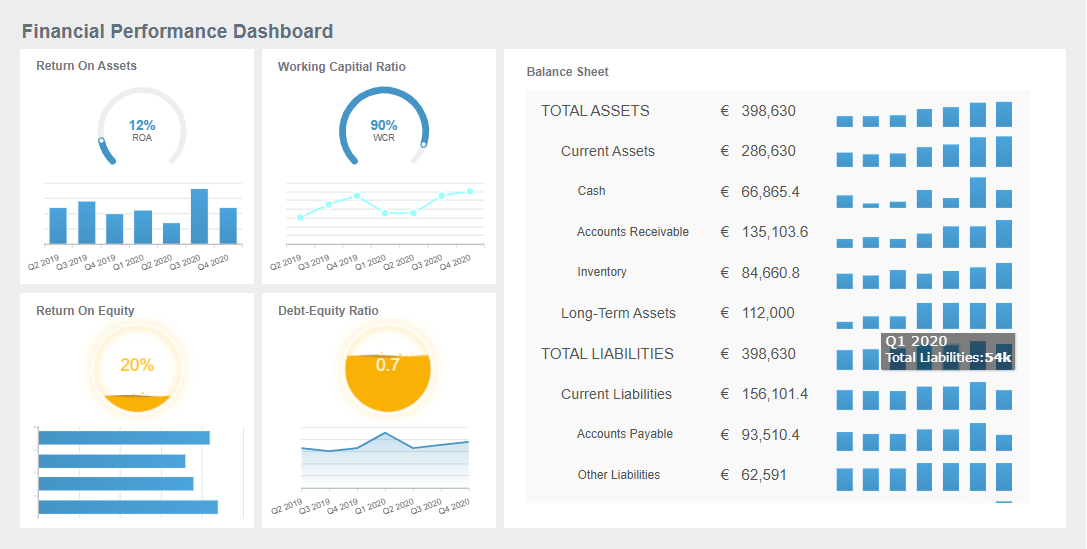
A strategic dashboard includes severalcore components that help you monitor your strategy. You will find high-level KPIs that reflect your organization’s priorities. These KPIs often cover financial performance, process efficiency, and progress toward strategic goals. You can use the following table to see how different dashboards focus on specific KPIs:
Dashboard Type
KPIs Tracked
Strategic Dashboards
High-level financial and process-based KPIs, providing a comprehensive view of the business.
Executive Dashboards
High-level snapshots of company performance.
Operational Dashboards
Reporting on inventory, production, and productivity.
Sales Dashboards
Overview of sales growth, conversion rates, and revenue.
Finance Dashboards
Financial sustainability metrics such as burn rate, profit & loss, and company cash flow.
Marketing Dashboards
Campaign performance metrics including lead generation, website traffic, and cost per lead.
You should select KPIs that align with your strategy and goals. This ensures your strategic dashboard delivers insights that matter to your leadership team.
A strategic dashboard stands out because it consolidates data from multiple sources. You gain real-time insights that support quick, data-driven decisions. FineReport, for example, offers advanced features like multi-source integration, 3D visualization, and mobile access. These features help you see the complete picture and act on information without delay.
Data integration in a strategic dashboard provides real-time insights for timely decision-making.
You get transparency across departments, making it easier to align your strategy.
Interactive features like filtering and drill-down let you explore KPIs in detail.
Mobile access allows you to check your dashboard and respond to changes anytime, anywhere.
To maintain data accuracy, you should set clear data standards, use validation tools, and schedule regular reviews. This keeps your strategic dashboard reliable and effective for tracking your goals and KPIs.
What is a strategy dashboard? A strategy dashboard is a digital platform that helps you collect, organize, and visualize business data to track your strategic goals. You use this tool to monitor progress, compare actual results with targets, and make informed decisions that support your overall strategy.
A strategy dashboard gives you a real-time overview of your organization’s performance. You can see how well your teams are meeting their goals and where you need to adjust your approach. This dashboard connects your data sources, automates reporting, and delivers insights that help you stay focused on your strategy.
Tracking Goals and Performance
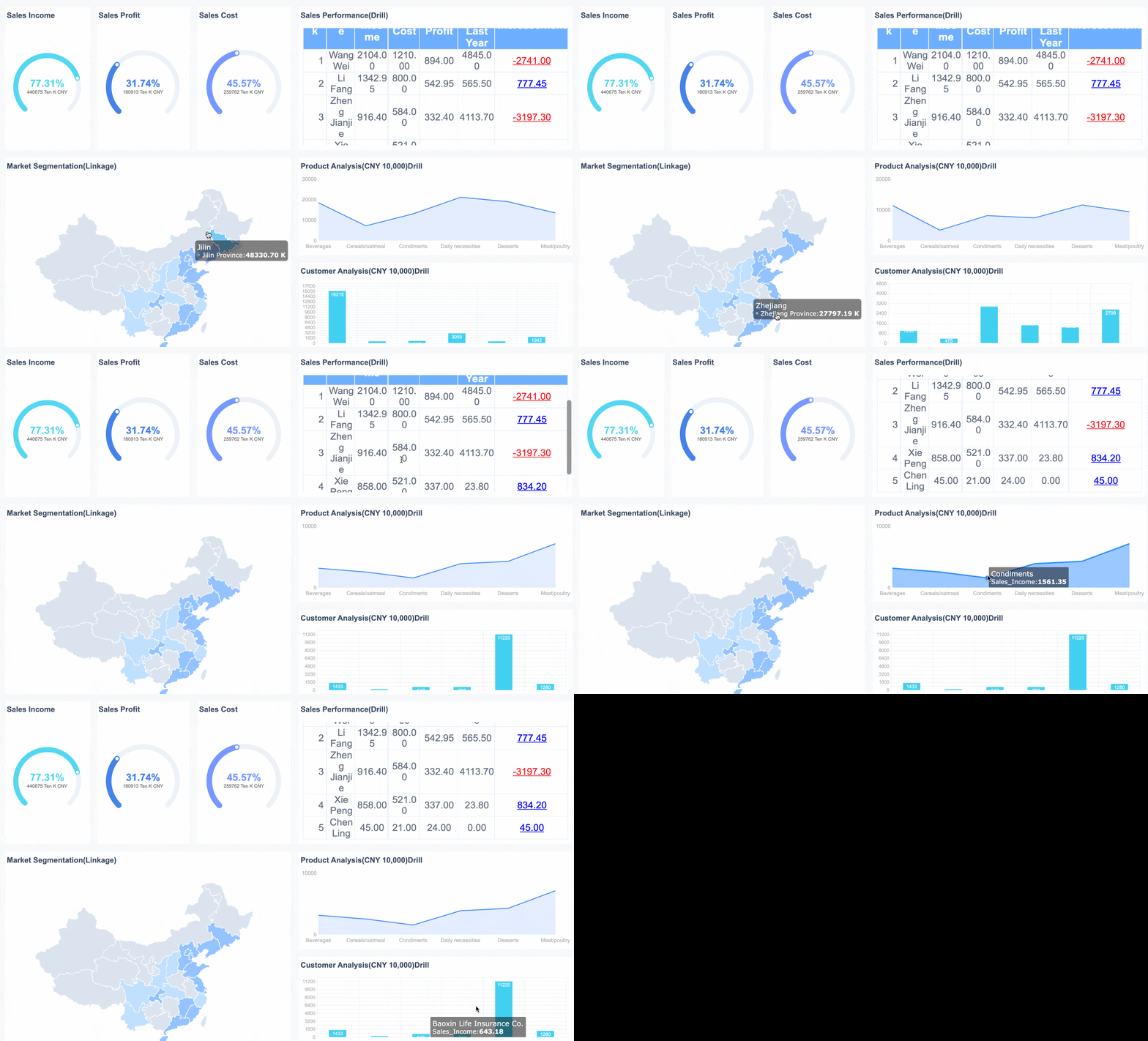
You use a strategic dashboard to track your goals and measure performance against your strategy. Unlike traditional reports, a strategic dashboard offers interactive visualizations and real-time updates. You can drill down into specific metrics, compare targets with actual results, and customize views for different roles.
Tip: A strategic dashboard lets you quickly spot trends and gaps, so you can take action before small issues become big problems.
Here is a typical workflow for tracking performance with a strategic dashboard:
Step
Description
1
Identify the problem or objective
2
Select the right data sources
3
Ensure data quality and consistency
4
Integrate, transform, and analyze data for actionable insights
You start by defining your strategic goals. Next, you connect your dashboard to internal databases, third-party APIs, or public datasets. The dashboard then processes and visualizes this data, allowing you to monitor progress and adjust your strategy as needed.
Real-time Insights and Reporting
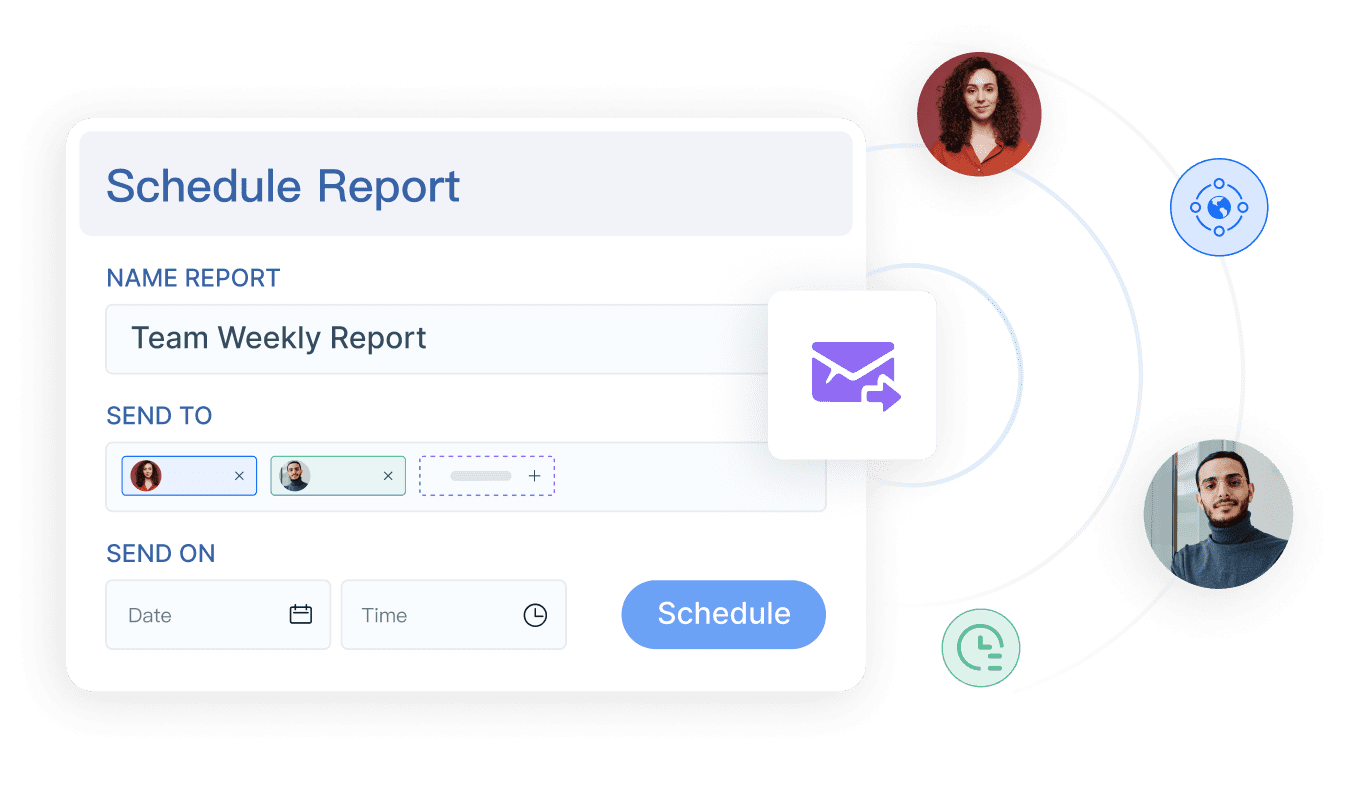
A strategic dashboard providesreal-time insightsthat support fast, data-driven decisions. You benefit from unified data, automation, and scheduled reporting features. These capabilities reduce manual work and keep your team focused on strategic initiatives.
Unified data in your dashboard enables quick decision-making.
Automation saves time by generating and distributing reports without manual effort.
Real-time visibility improves collaboration and accountability across teams.
FineReport'sdecision-making platform enhances these features by integrating data from multiple sources, automating report delivery, and supporting mobile dashboards. You can access your strategic dashboard anytime, anywhere, ensuring you never miss critical updates on your strategy.
What is a strategy dashboard? A strategy dashboard is a digital platform that brings together your most important business data, allowing you to track strategic goals, monitor key performance indicators, and measure progress towardbusiness goals. You use a strategy dashboard to visualize your strategy, see real-time updates, and make informed decisions that drive business performance.
A strategy dashboard gives you a unified view of your organization’s strategy. You can monitor how your business goals align with actual results. This tool helps you focus on what matters most, making it easier to adjust your approach and stay on track.
Improved Decision-Making
You rely on a strategy dashboard to accelerate decision-making. When you see data visualized clearly, you move from analysis to action without delay. You inspire trust in your strategy by framing insights in a compelling way. You notice immediate spikes or trends, allowing you to respond before issues escalate. For example, HR leaders use real-time dashboards to spot attrition risks and engagement shifts at a glance. Data visualization improves decision-making speed by five to seven times, helping you act with confidence.
You reduce bottlenecks by telling effective data stories.
You experience enhanced satisfaction and reduced task complexity.
You set clear objectives in your strategy dashboard. These objectives serve as benchmarks for evaluating the success of your business goals. You assess how your strategic actions align with your goals, making it easier to measure progress and adjust your strategy.
You use a strategy dashboard to keep your teams focused on the impact of their work. You link specific actions to outcomes, which motivates team members and promotes accountability. Real-time updates and collaborative problem-solving drive operational efficiency. You fuel a data-informed culture, enabling better decision-making at every level.
You create stronger alignment between teams by ensuring everyone works from the same information.
You foster transparency of key metrics, building an accountability-based culture.
You monitor performance with real-time updates, tracking progress toward strategic goals.
You transform complex data into actionable stories, supporting data-driven decisions.
You empower teams to make informed choices based on data.
Setting challenging but achievable goals can lead to a 90% improvement in performance. You use dashboards to break down data silos, providing a unified view of data across departments. You eliminate isolated data sets and automate reporting, reducing manual processes that contribute to silos. Comprehensive KPI dashboards combine metrics from various functions, giving leadership a holistic view of the organization.
Improvement
Evidence
Early Problem Identification
Organizations with advanced monitoring capabilities reduced response time to operational issues by 60%.
Resource Optimization
Data-mature organizations are 2x more likely to exceed their financial targets compared to those with less sophisticated data capabilities.
Increased Accountability
Transparency in performance metrics can improve team performance by up to 30%.
Feature
Benefit
Dashboards & Reports
Enable data-driven decisions and insights
Communication Facilitation
Enhances interaction between departments
Goal Alignment
Ensures all teams work towards common objectives
Data Sharing
Promotes transparency and informed decision-making
Case Study: BOE and FineReport
You see the real-world impact of strategy dashboards in the story of BOE Technology Group. BOE faced challenges with fragmented data, inconsistent metric definitions, and limited data utilization. The company implemented FineReportto build a unified data warehouse, standardize key performance indicators, and create a comprehensive operational analysis framework.
BOE used strategy dashboards to monitor business performance, track strategic goals, and benchmark performance across factories. The dashboards broke down data silos, enabling cross-departmental collaboration and providing leadership with a holistic view of the organization. BOE achieved a 5% reduction in inventory costs and a 50% increase in operational efficiency. The company empowered teams to make data-driven decisions and improved KPI tracking, accelerating digital transformation and supporting long-term business goals.
Measurable Outcome
Description
Monitor performance with real-time updates
Enables businesses to track their performance continuously.
Transform complex data into actionable stories
Simplifies large-scale data for better decision-making.
Empower teams for data-driven decisions
Supports teams in making informed choices based on data.
You can learn from BOE’s experience. When you implement a strategy dashboard, you break down data silos, align teams with business goals, and drive measurable improvements in business performance.
Strategy Dashboard: Getting Started with FineReport
Steps To Implement a Strategy Dashboard
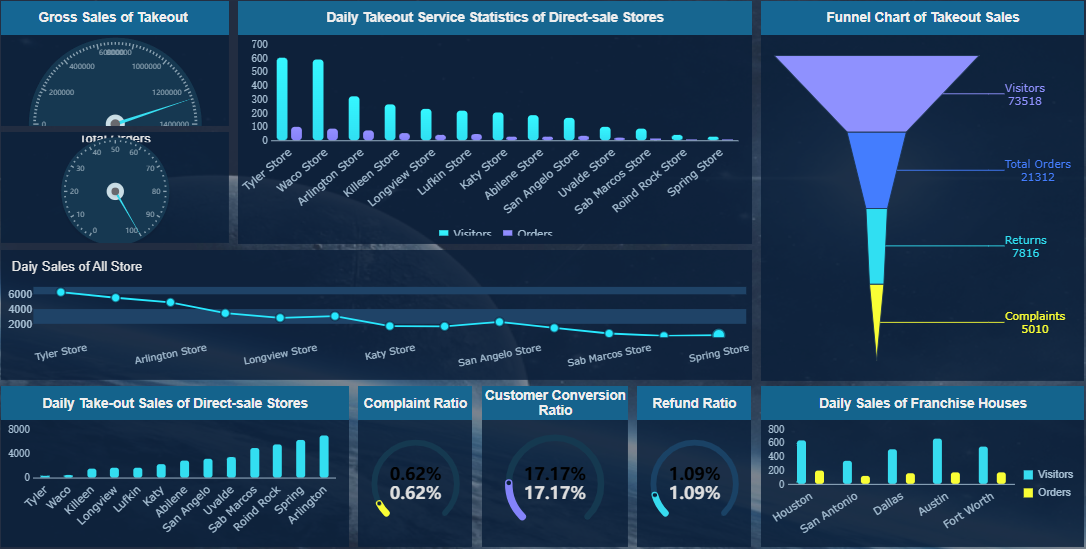
You can start building your strategy dashboard with FineReportby following a clear process. First, identify a key indicator that reflects your business objective, such as total sales. Break down this indicator across different dimensions, including time, geography, planning, and proportion. Design your dashboard layout to highlight the most important indicators, separating primary from secondary ones. Choose chart types that best represent each analytical dimension. Add dynamic effects to your dashboard to enhance visualization, but keep the focus on the key information.
FineReport’s drag-and-drop designer makes dashboard creation simple. You can drag, copy, and paste components to build interactive dashboards. The interface supports real-time editing, so you see changes immediately. You do not need advanced coding skills to create complex reports. FineReport’s user-friendly design allows non-technical users to build dashboards efficiently.
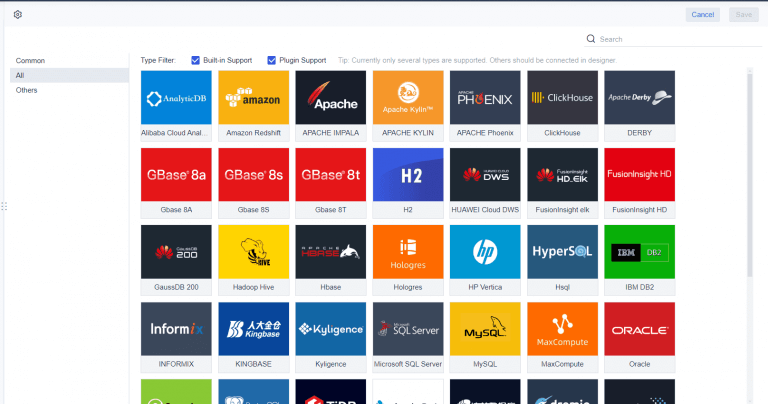
FineReportintegrates multiple data sources into a single dashboard. You can connect business data from different systems, solving data silos. FineDataLink enhances integration by allowing efficient connections to various sources. The platform processes data throughout its lifecycle, improving accessibility and breaking down barriers between departments.
Tip: Start with a small set of key indicators and expand your dashboard as your needs grow. This approach helps you maintain clarity and focus.
Tips For Choosing The Right Dashboard Tool
When selecting a dashboard tool, evaluate your business needs and data sources first. Consider the following criteria:
Criteria
Description
Integration Capabilities
Compatibility with your existing software and data sources.
Customization Options
Ability to create visually appealing dashboards with interactive elements.
Data Access
Simplified data import, automation for real-time updates, and accessibility from multiple devices.
Ease of Use
User-friendly setup and management, suitable for non-technical users.
Pricing
Transparent pricing and clear value for advanced features.
Data Privacy
Strong security measures and compliance with regulations.
Support
Multiple customer support options, including self-service and direct channels.
You should choose a dashboard tool that matches your organization’s requirements and supports future growth. FineReportoffers robust integration, customization, and ease of use, making it a strong choice for businesses seeking a reliable strategy dashboard solution.
FineReport'sMultiple Built-in Charts For Visualization
A strategy dashboard gives you a clear view of your business goals and performance. You gain faster decision-making, better accountability, and improved team communication. See the most cited benefits in the table below:
Benefit
Description
Improved Decision-Making
Make quicker, more informed choices with real-time data.
Enhanced Accountability
Link KPIs to goals and encourage ownership.
Better Team Communication
Align teams with shared insights and objectives.
You can use FineReportto build dashboards that support growth and innovation. Start your dashboard journey today.
Access a wealth of case studies, industry insights, and solution guides to accelerate digital transformation.
FAQ
What is a strategy dashboard?
A strategy dashboard is a digital tool that lets you track your business goals, monitor key performance indicators, and visualize progress. You use it to make informed decisions and keep your organization aligned with its strategy.
How does a strategy dashboard improve decision-making?
You gain real-time insights from a strategy dashboard. It helps you spot trends, compare actual results with targets, and respond quickly to changes. This leads to faster, more confident decisions.
What data sources can you connect to a strategy dashboard?
You can connect your strategy dashboard to databases, spreadsheets, APIs, and cloud services. FineReport supports over 500 data sources, including SQL, Oracle, Excel, and more.
Can you access a strategy dashboard on mobile devices?
Yes, you can view and interact with your strategy dashboard on smartphones and tablets. FineReport offers mobile-friendly layouts and native apps for iOS and Android.
How do you choose the right strategy dashboard tool?
You should look for integration capabilities, customization options, ease of use, and strong security. FineReport provides a drag-and-drop designer, multi-source integration, and robust permission controls.