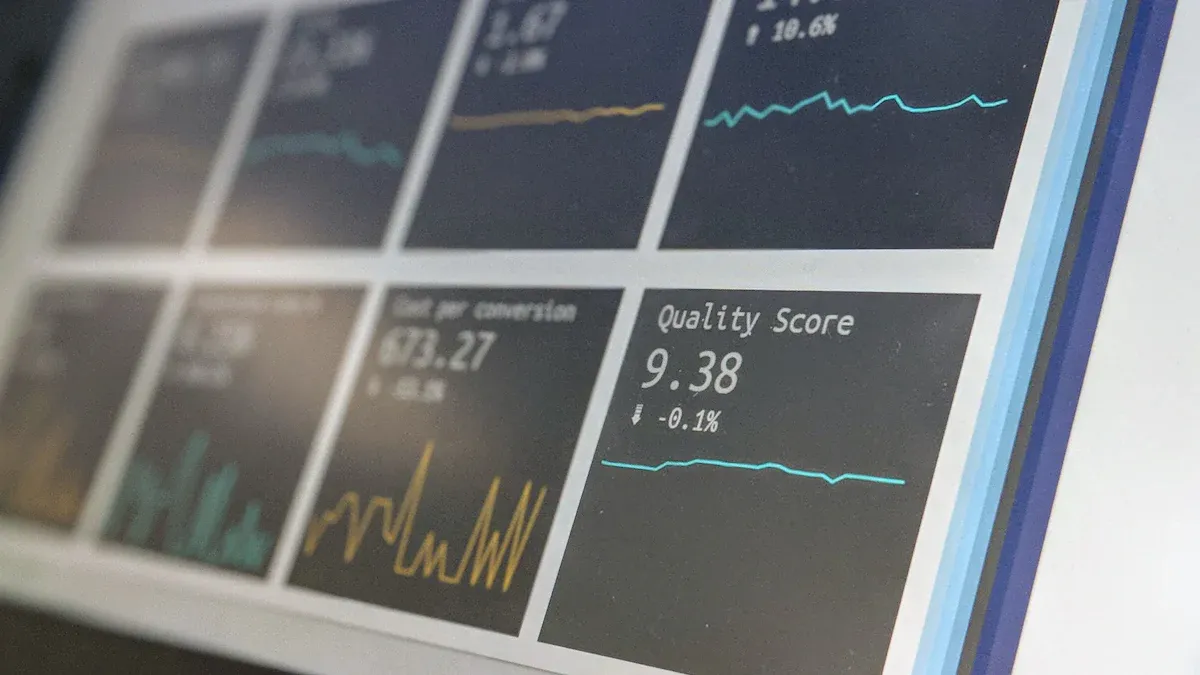
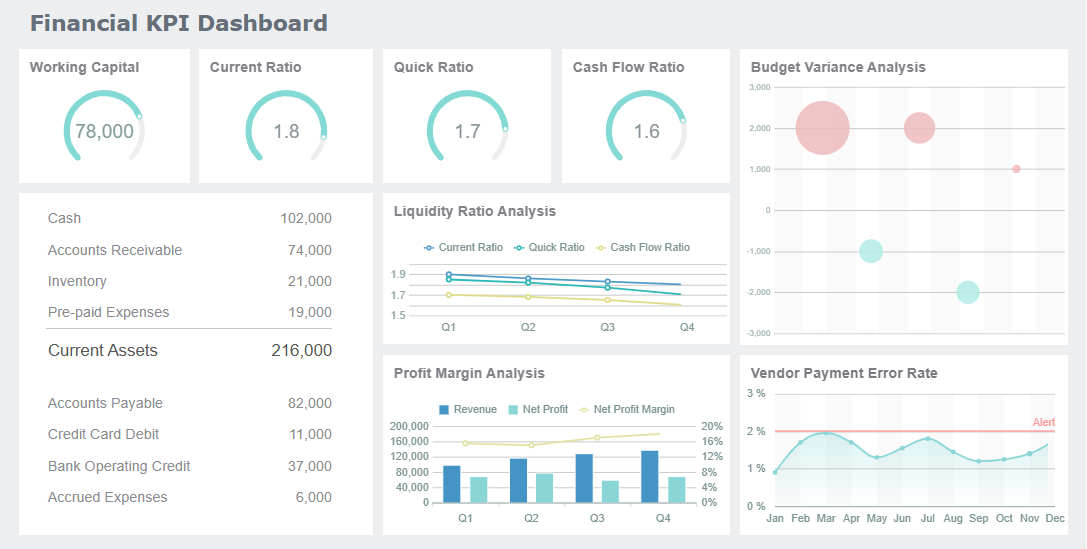
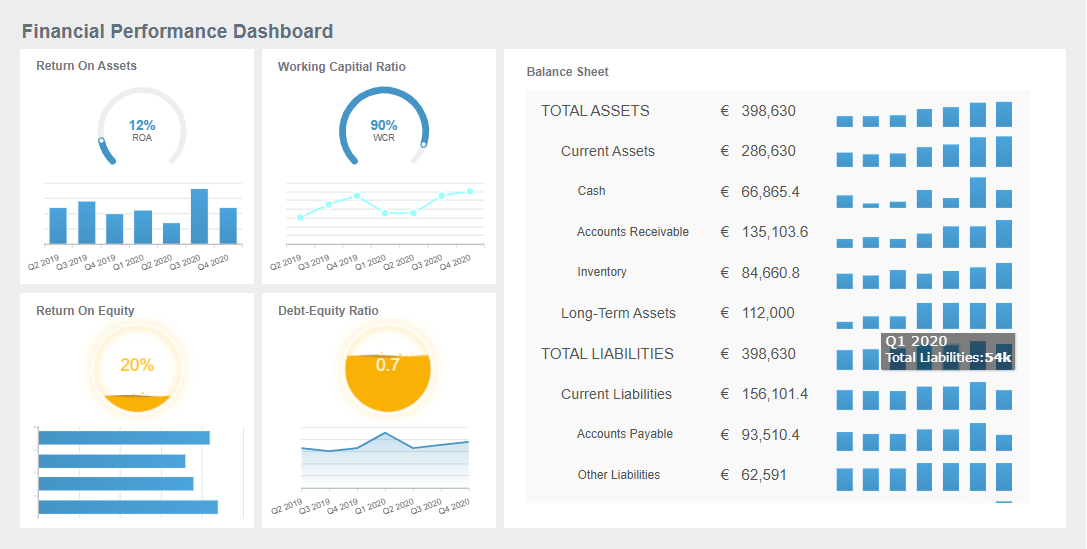
What is 'audit dashboard'? An audit dashboard is a digital platform that displays key audit metrics, client data, and workflow status in a single, interactive view. You use it to track audit progress, monitor team tasks, and access client information instantly.
Audit dashboards help you improve workflow efficiency. You gain real-time visibility over your audit portfolio, reduce manual tracking, and save hours each week. Senior managers report greater effectiveness, and directors note that data-driven insights recover overruns and boost profitability. FineReportdelivers a leading audit dashboard solution for CPA firms seeking better client management and audit performance.
Audit Dashboard Features For CPA Firms
Centralized Data Management
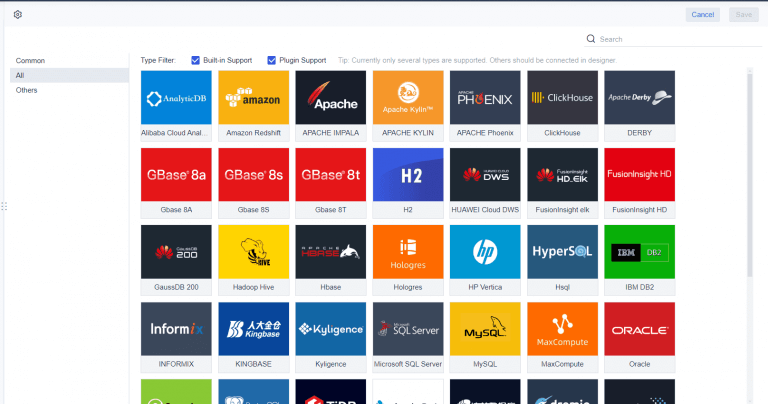
You need a single source of truth for your audit work. Centralized data management in an audit dashboard brings all your information together. FineReportconnects to accounting software, ERP systems, CRM platforms, payroll tools, Excel files, and project management systems. You see every client record, financial transaction, and audit status in one place.
Centralized data management eliminates silos. Your team stops wasting time reconciling conflicting numbers. You make decisions based on accurate, unified data.
Evidence Description
Source Link
A central data repository eliminates information silos by pulling data from all your systems into one place. This creates a single source of truth, so your teams can stop arguing over conflicting numbers and start making confident, aligned decisions.
Every disconnected system in your firm carries a hidden cost: lost time, inconsistent data, and missed opportunities. When your tax software doesn’t talk to your billing system, and your document management lives in a separate silo, your team spends more time managing technology than serving clients. The solution lies in breaking down these silos.
Automated enrichment of CRM data brings that picture into focus, creating a clear, connected view of how your firm engages with clients: who’s engaging with whom, how strong your relationships are, where accounts are overly reliant on a single contact, and where opportunities exist to deepen client relationships to deliver greater value and drive growth.
You gain a connected view of your client relationships. You track engagement, spot opportunities, and deliver greater value.
Common data sources integrated into audit dashboards:
Accounting software (QuickBooks, Xero, Sage)
ERP systems and financial databases
CRM platforms and client management tools
Payroll software and HR systems
Excel or Google Sheets for supplementary data
Project management tools and time tracking systems
Real-time Audit Monitoring
You need to know the status of every audit at a glance. Real-time monitoring in your audit dashboard keeps you informed and proactive. FineReport delivers live updates on audit progress, staff efficiency, and client status.
Feature
Description
Real-Time Data
Enables fast, informed decisions using live data, reducing lag in insights.
Staff Efficiency
Monitors team performance in real time, identifying strengths and weaknesses.
Work Status Tracking
Provides updates on project status for each client, ensuring nothing is missed.
Client Transparency
Offers tailored reports and real-time insights to keep clients informed.
You see audit status instantly. You respond quickly to changes in financial metrics. You access up-to-date dashboard reports for every client.
Real-time insights enhance decision-making speed.
Monitoring critical financial metrics allows for swift responses to changes.
Up-to-date audit status is easily accessible.
Smart algorithms in FineReportspot unusual transactions. You detect repeated payments, overpayments, incorrect tax rates, inflated contract amounts, and discount errors. Audit automation replaces manual data entry, leading to faster and more accurate detection of anomalies.
AI auditing systems can detect repeated payments to the same counterparty.
They identify overpayments and incorrect application of tax rates.
The software can catch inflated contract amounts and incorrect discount calculations.
Continuous oversight allows for the identification of patterns that require closer inspection.
You manage multiple audits and teams. Workflow and task tracking features in your audit dashboard help you stay organized. FineReport automates tasks, standardizes processes, and centralizes deadlines.
Feature
Description
Workflow Management & Automation
Automates tasks and standardizes processes, ensuring smooth operations and reducing errors.
Deadline and Task Tracking
Centralizes tracking of due dates and tasks, helping firms stay ahead of deadlines.
Team Collaboration Tools
Facilitates collaboration within the workflow, enhancing communication among team members.
Client Management
Organizes client information in one dashboard, improving the client experience and efficiency.
Time Tracking and Billing
Provides insights into profitability and helps in accurate pricing of services.
Reporting
Offers strong reporting capabilities to assess firm performance and identify areas for improvement.
Capacity Management
Helps understand team workload and manage resources effectively.
You maintain automated audit trails for transparency. You assess risks, monitor compliance, and analyze trends in financial data. Collaboration tools in FineReport improve team coordination and client interaction.
Automated Audit Trails: Essential for maintaining detailed records and ensuring accountability.
Risk Assessment Tools: Important for identifying and prioritizing high-risk areas during audits.
Compliance Monitoring: Critical for ensuring that all auditing activities meet legal requirements.
Data Analytics: Necessary for detecting irregularities and enhancing the accuracy of audits.
Collaboration Tools: Vital for improving communication and coordination among audit team members.
Your team completes tasks faster. You reduce idle time and redundant work. You focus on billable tasks and strengthen client collaboration.
Benefit
Description
Real-time visibility
Provides updates on workflow status, allowing teams to see progress and identify bottlenecks.
Automated task assignments
Routes work based on expertise and workload, ensuring tasks are assigned efficiently.
Enhanced collaboration
Facilitates communication among team members, reducing delays and improving efficiency.
Increased efficiency by reducing idle time and redundant work.
Improved utilization of resources as teams focus on billable tasks.
Strengthened client collaboration through timely responses.
User Access and Security
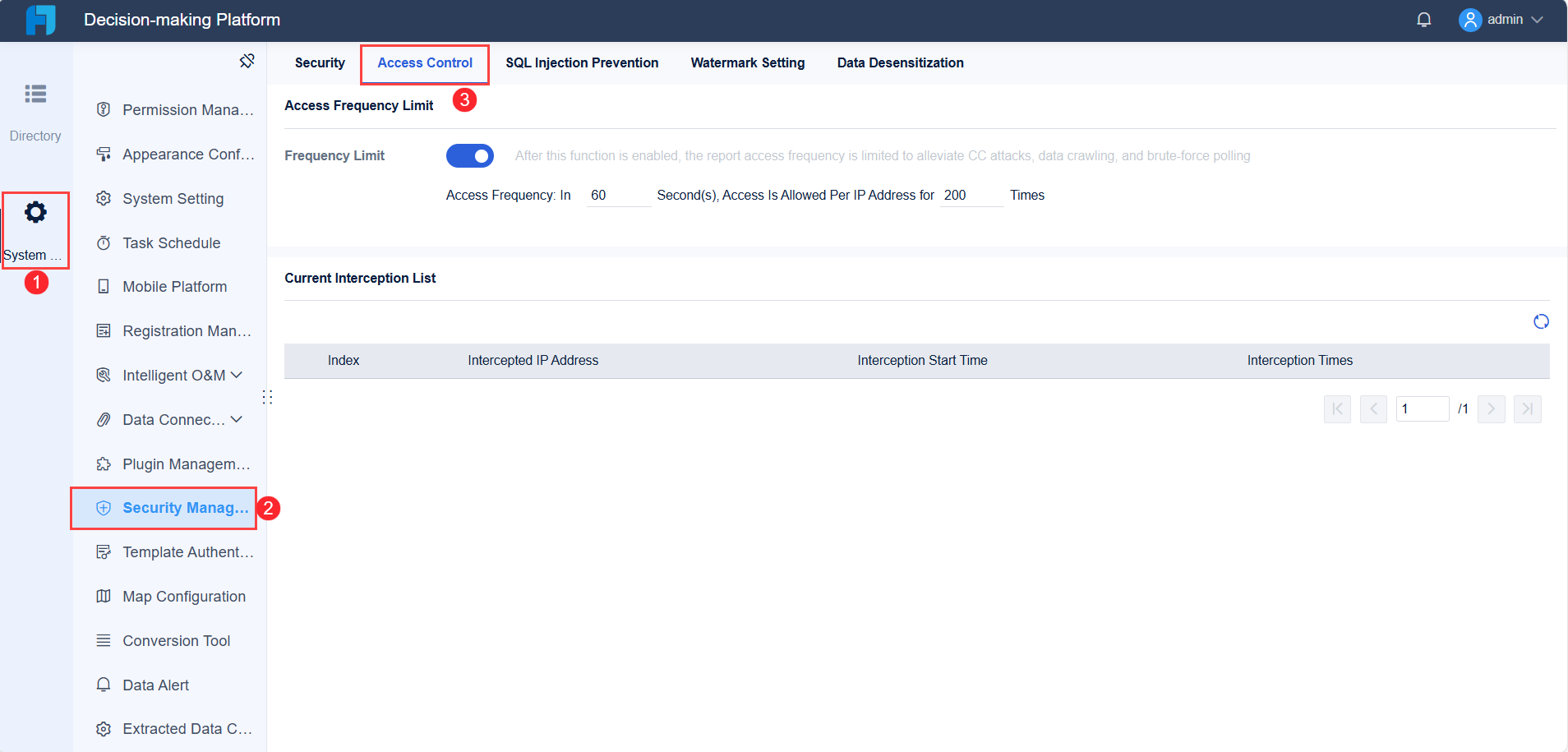
You must protect sensitive client data. User access controls in your audit dashboard ensure security and compliance. FineReport implements role-based permissions, strong authentication, and automated access management.
Implement role-based permissions to manage who can access specific systems or data.
Conduct periodic reviews of access to ensure compliance and security.
Utilize automation to disable access for users who no longer require it.
Implement strong authentication measures such as multi-factor authentication (MFA) and biometric methods to enhance security.
Enforce strict access and identity management to control user accounts and permissions effectively.
Apply the principle of least privilege to limit access to sensitive data, ensuring users have only the necessary rights.
Strict access controls to limit access to critical financial data to authorized personnel only.
Tracking of access levels and permissions to mitigate risks associated with unauthorized access.
You comply with data privacy regulations. FineReportsupports SOC 2 Type 2 standards, risk management programs, and vendor assessments.
Compliance Aspect
Description
SOC 2 Type 2
AuditDashboard has consistently obtained SOC 2 Type 2 reports, adhering to rigorous standards since 2016.
Risk Management Program
AuditDashboard integrates risk management processes to enhance decision-making and conducts annual assessments.
Vendor Management and Assessment
Sub-service organizations undergo thorough security assessments and provide regular audit reports.
AuditDashboard adheres to strict policies to protect data.
Compliance with CCPA is emphasized, with processes in place to track personal data.
Continuous evolution of privacy regulations is acknowledged, ensuring adaptability to future requirements.
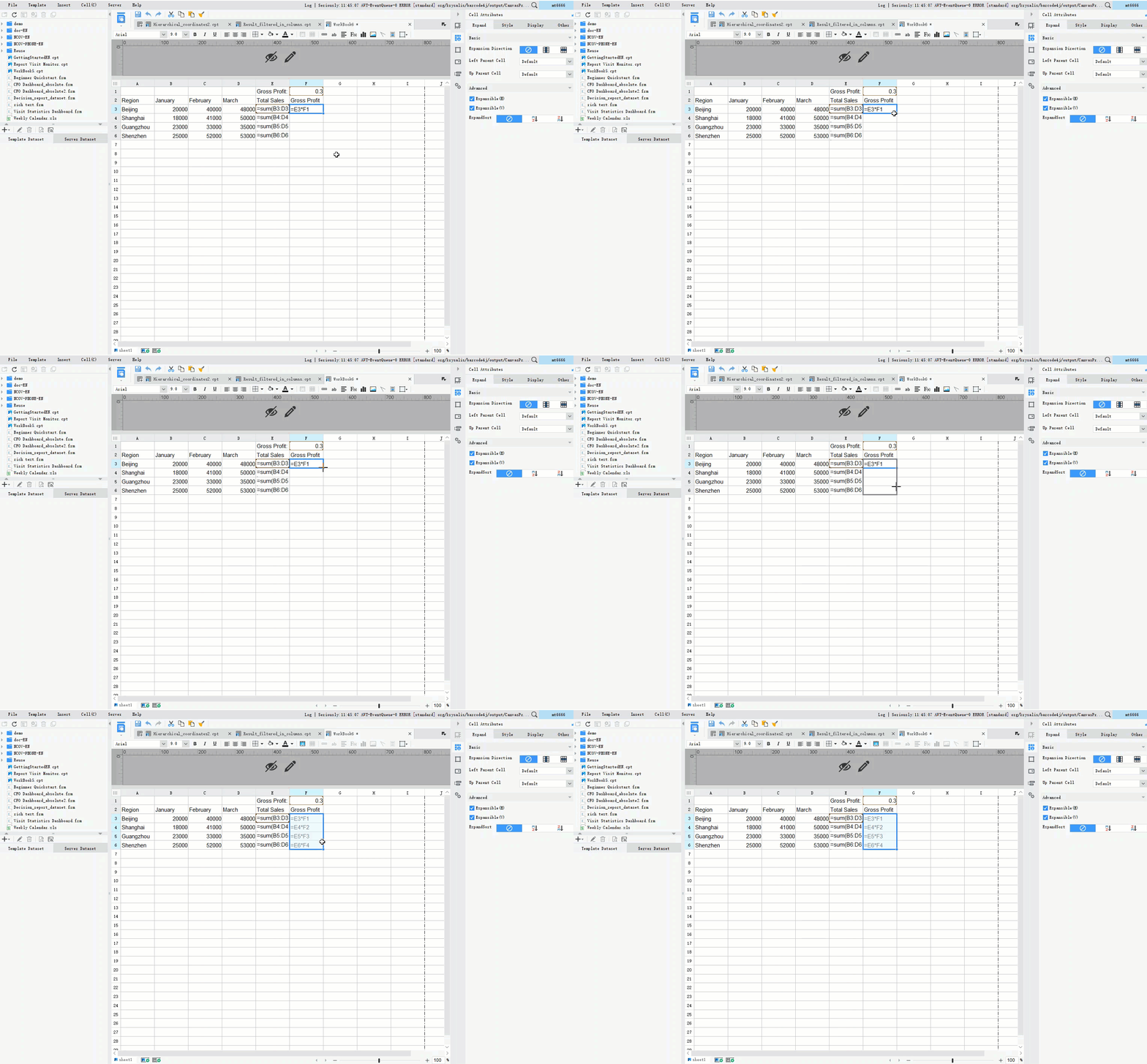
You need seamless integration for effective dashboard reporting. FineReport connects to over 500 data sources, including SQL databases, cloud platforms, and file-based systems. You use drag-and-drop tools to build dashboard reports and automate dashboard reporting.
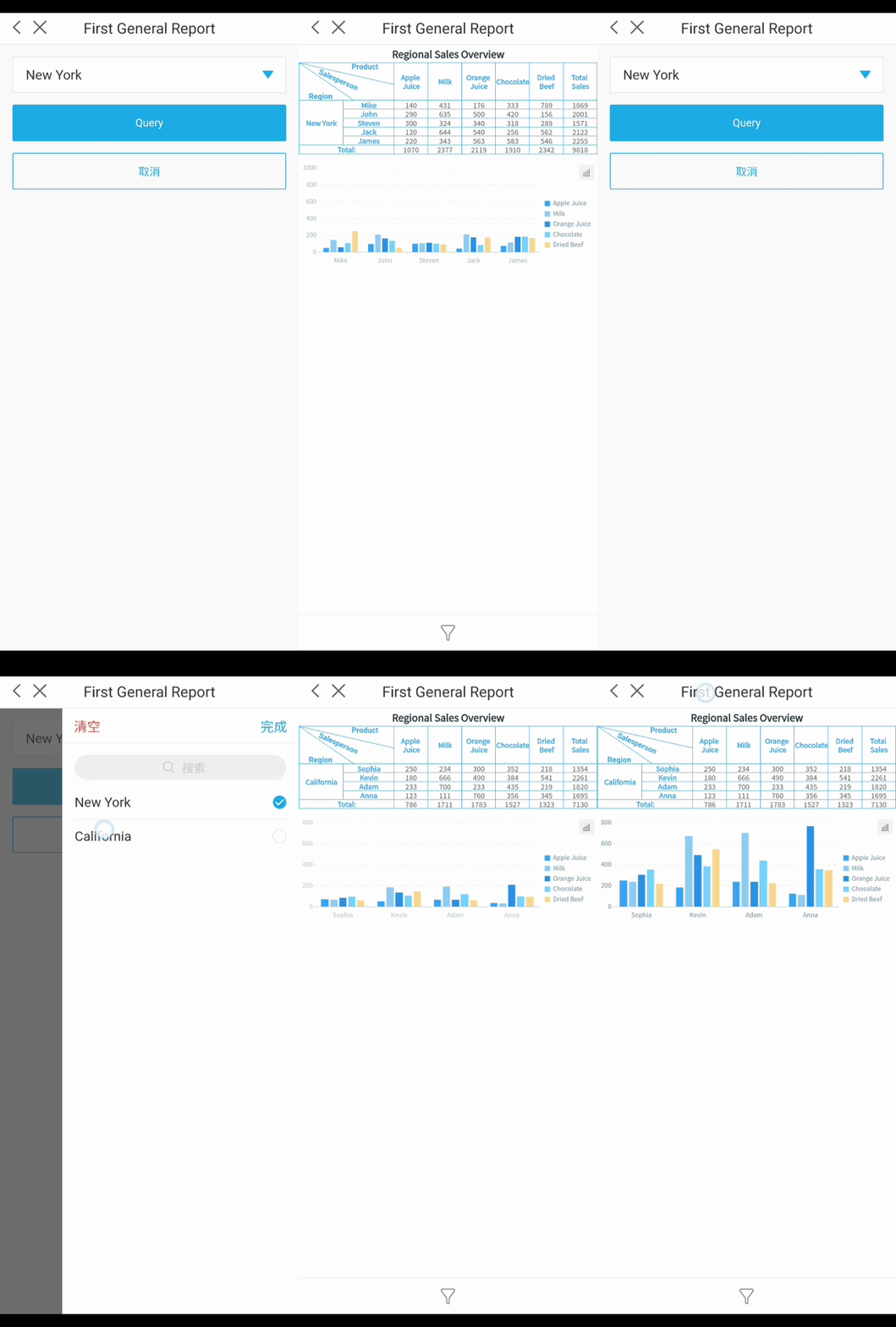
FineReport’s decision-making platform centralizes dashboard reports, user management, and system operations. You customize dashboards for executives, managers, and audit teams. You access dashboard reports on any device, including mobile phones and tablets.
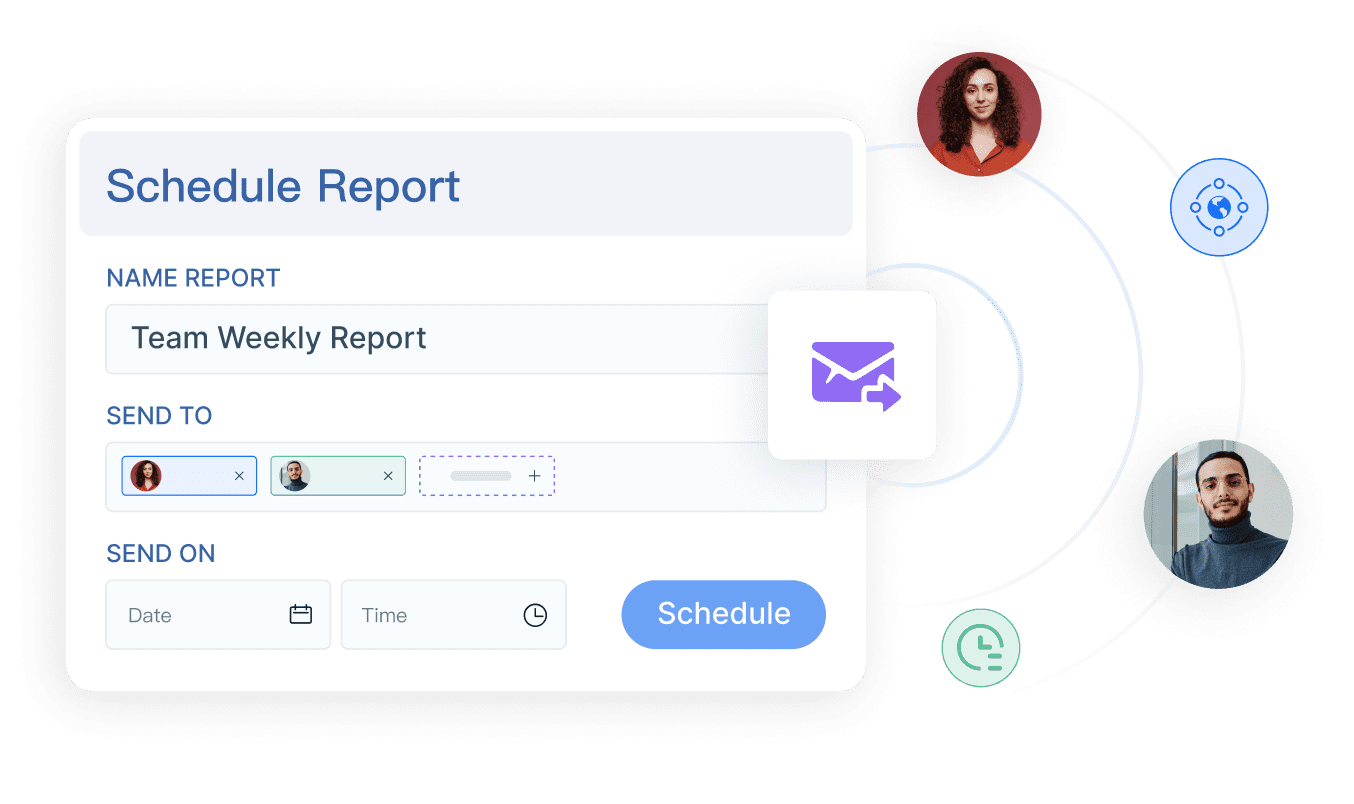
You automate report scheduling and distribution. You receive dashboard reports by email or app notification. You manage user permissions and data security from a single platform.
FineReportempowers you to create interactive dashboard reports with advanced visualization. You drill down into client data, monitor audit status, and make informed decisions. You streamline audit processes and improve client experience with real-time dashboard reporting.
You want your audit process to run smoothly from start to finish. An audit dashboard gives you a centralized platform that brings together all audit tasks, documents, and communications. This unified approach reduces confusion and keeps everyone on the same page. You no longer need to search through emails or spreadsheets to find the latest updates. Instead, you access a single dashboard that shows the status of every engagement.
A streamlined process means fewer errors and faster completion times. Automation handles repetitive tasks, such as document requests and reminders. You save time on follow-ups and reduce the risk of missing important deadlines. Clients benefit from a more organized and predictable experience. They receive timely updates and clear instructions, which builds trust and satisfaction.
Here is how an audit dashboard streamlines your process:
Feature
Benefit
Centralized Dashboard
Provides a 360-degree view of operations, enhancing visibility and control over engagements.
Automation of Manual Processes
Reduces manual effort and errors, speeding up onboarding and document management.
Offers a unified portal for clients, improving satisfaction and reducing access-related queries.
Workflow Efficiency
Integrates with existing tools, eliminating data silos and improving task management.
Data-Driven Insights
Leverages analytics for informed decision-making and strategic planning.
You see measurable improvements in efficiency and quality. Firms report that standardized workflows and automation lead to fewer audit issues and a more structured approach. This results in a better client experience.
Improvement Type
Description
Enhanced Efficiency
Firms reported streamlined audits through standardized workflows and automation.
Reduced Audit Issues
Implementation of audit dashboards led to fewer issues during audits, improving overall quality.
Structured Approach
A more organized method to audits resulted in a better client experience.
Enhanced Collaboration
You need strong communication to deliver successful audits. An audit dashboard supports enhanced collaboration by providing tools for messaging, file sharing, and task management. You and your client can communicate directly within the dashboard, reducing email clutter and keeping all discussions in context.
You use integrated tools like Slack, Microsoft Teams, or Zoom to facilitate conversations and meetings. These platforms allow you to share documents, discuss findings, and resolve issues quickly. Smart notifications ensure that everyone stays informed and can respond promptly.
Centralized messaging improves communication.
Faster approvals result from smart notifications.
Direct uploads into structured workflows minimize mistakes.
Automated reminders allow staff to focus on critical tasks.
You create a seamless environment for client collaboration. This approach leads to fewer errors, faster decision-making, and a more positive client relationship.
FineReport'sMultiple Built-in Charts For Visualization
You want your clients to have access to the information they need, when they need it. An audit dashboard provides real-time insights through visual reports and dashboards. Clients can view key performance indicators, track audit progress, and receive instant updates on important metrics.
Real-time data helps clients make informed decisions. Visualizations make it easy to spot trends and outliers. Up-to-date information allows for rapid course correction if issues arise. You improve transparency and build trust by giving clients direct access to their audit data.
Benefit
Description
Faster insights
Visual data representation makes it easier to spot trends and outliers.
Real-time access to KPIs enables quicker, data-driven decisions.
Enhanced visibility
Up-to-date visibility into metrics allows for rapid course correction.
Better communication
Visualizations facilitate discussion and understanding of analytics.
You notice that clients ask fewer questions about audit status. They feel more in control and appreciate the transparency. Managers stay informed with dashboards and progress indicators, which keeps the audit process on track.
Compliance and Documentation Support
You must meet regulatory requirements and maintain accurate records. An audit dashboard helps you manage compliance by organizing documentation, tracking incidents, and communicating important updates. You use the dashboard to store policies, procedures, and training materials, ensuring that everyone follows the correct processes.
The dashboard tracks incidents and investigations, helping you address any issues or violations. You manage third-party risks and monitor internal controls from a single platform. Automated alerts notify you of changes in regulations or upcoming deadlines, reducing the risk of non-compliance.
Component
Description
Incident and investigation tracking
Helps address issues or violations of regulations.
Compliance communication
Organizes dissemination of important information, reducing non-compliance risk.
Training
Ensures employees are informed about compliance activities related to their roles.
Conflicts of interest
Keeps stakeholders aware of potential conflicts that could influence their actions.
Third-party risk management
Ensures vendors or suppliers are compliant and reputable.
Policies and procedures
Helps adhere to various regulations and standards.
Internal controls
Provides oversight and monitoring of operations, ensuring accurate financial reporting.
Governance
Involves stakeholders in compliance oversight and communication of changes.
Reports and alerts
Notifies of changes in regulations, upcoming deadlines, and other compliance-related information.
You ensure that all documentation is complete and accessible. This reduces the time spent on audits and improves the quality of your compliance efforts.
FineReport'scustomer story with Kintetsu World Express shows the impact of a well-implemented audit dashboard. Kintetsu integrated multiple data sources into a real-time dashboard, giving their teams and clients instant access to customer information and logistics data. This improved operational efficiency, streamlined reporting, and enhanced the overall client experience. You can achieve similar results by adopting a modern audit dashboard for your firm.
You handle many tasks each day as a CPA. An audit dashboard helps you manage these tasks with ease. You can monitor ongoing audits, track deadlines, and assign responsibilities to your team. The dashboard gives you a clear overview of all client engagements. You see which audits need attention and which ones are on track. This visibility helps you prioritize work and avoid missed deadlines.
Common Automated Tasks
Description
Continuous Monitoring
Automated tools monitor financial processes and flag non-compliance in real time.
Compliance Management
Tools apply the correct accounting treatment automatically and stay updated with regulations.
Report Generation
Users can generate standard and custom audit reports quickly, streamlining the audit process.
Reducing Manual Labor
Automation minimizes manual tasks, leading to faster and more efficient audits.
You reduce manual work and focus on high-value activities. The dashboard supports you in delivering consistent results for every client.
Automated Reporting
You need to createdashboard reportsfor clients and internal teams. Automation in dashboard reporting saves you time and reduces errors. You schedule reports to run at set intervals, such as daily, weekly, or monthly. The system generates and distributes these reports automatically. You no longer spend hours compiling data or formatting documents. Instead, you review the results and share insights with your team or client.
Automated reporting ensures that everyone receives the latest information. You maintain accuracy and consistency in your audit documentation. This process supports better decision-making and keeps your firm compliant with regulations.
Mobile Dashboard Access
You often work outside the office. Mobile dashboard access lets you view dashboard reports on your phone or tablet. You check audit status, review client data, and approve tasks from anywhere. This flexibility helps you respond quickly to client needs. You stay connected to your team and keep audits moving forward, even when you are on the go.
Mobile access improves your productivity. You never miss important updates or deadlines. Your clients appreciate your responsiveness and attention to detail.
You can see the benefits of these applications in real-world scenarios. FineReport supports daily audit management by integrating data from multiple sources. You use its drag-and-drop tools to build custom dashboard reports. FineReportautomates report scheduling and distribution, so you deliver timely insights to every client. The mobile dashboard feature keeps you connected, whether you are in the office or meeting with a client.
Kintetsu World Express improved its operations by using FineReport to create real-time dashboards. The company integrated customer data and logistics information, giving teams and clients instant access to key metrics. This approach led to better decision-making and higher client satisfaction. You can achieve similar results by adopting FineReport for your audit dashboard needs.
You want an audit dashboard that fits your firm’s unique needs and supports excellent client service. Start by evaluating the features that matter most. Look for customizable reporting so you can tailor reports for each audit client. Integration capabilities are essential. The dashboard should connect with your existing systems to streamline data flow and reduce manual entry. Automation features help your team focus on analysis instead of repetitive tasks. Real-time monitoring lets you detect issues quickly and track compliance for every client.
Flexibility to create reports that fit unique organizational needs rather than using templates.
Integration Capabilities
Ability to connect with existing systems to streamline data flow and reduce manual entry errors.
Automation
Reduces manual tasks, enhancing productivity and allowing teams to focus on complex analysis.
Real-Time Monitoring
Enables immediate detection of issues and compliance tracking, improving responsiveness.
Integration Steps
You need a clear plan to integrate your audit dashboard. Begin by mapping your current systems and identifying data sources. Work with your IT team to connect the dashboard to accounting, CRM, and project management tools. Test the integration to ensure data flows smoothly. Address common challenges such as understanding your IT environment and closing skill gaps. Many firms face issues like fragmented knowledge of systems and resource shortages. Involve key staff early to reduce these risks.
Audit failures often relate to technology and internal controls.
Teams may struggle to scope and understand systems that support financial reporting.
Resource and skill gaps can complicate the integration process.
Fragmented IT knowledge among staff can slow down technology adoption.
Training and Support
You must prepare your team for the new audit dashboard. Offer hands-on training that covers both compliance and risk-based approaches. Many firms find that staff excel at compliance but need more training in analytics and technology. Address resistance to change by creating a transformation plan. Support your team with ongoing resources and clear documentation.
Finding
Description
Resistance to Change
75% of firms have not documented a transformation plan.
Methodology Limitations
30% of firms say their audit methodology does not support transformation.
Training Gaps
Staff excel at compliance but lack training in risk-based approaches and data analytics.
FineReport Implementation Tips
You can make the most of FineReport by following a few best practices. Start with a pilot project for one audit client to test features and workflows. Use FineReport’s drag-and-drop tools to build custom dashboards that match your client service goals. Schedule regular reviews to update your dashboards as your firm grows. Leverage FineReport’s support resources for troubleshooting and ongoing learning. This approach ensures you deliver consistent, high-quality client service and maximize the value of your audit dashboard.
You transform your audit process when you use an audit dashboard like FineReport. By organizing financial data in one place, you reduce manual work and improve efficiency. This approach supports long-term growth and delivers a customer-first client experience. You give each client real-time insights and foster better collaboration. As audit platforms evolve, you will see more AI-driven features that enhance transparency and quality. Explore FineReportto elevate your client experience and stay ahead in the future of audit technology.
Access a wealth of case studies, industry insights, and solution guides to accelerate digital transformation.
FAQ
What is an audit dashboard?
An audit dashboard is a digital tool that displays key audit data, workflow status, and client information in one place. You use it to track audit progress, manage tasks, and access real-time insights.
How does an audit dashboard improve audit efficiency?
You streamline your workflow with an audit dashboard. It automates routine tasks, centralizes data, and provides instant updates. This helps you save time, reduce errors, and focus on higher-value activities.
Can you customize reports in an audit dashboard?
Yes, you can customize reports in most audit dashboards. FineReport lets you tailor dashboards and reports to fit your firm’s needs. You choose the data, layout, and visualizations that matter most.
Is an audit dashboard secure for sensitive client data?
You protect sensitive information with strong security features. Audit dashboards like FineReport use role-based permissions, access controls, and encryption to keep client data safe and compliant with regulations.
Does an audit dashboard work on mobile devices?
Yes, you can access your audit dashboard on mobile devices. FineReport supports smartphones and tablets, so you stay connected and manage audits from anywhere.