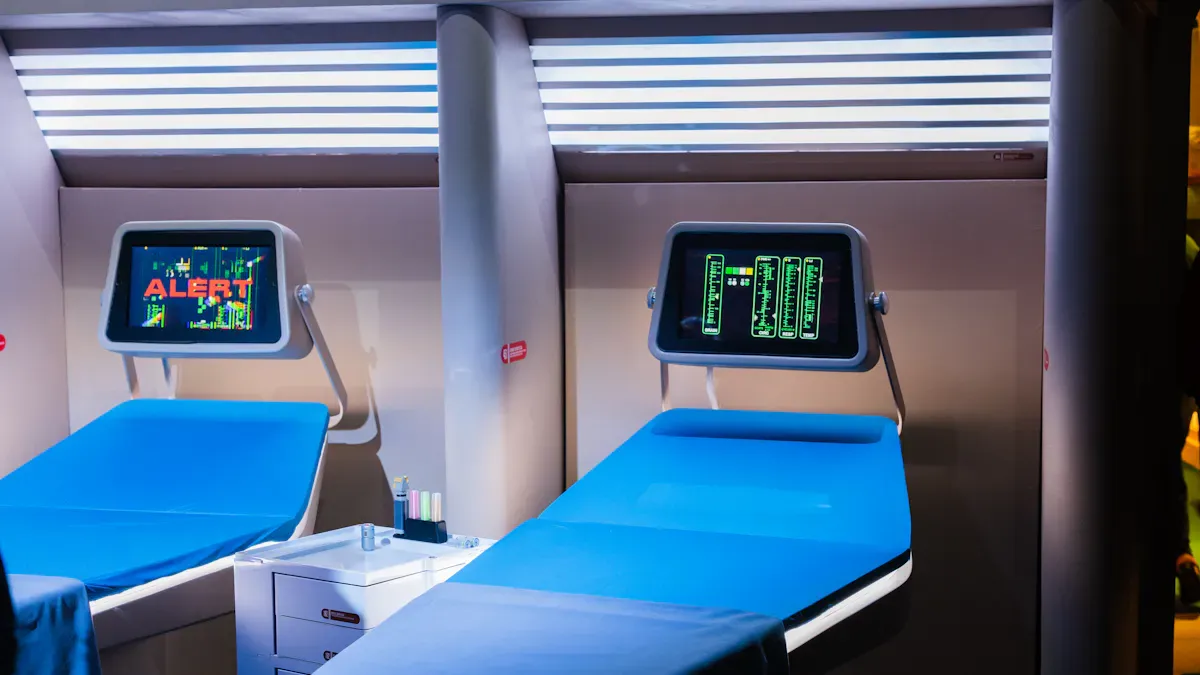
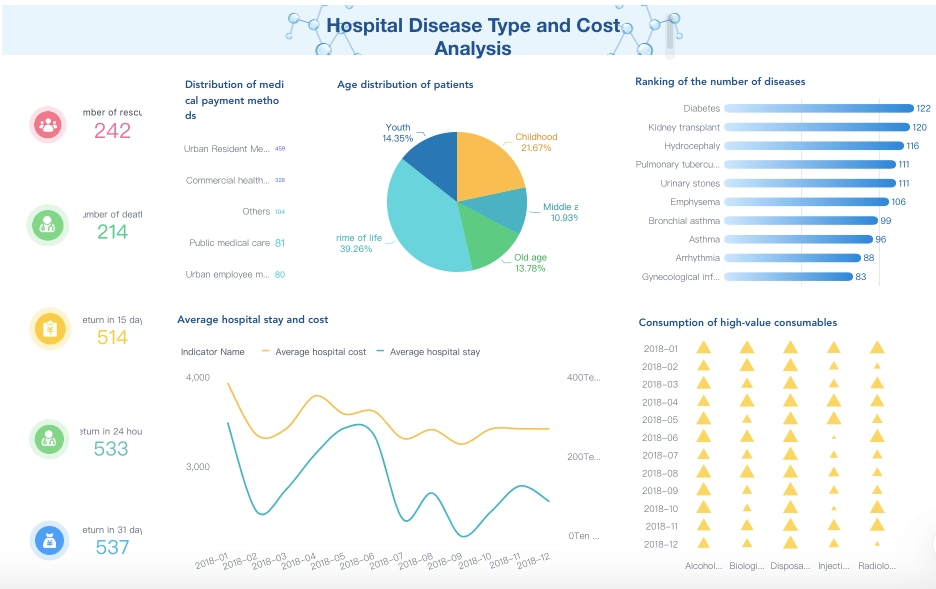
You want a patient dashboard that helps you decide quickly. When you use a dashboard made for your needs, you understand information better. You can act on what you see right away. Real-time data shows the newest updates without waiting. This helps you care for patients better. Actionable insights change hard numbers into easy steps you can follow. FineReport give you tools to make solutions for the future. These tools work for everyone.
Key Insight
Description
User-Centered Design
Making dashboards for users helps them use it and make good choices.
Real-Time Data Integration
Real-time data helps doctors make good choices by showing new information fast.
Actionable Insights
Dashboards must turn hard data into easy steps to help patients.
What Makes a Patient Dashboard Effective
A patient dashboard lets you see health info quickly. You want the right data shown in a simple way. The dashboard should help both patients and doctors. It makes work easier and helps you choose better.
Key Outcomes for Users
Dashboards should help you with daily tasks. Patients can check their health and see progress. They can understand their care plan. Doctors can watch patient status and spot problems early. They can respond fast. A user-friendly dashboard shows clear charts and simple numbers. It gives easy steps to follow.
Here are some key outcomes you should expect from a good dashboard:
You see fewer mistakes with medicine and hospital infections.
You get better scores on patient satisfaction surveys.
You find more ways to make your service better.
You track falls and other safety measures.
You notice patients have better health results.
A table can show the main outcomes for patients and doctors:
KPI Type
Description
Patient Volumes
Counts patients getting care, showing demand and resource use.
Clinical Documentation
Checks how complete and correct patient records are. This affects care quality and safety.
Resource Utilization
Shows how well you use resources, helping you work better.
Patient Satisfaction
Looks at patient feedback about care, helping you improve service.
Medication Error Rate
Watches how often medicine mistakes happen, which is important for safety.
Hospital-Acquired Infection Rate
Tracks infections during hospital stays, helping you control them.
Health Outcomes
Measures how well care works for patient health and life quality.
When you use a dashboard with good data visuals, you can spot trends and problems fast. FineReport helps you see updates in real time, so you always know the latest info.
Measuring Success
You want to know if your dashboard works well. You can check how much you use it, how correct the data is, and how happy users are. You also check if patient info stays safe and if the dashboard connects with other systems.
Here is a table of common ways to measure how well your dashboard works:
Metric Category
Description
Volume
Counts patients and services, showing how much you use the dashboard.
Revenue Leakage
Finds money lost from problems, helping you fix them.
Utilization
Checks how well you use resources, making sure patients get good care.
Quality
Focuses on care standards, keeping patients safe and happy.
Financial Performance
Looks at your organization’s money health, helping you grow and stay strong.
Patient Satisfaction
Measures how patients feel about their care and dashboard.
Employee Satisfaction
Checks how staff feel about using the dashboard, which affects care quality.
Makes sure the info you see is correct and trustworthy.
Security
Keeps patient info safe from risks.
Flexibility
Shows how well the dashboard changes for new needs.
Integration
Looks at how well the dashboard connects with other systems, making work smoother.
User Feedback
Collects ideas from users to keep making the dashboard better.
You can also use these easy checks:
Ask users what they think about the dashboard.
Track how often staff and patients use it.
Review how well the dashboard fits your daily work.
A good design gives you a dashboard that is easy, safe, and helpful. You want an interface that supports your goals and grows with your needs. FineReport gives you tools to build dashboards that show real-time data, connect to many sources, and help you make smart choices every day.
Core Design Principles for Patient Dashboards
Usability and Accessibility
You need a dashboard that is easy for everyone to use. Good design uses clear pictures and simple menus. The font should be big enough to read. Colors must stand out so you can see text easily. These features help people who have trouble seeing. Screen readers help people who need extra support use the dashboard.
When making a dashboard, test it in real hospitals. Make sure it looks nice and is simple to use. Use graphs and charts that are easy to understand. FineReport lets you make dashboards fast with drag-and-drop tools. The dashboard works on phones, tablets, and computers.
Standard/Practice
Description
Readable Font Sizes
Use font sizes that are easy to read for all users.
Strong Contrast Ratios
Ensure high contrast between text and background for visibility.
You can change your dashboard to show what you want first. Personalization helps you see the most important information. This makes your dashboard more useful and keeps you interested in your health. Customization helps doctors and nurses make better choices and act faster.
Security matters as much as personalization. You want your dashboard to keep your information safe. FineReport uses strong encryption and special access to protect your data. The dashboard follows HIPAA and local rules to keep your info private. Multi-factor authentication adds extra safety.
HIPAA rules keep patient data safe.
Encryption protects your information when it moves or stays.
Consent management lets you control your own data.
Integration and Interoperability
A good dashboard connects to other healthcare systems. You need your dashboard to work with electronic health records and devices like wearables. By 2024, most EHR vendors use FHIR-based data exchange, so connecting is easier. FineReport supports mobile apps, secure APIs, and real-time data sharing. This gives you the newest updates from many places in one dashboard.
Mobile apps and wearables send real-time info to your dashboard.
Secure APIs link your dashboard to other systems.
Data lineage tracking shows where your data goes.
When you use a dashboard with strong ui/ux design, you get a tool that is simple, safe, and ready for new changes. FineReport help you build dashboards that follow these main ideas.
Design Patient Dashboards with FineReport
User Research and Wireframing
You need to start with user research before you build your patient dashboard. This helps you understand what patients and doctors want. You can use these methods to gather feedback:
Interview users to learn about their daily tasks and needs.
Send out surveys to collect opinions from many people.
Try Think Aloud exercises where users talk as they use a sample dashboard.
You should focus on user-centered design. This means you listen to users and make changes based on what they say. You can also study what information users need most. Draw simple wireframes to show where each part of the dashboard will go. FineReport’s drag-and-drop interface lets you move parts around easily, so you can test different layouts quickly.
Prototyping and Testing
After you finish your wireframe, you can make a clickable prototype. This lets users try out the dashboard before you build the final version. You should test your prototype with real users. Watch how they use it and ask questions. Check if they can find important information fast.
Here is a table of best practices for prototyping and testing:
Best Practice
Description
Simplicity
Show only the most important data to avoid confusion.
Coherent Layout
Place charts and numbers in a way that tells a clear story.
You should also measure how fast users finish tasks, how many mistakes they make, and if they understand the data. FineReport helps you test different designs without writing code.
Iteration and Feedback
You need to improve your dashboard after each test. Ask users what they like and what they find hard. Make small changes and test again. This process helps you build a dashboard that works well for everyone.
FineReport makes it easy to update your design. You can change charts, add new data sources, or adjust layouts with simple tools. The ADPIC project shows how real organizations use FineReport to create dashboards that fit their needs. You can follow their example to make your own dashboard better each time.
Key Patient Dashboard Features
Data Visualization and Alerts
You need clear visuals to see patient data fast. FineReport shows real-time updates about patient conditions. You can use tables, charts, and graphs to spot changes. Dashboards show alerts when something important happens. For example, you see a sudden change in vital signs. This helps you act quickly.
Feature
Description
Real-Time Updates
See patient data as it changes, so you never miss a critical moment.
Natural Language Querying
Ask questions in plain language and get answers right away.
Explainable Visualizations
Get overlays and notes that explain what the data means.
Embedded Analytics
View analytics right inside your workflow for faster decisions.
Reactive Behavior
Dashboards respond to sensor data and send alerts when needed.
FineReport lets you build dashboards with drag-and-drop tools. You do not need to write code. You can connect to more than 30 data sources. These include EHRs and wearable devices. This makes your dashboard strong and flexible.
Communication Tools
You need tools to talk with doctors and patients. Dashboards with chat, notes, or secure messaging help you share updates. Visuals like charts and icons help everyone understand health changes. When you see your progress in a chart, you remember it better. You feel more motivated.
Dashboards help you and your doctor talk about your health.
You can see your health scores and share them with your care team.
Charts and icons make information easy to understand.
Better communication helps you make choices with your doctor.
FineReport lets you add these tools to your dashboard. You can set up alerts and share reports. You can automate messages to keep everyone informed.
Mobile and Customization Options
You want to check your dashboard anywhere and anytime. FineReport gives you mobile dashboards for phones and tablets. You can customize your dashboard to show the data you care about most. The interface is simple. You can find what you need fast.
Feature
Description
Data Security and HIPAA
Your data stays safe with strong encryption and access controls.
Integration with EHRs
Dashboards connect to electronic health records for complete information.
Offline Functionality
Access your dashboard even without internet.
Customization
Change layouts and features to fit your needs.
Simple Interface and Speed
Easy to use and quick to load, even on mobile devices.
FineReport supports secure APIs and standard protocols. You can connect data from many sources and devices. This helps you see all your health information in one place.
You can make a patient dashboard that works well by keeping it simple. Real-time updates help you see new information fast. Role-based customization lets each person see what they need. Make sure your dashboard is easy for everyone to use. It should be accessible and connect with other health systems. FineReport lets you build dashboards with drag-and-drop tools. You can use smart layouts to organize information.
Feature
Benefit
Real-time data
You make faster and better decisions
Adaptive design
You can use it easily on any device
Teamwork features
Teams work together and share data safely
Try FanRuan’s solutions to make dashboards that help you give better care and make smarter choices.
Product Trial
FineReport
Pixel-perfect reports · Interactive dashboards · Easy data entry · Digital twins
Access a wealth of case studies, industry insights, and solution guides to accelerate digital transformation.
FAQ
What is a patient dashboard?
A patient dashboard is a tool that shows health information in one place. You can see test results, appointments, and alerts. This helps you and your doctor make better choices.
How does FineReport help you build dashboards?
FineReport gives you drag-and-drop tools. You can connect data from many sources. You do not need to write code. You can make dashboards that show real-time updates and clear charts.
Is my health data safe on these dashboards?
Yes. FineReport uses strong encryption and access controls. Only people with permission can see your data. The system follows rules like HIPAA to keep your information private.
Can I use the dashboard on my phone?
You can use your dashboard on any device. FineReport supports mobile phones, tablets, and computers. You get the same features and updates everywhere.