

Expense report software for small business is a tool that helps owners and employees capture receipts, submit expenses, route approvals, manage reimbursements, and sync records to accounting systems with less manual work.
10 best expense report software for small business compared
1. FineReport
- One-sentence overview: FineReport is best for small businesses that want stronger expense reporting, custom approval workflows, dashboard visibility, and broader business process automation beyond basic expense entry.
- Key Features:
- Custom expense report forms and workflow design
- Centralized dashboards for spend visibility and reimbursement tracking
- Integration-friendly architecture for accounting, ERP, and internal systems
- Policy-based approval routing and reporting automation
- Flexible analytics for finance teams that need more than a simple expense tracker
- Pros & Cons:
- Pros: Highly customizable; strong reporting depth; useful for companies that want business expense management software and analytics in one environment; suitable for teams with more complex internal processes
- Cons: May require more setup than lightweight receipt-only apps; not the simplest choice for a solo owner who just wants to snap receipts
- Best For (Target user/scenario): Small businesses that have outgrown spreadsheets and basic apps and want to connect expense reporting with broader operational reporting and automation.
FineReport earns the top spot here because many small businesses eventually discover that the real problem is not just receipt capture. It is fragmented approvals, limited visibility into department spend, weak reporting, and manual follow-up during month-end close. FineReport helps address those gaps by combining customizable forms, workflow automation, and reporting dashboards in a way that fits growing companies with more specific finance processes.
If your team needs a simple app only for reimbursing occasional meals, FineReport may be more robust than necessary. But if you want to standardize approvals, build management dashboards, track budget versus actuals, and create a more scalable expense workflow, it is a strong option.
2. Expensify
Website: https://www.expensify.com/
- One-sentence overview: Expensify is a well-known expense report software for small business focused on fast receipt scanning, streamlined submissions, employee reimbursements, and card-linked spend management.
- Key Features:
- OCR receipt capture and email receipt forwarding
- Mileage tracking
- Automated report creation and policy checks
- Reimbursement workflows
- Corporate card and bring-your-own-card support
- Accounting integrations including QuickBooks and Xero
- Pros & Cons:
- Pros: Fast receipt capture; user-friendly mobile experience; good reimbursement speed; solid automation for everyday expense reports
- Cons: Pricing can become harder to evaluate as needs expand; some capabilities are tied to plan level or card usage; may feel less cost-effective for very small teams with simple needs
- Best For (Target user/scenario): Small businesses that want employees to submit expenses quickly with minimal training.
Expensify remains one of the most recognizable tools in this category for good reason. It reduces friction for employees, especially those who travel often or submit receipts on the go. The app is strong at turning receipt images and emailed confirmations into report-ready expenses.
The main trade-off is cost clarity. For some small businesses, the platform looks affordable at first but becomes more nuanced once you factor in advanced workflows, user count, reimbursement needs, or preferred payment setup. It is still one of the safest picks if speed and ease of use are your priorities.
3. QuickBooks Online + expense tracking
- One-sentence overview: QuickBooks Online is best for small businesses that want accounting and expense workflows in the same ecosystem rather than stitching together multiple tools.
- Key Features:
- Built-in expense tracking tied to bookkeeping
- Bank and card transaction feeds
- Receipt capture in the mobile app
- Mileage tracking in some plans or add-ons
- Direct reconciliation inside the accounting system
- Reporting for taxes, P&L, and cash flow
- Pros & Cons:
- Pros: Convenient for businesses already using QuickBooks; simpler reconciliation; fewer integrations to manage; useful for owner-led finance operations
- Cons: Less specialized than dedicated expense management platforms; policy controls and multi-step approvals are more limited; not ideal if you need advanced spend governance
- Best For (Target user/scenario): Bookkeeping-focused small businesses that want expenses and accounting in one place.
QuickBooks Online works especially well when the main goal is to reduce duplicate entry. If your bookkeeper already lives in QuickBooks, keeping expense data inside the same platform can make month-end faster and cleaner.
The limitation is depth. You get solid accounting-centric expense tracking, but not always the specialized controls that finance teams need as employee count grows. For a company with only a few submitters, that may be perfectly acceptable. For a business with layered approvals or tighter policy enforcement, a dedicated platform will usually do more.
4. Zoho Expense
Website: https://www.zoho.com/expense/
- One-sentence overview: Zoho Expense is a strong value option for growing teams that want policy automation, travel and mileage tracking, and flexible workflows without enterprise-level cost.
- Key Features:
- Receipt scanning and auto-categorization
- Mileage tracking and travel expense support
- Approval workflows and policy rules
- Multi-currency capabilities
- Integration with Zoho apps and external accounting software
- Spend analytics and audit support
- Pros & Cons:
- Pros: Good balance of features and price; useful policy controls; suitable for growing teams; strong if you already use the Zoho stack
- Cons: Setup can take time; advanced workflows add complexity; interface depth may require onboarding for non-finance users
- Best For (Target user/scenario): Small businesses planning to scale and needing stronger controls than a basic expense tracker provides.
Zoho Expense is often one of the best-value tools in this market because it covers the essentials well while also giving finance teams more policy control than many entry-level apps. It handles travel-heavy workflows better than simple receipt trackers and generally scales well with growing usage.
Its trade-off is usability at the advanced end. Once you start layering in custom rules, mileage settings, categories, and approval paths, the system can feel less lightweight. That is not necessarily a weakness, but it does mean setup quality matters.
5. Ramp
Website: https://ramp.com/
- One-sentence overview: Ramp is a modern spend platform that combines corporate cards, approvals, controls, and expense automation for companies that want real-time visibility into spend.
- Key Features:
- Corporate cards with spend limits
- Receipt matching and automation
- Approval workflows
- Accounting integrations
- Vendor and spend visibility dashboards
- Budgeting and control features
- Pros & Cons:
- Pros: Strong automation; good real-time visibility; useful for controlling spend before reimbursement happens; strong finance-oriented workflows
- Cons: Card-first model is not the right fit for every small business; eligibility requirements can limit access; less useful if most expenses are still paid out of pocket
- Best For (Target user/scenario): Startups and finance-led teams that want to shift from reimbursements toward controlled card spend.
Ramp is attractive because it reduces the need for employee out-of-pocket spending in the first place. That can simplify reimbursement workflows and improve policy enforcement. It is particularly effective for startups that want faster controls and less manual oversight.
The catch is fit. If your business is not comfortable adopting another financial platform or does not qualify for the card model you want, the value proposition weakens.
6. Brex
Website: https://www.brex.com/
- One-sentence overview: Brex is designed for fast-moving companies that want expense controls, corporate cards, and broader spend management in one platform.
- Key Features:
- Corporate cards and spend controls
- Automated receipt collection
- Approval policies
- Real-time spend monitoring
- Accounting and ERP integrations
- Travel and vendor spend support in broader plans
- Pros & Cons:
- Pros: Strong control layer; good visibility; useful for scaling companies; broader spend management than simple expense apps
- Cons: Best fit is narrower than general small business software; card-centric approach may not suit all teams; some smaller businesses may find it more platform than they need
- Best For (Target user/scenario): Venture-backed teams and startups that prioritize centralized spend control over traditional reimbursements.
Brex is often evaluated alongside Ramp because both target modern finance teams that want proactive controls. For businesses moving quickly, the benefit is clear: policy enforcement happens earlier, not after the expense report is submitted.
For more traditional small businesses, though, Brex can feel less natural than a reimbursement-first tool. If your team still operates with employee-paid expenses and basic accounting software, implementation may feel like a bigger behavioral change.
7. BILL Spend & Expense
- One-sentence overview: BILL Spend & Expense is a practical option for businesses that want expense management tied closely to AP, bill payments, and finance operations.
- Key Features:
- Expense tracking and receipt capture
- Card-based spend controls
- Approval workflows
- Bill pay ecosystem integration
- Accounting sync
- Visibility across employee and vendor-related spend
- Pros & Cons:
- Pros: Helpful for finance teams already using BILL; supports broader back-office workflows; can reduce fragmentation between expenses and payables
- Cons: Value depends heavily on your existing finance stack; may be less appealing as a standalone expense app; some small businesses only need a narrower tool
- Best For (Target user/scenario): Small businesses that want to connect employee spend with broader finance operations such as AP and bill management.
This option is less about pure employee reimbursements and more about creating a connected finance workflow. If your business already uses BILL, adding spend functionality can make operational sense and reduce tool sprawl.
If you are starting from scratch, however, a simpler expense product may be easier to evaluate and deploy.
8. SAP Concur Expense
Website: https://www.concur.com/
- One-sentence overview: SAP Concur Expense is a mature expense management platform with strong compliance, travel integration, and configurable workflows, though it can be heavier than many small businesses need.
- Key Features:
- Receipt capture and automated expense creation
- Travel and expense integration
- Policy controls and audit tools
- Approval routing
- Broad integrations
- Advanced administration options
- Pros & Cons:
- Pros: Strong controls; broad capabilities; suitable for companies with formal approval requirements; reliable for complex T&E environments
- Cons: Can be more expensive and more complex to implement; interface and administration may feel heavy for small teams; best value often appears at larger scale
- Best For (Target user/scenario): Small businesses with unusually strict compliance needs or those planning for more complex T&E operations.
Concur is often more software than a typical small business needs, but it belongs in the comparison because some smaller organizations operate with enterprise-like control requirements. If auditability and policy rigor matter more than simplicity, it deserves a look.
For most small businesses, though, it lands lower on the shortlist because setup and ongoing administration can outweigh the benefit.
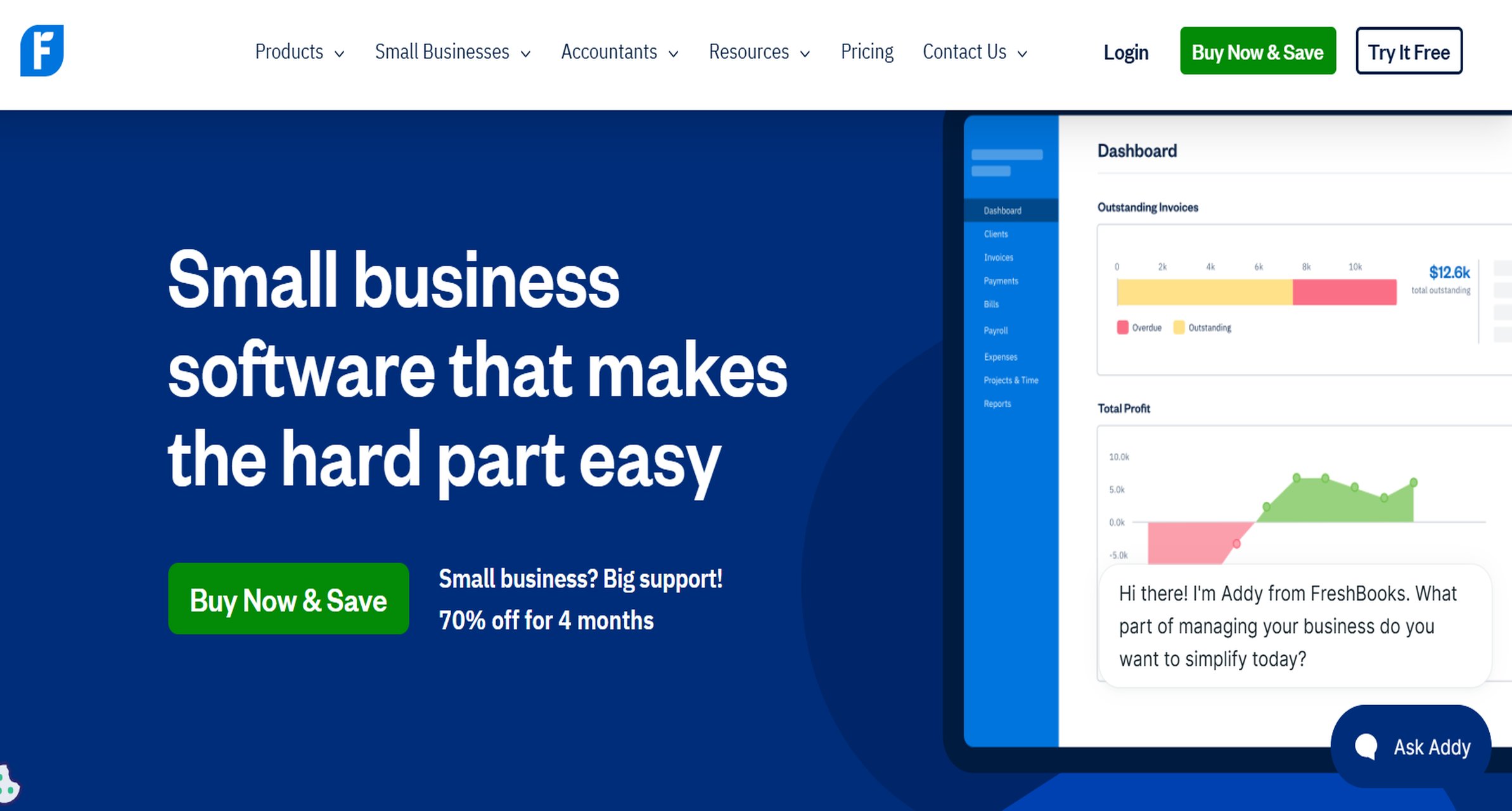
9. FreshBooks
Website: https://www.freshbooks.com/
- One-sentence overview: FreshBooks is a simple accounting-first choice for freelancers and small service businesses that need light expense tracking with invoicing and bookkeeping.
- Key Features:
- Expense tracking and categorization
- Receipt capture
- Mileage tracking in some workflows
- Invoicing and client billing
- Basic reporting
- Bookkeeping-friendly interface
- Pros & Cons:
- Pros: Easy to use; helpful for service businesses; combines invoicing and basic expense tracking; lower learning curve than more advanced platforms
- Cons: Limited policy controls; not built for more formal approval chains; weaker for multi-employee expense programs
- Best For (Target user/scenario): Freelancers, agencies, and very small service businesses with lightweight expense reporting needs.
FreshBooks is less of a dedicated expense management platform and more of an accounting tool with useful expense features. That makes it appealing to owners who want simplicity above all else.
Once multiple employees start submitting expenses regularly, its limitations become more obvious.
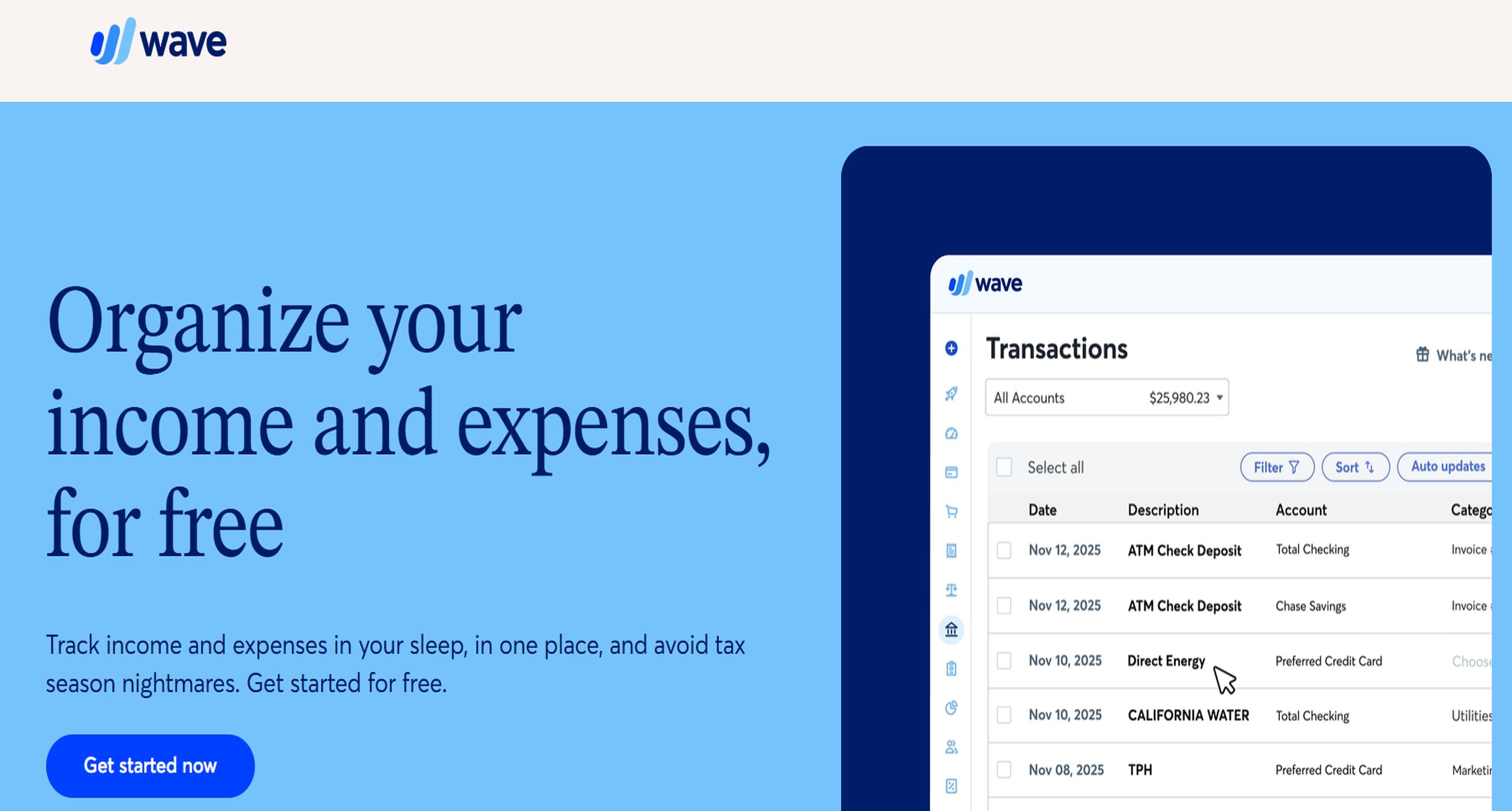
10. Wave + basic expense tracking
Website: https://www.waveapps.com/accounting-p/expense-tracking
- One-sentence overview: Wave is a budget-friendly option for microbusinesses that want simple bookkeeping and basic expense tracking without paying for a specialized expense system.
- Key Features:
- Expense categorization
- Bank transaction imports
- Basic receipt and bookkeeping workflows
- Reporting for income and expenses
- Simple interface for owner-operators
- Pros & Cons:
- Pros: Affordable entry point; straightforward for microbusinesses; useful for replacing spreadsheets at the earliest stage
- Cons: Limited approvals, reimbursements, and policy features; not true expense report software in the dedicated-platform sense; scalability is limited
- Best For (Target user/scenario): Solopreneurs and very small businesses that mainly need a starter expense tracker connected to bookkeeping.
Wave is only a fit when your expense process is still simple. It can reduce manual categorization and support cleaner records, but it does not deliver the structured approval and reimbursement workflows that most growing small businesses need.
How to choose expense report software for small business in 2026
What small teams actually need: receipt capture, approvals, reimbursements, mileage, and accounting sync
The best expense report software for small business should solve the operational basics first. For most teams, that means:
- Receipt capture: Mobile photo upload, email forwarding, or card transaction matching
- Approvals: At minimum, one-step manager approval; ideally configurable rules as the team grows
- Reimbursements: Clear status tracking and fast repayment to employees
- Mileage tracking: Important for field teams, service businesses, and owner-drivers
- Accounting sync: Clean export or direct integration to QuickBooks, Xero, or another general ledger
Many businesses overbuy here. If only two people submit occasional expenses, the priority is ease of use. If 15 employees travel or buy materials every week, automation and policy controls quickly matter more.
The trade-offs between ease of use, automation depth, policy controls, and total cost
There is no perfect tool for every company because the core trade-offs are real.
- Ease of use vs. control: Simpler tools help employees submit expenses faster, but they may lack layered approval logic or stricter policy enforcement.
- Automation depth vs. setup time: More advanced automation saves time later, but often requires initial configuration.
- Policy controls vs. user flexibility: Tight controls reduce non-compliant spending, but may frustrate teams if rules are too rigid.
- Low entry price vs. long-term value: A cheap app can become costly if it creates accounting cleanup work or requires add-ons later.
This is why FineReport can be a smart choice for businesses thinking beyond receipt capture. It supports a more structured expense management process when reporting, workflow consistency, and finance visibility start to matter.
 FineReport Workflow
When a simple expense tracker is enough versus when you need broader spend management
A simple expense tracker is enough if:
- The owner or bookkeeper handles most expenses
- There are very few monthly submissions
- Reimbursements are infrequent
- Policy enforcement is informal
- Budget oversight happens outside the expense tool
You likely need broader spend management if:
- Multiple employees regularly submit expenses
- You want approval chains by department or amount
- You issue company cards
- You need better visibility into team or project spend
- Month-end reconciliation is getting messy
- You want dashboards, audit trails, and stronger controls
That is the point where tools like FineReport, Ramp, Brex, or BILL Spend & Expense become more relevant than lightweight trackers.
Features, pricing, and trade-offs of expense report software for small business that matter most
Receipt capture, OCR, and mobile apps
Receipt capture is still the feature most users care about first. If employees hate submitting expenses, compliance drops and finance teams spend more time chasing missing data.
Look closely at how each platform handles:
- OCR accuracy
- Email receipt forwarding
- Card transaction matching
- Duplicate receipt detection
- Manual editing after auto-scan
- Mobile app speed and reliability
Expensify and Zoho Expense are particularly strong in this area. QuickBooks is good enough for many bookkeeping-led teams, while card-first platforms often rely more heavily on transaction-led automation than traditional report assembly.
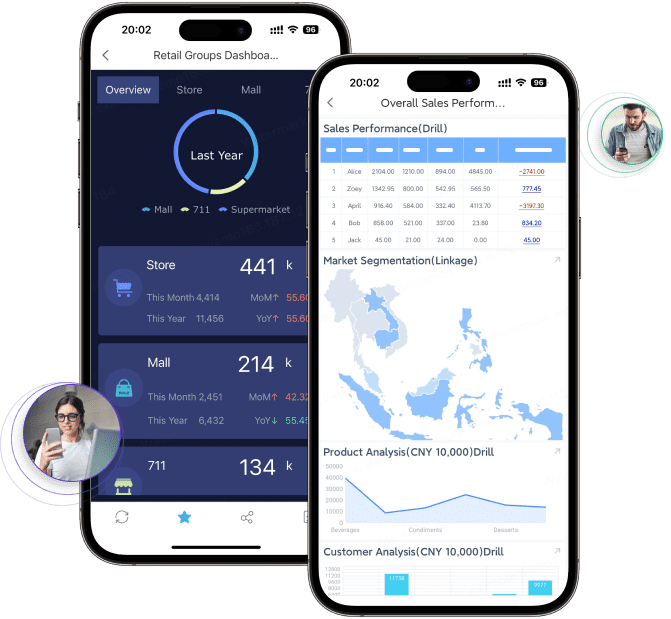
Mobile usability matters even more for field teams. If staff are driving between jobs, visiting clients, or buying materials on site, a clumsy mobile workflow leads to late submissions and lost receipts.
 FineReport Mobile
Approvals, reimbursements, and policy controls
This is where tools start to separate.
Basic products offer:
- Single-step approvals
- Manual review
- Basic category tagging
More advanced tools add:
- Multi-level approvals
- Amount-based routing
- Per-diem support
- Out-of-policy alerts
- Required receipt thresholds
- Better audit trails
For a very small company, one-step approval may be enough. But as spending volume increases, weak approval logic becomes a hidden cost. Managers waste time, accounting has to correct coding errors, and reimbursement disputes become more frequent.
FineReport stands out when your business wants more control over the process itself. Instead of forcing your team into a rigid default workflow, it gives you more room to define how approvals and reporting should work internally.
Integrations, automation, and reporting
The best expense report software for small business should reduce duplicate work, not create another silo.
The most important integrations usually include:
- Accounting: QuickBooks, Xero, NetSuite, Sage
- Payroll: For reimbursements and compensation alignment
- ERP or internal systems: For larger or more customized workflows
- Banking and card feeds: For reconciliation and matching
Reporting is another key differentiator. Ask whether the platform helps with:
- Tax preparation
- Month-end close
- Expense trend analysis
- Budget monitoring
- Department or project-level visibility
This is another reason FineReport is worth considering. Many tools handle the transaction side well, but reporting depth is often limited unless you move into a more expensive tier. FineReport is especially useful when reporting and analytics are a core part of your expense management process.
Pricing models and hidden costs
Pricing for expense report software for small business is rarely as simple as the homepage suggests.
Common pricing models include:
- Per-user monthly fees
- Per-report fees
- Custom quotes
- Corporate card revenue models
- Freemium or entry-tier plans with limits
Hidden costs often show up in:
- Implementation effort
- Advanced workflow access
- Premium support
- Required card adoption
- Extra admin users
- Integration tiers
For example, a card-first platform may appear inexpensive if interchange revenue supports the model, but that only works if the business is comfortable changing how employees spend. A simple app may have a low sticker price, but accounting cleanup and manual approvals can make it more expensive over time.
When comparing tools, calculate the total cost of ownership, not just the subscription fee.
Best picks by business type and use case of expense report software for small business
Best for startups and venture-backed teams
The best fits here are usually:
- Ramp
- Brex
- Expensify
These tools work well for companies that want fast deployment, strong automation, and better spend visibility. Ramp and Brex are especially useful when a business prefers corporate cards and pre-spend control over traditional reimbursement-heavy workflows.
Expensify is often the better fit if the company still has meaningful out-of-pocket employee expenses.
Best for service businesses, field teams, and mileage-heavy operations
The strongest options here are usually:
- Zoho Expense
- Expensify
- QuickBooks Online
- FineReport
Mileage tracking, mobile usability, and fast receipt capture matter most in this segment. Zoho Expense is particularly strong if policies and travel workflows matter. QuickBooks works well when reconciliation simplicity is the main goal. FineReport is a good fit when field expense data also needs to feed dashboards, internal approvals, or broader operations reporting.
Best for bookkeeping-focused small businesses
The top choices are typically:
- QuickBooks Online
- FreshBooks
- Wave
These are best when the owner or accountant wants the fewest moving parts. They are less specialized, but they reduce friction for bookkeeping-led operations and can be perfectly adequate for businesses with low expense complexity.
Best for companies needing broader business expense management software and automation
The best options in this category are:
- FineReport
- BILL Spend & Expense
- Ramp
- Brex
- SAP Concur Expense
These platforms go beyond simple expense reports and move toward broader financial control. FineReport is especially compelling for companies that need custom workflows, cross-functional dashboards, and stronger analytics rather than a one-size-fits-all expense app.
Final comparison: which expense report software for small business is the best fit for you?
If you want a practical shortlist, start here:
- Choose FineReport if you need customizable expense workflows, stronger dashboards, and a platform that supports broader reporting and automation.
- Choose Expensify if your top priority is fast receipt scanning and easy employee submissions.
- Choose QuickBooks Online if you want accounting and expense tracking in one ecosystem.
- Choose Zoho Expense if you want a strong feature-to-price balance with better policy controls.
- Choose Ramp or Brex if your company is card-first and wants proactive spend management.
- Choose BILL Spend & Expense if you want employee expenses more tightly connected to finance operations.
- Choose FreshBooks or Wave if your business is still very small and your needs are basic.
Common mistakes to avoid when switching from spreadsheets or basic apps:
- Underestimating setup requirements
- Ignoring accounting sync quality
- Choosing a tool based only on receipt scanning
- Overbuying enterprise features you will not use
- Failing to test the manager approval experience
- Not checking reimbursement workflow speed
- Overlooking reporting needs at month-end
Before committing, test these points in a free trial or demo:
- How quickly employees can submit a receipt from mobile
- Whether approval routing matches your real process
- How expenses sync into your accounting stack
- How easy it is to detect duplicates and policy violations
- Whether reimbursement status is transparent
- What reporting finance or leadership can actually pull without extra work
For many small businesses, the best expense report software for small business is not the one with the longest feature list. It is the one that matches your current process while still giving you room to grow. If your business needs more than a basic tracker and wants better visibility, structure, and automation, FineReport is one of the most strategic options to evaluate first.
FAQs
It helps businesses capture receipts, create and submit expense reports, route approvals, reimburse employees, and sync records to accounting systems. The goal is to reduce manual entry, speed up month-end, and improve visibility into company spending.




