

Dashboard programs are software platforms that connect business data, visualize KPIs, and automate reporting so teams can monitor performance and make decisions faster.
The 10 Best Dashboard Programs for Business Reporting in 2026
1. FineBI
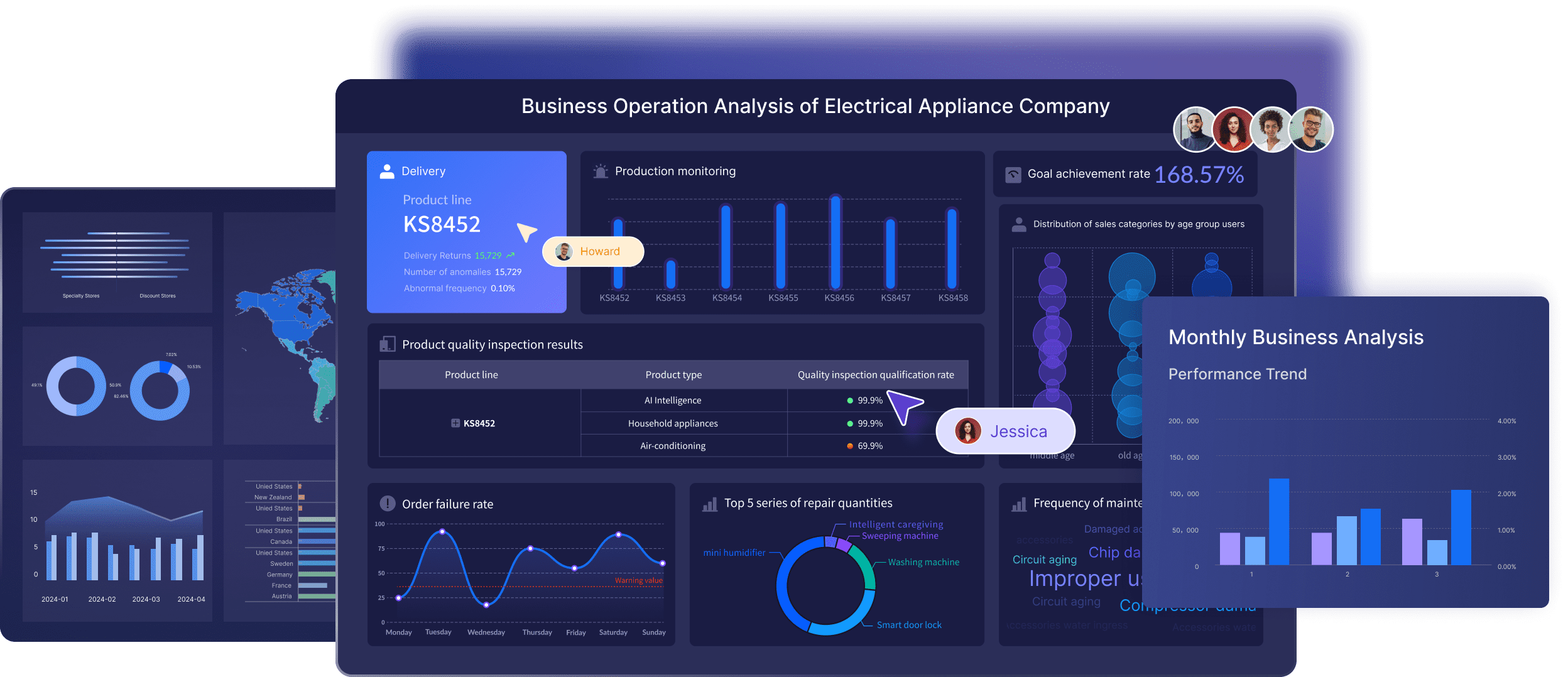
One-sentence overview: FineBI is a modern self-service BI and dashboard platform designed for business reporting, interactive analysis, and governed data access across growing companies and enterprises.
 Key Features
- Self-service dashboard creation with drag-and-drop design
- Broad data connectivity for databases, cloud sources, and business systems
- Interactive drill-down, filtering, and cross-analysis
- Centralized data governance and permission management
- Pixel-level report design for structured business reporting
- Real-time and scheduled refresh options
- Mobile access and dashboard sharing
- Support for enterprise deployment and large-scale reporting environments
Pros & Cons
- Pros
- Strong balance between usability and enterprise control
- Well-suited for both dashboards and formal business reports
- Good fit for teams that need governed self-service analytics
- Flexible enough for executives, operations, finance, and analysts
- Cons
- More capability than very small teams may need at the start
- Full value depends on setting up data models and governance properly
Best For (Target user/scenario)
- Mid-sized businesses and enterprises that need scalable reporting
- Teams that want to replace manual spreadsheet reporting with interactive dashboards
- Organizations looking for a practical alternative to heavier BI stacks
If your priority is building a repeatable, governed reporting environment instead of just creating a few isolated charts, FineBI is one of the most complete dashboard programs to shortlist in 2026. It is especially strong when multiple departments need access to shared metrics but still require role-based permissions, reusable datasets, and consistent KPI definitions. For companies that want a dashboard tool that supports both day-to-day monitoring and more structured management reporting, FineBI stands out as a strong business-first option.
2. Microsoft Power BI
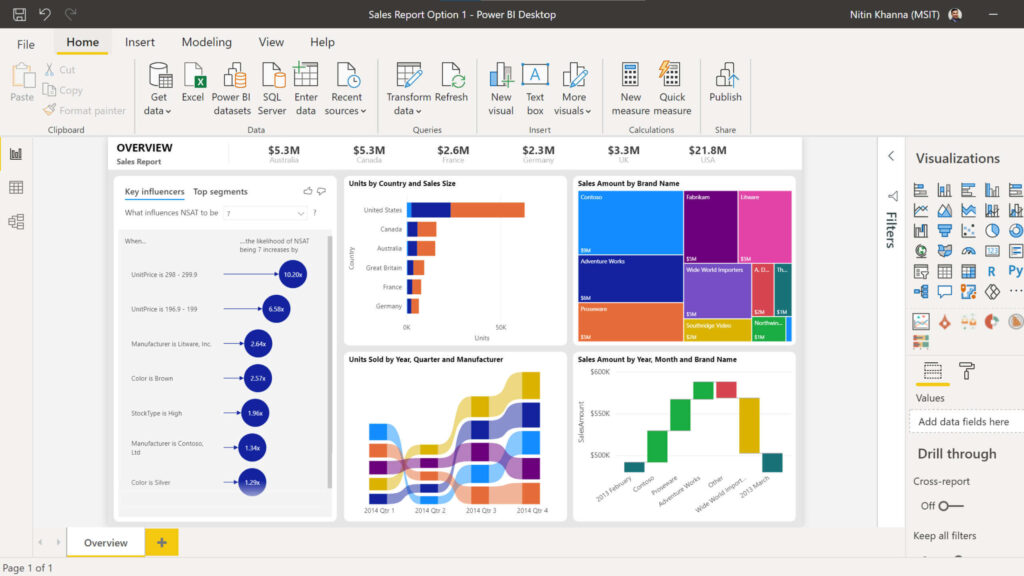
One-sentence overview: Microsoft Power BI is a widely adopted dashboard and analytics platform known for strong data modeling, Microsoft ecosystem integration, and enterprise reporting depth.
 Key Features
- Deep integration with Excel, Azure, Teams, and Microsoft Fabric
- Robust semantic modeling and DAX calculations
- Interactive dashboards and paginated reports
- Wide connector library
- Row-level security and governance controls
- AI-assisted insights and natural language queries
Pros & Cons
- Pros
- Strong value for Microsoft-centric organizations
- Powerful modeling and reporting capabilities
- Large talent pool and broad community support
- Scales well from departmental to enterprise use
- Cons
- Learning curve can be steep for non-technical users
- Licensing can become more complex as usage scales
- Report development quality often depends on experienced builders
Best For (Target user/scenario)
- Organizations already invested in Microsoft tools
- Finance, operations, and analyst teams needing structured reporting
- Businesses with moderate to advanced data complexity
Power BI remains one of the safest choices among dashboard programs when data governance, modeling, and internal reporting matter more than simplicity alone. It is not always the easiest platform for casual users to build in, but it is highly capable for organizations that need scalable dashboards, reusable datasets, and consistent metrics across teams.
3. Tableau
One-sentence overview: Tableau is a visualization-first analytics platform that excels at interactive dashboards, exploratory analysis, and high-impact data storytelling.
 Key Features
- Advanced interactive visualizations
- Drag-and-drop dashboard design
- Strong data exploration and drill-down
- Wide range of connectors
- Tableau Prep for data preparation
- Sharing through Tableau Cloud or Server
Pros & Cons
- Pros
- Excellent for visual analysis and presentation-quality dashboards
- Strong flexibility for analysts and BI teams
- Mature ecosystem and broad enterprise adoption
- Good for uncovering patterns through exploration
- Cons
- Can be expensive for broader deployments
- Less approachable for some business users than lighter tools
- Governance and semantic consistency may require stronger BI management
Best For (Target user/scenario)
- Analyst-led teams
- Data-heavy organizations that prioritize visual exploration
- Companies that want polished executive dashboards
Tableau is one of the most recognized dashboard programs for teams that care about analysis depth and visual clarity. It is particularly effective when dashboards are not just for KPI display, but also for investigating trends, outliers, and business drivers. For pure business reporting, however, some teams may find it more analyst-centric than necessary.
4. Looker
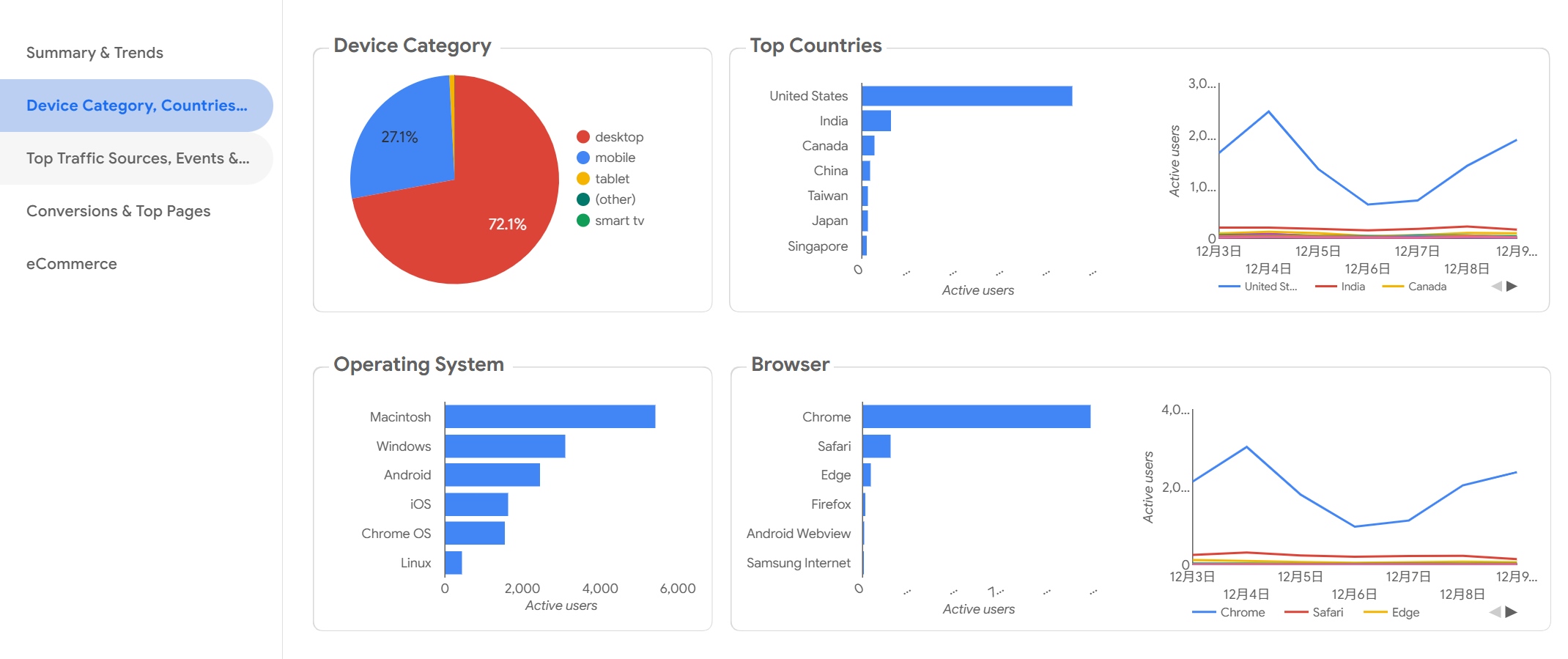
One-sentence overview: Looker is a governed BI and dashboard platform built around centralized metrics, reusable models, and strong integration with the Google Cloud ecosystem.
 Key Features
- Semantic modeling with LookML
- Centralized metric definitions
- Interactive dashboards and embedded analytics
- Integration with BigQuery and Google Cloud
- Scheduled delivery and sharing
- API-driven extensibility
Pros & Cons
- Pros
- Strong governance for standardized reporting
- Good for companies with cloud data warehouse strategies
- Effective for embedded analytics use cases
- Helps reduce metric inconsistency across teams
- Cons
- Setup can be technical
- Less ideal for teams seeking fast, no-code dashboarding
- Pricing may not suit small organizations
Best For (Target user/scenario)
- Data-mature organizations
- Teams using Google Cloud and centralized warehouse data
- Businesses that need strict metric consistency
Among dashboard programs, Looker is strongest when reporting maturity is already high. It is less about quick standalone dashboards and more about building a governed analytics layer that supports scalable reporting across departments.
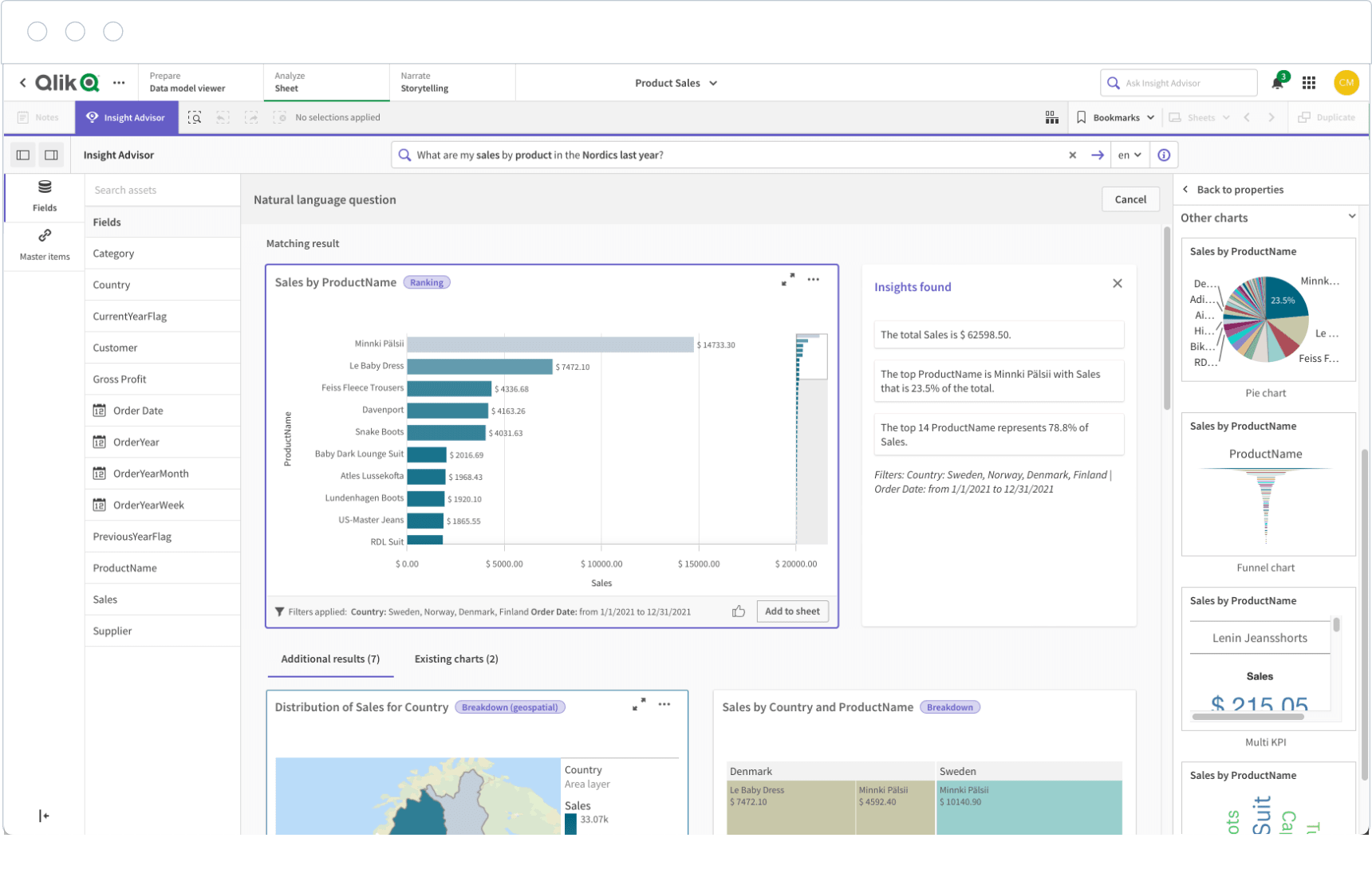
5. Qlik Sense
One-sentence overview: Qlik Sense is an analytics and dashboard platform known for associative data exploration, flexible filtering, and strong enterprise analytics capability.
 Key Features
- Associative analytics engine
- Interactive dashboards and self-service exploration
- Data integration and transformation options
- AI-assisted insight suggestions
- Responsive dashboard design
- Enterprise security and governance controls
Pros & Cons
- Pros
- Excellent for finding relationships across large datasets
- Strong analytical flexibility
- Suitable for enterprise reporting environments
- Capable of handling complex data scenarios
- Cons
- Less intuitive for beginners than simpler tools
- Can require specialist support for setup and optimization
- Cost may be high for smaller teams
Best For (Target user/scenario)
- Large organizations with complex reporting needs
- Analyst and BI teams
- Businesses needing advanced exploration beyond static KPI dashboards
Qlik Sense is a strong option if your reporting needs go beyond simple scorecards and into multi-dimensional analysis. It is one of the more capable dashboard programs for complex enterprise use cases, though not the easiest place for a lean team to start.
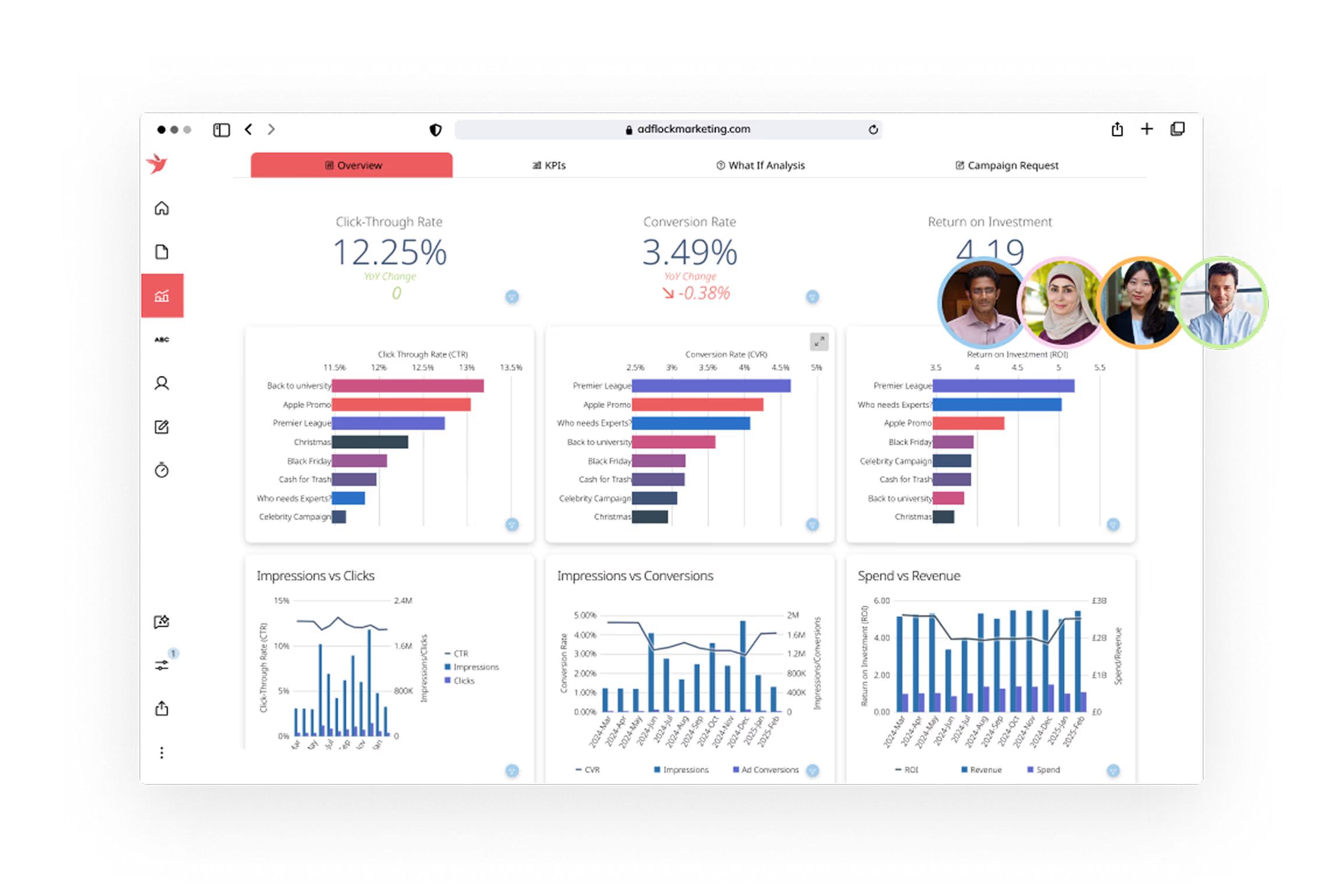
6. Domo
One-sentence overview: Domo is a cloud-native dashboard platform focused on real-time connectivity, executive visibility, and cross-functional business reporting.
 Key Features
- Large connector library
- Cloud-based dashboard creation and sharing
- Real-time or near-real-time data updates
- Mobile-first accessibility
- Alerts, collaboration, and annotations
- App-based extensibility
Pros & Cons
- Pros
- Strong for centralized business visibility
- Good executive and mobile dashboard experience
- Broad integration support
- Useful for organizations that want cloud-first reporting
- Cons
- Pricing may be difficult for smaller teams
- Some advanced use cases still need specialist support
- Less cost-efficient if only basic reporting is needed
Best For (Target user/scenario)
- Fast-moving businesses needing real-time operational dashboards
- Cross-functional leadership teams
- Organizations willing to invest in a centralized dashboard layer
Domo fits businesses that want one platform for broad visibility across departments. Compared with other dashboard programs, it is often chosen for business accessibility and executive reporting, though budget can become a limiting factor.
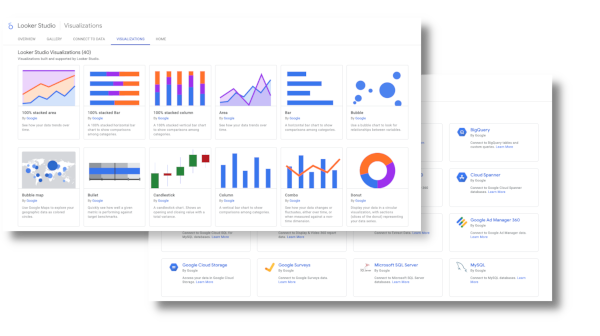
7. Looker Studio
One-sentence overview: Looker Studio is a free or low-cost dashboard tool for lightweight business reporting, especially for marketing and web analytics use cases.
 Key Features
- Free dashboard builder
- Native integration with Google products
- Shareable reports and dashboards
- Custom charts and community connectors
- Lightweight filtering and interactivity
- Simple collaboration features
Pros & Cons
- Pros
- Low barrier to entry
- Good for quick dashboards and stakeholder reporting
- Useful for Google Analytics, Ads, and Search Console reporting
- Easy to share across teams
- Cons
- Governance is limited compared with enterprise BI tools
- Performance can vary with large or complex datasets
- Not ideal for advanced modeling or strict reporting control
Best For (Target user/scenario)
- Small teams
- Marketing teams and agencies
- Businesses needing free dashboard programs for simple reporting
Looker Studio is one of the most accessible dashboard programs for organizations that need quick visibility without a major investment. It works well when reporting complexity is modest and the business mainly needs shareable dashboards rather than a full BI environment.
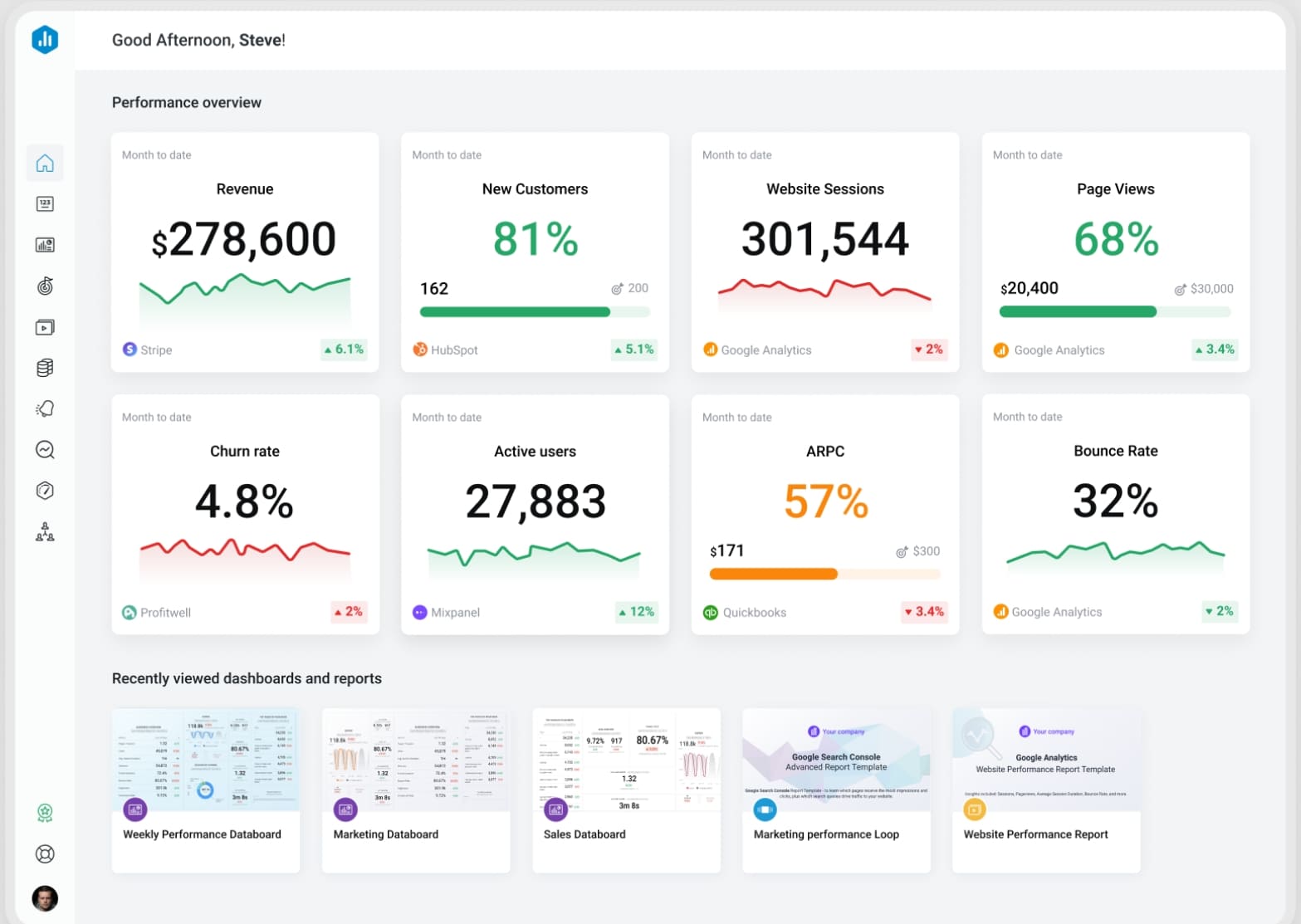
8. Databox
One-sentence overview: Databox is a KPI-focused dashboard platform built for straightforward performance monitoring, automated reporting, and easy stakeholder visibility.
 Key Features
- Prebuilt templates for sales, marketing, and SaaS metrics
- No-code dashboard builder
- KPI scorecards and goals tracking
- Alerts and scheduled snapshots
- Mobile dashboards and TV display options
- Broad cloud app integrations
Pros & Cons
- Pros
- Fast setup for common business reporting needs
- Highly approachable for non-technical teams
- Good for recurring KPI reviews
- Strong sharing and display options
- Cons
- Less flexible for complex data modeling
- Advanced enterprise governance is limited compared with BI suites
- Can feel template-driven for custom analytics needs
Best For (Target user/scenario)
- Small and growing companies
- Sales, marketing, and leadership reporting
- Teams that want dashboards without a heavy BI implementation
Databox is one of the more practical dashboard programs for lean teams that care about speed and visibility. It is best when your reporting goal is to monitor defined KPIs rather than support deep exploratory analysis.
9. Klipfolio
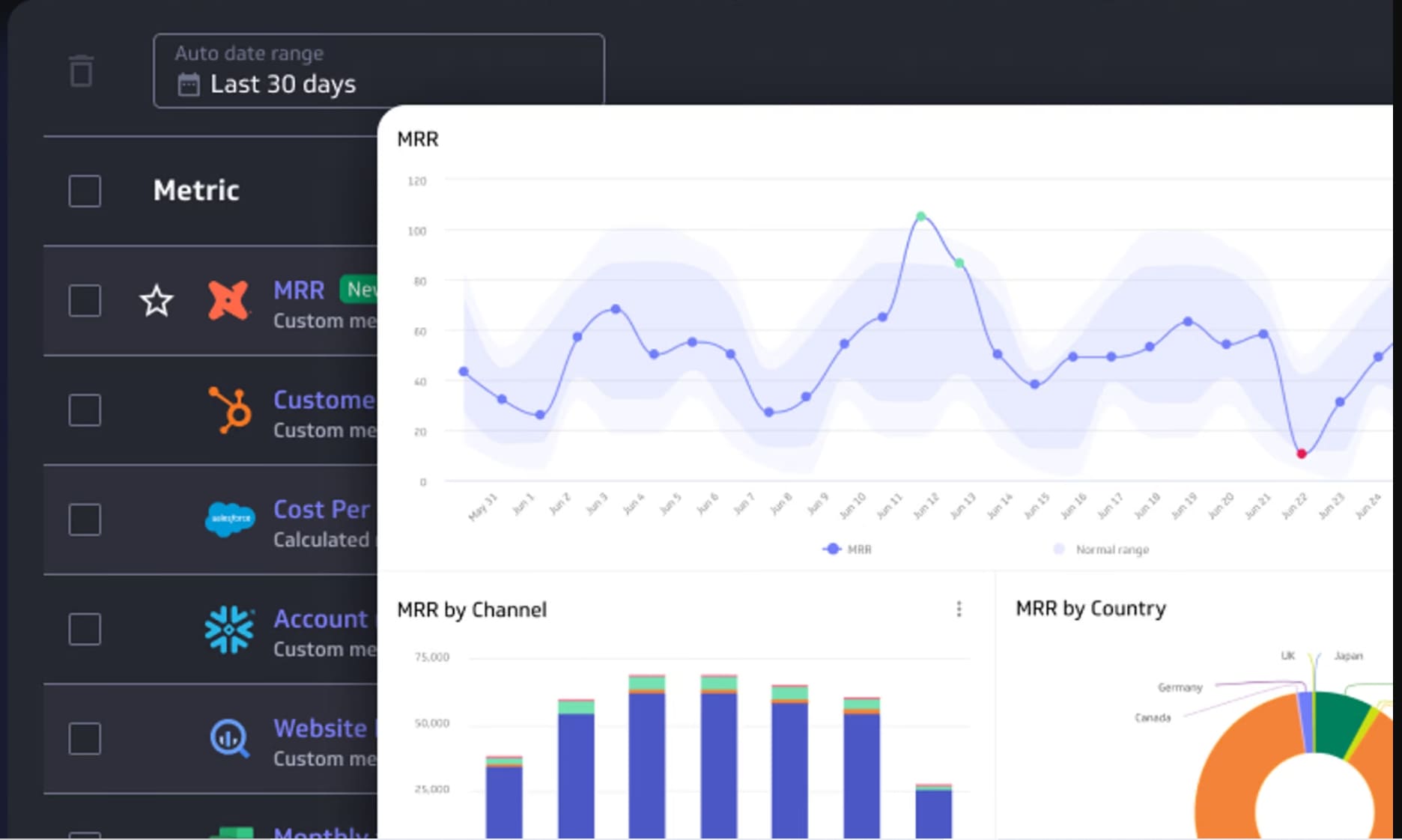
One-sentence overview: Klipfolio is a flexible cloud dashboard tool aimed at KPI tracking, lightweight custom dashboards, and business reporting for small to mid-sized teams.
 Key Features
- Custom KPI dashboards
- Cloud-based sharing
- Data connectors for popular business apps
- Formula-based metric calculations
- White-label options
- Scheduled reporting
Pros & Cons
- Pros
- Good balance of customization and accessibility
- Useful for agencies and SMB reporting
- Flexible enough for operational dashboards
- Lower complexity than enterprise BI suites
- Cons
- User experience can feel less polished than top-tier platforms
- Complex custom logic may require extra setup effort
- Not ideal for advanced governed analytics
Best For (Target user/scenario)
- SMBs and agencies
- Teams that need customized KPI dashboards
- Businesses wanting more flexibility than basic reporting tools
Klipfolio sits between lightweight KPI tools and full BI platforms. Among dashboard programs, it is a reasonable fit for companies that need some custom reporting without committing to a larger enterprise stack.
10. Metabase
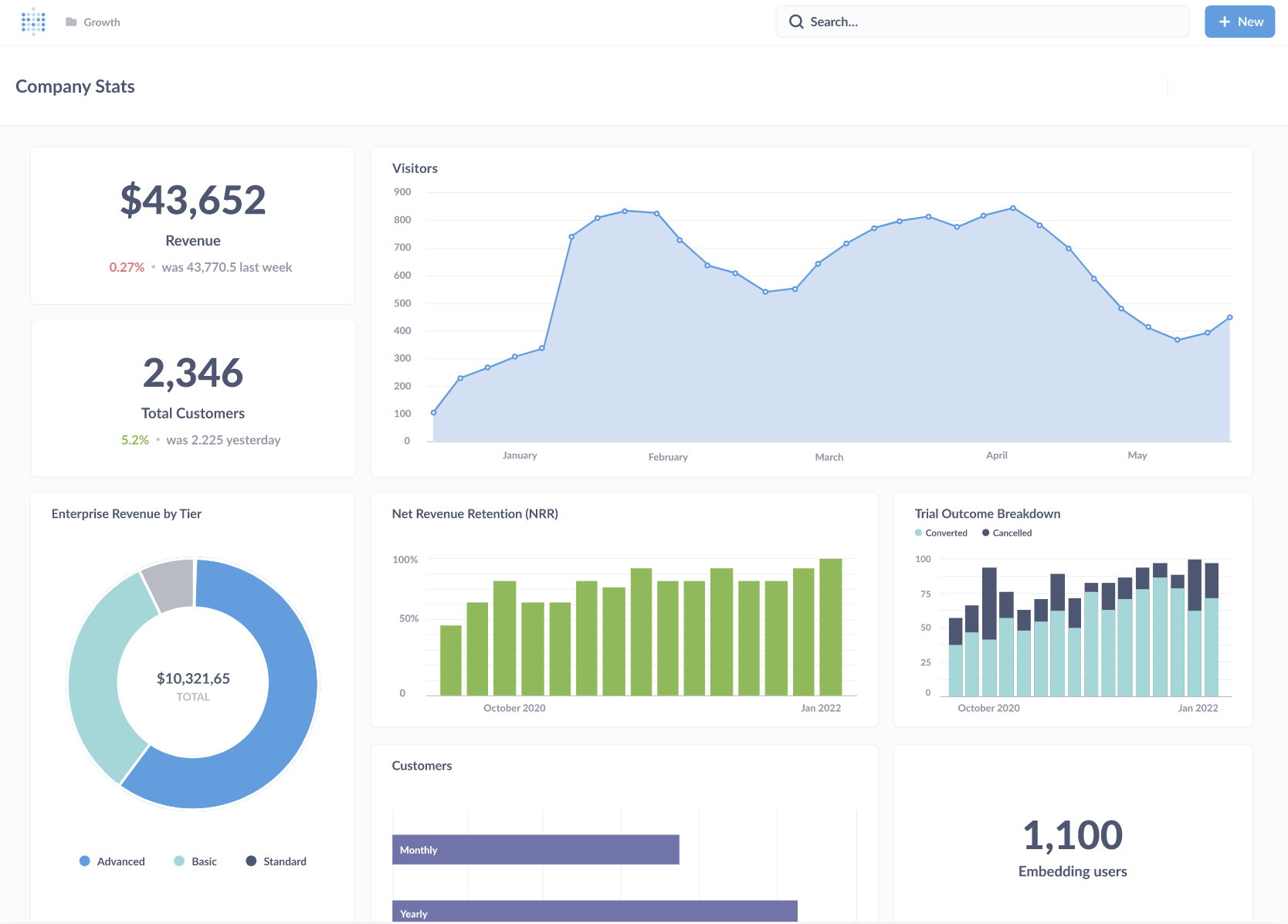
One-sentence overview: Metabase is an open-source BI and dashboard tool that offers SQL-friendly analytics, simple dashboards, and a cost-effective path for technical teams.
 Key Features
- Open-source deployment option
- SQL queries and visual question builder
- Dashboard sharing and embedding
- Database connectivity
- Alerts and scheduled pulses
- Self-hosted and cloud options
Pros & Cons
- Pros
- Affordable entry point
- Strong choice for technically capable teams
- Good for internal reporting and ad hoc dashboards
- Open-source flexibility appeals to engineering-led organizations
- Cons
- Less polished for enterprise business-user adoption
- Governance and advanced semantic modeling are more limited
- Setup and maintenance can require technical ownership
Best For (Target user/scenario)
- Startups and technical teams
- Organizations comfortable with self-hosting
- Businesses seeking low-cost dashboard programs with SQL access
Metabase is a practical choice when budget matters and the team has enough technical skill to manage setup and maintenance. It is less suited to non-technical business users who expect highly curated self-service reporting.
How to Choose the Best Dashboard Programs for Business Reporting
What business reporting teams actually need in 2026
In 2026, business reporting teams need more than attractive charts. The most useful dashboard programs help teams centralize metrics, reduce spreadsheet work, automate recurring reports, and keep definitions consistent across departments. Reporting is no longer just a monthly exercise for analysts. Executives, finance teams, operations managers, and revenue leaders all expect on-demand visibility.
That means the right platform should support:
- Fast access to trusted KPIs
- Dashboards that non-technical users can actually understand
- Reusable datasets and metric definitions
- Scheduled and self-service reporting
- Permissions for different roles and business units
- Flexible sharing across desktop, mobile, and presentations
The gap between a simple dashboard and a reporting system is now more important than ever. If your organization depends on board packs, operational reviews, budget tracking, pipeline visibility, or delivery metrics, your tool needs to support process and governance, not just visualization.
The core evaluation criteria: data connections, ease of use, customization, governance, collaboration, and pricing
When comparing dashboard programs, use the following criteria:
- Data connections: Can it connect to your CRM, ERP, spreadsheets, databases, cloud warehouse, and marketing tools?
- Ease of use: Can business users build or edit reports without constant analyst help?
- Customization: Does it support your preferred layouts, drill paths, calculations, and branding?
- Governance: Can you define permissions, control access, and maintain consistent KPIs?
- Collaboration: Is it easy to share dashboards, comment, export, schedule, or embed reports?
- Pricing: Does the total cost still make sense as more users, data sources, and departments join?
A tool may score well in one area and poorly in another. For example, some platforms are excellent for visual exploration but weak in business-user simplicity. Others are easy to use but limited once your reporting needs become more structured.
When a simple reporting tool is enough versus when you need a full dashboard platform
A simple reporting tool is usually enough if:
- You have a small team
- Most data comes from one or two systems
- Reporting is limited to weekly or monthly KPI reviews
- You do not need strict access control or reusable data models
You likely need a full dashboard platform if:
- Multiple teams rely on the same metrics
- Data comes from several business systems
- Different roles need different views of the same data
- You need drill-down, governance, alerts, mobile access, or embedded analytics
- Reporting volume and complexity are increasing every quarter
For many growing businesses, this is where FineBI becomes especially relevant. It gives teams more structure and governance than lightweight dashboard tools, while still supporting self-service analysis and interactive reporting.
At a Glance: The 10 Best Options Compared
Here is a quick comparison of the best dashboard programs for business reporting in 2026.
| Tool | Best Fit | Standout Strengths | Possible Drawbacks | Starting Price |
|---|---|---|---|---|
| FineBI | Growing businesses and enterprises | Self-service BI with governance, reporting flexibility, scalable deployment | May be more than tiny teams need initially | Custom |
| Power BI | Microsoft-centric organizations | Strong modeling, governance, and value | Learning curve for non-technical users | Low entry pricing |
| Tableau | Analyst-led and data-heavy teams | Best-in-class visual exploration | Higher cost, more analyst-oriented | Mid to high |
| Looker | Data-mature organizations | Governed metrics and semantic modeling | Technical setup | Custom |
| Qlik Sense | Enterprise analytics teams | Associative exploration and complexity handling | Specialist learning curve | Mid to high |
| Domo | Cloud-first, executive visibility | Real-time dashboards and cross-functional reporting | Premium pricing | Custom |
| Looker Studio | Small teams and marketers | Free access and easy sharing | Limited governance and advanced modeling | Free / low cost |
| Databox | KPI monitoring for lean teams | Fast setup and simple dashboards | Less depth for complex BI use cases | Low to mid |
| Klipfolio | SMBs and agencies | Flexible KPI dashboards | Less robust for enterprise governance | Low to mid |
| Metabase | Startups and technical teams | Open-source affordability and SQL access | Technical maintenance | Free / low cost |
Who each option is best for: small teams, growing businesses, data-heavy organizations, and enterprise environments
Small teams
- Looker Studio
- Databox
- Klipfolio
- Metabase
Growing businesses
- FineBI
- Power BI
- Databox
- Klipfolio
Data-heavy organizations
- Tableau
- Looker
- Qlik Sense
- Power BI
Enterprise environments
- FineBI
- Power BI
- Looker
- Qlik Sense
- Domo
Key differences in setup time, learning curve, and reporting flexibility
- Fastest setup: Looker Studio, Databox, Klipfolio
- Moderate setup with higher long-term value: FineBI, Power BI
- Longer setup, deeper control: Looker, Qlik Sense
- Fast for technical teams, slower for business-wide rollout: Metabase
- Best flexibility for visual exploration: Tableau
- Best balance of reporting structure and business usability: FineBI, Power BI
Buying Guide: How to Make the Right Dashboard Programs Choice in 2026
Questions to ask before you commit
Before selecting dashboard programs, ask these questions:
- Which data sources must connect now?
- Which data sources will likely be added in the next 12 to 24 months?
- How many people will build dashboards versus only view them?
- Do we need self-service reporting, or will analysts own most report development?
- Are mobile access, alerts, scheduled reports, or embedded analytics required?
- How important are permissions, governance, and auditability?
- Do we need formal reporting layouts in addition to dashboards?
- Will this tool support us at the next stage of business growth?
These questions help separate lightweight dashboard apps from platforms that can become a durable reporting layer.
Common mistakes to avoid
Many businesses choose dashboard programs based on visuals alone. That is rarely enough.
Common mistakes include:
- Choosing the tool with the nicest charts instead of the best reporting workflow
- Ignoring data quality and connector limits
- Underestimating adoption challenges for non-technical users
- Overlooking permission and governance requirements
- Focusing on entry pricing but ignoring expansion costs
- Buying enterprise complexity too early
- Staying with a free tool long after it has become a bottleneck
The right tool is not always the most powerful one. It is the one that your team can adopt, govern, and scale.
Final recommendation framework
Use this simple framework to shortlist the right dashboard programs:
If you are a small team with basic KPI needs
- Start with Looker Studio, Databox, or Klipfolio
If you are a technical startup with budget constraints
- Consider Metabase
If you are growing and need more structure without overcomplicating reporting
- Put FineBI and Power BI at the top of your list
If your company is analyst-led and highly data-driven
- Consider Tableau, Looker, or Qlik Sense
If you need cloud-first executive visibility across many functions
- Consider Domo
For most businesses that are serious about scaling reporting in 2026, FineBI is one of the most balanced options available. It combines business-user accessibility, interactive dashboards, reporting flexibility, and governance in a way that suits both growing companies and enterprise teams. If your current reporting stack feels too manual, too fragmented, or too dependent on spreadsheets, FineBI is a strong place to start your evaluation.
FAQs
The best dashboard program depends on your data complexity, team skills, and reporting goals. FineBI, Power BI, Tableau, and Looker are strong options, but the right choice comes down to whether you prioritize self-service use, governance, visual analysis, or cloud integration.




