

If you are evaluating power bi report server, you are usually trying to solve one very specific business problem: how to deliver governed, internal reporting without putting sensitive data and report access fully into the cloud. For IT managers, BI leaders, and operations directors, that decision is rarely about features alone. It is about compliance, infrastructure ownership, licensing efficiency, report distribution, and whether the platform you choose today will still fit your analytics strategy two years from now. The real risk is not choosing the wrong reporting tool on paper. It is locking your team into an on-premises model that becomes expensive to maintain, difficult to scale, and increasingly disconnected from how business users expect analytics to work.
Before You Decide: What Power BI Report Server Actually Is
Power BI Report Server is Microsoft’s on-premises report hosting and distribution platform. It is designed for organizations that need to keep reports, access controls, and data connectivity within their own infrastructure rather than relying fully on a cloud-hosted analytics service.
In practical terms, it sits between two worlds:
- The older, structured world of enterprise operational reporting
- The newer, cloud-driven world of collaborative analytics and self-service BI
For many enterprises, that sounds ideal at first. But the fit depends heavily on what kind of reporting environment you are actually trying to support.
Who Power BI Report Server is built for
Power BI Report Server is best suited for organizations that:
- Must keep reporting assets on-premises
- Operate under strict compliance or data residency rules
- Need controlled internal distribution of reports
- Still depend on paginated reports and formal operational reporting
- Prefer IT-managed deployment over business-led self-service analytics
This means it often appeals to industries such as government, manufacturing, healthcare, utilities, defense, and highly regulated financial environments.
That said, many buyers overestimate what “Power BI” in the product name means. Power BI Report Server is not the same experience as Power BI Service. It supports a narrower, more controlled reporting model and does not give you the full velocity of Microsoft’s cloud analytics ecosystem.
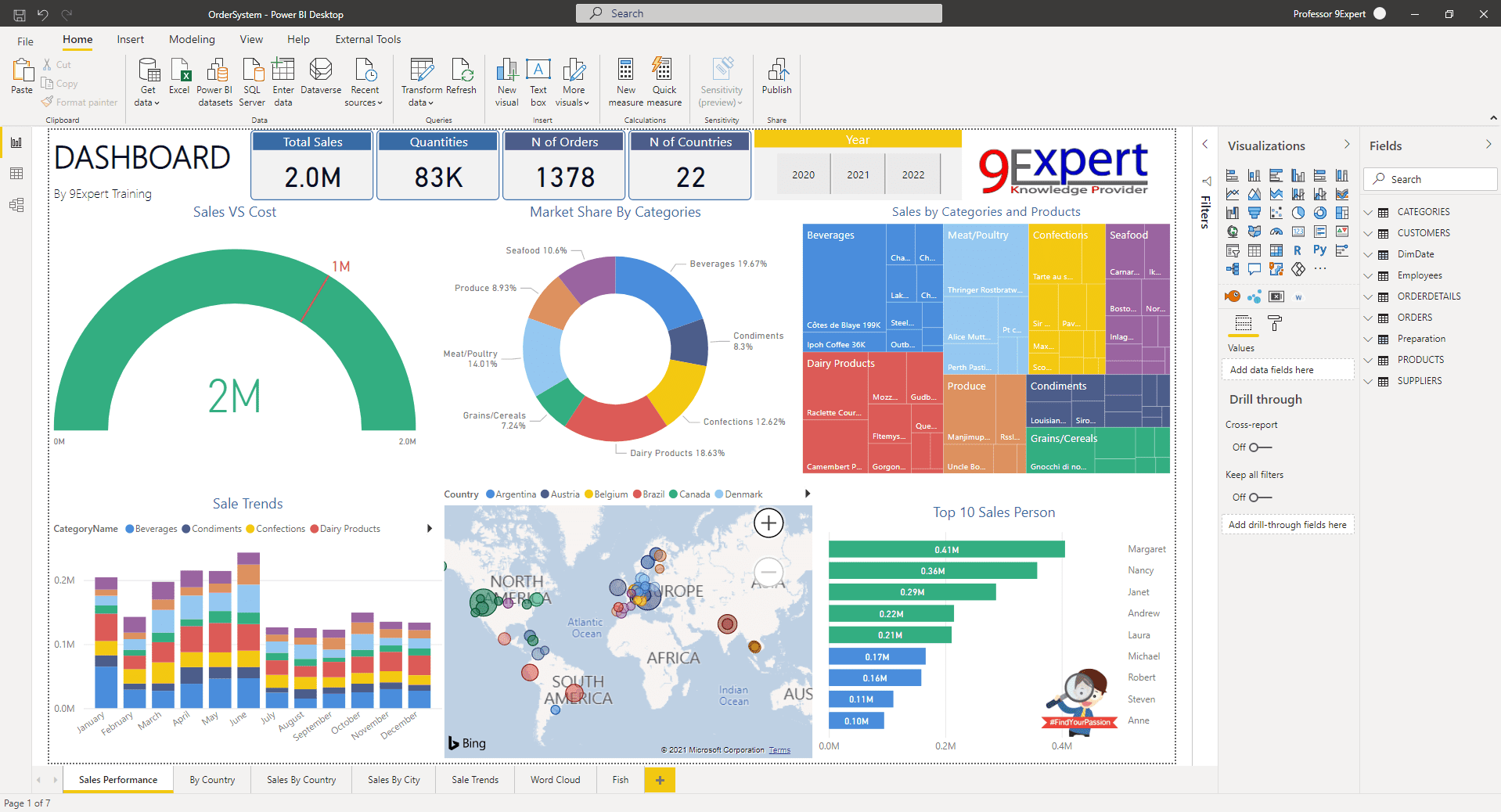
On-premises reporting platform vs modern cloud analytics service
A traditional on-premises reporting platform is built around internal control. Your team manages:
- Server deployment
- Authentication integration
- Capacity and storage
- Backup and disaster recovery
- Upgrade schedules
- Network exposure and access design
A modern cloud analytics service shifts much of that burden to the vendor and instead emphasizes:
- Faster feature releases
- Easier collaboration
- Scalable workspaces
- Broader self-service access
- Integrated governance at scale
- More automation and AI-assisted capabilities
That difference matters operationally. If your primary objective is stability and internal governance, power bi report server may align well. If your priority is agility, collaboration, and rapid innovation, it may feel limiting very quickly.
What to expect around security, governance, and feature availability
Power BI Report Server gives your organization more direct control over:
- Where data access is managed
- How infrastructure is secured
- When updates are applied
- How reports are published internally
But direct control also means direct responsibility. Your team owns the environment.
Here are the core elements enterprise teams should assess before choosing it:
Key Metrics (KPIs) for evaluating Power BI Report Server
- Compliance Fit: Whether the platform satisfies residency, retention, and audit requirements.
- Infrastructure Overhead: The internal effort required for setup, patching, monitoring, and backups.
- Report Distribution Efficiency: How easily teams can publish, schedule, and control report access.
- User Self-Service Readiness: The extent to which business users can create, share, and explore analytics independently.
- Feature Velocity: How quickly the platform receives modern capabilities compared with cloud alternatives.
- Total Cost of Ownership: Combined cost of licensing, servers, administration, support, and future upgrades.
- Scalability: How well the platform handles more users, more reports, and broader departmental adoption.
- Future Analytics Alignment: Whether the platform supports your expected needs for mobility, interactivity, and advanced analytics.
For decision-makers, these metrics are more useful than a simple feature checklist. They reveal whether the platform supports your operating model, not just whether it can technically host reports.
5 Benefits of Power BI Report Server
Power BI Report Server does have legitimate strengths. In the right environment, those strengths can outweigh its constraints.
Strong fit for on-premises and regulated environments
For organizations with strict data handling requirements, power bi report server offers a clear advantage: reports and report access stay within your own environment.
That matters when your legal, security, or operational teams require:
- Internal network isolation
- Limited internet dependency
- Data residency enforcement
- Tight infrastructure-level control
If cloud deployment is politically difficult or formally restricted, Power BI Report Server can serve as a workable reporting layer without forcing a broader cloud shift.
Familiar reporting experience for Microsoft-centric teams
For teams already invested in Microsoft tools, the platform feels relatively familiar. Existing workflows around SQL Server, Microsoft reporting, and administrative governance often translate more easily than they would with a completely new BI stack.
This is especially useful when:
- Your IT team already supports Microsoft-based data infrastructure
- Your report developers are used to structured publishing workflows
- Your business still relies on highly formatted reports
- Paginated reporting remains business-critical
The benefit here is not innovation. It is continuity.
Centralized distribution for operational reporting
Power BI Report Server works well when the reporting mission is operational consistency rather than exploratory analytics.
Typical use cases include:
- Daily plant performance reporting
- Weekly compliance distribution
- Department-level management summaries
- Print-ready operational documents
- Internal scorecards with standardized access permissions
This controlled publishing model can be highly effective for organizations that need one governed version of the truth delivered through a central internal portal.
Stable option for hybrid reporting strategies
Some enterprises are not ready for a full cloud move. Others do not want to force every reporting workload into one model.
In those situations, Power BI Report Server can act as a transitional platform for workloads that need to remain on-premises while other analytics capabilities evolve elsewhere. That gives IT more flexibility to sequence modernization rather than do everything at once.
Greater control over deployment timing
A major advantage for conservative IT organizations is update control.
Instead of absorbing frequent vendor-driven changes, your team can decide:
- When to patch
- When to test
- When to upgrade
- When to adjust infrastructure
That slower cadence can reduce disruption in stable reporting environments where predictability matters more than rapid feature adoption.
7 Limitations You Should Know Before Choosing It
The benefits are real, but so are the tradeoffs. This is where many teams underestimate the long-term impact of choosing power bi report server.
Feature gaps compared with cloud-based analytics
The biggest limitation is simple: Power BI Report Server does not move at the same pace as Power BI Service.
You should expect slower access to:
- New visualization features
- Collaboration enhancements
- AI-driven analytics capabilities
- Advanced self-service workflows
- Modern semantic and cloud-native integrations
If your business users expect the newest analytics experience, the gap becomes visible fast.
Licensing can be harder to justify than expected
Many teams assume on-premises means cheaper. In practice, that is not always true.
You need to evaluate:
- Platform licensing
- SQL and related Microsoft licensing dependencies
- Power BI publishing requirements
- Infrastructure costs
- Administration and support effort
- Upgrade and lifecycle management costs
A platform can look cost-effective at procurement stage and become expensive once internal support costs are fully counted.
Infrastructure and maintenance stay on your team
This is one of the most overlooked issues.
With Power BI Report Server, your team is responsible for:
- Initial setup
- Performance tuning
- Capacity planning
- Security hardening
- Monitoring
- Backups
- Patching
- Recovery planning
For lean IT teams, this operational burden often becomes more important than product features.
Collaboration and sharing are less flexible
Modern analytics users expect easy collaboration. They want shared workspaces, rapid access, and cross-functional visibility.
Power BI Report Server is more restrictive in how content is managed and shared. That can create friction when users need:
- Faster team collaboration
- Easier access across departments
- More dynamic sharing models
- Better support for distributed business teams
If your reporting culture is becoming more decentralized, this limitation matters.
Upgrade cadence is slower than many teams want
Controlled updates sound attractive until the business starts requesting capabilities that the platform does not yet support.
A slower cadence affects:
- Roadmap planning
- Feature parity expectations
- Training consistency
- Change management timing
- Long-term architecture decisions
Enterprises that need innovation on a predictable but modern timeline may find the delay frustrating.
Legacy dependence can create strategic drag
Power BI Report Server can be a sensible tactical solution. It is often a weak long-term innovation strategy.
The danger is using it to preserve older reporting habits instead of rethinking what the business now needs. If your decision is being driven by legacy comfort rather than future use cases, you may be solving the wrong problem.
User expectations may outgrow the platform
What stakeholders want today is rarely the same as what they will want in two or three years.
Expect pressure to grow around:
- Mobile access
- Interactive drill-down
- Embedded analytics
- Faster dashboard iteration
- More intuitive self-service
- AI-assisted analysis
If your chosen platform cannot evolve with those expectations, adoption will plateau and shadow analytics tools will start appearing.
Power BI Report Server vs Power BI Service: Which One Fits Better?
This is the comparison most buyers need to make before finalizing a reporting strategy.
When the server model makes sense
Choose power bi report server when these requirements are non-negotiable:
- Cloud use is restricted or prohibited
- Data residency rules require internal hosting
- Reports must remain behind the firewall
- Operational reporting is more important than self-service analytics
- IT wants strict deployment and update control
- Internal governance outweighs collaboration speed
In short, the server model makes sense when control is the top priority.
When the service model is the better choice
Choose Power BI Service when your organization values:
- Faster access to new features
- Easier collaboration across teams
- More scalable analytics workflows
- Better support for self-service BI
- Cloud-native governance and administration
- Broader innovation in data and AI capabilities
For many modern business environments, the service model better supports how analytics is actually consumed.
A practical decision framework
Use this framework to choose rationally rather than emotionally:
| Decision Area | Power BI Report Server | Power BI Service |
|---|---|---|
| Deployment model | On-premises | Cloud |
| Security posture | Infrastructure-controlled internally | Vendor-managed with cloud governance |
| Best reporting style | Operational, controlled, paginated-heavy | Interactive, collaborative, self-service |
| Feature delivery speed | Slower | Faster |
| IT workload | Higher | Lower |
| Collaboration flexibility | More limited | Stronger |
| Innovation potential | Moderate | High |
| Best fit | Regulated and internally controlled environments | Modern, scalable enterprise analytics |
The best answer is not “which product is better.” It is which operating model matches your business reality.
Better Alternatives of Power BI Report Server If You Need More Flexibility
If you already suspect that power bi report server may be too restrictive, that instinct is worth exploring early. Better evaluation now prevents painful migration later.
Power BI Service for modern cloud analytics
If you want to stay within Microsoft’s ecosystem but need stronger collaboration and faster innovation, Power BI Service is the most obvious alternative.
It is generally better for organizations that prioritize:
- Cloud scalability
- Frequent feature updates
- Business-user accessibility
- Modern governance workflows
- Cross-team collaboration
For many enterprises, it is the strategic analytics platform, while on-premises server products are better treated as exceptions.
SSRS for paginated reporting needs
If your primary need is still highly formatted, print-ready, operational reporting, then you should assess SSRS-style requirements separately instead of assuming one platform should do everything.
This is a common consulting mistake: trying to make an operational reporting requirement drive the entire BI platform decision.
If most of your value comes from:
- Pixel-perfect reports
- Batch distribution
- Scheduled documents
- Structured operational output
then a dedicated reporting approach may be more appropriate than forcing a broader analytics platform to serve every use case.
Other BI platforms for broader evaluation
Some organizations need capabilities that go beyond the Power BI ecosystem entirely.
You may need to compare broader BI and reporting platforms if your priorities include:
- Embedded analytics
- More flexible dashboard design
- Stronger multi-source integration
- Better support for non-Microsoft stacks
- Different pricing logic
- Easier adoption by mixed technical and business audiences
This is also where FineReport becomes highly relevant for enterprises that need both governed reporting and modern dashboard flexibility without being boxed into a narrow deployment model.
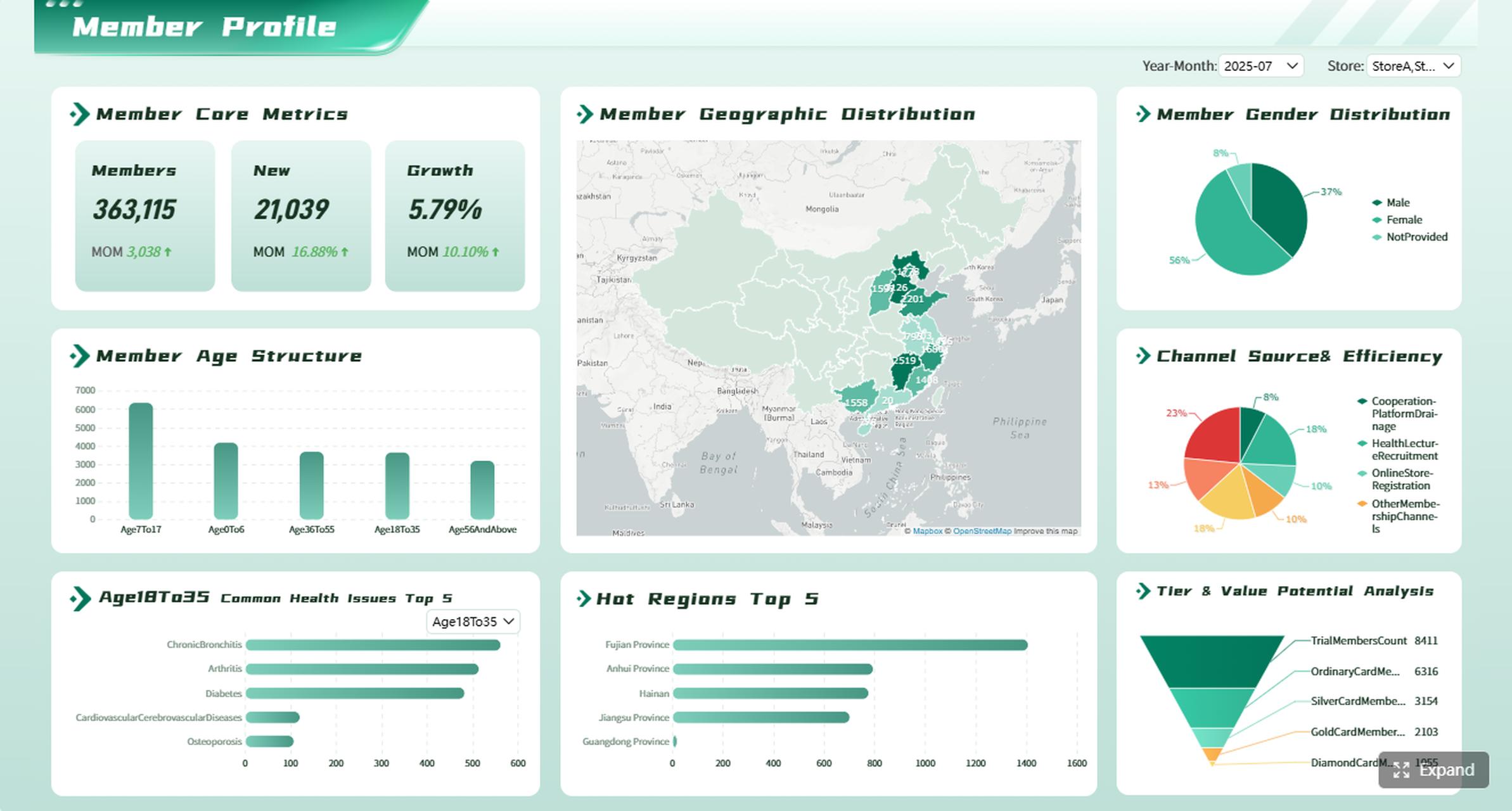
Hybrid approaches that reduce migration risk
A hybrid strategy is often more practical than an all-or-nothing platform decision.
Examples include:
- Keeping certain compliance reports on-premises while modern dashboards move to a more flexible BI platform
- Separating paginated reporting from executive dashboarding
- Phasing migrations by department rather than by enterprise-wide mandate
- Using one platform for operational distribution and another for exploratory analytics
This reduces disruption and lets you align tools with actual reporting maturity across the business.
How to Evaluate and Implement the Right Reporting Strategy
Selecting a reporting platform should not start with vendor familiarity. It should start with business use cases, operational constraints, and realistic future-state requirements.
1. Classify reporting needs before selecting a platform
Separate your reporting portfolio into categories:
- Operational and paginated
- Executive dashboarding
- Self-service analytics
- Compliance reporting
- Embedded or external reporting
This prevents one legacy requirement from distorting the whole platform decision.
2. Quantify the true cost of ownership
Do not stop at software licensing. Include:
- Server infrastructure
- Internal administration
- Upgrade testing
- Security operations
- Support workload
- Training costs
- Opportunity cost from slower innovation
This is where many on-premises decisions become less attractive.
3. Map user expectations over the next 24 to 36 months
Ask what users will need, not just what they ask for today.
Focus on likely growth in:
- Mobile consumption
- Interactive analysis
- Cross-functional sharing
- Embedded access
- AI-assisted reporting
- Faster dashboard iteration
A reporting platform should support future demand, not just current constraints.
4. Pilot with a mixed workload, not a single report
A useful evaluation pilot should include:
- One paginated report
- One operational dashboard
- One executive KPI view
- One departmental self-service scenario
This reveals platform strengths and weaknesses far better than a single showcase dashboard.
5. Build governance and rollout rules early
Before scaling, define:
- Content ownership
- Access controls
- Refresh standards
- Publication workflows
- Versioning rules
- Change approval processes
Strong governance matters more than product marketing in long-term BI success.
Power BI Report Server vs FineReport: Which Platform Gives You More Flexibility?
When enterprises compare reporting platforms seriously, the real issue is not whether power bi report server works. It usually does. The issue is whether it gives you enough flexibility for modern reporting, dashboarding, distribution, and long-term scalability.
FineReport is often the better fit when organizations want to balance enterprise control with a more adaptable reporting experience.
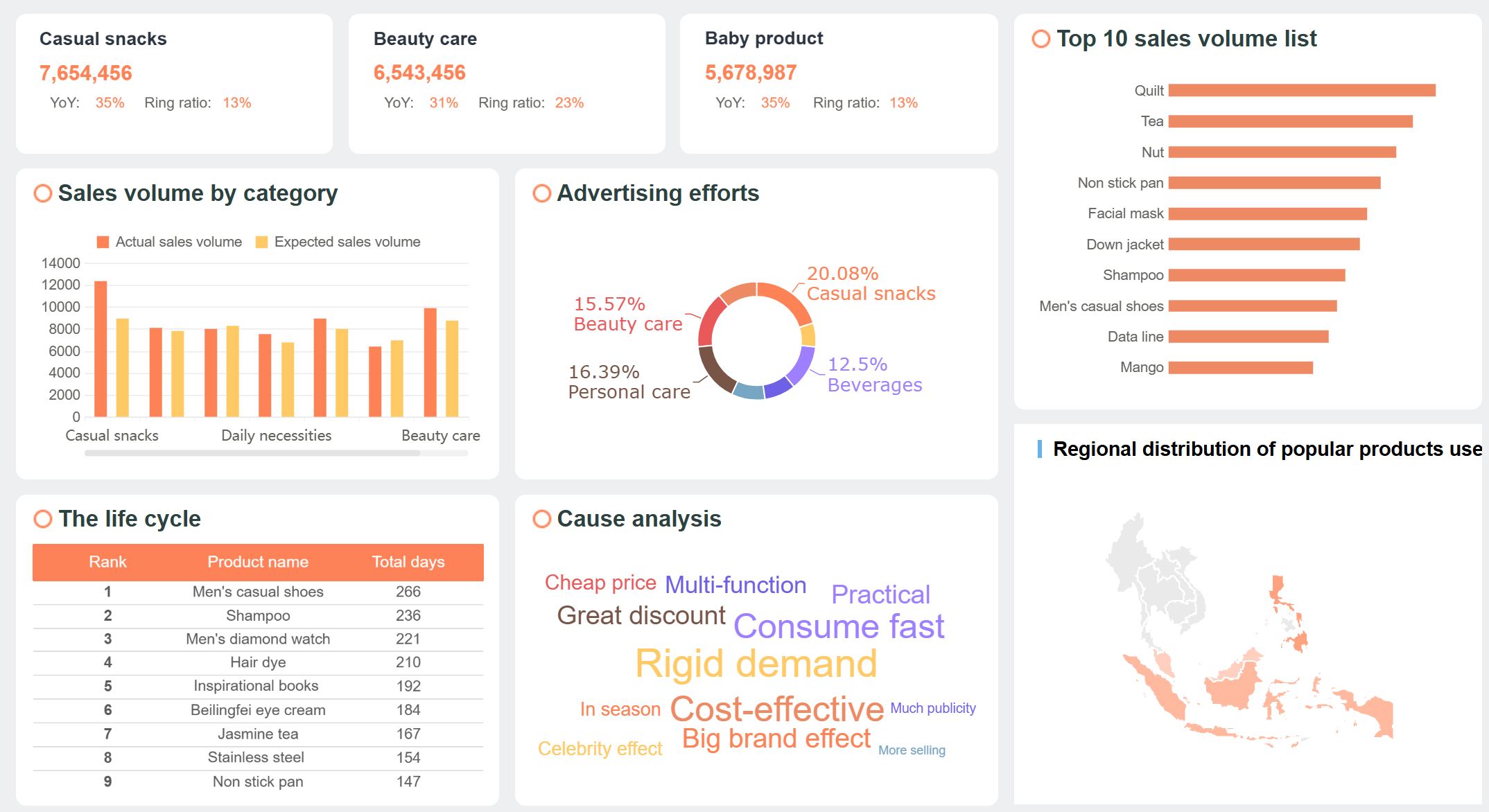
Where Power BI Report Server is stronger
Power BI Report Server remains strong when:
- Your environment must stay on-premises
- Microsoft alignment is a strategic requirement
- Paginated and controlled internal reporting dominate
- IT wants tight control over deployment timing
- Report consumption is mostly internal and structured
If your use case is narrowly defined and heavily governance-led, it can be a reasonable choice.
Where FineReport is more flexible
FineReport becomes compelling when you need more than a static on-premises reporting portal.
It is stronger for organizations that need:
- Rich dashboard design alongside operational reporting
- More flexible data visualization options
- Better support for enterprise reporting scenarios across departments
- Easier creation of management dashboards and data entry reports
- Stronger adaptability for hybrid and evolving environments
- Better fit for operational analytics, business reporting, and decision dashboards in one platform

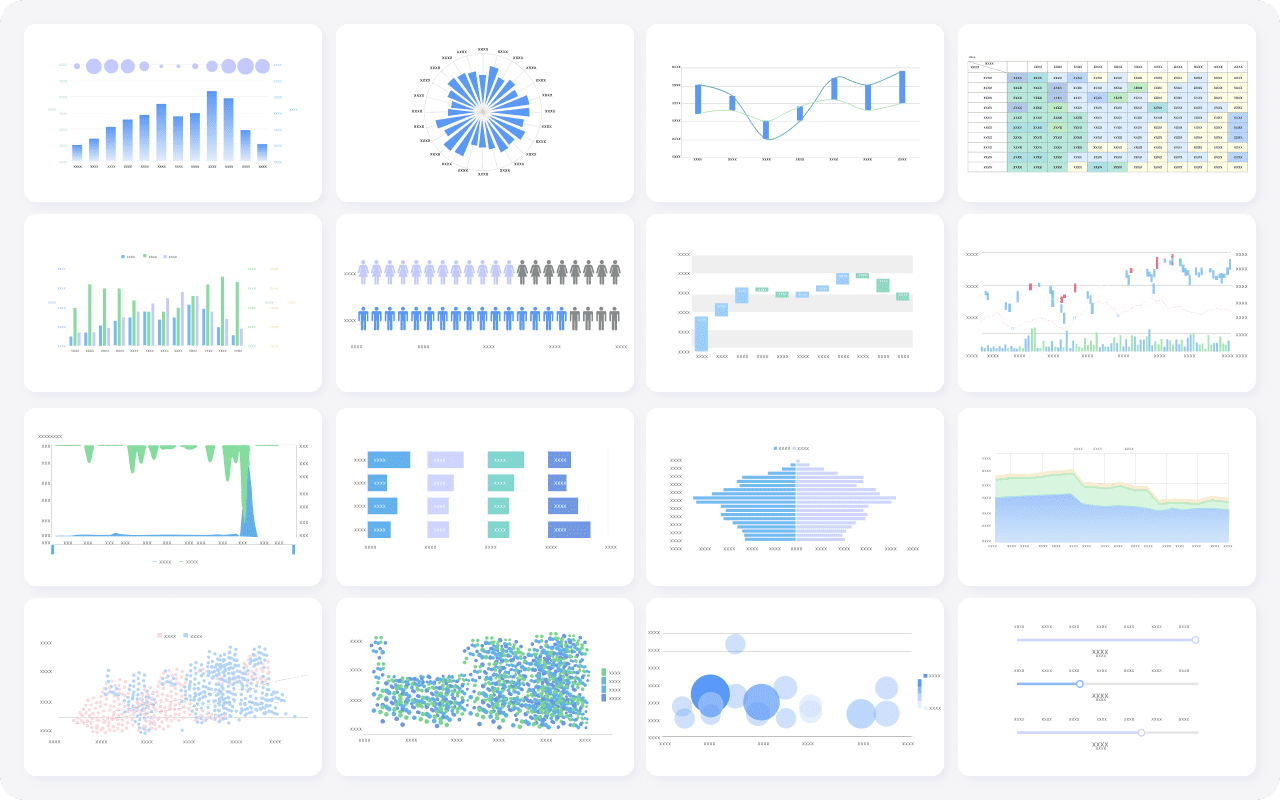
More flexible data visualization options
Practical comparison table
| Capability | Power BI Report Server | FineReport |
|---|---|---|
| Deployment style | Primarily on-premises reporting server | Flexible enterprise reporting and dashboard platform |
| Best at | Controlled internal report distribution | Reporting, dashboards, and operational analytics |
| Collaboration style | More traditional and limited | More adaptable to broader enterprise use cases |
| Dashboard flexibility | Moderate | Strong |
| Paginated/structured reporting | Strong | Strong |
| IT maintenance burden | Higher in self-managed environments | Can better support flexible enterprise rollout models |
| Long-term agility | More limited | Better suited for organizations needing growth and adaptability |
For enterprises that want a reporting platform to support both today’s compliance requirements and tomorrow’s broader analytics demands, FineReport often offers a more balanced path.
Final Verdict: Is Power BI Report Server Worth It for Your Organization?
Power BI Report Server is worth it if your organization has clear on-premises requirements, controlled internal reporting workflows, and the IT capacity to manage infrastructure over time. It remains a sensible choice for regulated environments, paginated-heavy reporting, and conservative deployment models.
But it becomes a constraint when your organization needs:
- Faster innovation
- Better collaboration
- Lower operational overhead
- More flexible dashboards
- Broader enterprise adoption
- A platform aligned with future analytics growth
The most practical recommendation is this: validate your reporting requirements before committing to an on-premises reporting strategy. If you need a tool that can bridge structured reporting, modern dashboards, and enterprise flexibility more effectively, FineReport is the stronger recommendation.
FineReport helps enterprises move beyond the narrow tradeoff between legacy reporting control and modern analytics usability. It is well-suited for organizations that need governed reporting, dashboard agility, and a scalable path forward without overcomplicating implementation.
FAQs
Power BI Report Server is used to host and distribute Power BI reports and paginated reports inside your own infrastructure. It is mainly chosen by organizations that need on-premises control for security, compliance, or internal access policies.




