

Finance managers do not need more raw expense data. They need a reliable monthly reporting process that turns receipts, card transactions, reimbursement requests, and approval records into policy-driven spend reports that are fast to review, easy to explain, and ready for audit scrutiny.
That is the real value of automated expense reporting. It is not only about digitizing expense submission. It is about building a reporting and operational cockpit process where policy checks, exception visibility, and monthly spend summaries work together.
With FineReport + Dora, teams can ask for a report summary in chat, generate structured narratives from trusted report assets, receive scheduled briefings, and push exceptions to the right owner. FineReport provides the reporting foundation for formatted monthly spend reports, exception dashboards, approval tracking, and department analysis. Dora adds the enterprise Data Agent layer that helps finance teams query, summarize, alert, remind, and follow up through governed AI workflows.
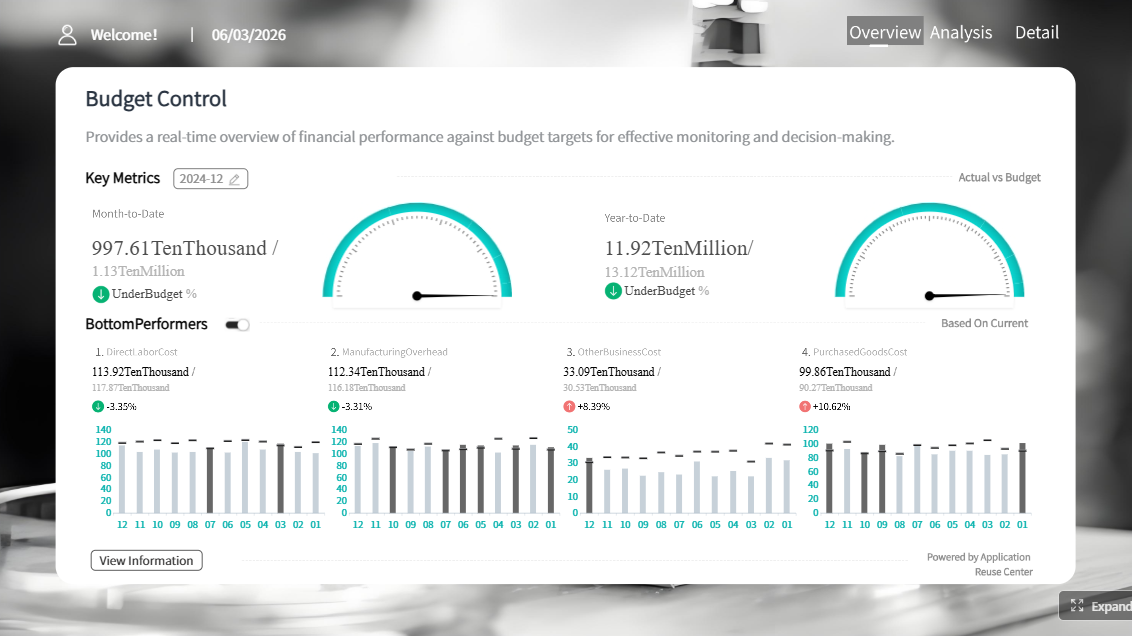 Click To Try The Dashboard
All reports in this article are built with FineReport
What Automated Expense Reporting Means for Finance Managers
For finance managers, automated expense reporting means using a standardized system to collect, validate, aggregate, and present monthly spend data with policy logic built into the reporting process. The goal is not simply to replace paper receipts or spreadsheets. The goal is to make month-end reporting more controlled, more visible, and less dependent on manual chasing.
In practice, automated expense reporting includes:
- collecting expense records from multiple systems
- applying company policy rules automatically
- routing exceptions for review
- generating monthly spend reports by department, category, and employee
- preserving approval history and supporting documents
- delivering management-ready summaries on schedule
Manual spreadsheets and fragmented receipt workflows slow finance teams down because they create multiple points of friction:
- receipt data is incomplete or inconsistent
- card transactions and reimbursement records do not align cleanly
- approval evidence is scattered across email and workflow tools
- exception review depends on manual cross-checking
- monthly reports must be rebuilt each cycle
This creates a familiar month-end problem. Finance has data, but not trusted reporting assets. Teams spend time cleaning, reconciling, and explaining instead of analyzing and improving spend behavior.
That is where FineReport + Dora changes the operating model.
- FineReport standardizes the reporting layer with reusable report templates, dashboards, operational cockpits, exception lists, and audit-ready detail views.
- Dora adds workflow automation and Agentic BI capabilities so finance teams can use natural language to retrieve report insights, receive scheduled spend summaries, and trigger reminders or follow-up actions on missing receipts, overdue approvals, and policy breaches.
For finance managers, this means less time compiling monthly reports and more time managing policy compliance, spend trends, and department accountability.

Why Policy-Driven Monthly Spend Reports Matter
A monthly spend report is only useful if it reflects policy reality, not just accounting totals. Finance managers need reports that show where spend happened, whether it was properly documented, whether it followed company rules, and which items still need action.
Policy controls reduce common expense problems
Policy-based controls help reduce several recurring issues:
- reimbursement errors caused by missing fields or mismatched amounts
- duplicate claims submitted across reimbursement and card channels
- off-policy spending in restricted categories
- unapproved expenses that delay reporting and close
- receipt gaps that create audit and tax risk
When policy logic is built into the reporting workflow, finance teams are no longer reviewing every claim with the same level of effort. Instead, they can focus on exceptions and higher-risk items.
Faster exception handling improves month-end close
Delayed exception handling is one of the biggest causes of reporting friction. If missing receipts, weekend claims, duplicate expenses, or over-limit submissions are discovered too late, month-end reporting slows down. Finance must pause, investigate, and chase owners when the reporting deadline is already near.
Policy-driven automated expense reporting solves this by surfacing issues earlier and routing them to the right approver or employee before the monthly report is finalized. That leads to:
- smoother month-end reporting cycles
- fewer late adjustments
- cleaner approval histories
- stronger audit readiness
- better management confidence in reported spend
The key metrics finance managers need
A strong monthly spend report should include a clear KPI structure. FineReport can present these metrics in formatted reports and operational cockpits, while Dora can summarize, explain, and push them to stakeholders.
Core monthly spend report elements
-
Category totals: Total spend by travel, meals, office supplies, software, client entertainment, and other categories.
Business value: Helps finance identify major cost drivers and compare actual spend against budgets or prior periods.
AI use: Dora can summarize major category movements, explain which categories changed most, and include them in a scheduled management briefing. -
Policy exceptions: Expenses flagged for missing receipts, over-limit claims, duplicate entries, weekend claims, or restricted merchants.
Business value: Makes compliance risk visible and reduces manual audit effort.
AI use: Dora can generate an exception summary, group issues by type or department, and push alerts to the responsible owner. -
Approval status: Submitted, pending, approved, rejected, returned, and overdue items.
Business value: Shows workflow bottlenecks that affect reimbursement timing and month-end completeness.
AI use: Dora can identify overdue approvals, notify approvers, and produce a daily pending approval briefing. -
Department trends: Monthly spend by cost center, department, project, or business unit.
Business value: Helps leaders monitor local spend patterns and budget discipline.
AI use: Dora can produce department-level narratives and explain whether changes are due to travel peaks, event activity, or unusual one-off items. -
Employee-level outliers: Unusual claim frequency, high-value submissions, repeated exceptions, or abnormal category patterns.
Business value: Supports fraud prevention, policy coaching, and tighter control.
AI use: Dora can highlight outliers for finance review and prepare a follow-up list for HR, department leaders, or expense reviewers. -
Reimbursement cycle time: Average time from submission to approval and payment readiness.
Business value: Indicates process efficiency and employee experience.
AI use: Dora can compare cycle-time trends month over month and point out where approvals are stalling.
How to Automate Expense Reporting in 5 Practical Steps
A workable automation plan should simplify the monthly reporting cycle, not make it more complex. The most effective approach is to start with structured reporting, clear policy logic, and a governed workflow that finance can maintain.
1. Standardize expense data sources
Bring together all core sources into one consistent reporting structure:
- receipt capture data
- corporate card transactions
- employee reimbursement requests
- approval and rejection records
- ERP or accounting posting results
- employee, department, and cost center master data
The key is to normalize field definitions. Merchant name, transaction date, expense category, claimant, business purpose, approval status, policy flag, and document link should follow the same structure across sources.
Without this step, automated expense reporting breaks down because the same expense may appear differently in different systems.
2. Translate company policy into report logic
Policy should not live only in PDF documents or training decks. It needs to become machine-checkable logic inside the reporting workflow.
Examples include:
- category-specific spending limits
- receipt requirements above a threshold
- mandatory business purpose fields
- pre-approval requirements for certain expense types
- weekend or holiday claim flags
- duplicate detection rules
- approval chain logic by amount or department
- blocked or restricted merchant categories
In FineReport, these conditions can be reflected in report fields, exception tags, and validation outputs. That makes policy visible in operational dashboards and monthly management reports.
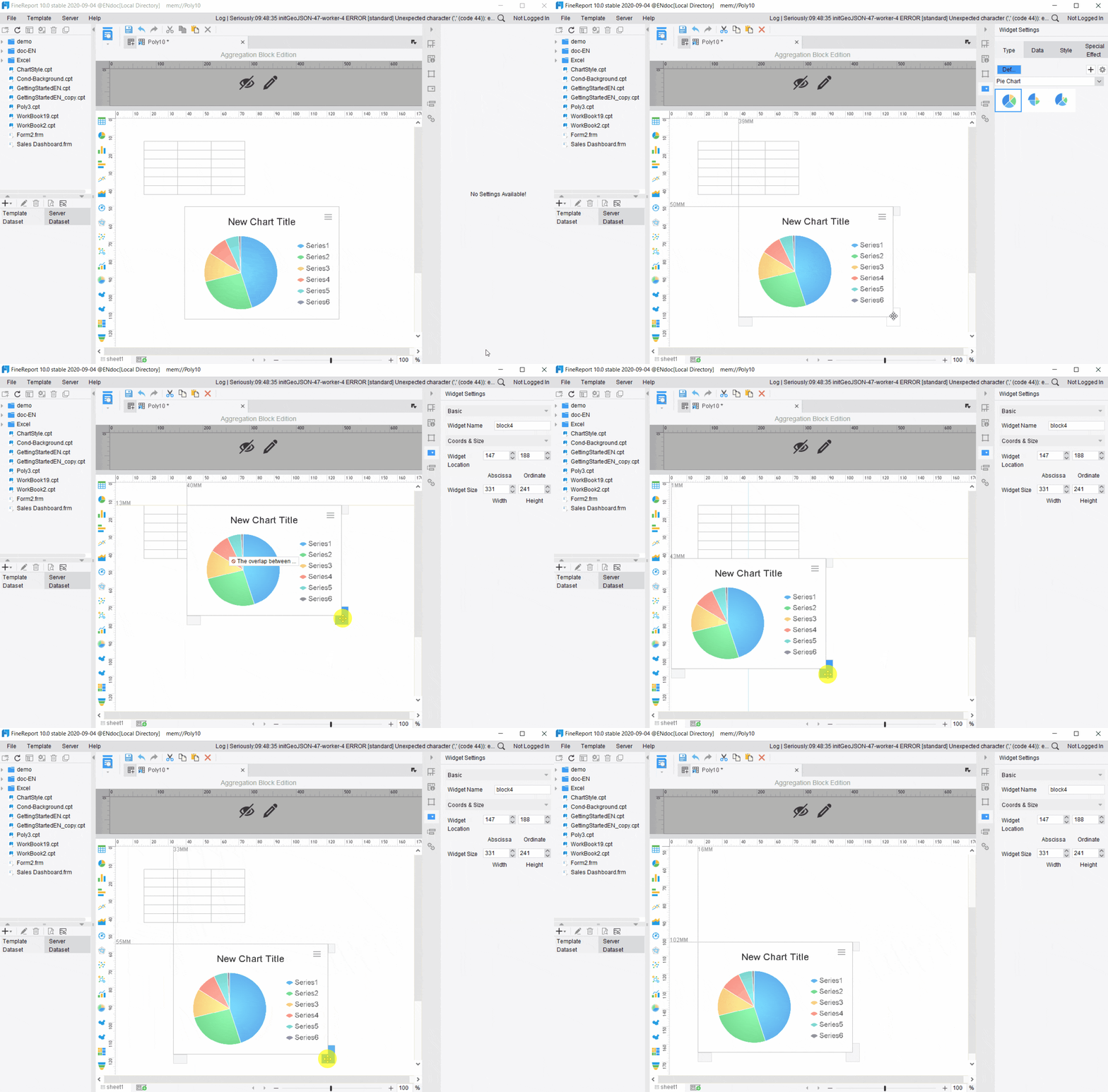
3. Build dashboards and monthly report templates in FineReport
This is where the reporting foundation becomes operational.
FineReport can support:
- formatted monthly spend reports for finance packs
- exception management dashboards
- approval status cockpits
- department-level spend views
- audit detail drill-downs
- data entry or correction workflows when needed
Reusable templates matter because finance managers should not rebuild the same report every month. The report should update from governed data and present the same KPI logic consistently across reporting periods.
4. Use Dora to trigger collection, validation, and reminders
This is where AI and workflow automation create daily value.
Dora can act as an enterprise Data Agent on top of FineReport assets and existing business rules. Instead of asking analysts to manually monitor every pending item, Dora can help automate repeatable follow-up work such as:
- missing receipt reminders
- approval nudges
- scheduled report refresh notifications
- monthly summary generation
- exception pushes to responsible departments
- chat-based report explanation for managers
This is a major shift for finance. People no longer need to hunt through reports just to find what needs action. The AI assistant can bring the right information, at the right time, to the right role.
5. Review exceptions and continuously improve rules
Expense automation is not finished after launch. Monthly findings should feed back into policy refinement and reporting logic.
Finance managers should review:
- which exceptions occur most often
- which departments generate recurring policy breaches
- whether approval rules are too loose or too strict
- whether categories are being misused or miscoded
- whether reimbursement delays are caused by process design or user behavior
The result is a stronger policy framework, cleaner reporting, and less manual review over time.
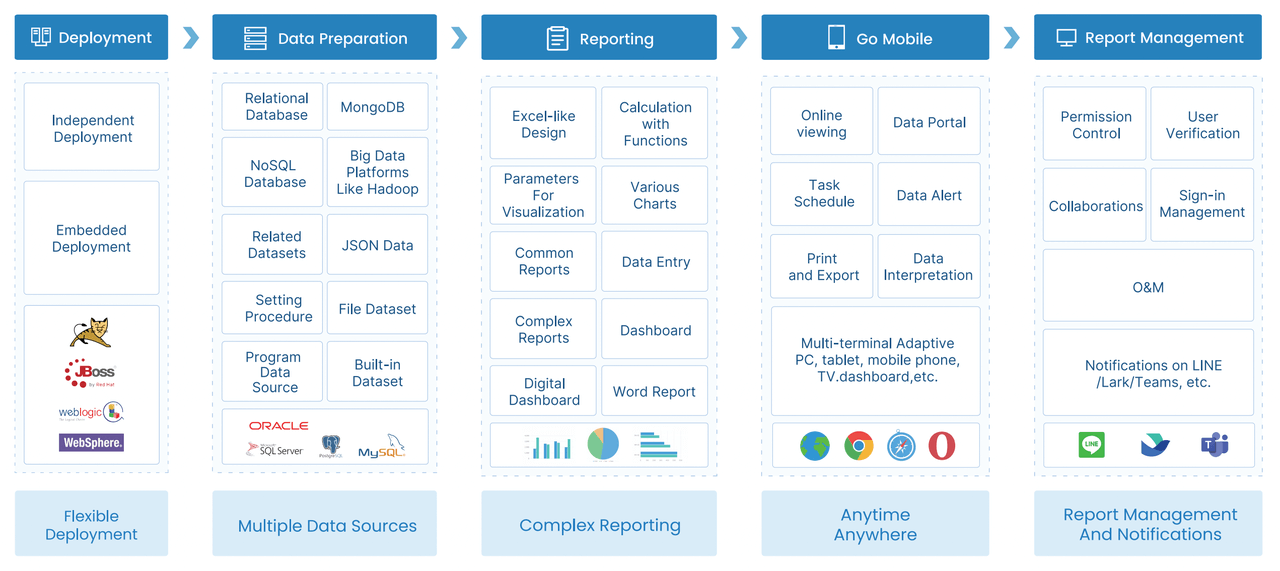
Building a FineReport + Dora Workflow for Spend Management Automation
The reason many expense automation projects stall is not lack of technology. It is lack of connection between reporting, policy governance, workflow ownership, and action follow-through. FineReport + Dora works well in this scenario because it combines trusted reporting assets with a governed AI assistant layer.
Map the end-to-end reporting process
Finance managers should first define the full process from expense creation to monthly reporting:
- employee submits an expense or card transaction is imported
- receipts and required fields are attached or captured
- policy validation checks the record
- approval workflow routes the item
- approved items are aggregated into monthly reporting datasets
- exception items remain visible for follow-up
- monthly spend reports and management summaries are distributed
This process map helps identify where automation should happen and where human review is still required.
Design automated checks and exception alerts
Automated expense reporting becomes valuable when exception rules are explicit and actionable. Common checks include:
- overspending against category or trip limits
- missing receipts
- duplicate entries
- weekend or holiday claims
- out-of-policy merchant or category use
- split submissions intended to avoid approval thresholds
- delayed approvals beyond SLA
FineReport can present these checks visually through exception tables, color-coded status indicators, and department views. Dora can then monitor those outputs and support governed AI workflows such as summarizing exception types, alerting owners, and prompting next steps.

Deliver role-based reports and summaries
Not every stakeholder needs the same report detail.
Finance managers need:
- line-item detail
- policy exception reasons
- approval status
- reconciliation progress
- drill-down to source documents
Department leaders need:
- total spend by team
- monthly change trends
- policy exception count
- overdue approvals
- concise action list
Executives need:
- enterprise spend summary
- top risk areas
- budget and trend signals
- high-level policy compliance view
FineReport supports these different reporting outputs with role-based templates and permissions. Dora improves consumption by turning those assets into chat-based answers, scheduled briefings, and structured summaries for each audience.
Create an audit-ready reporting trail
A policy-driven monthly spend process should be audit-ready by design. That means preserving:
- timestamps for submission and approval
- original source record links
- policy exception tags
- approver actions and comments
- correction history
- department and claimant attribution
FineReport provides the governed reporting structure to surface this trail. Dora can assist by retrieving relevant records, summarizing exception histories, and preparing review packs for finance or compliance stakeholders without bypassing permission controls.

How an AI Data Agent Automates Report Consumption
AI becomes most useful in expense reporting after trusted reports and policy logic already exist. Finance managers rarely struggle to ask, “What is total spend?” They struggle with the next layer of work:
- What changed this month?
- Which exceptions matter most?
- Who still needs to act?
- Which departments are driving policy breaches?
- Can I get a management summary without manually writing it?
This is where Dora, as an enterprise Data Agent, adds practical value.
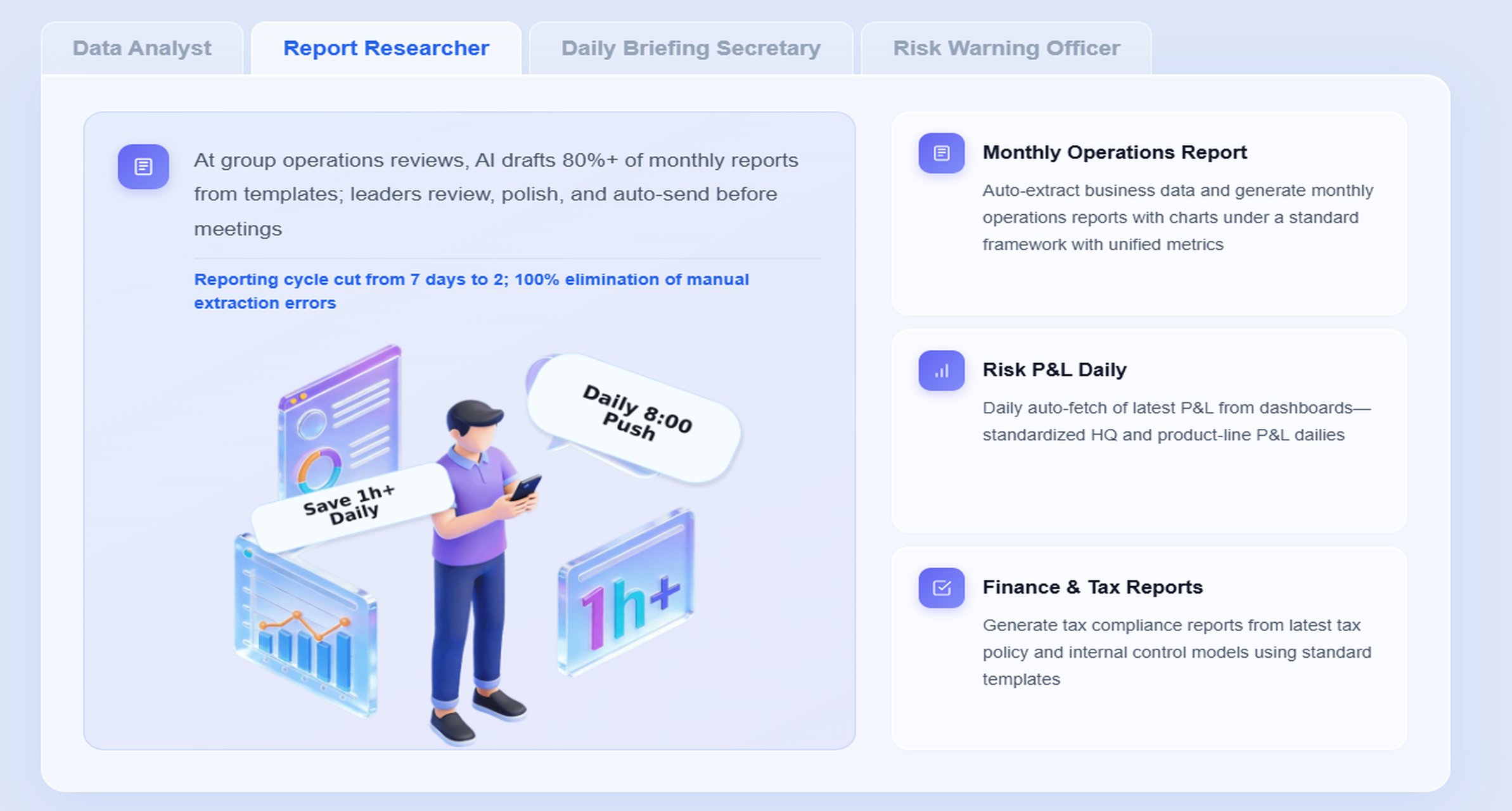
The most relevant Dora digital employees for this scenario are:
- Report Researcher for structured monthly spend summaries and chart explanations
- Daily Briefing Secretary for scheduled finance updates and meeting preparation
- Risk Alert Officer for policy exception monitoring and follow-up
- Data Analyst digital employee for natural-language metric queries and trend analysis
A concrete chat example
A finance manager could ask:
“Summarize this month’s expense report, highlight duplicate claims, missing receipts, and over-limit meal expenses, then list the departments with the most unresolved exceptions.”
This is not a generic chatbot interaction. Dora works best when it is connected to trusted FineReport reports, KPI definitions, templates, and governance rules.
A practical Dora workflow in expense reporting
-
Retrieve trusted FineReport report or cockpit data
Dora accesses the monthly expense dashboard, exception list, approval tracker, and department spend report built in FineReport. -
Understand KPI definitions and semantic rules
Dora uses governed business logic such as what counts as a duplicate claim, what threshold defines over-limit meals, how “unresolved exception” is defined, and which department mapping should be applied. -
Generate a structured report summary
Dora produces a chart-based answer or management narrative covering total spend, major category shifts, unresolved exceptions, and approval bottlenecks. -
Detect exceptions and prioritize action items
Dora highlights abnormal changes, overdue approvals, recurring claim issues, and departments needing follow-up. -
Push alerts and summaries to responsible users
Dora can send scheduled briefings to finance managers, notify department approvers of pending actions, and push exception reminders to claimants or reviewers. -
Create follow-up records for review
Dora can support a daily or weekly summary of unresolved items so finance can track closure progress before month-end.
Why FineReport matters in the AI workflow
Dora should not be positioned as working in isolation. The quality of AI output depends on the quality of the reporting foundation.
FineReport provides:
- trusted report templates
- governed KPI definitions
- permission-controlled access
- consistent dimensions such as department, category, and employee
- drillable exception reports
- audit-friendly structured outputs
That foundation is what makes Dora enterprise-ready. Instead of relying on raw prompts against ungoverned data, Dora operates on a controlled semantic layer and reusable Skills. This makes the workflow more stable, more auditable, and more practical for finance operations.
How Dora improves execution for finance teams
Dora helps finance managers move from passive reporting to active report consumption and follow-through:
- Chat-based AI assistant: Ask questions about monthly spend reports in natural language.
- Structured report summaries: Convert dashboards and tables into management-ready narratives.
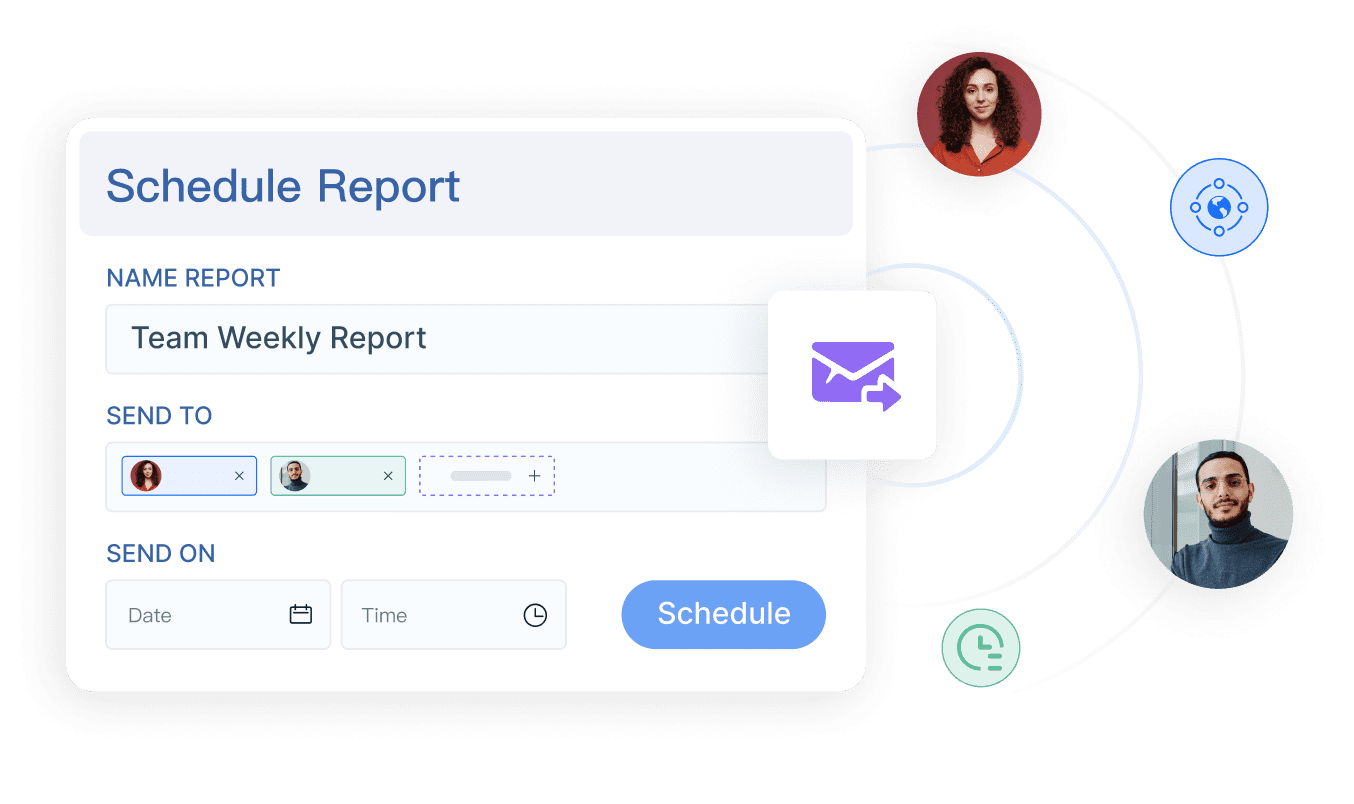
- Scheduled summaries: Deliver daily, weekly, or month-end briefings to finance leaders.
- Exception alerts: Push policy breaches, missing receipts, and overdue approvals to owners.
- Follow-up support: Keep unresolved items visible until they are reviewed or escalated.
For executives, the value is direct: Dora is not an AI experiment. It is a landed digital employee for recurring finance reporting work such as monthly management reporting, policy exception reviews, reimbursement monitoring, and owner follow-up.
For IT teams, the role changes as well. IT no longer has to manually answer every report request. Instead, IT can focus on data integration, semantic rules, permissions, report templates, and reusable agent Skills that support finance scenarios cleanly.
For business users and approvers, the process becomes lower-friction. They receive timely reminders, concise summaries, and direct links back to the FineReport source report instead of long email threads and spreadsheet attachments.
Where AI and Modern Expense Tools Improve Reporting Accuracy
Expense reporting accuracy improves when automation reduces manual input and flags risky data earlier. Modern expense tools help most in three areas, but finance managers should evaluate them in the context of reporting control, not only user convenience.
AI-assisted data capture reduces manual entry
Receipt and invoice capture tools can extract details such as:
- merchant
- transaction date
- amount
- tax
- currency
- line-item clues when available
This reduces typing effort and lowers basic entry errors. But finance should still validate whether extracted fields map correctly to enterprise categories, cost centers, and reporting rules.
Intelligent categorization supports cleaner monthly reports
AI-assisted categorization can improve speed when assigning expense types, especially for recurring vendors or corporate card feeds. Still, the reporting team should govern:
- which category definitions are official
- how ambiguous merchants are mapped
- how travel, software, office, and client entertainment are separated
- how corrections are reviewed and learned over time
In other words, AI can assist categorization, but finance owns the policy and semantic layer.
Anomaly detection helps focus review effort
Anomaly detection is valuable when it supports specific finance questions, such as:
- Why did one department’s meal spend spike this month?
- Which employees repeatedly submit weekend claims?
- Are there unusual patterns in low-value duplicate submissions?
- Which approvers generate long exception resolution delays?
When connected to FineReport exception dashboards, Dora can help summarize these patterns and route them to the right owners without forcing users to manually inspect every record.
What finance managers should evaluate in expense software options
When reviewing automation capabilities, finance leaders should look beyond feature checklists and ask:
- Can the system support policy-driven reporting, not just submission?
- Does it integrate with trusted reporting assets and enterprise data?
- Can it preserve audit trails and approval history cleanly?
- Are permissions and KPI definitions governed?
- Can AI summarize and push results based on trusted reports?
- Does it support repeatable, controllable workflows rather than prompt-only experimentation?
That is where FineReport + Dora has a stronger landing path. FineReport provides the trusted reporting and operational cockpit layer. Dora adds Agentic BI execution through Skills-based, governed workflows that are more controllable than generic prompt-driven tools.
Common Mistakes to Avoid When Automating Monthly Spend Reports
Even good tools will not fix poor reporting design. Finance managers should avoid these common mistakes when implementing automated expense reporting.
Automating bad processes before cleaning up policy rules
If categories, limits, approval paths, and receipt rules are inconsistent, automation will only scale confusion. Standardize policy definitions before building alerts and reports.
Overcomplicating approval logic
Highly layered approval workflows may look precise on paper but often slow down reporting and create maintenance burdens. Keep rules clear, risk-based, and aligned to actual control needs.
Failing to define ownership for exceptions
Exceptions need named owners. Missing receipts, over-limit claims, duplicates, and unresolved approvals should each have clear responsibility rules and escalation paths.
Measuring report output without measuring compliance and cycle time
A finished monthly report is not the only KPI. Finance should also track:
- exception rates
- approval turnaround time
- receipt completion rate
- unresolved item aging
- repeat policy violations by team or employee
Ignoring governance in AI rollout
AI-generated summaries can be useful, but they should be grounded in trusted FineReport assets, governed KPI logic, permission controls, and human review for important management narratives. The strongest results come from controlled workflows, not from unstructured prompting alone.
Actionable Best Practices
To make automated expense reporting work in a real finance environment, use these practical implementation guidelines.
1. Standardize report templates, KPI definitions, and business terms
Define what counts as an exception, how departments are grouped, which categories are official, and which monthly report sections must remain consistent. This improves both FineReport outputs and Dora summaries.
2. Build a semantic layer inside the reporting workflow
This is one of the most important AI-specific steps. Dora performs better when KPI definitions, policy rules, approval statuses, and business terms are structured and governed. A trusted semantic layer reduces ambiguity and improves auditability.
3. Start with high-value recurring reports
Do not try to automate every finance report at once. Begin with monthly spend summaries, exception reviews, overdue approval tracking, or reimbursement readiness reports. These are repeatable, valuable, and easier to operationalize.
4. Define thresholds, ownership rules, and escalation paths for AI alerts
This is another AI-specific best practice. Dora should not send every possible alert. Finance should define which issues trigger reminders, who receives them, when escalation occurs, and how follow-up is recorded.
5. Preserve permissions and use human review for important narratives
AI outputs should respect FineReport access boundaries. Sensitive employee-level detail, department comparisons, and compliance content should follow the same governance logic as the underlying reports. For executive or audit-facing summaries, keep human review in the loop as Skills mature.
FineReport + Dora Solution Pitch
Building this manually is complex. FineReport helps teams standardize trusted reports, operational cockpits, templates, and reporting workflows. Dora turns those assets into an AI assistant that can answer report questions in chat, generate structured summaries, push scheduled briefings, monitor exceptions, and follow up with responsible owners.
For automated expense reporting, that means finance managers can build a practical operating model:
- FineReport creates the monthly spend reports, exception dashboards, approval trackers, and audit-ready detail views.
- Dora turns those assets into a Report Researcher, Daily Briefing Secretary, Data Analyst digital employee, or Risk Alert Officer depending on the scenario.
- Implementation services connect the data, policy logic, semantic setup, permissions, and workflow rollout so the solution actually lands in the enterprise.
FineReport + Dora is not only a reporting upgrade; it is a practical fourth-generation Agentic BI path. FineReport provides governed reports and operational cockpits. Dora provides the AI assistant layer for scenario execution, with more controlled Skills, lower token waste, faster execution paths, and more stable workflows than prompt-only agents.

Get Ready-to-Use Dashboard Templates in Fine Gallery
The strongest Dora pitch is scenario + product + service: FineReport provides the trusted reporting foundation, Dora provides the AI digital employee, and implementation service connects data, governance, semantic setup, Skills, report templates, permissions, and rollout.
For finance managers, that creates a realistic path from spreadsheet-driven monthly expense review to policy-driven, AI-assisted spend reporting that is faster to consume, easier to govern, and more actionable across the business.
FAQs
Automated expense reporting is a policy-driven process that collects expense data, validates it against company rules, routes exceptions, and produces monthly spend reports with less manual effort. For finance managers, the goal is better control, faster close cycles, and clearer reporting rather than just digitizing receipts.




