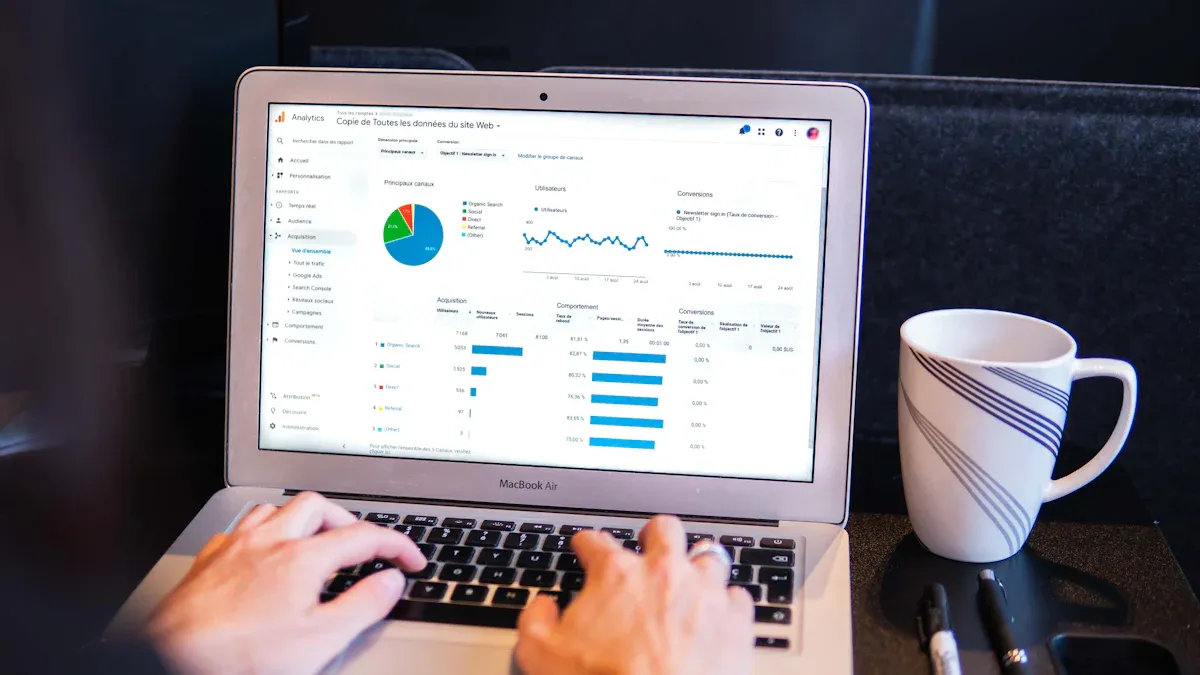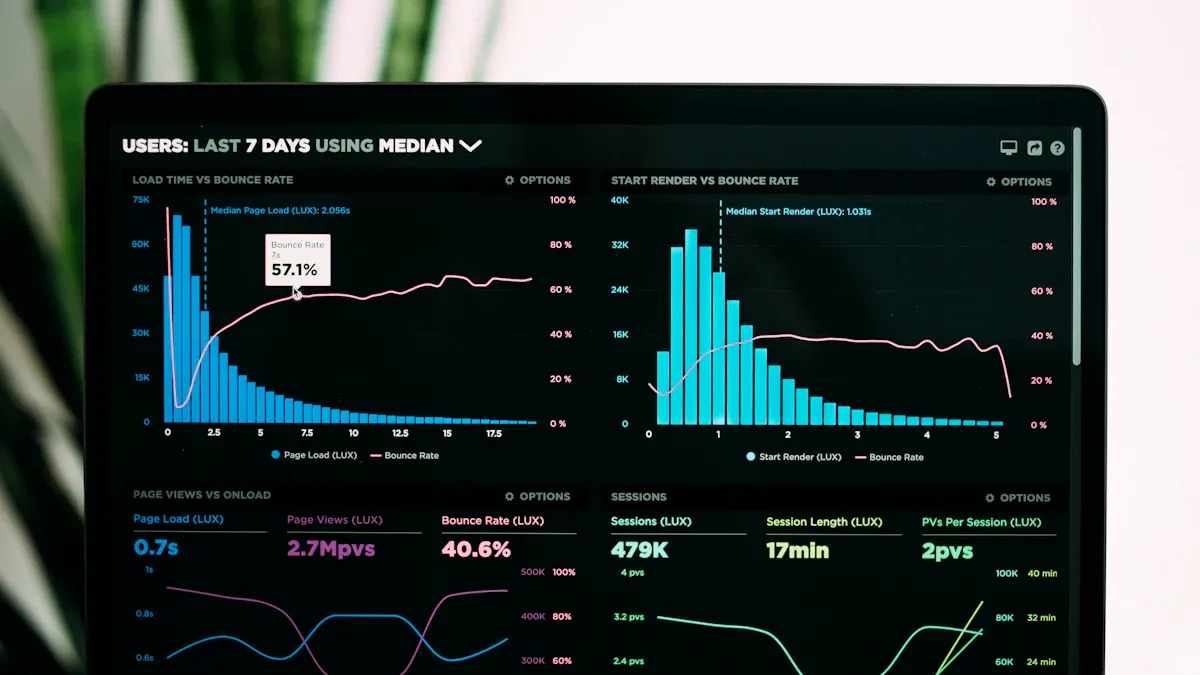
Ad-hoc analysis gives you a flexible, question-driven way to explore data. This approach lets you look at information as new questions come up, making business intelligence more dynamic. Many companies use ad-hoc analysis for nearly half of their report requests. You can quickly adjust to changes and gain real-time insights, which boosts agility. Immediate answers help you make smarter choices and drive data-driven decision-making. With ad-hoc analysis, you turn raw data into valuable knowledge, making data analysis a powerful tool for every organization.
- 50% of business report requests are ad-hoc.
- Ad-hoc analysis supports quick responses and dynamic exploration, unlike scheduled reports.
Ad-hoc Analysis vs. Standard Reporting
Key Differences in Analytics Approaches
When you explore data, you can choose between ad-hoc analysis and standard reporting. Each approach serves a different purpose in the business intelligence process. Standard reports use pre-defined templates. These reports deliver specific data at regular intervals. They help you track metrics and maintain consistency over time. In contrast, ad-hoc analysis lets you create reports on demand. You can answer specific business questions as they arise. This method gives you the flexibility to customize both the data and the format.
Here is a table that highlights the main differences:
| Feature | Ad-Hoc Analysis | Standard Reporting |
|---|---|---|
| Goals | Flexible, evolving questions | Pre-defined objectives |
| Approach | Exploratory, improvisational | Systematic, planned |
| Adaptability | High, can pivot quickly | Limited, follows a set plan |
| Reporting | On-demand, responsive | Scheduled, regular intervals |
Ad-hoc analysis stands out for its adaptability. You can change your focus as new insights appear. Standard reporting, on the other hand, follows a set framework. It emphasizes reproducibility and consistent results. If you need to respond quickly to changes, ad-hoc analysis gives you the agility to do so.
Limitations of Standard Reporting
Standard reporting has several limitations that can slow down your analytics efforts. You may find that these reports do not meet all your needs, especially when you face unique or urgent questions.
- Limited customization: Standard reports often lack the flexibility to address specific business questions. Customizing them may require technical skills.
- Data accessibility: You need to understand the underlying data structure to use standard reports effectively. This can be a challenge for non-technical users.
- Data aggregation: Combining data from multiple sources can be complex and time-consuming.
- Performance issues: Large datasets can slow down report generation and affect system performance.
- Limited visualization: Built-in reporting tools may not offer advanced visualization options. You might need extra tools for better charts and graphs.
- Integration challenges: Connecting standard reports to external tools can require custom development.
- Training needs: Users often need training to create and interpret standard reports.
You may also face challenges in measuring the return on investment for your business intelligence tools. Sometimes, expectations for standard reporting do not match what the tools can deliver.
When to Use Ad-hoc Analysis
You should use ad-hoc analysis when you need quick answers to new or complex questions. This approach works best in situations where standard reports cannot provide the detail or speed you require.
| Scenario Description | Reason for Ad-hoc Analysis |
|---|---|
| Time-constrained metrics for presentations or due diligence | Standard reports are not suitable for specific metrics needed in a short time. |
| Need for detailed analysis beyond standard dashboards | Ad-hoc analysis lets you query specific user segments or trends in more detail. |
Ad-hoc analysis helps you uncover the reasons behind performance anomalies. You can address new questions as they come up. This method supports collaboration by making it easy to share insights across teams. It also empowers you to adapt to changes in your business environment, ensuring you make informed decisions quickly.
Tip: Ad-hoc analysis encourages teamwork and collective intelligence. When you share your findings, your organization benefits from a wider pool of knowledge.
Benefits of Ad-hoc Analysis for Real-Time Insights

Accelerating Decision-Making
You often need to make decisions quickly in business. Ad-hoc analysis helps you gather and review data as soon as questions arise. This approach lets you skip the wait for scheduled reports. You can investigate issues or opportunities right away. When you have access to the latest information, you can act faster and with more confidence.
The way organizations collect and use data affects how quickly they can decide. The table below shows how different approaches impact decision-making:
| Stage | Description | Impact on Decision-Making |
|---|---|---|
| Ad hoc | Evidence collection is done in an unstructured way, limiting collaboration. | Slows down decision-making due to lack of shared insights. |
| AI-enabled Workflow Automation | Standard processes are in place but limited to certain functions. | Improves efficiency but still restricts broader decision-making. |
| Enterprise Literature Evidence Planning | Evidence is centrally collected and accessible across functions. | Enhances decision-making by providing comprehensive insights. |
| Third-party Evidence Integration | Integrates various data sources for a holistic view. | Accelerates decision-making with timely and effective data access. |
When you use ad-hoc analysis, you can combine data from many sources. This integration gives you a complete view and helps you respond to changes in your business environment. You can spot trends, solve problems, and take action before your competitors do.
Tip: Fast access to data means you can turn questions into answers and answers into actions without delay.
Flexibility and Customization
Every business faces unique challenges. You need tools that let you explore data in ways that fit your needs. Ad-hoc analysis gives you the freedom to create and change reports on the fly. You do not have to rely on fixed templates or wait for IT support.
Here is a comparison of customization options between ad-hoc analysis tools and standard reporting tools:
| Feature | Ad-Hoc Analysis Tools | Standard Reporting Tools |
|---|---|---|
| Customization Options | High - users can create and modify reports on-the-fly | Low - fixed, pre-designed reports |
| Query Interface | Intuitive, user-friendly, no SQL knowledge required | Often complex, requires SQL knowledge |
| Data Visualization | Advanced, interactive charts and dashboards | Basic, limited visualization options |
| Real-Time Data Access | Yes, provides timely insights | No, typically static data |
| Cross-Database Support | Yes, integrates various data sources | Limited to specific databases |
| Collaboration Features | Yes, enables sharing insights and reports | Limited collaboration capabilities |
| Scalability | High, adapts to growing data needs | Limited scalability |
With ad-hoc analysis, you can:
- Investigate unexpected sales changes right when they happen.
- Analyze customer behavior and feedback to improve retention.
- Review operational costs and spot inefficiencies in your processes.
This flexibility means you can adapt your analysis to any situation. You can focus on what matters most to your business at any moment.
Delivering Tailored Insights
You want your data to answer the questions that matter to you. Ad-hoc analysis helps you create reports and dashboards that fit your goals. You can dig into specific channels, products, or customer groups. This approach leads to more relevant and actionable insights.
The table below shows how tailored insights from ad-hoc analysis improve business outcomes:
| Evidence Description | Impact on Business Outcomes |
|---|---|
| Tailored insights provide real-time, customized insights that help businesses respond quickly to market changes. | This flexibility allows for better resource allocation and enhanced operational efficiency. |
| Ad hoc reporting enables businesses to analyze data across multiple channels. | This analysis helps identify which channels generate the highest engagement and ROI, improving marketing strategies. |
| Customizable reports ensure processes remain efficient and aligned with business goals. | This approach saves time and enhances overall operational performance, leading to better decision-making. |
When you use ad-hoc analysis, you can focus on the details that drive your business forward. You can adjust your strategies based on real-time insights and make sure your resources go where they have the most impact. This process helps you stay ahead in a fast-changing market and ensures your team always works with the most relevant information.
Note: Tailored, actionable insights help you make smarter choices and improve your business results.
Empowering Business Users
You play a key role in your organization’s success. When you have direct access to data, you can answer questions and solve problems without waiting for IT support. Modern business intelligence tools now focus on empowering you, the business user, to explore and analyze data independently.
Self-service analytics platforms remove technical barriers. You do not need to know coding or advanced database queries. With intuitive drag-and-drop interfaces, you can build reports and dashboards that fit your needs. This approach saves time and reduces frustration. You no longer depend on others to get the insights you need.
Tip: When you use self-service tools, you gain confidence in your decisions. You see the data for yourself and understand the story it tells.
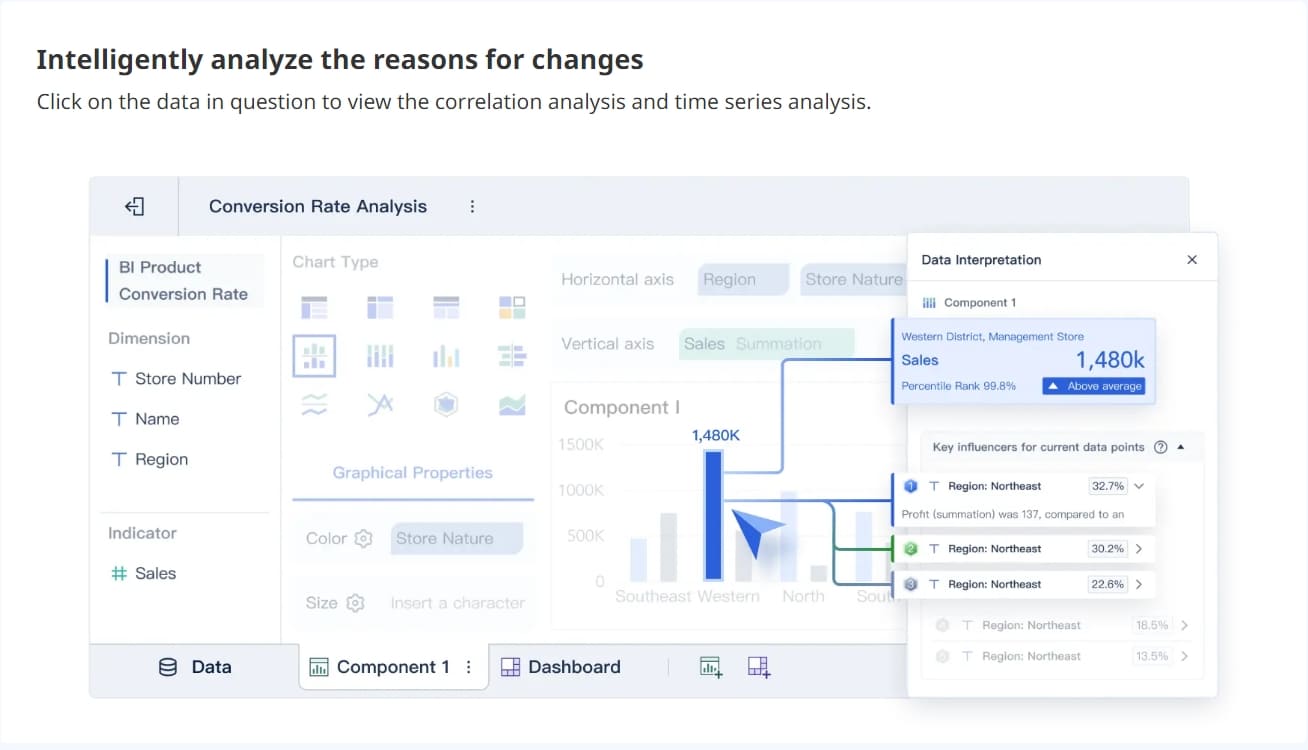
Ad-hoc analysis gives you the flexibility to investigate new trends or sudden changes in your business. You can ask questions as they arise and get answers in real time. For example, if you notice a drop in sales, you can quickly dig into the data to find out why. You do not have to wait for a scheduled report or a custom query from IT.
Here are some ways you benefit from this empowerment:
- You respond faster to market changes.
- You identify opportunities and risks before they become critical.
- You collaborate with your team by sharing dashboards and insights.
- You make data-driven decisions that support your goals.
A table below shows how empowering business users changes the way organizations work:
| Before Empowerment | After Empowerment |
|---|---|
| Long wait times for reports | Immediate access to insights |
| Heavy IT involvement | Business users analyze directly |
| Limited data exploration | Flexible, on-demand analysis |
| Static, one-size-fits-all | Custom, relevant dashboards |
When you have the right tools, you become more proactive. You do not just react to problems; you anticipate them. You help your organization stay competitive in a fast-moving world.
Note: Empowered business users drive innovation. Your ability to explore data leads to better strategies and stronger results.
Real-World Applications of Ad-hoc Analysis
Ad-hoc analysis plays a vital role across many industries. You can use it to answer urgent questions, adapt to new challenges, and make smarter decisions. The table below shows how different sectors benefit from ad-hoc analysis:
| Industry | Application Description |
|---|---|
| Finance | Analyze cash flow, return on investment, and ensure compliance. |
| Manufacturing | Track production levels and optimize supply chains in real time. |
| Telecom | Examine customer usage and network performance for better products and marketing. |
| Healthcare | Study patient data and clinical outcomes to improve care and meet regulations. |
| Procurement | Spot inefficiencies and understand spending patterns for better negotiations. |
Sales Performance Analytics
You can use ad-hoc analysis to boost your sales performance. This approach helps you understand what is happening in your sales pipeline, why certain trends appear, and how to improve results. Companies often rely on four main types of analytics:
| Type of Analytics | Role in Business Decision-Making |
|---|---|
| Descriptive Analytics | Understand the current situation of sales performance. |
| Diagnostic Analytics | Analyze reasons behind sales performance metrics. |
| Predictive Analytics | Forecast future sales trends based on historical data. |
| Prescriptive Analytics | Recommend actions to improve sales performance based on predictions. |
With ad-hoc analysis, you can quickly create custom reports to track sales by region, product, or team. This flexibility lets you respond to market changes and adjust your strategy for better results.
Customer Behavior Analysis
Ad-hoc analysis gives you the power to explore customer data in detail. You can answer specific questions about what your customers do and what they prefer. Here are some ways you can use ad-hoc analysis for customer behavior:
- Explore data to answer questions about customer actions and preferences.
- Identify trends and segment customers for tailored experiences.
- Adapt to changing demands and gain insights into new buying patterns.
Retailers often use these insights to adjust marketing campaigns and improve customer satisfaction.
Financial Forecasting and Planning
Finance teams depend on ad-hoc analysis to stay agile. You can create reports that address urgent business questions and provide on-demand financial assessments. This approach supports quick decision-making and helps you prepare for the future. Some key uses include:
- Building custom dashboards and visualizations for deeper analysis.
- Generating reports to address sudden financial challenges.
- Using scenario planning and forecasting to prepare for uncertainties.
With ad-hoc analysis, you gain the flexibility to manage your finances more effectively and respond to changes as they happen.
Enhancing Operational Efficiency
Ad-hoc analysis gives you a powerful way to improve how your organization operates. You can use it to spot bottlenecks, reduce waste, and make your processes more efficient. When you analyze data as soon as issues arise, you can act quickly and prevent small problems from growing into bigger ones.
You might want to know why a production line slows down or why certain orders take longer to process. With ad-hoc analysis, you can dig into the data right away. You do not have to wait for a scheduled report. You can create custom queries and dashboards that show you exactly where delays or errors happen.
Here are some ways you can use ad-hoc analysis to boost operational efficiency:
- Monitor real-time performance: Track key metrics like production speed, inventory levels, or delivery times. You can see changes as they happen and respond immediately.
- Identify process bottlenecks: Find out where work slows down. You can focus your efforts on fixing the right problems.
- Optimize resource allocation: Analyze how you use staff, equipment, or materials. You can shift resources to where they are needed most.
- Reduce costs: Spot unnecessary expenses or waste. You can make changes that save money without sacrificing quality.
Tip: Use ad-hoc dashboards to share findings with your team. When everyone sees the same data, you can work together to solve problems faster.
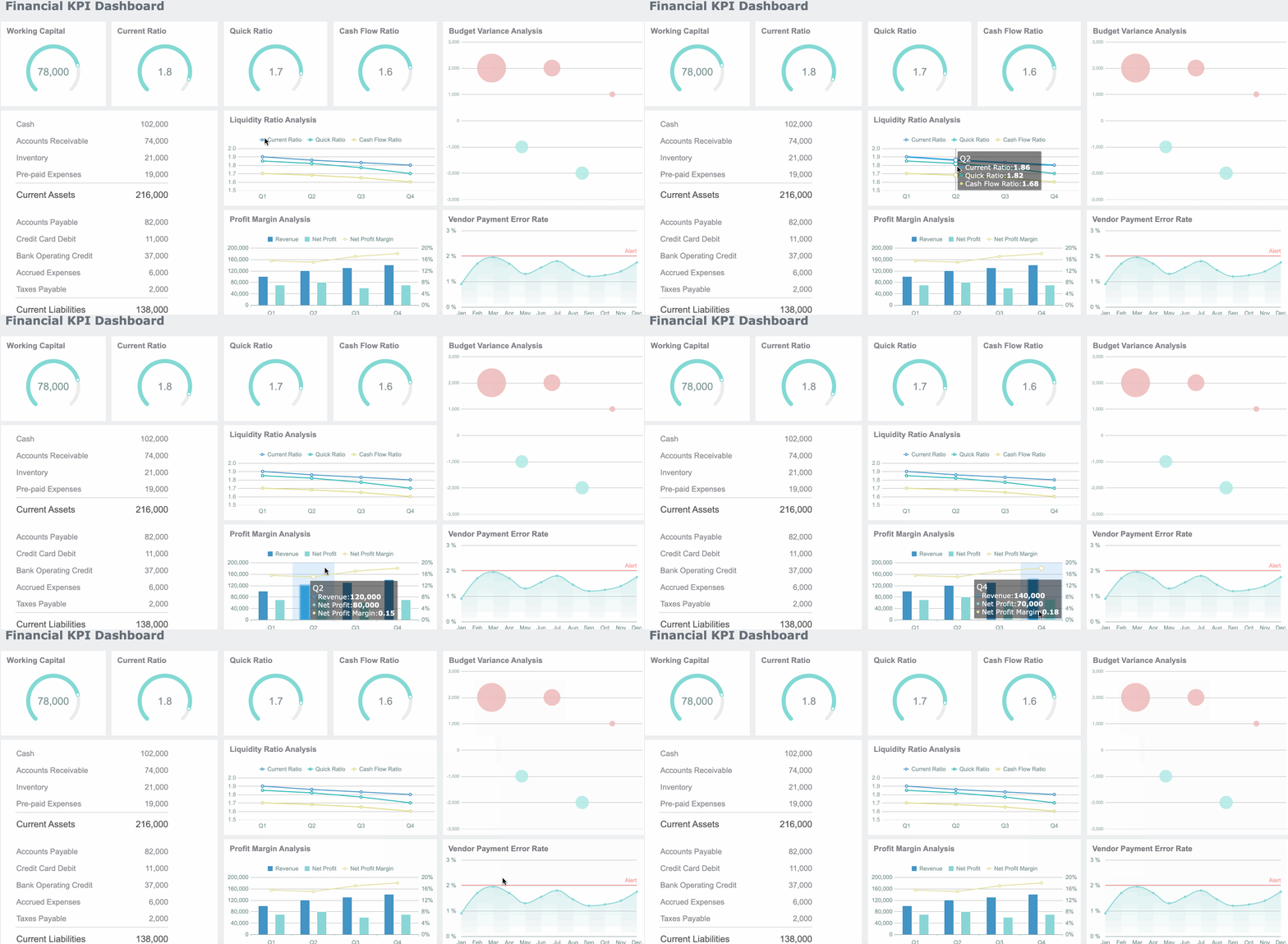
The table below shows how ad-hoc analysis supports different operational goals:
| Operational Goal | How Ad-hoc Analysis Helps |
|---|---|
| Faster response times | Immediate data access for quick action |
| Better resource use | Data-driven allocation decisions |
| Lower operational costs | Early detection of inefficiencies |
| Higher productivity | Continuous monitoring and improvement |
You gain a clear advantage when you use ad-hoc analysis in your daily operations. You can adapt to changes, improve teamwork, and keep your business running smoothly.
Essential Tools for Effective Ad-hoc Analysis
Key Features to Look For in Analytics Platforms
When you choose a platform for ad-hoc analysis, you want tools that make your work easier and more effective. The best analytics platforms offer several important features:
- Self-service capabilities let you explore data without waiting for technical help.
- Ease of use means you can query data and build reports without coding.
- Iteration and customization allow you to adjust your analysis quickly as your questions change.
You also benefit from collaboration features. These include dashboard comments and easy sharing options. Interactive elements help you explore data without starting new queries. Filters and parameters let you customize your view, so you see only what matters most.
Tip: Look for platforms that support flexible visualization options. This helps you share your findings with others and make better decisions together.
The table below shows how top analytics platforms support ad-hoc analysis:
| Feature | Description |
|---|---|
| Data Exploration Techniques | Explore data using different methods for self-generated answers. |
| Flexibility in Analysis | Adapt your analysis and data preparation to changing questions. |
| Customization | Create custom data views for different stakeholders. |
| Collaboration | Work together with your team to make decisions based on shared data. |
How FineBI Enables Ad-hoc Analysis and Real-Time Insights
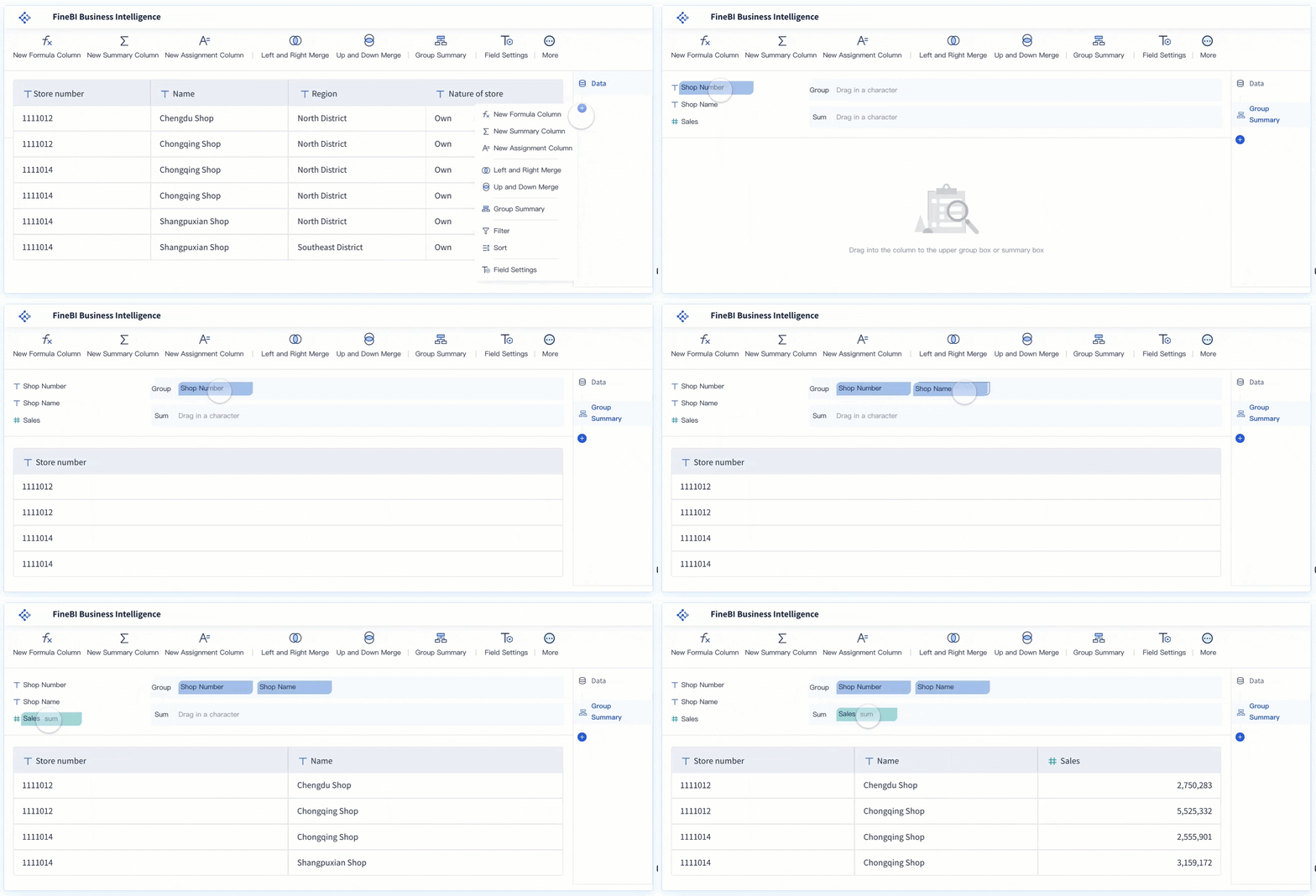
FineBI gives you powerful tools for ad-hoc analysis and real-time insights. You can create reports and analyze data without needing advanced technical skills. The drag-and-drop interface makes building complex visualizations simple. You see your data update in real time, so you always work with the latest information.
| Functionality | Description |
|---|---|
| Self-service analytics | Build ad-hoc reports and analyze data independently. |
| Real-time data processing | Access and process data as it changes, ensuring up-to-date insights. |
| Drag-and-drop interface | Create visualizations easily, without writing code. |
FineBI helps you respond quickly to new questions. You can customize dashboards, share findings, and collaborate with your team. This approach supports faster decision-making and keeps your organization agile.
Integrating FineBI with Diverse Data Sources
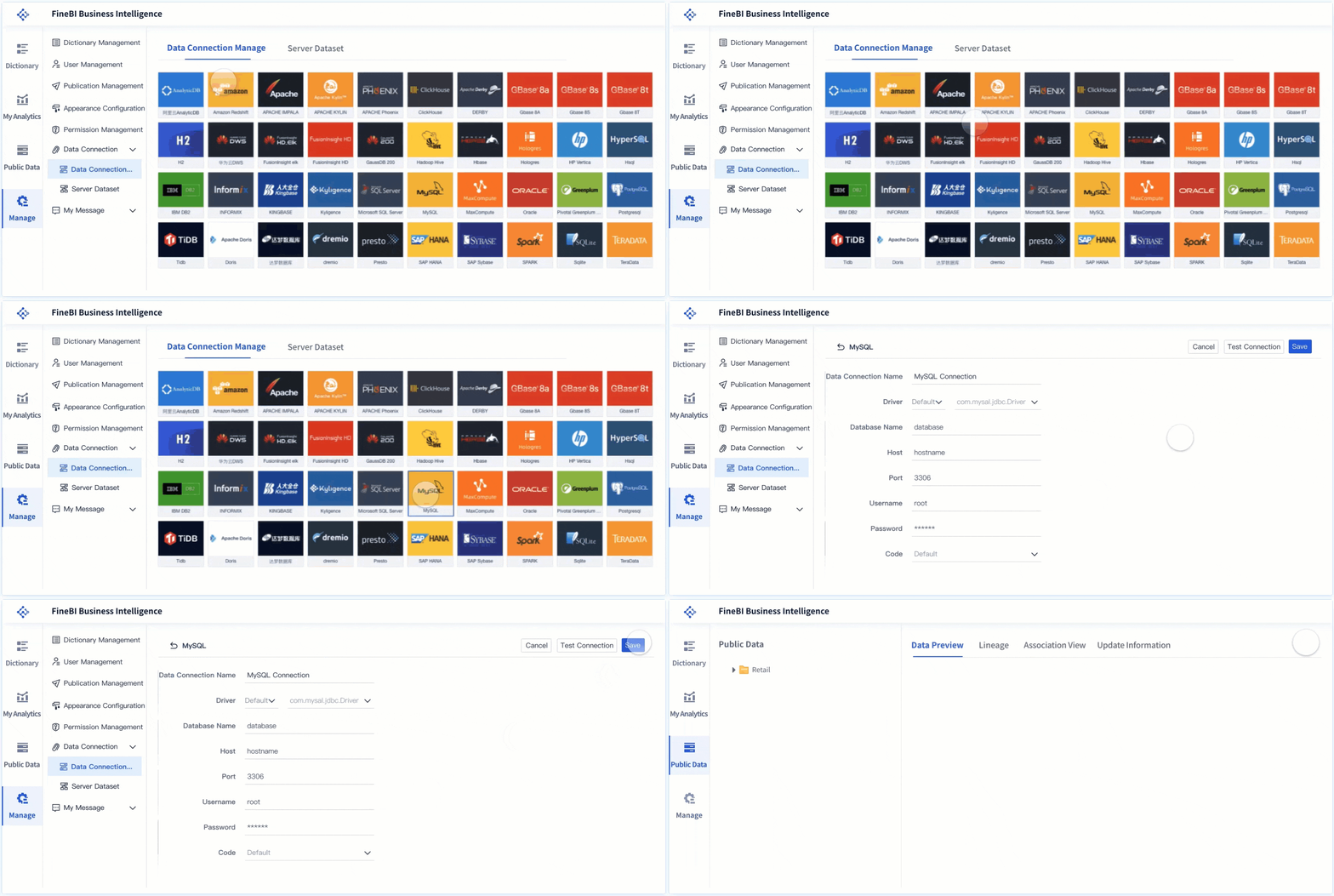
You need to connect to many types of data to get a complete picture. FineBI supports integration with multiple data sources, including databases, files, and cloud platforms. You can blend data from different origins and use ETL (Extract, Transform, Load) tools to prepare your information for analysis.
| Feature | Description |
|---|---|
| ETL | Extract, transform, and load data for analysis. |
| Multiple Data Sources | Connect to various databases and platforms. |
| Data Blending | Combine data from different sources for deeper insights. |
FineBI makes it easy to unify your data, so you can perform comprehensive ad-hoc analysis. You gain the flexibility to answer complex questions and share results across your organization.
Best Practices for Ad-hoc Analysis Success
Setting Clear Objectives
You set yourself up for success in ad-hoc analysis when you start with clear objectives. Begin by prioritizing tasks. Decide which questions or problems need answers first. Keep your team informed with regular updates. This helps everyone stay aligned with your goals. Set realistic deadlines so you can manage your workload without sacrificing quality. Always document your decisions and progress. A detailed log helps you track what you have done and why. These steps keep your business intelligence process focused and efficient.
- Prioritize tasks to manage conflicting needs.
- Communicate clearly and update your team often.
- Set deadlines that you can achieve.
- Document every decision and step.
Tip: Clear objectives help you avoid confusion and keep your analysis on track.
Ensuring Data Quality and Consistency
You need reliable data for confident decisions. High data quality supports consistency across your organization. If you use low-quality data, you risk making mistakes and slowing down your work. Set clear guidelines for how you collect, store, and use data. Regular audits and validation checks help you find and fix errors quickly. When you follow these steps, your self-service analytics stay accurate and trustworthy.
- Use clear rules for data collection and storage.
- Check your data regularly for mistakes.
- Fix errors as soon as you find them.
- Keep your data sources consistent.
Note: Good data quality means you can trust your insights and act with confidence.
Fostering Collaboration Across Teams
You achieve better results when teams work together during ad-hoc analysis. Digital collaboration tools make it easy to share information and hold real-time meetings. Set clear objectives for each meeting to keep everyone focused. Maintain structure so discussions stay on track. After meetings, follow up by sharing notes, assigning tasks, and tracking progress. This approach ensures accountability and helps your self-service projects move forward.
| Strategy | Description |
|---|---|
| Digital collaboration tools | Enable real-time conversations and information sharing among team members. |
| Setting clear objectives | Keep meetings focused and aligned with project goals. |
| Maintaining structure | Ensure discussions stay productive and reach desired outcomes. |
| Implementing follow-up measures | Assign tasks, distribute notes, and track progress for accountability. |
Tip: Effective communication and teamwork help you solve problems faster and make better decisions.
Maintaining Security and Compliance
When you work with data, you must protect sensitive information and follow industry regulations. Security and compliance are not just technical requirements. They are essential for building trust and avoiding costly mistakes.
You handle many types of data during ad-hoc analysis. Some of this data may include personal details, financial records, or confidential business information. If you do not secure this data, you risk data breaches or legal trouble.
Here are some best practices to help you maintain security and compliance:
- Set clear access controls: Only give data access to people who need it. Use role-based permissions to limit who can view or change sensitive information.
- Monitor user activity: Track who accesses data and what actions they take. Audit logs help you spot unusual behavior and respond quickly.
- Encrypt sensitive data: Use encryption for data at rest and in transit. This step protects information from unauthorized access.
- Follow data privacy laws: Stay up to date with regulations like GDPR or HIPAA. Make sure your data practices meet legal standards.
- Regularly update your tools: Keep your analytics software and security systems current. Updates often fix security weaknesses.
Tip: Always train your team on security policies. When everyone understands the rules, you reduce the risk of mistakes.
FineBI supports your security and compliance needs. You can assign permissions by role, department, or project. FineBI also provides audit trails and data masking features. These tools help you control access and protect sensitive data. You can feel confident that your ad-hoc analysis stays secure and compliant.
A strong security and compliance strategy keeps your organization safe. It also builds trust with customers and partners. Make security a priority every time you analyze data.
You drive business intelligence forward when you use ad-hoc analysis. This approach gives you the agility to adapt quickly and make smart decisions. You gain the power to explore data instantly, customize your investigations, and empower your team.
- You respond to trends and challenges before competitors do.
- You reduce time spent on reporting and boost efficiency.
- You enable everyone to contribute insights, improving accountability and planning.
| Benefit | Explanation |
|---|---|
| Improved Accountability | Clear ownership and progress tracking build trust. |
| Resource Allocation | Better tracking helps you plan and use resources wisely. |
| Trend Analysis | Spot patterns and gaps for continuous improvement. |
| Improved Planning | Use historical data to forecast and prepare for future needs. |
Advanced analytics tools like FineBI help you unlock the full potential of business intelligence. You stay ahead in a fast-paced world and create lasting value for your organization.
Continue Reading About Ad-Hoc Analysis
How to Do Retention Analysis for Business Success
What is Pareto Chart and How Does it Work
How DuPont Analysis Helps You Understand Your Business
What is Cost Analysis and Why Does It Matter in Business
Step-by-Step Guide to Setting Up a Data Analytics Framework
Frequently asked questions
Ad-hoc analysis lets you explore data to answer specific questions as they come up. You do not need to wait for scheduled reports. You can create custom reports and dashboards on demand.