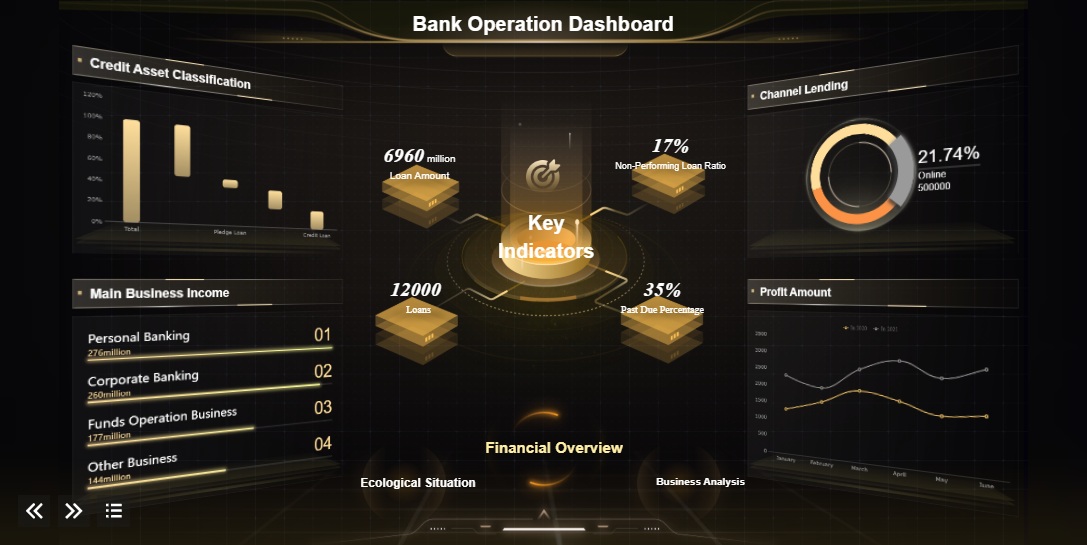
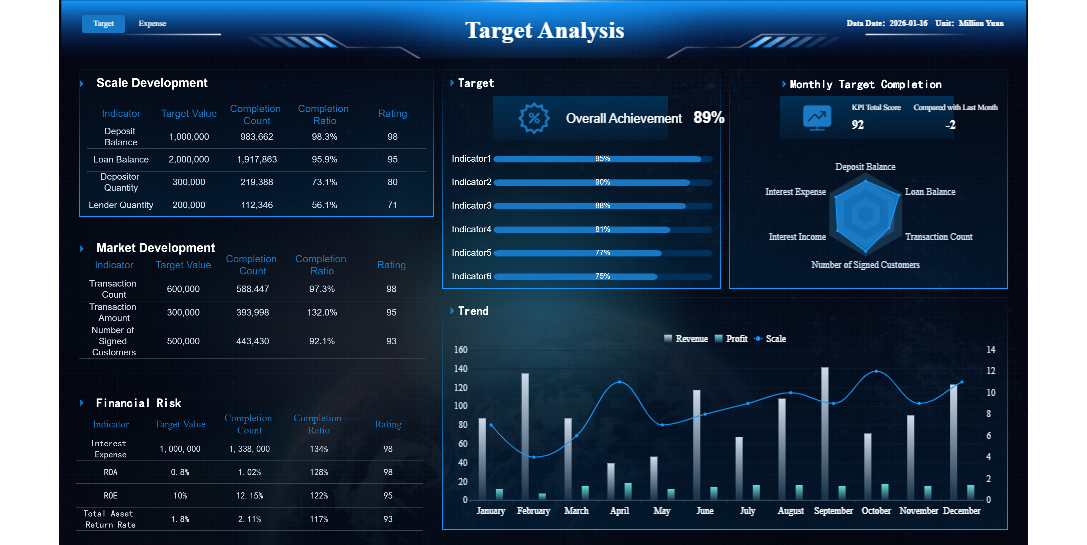
An online banking dashboard interface is a digital platform that allows you to view and manage your bank accounts, transactions, and financial tools in one place. You interact with this interface through your bank’s website or app to check balances, review statements, and perform essential tasks quickly.
A user-friendly dashboard makes your experience smooth and efficient. You can find features easily, understand your finances at a glance, and trust that your information stays secure. Research shows that users want clear navigation, fast access to services, and simple management tools. Security, reliability, and user experience matter most in digital banking.
You need practical steps and essential features to create a dashboard that meets these needs. This guide will help you build an online banking dashboard interface that feels intuitive and safe from the start.
Principles of an Online Banking Dashboard Interface
A successful online banking dashboard interface relies on three core principles:clarity and simplicity, security and trust, and personalization. These principles help you build online banking dashboard solutions that users find easy to use, secure, and engaging. Let’s explore how each principle shapes an effective bank dashboard.
Clarity and Simplicity
You want your online banking dashboard to present information in a way that is easy to understand. Minimalist design, clear language, and intuitive navigation all contribute to a user-friendly dashboard. When you see your financial data organized with structured layouts and consistent grids, you can quickly find what you need. Studies show that clarity and simplicity improve user satisfaction. For example:
Clear dashboards make financial data understandable.
Intuitive navigation helps you find essential information without confusion.
A well-structured online banking dashboard fosters trust and makes you feel secure.
A McKinsey study found that over half of dissatisfied users felt uncomfortable due to poor digital UX/UI. This highlights the importance of ease of use in every online banking dashboard interface.
You need to feel confident that your financial information stays safe. A secure banking app uses strong security featuresto protect your data. Common security measures include:
Multi-factor or biometric authentication
Real-time fraud alerts
Debit card freezes
Automatic timeouts and logout
Real-time monitoring of account activity
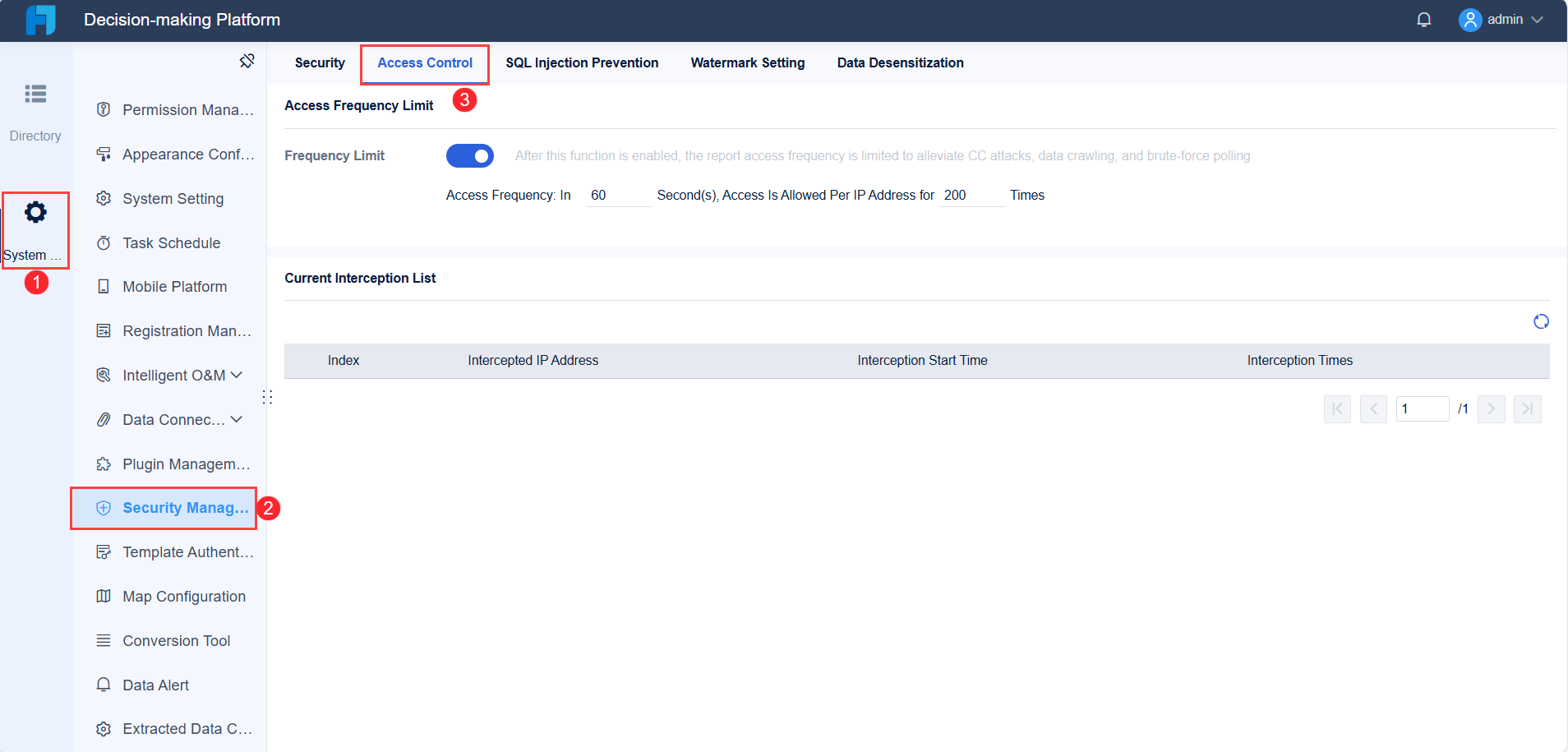
FineReport, for example, offers robust permission management and data security controls, helping you trust the platform. Visual security cues and fast, responsive interactions also build trust in the online banking dashboard interface.
Personalization creates a more engaging experience. When your online banking dashboard tailors content to your needs, you feel valued. Personalized experiences can include:
Personalization Tactic
Impact on Engagement and Retention
Tailored offers based on spending habits
Higher conversion rates and increased satisfaction
Personalized notifications
More interaction with relevant transactions and offers
Customized onboarding experience
Stronger connections and better user experience
Targeted upselling based on credit history
Improved customer lifetime value and higher retention rates
FineReport supports customization, allowing you to design dashboards that adapt to your preferences. This approach increases engagement and helps retain users.
By focusing on these principles, you can create an online banking dashboard interface that is clear, secure, and tailored to each user.
Design Process for Effective Bank Dashboards
Designing aneffective bank dashboard starts with understanding your users and ends with delivering a secure, personalized, and visually engaging online banking dashboard interface. You need a clear process to build online banking dashboard solutions that meet user expectations and regulatory standards. Follow these steps to create an interface that delivers a superior user experience.
Define User Needs and Goals
You must begin by identifying what your users want from an online banking dashboard. This step ensures that your dashboard aligns with both user expectations and business objectives. Use these methods to clarify user needs:
Create user personas to represent different customer groups and their specific requirements.
Conduct stakeholder interviews to gather insights from various users, including customers, managers, and support staff.
Identify key performance indicators that matter most to your organization and users.
When you define user needs, you set the foundation for a dashboard that supports personalized experiences and effective financial management. You also ensure that your online banking dashboard interface provides actionable insights and meets the demands of diverse users.
Plan the Dashboard Layout
A well-planned layout is essential for ease of use and strong ux. You want users to find information quickly and perform transactions without confusion. Consider these layout strategies:
Keep the interface clean and uncluttered.
Use logical navigation so users can access core features easily.
Make sure account monitoring is comprehensive and straightforward.
Simplicity is key in banking app design. Users often feel overwhelmed by complex interfaces, especially when managing finances. Ensuring that features are easy to find and use is crucial.
You should prioritize intuitive design and fast access to essential functions. When you build online banking dashboard layouts, focus on clarity and minimize distractions. This approach helps users manage their financial health with confidence.
Prioritize Key Features
Your dashboard must include the core features that users value most. Research shows that users want straightforward information, effortless financial management, and a personalized experience. Use the following table to guide your feature selection:
Key Feature
Description
Personalized experience
Users prefer financial products that utilize customer behavior data to create tailored experiences, particularly appealing to millennials.
Straightforward information
Users primarily check balances and track spending, necessitating clear and visually engaging presentation of information.
Clearly and intuitively designed UI
Many banks struggle with usability, leading to dissatisfaction with outdated and user-unfriendly solutions, as highlighted in user feedback.
Effortless financial management
Younger generations favor simpler, more efficient banking experiences, especially given their general lack of financial knowledge, making ease of use crucial.
You should prioritize features that support personalization, clear data presentation, and simple navigation. These elements drive engagement and retention, making your online banking dashboard interface more effective.
Integrate Security Measures
Security is a top priority when you design an online banking dashboard. You must protect sensitive user information and comply with regulatory requirements. Follow these best practices:
Implement robust security measures, including encryption for data in transit and at rest.
Use two-factor authentication and biometric verification for added protection.
Provide secure login and logout options.
Make real-time fraud alerts visible and easy to understand.
Regulatory standards such as NIS2, PSD3, and DORA require strong authentication and cybersecurity governance. Multi-factor authentication and transaction monitoring are essential controls. By integrating these measures, you build trust and ensure that your online banking dashboard interface meets industry standards.
You can enhance your online banking dashboard with advanced data visualization tools. FineReport offers a drag-and-drop interface, multi-source integration, and customizable layouts that make dashboard design efficient and flexible. See how FineReport’s features support effective bank dashboards:
Feature
Benefit
Drag-and-drop interface
Enables customizable dashboard layouts, allowing you to design dashboards that meet specific needs.
Multi-source integration
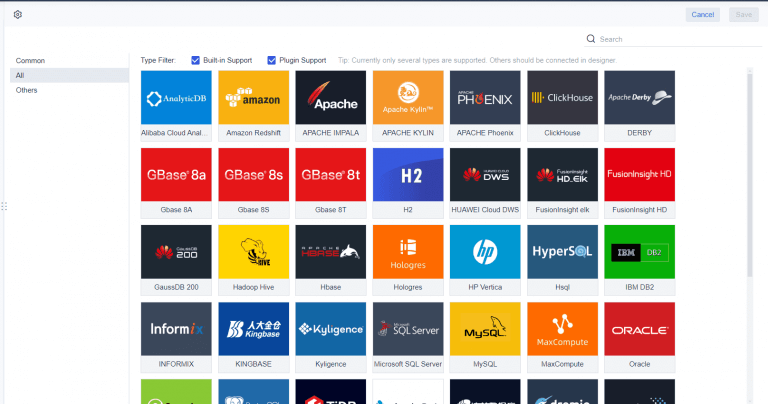
Facilitates flexible data integration from various databases, essential for handling complex financial data.
EXCEL-style memory cells
Supports various EXCEL table styles, enhancing the presentation of data in a familiar format.
Customizable layouts and styles
Allows for personalized dashboard development, making it suitable for different banking requirements.
Write-back forms
Enables data entry directly into associated databases, streamlining data management processes.
FineReport’s data visualization tools help you present key performance indicators and financial metrics in a clear, engaging format. You can create dashboards that adapt to different user roles and business needs. For example, Huaxia Bank used FineReport to overcome data silos and empower business users with self-service reporting and multi-end publishing. This approach improved operational efficiency and enhanced risk management.
When you use FineReport, you gain access to powerful data visualization tools that support real-time insights, personalized experiences, and secure data management. You can build online banking dashboard solutions that deliver value to both users and your organization.
By following this design process, you create an online banking dashboard interface that is user-focused, secure, and visually compelling. You ensure that your dashboard meets the needs of modern banking customers and supports effective decision-making.
FineReport'sMultiple Built-in Charts For Visualization
Usability and Accessibility in Online Banking Dashboards
Clear Data Visualization
You needclear data visualization to make sense of your finances on an online banking dashboard. Good banking app design uses charts, graphs, and tables to help you spot trends and understand your cash flow. When you see declarative titles, direct data labels, and clear units of measurement, you can quickly grasp key performance indicators. Use contextual subtitles to provide time frames or data sources. Progressive disclosure lets you see essential information first, with more details available if you want them. Interactive dashboards, heatmaps, and annotated time series charts make complex financial data easier to understand. These techniques support ease of use and help you make informed decisions.
Mobile and Responsive Design in Banking Apps
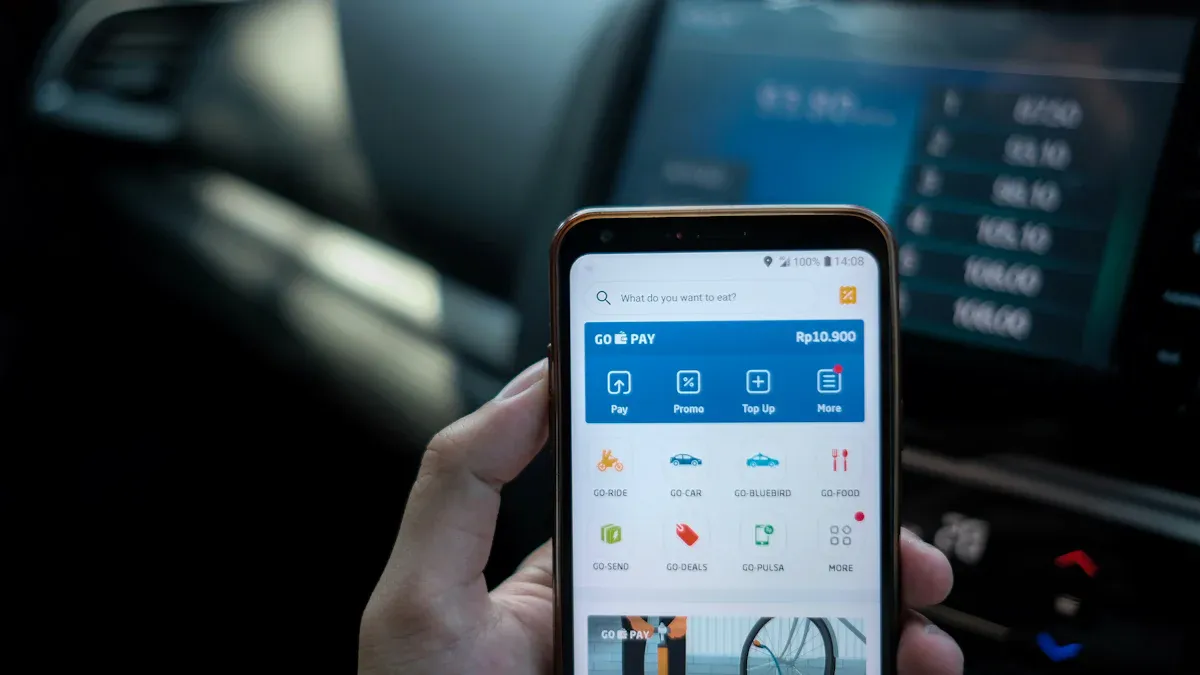
Banking app design must focus on mobile banking design and responsiveness. You expect to access your accounts and complete transactions from any device, whether you use a phone, tablet, or desktop. Responsive layouts and scalable images ensure your experience remains consistent. Mobile responsiveness means the dashboard adapts to different screen sizes without losing functionality. FineReport’s mobile dashboard and adaptive design let you monitor your finances on the go. In banking app design, you benefit from features like instant customer service, advanced security, and personalized experiences. Cross-device compatibility is essential in banking app design, so developers use frameworks that support both iOS and Android. Testing across devices ensures banking app design works smoothly everywhere. Mobile banking design also improves user satisfaction and adoption rates.
Feature
Impact on User Adoption and Satisfaction
Convenience
Access accounts anytime, boosting satisfaction
Security
Advanced measures build trust in banking app design
Personalization
Custom experiences increase engagement
Customer Service
Instant help improves banking app design satisfaction
Accessibility in banking app design ensures everyone can use the online banking dashboard. You should find high-contrast colors, clear typography, and structured layouts for readability. Keyboard navigation lets you move through the dashboard without a mouse. Accessible forms with clear labels work well with screen readers. Video captions and the ability to resize text up to 200% help users with different needs. Descriptive alt text for images and logical content organization make navigation easier. Following these guidelines in banking app design creates an inclusive experience for all users.
Testing and Iterating Your Dashboard
Testing and iterating your online banking dashboard is essential for delivering a user-friendly banking app that meets real-world needs. You should start with prototyping. Prototypes let you visualize the dashboard and test ideas before full development. FineReport's flexible design tools help you build online banking dashboard prototypes quickly, so you can gather feedback and make changes early.
User Testing and Feedback
You need to involve real users in the testing process to ensure ease of use and privacy. Start by focusing on how different user roles interact with the dashboard. Use theseeffective methods for testing:
User-centric design sessions help you see how different users handle financial data.
Track both technical performance and user-focused metrics to measure effectiveness.
Schedule regular reviews and updates to keep the dashboard relevant.
Run A/B tests to compare layouts and features.
Analyze user interactions to find confusing areas.
Test for accessibility to meet WCAG 2.1 standards.
You can use feedback mechanisms like task-based usability tests and feedback surveys. These tools let users answer questions by exploring the dashboard and sharing insights on navigation and information clarity.
Feedback Mechanism
Description
Task-based usability test
Users complete tasks to assess how easily they find information.
Feedback survey
Users rate information adequacy, navigation, and accuracy of figures.
User feedback often leads to improvements such as easy-to-read widgets, better navigation, and streamlined onboarding. You can also respond to requests for new features directly from the dashboard.
Continuous Improvement
Continuous improvement ensures your dashboard stays effective and secure. Use a cycle of plan, do, check, and act:
Plan by identifying problems or opportunities and setting clear goals.
Do by testing new features or refining workflows on a small scale.
Check by measuring results and comparing them to expectations.
Act by standardizing what works and refining what does not.
Track your progress with these common metrics:
Metric
Description
Customer Satisfaction
Measures how well you meet user expectations and build loyalty.
Employee Engagement
Shows how engaged your team is in improvement efforts.
Product Quality
Tracks defect rates and rework costs to ensure high standards.
Delivery Performance
Measures on-time delivery rates, which impact user trust.
Customer Loyalty
Uses retention rates and NPS to gauge long-term relationships.
By following these steps, youcreate effective bank dashboards that adapt to user needs and industry changes. Iteration helps you maintain a secure, high-quality dashboard that supports both business goals and user satisfaction.
You can design a user-friendly online banking dashboard interface by following clear steps. Start by defining the dashboard’s purpose and understanding user needs. Create a clean, modern layout and add interactive features for personalization. Focus on strong data management and gather feedback for ongoing improvements. Usability, security, and continuous improvement build trust in banking apps. When you apply these best practices and use tools like FineReport, you help users manage their finances with confidence.
Continue Reading About Online Banking Dashboard Interface
Access a wealth of case studies, industry insights, and solution guides to accelerate digital transformation.
FAQ
What features should you include in an online banking dashboard interface?
You should include account overviews, recent transactions, fund transfers, bill payments, and security alerts. Clear navigation and customizable widgets help you manage your finances efficiently.
How do you keep your online banking dashboard interface secure?
You can use multi-factor authentication, strong encryption, and real-time fraud monitoring. Regularly update your passwords and review account activity to protect your information.
Why does mobile responsiveness matter for an online banking dashboard interface?
Mobile responsiveness lets you access your dashboard from any device. You can check balances, transfer funds, and receive alerts wherever you are, improving convenience and user satisfaction.
How can you personalize your online banking dashboard interface?
You can customize widgets, set notification preferences, and choose which accounts or data appear first. Personalization helps you focus on what matters most to you.
What makes data visualization important in an online banking dashboard interface?
Data visualization helps you quickly understand spending patterns, account balances, and financial trends. Charts and graphs make complex information easy to read and act on.