
An OEE dashboard is a digital tool that tracks and displays key equipment metrics in real time. You use an OEE dashboard to monitor the health of your machines and quickly spot issues that impact production. OEE stands for Overall Equipment Effectiveness. It measures how well your equipment performs by looking at three core factors: availability, performance, and quality. When you track these metrics on a dashboard, you gain instant visibility into operations. This helps you detect trends, identify root causes of losses, and align your team on production goals. Many manufacturers now rely on real-time monitoring to drive data-based decisions and improve productivity. FineReport offers a powerful solution for building OEE dashboards and integrating equipment data from across your facility.
What is OEE Dashboard (Overall Equipment Effectiveness)
OEE Definition and Importance
You use overall equipment effectiveness to measure how well your manufacturing equipment performs during scheduled operations. OEE identifies the percentage of planned production time that is truly productive. This oee metric is the gold standard for tracking lost productive time in manufacturing. When you monitor oee, you see how well your machines run compared to their full potential. An oee score of 100% means your equipment produces only good parts, at maximum speed, with zero interruptions.
Having a real-time snapshot of how well equipment is functioning helps drive continuous improvement and operational transparency.
OEE is critical for manufacturing because it focuses on three essential components: availability, performance, and quality. You can use oee to optimize machine utilization, reduce waste, improve production efficiency, and identify bottlenecks that cause downtime.
- Optimizes machine utilization
- Reduces waste
- Improves production efficiency
- Identifies bottlenecks and minimizes downtime
Core Components: Availability, Performance, Quality
OEE breaks down into three main factors:
- Availability: Measures the percentage of scheduled time that the equipment is available for production. Unplanned stops and breakdowns lower this value.
- Performance: Looks at whether your equipment runs at its maximum possible speed. Slow cycles and minor stops reduce performance.
- Quality: Tracks the ratio of good parts produced versus total parts. Defects and rework lower quality.
A good oee score is considered 85%. Typical oee scores vary by industry, such as 60-75% for discrete manufacturing and 65-80% for automotive.
OEE Calculation in Manufacturing
You calculate oee using three formulas, one for each component. Here is how you do it:
- Availability = Run Time / Planned Production Time
- Performance = (Ideal Cycle Time × Total Count) / Run Time
- Quality = Good Count / Total Count
- OEE = Availability × Performance × Quality
| Component | Formula |
|---|---|
| Availability | Run Time / Planned Production Time |
| Performance | (Ideal Cycle Time × Total Count) / Run Time |
| Quality | Good Count / Total Count |
| OEE | Availability × Performance × Quality |
OEE calculation gives you a clear view of where your production process loses efficiency. By tracking oee, you can target improvements in availability, performance, or quality. This approach helps you boost productivity and maintain high standards in your manufacturing operations.
OEE Dashboard Features and Functions

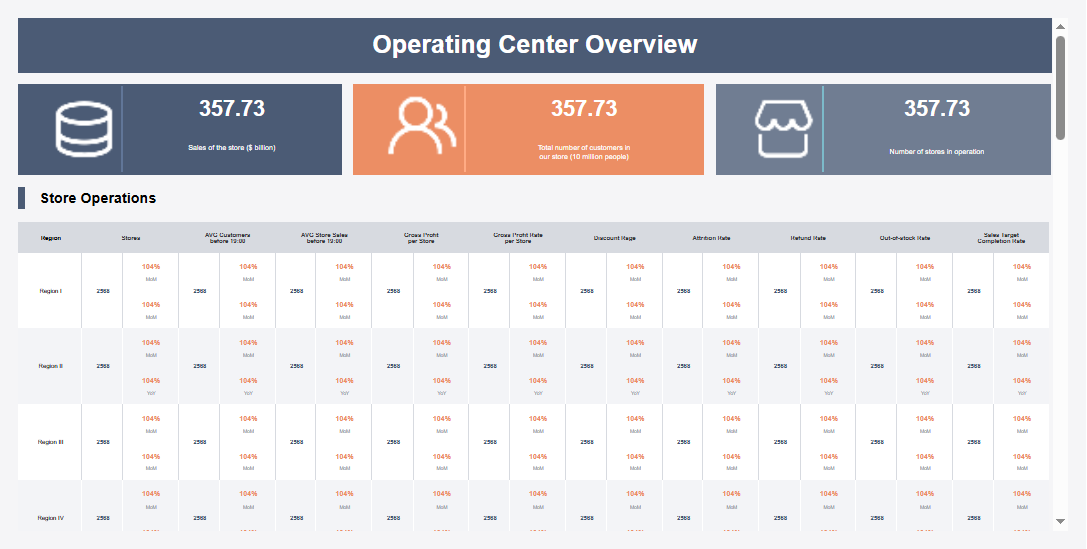
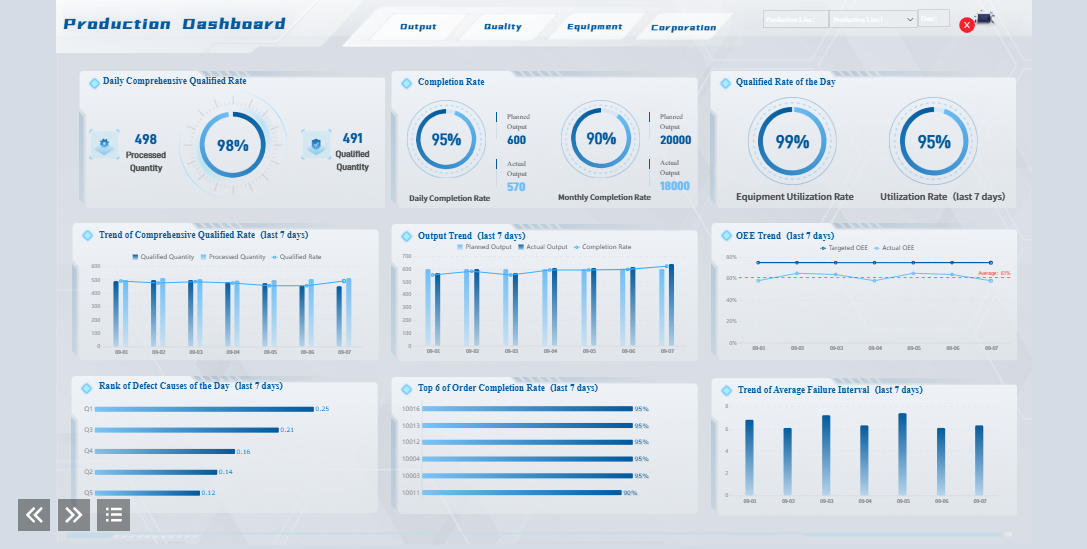
An OEE dashboard acts as a production visibility tool that brings together all your equipment data in one place. You use this dashboard to monitor, analyze, and improve your manufacturing processes. The key features of an effective oee dashboard help you see exactly how your machines perform, where losses occur, and what actions you need to take. This section explains how you can use an oee dashboard to gain real-time visibility into operations and drive better results.
Real-Time Monitoring and Visualization
You need real-time data to make quick decisions in manufacturing. An oee dashboard gives you live updates from your machines, so you always know what is happening on the shop floor. Real-time monitoring means you do not have to wait for manual reports or delayed summaries. You see the current status of every piece of equipment as it happens.
With real-time visualization, you can:
- Collect data automatically from machines to maximize oee improvement efforts.
- Analyze trends as they develop, which helps you find the root causes of problems.
- Develop new maintenance strategies based on up-to-date information.
- Speed up decision-making because you have instant access to critical performance data.
- Reduce waste by spotting issues early and responding quickly.
- Improve collaboration among teams by sharing the same real-time oee scores and KPIs.
A manufacturing dashboard with these capabilities lets you optimize processes and meet production goals more effectively. You can respond to changes in production conditions without delay.
Key Metrics and KPIs Displayed
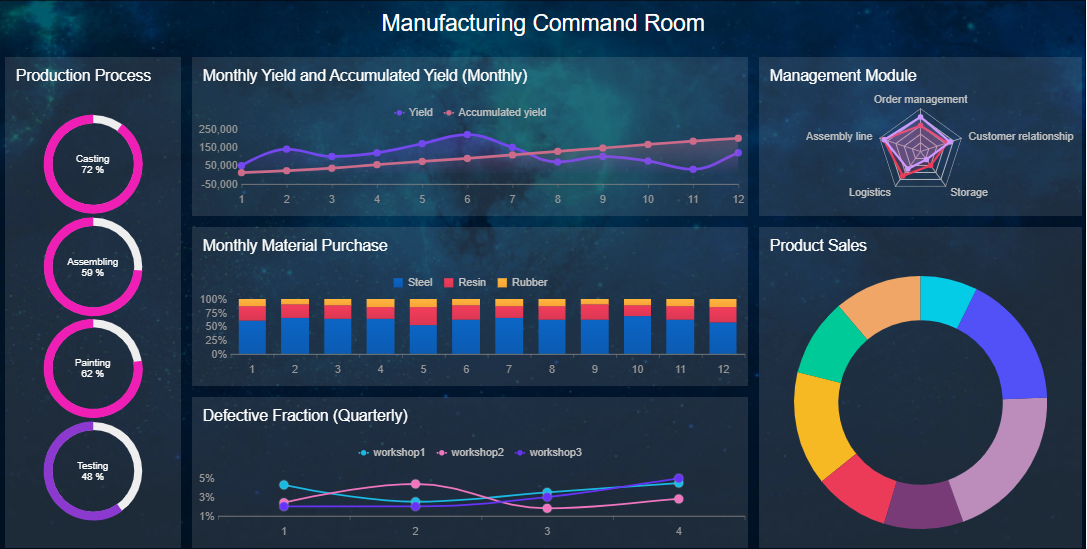
The oee dashboard displays the most important metrics for your manufacturing operations. These key features of an effective oee dashboard ensure that you always track the right data for continuous improvement.
| Metric | Description |
|---|---|
| Overall Equipment Effectiveness (OEE) | The main KPI for measuring manufacturing efficiency. It captures major production losses in a single number. |
| Availability | Shows how often equipment is available for production. Measures uptime and highlights unplanned stops. |
| Performance | Assesses if production runs at the maximum possible speed. Identifies slow cycles and minor stops. |
| Quality | Evaluates the proportion of good products produced versus total products. Tracks defects and rework. |
You see these metrics in real time on your dashboard. The built-in oee calculation ensures you always have accurate and consistent numbers. You can customize views for different roles, such as operators, supervisors, or managers, so everyone gets the information they need.
Actionable Insights and Alerts
An oee dashboard does more than just display numbers. It gives you actionable insights and sends alerts when something goes wrong. This helps you reduce downtime and keep production running smoothly.
| Feature | Benefit |
|---|---|
| Real-time data capture | Enables immediate action on emerging issues, reducing response time. |
| Instant notifications | Alerts key personnel of unplanned downtime for faster resolution. |
You get live insights into equipment performance. The dashboard alerts you when a machine operates below capacity, so you can intervene right away. By analyzing both historical and real-time data, you can predict potential equipment failures. This lets you schedule maintenance before problems occur, preventing unexpected breakdowns and saving time and resources.
Here is how you benefit from actionable insights and alerts:
- You analyze historical and real-time data to anticipate equipment failures.
- You schedule maintenance proactively to avoid unexpected breakdowns.
- You respond to alerts quickly, which reduces downtime and improves production efficiency.
FineReport’s Role in OEE Dashboards
After understanding the key features of an effective oee dashboard, you may want a solution that brings all these elements together. FineReport stands out as a powerful tool for building interactive, real-time oee dashboards. You can integrate FineReport with your MES systems and other manufacturing data sources, creating a seamless flow of information.
FineReport supports:
- Real-time data integration from multiple sources, including MES and IoT devices.
- Structured and standardized data, which ensures your analytics provide valuable insights.
- Customizable dashboards with 3D visualization, mobile access, and role-based views.
- Automated alerts and notifications to keep your team informed and proactive.
With FineReport, you can design dashboards that fit your unique production environment. You gain real-time visibility into operations, improve collaboration, and make smarter decisions based on accurate, up-to-date data.
How to Build an OEE Dashboard with FineReport
If you want to improve your manufacturing operations, you need to know how to build an oee dashboard that fits your unique environment. Getting started with oee dashboards involves several steps, from connecting your data sources to designing a dashboard that delivers actionable insights. FineReport gives you the tools to create a flexible and powerful oee dashboard that supports real-time monitoring and continuous improvement.
Data Integration and Connectivity
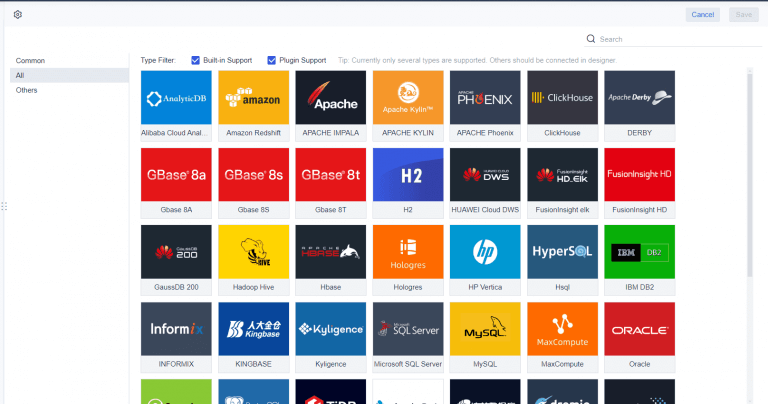
Getting started with oee dashboards begins with data integration. You must connect your equipment, sensors, and existing systems to your dashboard. FineReport supports connections to a wide range of data sources, including MES, ERP, IoT devices, and databases like SQL Server, Oracle, and MySQL. You can also import data from Excel or CSV files if needed.
You use FineReport’s data connectors to bring all your production data into one place. This integration ensures your oee calculations are accurate and up to date. You do not need to write complex code. The drag-and-drop interface lets you map data fields quickly. You can set up automatic data refresh intervals to keep your dashboard current. This approach helps you monitor oee in real time and respond to changes on the shop floor.
Tip: Start by identifying all the data sources that impact your oee. Connect these sources to FineReport to ensure a complete view of your production process.
Dashboard Layout and Customization
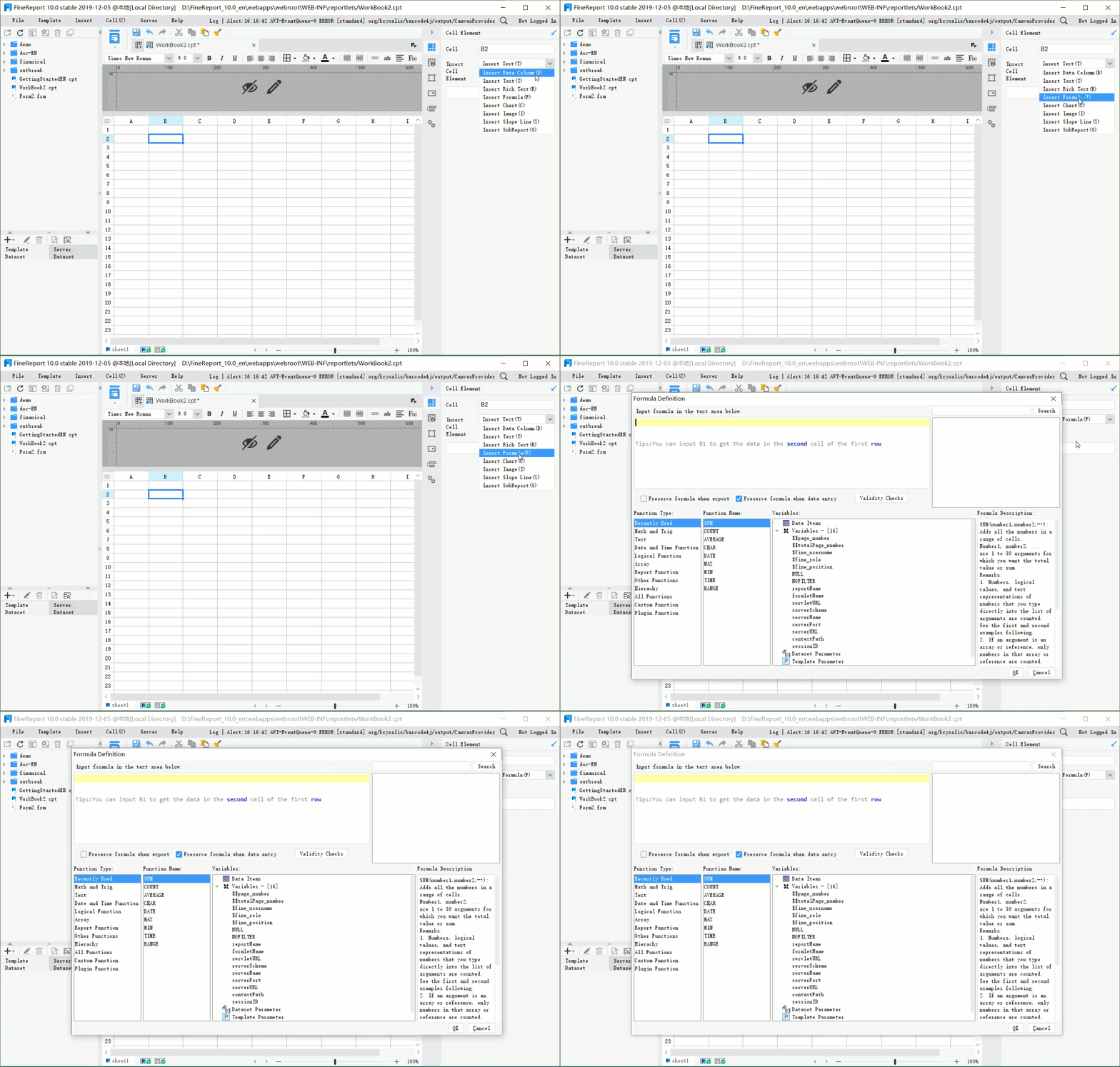
Once you have integrated your data, you need to design a dashboard that is easy to use and understand. Getting started with oee dashboards means choosing the right layout and customizing it for your team’s needs. FineReport offers a flexible dashboard layout with options like tiled, vertical, horizontal, or full-screen views.
Custom dashboards allow employees to monitor only the data that matters to them. You can create role-specific views for operators, supervisors, or managers. This reduces unnecessary complexity and makes navigation simple. You can also add interactive charts, tables, and 3D visualizations to highlight key oee metrics.
Here is how different design elements impact usability:
| Design Element | Impact on Usability |
|---|---|
| Tailored Insights | Provides role-specific data presentation, reducing overload. |
| Improved Visibility | Enhances readability and accessibility across devices. |
| Real-time Monitoring | Facilitates quick decision-making for manufacturing teams. |
You can access your dashboard on any device, including PCs, tablets, and smartphones. This flexibility increases user engagement and supports digital transformation in your manufacturing operations.
Implementation Steps and Best Practices
You can follow these steps to build an effective oee dashboard with FineReport:
- Define Your Goals
Decide what you want to achieve with your oee dashboard. Set clear objectives, such as reducing downtime or improving quality. - Connect Data Sources
Use FineReport’s data connectors to link all relevant systems and equipment. Make sure you include data for availability, performance, and quality. - Design the Dashboard Layout
Choose a layout that matches your workflow. Add charts, tables, and KPIs that highlight oee and other production metrics. - Customize Views for Different Roles
Create dashboards for different users. Operators may need real-time alerts, while managers may want trend analysis. - Set Up Real-Time Monitoring
Configure automatic data refresh and real-time alerts. This ensures you always have the latest information. - Test and Refine
Review your dashboard with end users. Gather feedback and make adjustments to improve usability and effectiveness. - Train Your Team
Provide training so everyone knows how to use the dashboard and interpret oee data.
Note: Start small with a pilot project. Expand your oee dashboard as your team becomes more comfortable with the system.
Case Study: Danfoss Digital Transformation
You can see the real-world impact of getting started with oee dashboards by looking at Danfoss, a global leader in energy efficiency. Danfoss faced challenges with data silos, manual records, and inefficient production tracking in its machining workshop. The company decided to implement FineReport to drive digital transformation.
Workers used handheld devices to collect production data. FineReport integrated this data and provided real-time oee dashboards for both mobile and desktop users. The dashboard displayed key metrics such as availability, performance, and quality. Managers could monitor operations instantly and respond to issues as they happened.
The results were impressive:
- Operational efficiency increased by 2.8%.
- OEE improved by 3%.
- Customer complaints dropped by 57%.
- Labor productivity rose by 30%.
- The workshop saved significant costs by going paperless.
Danfoss achieved these gains by following best practices for oee dashboard implementation. The company connected all relevant data sources, customized dashboards for different roles, and trained staff to use the new system. This approach made production more transparent and responsive.
Getting started with oee dashboards can transform your manufacturing operations. You gain real-time visibility, reduce downtime, and make smarter decisions. FineReport provides the tools and flexibility you need to build an oee dashboard that drives continuous improvement.
Benefits of OEE Dashboard in Manufacturing
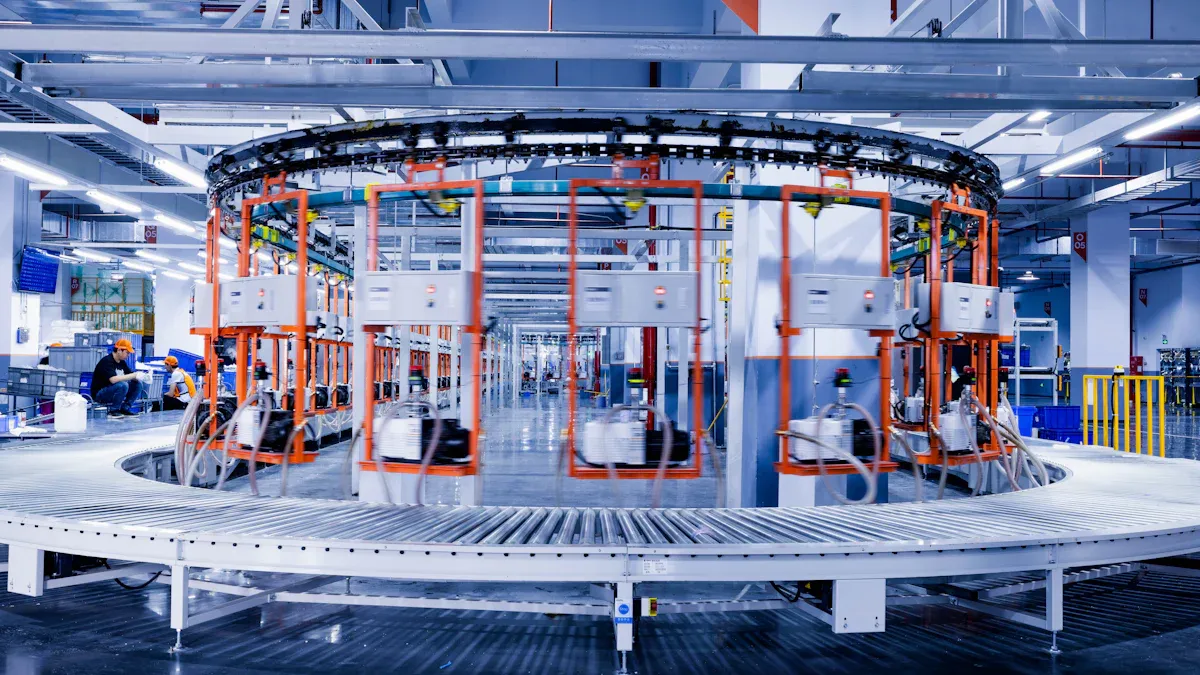
Improved Efficiency and Productivity
You can use an oee dashboard to transform your manufacturing operations. Accurate data and strong analytics replace manual calculations. Real-time monitoring from connected equipment helps you assess oee and identify losses quickly. Many plants have seen a 15% reduction in downtime and better product quality after implementing an oee dashboard. You can use these insights to drive improvement and optimize production. OEE software enables you to spot downtime, quality losses, and performance gaps, which leads to continuous improvement.
Predictive Maintenance and Downtime Reduction
You gain the ability to predict equipment issues before they cause unplanned stops. An oee dashboard tracks real-time data and alerts you to early warning signs. This approach reduces downtime by up to 30% and increases equipment efficiency by 20%. You also see a decrease in defect rates and save up to 100 hours of annual downtime. Predictive maintenance keeps your production running smoothly and helps you avoid costly interruptions.
| Metric | Impact |
|---|---|
| Reduction in Downtime | Up to 30% |
| Increase in Equipment Efficiency | 20% |
| Decrease in Defect Rates | 15% |
| Annual Downtime Savings | 100 hours |
Enhanced Decision-Making and Transparency
You make better decisions when you have clear, up-to-date oee data. An oee dashboard provides instant access to key metrics, so you can respond quickly to changes in production. Transparent oee report data helps you align teams and set realistic goals. You can share oee report results with operators and managers, which improves communication and accountability.
Real-World Use Cases and Value Proposition
Many companies have seen measurable benefits of using an oee dashboard. For example, ABC Manufacturing increased overall equipment efficiency by 15% and reduced unplanned downtime by 30%. PQR Electronics improved its oee score by 12% in six months by focusing on shift-based performance gaps. Global leaders like Nestlé, Toyota, Siemens, and Foxconn have achieved high oee scores by investing in digital monitoring, automation, and continuous training.
| Company | Benefit Description | Improvement Metrics |
|---|---|---|
| ABC Manufacturing | Automated oee dashboard increased efficiency by 15%. | Reduced unplanned downtime by 30%. |
| PQR Electronics | Shift-based analysis closed performance gaps. | Improved oee score by 12% in six months. |
You can see that the benefits of using an oee dashboard include higher efficiency, reduced downtime, and better production outcomes.
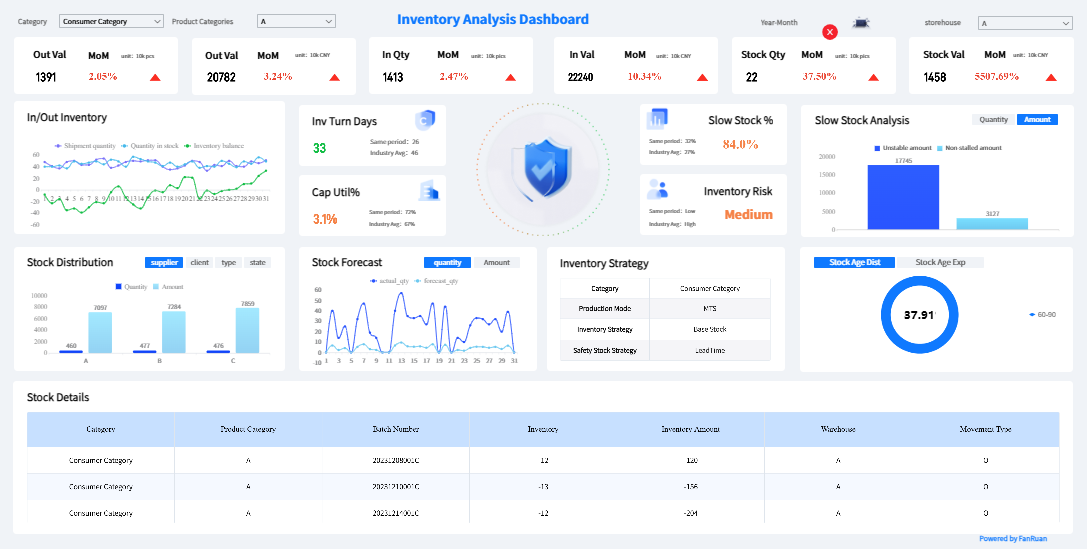
You can drive manufacturing optimization by adopting an OEE dashboard. This tool gives you real-time updates, reveals hidden capacity, and standardizes productivity metrics. FineReport empowers you to build dashboards that support continuous improvement and proactive management. Start by ensuring accurate data collection and integrating advanced analytics tools. When you embrace digital transformation, you position your operations for better decision-making and measurable results.

Continue Reading About OEE Dashboard
Best Dashboard Apps for Business Insights
What is a Call Center Dashboard and Why Does It Matter
What is a Reporting Dashboard and How Does it Work
What is An Interactive Dashboard and How Does It Work
What is a Call Center Metrics Dashboard and How Does It Work
Frequently asked questions
You use an OEE dashboard to track and visualize equipment effectiveness in manufacturing. It displays real-time data on availability, performance, and quality. This tool helps you identify losses and improve production efficiency.



