
A multiple project dashboard is a unified platform that lets you monitor, analyze, and control several project activities, timelines, and resources in one place, making your project management more efficient and transparent.
Managing multiple projects without a project dashboard often leads to confusion and wasted time. You may face these challenges:
- Fragmented project data that causes inefficiency.
- Outdated information that delays decisions.
- Manual reporting that drains your resources.
Real-time visibility through a project management dashboard keeps your team aligned and helps you act fast. FineReport simplifies this process by connecting all your project data, so you gain the control and insight you need for successful outcomes.
Multiple Project Dashboard Overview
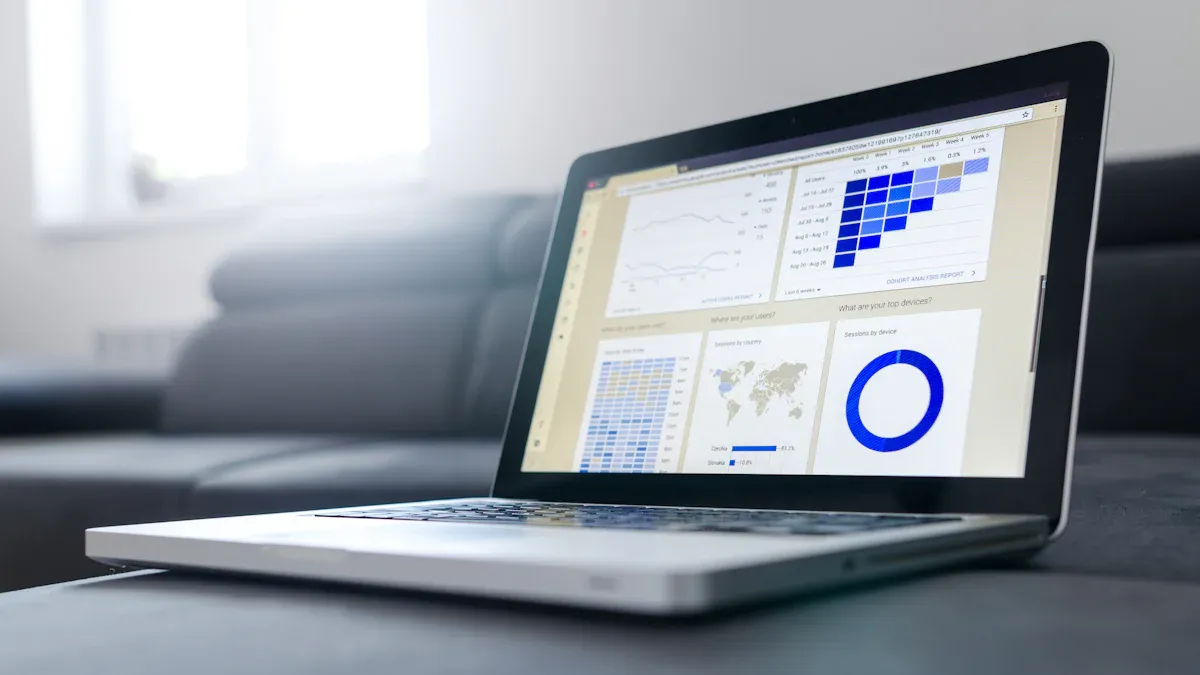
A multiple project dashboard gives you a single place to track, analyze, and manage several projects at once, improving your control and visibility.
What Is a Multiple Project Dashboard
You use a multiple project dashboard to oversee many projects from one central hub. This dashboard brings together all your project data, so you can see progress, deadlines, budgets, and team performance in real time. You do not need to switch between different tools or spreadsheets. Instead, you get a clear overview that helps you make quick decisions and keep everything on track.
A typical multiple project dashboard includes several core components:
- Task tracker: Organize and assign tasks to team members.
- Real-time updates: See live changes and progress for each project.
- Milestone tracker: Monitor important goals and deadlines.
- Customizable views: Focus on the information that matters most to you.
- Performance metrics: Check how projects are performing and spot issues early.
- Budget: Track spending and control costs for each project.
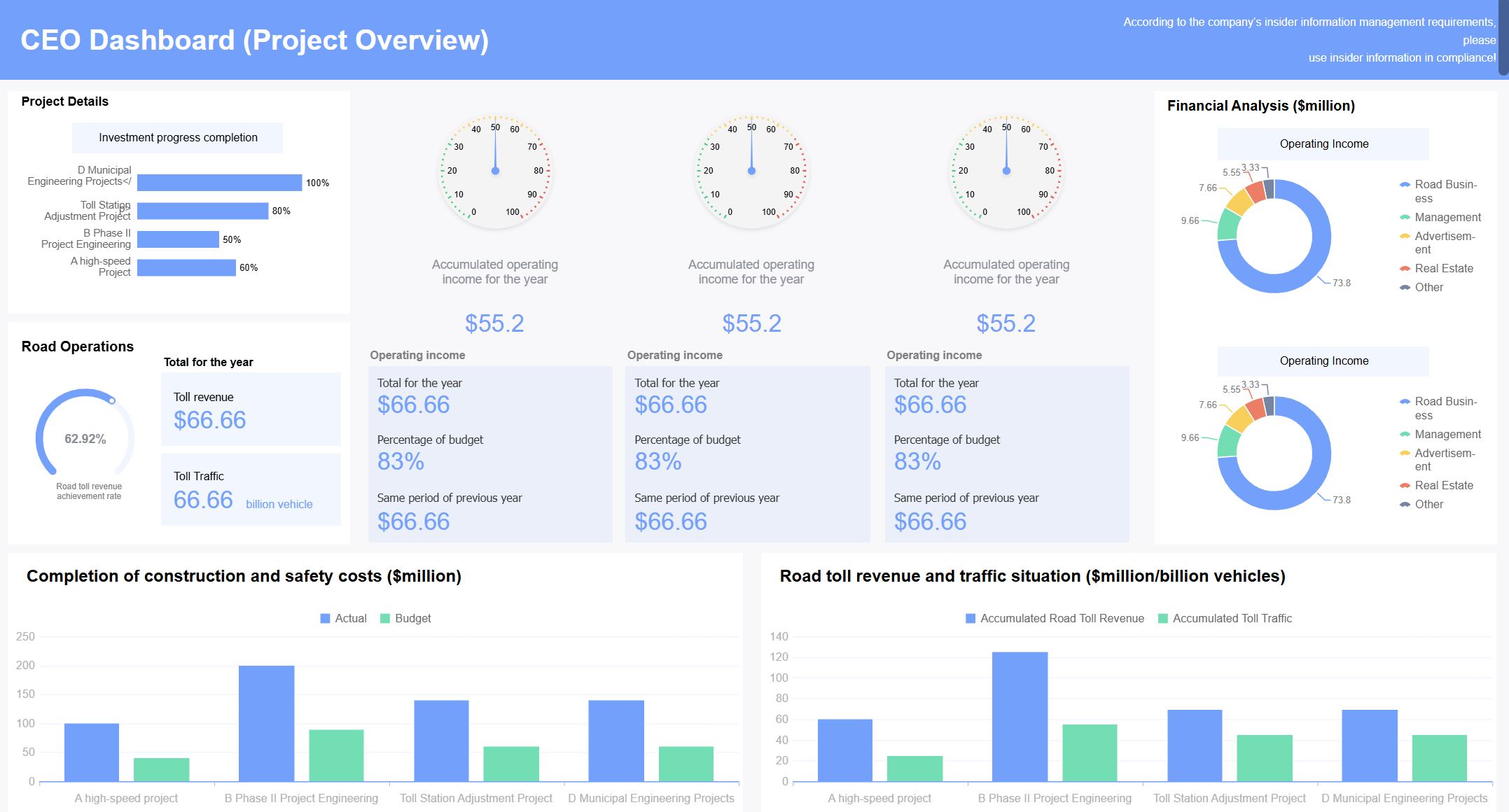
With these features, you gain visibility across all your projects. You can spot delays, manage resources, and respond to changes quickly. The dashboard helps you avoid confusion and keeps your team aligned.
Tip: Use customizable views to filter out noise and focus on the projects that need your attention most.
How It Differs from Single Project Tools
A multiple project dashboard stands apart from single project management tools. You get a broad view of all your projects, not just one. This dashboard summarizes key data and visuals from your entire project portfolio. You can track budgets, statuses, and tasks across many projects at once. A project management dashboard gives you insights that single project tools cannot.
| Feature | Multiple Project Dashboards | Single Project Management Tools |
|---|---|---|
| Strategic Alignment | Aligns multiple projects with overall business goals | Focuses on individual project tasks |
| Real-time Reporting | Provides insights across all projects | Limited to the specific project |
| Enhanced Communication | Facilitates communication across project teams | Primarily within a single project team |
You benefit from condensed information. The dashboard serves as a quick reference for monitoring performance across various projects. You do not need to dig through separate reports or tools. You see everything in one place.
Single project tools have limitations when you manage several projects. You may face resource allocation problems, scheduling conflicts, and communication breakdowns. The table below shows common challenges:
| Limitation | Description |
|---|---|
| Resource Allocation | Competing demands for resources can lead to inefficiencies and conflicts. |
| Scheduling Conflicts | Overlapping timelines can cause delays across projects due to dependencies. |
| Communication Breakdowns | Increased team involvement can lead to miscommunication, impacting project success. |
| Bottlenecks | When multiple teams vie for the same resources, it can create significant delays. |
| Change Management | Constant changes in scope and requirements can disrupt project plans and execution. |
A multiple project dashboard solves these problems by giving you a unified view. You can allocate resources, resolve conflicts, and communicate more effectively. You keep your projects moving forward and avoid bottlenecks.
You use a project dashboard to gain real-time updates and improve your project management. You see all your projects, track progress, and make better decisions. This approach helps you deliver successful results every time.
Why Multiple Project Dashboards Matter
Centralized Oversight and Control
You need a clear view of all your projects to make smart decisions. A multiple project dashboard gives you centralized oversight, so you can monitor every project from one place. This dashboard condenses scattered information into a single, easy-to-read view. You see a real-time snapshot of progress, deadlines, and budgets for multiple projects. This helps you spot issues early and act fast.
Here is how a project dashboard supports centralized control:
| Feature/Benefit | Description |
|---|---|
| Comprehensive Overview | Visualizes key metrics and KPIs for every project, improving project visibility. |
| Enhanced Communication | Keeps your team and stakeholders informed and aligned with project goals. |
| Data-Driven Decision-Making | Highlights critical issues and trends, so you can make quicker, more informed decisions. |
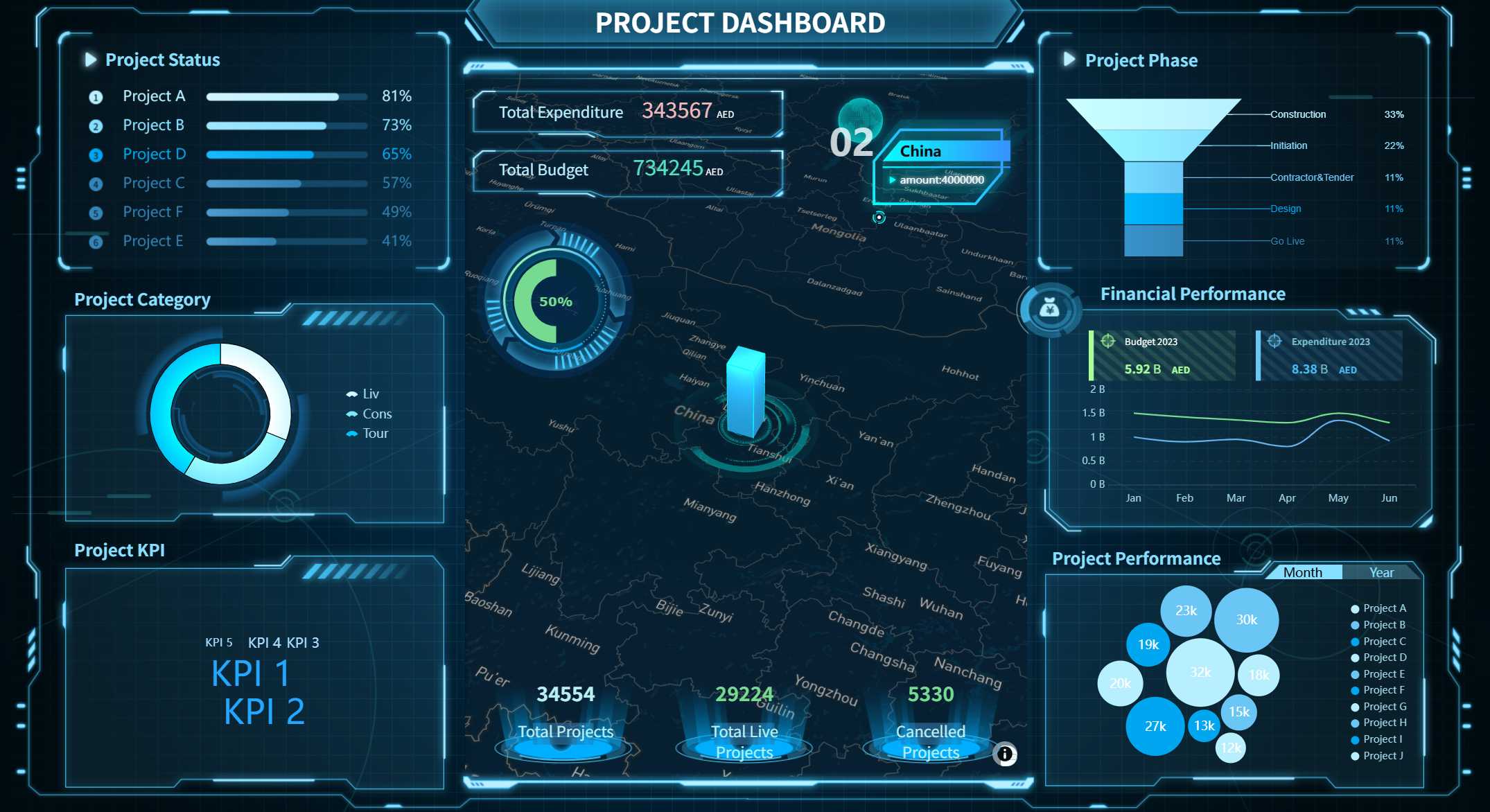
You use a project management dashboard to track key metrics and get real-time updates. This makes it easier to allocate resources, resolve conflicts, and keep your projects on schedule. You do not waste time searching for information. Instead, you get a clear overview that helps you lead your team with confidence.
Tip: Use customizable views in your dashboard to focus on the projects that need your attention most.
Solving Common Project Management Challenges
Managing multiple projects brings many challenges. You may struggle with accountability, impractical deadlines, outdated strategies, scope creep, poor communication, and team workload mismanagement. A project dashboard helps you solve these problems by giving you better tracking, task assignment, and communication tools.
Consider these benefits:
- You track tasks and timelines for every project, making sure deadlines are met.
- You monitor workloads and assignments in real time, preventing burnout and optimizing resources.
- You get real-time updates on project metrics, so you can adjust plans and manage budgets effectively.
- You use built-in collaboration tools to reduce misunderstandings and keep everyone aligned.
- You tailor your dashboard views to your role, improving focus and efficiency.
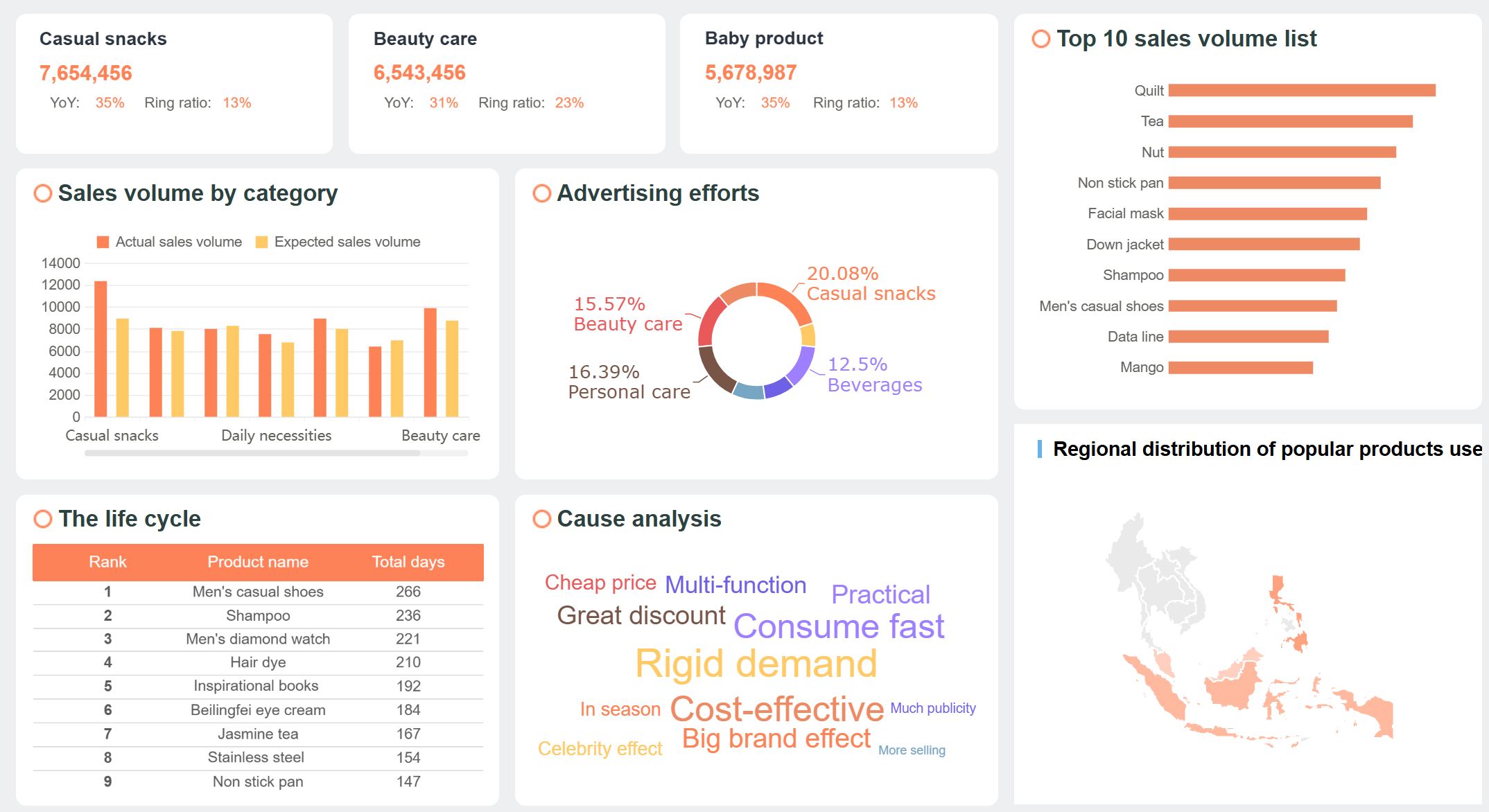
A project management dashboard improves visibility and decision-making across all your projects. You see where things stand, spot delays, and respond quickly. This leads to better outcomes and more successful project delivery.
Note: When you use a multiple project dashboard, you gain the project visibility you need to keep every project moving forward.
Key Benefits of a Multiple Project Dashboard
Enhanced Visibility and Collaboration
You gain a clear view of every project when you use a multiple project dashboard. This dashboard brings together all your project data, so you see progress, deadlines, and team performance in one place. You do not need to search through emails or spreadsheets. Instead, you get a real-time snapshot of your projects.
| Improvement Type | Description |
|---|---|
| Enhanced Transparency | Provides a clear view of project metrics, fostering trust and accountability among team members. |
| Improved Communication | Facilitates better information sharing, leading to more effective collaboration. |
| Data-Driven Decision-Making | Empowers teams to make informed choices based on real-time data, improving project outcomes. |
A project dashboard acts as a centralized hub. Your team stays aligned because everyone sees the same information. You can use Gantt charts and key performance indicators to track project health and timelines. This visibility helps you spot risks early and adjust your strategy quickly.
Improved Productivity and Decision-Making
A project dashboard boosts your productivity. You spend less time searching for details because all project information is centralized. Your team can focus on tasks, which leads to faster work and better results. You meet deadlines more easily.
- Enhanced transparency leads to improved team efficiency and performance.
- Increased productivity happens when you centralize project data.
- Teams focus on their tasks, so work speeds up and deadlines are met.
- Dashboards provide real-time insights into project health, helping you make quick decisions.
- You optimize resource allocation by identifying underused or overworked teams.
Project management dashboard tools help you understand key metrics. You see which projects need attention and which teams need support. You make decisions based on clear visuals and real-time updates.
Real-Time Data and Reporting
You benefit from real-time updates with a project dashboard. You see project status, resources, and budgets as they change. This immediate insight helps you respond to issues before they grow.
| Centralized View Benefit | Description |
|---|---|
| Real-Time Data | Provides up-to-date information on project status, enabling timely interventions. |
| Quick Issue Identification | Helps project managers spot potential problems early, preventing escalation. |
- Dashboard software gives you a single view of project health.
- Real-time visibility lets you track progress and revenue.
- Immediate insights help you analyze trends and adjust strategies.
- Consolidated reporting keeps everyone informed about resources and budgets.
- Real-time data dashboards identify risks early, so you prevent setbacks.
- Real-time updates allow teams to adapt and deliver projects on time and within budget.
A project dashboard supports better project management. You see all your multiple projects in one place, track key metrics, and make informed decisions. You keep your projects moving forward with confidence.
Key Features of a Multiple Project Dashboard
Customizable Views and Filters
You need a project dashboard that adapts to your workflow. Customizable views and filters let you focus on what matters most for each project. You can track task progress, manage resources, and measure goal attainment with ease. This flexibility helps you prioritize tasks and monitor progress efficiently.
- Understand task progress for every project.
- Allocate resources where they are needed most.
- Measure how close you are to reaching your goals.
Custom fields and visual tools, such as Gantt charts and kanban boards, help you and your team work together in the way that suits you best. You can also create separate dashboard views for executives, managers, and team members. This ensures everyone sees the information they need.
| Customization Feature | Description |
|---|---|
| Widget variety | 30+ visualization options for different data types. |
| Multiple dashboard views | Separate interfaces for executives, managers, and team members. |
| Custom metrics | Formula builders for unique KPIs and calculations. |
| Branding options | Consistent visual identity across all reports. |
Customizable views and filters in your project dashboard improve visibility and accountability. You can adapt your dashboard to fit your project’s needs, making it easier to manage tasks and resources.
Integration with Multiple Data Sources
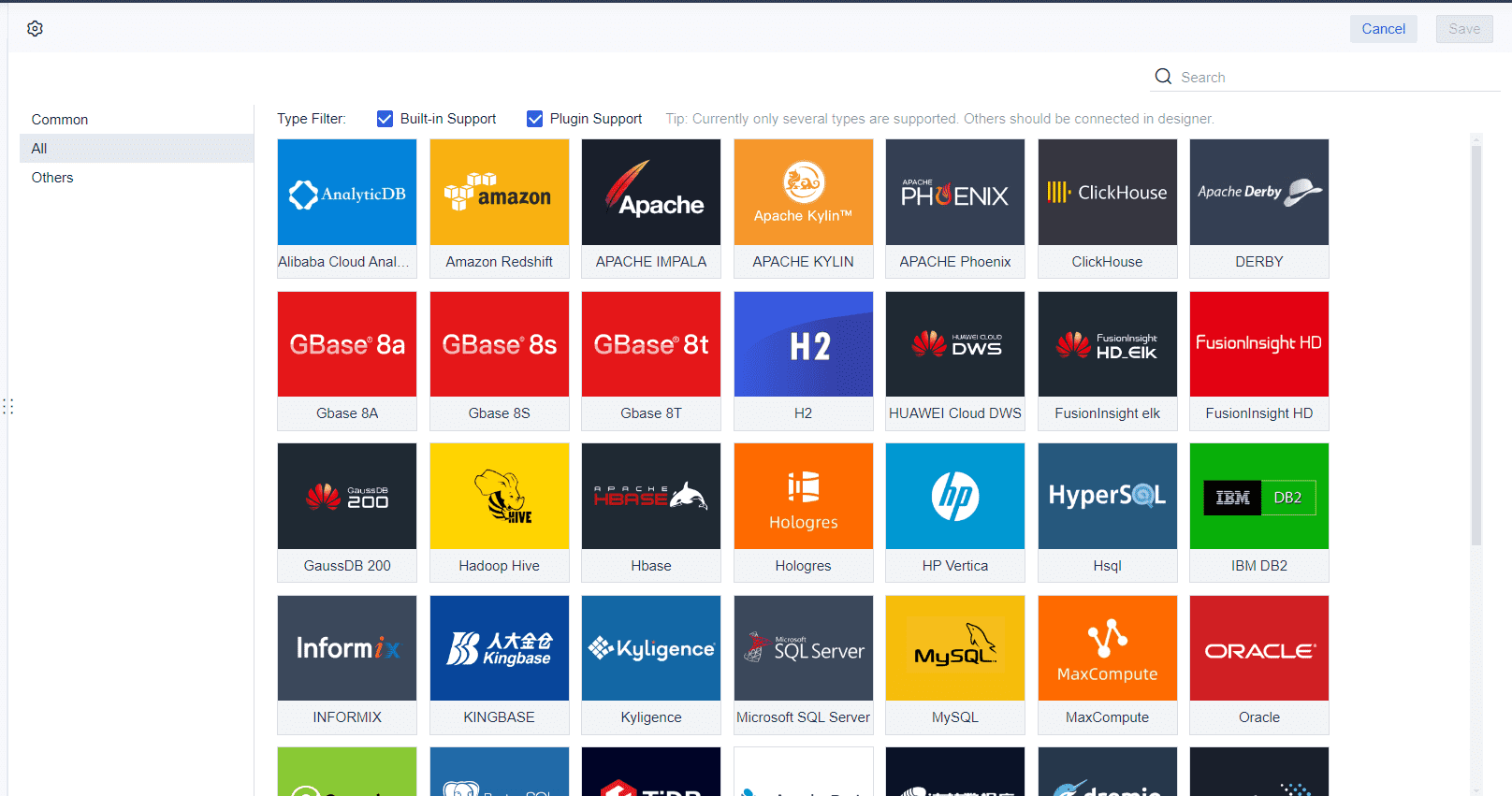
A project dashboard becomes powerful when it brings together data from many sources. You can connect databases, spreadsheets, and cloud services to get a complete picture of every project. This integration helps you track timelines, budgets, and resources in real time.
Creating a dashboard with the right tool gives you a cohesive view of project information for teams, stakeholders, and executives. You gain real-time visibility into timelines, budgets, statuses, resources, and performance metrics across multiple projects. This allows you to track and manage risks, such as scope changes and cost increases, so you can act quickly.
FineReport makes integration easy. You can configure secure data connections, transform and cleanse data, and set up automated refresh schedules. This keeps your project dashboard accurate and up to date. Automated data visualization and reporting save you time and help you focus on managing your projects.
Mobile and 3D Dashboards with FineReport
You need access to your project dashboard wherever you go. FineReport offers mobile dashboards that work on smartphones and tablets. You can check project status, review key metrics, and make decisions on the move. The mobile app uses responsive design, so your dashboard looks great on any screen.
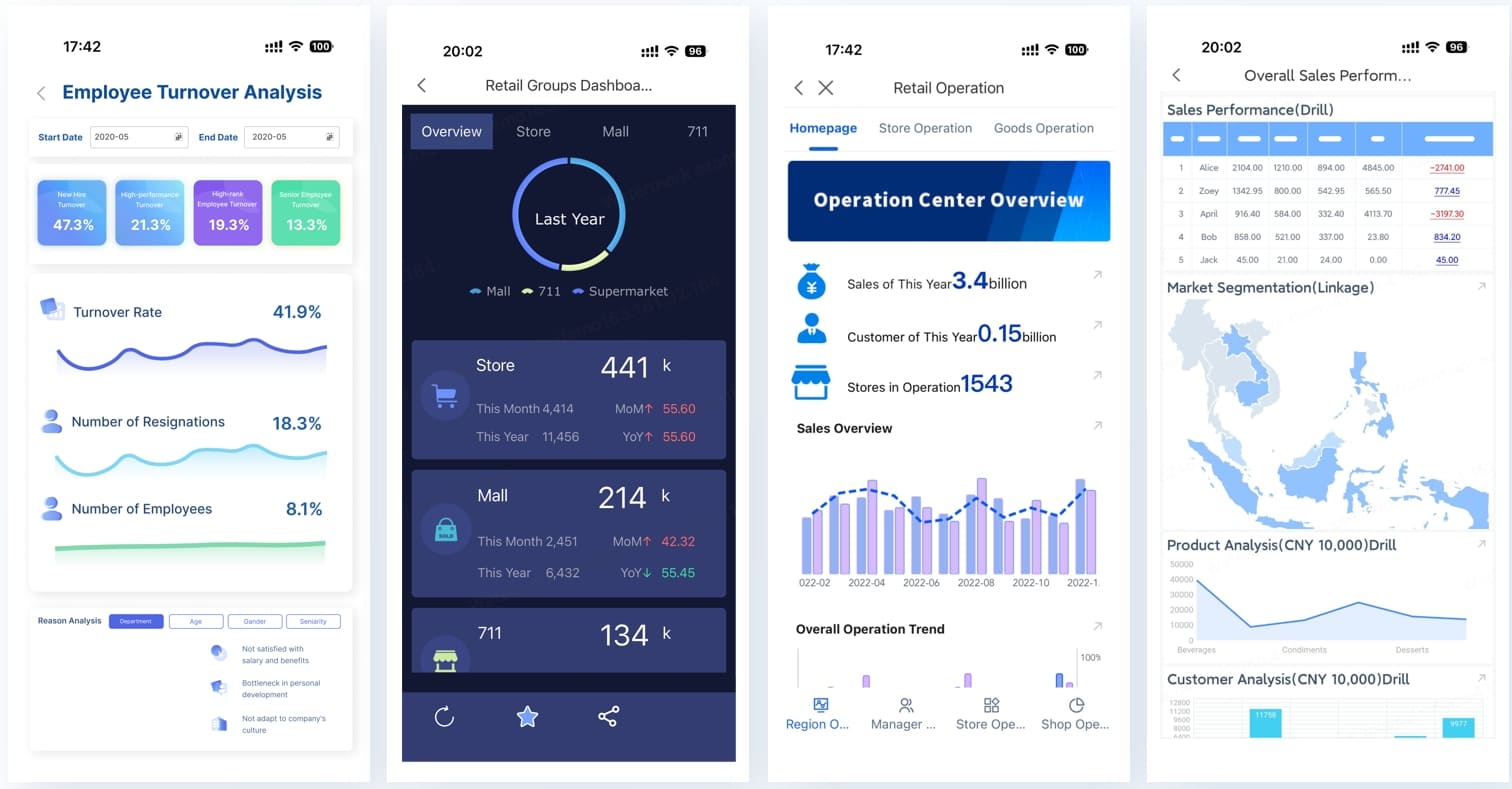
| Feature | FineReport Description |
|---|---|
| User-friendly design | Intuitive drag-and-drop functionality for creating interactive reports quickly. |
| Advanced visualization | Over 19 categories and 50+ styles of pre-built HTML5 charts with 3D and dynamic effects. |
| Mobile dashboarding | Dedicated mobile app utilizing ReactNative technology for a seamless experience. |
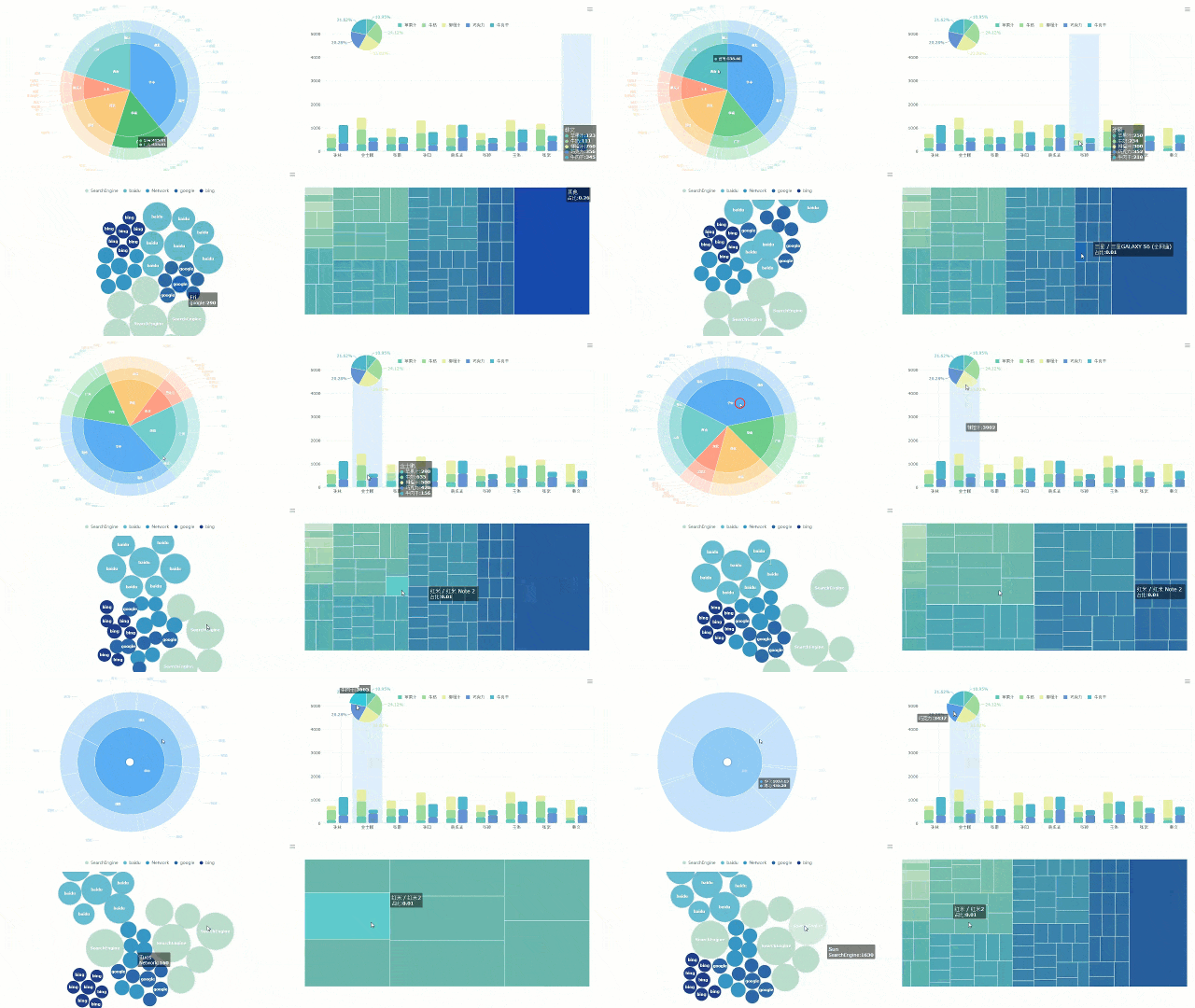
FineReport’s 3D dashboards give you advanced visualization options. You can use dynamic charts and interactive graphics to explore your project data in new ways. This helps you spot trends and make better decisions. The dashboard supports accessibility features, such as clear text and responsive layouts, so everyone on your team can use it easily.
With FineReport, you get a project dashboard that is flexible, powerful, and accessible. You can customize your views, integrate multiple data sources, and use advanced mobile and 3D features to manage every project with confidence.
Real-World Applications with FineReport
Use Cases in Manufacturing and Public Sector
You can use a multiple project dashboard to solve real problems in manufacturing and the public sector. In manufacturing, you track production metrics, monitor machine uptime, and manage quality control. You see how each project performs and spot issues before they grow. In the public sector, you oversee infrastructure projects, monitor budgets, and ensure compliance with regulations. A dashboard helps you keep every project on schedule and within budget.
Here is a table showing common use cases:
| Use Case | Description |
|---|---|
| Production monitoring | Real-time dashboards showing machine uptime, performance, and quality metrics. |
| Quality control | Tracking defect rates, scrap percentages, and quality KPIs with drill-down capabilities. |
| Supply chain visibility | Monitoring inventory levels, supplier performance, and delivery times across multiple sites. |
| Energy consumption | Tracking utility costs by production line to identify efficiency opportunities. |
You gain a clear view of each project, making it easier to manage resources and improve outcomes.
Success Story: ADPIC and FineReport
You can learn from ADPIC, a public sector organization in Abu Dhabi. ADPIC manages large government projects and needed better oversight. By using FineReport, ADPIC created a dashboard that gave leaders real-time insights into every project. The dashboard helped them track safety, quality, and sustainability. ADPIC improved project delivery and made smarter decisions. You see how a dashboard can transform project management in complex environments.
Tip: Use a dashboard to align your project goals with strategic objectives. This keeps your team focused and improves results.
Tips for Implementation
You want your project dashboard to work well from day one. Start by choosing a tool that integrates with your current systems and allows customization. Define clear KPIs for each project so your dashboard shows meaningful data. Keep your dashboard organized and avoid clutter. Focus on actionable data that helps you make quick decisions. Tailor your dashboard to different audiences, such as executives or team members. Test usability and update your dashboard regularly to keep it effective.
- Select software that fits your project needs.
- Choose KPIs that match your business goals.
- Organize information for clarity.
- Update data often to maintain accuracy.
- Design for mobile access so you can manage projects anywhere.
A well-designed dashboard helps you avoid common pitfalls, such as overloading with data or ignoring the needs of your audience. You keep every project moving forward and achieve better results.
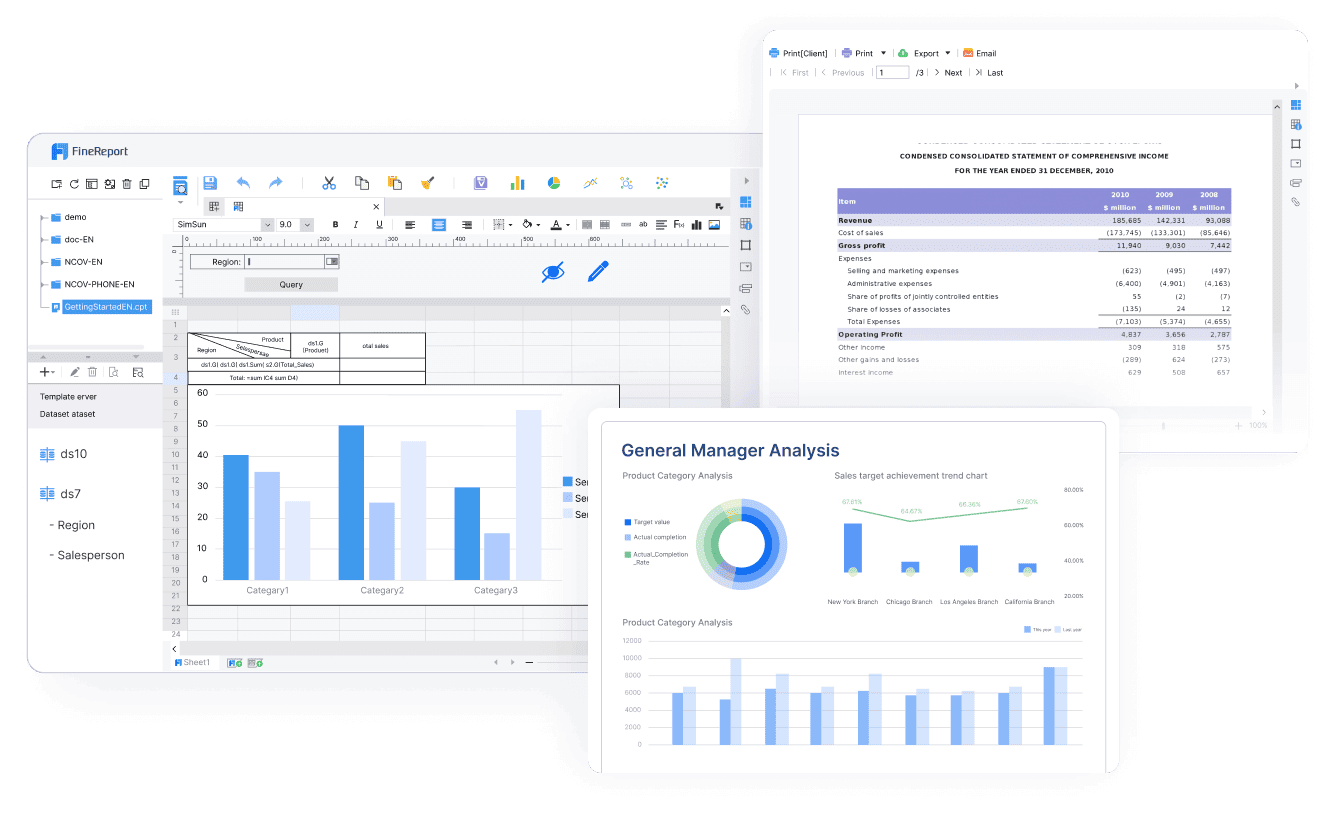
You want to manage every project with confidence. Multiple project dashboards help you understand each project’s data, align your project goals with business objectives, and give every stakeholder access to project information. FineReport lets you track project progress, monitor project resources, and analyze project metrics in real time. You see project updates instantly and make better project decisions. The table below shows why organizations choose multiple dashboards for project management.
| Reason for Multiple Dashboards | Explanation |
|---|---|
| Comprehensive Data Understanding | Each dashboard provides a unique perspective on data quality, ensuring a thorough analysis of the data landscape. |
| Alignment with Business Goals | Multiple dashboards help prioritize data quality issues in line with organizational objectives. |
| Stakeholder Access | Ensures that all stakeholders have the necessary data to make informed decisions. |
You can explore FineReport to take control of every project and drive project success. Start using a dashboard to keep your project on track and achieve your project goals.
Continue Reading About Multiple Project Dashboard
What Is Project Dashboard and Why Does Your Business Need
What is an HR dashboard and how does it work
How to Build a Project Status Dashboard for Beginners
Frequently asked questions
A multiple project dashboard lets you track, manage, and analyze several projects in one place. You see real-time updates, key metrics, and team progress without switching between tools.