

A performance report is not just a document. It is a decision tool that helps managers, department heads, and executives understand what is working, what is underperforming, and what actions should happen next. If your team is drowning in updates but still struggling to answer questions about results, accountability, or priorities, a strong performance report closes that gap fast.
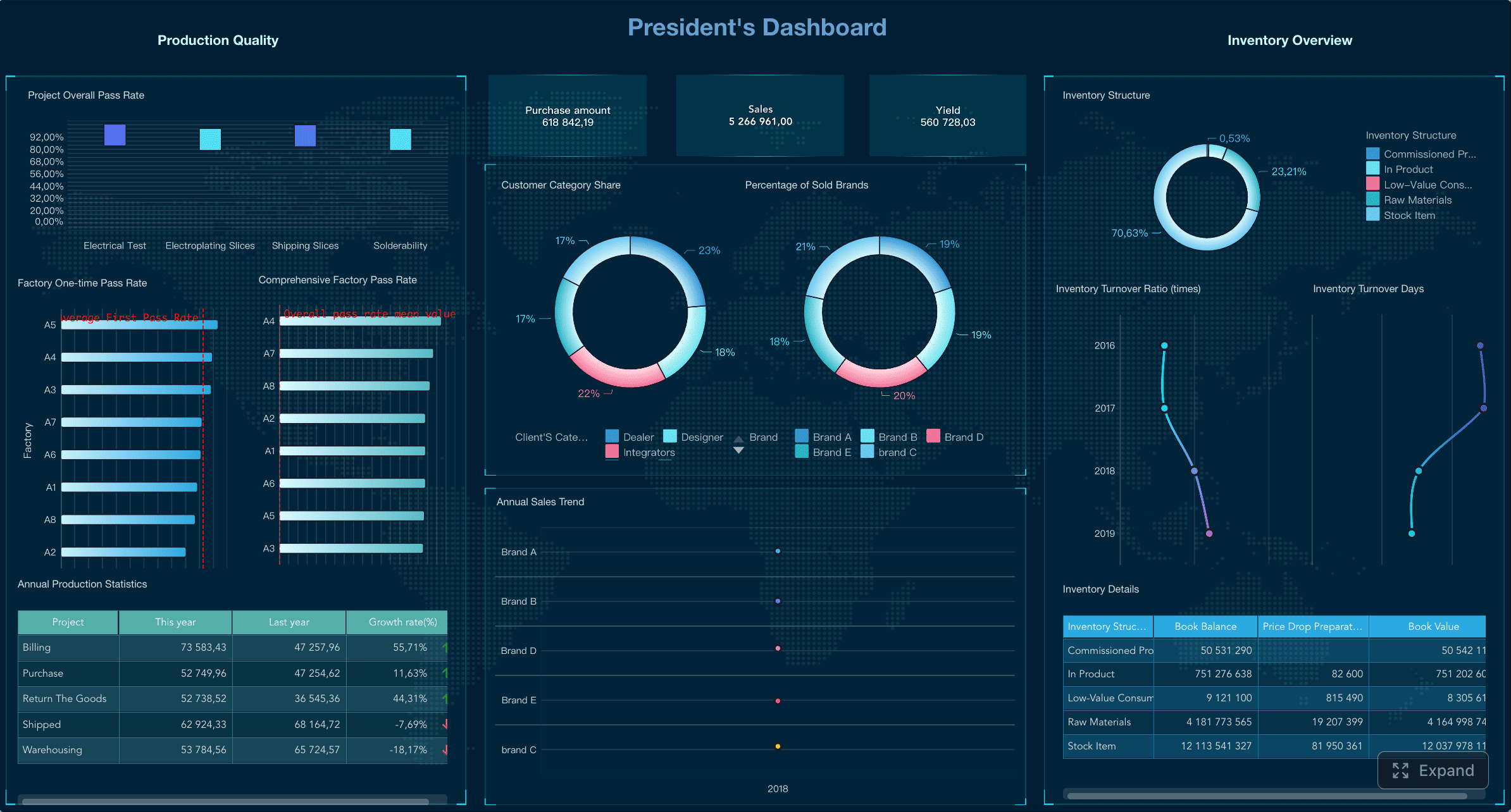
All reports in this article are built with FineReport.
What a performance report is and why it matters
A performance report is a structured summary of results over a defined period. It combines metrics, context, and recommendations so stakeholders can evaluate progress and make decisions. In practical terms, it answers four essential questions:
- What happened?
- Why did it happen?
- Does it matter?
- What should we do next?
For business leaders, this matters because activity alone does not prove value. A team can complete tasks, attend meetings, and deliver updates without improving revenue, efficiency, quality, or customer outcomes. A good performance report turns scattered data into clear operational insight.
Tracking activity vs measuring outcomes vs reporting performance
These three concepts are often mixed together, but they are not the same.
-
Tracking activity shows what people did
Example: number of calls made, campaigns launched, tickets closed, or meetings held. -
Measuring outcomes shows what those actions achieved
Example: revenue generated, conversion rate improved, defects reduced, or churn lowered. -
Reporting performance connects activities and outcomes to business goals
Example: whether increased outreach improved qualified pipeline enough to justify sales headcount expansion.
This distinction is critical. Leaders do not just need dashboards full of numbers. They need reporting that explains performance in relation to objectives, targets, benchmarks, and risk.
Who uses performance reports
Performance reports are useful across every layer of the business:
- Team leads use them to manage day-to-day execution
- Department managers use them to compare teams, diagnose issues, and allocate resources
- Operations directors use them to identify bottlenecks and improve workflows
- Finance leaders use them to monitor budget, margin, and forecast accuracy
- Executives use them to evaluate strategic progress and make investment decisions
In mature organizations, performance reporting is not an occasional exercise. It becomes a repeatable management system tied to weekly reviews, monthly business reporting, quarterly strategy checks, and annual planning.
How to write a performance report step by step
Writing a strong performance report is not about adding more charts. It is about creating a report that supports action. The best reports are concise, relevant, and aligned with how decisions are made in the organization.
The core framework: key metrics every performance report should consider
Before drafting the report, define the few metrics that actually reflect performance. Most weak reports fail because they include too much data and too little meaning.
Key Metrics (KPIs)
- Goal attainment: Measures how actual results compare with planned targets or objectives.
- Productivity: Tracks output volume relative to time, labor, or capacity.
- Efficiency: Shows how well resources such as budget, staff, or time are used.
- Quality: Measures accuracy, defect rates, rework, compliance, or service quality.
- Timeliness: Evaluates whether work is completed on schedule or within SLA.
- Cost variance: Compares actual spending with approved budget.
- Revenue or value delivered: Quantifies financial or strategic contribution.
- Risk level: Flags issues that may delay results, reduce quality, or increase cost.
- Trend direction: Indicates whether performance is improving, flat, or declining over time.
- Forecast confidence: Assesses how likely the team is to meet future targets based on current trajectory.
Core elements of an effective performance report
Every high-quality performance report should include:
- Clear reporting objective
- Defined time period
- KPI definitions and calculation logic
- Current results and trend comparison
- Variance against target or plan
- Brief explanation of major changes
- Risks, blockers, or dependencies
- Recommended actions with accountable owners
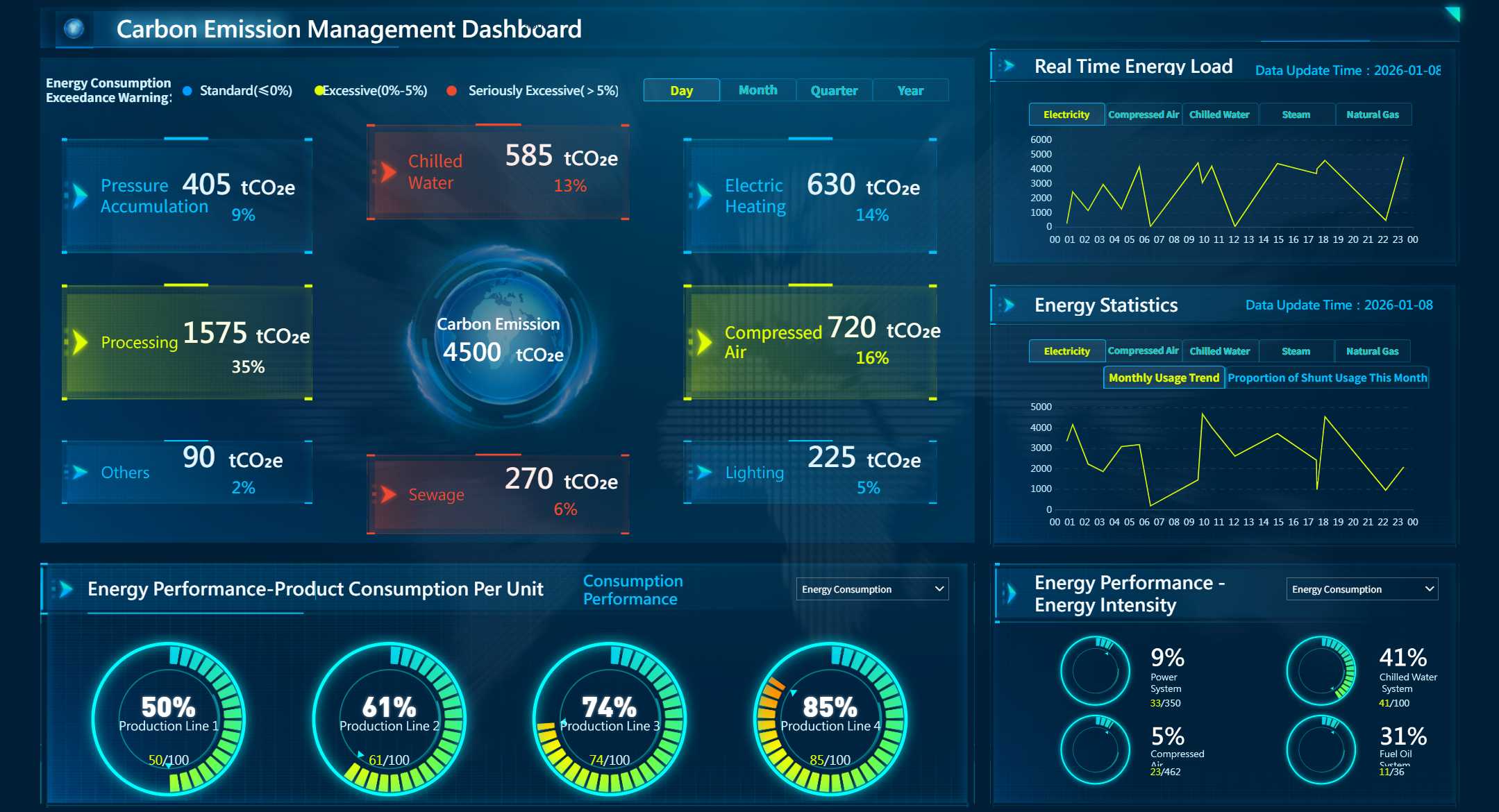
Tools like FineReport make this much easier because they allow teams to combine KPI scorecards, trend charts, drill-down analysis, and scheduled distribution into one reporting workflow instead of managing disconnected spreadsheets.
Start with the purpose, audience, and reporting period
The first step in writing a performance report is deciding why it exists.
Ask these questions first:
- Who will read this report?
- What decision do they need to make?
- What time period matters?
- What scope should be included?
- What does success look like?
A sales manager may need a weekly report to coach representatives and rebalance pipeline. A CFO may need a monthly report focused on cost drivers and forecast shifts. An executive team may need a quarterly report that highlights only strategic KPIs and major risks.
If the audience is unclear, the report will become bloated. If the decision is unclear, the report will become passive.
Gather the right data and choose meaningful metrics
Good reporting starts with disciplined data selection. Do not report everything you can measure. Report what best reflects results.
Use a focused KPI set that covers:
- Results such as revenue, output, or project delivery
- Efficiency such as cycle time, utilization, or cost per unit
- Quality such as defect rate, satisfaction score, or error rate
- Risk such as overdue items, budget overrun, or forecast gap
Then add concise commentary for context. Numbers alone cannot explain a delayed milestone, sudden conversion drop, or cost spike. A short note on root cause, assumptions, or one-time events dramatically improves decision quality.
Structure the report for clarity and action
A strong structure makes the report easy to scan.
A practical format looks like this:
| Section | What to include |
|---|---|
| Summary | Top findings, overall status, biggest changes |
| Objectives | What the team or function was expected to achieve |
| KPIs | Metric values, targets, trends, and variances |
| Analysis | What changed, why it changed, and what it means |
| Risks | Blockers, issues, dependencies, or emerging concerns |
| Actions | Recommendations, owners, deadlines, and next steps |
Start with the executive summary. Many stakeholders will only read the first section, so it should capture the signal quickly. Then move into detail by objective, metric, and insight. End with action items, not generic conclusions.
Review accuracy, format, and delivery cadence
Even a well-written report loses credibility if the numbers are inconsistent. Before distribution, validate:
- Calculations and formulas
- Source systems and extraction logic
- KPI definitions across periods
- Date ranges and reporting scope
- Version consistency and formatting
Also choose the right cadence:
- Weekly for operational monitoring and fast intervention
- Monthly for management review and trend analysis
- Quarterly for strategic performance evaluation
- Annual for formal review, planning, and accountability
The format should match stakeholder behavior. If leaders need quick review, dashboards and one-page summaries work best. If auditors or board members need a record, a more formal written report may be required.
Actionable best practices for implementing performance reporting
Many organizations know they need better reporting but struggle with adoption. These practices help turn reporting into a management discipline rather than a reporting chore.
1. Build one KPI dictionary before building more reports
Define each KPI once:
- Formula
- Data source
- owner
- update frequency
- business purpose
This prevents debates over what “on-time,” “qualified lead,” or “margin” actually means. Consistency is the backbone of trusted performance reporting.
2. Separate summary metrics from diagnostic details
Executives want signals. Managers need details. Do not overload the first page with raw tables.
A better approach:
- Put status, trend, and variance in the summary
- Put drill-downs in appendices or linked dashboards
- Highlight only exceptions requiring action
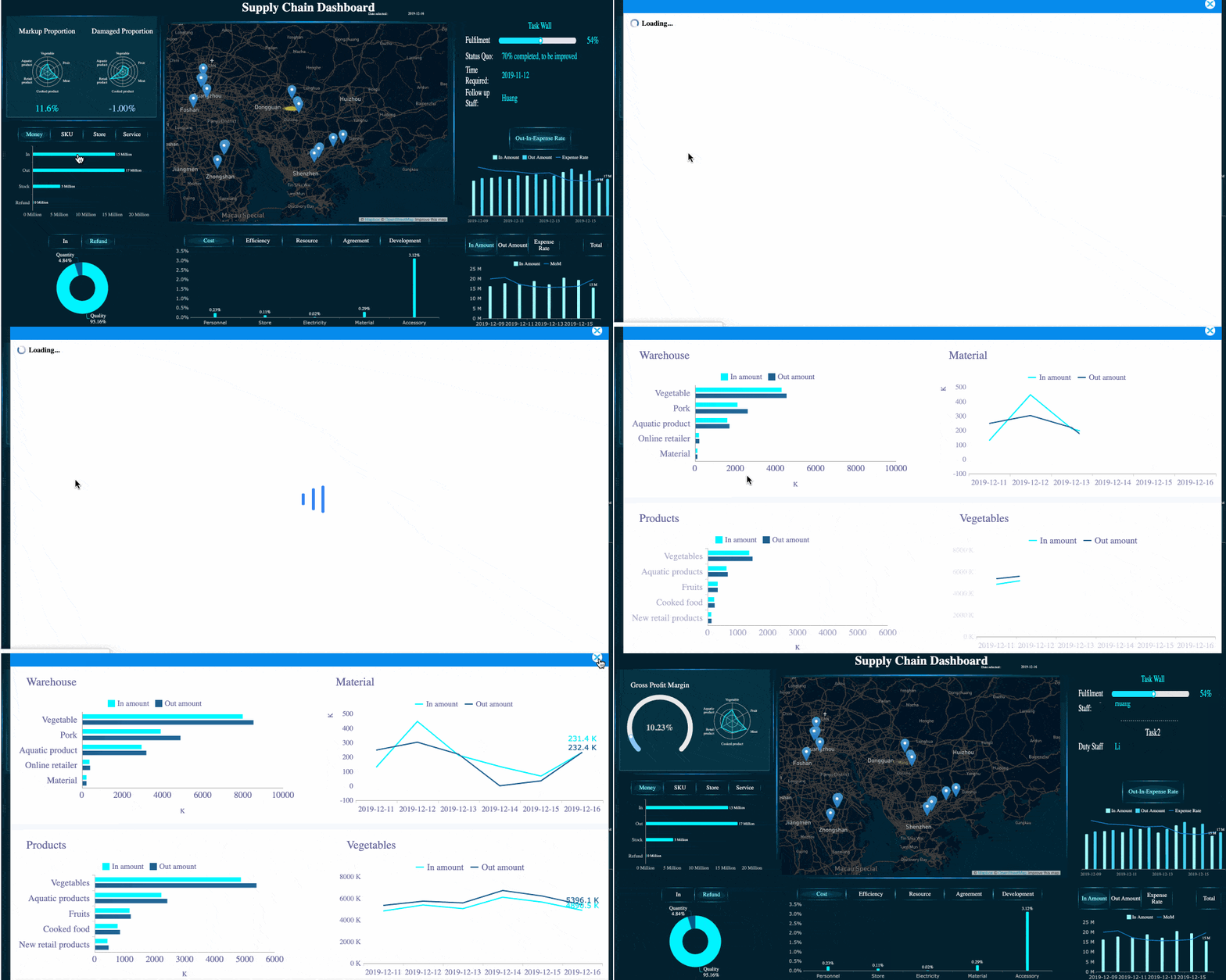 FineReport's Drill-down capability
3. Use commentary to explain exceptions, not restate numbers
Do not write: “Revenue was 8% below target.”
Write: “Revenue was 8% below target due to delayed enterprise deal closures in the West region, partially offset by stronger SMB renewals.”
That is the difference between reporting data and reporting performance.
4. Assign owners to every action item
A report without ownership is just observation. Each recommendation should have:
- Action
- Owner
- Deadline
- expected outcome
This creates follow-through and makes the next reporting cycle more useful.
5. Automate recurring reports wherever possible
Manual reporting slows teams down and introduces errors. Automating data refresh, report generation, and scheduled distribution saves time and improves trust. This is where enterprise reporting platforms become especially valuable.
FineReport is a strong fit here because it helps organizations connect multiple data sources, build pixel-perfect reports and dashboards, enable drill-down analysis, and distribute reports on a fixed schedule without heavy manual consolidation.
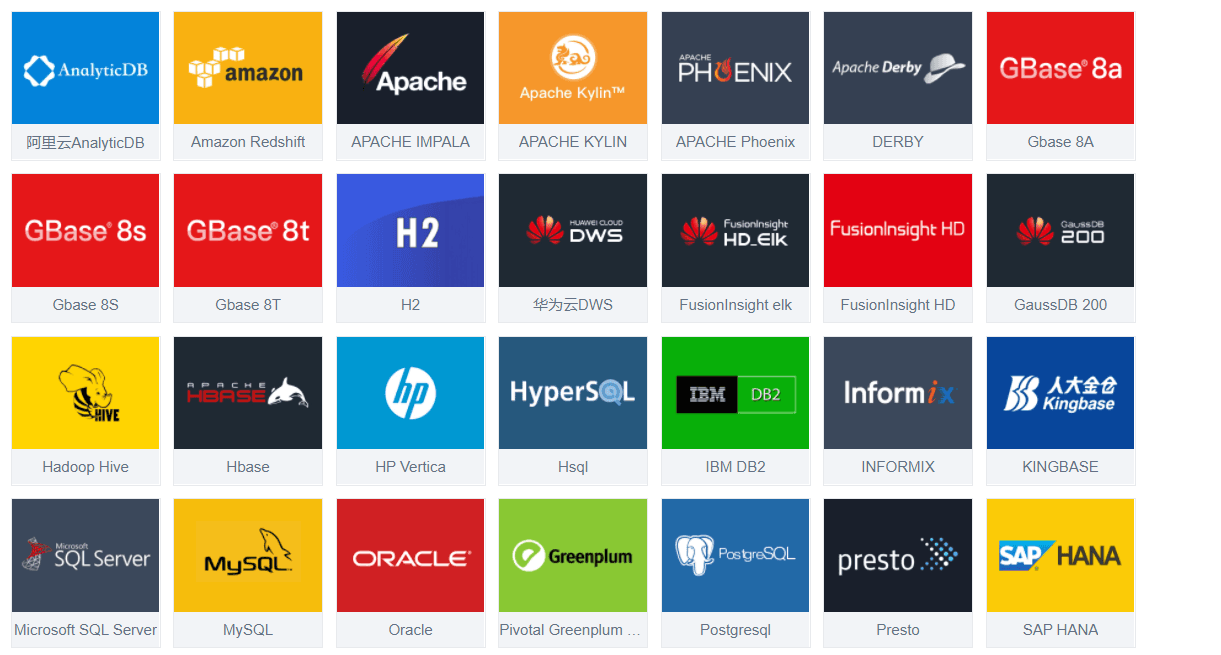 Connection of Multiple Data Sources
7 performance report examples by use case
Different functions need different report structures. Below are seven practical examples of how a performance report should look depending on the use case.
Employee performance report
An employee performance report evaluates individual contribution over a specific period. It should balance measurable outcomes with development-oriented feedback.
What to include
- Role and responsibilities
- Goals and expected outcomes
- Achievements and measurable contributions
- Strengths and development areas
- Behavioral observations if relevant
- Manager feedback and next-step coaching plan
Example metrics
- Goal completion rate
- Quality of work
- Deadline adherence
- Attendance or responsiveness
- Collaboration score
- Training completion or skill growth
Example use case
A quarterly employee performance report for a customer support lead might show:
- 96% SLA compliance
- 4.7/5 CSAT
- 12% reduction in escalations
- Strong mentoring contribution
- Improvement needed in documentation consistency
This type of report works best when the tone is constructive. It should help guide growth, not simply rate performance.
Project performance report
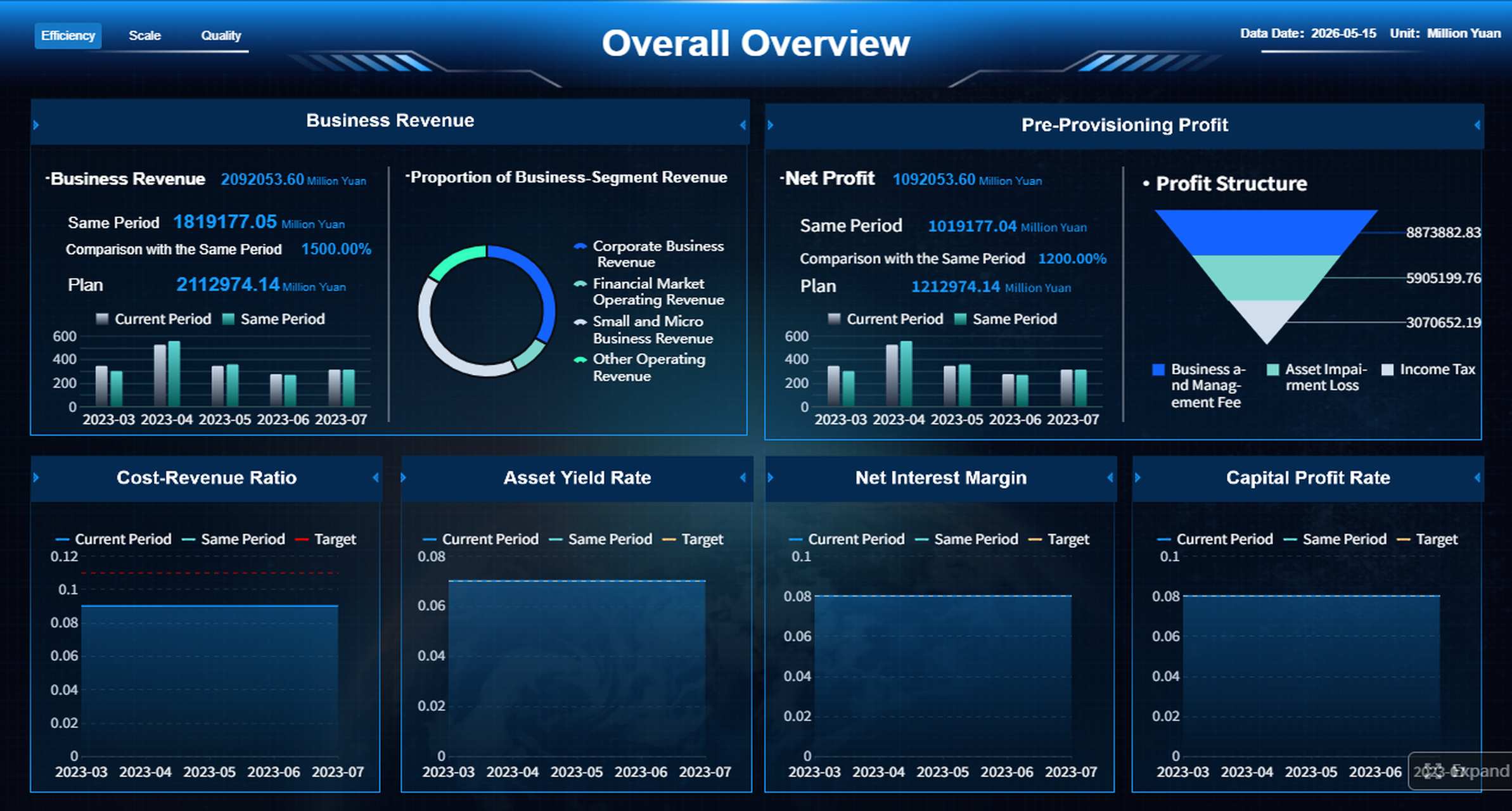
A project performance report helps stakeholders understand whether scope, schedule, budget, and risk are under control.
What to include
- Project objective and status
- Scope summary
- Milestone completion
- Budget vs actual spend
- Timeline progress
- Risks and blockers
- Corrective actions
Example metrics
- Milestone completion rate
- Schedule variance
- Budget variance
- Resource utilization
- Change request volume
- Risk severity score
Example use case
A digital transformation project report may show that build progress is at 78%, but critical integration testing is two weeks behind plan. Budget remains within 3% of forecast, but vendor dependency risk has increased. The report should clearly explain what executive intervention is needed, if any.
Sales performance report
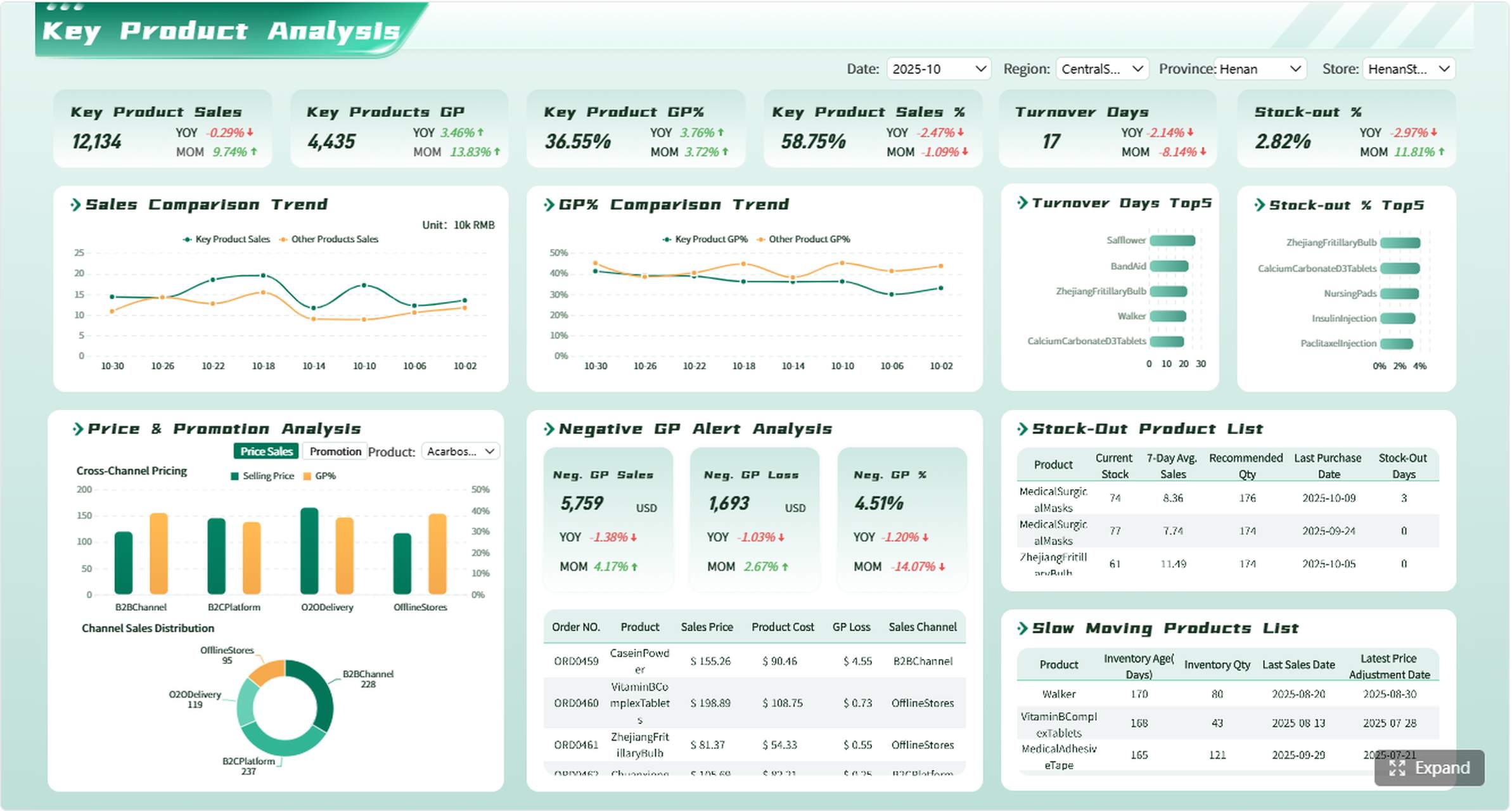
A sales performance report focuses on pipeline health, conversion efficiency, and revenue generation.
What to include
- Revenue vs target
- Pipeline coverage
- Conversion rates by stage
- Average deal size
- Rep, territory, or segment performance
- Forecast confidence
Example metrics
- Closed revenue
- Pipeline value
- Win rate
- Average sales cycle
- Average deal size
- Quota attainment
- Lead-to-opportunity conversion
Example use case
A monthly sales performance report might reveal that revenue is up 11% year over year, but win rate is down in mid-market deals. The report should connect those findings to deal quality, pricing pressure, or rep performance and suggest actions such as requalification rules or targeted enablement.
Marketing, operations, finance, and executive reports
These functions often require more specialized reporting, but the same logic applies: define the purpose, track the right KPIs, add context, and conclude with actions.
Marketing performance report
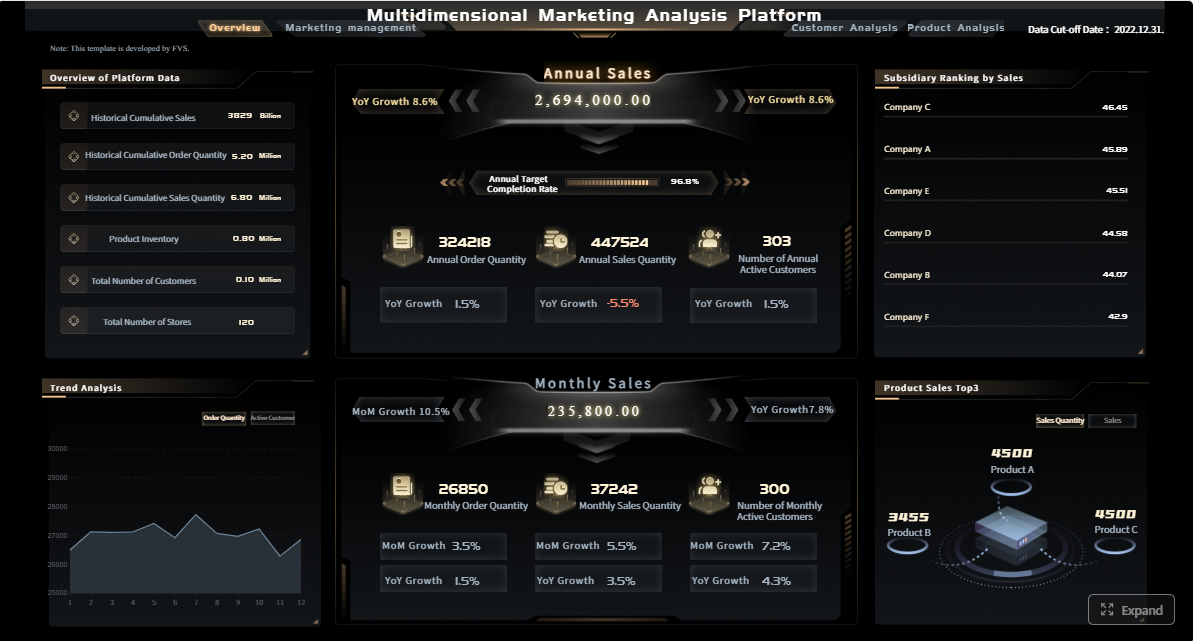
A marketing performance report measures how campaigns and channels contribute to business growth.
What to include
- Campaign results
- Channel ROI
- Lead quality
- Attribution insights
- Cost per acquisition
- Conversion performance
Example metrics
- Traffic by channel
- MQL volume
- Cost per lead
- Campaign ROI
- Lead-to-opportunity conversion
- Return on ad spend
Operations performance report
An operations performance report focuses on throughput, service levels, quality, and process efficiency.
What to include
- Productivity
- Capacity utilization
- SLA performance
- Process bottlenecks
- Error or defect rates
- Improvement actions
Example metrics
- Cycle time
- Throughput
- Utilization rate
- Defect rate
- On-time delivery
- First-pass yield
Finance performance report
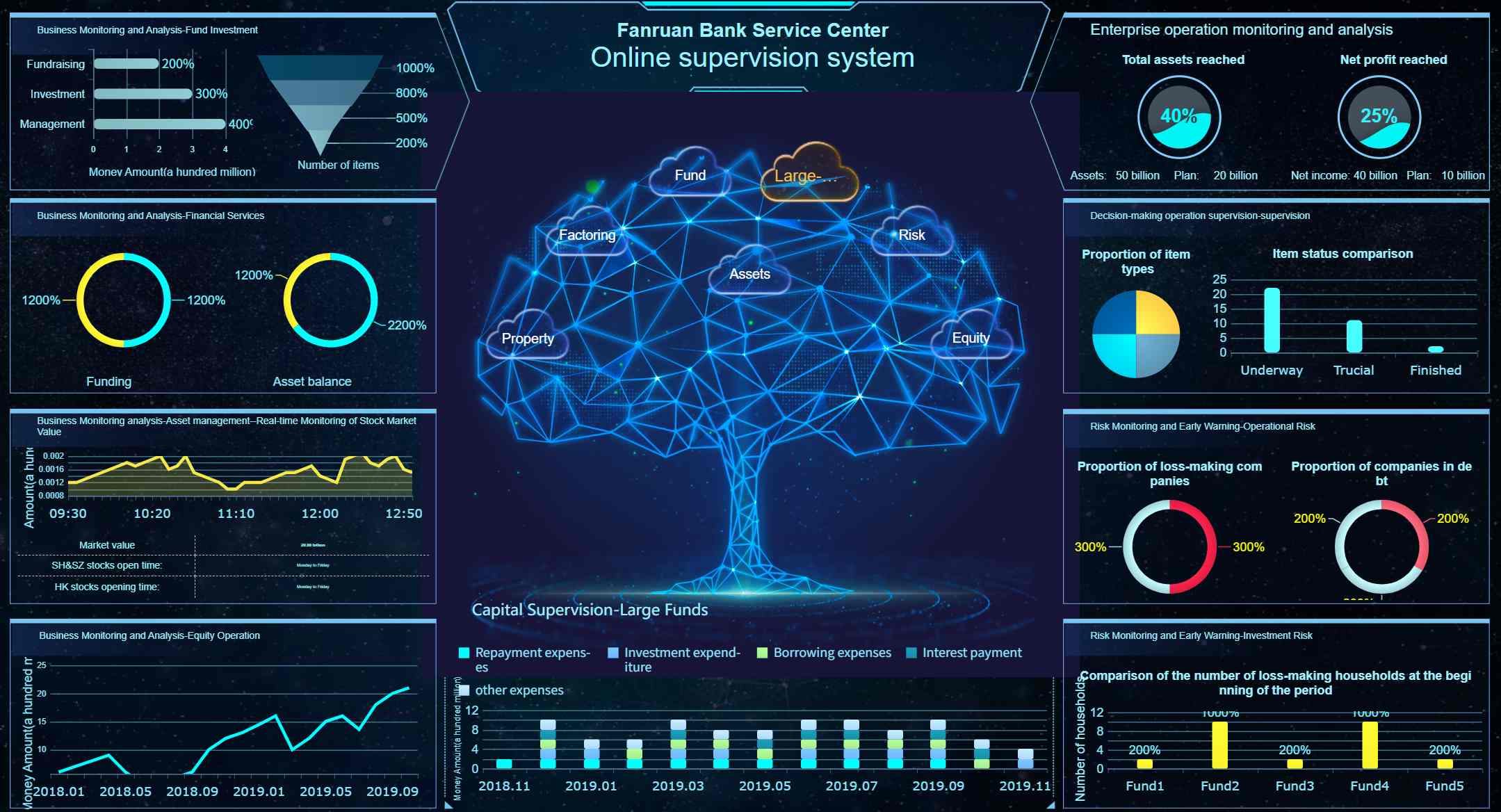
A finance performance report supports budget control, profitability analysis, and planning.
What to include
- Budget vs actuals
- Margin trends
- Cash flow status
- Forecast performance
- Cost drivers
- Variance explanation
Example metrics
- Revenue
- Gross margin
- Operating expense variance
- EBITDA
- Cash conversion cycle
- Forecast accuracy
Executive performance report
An executive performance report gives leadership a business-wide view of strategic health.
What to include
- Enterprise KPIs
- Strategic initiative progress
- Financial and operational highlights
- Major risks
- Cross-functional dependencies
- Recommended decisions
Example metrics
- Revenue growth
- Margin
- Customer retention
- NPS or satisfaction
- Strategic initiative status
- Capacity and risk indicators
This report should be concise and decision-oriented. Executives rarely need every detail. They need the signal, the explanation, and the action.
Templates, formats, and best practices of writing a performance report
Templates help standardize reporting quality. They also reduce reporting time across departments.
What to include in a simple reporting template
A simple performance report template should include these fields:
- Report title
- Reporting period
- Business objective
- KPI list
- Results summary
- Analysis and commentary
- Risks or issues
- Action items
- Owners and due dates
A lightweight template may look like this:
| Field | Example |
|---|---|
| Report title | Monthly Sales Performance Report |
| Period | April 2026 |
| Objective | Track quota attainment and pipeline quality |
| KPI summary | Revenue, win rate, deal size, pipeline coverage |
| Key findings | Revenue above target, enterprise deals delayed |
| Risks | Low pipeline in two regions |
| Actions | Territory review, SDR focus shift, pricing analysis |
How annual and recurring reports differ
Not every performance report should look the same.
Weekly reports
Best for monitoring fast-moving operations, frontline teams, support functions, and delivery execution.
Monthly reports
Best for management review, budgeting checks, departmental performance, and tactical correction.
Quarterly reports
Best for broader trend evaluation, strategic progress checks, and leadership decisions.
Annual reports
Best for formal review, long-term performance assessment, and planning.
Annual reports usually include more context, strategic reflection, and year-over-year comparisons. Weekly and monthly reports should be faster, lighter, and more exception-based.
Common mistakes to avoid
Weak performance reports usually fail in predictable ways.
Too many metrics
More KPIs do not improve insight. They usually dilute focus.
Missing context
A metric without explanation can trigger the wrong conclusion.
Unclear recommendations
If readers do not know what action is required, the report will not change outcomes.
Inconsistent definitions
If teams define metrics differently, comparisons become useless.
Raw data overload
Tables of numbers are not a performance report unless they are interpreted.
A reporting platform that supports standardized templates, centralized metric logic, and visual storytelling can eliminate many of these issues. FineReport is especially useful for organizations that want both dashboard-style monitoring and formal enterprise-grade report outputs in the same environment.
How to make performance report writing drive better results
The real value of a performance report is not the report itself. It is what happens after the report is reviewed.
To make report writing actually improve outcomes:
- Connect every KPI to a decision
- Tie action items to named owners
- Review trends, not isolated numbers
- Compare current performance with targets and benchmarks
- Add short narrative explanation where the numbers need interpretation
- Revisit goals and KPI definitions as business priorities evolve
The strongest organizations treat reporting as a closed loop:
- Define objectives
- Measure the right metrics
- Report results clearly
- Assign actions
- Review follow-through
- Adjust goals and resources
That is how a performance report becomes a management system instead of a passive summary.
If you want to scale that process across employee reviews, project tracking, sales reporting, operational dashboards, finance analysis, and executive reporting, FineReport provides the flexibility to build pixel-perfect reports, interactive dashboards, and automated enterprise reporting workflows from one platform.
 Get Ready-to-Use Dashboard Templates in Fine Gallery
FAQs
A strong performance report should include the reporting objective, time period, key KPIs, results against targets, trend context, major risks, and recommended next steps. The goal is to explain what happened, why it happened, and what action should follow.




