

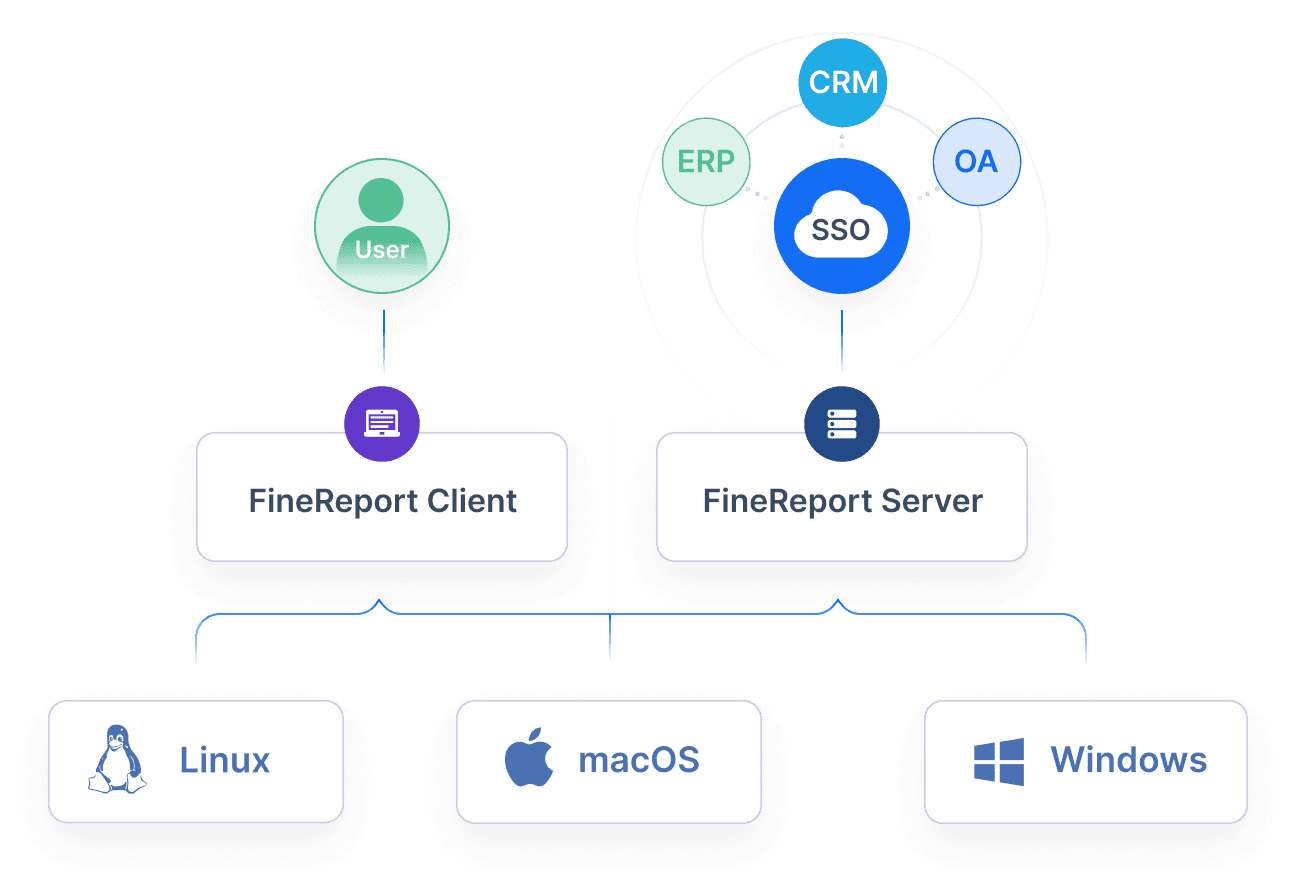
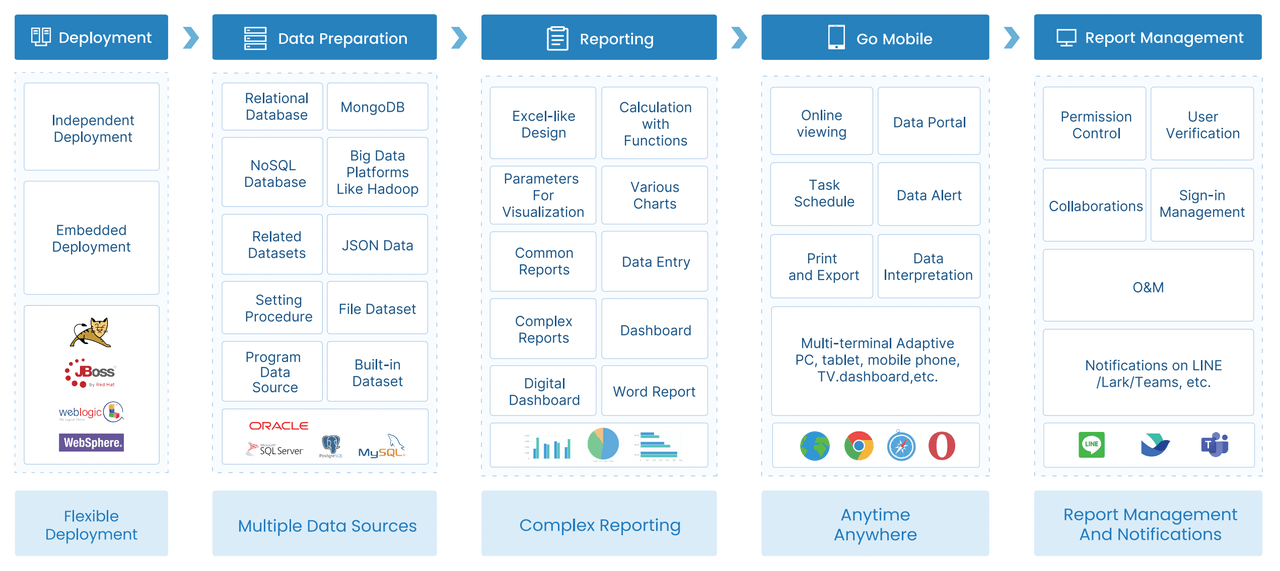
FineReport is a flexible enterprise reporting and dashboard platform that helps construction companies turn field and project data into highly customizable reports, visual dashboards, and owner-ready analytics.
Best Construction Report Software in 2026: What to Compare First
If you are evaluating construction report software, start with the workflows you need to improve most, not just the longest feature list. Some teams mainly need faster daily logs and cleaner photo documentation. Others need cross-project dashboards, executive reporting, or tighter coordination between field teams, PMs, finance, and leadership.
Before comparing vendors, focus on three practical questions:
-
What reports matter most?
- Daily reports
- superintendent logs
- contractor daily reports (CDRs)
- production tracking
- safety observations
- issue documentation
- owner updates
- executive dashboards
-
Who uses the data?
- Field crews
- superintendents
- project managers
- operations leaders
- owners
- clients
- subcontractors
-
How far should reporting go?
- Simple field capture and PDF output
- real-time dashboards
- portfolio reporting
- cost and schedule visibility
- analytics tied to broader project controls
The right platform should improve field-to-office visibility, not just digitize forms. That means checking how each tool handles:
- Photo and video capture
- Labor, equipment, and production tracking
- Weather logging
- Issue and delay documentation
- Daily report approvals
- Sharing updates with internal and external stakeholders
You should also compare buying realities, including:
- Pricing model per user, per company, or custom enterprise quote
- Implementation effort and training needs
- Mobile usability for field teams
- Offline performance on jobsites with poor connectivity
- Integration depth with project management, ERP, or BI systems
A final decision often comes down to a tradeoff: do you want a specialized daily reporting tool that field teams will adopt quickly, or a broader construction platform where reporting is one module inside a larger system?
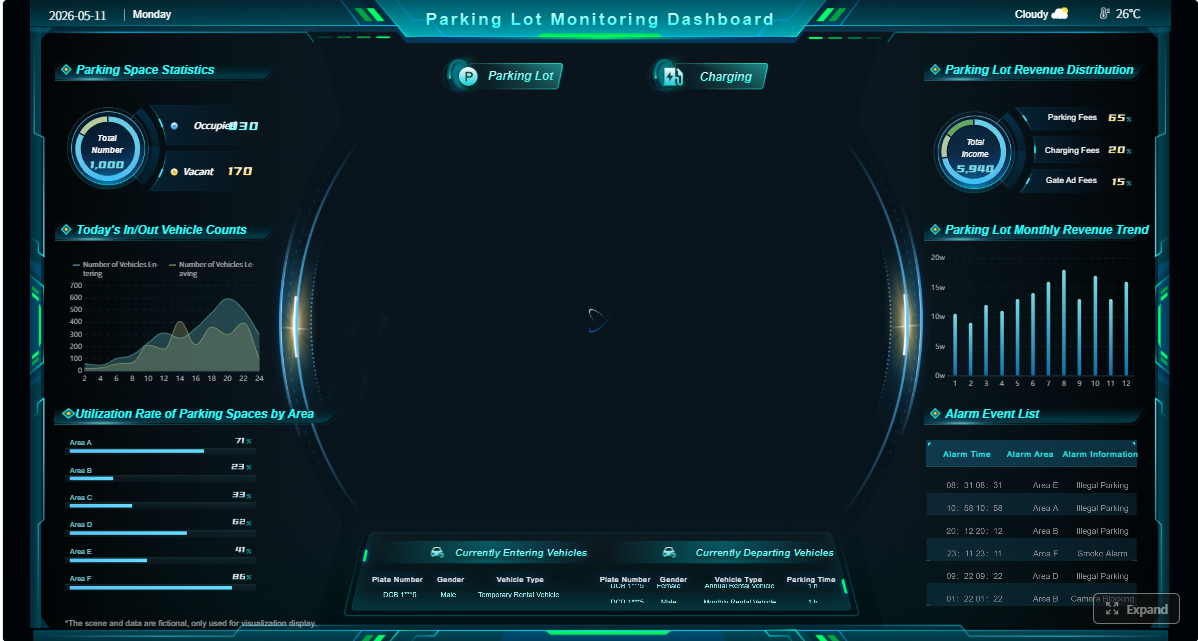 Click To Try The Dashboard
How Construction Report Software Improves Daily Reporting and Visibility
Daily reports, CDR workflows, and field documentation
The best construction reporting platforms remove friction from daily reporting. If it takes too long to submit site updates, teams delay entries, miss details, or recreate the same information later in spreadsheets and emails.
Look for tools that support:
- Fast daily log entry from mobile devices
- Automatic weather capture
- Labor and equipment tracking
- Time-stamped photo attachments
- Standardized daily report templates
- Notes for delays, deliveries, incidents, and completed work
A strong construction report software workflow should let superintendents or foremen complete reports from the field in minutes. That reduces end-of-day admin, improves consistency, and creates a better project record for disputes, billing support, and internal review.
Dashboards, analytics, and stakeholder reporting
Daily reports are only part of the value. The next step is turning project data into usable dashboards and summaries.
Prioritize software that can present data differently for different audiences:
- Project managers need operational detail
- Executives need portfolio-level trends
- Owners often want clean progress summaries
- Finance and operations may need production or cost-related reporting views
Useful dashboard and analytics features include:
- Filters by project, phase, date range, crew, cost code, or issue type
- Trend views across multiple projects
- Exportable PDF or spreadsheet output
- Scheduled report delivery
- Drill-down from summary dashboards into source records
This is also where FineReport stands out. While many construction apps are strongest at field capture, FineReport is particularly useful for companies that want to build tailored dashboards, executive reporting packs, and cross-system analytics on top of operational construction data.
Field-to-office collaboration and data accuracy
Construction reporting breaks down when field data reaches the office late or needs to be re-entered manually. That creates version problems, slows decisions, and reduces trust in the data.
When comparing tools, assess:
- Sync speed from field devices to the office
- Offline capability for remote jobsites
- Approval workflows for report review
- Integration with scheduling, project management, ERP, and document systems
- Standardization controls that improve consistency across projects
The more a platform reduces duplicate entry, the more likely your team is to keep reports current and accurate.
Compare Construction Reporting Tools
FineReport
- One-sentence overview: FineReport is a highly customizable reporting and dashboard solution that helps construction companies unify data from multiple systems into executive dashboards, operational reports, and tailored stakeholder outputs.
- Key Features:
- Drag-and-drop report design
- Interactive dashboards
- Real-time data visualization
- Pixel-perfect report generation
- Multi-source data integration
- Permission-based distribution and sharing
- Pros & Cons:
- Pros: Excellent customization, strong dashboarding, ideal for management reporting across projects and business systems, useful for owner-facing and executive-ready outputs
- Cons: Not a field-first daily reporting app on its own; works best when paired with operational systems that collect source data
- Best For: Construction companies that need advanced dashboards, multi-project visibility, and customizable reporting beyond standard out-of-the-box construction app reports
FineReport deserves special attention if your reporting problem is not just report entry, but report quality. For companies using multiple systems for field data, scheduling, ERP, QA, or project controls, FineReport can act as the reporting layer that creates a more unified view of project performance.
Raken
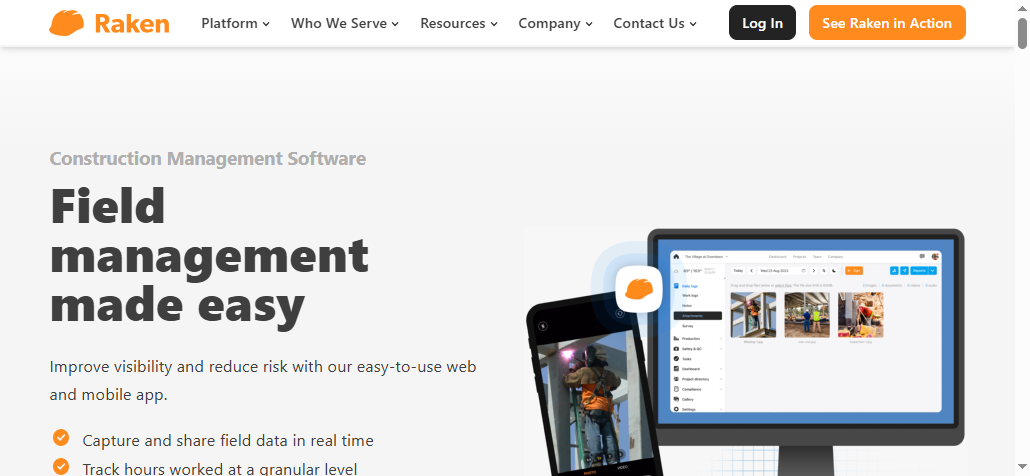
- One-sentence overview: Raken is a field-focused construction reporting platform designed to make daily reports, production updates, and photo documentation fast for onsite teams.
- Key Features:
- Mobile daily reports
- Time-stamped photo and video capture
- Production tracking
- Labor and equipment logging
- Toolbox talks and safety documentation
- Automated report sharing
- Pros & Cons:
- Pros: Strong daily report workflow, simple field adoption, good photo-first reporting, purpose-built for superintendents and field teams
- Cons: Less robust for deeper project controls, advanced analytics, and company-wide BI than broader construction management or reporting platforms
- Best For: Contractors that want quick adoption for daily logs, site documentation, and routine field-to-office reporting
Raken is one of the strongest options if your top priority is fast, consistent daily reporting. It is especially appealing for firms that want to improve report completion rates without rolling out a heavier all-in-one platform.
Procore
- One-sentence overview: Procore is a widely used construction management platform that offers reporting across project management, quality, financial, and document workflows.
- Key Features:
- Daily logs
- RFIs, submittals, and observations
- Budget and cost tracking
- Dashboards and analytics
- Document control
- Broad integration ecosystem
- Pros & Cons:
- Pros: Extensive platform breadth, strong ecosystem, good fit for standardizing enterprise workflows
- Cons: Higher implementation effort, pricing can be substantial, reporting depth may require configuration
- Best For: Mid-sized to large contractors seeking a broad construction platform with reporting embedded across operations
Fieldwire
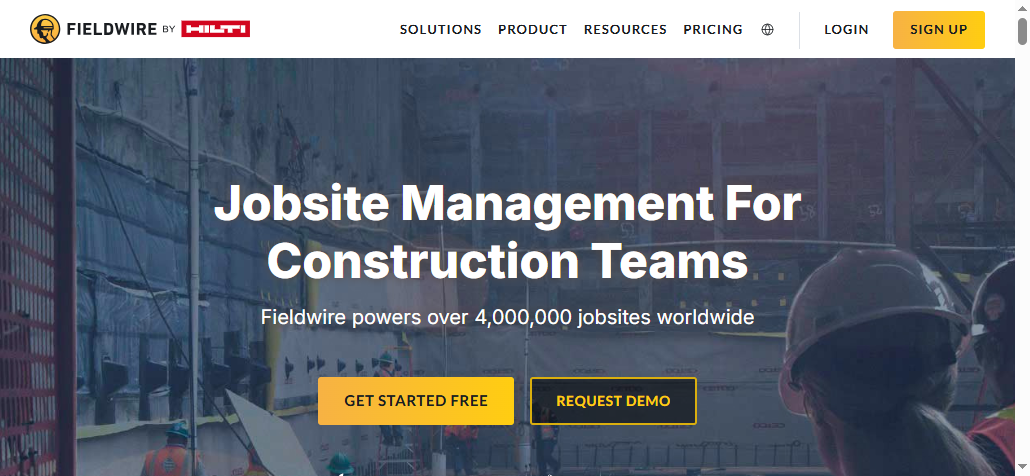
- One-sentence overview: Fieldwire is a jobsite management platform focused on field coordination, tasks, forms, and reports tied closely to plans and onsite execution.
- Key Features:
- Daily reports and forms
- Task and punch list tracking
- Plan viewing and markups
- Photo and video documentation
- Scheduling support
- Offline access
- Pros & Cons:
- Pros: Strong field usability, good for issue tracking and plan-based collaboration, fast deployment
- Cons: Less comprehensive for full financial or executive reporting than broader project or BI platforms
- Best For: General contractors and specialty trades that want field reporting tied closely to task execution and drawings
Dashpivot
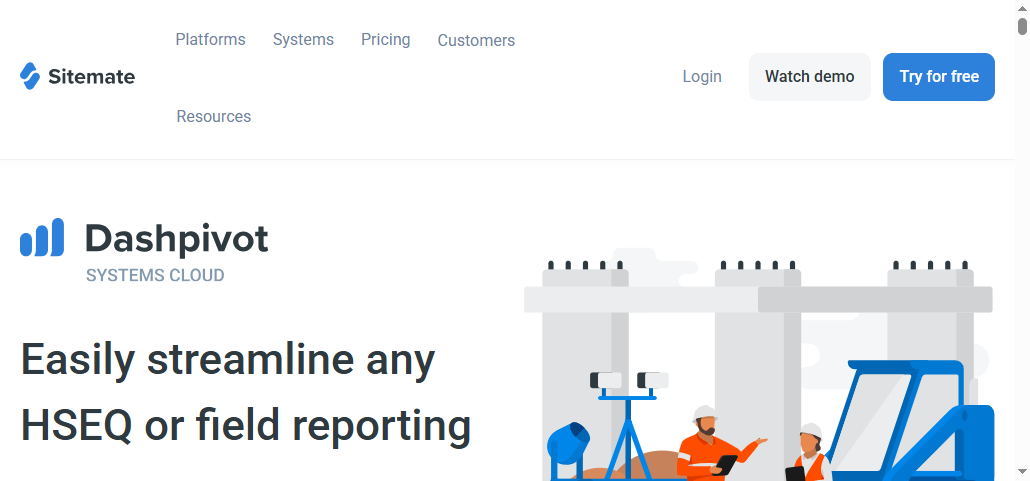
- One-sentence overview: Dashpivot is a form and reporting platform for construction teams that want customizable daily reports, site records, and media-rich field documentation.
- Key Features:
- Custom forms and templates
- Daily reports
- Photo and video attachments
- Digital signatures
- Data capture and exports
- Workflow standardization
- Pros & Cons:
- Pros: Flexible form building, strong documentation structure, useful for standardizing site records
- Cons: Dashboarding and deeper cross-project analytics may not match dedicated BI platforms
- Best For: Contractors that want configurable field forms and reporting without deploying a large enterprise suite
Quick comparison table: strengths, limits, and best-fit use cases
| Tool | Standout Strength | Main Limitation | Best Fit | Likely Budget Range |
|---|---|---|---|---|
| Raken | Fast daily reports and photo-driven updates | Less advanced enterprise analytics | Field-heavy contractors | Mid |
| Buildertrend | Reporting inside broader PM and client workflows | Less specialized reporting depth | Residential builders and remodelers | Mid |
| Procore | Broad reporting across a large construction platform | Higher cost and implementation effort | Mid-sized to large contractors | High |
| Fieldwire | Strong field coordination and report usability | Limited executive BI depth | Jobsite-focused teams | Mid |
| eSUB | Specialty contractor field reporting | Narrower analytics breadth | Specialty trades | Mid |
| CDR | Purpose-built daily reporting simplicity | Limited platform scope | Teams focused on CDR efficiency | Low to Mid |
| SafetyCulture | Flexible mobile forms and inspections | Less construction-specific | Safety and operations-driven teams | Low to Mid |
| Dashpivot | Highly configurable field documentation | Not as strong for advanced BI | Standardized forms and site records | Low to Mid |
| Archdesk | Broad integrated reporting across operations | More setup required | Growing firms wanting unified workflows | Mid to High |
| FineReport | Advanced dashboards and customizable reporting | Not a standalone field capture app | Firms needing executive and multi-system reporting | Mid to High |
| Autodesk Construction Cloud | Connected project data and coordination visibility | Can be more complex than needed for basic reporting | Complex projects and coordination-heavy environments | High |
 |
Pros and Cons to Weigh Before Choosing
When specialized reporting software is the better fit
A focused reporting tool is often the better choice when your biggest problem is adoption. If superintendents are still late on daily reports, or site updates are inconsistent, a specialized platform can solve that faster than a full-suite rollout.
Specialized tools are usually better at:
- Speed of daily report completion
- Simplicity for field users
- Photo capture and documentation
- Standardized templates
- Reducing administrative friction
They are a strong fit when your priority is better documentation, cleaner daily reporting, and faster field-to-office communication.
When all-in-one construction project management software makes more sense
An all-in-one platform may be the right choice if you want reporting tied directly to:
- Scheduling
- Budgeting
- RFIs
- Submittals
- Change orders
- Client updates
- document control
The upside is a more connected workflow. The downside is that reporting may be only one part of a larger system, which can mean slower implementation, more training, and less purpose-built daily reporting experience.
Common limitations buyers overlook
Many buyers focus too much on feature lists and not enough on workflow quality. Common issues include:
- Weak offline functionality
- Rigid templates that field teams stop using
- Limited dashboards or filtering
- Poor export formats
- Slow report generation
- Integrations that still require manual re-entry
- Executive reporting that looks generic or needs outside spreadsheet work
This is another area where FineReport can add value. Even if your operational platform captures field data well, you may still need a better way to turn that data into polished dashboards and management reports without rebuilding everything manually each month.
How to Choose the Right Tool for Your Team in 2026
Match the software to your project type and reporting complexity
Start with the level of reporting complexity your team truly needs.
- If you only need simple daily reports, tools like Raken or CDR may be enough.
- If you need reporting tied to broader project workflows, Buildertrend, Procore, Fieldwire, or Archdesk may be a better fit.
- If you need portfolio dashboards, owner-ready reporting packs, or cross-system analytics, FineReport should be on your shortlist.
Also consider your project type:
- Residential and remodeling teams often value communication and ease of use
- General contractors may need stronger cross-project controls
- Specialty trades often prioritize labor, field notes, and documentation speed
- Larger firms may need both operational reporting and executive BI
Test usability with field staff, PMs, and executives
Do not evaluate software only from an admin or IT perspective. The people who submit reports and the people who consume them both need to be involved.
Run trials with:
- Superintendents or foremen
- Project managers
- Operations leaders
- Executives or owners
Ask each group to test the software on real scenarios:
- Submit a daily report from the field
- Attach and organize site photos
- Review production and issue data
- Build or view dashboards
- Export a stakeholder-ready report
The right construction report software should work for both data entry and decision-making.
Use a practical shortlist and demo checklist
A practical demo checklist helps separate polished sales demos from real workflow fit. Score each vendor on:
- Mobile ease of use
- Offline performance
- Daily report speed
- Photo and issue documentation
- Dashboard quality
- Reporting customization
- Implementation support
- Integration options
- Export and sharing flexibility
- Total cost of ownership
Here is a simple shortlist by use case:
- Best for fast daily reporting: Raken, CDR
- Best for broader contractor workflows: Buildertrend, Procore, Archdesk
- Best for field coordination and onsite issue tracking: Fieldwire
- Best for specialty contractors: eSUB
- Best for flexible forms and inspections: SafetyCulture, Dashpivot
- Best for advanced dashboards and executive reporting: FineReport
- Best for complex connected project environments: Autodesk Construction Cloud
If your team is still deciding between a field-first app and a reporting-first platform, use this rule of thumb: choose a specialized daily reporting tool when adoption and documentation speed are the top issue; choose a broader platform when reporting must connect tightly with project execution; and choose FineReport when the real gap is turning construction data into better dashboards, management visibility, and decision-ready reporting across the business.
FAQs
Construction report software helps contractors capture daily site activity, labor, equipment, weather, photos, and issues in one system. It also turns that field data into reports and dashboards for project teams, executives, owners, and clients.




