

An automated expense reporting system is software that helps companies capture receipts, categorize spending, enforce policy, route approvals, reimburse employees, and sync records with finance systems with far less manual work than spreadsheets or email-based processes.
If you are a finance leader, AP manager, travel manager, or operations owner, you are probably not just looking for a faster way to submit receipts. You are trying to solve bigger problems: delayed reimbursements, weak policy compliance, poor spend visibility, too much month-end cleanup, and disconnected travel and accounting workflows.
In 2026, the best automated expense reporting system is not simply the one with the most features. It is the one that fits your company’s reporting maturity, approval complexity, travel volume, and compliance requirements.
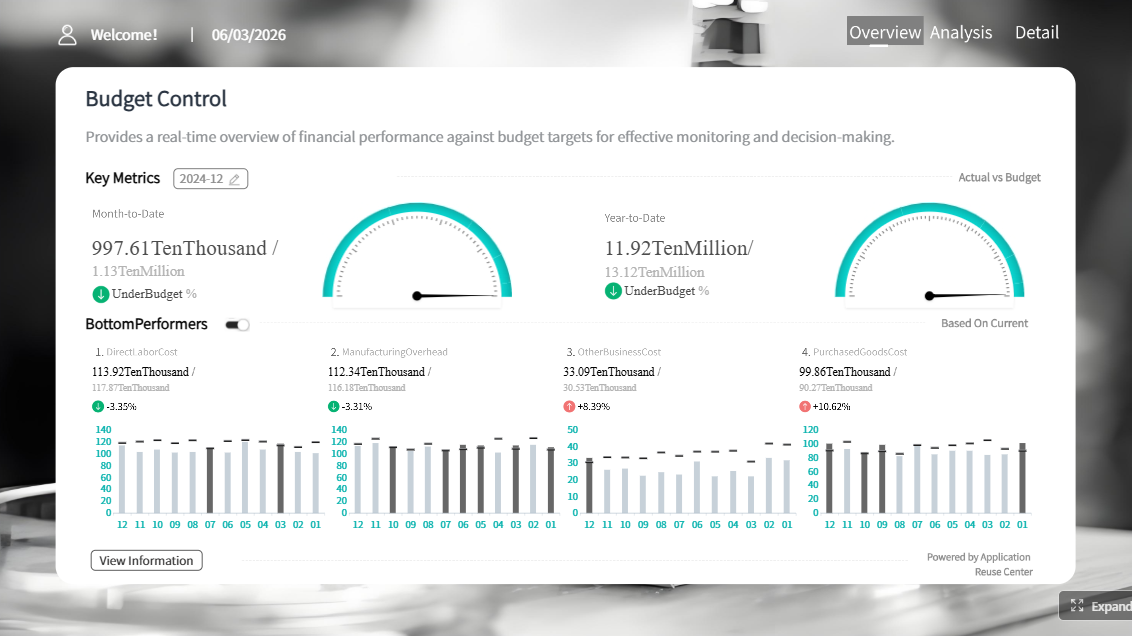 Click To Try The Dashboard
Key Elements of a Good Automated Expense Reporting System
- Fast expense capture: Employees should be able to upload receipts from mobile, email, or card feeds.
- Accurate categorization: OCR and auto-coding should reduce manual edits without creating accounting errors.
- Policy enforcement: The system should flag missing receipts, duplicate claims, over-limit spend, and out-of-policy items before approval.
- Flexible approval routing: Approval chains should match your org structure, departments, projects, and spend thresholds.
- Reliable reimbursement workflow: Approved expenses should move quickly into payroll, AP, or reimbursement processes.
- Finance-ready reporting: Controllers and finance teams need dashboards, audit trails, and exportable records for close and review.
- System integration: Expense data should connect with ERP, accounting, payroll, card, and travel platforms.
- Scalability and governance: The platform should support growth without creating admin overhead or reporting blind spots.
What makes the best automated expense reporting system in 2026
The word “best” means different things depending on who uses the system.
For traveling employees, best usually means mobile-first submission, fast receipt capture, quick reimbursement, and minimal friction.
For managers, best means clear approval queues, policy alerts, delegated approvals, and confidence that routine claims are handled correctly.
For finance teams, best means strong controls, better audit readiness, integrations, lower processing time, fewer exceptions, and better reporting across entities, teams, and cost centers.
Define what “best” means for finance teams, traveling employees, and managers approving reimbursements
A strong automated expense reporting system should balance three goals:
- Ease of submission
- Control and compliance
- Financial visibility
Many tools do one or two of these well. Fewer do all three equally well.
For example, a receipt-first app may be great for employee adoption but weaker in advanced approval routing or enterprise policy logic. A broader spend platform may improve card controls and budgets but feel heavy for simple reimbursement use cases. A traditional suite may satisfy finance but require more implementation effort.
Explain how automation reduces manual entry, policy violations, and reimbursement delays
Automation improves expense reporting in several practical ways:
- Receipt OCR reduces typing by extracting merchant, amount, date, and currency from uploaded receipts.
- Card matching reduces reconciliation time by linking transactions to receipts automatically.
- Built-in rules catch issues early such as missing documentation, duplicates, category misuse, or out-of-policy spend.
- Automated approvals shorten cycle time by routing reports to the right manager without email chasing.
- System integrations reduce rework by syncing approved data to accounting, payroll, or ERP systems.
- Dashboards improve visibility so finance can monitor aging reports, exception rates, reimbursement turnaround, and spend patterns.
For companies processing dozens or hundreds of reports each month, these improvements can have a direct effect on employee satisfaction and finance productivity.
Clarify the difference between basic receipt capture, full expense workflows, and broader spend controls
This is one of the most important distinctions when evaluating vendors.
Basic receipt capture
These tools focus on making it easy for employees to scan receipts and submit claims. They are often fast to adopt and helpful for smaller teams, but may offer lighter controls.
Full expense workflows
These platforms go beyond receipt capture. They include policy rules, approvals, reimbursement routing, accounting sync, audit trails, and finance reporting. This is where most mid-sized and enterprise buyers should focus.
Broader spend controls
Some modern platforms combine expense reporting with corporate cards, virtual cards, budget controls, bill pay, or travel booking. These solutions can work well when the goal is to manage spend before it happens, not just report it afterward.
The right choice depends on whether you mainly need employee reimbursement automation, finance control, or end-to-end spend management.
How to compare top tools for finance, travel, and reimbursements
A fair comparison starts with the real workflow, not the sales demo. Most companies should evaluate tools across features, usability, rollout effort, and total cost.
Core expense reporting software features to evaluate
Receipt OCR and auto-categorization accuracy
OCR is often the first feature buyers notice, but finance teams should ask a better question: How much cleanup is still required after capture?
Look for tools that can:
- Extract core receipt fields reliably
- Match receipts to card transactions
- Suggest expense categories
- Handle email receipts and digital invoices
- Support international receipt formats where relevant
Good OCR saves time. Inaccurate OCR simply moves work from employees to finance admins.
Policy rules, approval routing, and audit trails
This is where many implementations succeed or fail.
Evaluate whether the system supports:
- Spend limits by category or employee role
- Required receipts above thresholds
- Duplicate detection
- Approval routing by department, entity, amount, or project
- Escalation paths and delegated approval
- Full timestamped audit logs
If your company has layered approvals or strict reimbursement policy, workflow flexibility matters more than flashy UX.
Mileage, per diem, and multi-currency support
For travel-heavy organizations, these capabilities are essential rather than optional.
Check whether the system supports:
- Mileage calculation and rate logic
- Per diem policies
- Foreign currency conversion
- VAT or tax treatment where applicable
- Country-specific reimbursement scenarios
A tool that handles simple meal receipts well may still struggle with global travel complexity.
ERP, accounting, payroll, and travel platform integrations
Expense automation breaks down quickly if approved data still has to be re-entered elsewhere.
Prioritize integrations with:
- Accounting software
- ERP systems
- Payroll tools
- Corporate cards and bank feeds
- Travel booking platforms
- HR or employee directory systems
The best integration is not just a data export. It is a reliable workflow that reduces duplicate entry and supports downstream reporting.
Usability and rollout factors that affect adoption
Mobile app quality for employees on the go
For field teams, sales teams, and frequent travelers, mobile usability can determine whether the program succeeds.
Look for:
- Fast receipt capture
- Real-time submission
- Approval notifications
- Simple editing
- Offline capability if relevant
If employees wait until the end of the month to create reports, the process is already losing efficiency.
Admin setup complexity and ongoing maintenance
Some systems are easy to buy but hard to maintain. Others require more setup but provide stronger long-term control.
Ask vendors about:
- Policy configuration effort
- Approval workflow setup
- Entity or department management
- Integration administration
- Ongoing support for rule changes
Finance teams should plan for the real admin workload, not just launch-day effort.
Reporting dashboards and visibility for finance leaders
A strong automated expense reporting system should not stop at submission and approval. Finance leaders need oversight.
Useful dashboards often include:
- Spend by category, team, and entity
- Open versus approved versus reimbursed reports
- Policy violation trends
- Reimbursement cycle time
- Card reconciliation status
- Month-end exception queues
This is also the point where dedicated reporting platforms can add value, especially when finance wants more customized operational reporting than the built-in dashboards provide.
Customer support, onboarding, and training resources
Expense tools affect a broad user base, including employees, approvers, finance admins, and auditors. Training and support quality can materially affect adoption.
Evaluate:
- Onboarding help
- Admin training
- End-user documentation
- Support responsiveness
- Rollout guidance for policy design and change management
Pricing models and total cost of ownership
Per-user versus tiered pricing structures
Expense tools commonly use per-user or tiered pricing, but list price rarely tells the whole story.
The right pricing model depends on:
- Number of active submitters
- Number of approvers and admins
- Travel volume
- International requirements
- Need for cards, travel, or advanced workflows
Hidden costs such as implementation, support, and integration fees
The full cost may include:
- Implementation services
- Integration setup
- Premium support
- Custom workflow configuration
- Travel module add-ons
- Card program dependencies
Cheap software can become expensive if finance still spends hours correcting exceptions and preparing reports manually.
ROI indicators such as time saved and fewer reimbursement errors
The most practical ROI measures are operational:
- Lower time to submit and approve reports
- Fewer manual corrections
- Faster reimbursements
- Lower exception rates
- Less month-end reconciliation work
- Better visibility into policy compliance
Top automated expense reporting system options to consider
The best platform category depends on your company profile more than brand popularity.
Best for small and mid-sized businesses
Small and mid-sized businesses usually want:
- Fast setup
- Good mobile capture
- Simple approvals
- Reliable reimbursement workflows
- Affordable administration
Receipt-first and lightweight expense tools often work well here, especially when the finance team is lean and the policy structure is relatively straightforward.
Pros for SMBs:
- Quicker deployment
- Simpler training
- Lower process friction
- Better employee adoption
Tradeoffs:
- Less workflow depth
- Weaker enterprise policy logic
- Fewer advanced compliance controls
- More limited reporting customization
Best for enterprise finance and compliance
Larger organizations usually need:
- Strong policy enforcement
- Multi-level approvals
- Audit trails
- Integration with ERP and finance systems
- Cross-entity reporting
- Scalable admin controls
Traditional expense suites and enterprise spend platforms tend to fit better here, especially where finance governance matters as much as employee convenience.
Pros for enterprises:
- Stronger controls
- Better audit readiness
- More configurable workflows
- Deeper system integration
Tradeoffs:
- Longer implementation
- Higher change management effort
- Heavier admin setup
- Potentially less intuitive user experience
Best for travel-heavy teams and employee reimbursements
Organizations with frequent travel often need more than generic expense automation.
They benefit from tools with:
- Travel booking linkage
- Card transaction matching
- Fast mobile receipt capture
- Multi-currency handling
- Mileage and per diem workflows
- Reimbursement tracking
Travel-centered platforms can outperform general-purpose expense tools when the main challenge is high-volume T&E management rather than simple office reimbursements.

Tool-by-tool comparison: strengths, tradeoffs, and ideal use cases
Quick Comparison Table
| Tool category | Best for | Dashboarding | Pixel-perfect reporting | Paginated reports | Data entry/forms | Scheduling and distribution | Enterprise deployment | Ease of use | Recommended users |
|---|---|---|---|---|---|---|---|---|---|
| Receipt-first expense platforms | Fast employee submission and reimbursement | Basic to moderate | Limited | Limited | Limited | Basic | Moderate | High | SMBs, lean finance teams, travel users |
| Broader spend management platforms | Controlling spend across cards, budgets, and expenses | Moderate to strong | Limited | Limited | Moderate | Moderate | Strong | Moderate | Finance teams wanting unified spend workflows |
| Traditional expense suites | Compliance-heavy expense management | Moderate | Limited to moderate | Moderate | Moderate | Strong | Strong | Moderate | Enterprises with complex approval and audit needs |
| FineReport with expense data workflows | Custom finance reporting, operational dashboards, printable reports, and forms around expense processes | Strong | Strong | Strong | Strong | Strong | Strong | Moderate | Teams needing tailored expense reporting, workflow visibility, and enterprise reporting governance |
 |
Expensify and similar receipt-first platforms
Expensify is commonly known for making expense submission easy. Its strengths are closely tied to receipt scanning, self-service submission, reimbursement workflows, card connection, and broad ease of use for employees.
This category tends to stand out in areas such as:
- Mobile receipt capture
- Email receipt forwarding
- Fast report creation
- Employee-friendly UX
- Card reconciliation support
- Quick adoption for smaller teams
These tools are often a good fit when the main goal is to reduce friction and speed up reimbursement.
Potential limitations to evaluate carefully:
- Workflow customization depth
- Complex approval scenarios
- Advanced reporting needs
- Multi-entity governance
- Enterprise-specific controls
That does not mean receipt-first platforms are weak. It means they are strongest when ease and speed matter most.
Broader spend management platforms
Broader spend platforms extend beyond expense reports into areas such as:
- Corporate cards
- Virtual cards
- Spend controls
- Budget tracking
- Travel integration
- Procurement or bill workflows in some cases
This approach can be attractive when the company wants to prevent uncontrolled spend upfront, not just process claims after the fact.
These platforms are often a strong fit when:
- Card usage is central to employee spend
- Finance wants tighter real-time control
- Budget owners need better visibility
- The company wants fewer disconnected systems
Tradeoffs may include:
- More process redesign
- Potential dependence on the vendor’s card or payments ecosystem
- Broader rollout complexity compared with a simple reimbursement tool
Traditional expense management suites
Traditional suites are usually chosen for stronger finance alignment and policy enforcement. They often fit organizations that need more formal workflows, deeper controls, and mature expense governance.
They are commonly strongest in:
- Approval structure
- Policy compliance
- Audit trail completeness
- Enterprise integration
- Standardized finance processes
Potential downsides:
- Slower implementation
- More configuration effort
- Less intuitive employee experience in some cases
- Higher total cost for smaller organizations
For large companies, however, those tradeoffs may be worthwhile if compliance and consistency are the top priorities.

How to automate expense reporting in 5 practical steps
Automation works best when you improve the process before you digitize it.
Map your current workflow and policy gaps
Start by documenting the full lifecycle:
- Expense creation
- Submission timing
- Approval routing
- Exception handling
- Reimbursement processing
- Posting to accounting
- Month-end reporting
Then identify bottlenecks such as missing receipts, unclear policies, delayed approvals, manual coding, and duplicate entry.
Standardize categories, approval rules, and reimbursement policies
Before implementation, simplify what can be standardized.
Define:
- Expense categories
- Receipt requirements
- Spend thresholds
- Approver rules
- Mileage and per diem logic
- Reimbursement timelines
If policies are vague, automation will just create more exception queues.
Connect cards, accounting systems, and travel data
The biggest gains usually come from connected data.
Prioritize integration with:
- Corporate cards
- Bank feeds
- Accounting or ERP systems
- Payroll or AP reimbursement workflows
- Travel booking systems where relevant
This reduces duplicate input and improves data consistency across finance processes.
Pilot the system, train users, and measure results
Run a pilot before full rollout. Include frequent travelers, managers, and finance reviewers.
Measure:
- Submission time
- Approval turnaround
- Reimbursement speed
- Policy violation rate
- Manual correction volume
- User adoption
Build management reporting around the process
Most companies stop at workflow automation. Stronger finance teams also build reporting around the process itself.
That includes monitoring:
- Outstanding expenses by team
- Reimbursement aging
- Violation patterns
- Spend by vendor and category
- Approval bottlenecks
- Close-cycle impact
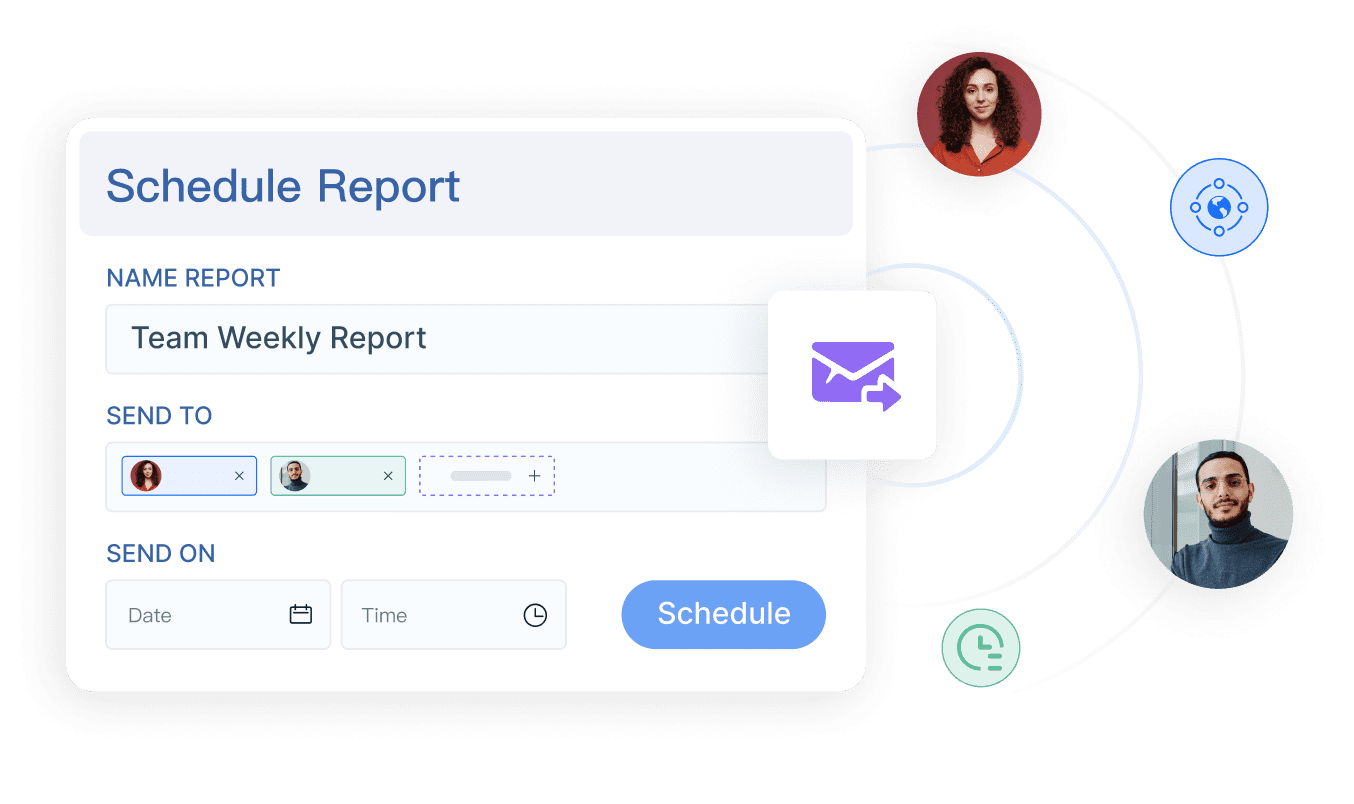
This is where a reporting platform such as FineReport can support finance teams that need more tailored dashboards, printable reports, parameter queries, and scheduled distribution than an expense tool alone may provide.
Practical recommendations before you choose a system
- Decide whether your main problem is reimbursement speed, policy compliance, or broader spend control. Different tool categories solve different priorities.
- Test real workflows, not just demos. Use sample scenarios with mileage, missing receipts, foreign currency, approval exceptions, and accounting sync.
- Evaluate reporting depth early. Finance will need more than receipt capture; they will need operational visibility and audit-ready outputs.
- Plan rollout by policy maturity. If your rules are unclear today, fix them before expecting automation to work smoothly.
- Consider whether built-in dashboards are enough. If finance leadership wants standardized cross-department reporting, printable statements, or scheduled management packs, add a dedicated reporting layer.
Final verdict: how to choose the right system for your team
The right automated expense reporting system depends on how your organization works.
- Choose a receipt-first platform if employee ease, quick setup, and reimbursement speed matter most.
- Choose a broader spend management platform if you want tighter control across cards, budgets, and expenses.
- Choose a traditional expense suite if complex approvals, compliance, and enterprise finance integration are top priorities.
The most important step is matching platform strengths to:
- Company size
- Travel intensity
- Approval complexity
- Compliance needs
- Reporting maturity
- Long-term scalability
A shortlist and trial process is usually the best way to confirm fit before a full commitment.
When FineReport is a good fit for expense reporting and finance visibility
Tools like Expensify and other expense platforms are widely used for submission, reimbursement, and spend workflows, but teams with more complex reporting requirements may also need a dedicated enterprise reporting platform like FineReport.
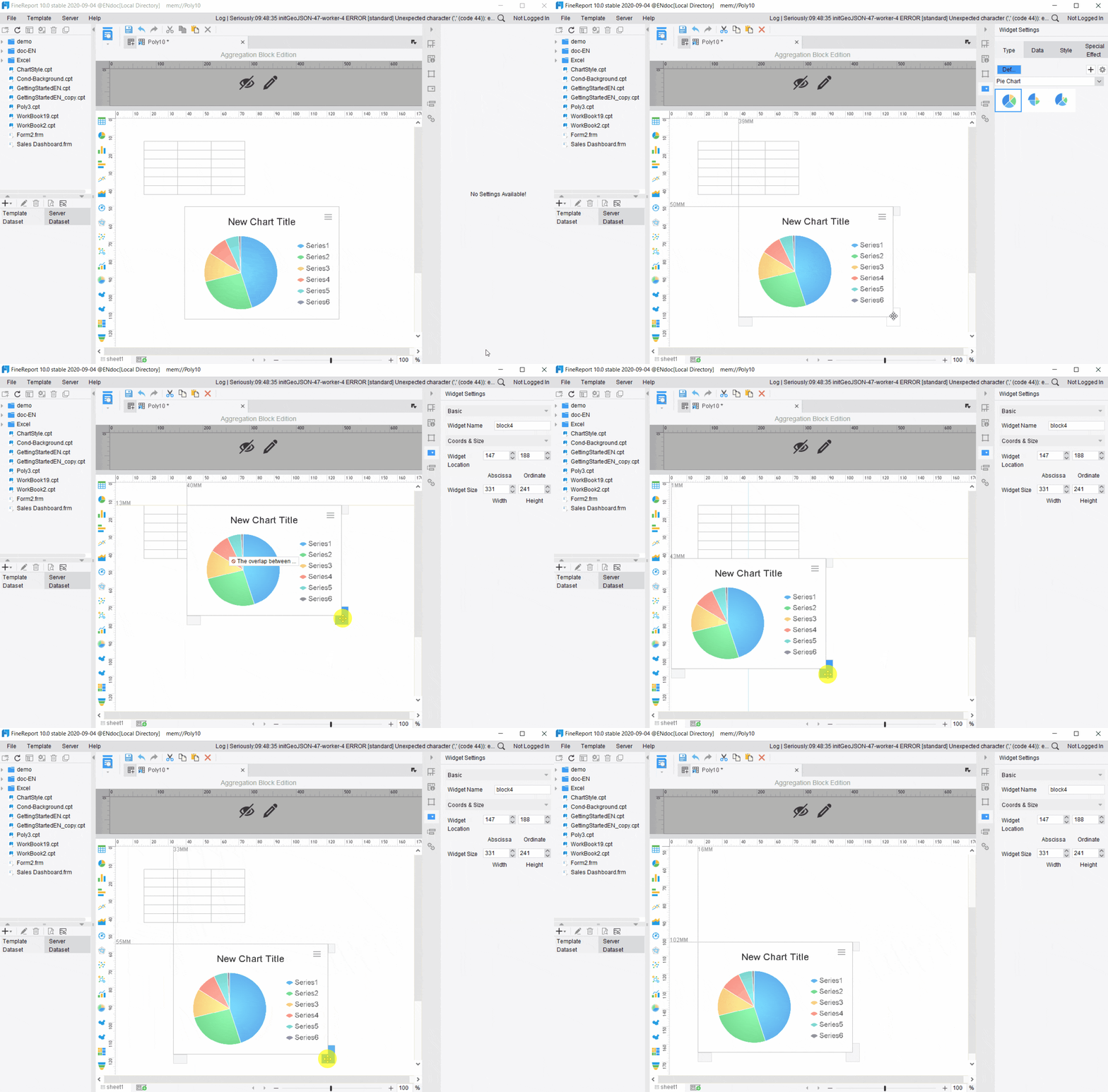
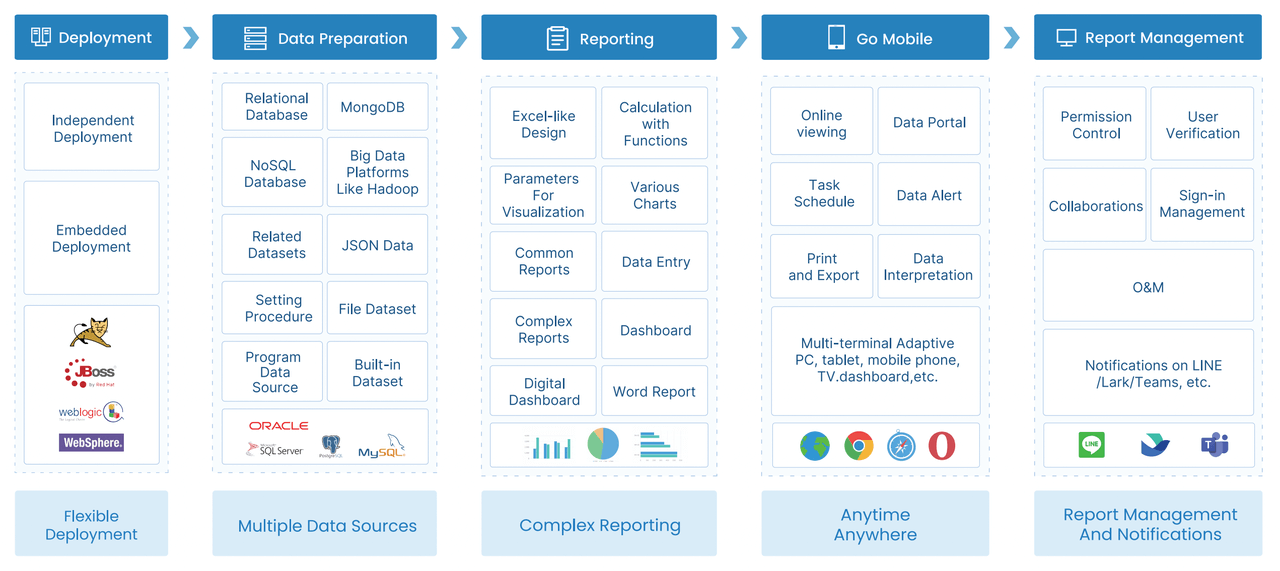
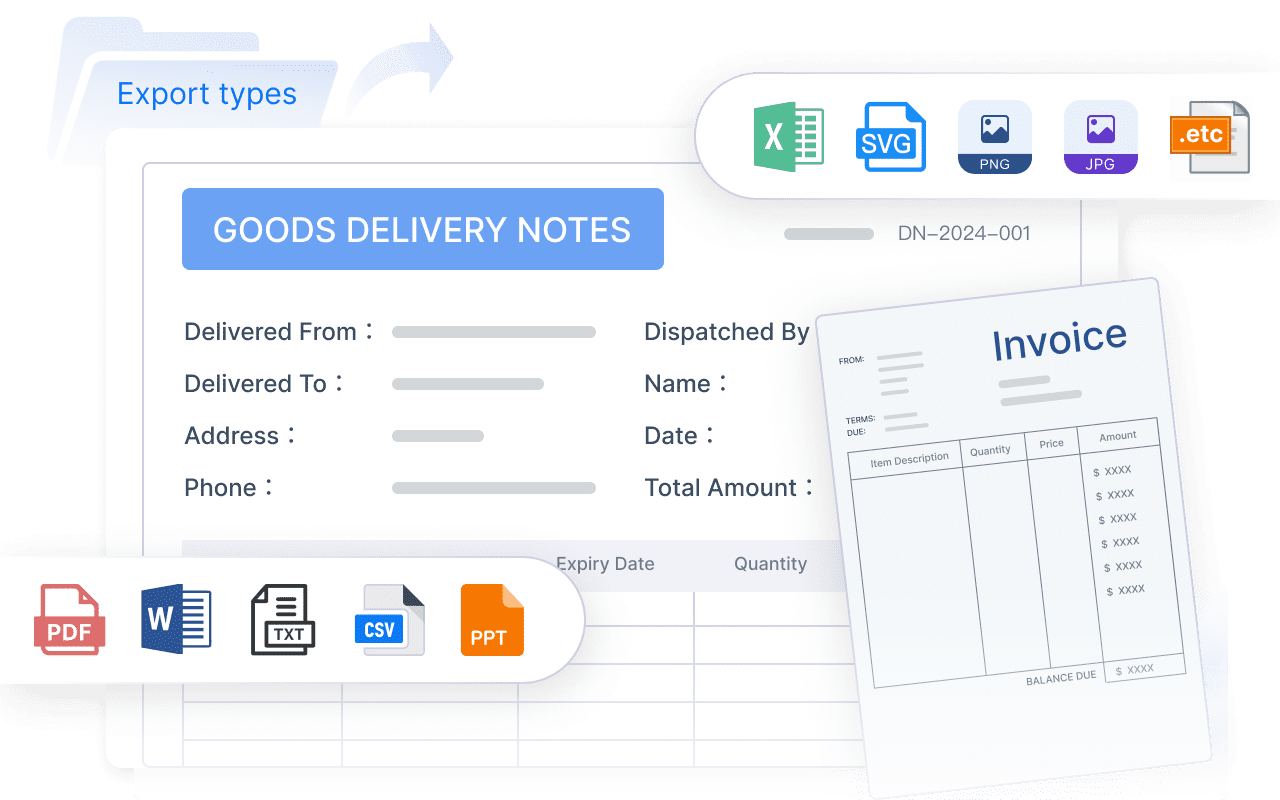
FineReport is not just a simple dashboard tool. It is designed for organizations that need enterprise reporting, pixel-perfect reports, paginated outputs, dashboards, parameter queries, scheduled distribution, and form-based workflows. That makes it relevant when your expense process is only one part of a broader finance reporting environment.
FineReport can be a practical fit when you need to:
- Build management-ready expense reports with precise tabular layouts
- Combine expense data with ERP, accounting, budget, travel, or project data
- Create scheduled finance reports for department heads or executives
- Deliver printable or paginated reports for review and archiving
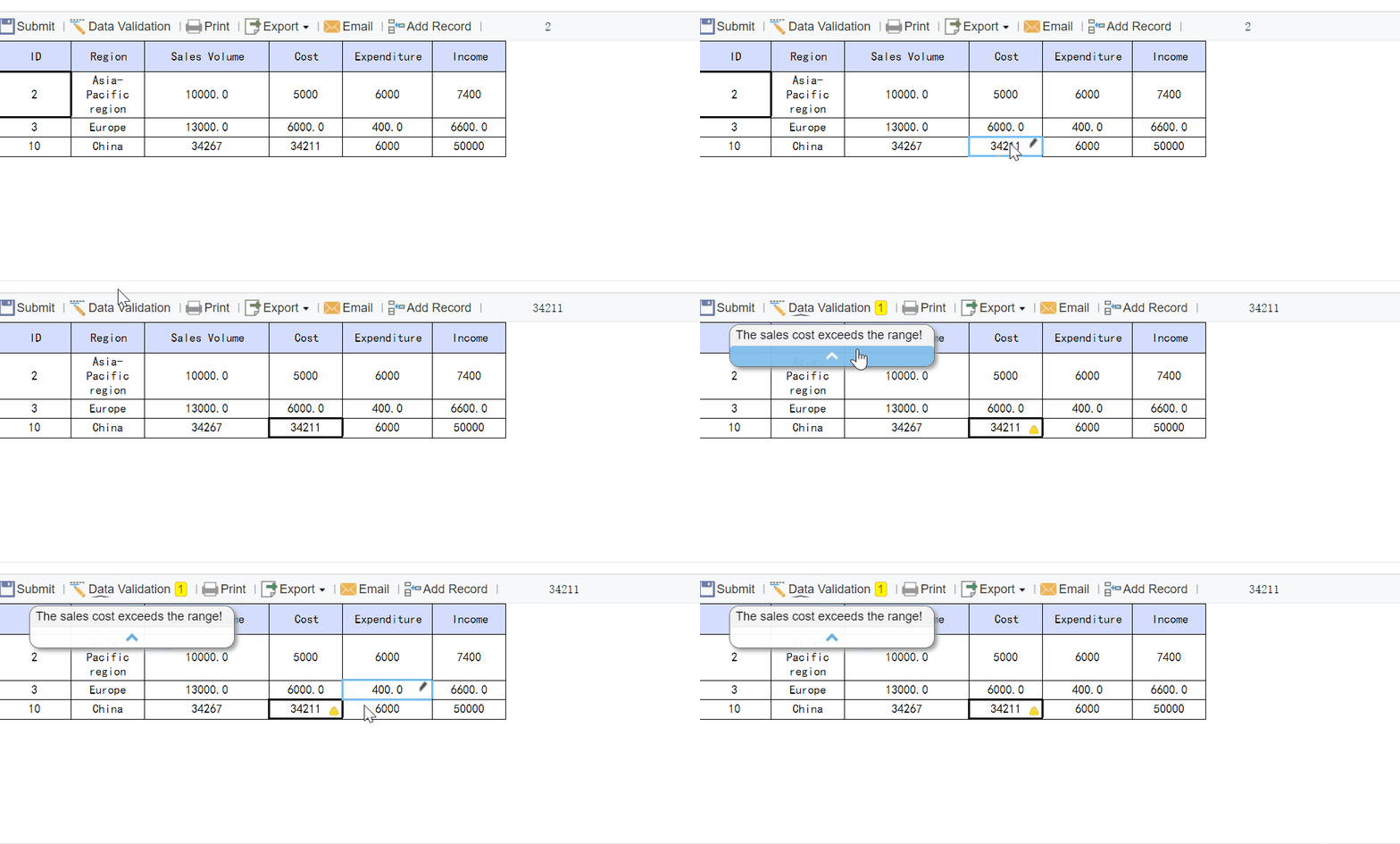
- Support data entry or workflow forms tied to operational finance processes
- Standardize reporting across finance, travel, operations, and management teams
For example, if your expense software captures transactions well but your finance team still needs custom monthly reimbursement summaries, exception reports, cost-center reports, or executive spend dashboards, FineReport can help fill that reporting gap.

Get Ready-to-Use Dashboard and Report Templates in Fine Gallery
A common pattern is this: the expense platform handles capture and approvals, while FineReport supports the finance reporting layer with more customized dashboards, printable reports, scheduled packs, and integrated operational analysis.
That approach is especially useful for organizations that want expense automation without giving up reporting flexibility.
FAQs
It is software that captures receipts, categorizes expenses, checks policy rules, routes approvals, and sends approved data into reimbursement and finance systems with much less manual work.




